Page 65 of 305
61
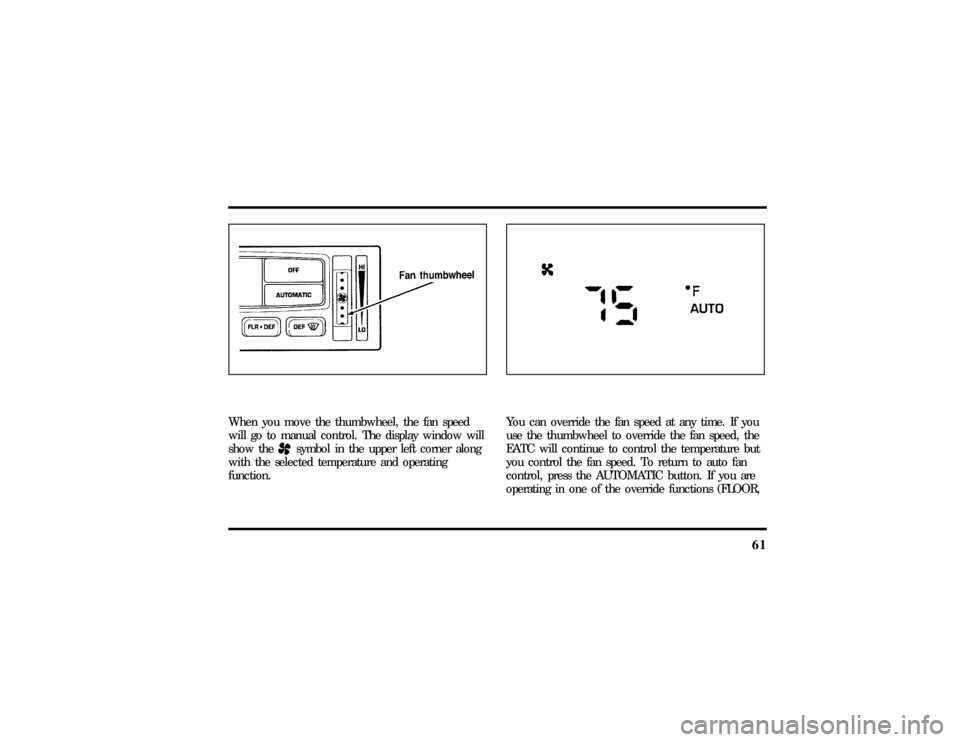
When you move the thumbwheel, the fan speed
will go to manual control. The display window will
show the
Hsymbol in the upper left corner along
with the selected temperature and operating
function.
You can override the fan speed at any time. If you
use the thumbwheel to override the fan speed, the
EATC will continue to control the temperature but
you control the fan speed. To return to auto fan
control, press the AUTOMATIC button. If you are
operating in one of the override functions (FLOOR,
File:05fncft.ex
Update:Mon Jun 17 13:49:49 1996
Page 66 of 305

62MAX A/C, etc.), automatic fan control will
continue unless you rotate the fan thumbwheel. To
return to automatic fan control, press the
AUTOMATIC button. The EATC will return to
Automatic operation. If you want to return to any
override function, press the button for that function.
The fan speed will continue to be automatically
controlled.Steering wheel remote control buttonsSome cars have control buttons to the right side of
the center of the steering wheel which allow you to
control some radio and climate control features.
Refer to theSteering Column Controlschapter later
in this owner guide for further information.Manual override buttonsYour EATC has six buttons which allow you to
make special selections. The buttons are located
along the bottom edge of the EATC control and
allow you to determine where the air will be
discharged. Pressing any override button changesthe air discharge location only. It does not affect
the ability of the system to control temperature or
the fan speed. Return to fully Automatic operation
by pushing the AUTOMATIC button.
MAX A/C button
The MAX A/C feature allows for faster cooling
because air is drawn from inside the vehicle. Using
inside air causes the fan to sound louder which is
normal for this selection. The Display window will
change to indicate60ÊF(16ÊC) and MAXA/C. The
fan will run and the airflow will be from the
instrument panel registers. To exit and return to the
previous temperature, push AUTOMATIC or any of
the other five override buttons.
NORM A/C button
When you push this button, you select air
conditioning using outside air. The Display window
will indicate A/C under the selected temperature.
The cooled air will flow from the instrument panel
registers. The fan speed will continue on automatic.
File:05fncft.ex
Update:Mon Jun 17 13:49:49 1996
Page 67 of 305

63
VENT button
Push this button to select outside air through the
instrument panel registers. The display window will
show the set temperature and VENT to the lower
right of the temperature. Your EATC will heat the
air if the temperature you have selected is warmer
than the outside air coming into the vehicle.
However, the air will NOT be cooled regardless of
the temperature setting.
FLOOR button
Airflow will be to the floor when the FLOOR
button is pressed. The display window will show
the set temperature and FLR to the left of the
temperature. The air cannot be cooled in the FLR
position, only heated. Fan speed will be automatic
unless manually controlled. If you override the fan
speed and wish to return to automatic fan control,
push AUTOMATIC. Then, again select FLOOR for
airflow to the floor.FLR & DEF button
Push this button to get air to the floor and
windshield defrosters at the same time. The display
will show the set temperature, FLR and the Defrost
symbol. If the outside temperature is about50ÊF
(10ÊC) andabove, the air will be dehumidified to
remove moisture. This will help to prevent fogging
in humid weather.
DEF button
Press the Defrost Button to obtain maximum airflow
to the windshield. Adjust the temperature setting as
required for defrosting. The Display window will
show the temperature setting with the Defrost
symbol to the left of the temperature. When the
outside temperature is about50ÊF(10ÊC) and
above, the air will be dehumidified to remove
moisture. This will help prevent fogging in humid
weather.
File:05fncft.ex
Update:Mon Jun 17 13:49:49 1996
Page 68 of 305
64OUTSIDE TEMP button
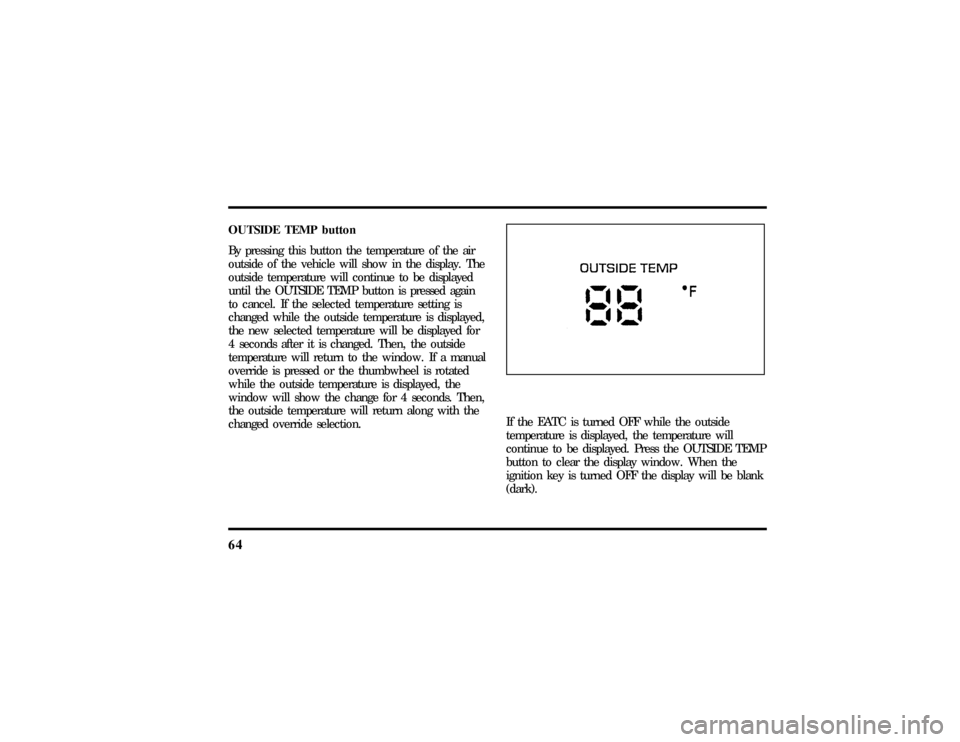
By pressing this button the temperature of the air
outside of the vehicle will show in the display. The
outside temperature will continue to be displayed
until the OUTSIDE TEMP button is pressed again
to cancel. If the selected temperature setting is
changed while the outside temperature is displayed,
the new selected temperature will be displayed for
4 seconds after it is changed. Then, the outside
temperature will return to the window. If a manual
override is pressed or the thumbwheel is rotated
while the outside temperature is displayed, the
window will show the change for 4 seconds. Then,
the outside temperature will return along with the
changed override selection.
If the EATC is turned OFF while the outside
temperature is displayed, the temperature will
continue to be displayed. Press the OUTSIDE TEMP
button to clear the display window. When the
ignition key is turned OFF the display will be blank
(dark).
File:05fncft.ex
Update:Mon Jun 17 13:49:49 1996
Page 220 of 305
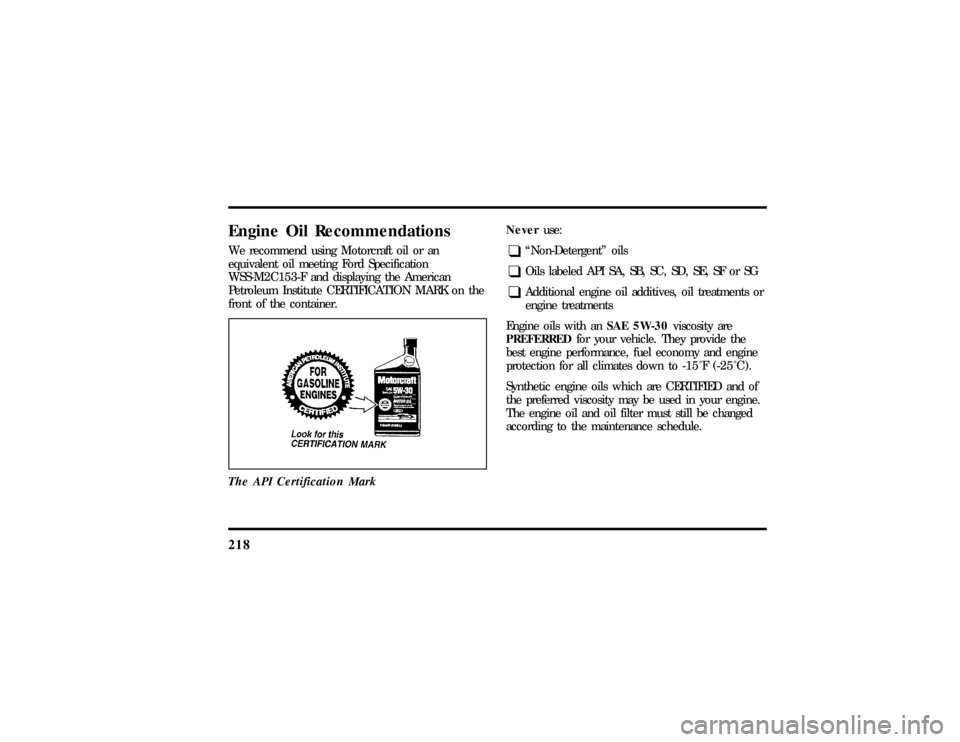
218Engine Oil RecommendationsWe recommend using Motorcraft oil or an
equivalent oil meeting Ford Specification
WSS-M2C153-F and displaying the American
Petroleum Institute CERTIFICATION MARK on the
front of the container.
The API Certification Mark
Neveruse:q
ªNon-Detergentº oils
q
Oils labeled API SA, SB, SC, SD, SE, SF or SG
q
Additional engine oil additives, oil treatments or
engine treatments
Engine oils with anSAE 5W-30viscosity are
PREFERREDfor your vehicle. They provide the
best engine performance, fuel economy and engine
protection for all climates down to-15ÊF (-25ÊC).
Synthetic engine oils which are CERTIFIED and of
the preferred viscosity may be used in your engine.
The engine oil and oil filter must still be changed
according to the maintenance schedule.
File:11fnmct.ex
Update:Mon Jun 17 13:54:56 1996