25
If ªCOº or ªCSº is displayed, this means that there
is a problem with the fuel indication system and
you should contact your dealer for service as soon
as possible.FUEL REMAIN Ð Fuel Remaining
This function shows you how many gallons (liters)
of fuel you have left in the fuel tank.
If your fuel level is above 20 gallons (75.7 liters),
the letter ªFº (full) will appear on the display. But
if your fuel level has dropped to below 1 gallon (4
liters), the letter ªEº (empty) will appear in the
display.
Because of factors like rounding of numbers and
fuel movement in the tank, your fuel gauge and the
service station fuel pump readings may disagree
slightly.
A problem is indicated if the fuel gauge bar graph
displays only the top two and bottom two bars and
the message center display for Distance To Empty
or Fuel Remaining functions display the letters
ªCOº or ªCSº. If this happens, contact your dealer
for service as soon as possible.
File:03fnist.ex
Update:Mon Jun 17 13:46:47 1996
Page 31 of 305
26FUEL ECON Ð Fuel Economy FunctionsThe FUEL ECON selection indicates two functions,
Average Fuel Economy and Instantaneous Fuel
Economy.
Average Economy is entered by pressing the
SELECT> button from the DISTANCE TO EMPTY
display. This function is indicated by the AVG
indicator being illuminated to the left of the
Message Center digital display.
Instantaneous Fuel Economy is displayed by pressing
the SELECT> button again from the Average
Economy display and is indicated by INST being
illuminated replacing AVG.
File:03fnist.ex
Update:Mon Jun 17 13:46:47 1996
Page 32 of 305
27
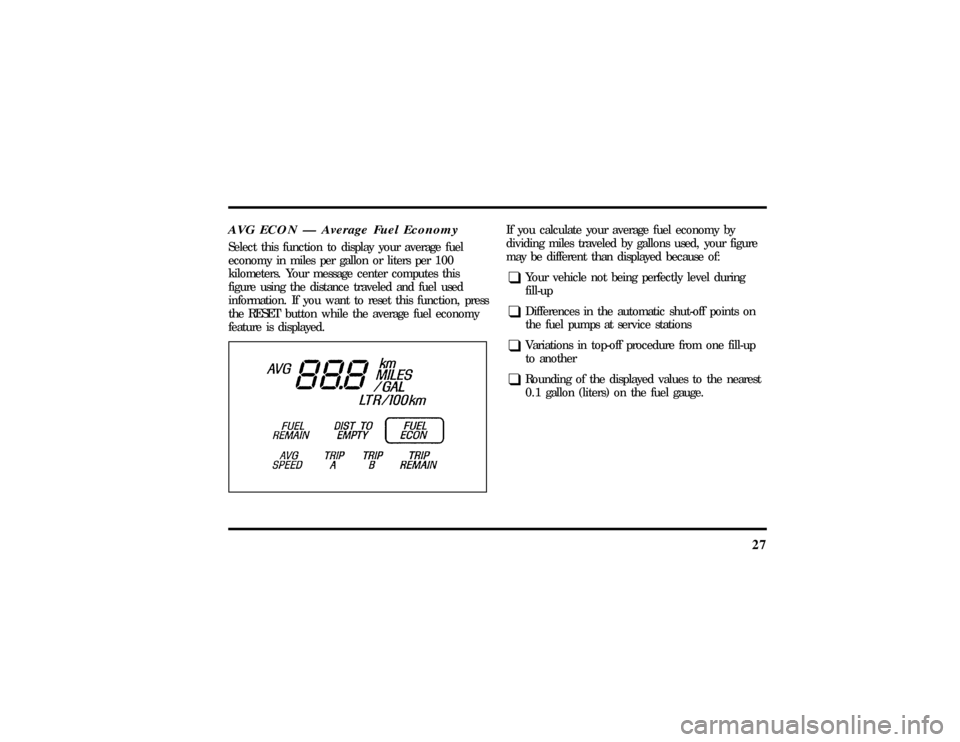
AVG ECON Ð Average Fuel EconomySelect this function to display your average fuel
economy in miles per gallon or liters per 100
kilometers. Your message center computes this
figure using the distance traveled and fuel used
information. If you want to reset this function, press
the RESET button while the average fuel economy
feature is displayed.
If you calculate your average fuel economy by
dividing miles traveled by gallons used, your figure
may be different than displayed because of:q
Your vehicle not being perfectly level during
fill-up
q
Differences in the automatic shut-off points on
the fuel pumps at service stations
q
Variations in top-off procedure from one fill-up
to another
q
Rounding of the displayed values to the nearest
0.1 gallon (liters) on the fuel gauge.
File:03fnist.ex
Update:Mon Jun 17 13:46:47 1996
Page 33 of 305
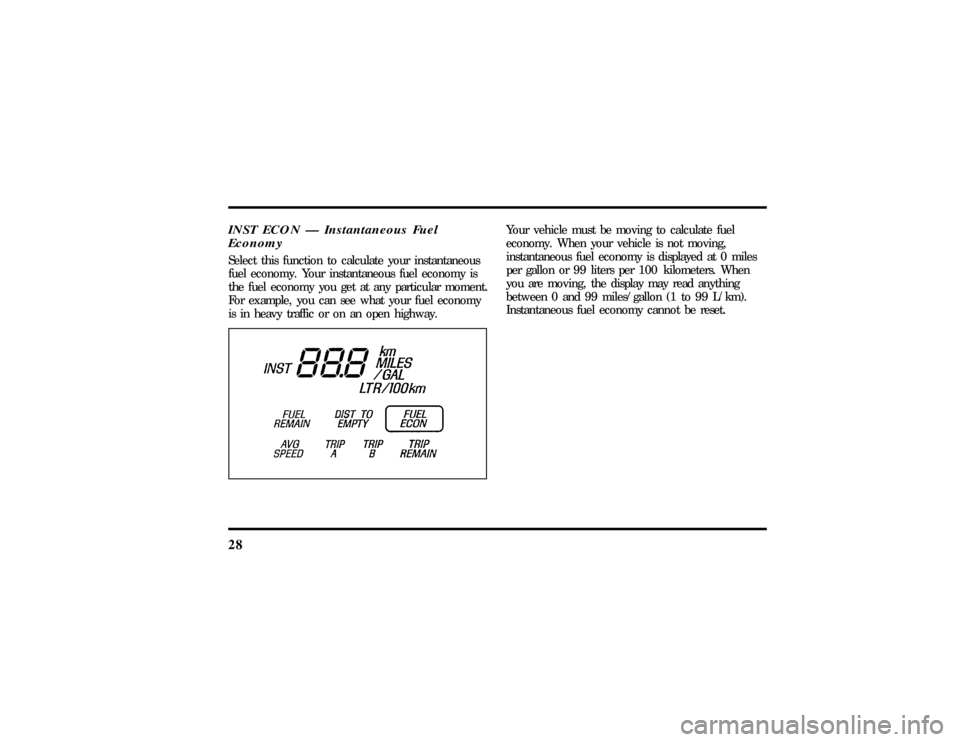
28INST ECON Ð Instantaneous Fuel
EconomySelect this function to calculate your instantaneous
fuel economy. Your instantaneous fuel economy is
the fuel economy you get at any particular moment.
For example, you can see what your fuel economy
is in heavy traffic or on an open highway.
Your vehicle must be moving to calculate fuel
economy. When your vehicle is not moving,
instantaneous fuel economy is displayed at 0 miles
per gallon or 99 liters per 100 kilometers. When
you are moving, the display may read anything
between 0 and 99 miles/gallon (1 to 99 L/km).
Instantaneous fuel economy cannot be reset.
File:03fnist.ex
Update:Mon Jun 17 13:46:47 1996
Page 34 of 305
29
AVG SPEED Ð Average Speed FunctionTo use the Average Speed function, select AVG
SPEED and press the RESET button. Your average
speed from that point until you RESET again will be
displayed.TRIP A and TRIP B Ð Elapsed Distance
TraveledThese two functions of the message center allow
you to see how far you have traveled since you last
reset. Trip A and Trip B are completely independent
and must be reset individually.
To reset either trip feature to zero, press the RESET
switch while a trip distance feature (Trip A or Trip
B) is displayed.TRIP REMAIN Ð Trip Remaining
OdometerThis function allows you to set a destination
distance up to 999 miles or kilometers. This feature
will indicate when the preset distance has been
reached by sounding a tone for one (1) second and
flashing ª0.0º TRIP REMAIN for ten (10) seconds
before returning to the original display.
File:03fnist.ex
Update:Mon Jun 17 13:46:47 1996
Page 35 of 305
30The Trip Remaining distance is set by first selecting
the TRIP REMAIN indicator then pressing the
RESET button at which point the HUNDREDS
(100's) digit will be flashing. To set the 100's digit,
press the
reached then press SELECT> to go to the TENS
(10's) digit. Repeat the same procedure for the
ONES. Press the RESET button to set the value you
selected and return to the regular display.Check Air Suspension LightThis light glows momentarily when the ignition is
turned to the ON position. With the ignition on
this light will remain on to indicate that the airsuspension switch (located in the trunk on the right
side) is off or to indicate a possible system fault.
If the light is displayed while driving and the air
suspension switch is not turned off, safely pull off
the road as soon as possible. Turn the ignition
switch from ON to OFF and to ON again. If the
light continues to be displayed after flashing five (5)
times, turn the air suspension switch (located in the
trunk on the right side) off and take your vehicle to
a dealership for service as soon as possible.
File:03fnist.ex
Update:Mon Jun 17 13:46:47 1996
Page 42 of 305
37
1. Select a band, then select a frequency.
2. Press one of the memory buttons and hold
until the sound returns and the lamp above the
memory button lights up. That memory button
is now set.
3. Follow the above steps for each memory preset
button.Using the Automatic Memory Store feature
(ªAUTOSETº)If the memory buttons have been set, either by
using the Auto Memory Load feature or if you have
set them manually, the system is prepared to let
you use a convenient feature calledAutomatic
Memory Store.
With Auto Memory Store, you can continually set
strong stations into your memory buttons without
losing your originally set stations. Your radio will
automatically set your memory buttons to the strong
local stations.Activate Auto Memory Store by pushing the
ªAUTOSETº button once. Your radio will set the
first six strong stations of the band you are in (AM,
FM1 or FM2) into the memory buttons. The display
will flash ªAUTOº and display the autoset icon ªAº
while the stations are being set in the memory
buttons.
NOTE: If there are less than six strong stations in
the frequency band, the remaining unfilled buttons
will store the last strong station detected on the
band. After all stations have been filled, the radio
will begin playing the station stored on memory
button 1.
To deactivate the Auto Memory Store mode and
return to the manually-set memory button stations,
simply push the ªAUTOSETº button. Display will
show ªAUTOº then ªOFFº. The next time Auto
Memory Store is activated on that band, the radio
will store the next set of six strong stations.
File:04fnast.ex
Update:Thu Jun 20 15:13:21 1996
Page 44 of 305
39
Using the Digital Signal Processing
(DSP) FeaturePush the ª(
aDSP
b)º button to activate the
feature. The display will indicate which signal mode
is in effect. To change the signal mode press either
the left (
b) or right (
a) side of the selector
button (located under the ª(
aDSP
b)º button).
The following signal modes may be selected:
1. ªHALLº Ð Rectangular concert hall capacity of
about 2,000.
2. ªCHURCHº Ð Church with a high vault.
3. ªJAZZº Ð Jazz club with clearly reflected
sounds.
4. ªSTADIUMº Ð Outdoor stadium with a
capacity of about 30,000.
5. ªNEWSº Ð ªVoice-onlyº type of sound with a
limited audio band.To deactivate the DSP feature, press the
ª(
aDSP
b)º button again.
Delayed Accessory Feature
(If Equipped)If the ignition is turned off while the radio is on,
the radio will continue to play for up to ten
minutes or until a door is opened.Speaker LocationsThe Premium Analog system is equipped with four
speakers: one in each of the front doors and two in
the package tray.
The Ford JBL sound system is equipped with a total
of nine speakers: two in each of the front doors and
four in the package tray along with one subwoofer
speaker in the package tray.
File:04fnast.ex
Update:Thu Jun 20 15:13:21 1996