Page 98 of 321
94Sun VisorsUsing the Sun VisorsYour vehicle has special sun visors. Besides the
regular sun visor, you have a second visor. By using
both the regular sun visor and the second visor, you
shield the sun from both the front and the side of
the vehicle at the same time.
To block the sun, move the main visor sideways
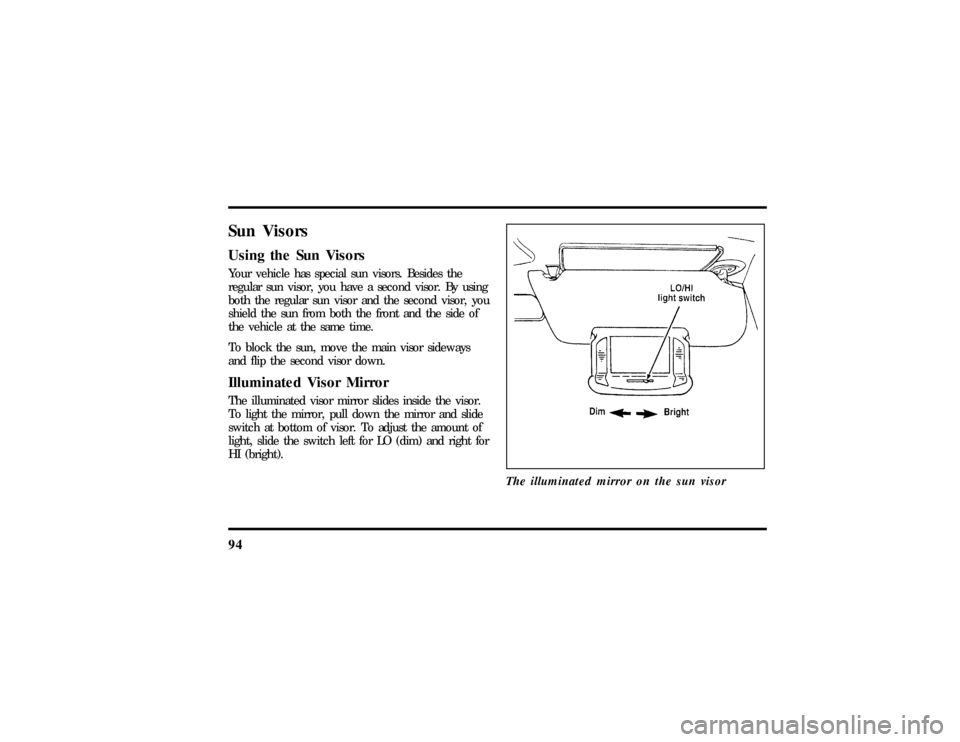
and flip the second visor down.Illuminated Visor MirrorThe illuminated visor mirror slides inside the visor.
To light the mirror, pull down the mirror and slide
switch at bottom of visor. To adjust the amount of
light, slide the switch left for LO (dim) and right for
HI (bright).
The illuminated mirror on the sun visor
File:05fncfc.ex
Update:Fri Sep 6 14:53:57 1996
Page 107 of 321
103
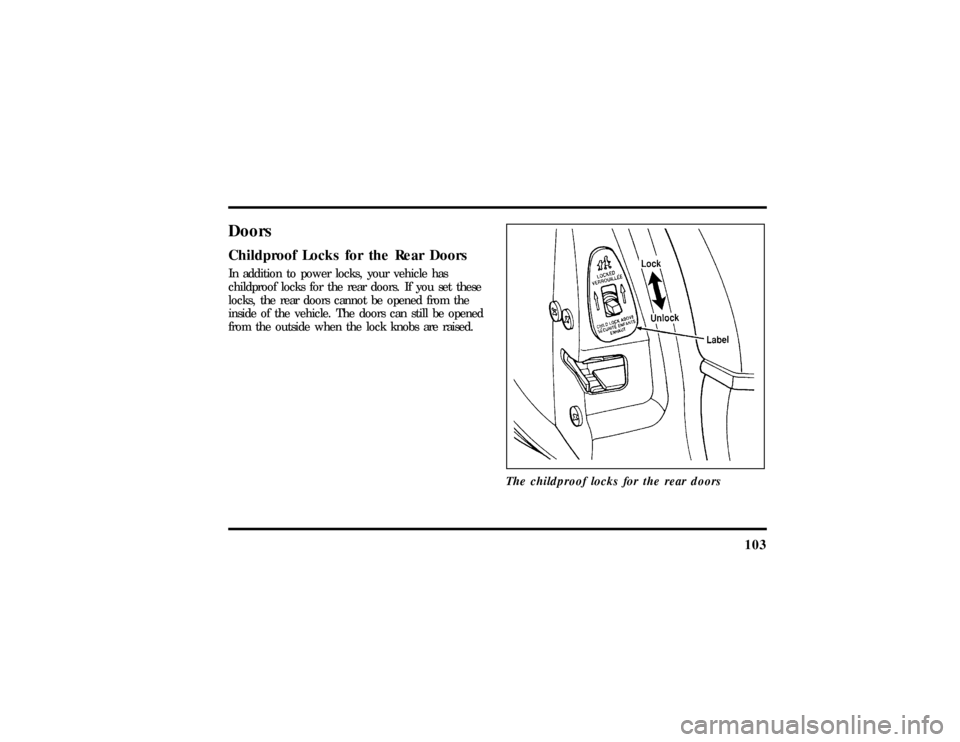
DoorsChildproof Locks for the Rear DoorsIn addition to power locks, your vehicle has
childproof locks for the rear doors. If you set these
locks, the rear doors cannot be opened from the
inside of the vehicle. The doors can still be opened
from the outside when the lock knobs are raised.
The childproof locks for the rear doors
File:05fncfc.ex
Update:Fri Sep 6 14:53:57 1996
Page 108 of 321
104To set the childproof lock on each rear door, open
the rear door.
Find the lever at the black label with the word
LOCKED in white letters. Move the lever up.
To release the childproof lock, open the rear door
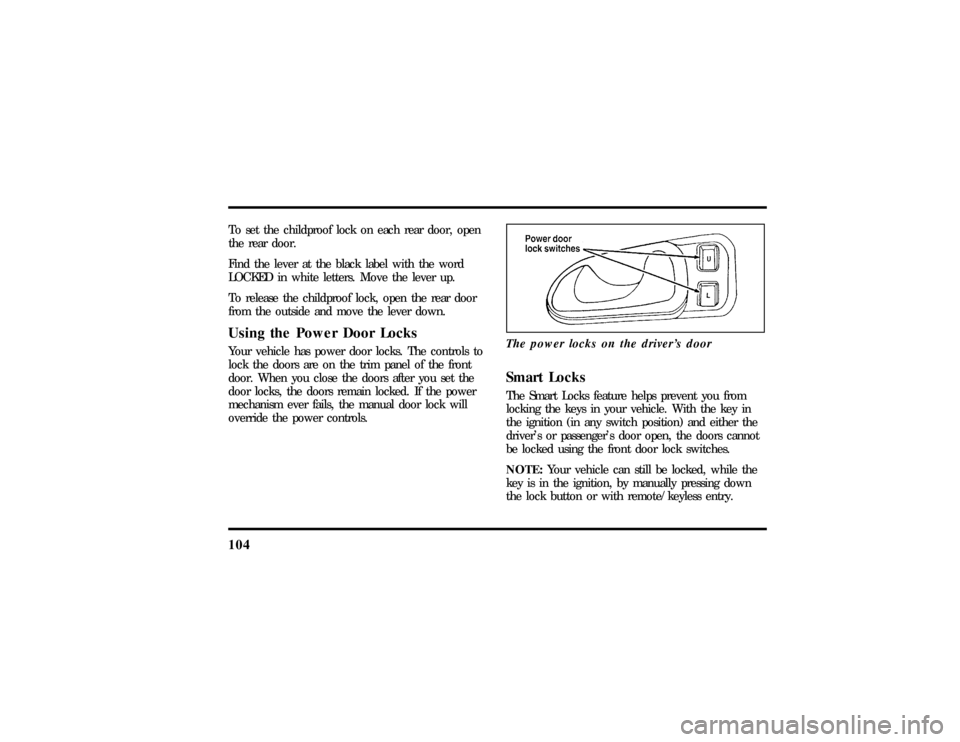
from the outside and move the lever down.Using the Power Door LocksYour vehicle has power door locks. The controls to
lock the doors are on the trim panel of the front
door. When you close the doors after you set the
door locks, the doors remain locked. If the power
mechanism ever fails, the manual door lock will
override the power controls.The power locks on the driver's door
Smart LocksThe Smart Locks feature helps prevent you from
locking the keys in your vehicle. With the key in
the ignition (in any switch position) and either the
driver's or passenger's door open, the doors cannot
be locked using the front door lock switches.
NOTE:Your vehicle can still be locked, while the
key is in the ignition, by manually pressing down
the lock button or with remote/keyless entry.
File:05fncfc.ex
Update:Fri Sep 6 14:53:57 1996
Page 110 of 321

106To lock out all window switches except the master
controls, press the window lock switch once. To
restore control to the individual windows, press the
switch again.
There is also an Express Down feature on the
driver's power window. This feature can be
activated through the menu functions of your
Message Center.
To operate, briefly press the driver's window switch
to the down position. The window will then open
automatically. To stop automatic operation, briefly
press the switch again to either the up or down
position. More than a quick press of the switch
provides conventional power window operation.
Closing of the power window is conventional
operation only.
Memory Profile System
(If equipped)The Personality Memory Feature customizes your
Continental for up to two (2) drivers. The following
features are automatically recalled when unlocking
the doors using the remote entry transmitter,
keyless entry keypad, or by pressing the Memory 1
or Memory 2 switches on the driver's door:q
All driver's seat positions except power lumbar
and head restraint.
q
Both left and right outside mirror settings.
q
Radio station presets including the last selected
station and band and all preset preferences on
FM1, FM2, and AM.
q
Instrument panel dimming setting.
q
Autolamp delay time-out setting.
q
Ride/Steering menu setting.
q
Feature Menu settings
File:05fncfc.ex
Update:Fri Sep 6 14:53:57 1996
Page 111 of 321

107
The Ride/Steering menu is located in the Message
Center. The RIDE display allows you to adjust the
suspension feel to FIRM, NORMAL, or PLUSH.
Pressing the Ride/Steering menu switch again brings
the STEERING display. This allows you to adjust
steering effort to LOW, NORMAL, or HIGH.
For more information on ride/steering options, see
Road Calibrated Suspensionlater in this chapter.
Personality Memory also allows you to customize
settings from the Feature menu located in the
Message Center. The Feature menu contains five (5)
features that you can enable or disable. The features
are listed in the order they appear in the Feature
menu.
q
EXPRESS WINDOW - for one tap down
operation of the driver's window.
q
AUTO DOOR LOCKS - automatically locks all
doors when the driver shifts out of PARK, all
doors are closed, and the vehicle speed is at
least three mph (five km/h).
q
HORN CHIRP - sounds an audible ªchirpº
when you press the LOCK button on the
remote entry transmitter to verify that the doors
have been locked and the vehicle's anti-theft
system has been armed (if equipped).
q
SEAT ACCESS - moves the driver's seat back
two (2) inches or to the end of the seat track
when the vehicle is turned off and the ignition
key is removed. Upon the driver entering the
vehicle and closing the door, the seat will move
forward to its previous position.
File:05fncfc.ex
Update:Fri Sep 6 14:53:57 1996
Page 112 of 321

108q
REVERSE MIRROR - when the vehicle is shifted
to REVERSE, the outside rearview mirrors tilt
down. This provides an improved view of the
side of the vehicle and curb area when backing
up. When you shift out of REVERSE, the
mirrors return to their previous positions.
Recalling Personality MemoryAll of these settings are automatically recalled when
the driver unlocks the door using the remote entry
transmitter, keyless entry keypad or presses either
Memory 1 or Memory 2 switch inside the driver's
door. The vehicle must be in PARK or NEUTRAL to
recall Personality Memory settings.Remote EntryPressing the UNLOCK button on the remote entry
transmitter unlocks the driver's door and recalls all
of the Personality Memory settings. Two
transmitters are delivered with the vehicle. One is
programmed to always recall Memory 1 and theother will always recall Memory 2. Personality
Memory 1 or 2 is indicated on the back of the
transmitter.
Personality Memory recall from the remote
transmitter can be disabled. This is done by sliding
the switch on the back of the transmitter to OFF.
Personality Memory can still be recalled using
keyless entry code or the Memory 1 or Memory 2
switches.
Keyless EntryUp to three unique keyless entry codes can be
programmed by the customer. Two of the codes
can be assigned to recall Personality Memory 1 or
Memory 2. Each time the 5-digit code is entered on
the keypad, the driver's door will unlock and
Personality Memory 1 or Memory 2 will be
recalled.
File:05fncfc.ex
Update:Fri Sep 6 14:53:57 1996
Page 113 of 321

109
NOTE:Please note that even though the driver's
Personality Memory may be recalled using remote
or keyless entry, the seats and mirrors will not
move to the driver's set positions until the driver's
door is opened.Memory SwitchesPressing either the Memory 1 or Memory 2 switch
on the driver's door will also recall the Personality
Memory settings as selected, providing your vehicle
is in P (Park) or N (Neutral).Auto SaveAny change made by the driver to one of the above
Personality Memory settings will be updated and
saved automatically. The display, SAVED TO
DRIVER 1 or SAVED TO DRIVER 2, will appear on
the Message Center for five (5) seconds as a
confirmation of the update to Personality Memory.
If a radio preset is changed the radio display will
also show SAVED.If the driver does not use the remote entry
transmitter, or keyless entry keypad to unlock the
doors upon entering or does not press the Memory
1 or Memory 2 switch, then any change to one of
the Personality Memory settings (except radio
presets) will not be automatically saved. Instead the
driver will be prompted by the Message Center
whether to save the settings to Driver 1 or Driver
2.
Pressing the SELECT switch will toggle between 1,
2 or no choice. If DRIVER 1 or DRIVER 2 is
selected, the display, SAVED TO DRIVER 1 or
SAVED TO DRIVER 2, will appear on the Message
Center to confirm the change has been
automatically saved with the Personality Memory. If
no choice is made by the driver, then the change
will not be automatically saved and there is no
effect on the Personality Memory.
Once this screen has been displayed, the driver will
not be asked again for the remainder of the drive.
File:05fncfc.ex
Update:Fri Sep 6 14:53:57 1996
Page 120 of 321
116TrunkOpening the Trunk ManuallyLocate the trunk lock in the rear reflector to the
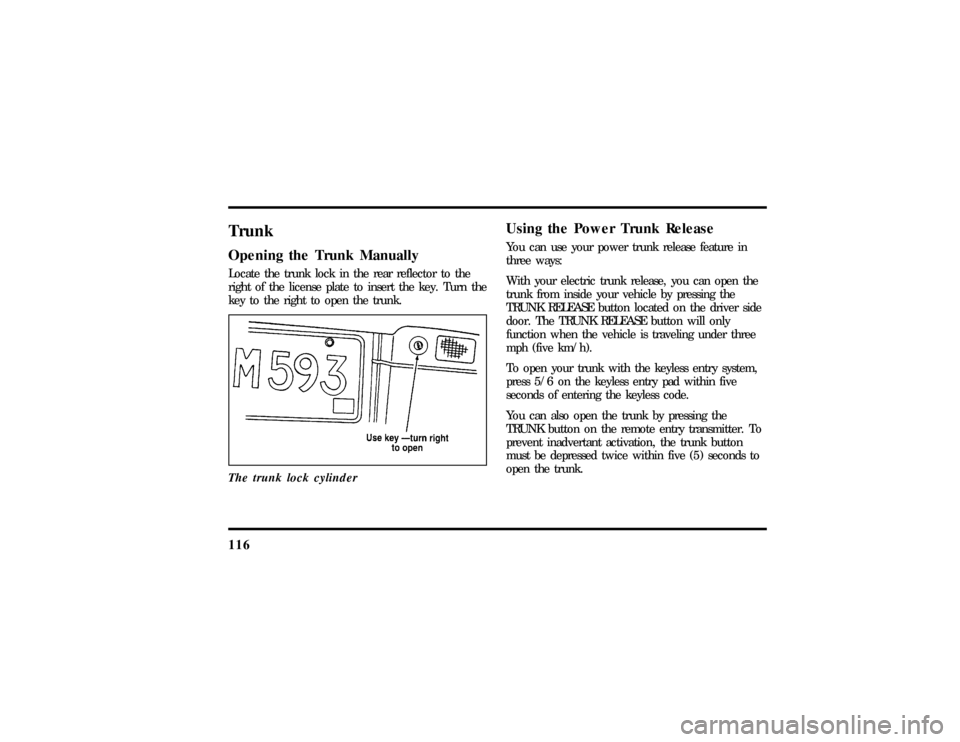
right of the license plate to insert the key. Turn the
key to the right to open the trunk.
The trunk lock cylinder
Using the Power Trunk ReleaseYou can use your power trunk release feature in
three ways:
With your electric trunk release, you can open the
trunk from inside your vehicle by pressing the
TRUNK RELEASE button located on the driver side
door. The TRUNK RELEASE button will only
function when the vehicle is traveling under three
mph (five km/h).
To open your trunk with the keyless entry system,
press 5/6 on the keyless entry pad within five
seconds of entering the keyless code.
You can also open the trunk by pressing the
TRUNK button on the remote entry transmitter. To
prevent inadvertant activation, the trunk button
must be depressed twice within five (5) seconds to
open the trunk.
File:05fncfc.ex
Update:Fri Sep 6 14:53:57 1996