1997 CHEVROLET CORVETTE fuel pressure
[x] Cancel search: fuel pressurePage 13 of 356
Downloaded from www.Manualslib.com manuals search engine Vehicle Symbols
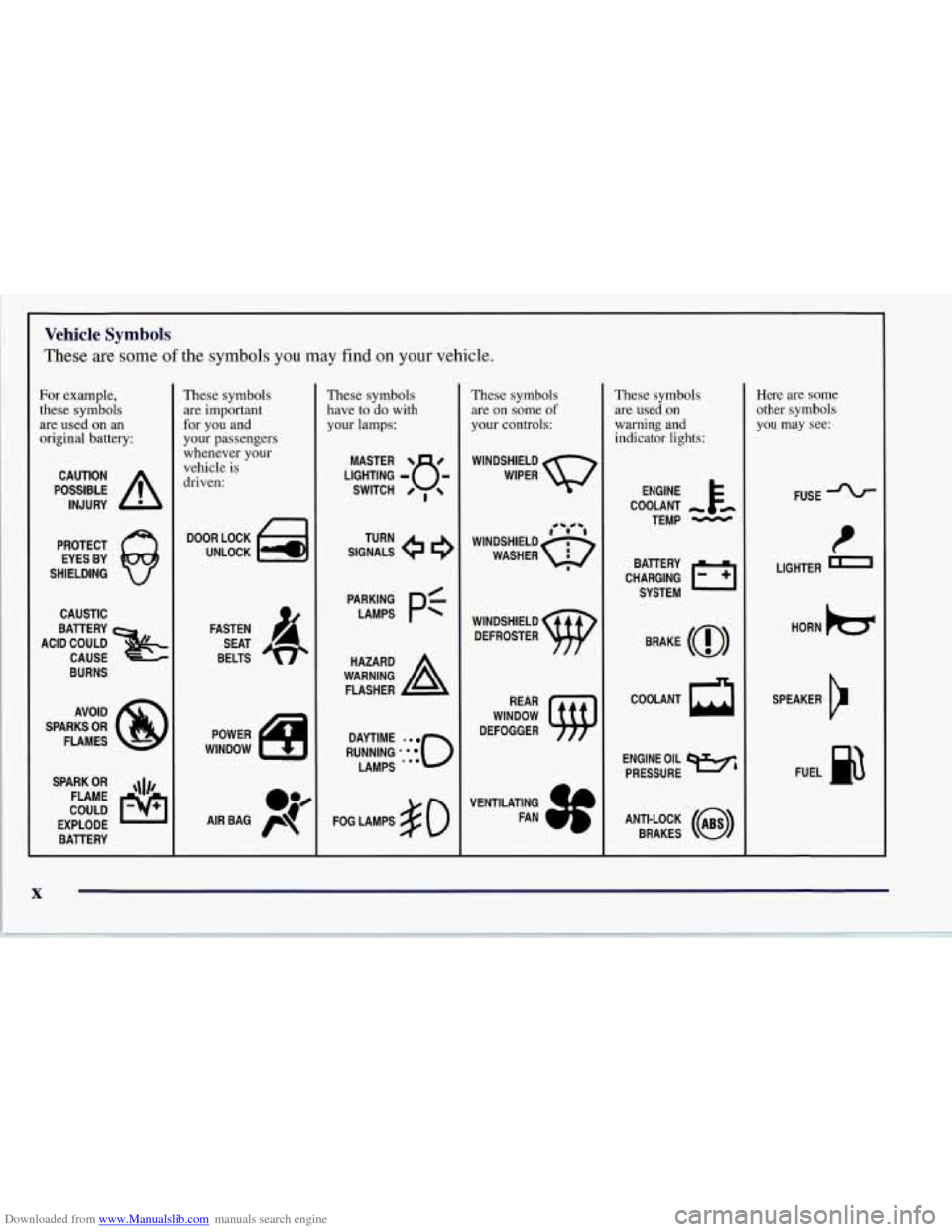
These are some of the symbols you may find on your vehicle.
For example,
these symbols
are used on an
original battery:
POSSIBLE A
CAUTION
INJURY
PROTECT EYES BY
SHIELDING
CAUSTIC
ACID COULD BATTERY
CAUSE
BURNS
AVOID
SPARKS
OR
FLAMES
SPARK
OR ,\I/,
COULD FLAME
EXPLODE BATTERY
L
These symbols are important
for you and
your passengers
whenever your
vehicle is
driven:
n
UNLOCK w
FASTEN
SEAT
BELTS
These symbols
have to do with
your lamps:
SIGNALS e
TURN
RUNNING
* . 0
DAYTIME -0
LAMPS ***
FOG LAMPS $0
These symbols are on some
of
your controls:
WINDSHIELD
WIPER
WINDSHIELD DEFROSTER
WINDOW
DEFOGGER
VENTILATING FAN
These symbols
are used on
warning and
indicator lights:
COOLANT
TEMP
-
CHARGING I-1
BATTERY
SYSTEM
BRAKE
(0)
ENGINE OIL w,
PRESSURE
ANTI-LOCK
(a)
BRAKES
Here are some
other symbols you may see:
FUSE -%-
LIGHTER m
HORN )a(
SPEAKER
b
FUEL B
Page 128 of 356
Downloaded from www.Manualslib.com manuals search engine Security Light
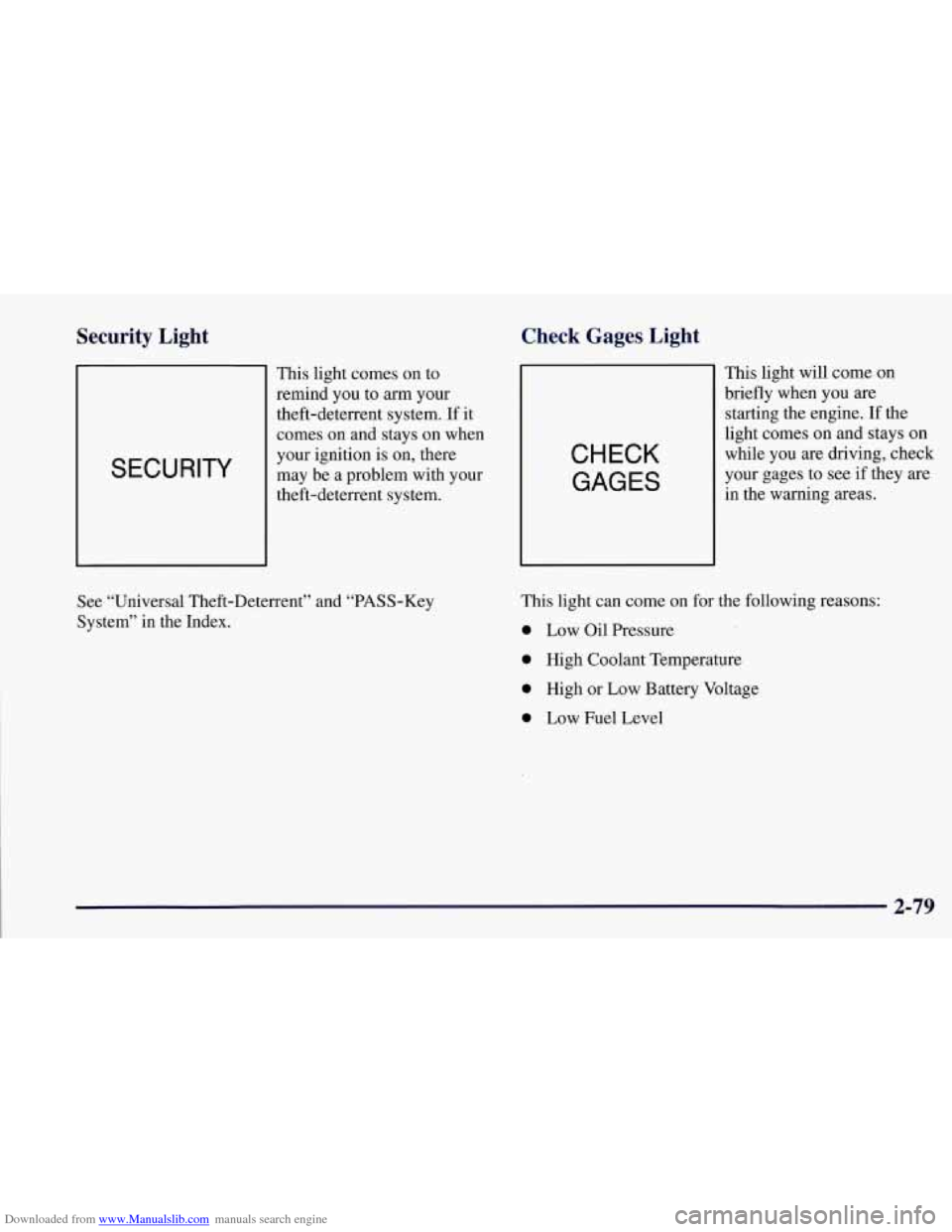
SECURITY
This light comes on to
remind you
to arm your
theft-deterrent system. If it
comes
on and stays on when
your ignition
is on, there
may be a problem with your
theft-deterrent system.
Check Gages Light
CHECK
GAGES
This light will come on
briefly when you
are
starting the engine. If the
light comes on and stays on
while you are driving, check
your gages to see if they are
in the warning areas.
See “Universal Theft-Deterrent” and “PASS-Key
System” in the Index. This light can
come
on for the following reasons:
0 Low Oil Pressure
0 High Coolant Temperature
0 High or Low Battery Voltage
0 Low Fuel Level
2-79
Page 130 of 356

Downloaded from www.Manualslib.com manuals search engine Driver Information Center (DIC)
The Driver Information Center (DIC) will display
information about how your vehicle is functioning, as
well as warning messages if a system problem is
detected. The DIC display area is located in the
instrument cluster below the speedometer and
tachometer, directly above the steering column.
The following buttons are on the DIC control panel
which is located to the right of the cluster:
1 FUEL: Press this button to display fuel information
such as fuel economy and range.
2 GAGES: Use this button to display gage information
like oil pressure and temperature, coolant temperature,
transmission fluid temperature, battery voltage and
fronurear tire pressures.
3 TRIP: Use this button to display your total and trip
miles, the elapsed time function, your average speed and
the oil life.
4 OPTIONS: This button allows you to choose personal
options available with your vehicle such as security,
door locks, easy entry seats and language.
5 EM: Use this button to change the display between
English and metric units.
RESET: This button, used along with the other buttons,
will reset system functions and turn off or acknowledge
messages on the DIC.
At the top
of the DIC control buttons is a light sensor.
Be sure not to block the sensor or your lighting
functions may be disrupted.
2-81
Page 132 of 356
Downloaded from www.Manualslib.com manuals search engine Press FUEL again to display instantaneous fuel
economy, such as:
INST. 20.1 MPG or
INST. 5.3 WlOO km
Press FUEL again to display the range, such as:
RANGE 20 MI or
RANGE 32 km
The range calculates the remaining distance you can
drive without refueling. It's based on fuel economy
and the fuel remaining in the tank.
If the range is lower than 30 miles (48
km) miles, the
display will read RANGE
LOW.
The fuel economy data used to determine fuel range
is an average of recent driving conditions. As your
driving conditions change, this data is gradually
updated. Resetting the fuel range causes the fuel
economy data to be updated immediately. Press
RESET to reset the fuel range.
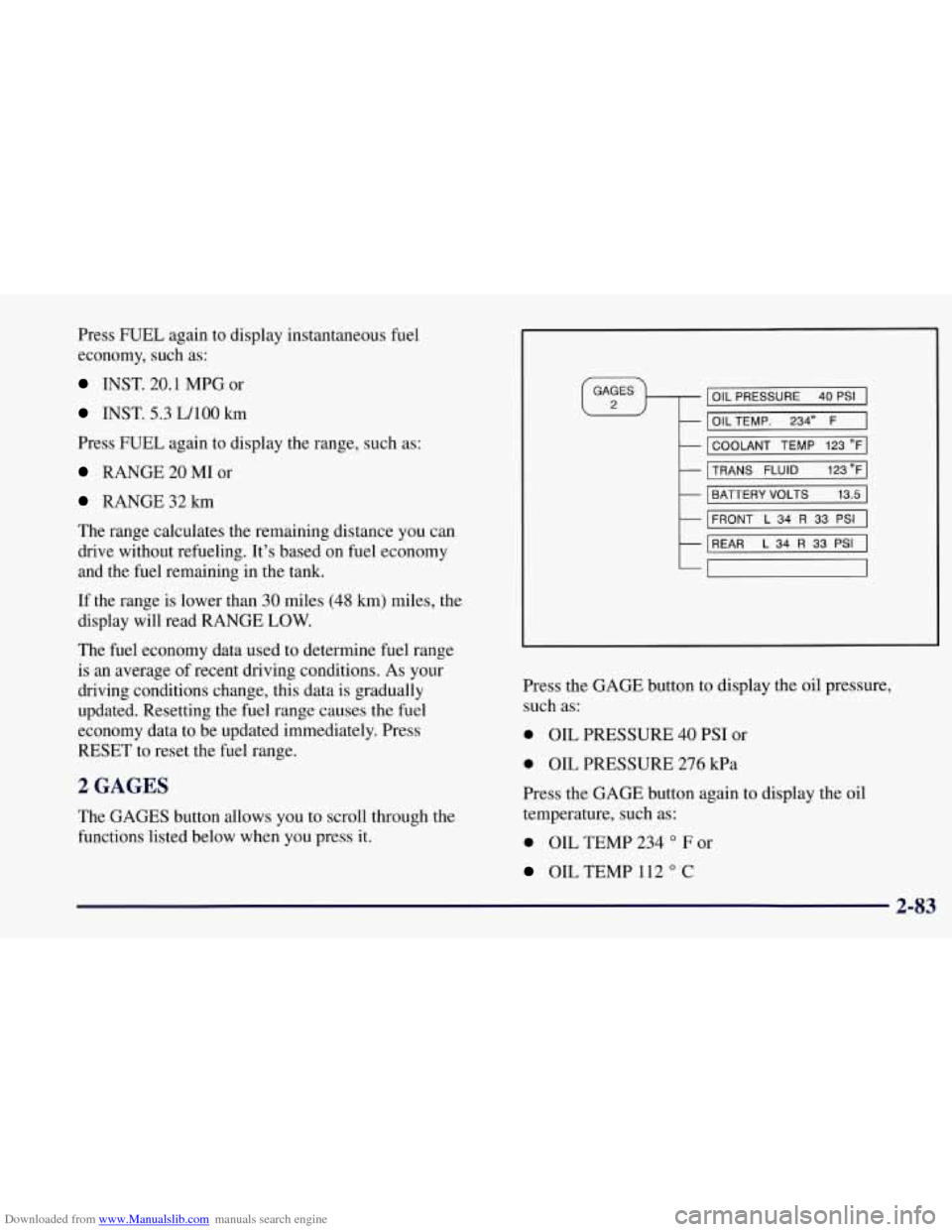
2 GAGES
The GAGES button allows you to scroll through the
functions listed below when you press it.
IOIL PRESSURE 40 PSI I
I OILTEMP. 2340 F 1
I COOLANT TEMP 123 OF]
MNS FLUID 123"FI
I BATTERY VOLTS 13.5 I
I
FRONT L 34 R 33 PSI I
REAR L 34 R 33 PSI I
7
Press the GAGE button to display the oil pressure,
such as:
0 OIL PRESSURE 40 PSI or
0 OIL PRESSURE 276 kPa
Press the GAGE button again to display the
oil
temperature, such as:
0 OIL TEMP 234 O F or
OIL TEMP 112 O C
2-83
Page 146 of 356
Downloaded from www.Manualslib.com manuals search engine SERVICE TIRE MON SYS: If this message comes on,
a part on the Tire Pressure Monitor (TPM) is not
working properly. If you drive your vehicle while any
of
the four sensors are missing or inoperable, the warning
will come on in approximately
10 minutes. If all four
sensors are missing, the warning will come on in
approximately
15 - 20 minutes. (All the sensors would
be missing, for example, if you put different wheels on
your vehicle without transferring the sensors. If the
warning comes on and stays on, there may be a problem
with the TPM. See your dealer.
Other Messages
Here are more messages that you can receive on your
Driver Information Center. To acknowledge a message
and read another message that may have come
on at the
same time, press the RESET button.
BRAKE BEFORE SHIFT
(Automatic Transmissions Only)
0 CHANGE OIL NOW
CHANGE OIL SOON
0 CRUISE DISENGAGED
0 CRUISE SET - MPH (- kmh)
0 DOOR AJAR
0 ENGINE PROTECTION REDUCE ENGINE RPM
0 HATCH AJAR
0 HIGH VOLTAGE
LOW BRAKE FLUID (See “Brake Fluid” in
0 LOW COOLANT (See “Engine Overheating” in
0 LOW FUEL (fuel range is less than 50 miles (80 km))
0 LOW VOLTAGE
the Index)
the Index)
0 LOW
WASHER FLUID
0 PULL KEY - WAIT 10 SEC
0 RESERVE FUEL
UPSHIFT NOW
2-97
Page 202 of 356
Downloaded from www.Manualslib.com manuals search engine Once you are moving on the freeway, make certain you
allow a reasonable following distance. Expect
to move
slightly slower at night.
When you want to leave the freeway, move to the proper
lane well in advance. If you miss your exit, do not,
under any circumstances, stop and back up. Drive on
to
the next exit.
The exit ramp can be curved, sometimes quite sharply.
The exit speed
is usually posted.
Reduce your speed according to your speedometer, not to your sense of moti0.n. After driving for any distance
at higher speeds, you may tend to think you are going
slower than you actually
are.
Before Leaving on a Long Trip
Make sure you’re ready. Try to be well rested. If you
must start when you’re not fresh
-- such as after a day’s
work
-- don’t plan to make too many miles that first part
of the journey. Wear comfortable clothing and shoes you
can easily drive in.
Is your vehicle ready for a long trip? If you keep it
serviced and maintained, it’s ready to go. If it needs
service, have it done before starting out. Of course,
you’ll find experienced and able service experts in
Chevrolet dealerships all across
North America. They’ll
be ready and willing to help if you need it.
Here are some things you can check before a trip:
0
0
0
0
0
0 0
Windshield Washer Fluid: Is the reservoir full? Are
all windows clean inside and outside?
Wiper Blades: Are they in good shape?
Fuel, Engine Oil, Other Fluids: Have you checked
all levels?
Lamps: Are they all working? Are the lenses clean?
Tires: They are vitally important to a safe,
trouble-free trip. Is the tread good enough for
long-distance driving?
Are the tires all inflated to the
recommended pressure?
Weather Forecasts: What’s the weather outlook
along your route? Should you delay your trip a short
time to avoid a major storm system?
Maps: Do you have up-to-date maps?
4-23
Page 209 of 356
Downloaded from www.Manualslib.com manuals search engine Loading Your Vehicle
/ -
OCCUPANTS VEHICLE CAP. WT.
TIRE-LOADING INFORMATION
FRT. CTR.
RR. TOTAL LBS. KG
MAX.
LOADING & GVWR SAME AS VEHICLE
CAPACITY WEIGHT
XXX COLD TIRE
TIRE SIZE SPEED PRESSURE
RTG
PSI/KPa
FRT. RR.
SPA. IF
TIRES ARE HOT, ADD 4PS1/28KPa
SEE OWNER’S MANUAL FOR ADDITIONAL
INFORMATION
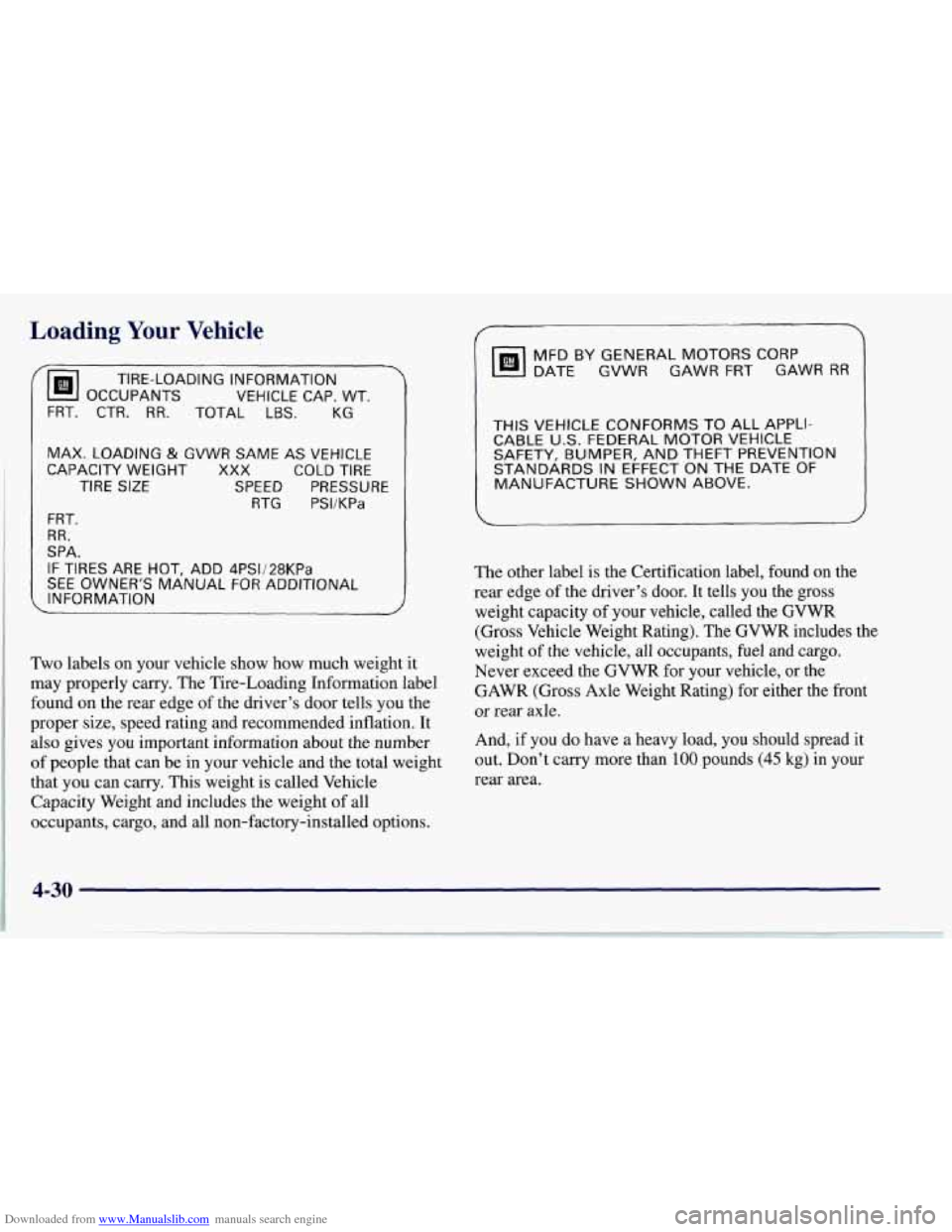
Two labels on your vehicle show how much weight it
may properly carry. The Tire-Loading Information label
found on the rear edge of the driver’s door tells you the
proper size, speed rating and recommended inflation. It
also gives you important information about the number
of people that can be in your vehicle and the total weight
that you can carry. This weight is called Vehicle
Capacity Weight and includes the weight of all
occupants, cargo, and all non-factory-installed options.
DATE GVWR GAWR FRT GAWR RR
MFD BY GENERAL MOTORS CORP
THIS VEHICLE CONFORMS TO ALL APPLI-
CABLE U.S. FEDERAL MOTOR VEHICLE
SAFETY, BUMPER, AND THEFT PREVENTION
STANDARDS
IN EFFECT ON THE DATE OF
MANUFACTURE SHOWN ABOVE.
The other label is the Certification label, found on the
rear edge of the driver’s door. It tells you
the gross
weight capacity of your vehicle, called the GVWR
(Gross Vehicle Weight Rating).
The GVWR includes the
weight
of the vehicle, all occupants, fuel and cargo.
Never exceed the GVWR for your vehicle, or the
GAWR (Gross Axle Weight Rating) for either the front
or rear axle.
And,
if you do have a heavy load, you should spread it
out. Don’t carry more than
100 pounds (45 kg) in your
rear area.
4-30
Page 236 of 356
Downloaded from www.Manualslib.com manuals search engine e Section 6 Service and Appearance Care
Here you will find information about the care of your Corvette. This section begins with service and fuel information,
and then it shows how to check important fluid and lubricant levels. There is also technical information about your
vehicle, and a part devoted to its appearance care.
6-2 Service 6-3 Fuel
6-5 Fuels in Foreign Countries
6-5 Filling Your Tank
6- 8 Checking Things Under the Hood
6-1 1 Engine Oil
6-16 Air Cleaner
6-18 Automatic Transmission Fluid
6- 19 Manual Transmission Fluid
6-20 Hydraulic Clutch
6-22 Engine Coolant
6-26 Surge Tank Pressure Cap
6-26 Power Steering Fluid
6-22 Rear Axle
6-26
Thermostat
6-27 Windshield Washer Fluid
6-
29 Brakes
6-32 Battery 6-33
6-33
6-37
6-40
6-5
1
6-5 1
6-54
6-55
6-56
6-57
6-57 6-59
6- 60
6- 60
6-6 1
6-69
6-69 6-7
1
Bulb Replacement
Halogen Bulbs
Windshield Wiper Blade Replacement
Tires Appearance Care
Cleaning the Inside of Your Corvette
Care of Safety Belts
Cleaning the Outside of Your Corvette
Aluminum Wheels
Tires Underbody Maintenance
Appearance Care Materials
Vehicle Identification Number (VIN)
Service Parts Identification Label
Electrical System
Replacement Bulbs Capacities and Specifications
Air Conditioning Refrigerants
6-1