1997 CADILLAC ELDORADO reset
[x] Cancel search: resetPage 168 of 361

Downloaded from www.Manualslib.com manuals search engine SOURCE: Press this button to switch from radio to
cassette tape play.
If no cassette tape is in the tape
player,
CASS appears on the display and then the radio
station appears briefly. The display then reverts back
to
showing the time of day. Press this button again or
BAND to switch back to the radio.
6 EJECT: Press the upward triangle button to
remove a tape. The radio will play. Eject may be
activated with the radio
off. Cassette tapes may be
loaded with the radio
off but they will not start playing
until the
PWR button is pressed. Press PWR or turn the
ignition key
off to stop the cassette tape player. The tape
will stay
in the player and resume play at the point
where
it stopped. If you leave a cassette tape in the
player while listening to the radio, it may become warm.
CLN: If this message appears on the display, the
cassette tape player needs to
be cleaned. It will still play
tapes, but
you should clean it as soon as possible to
prevent damage to the tapes and player.
See “Care of
Your Cassette Tape Player” in the Index. After YOU clean
the player, press and
hold EJECT for five seconds to
reset the CLN indicator. The radio will display --- to
show the indicator was reset.
Dolby@ Noise Reduction
is manufactured under a
license from Dolby Laboratories Licensing Corporation.
Dolby and the double-D symbol are trademarks
of
Dolby Laboratories Licensing Corporation.
e
For information on the compact disc player, see “Trunk
Mounted
CD Changer” later in this section.
Playing the Radio
OL: Press this knob lightly to release it from its
stored position. The system will turn on. Press the knob
again to turn the system ~ff. To increase volume, turn the
knob clockwise. Turn it counterclockwise to decrease
volume. The volume level
will appear on the display.
Page 169 of 361
Downloaded from www.Manualslib.com manuals search engine Finding 8 Station
BAND: Press this button to select AM, FMl or FM2
and preset stations.
SEEK-TUNE: Press and release ths button to seek to
the next higher or lower radio station. Pressing and
holding
this button until a chime sounds puts the radio in
a
tune mode. In this mode, higher or lower radio stations
are advanced to in small increments until the
SEEK-'FUNE button is released. Tuning stops when you
release this button. If you press and hold the
SEEK-TUNE button again within five seconds of being
in the tune mode, tuning will continue. Waiting longer
than five seconds places the radio back in the seek mode.
SCAN: Press this button and SCAN will appear on the
display. Use SCAN to listen to stations for a few
seconds.
The radio will go to a station, stop for a few
seconds, then
go on to the next station. Press this button
again to stop scanning.
PUSHBUTTONS: The six numbered pushbuttons let
you return to your favorite stations. You can set up to
18 stations (six AM, six FM1 and six FM2). Just:
1.
2.
3.
4.
5.
Turn the radio on.
Press
BAND to select AM, FM1 or FM2.
Tune in the desired station.
Press and hold one
of the six numbered buttons until
you hear a chime. A preset number will appear on
the display. The sound will mute. When
it returns,
release the button. Whenever you press that
numbered button,
the station you set will return.
Repeat
the steps for each pushbutton.
PRESET SCAN: Press and hold SCAN for two to three
seconds until
PRESET SCAN appears on the display to
listen to each
of your preset stations for a few seconds
(factory presets which have not been reprogrammed
with your stations will be ignored). The radio will
go to
the first preset station stored on your pushbuttons, stop
for
a few seconds, then go on to the next preset station.
Press
SCAN again to stop scanning. If a preset station
has weak reception, the radio will
not stop at the
preset station.
Page 171 of 361
Downloaded from www.Manualslib.com manuals search engine REVi Press the left arrow to reverse the tape rapidly.
Press it again to return
to playing speed. The radio will
play while
the tape reverses and REV will appear on the
display. You may
use your station pushbuttons to tune to
another radio station while in
REV mode.
FF: Press the right arrow to fast forward to another part
of the tape. Press it again to return to playing speed. The
radio will play while
the tape advances and FWD will
appear on the display. You may
use your station
pushbuttons to tune to another radio station while in
g;F mode.
SEEK-TUNE: Press the sight ~QW to seek to the next
selection on the tape. Press the left
arrow to search for
the previous selection on
the tape (REP will appear on
the display). Your tape must have at least three seconds
of silence between each selection for SEEK-TUNE to
work. The sound will mute while seelung.
SCAN: Press this button. SCAN will appear on the
display until the next selection is found and then PLAY
will appear
on the display. Use SCAN to listen to
selections for a few seconds. The tape will
go to a
selection, stop
for a few seconds, then go on to the next
station. Press this button again to stop scanning.
SIDE: Press this button to change the side of the tape
that
is playing. (PLAY shows on the display.)
SOURCE: Fress this button to switch from radio to
cassette tape play.
If no cassette tape is in the tape
player,
CASS appears on the display and then the radio
station appears briefly. The display then reverts back to
showing the time
of day. Press this button again or
BAND to switch back to the radio.
A EJECT: Press the upward triangle button to
remove a tape. The radio will play. Eject may be
activated with
the radio off. Cassette tapes may be
loaded with the radio
off but they will not start playing
until
the PWR button is pressed. Press PWW or turn the
ignition key
off to stop the cassette tape player. The tape
will stay in the player and resume play
at the point
where
it stopped. If you leave a cassette tape in the
player while listening to the radio, it may become warm.
CLN: If this message appears on the display, the
cassette tape player needs to be cleaned. It will still play
tapes, but you should clean it as soon as possible to
prevent damage to the tapes and player. See “Care of
Your Cassette Tape Player”
in the Index. After you clean
the player, press and hold
EJECT for five seconds to
reset the CLN indicator. The radio will display --- to
show the indicator was reset.
Dolby@ Noise Reduction is manufactured under a
license from Dolby Laboratories Licensing Corporation.
Dolby and the double-D symbol are trademarks
of
Dolby Laboratories Licensing Corporation.
Page 173 of 361
Downloaded from www.Manualslib.com manuals search engine 4. Press and hold one of the six numbered buttons until
you hear a chime.
A preset number will appear on
the display. The sound will mute. When it returns,
release the button. Whenever you press that
numbered button, the station
you set will return.
5. Repeat the steps for each pushbutton.
seconds until PRESET
SCAN appears on the display to
listen
to each of your preset stations for a few seconds
(Factory presets which have not been reprogrammed
with your stations will be ignored). The radio
will go to
the first preset station stored on your pushbuttons, stop
for a few seconds, then go on to the next preset station.
Press
SCAN again to stop scanning. If a preset station
has weak reception, the radio
will not stop at the
preset station.
ESET SCAN: Press and hold SCAN for two to three
ASS: Press this knob lightly so it extends. Turn the
knob clockwise to increase and counterclockwise to
decrease
bass.
T : Press this knob lightly so it extends. Turn the
knob clockwise to increase and counterclockwise to
decrease treble.
If a station is weak or noisy, you may
want to decrease the treble. Push
these knobs back into their stored positions when
you're not using them.
SP: The Digital Signal Processing (DSP) feature is
used to produce four audio effects. These include
TALK, DRIVER SEAT, LIVE and AUDITORIUM.
DSP can be used while listening to the radio, the
cassette tape player or the CD player. To activate DSP,
press the DSP button. Press this button again to go
through the
four effects. To turn the DSP feature off,
press OFF.
TALK: This setting is used when listening to
non-musical material such as baseball games, talk
shows
or news. TALK gives the best clarity of
spoken words. The high and low frequencies are
lowered, the mid-range is increased and the audio is
moved more toward the front speakers.
DRIVER SEAE This setting adjusts the audio to
give
the driver the best possible sound qualities. This
has been done by tailoring the sound arrival times
and equalization
for the driver seat. DRIVER SEAT
can be used at
any time for any material. Other
passengers
in the vehicle may not perceive the
same effect.
LIVE: This setting is used to imitate the sound of a
live performance.
Page 175 of 361
Downloaded from www.Manualslib.com manuals search engine Br: Press the left mow to reverse the tape rapidly.
Press it again
to return to playing speed. The radio will
play while the tape reverses and
REV will appear on the
display. You may use your station pushbuttons to tune to
another radio station while in
REV mode.
FF: Press the right arrow to fast forward to another part
of the tape. Press it again to return to playing speed. The
radio will play while
the tape advances and FF will
appear
on the display. You may ~lse your station
pushbuttons to tune to another radio station
while in
mode.
SEEK-TUNE: Press the right arrow to seek to the next
selection
on the tape. Press the left arrow to search for
the previous selection
on the tape (REP will appear on
the display). Your tape must have at least three
seconds
of silence between each selection for SEEM-TUNE to
work. The sound will mute while seeking.
SCAN: Press this button. SCAN FF will appear on the
display until the next selection
is found and then SCAN
PLAY will appear on the display. Use SCAN to listen to
selections for
a few seconds. The tape will go to a
selection, stop for
a few seconds, then go on to the next
selection. Press this button again to stop scanning.
SIDE: Press this button to change the side of the tape
that
is playing. (PLAY shows on the display.)
SOURCE: Press this button to switch from radio to
cassette tape play.
If no cassette tape is in the tape
player,
CASS appears on the display and then the radio
station appears
briefly. The display then reverts back to
showing the
time of day. Press this button again or
BAND to switch back to the radio.
A EJECT: Press the upward triangle button to remove
a tape. The radio will play. Eject may be activated with
the radio
off if the ignition is on. Cassette tapes may be
loaded with the radio
off but they will not start playing
until the PWR button is pressed. Press PWR or turn the
ignition key
off to stop the cassette tape player. The tape
will stay in
the player and resume play at the point where
it stopped.
If you leave a cassette tape in the player while
listening to the radio, it may become wm.
CLN: If this message appears on the display, the
cassette tape player needs to
be cleaned. It will still play
tapes, but you should clean
it as soon as possible to
prevent damage
to the tapes and player. See “Care of
Your Cassette Tape Player”
in the Index. After you clean
the player, press
and hold EJECT hr five seconds to
reset
the CLN indicator. The radio will display --- to
show the indicator was reset.
Dolby@
Noise Reduction is manufactured under a
license from Dolby Laboratories Licensing Corporation.
Dolby and the double-D symbol are trademarks of
Dolby Laboratories Licensing Corporation.
Page 180 of 361
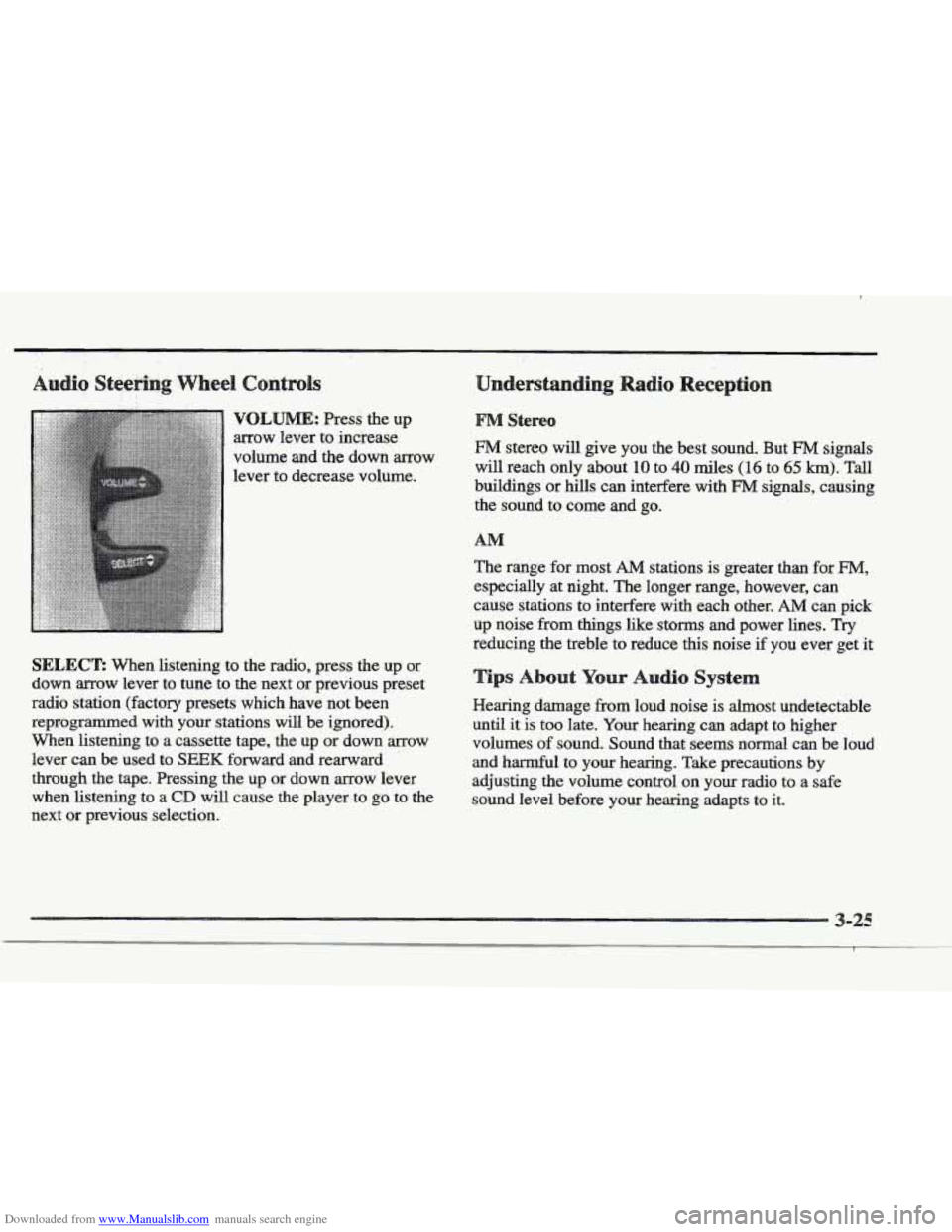
Downloaded from www.Manualslib.com manuals search engine VQLBJME: Press the up
arrow lever to increase
volume and the down arrow
lever to decrease volume.
SELECT: When listening to the radio, press the up or
down arrow lever to tune to the next or previous preset
radio station (factory presets which have not been
reprogrammed with your stations
will be ignored).
When listening to a cassette tape, the
up or down arrow
lever can be used to
SEEK forward and rearward
through the tape. Pressing the up
or down arrow lever
when listening to a
CD will cause the player to go to the
next or previous selection.
§&!reo
FM stereo will give you the best sound. But FM signals
will reach only about 10 to 40 miles (1 6 to 65 km). Tall
buildings or hills can interfere with
FM signals, causing
the sound to come
and go.
The range for most
AM stations is greater than for FM,
especially at night. The longer range, however, can
cause stations
to interfere with each other. AM can pick
up noise from
things like storms and power lines. Try
reducing the treble to reduce this noise if you ever get it
r Audio Syste
Hearing damage from loud noise is almost undetectable
until it
is too late. Your hearing can adapt to higher
volumes
of sound. Sound that seems normal can be loud
and harmful to
your hearing. Take precautions by
adjusting the volume control on your radio to
a safe
sound level before your hearing adapts to it.
Page 181 of 361
Downloaded from www.Manualslib.com manuals search engine TO help avoid hearing loss or damage:
Adjust the volume control to the
lowest setting.
Increase volume slowly until you hear Comfortably
and clearly. A tape player that is not cleaned regularly can cause
reduced
sound quality, mined cassettes or a damaged
mechanism. Cassette tapes should be stored in their
cases away
from contaminants, direct sunlight and
extreme heat. If they aren’t, they may not operate
properly or
may cause failure of the tape player.
Your tape player should be cleaned regularly after every
50 hours of use. Your radio may display CLN or CLEAN
TAPE to indicate that you have used YOLK tape player for
50 hours without resetting the tape clean timer. Each time
the cassette is cleaned, the 50 hour cassette timer should
be reset.
~s is done by holding down the eject button
for three seconds until the TAPE CLEAN message is
displayed. If you notice a reduction in sound quality, try a
known good cassette to see if it is the tape or the tape
player
at fault. If this other cassette has no improvement
in sound quality, clean the tape player.
Cleaning may
be done with a scrubbing action,
non-abrasive cleaning
cassette with pads which scrub the
tape head
as the hubs sf the cle.aner cassette turn. It is
IKXI~ for the cassette to eject while cleaning. Insert the
cassette at least six times to ensure thorough cleaning.
3-2
Page 241 of 361
Downloaded from www.Manualslib.com manuals search engine . -.-
You will find an ENGINE COOLANT HOT-IDLE
ENGINE message or a STOP ENGINE ENGINE
OVERHEATED message on the Driver Information
Center
(IDIC). There is also an engine temperature
warning light andor gage on
the instrument panel.
See “Engine Coolant Temperature
Warning Light” or
“Engine Coolant Temperature Gage” in the Index.
Overheated Engine Protection
Should a low coolant condition exist and the message
STOP ENGINE ENGINE OVERHEATED is displayed,
an overheat protection mode which alternates firing
groups
of four cylinders helps prevent engine damage.
In this mode, you will notice a loss in power and engine
performance.
This operating mode allows your vehicle
to be driven to
a safe place in an emergency; you may
drive up to
50 miles (80 km). Towing a trailer in the
overheat protection mode
should be avoided.
NOTICE:
After driving in the overheated engine protection
operating mode, to avoid engine damage, allow the engine to cool before attempting
any repair.
The engine
oil will be severely degraded. Repair
the cause of coolant loss, change the
oil and reset
the
oil life indicator. See “Engine Oil, When to
Change” in the Index.