1997 CADILLAC ELDORADO change time
[x] Cancel search: change timePage 7 of 361

Downloaded from www.Manualslib.com manuals search engine GENERAL MOTORS, GM and the CM Emblem,
CADILLAC, the CAISLLAC Emblem and the name
ELISORADO are registered trademarks
of General
Motors Corporation.
This manual includes the latest information at the
time it
was printed. We reserve the right to make changes in the
product after that time without further notice. For
vehicles
first sold in Canada, substitute the name
“General Motors
of Canada Limited” for Cadillac Motor
Car Division whenever it appears in this manual.
Please keep this manual
in your Cadillac, so it will be
there
if you ever need it when you’re on the road. If you
sell the vehicle, please leave this manual
in it so the new
owner can use it.
Litho in
U.S.A.
Bart No. 25649944 B First Editi.on
~ We support voluntary
technician certification.
WE SUPPORT VOLUNTARY TECHNICIAN CERTIFICATION THROUGH
National Institute for
AUTOMOTIVE SERVICE EXCELLENCE
Aux progriktaires canmadiem: VQUS pouvez VQUS
procurer un exemplaire de ce guide en franqais chez
votre concessionaire ou au:
DGN Marketing Services Ltd.
1500 Bonhill Rd.
Mississauga, Ontario L5T
1C7
0 Copyright General Motors Corporation 1996
All Rights Reserved
ii
Page 22 of 361
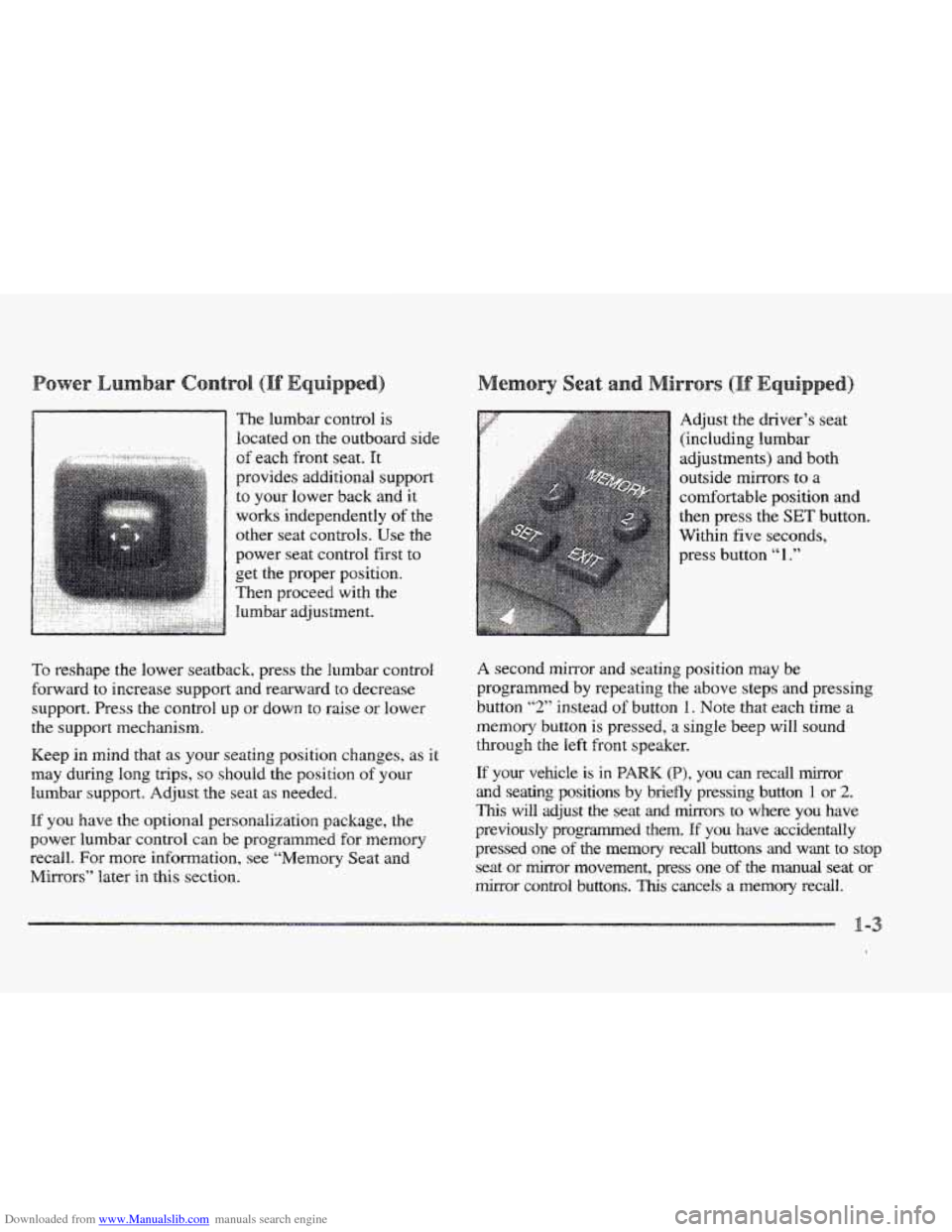
Downloaded from www.Manualslib.com manuals search engine The lumbar control is
located
on the outboard side
of each front seat. It
provides additional support
to your lower back and it
works independently of the
other seat controls.
Use the
power seat control first to
get
the proper position.
Then proceed with the Bumbar adjustment. Adjust
the driver’s seat
(including lumbar
adjustments) and both
outside mirrors to a
comfortable position
and
then press the SET button.
Within
five seconds,
To reshape the lower seatback, press the lumbar control
forward to increase support and rearward
to decrease
support. Press the control
up or down to raise or lower
the support mechanism.
Keep in mind that as pur seating position changes,
as it
may during long trips, so should the position of your
lumbar support. Adjust the seat as needed.
If you have the optional personalization package, the
power lumbar control can be programmed for memory
recall.
FQ~ more information, see “Memory Seat and
Mirrors” later
in this section.
A second mirror and seating position may be
programmed by repeating
the above steps and pressing
button
“2,’ instead of button 1. Note that each time a
memory button is pressed, a single beep will sound
through the left front speaker.
If your vehcle is in PARK (B), you can redl &or
and seatirag positions by briefly pressing button 1 or 2.
This will adjust the seat and mirrors to where you have
previously programmed
them. If you have accidentally
pressed one
of the memory recall buttons and want to stop
seat or mirror movement, press one of the manual seat or
mirror control buttons. Th~s cancels a memory recall.
Page 70 of 361

Downloaded from www.Manualslib.com manuals search engine e
With this feature, you
can lock and unlock the
doors, un%ock the trunk,
open the fuel door and turn
on your vehicle’s interior
lamps from about
10 feet
(3 m) away using the RlKE
transmitter supplied with
your vehicle.
Your
RKE system operates on a radio frequency subject
to Federal Communications Commission (FCC) Rules
and with Industry and Science Canada.
This device complies with Part 15 of the FCC Rules.
Operation is subject
to the following two conditions:
(1) this device may not cause hml interference, and
(2) this device must accept any interference received,
including interference that
may cause undesired operation
of the device.
Changes or modifications
to this system by other than
an authorized service facility could void authorization
to use this equipment.
This device complies with RSS-210 of Industry and
Science Canada. Operation is subject to the following
two conditions: (1) this device rnay not cause
interference, and
(2) this device must accept any
interference received, including interference that may
cause undesired operation
of the device.
The range of this system is about 10 feet (3 rn). At times
you may notice a decrease in range. This is
norrnal for
any remote keyless entry system. If the transmitter does
not work 81- if you have to stand closer to your vehicle
for
the transmitter to work, try this:
Check to determine if battery replacement is
necessary. See the instructions that follow.
Check the distance. You may be too far from your
vehicle. YOU may need to stand closer during rainy
or
snowy weather.
Check the location. Other vehicles
81- objects rnay
be blocking the signal.
Fdke a few steps to the left
or right, hold the transmitter higher, and try again.
If you’re still having trouble, see your Cadillac
dealer
QP a qualified technician for service.
Page 73 of 361

Downloaded from www.Manualslib.com manuals search engine To begin programming, check the back of the RKE
transmitter to verify that the correct driver is selected.
Press the
INFORMATION (INFO) and RESET (INFO
RESET) buttons at the same time for about two seconds.
As mentioned, memory recall is the fourth feature to
appear. To “skip” past the first three personalization
features, press the
INFORMATION (INFO) button.
When
REMOTE RECALL MEMORY appears, the
driver is able to recall memory settings when
the unlock
button on the
RKE transmitter is pressed with the
ignition in
LOCK. Press the TRIP SET (TRIP RESET)
button to select or press the RESET (INFO RESET)
button to answer no and to continue on to the next
prompt.
(FEATURE ON displays when a yes response
is made and FEATURE OFF shows when a no response
is made.)
If a no response was made, the KEY IN RECALL
MEMORY prompt will show next. This choice recalls
memory settings when the key is placed
in your
vehicle’s ignition.
A yes or no response is required.
For a list
of the other personalization features available,
see “Memory and Personalization Features” later
in
this section. Each
RKE transmitter is coded
to prevent another
transmitter from unlocking your vehicle. If
a transmitter
is lost or stolen,
a replacement can be purchased through
your dealer. Once your dealer has coded the new
transmitter, the lost transmitter will
not unlock your
vehicle. Each vehicle can have only two transmitters
matched to it.
Under
normal use, the battery in your RKE transmitter
should Bast about four years.
You can tell the battery is weak if the transmitter won’t
work at the normal range in any location.
If you have to
get close
to your vehicle before the transmitter works,
it’s probably time to change the battery.
When replacing the battery, use care not to touch
any of the circuitry. Static from your body
transferred to these surfaces may damage
Page 84 of 361
Downloaded from www.Manualslib.com manuals search engine Move your shift lever to PARK (B) or NEUTRAL (N).
Your engine won’t start in any other position -- that’s a
safety feature. To restart when you’re already moving,
use NEUTRAL (N) only.
a e
Don9$ try t0 shift &O (P) if YOUr CadihC
is moving. If you do, you could damage the
transaxle. Shift to PARK (P) only when your
vehicle is stopped.
1. Without pushing the accelerator pedal, turn your
ignition key
to START. When the engine starts, let
go of the key. The idle speed will1 go down as your
engine gets warm.
2. If ,it doesn’t start right away, hold your key in
START for about three seconds at a time until your
engine starts.
Wait about 15 seconds between each
try to help avoid draining your battery.
3. If your engine still won’t start (or starts but then
stops),
it could be flooded with too much gasoline.
Try pushing your accelerator pedal all the way to thc
floor and holding it there as you hold the key in
START for about three seconds. If the vehicle starts
briefly but then stops again, do the same thing.
e 0
Your engine is designed 80 work with the
electronics
in your vehicle. Hf YOU add electrical
parts or accessories, you could change the way
the engine operates. Before adding electrical
equipment, check with your dealer. If YOU don’t,
your enginme might not perform properly.
the part of this manual that teh how t~ do it
Your Vehicle” in the Index.
IF you ever have to have your vehicle towed, see
without damaging your vehicle. See “Towing
Page 112 of 361
Downloaded from www.Manualslib.com manuals search engine FEATURE ON appears when a yes response is made
and
FEATURE OFF shows when a no response is made.
Since this
is the last personalization feature available, a
yes or no response
will end out of the DIC display.
Once the battery guard has been programmed, your
vehicle will enter the storage mode about
20 minutes
after the ignition key
has been turned off. The WKE will
also be disabled at this point. The RKE will reactivate
when a door
or the trunk is opened, however, if your
vehicle is left inactive for another
20 minutes, the RKE
will re-enter the storage mode.
Your vehicle will stay
in the storage mode until the
ignition key is turned out
of LOCK. The system will
“wake-up” when the door key is inserted
into the door,
however,
your vehicle will remain in the storage mode.
The ignition must be out of
LOCK before the battery
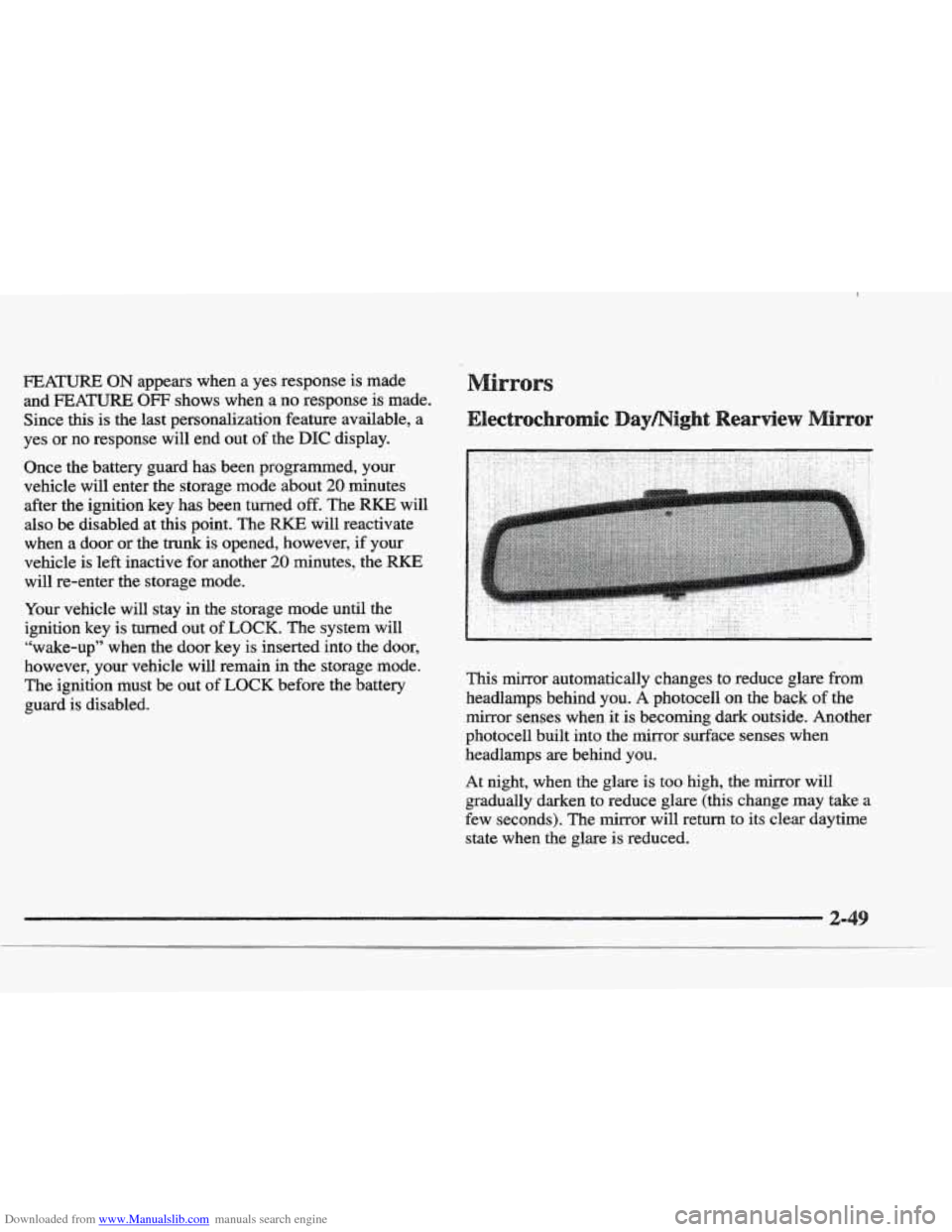
guard is disabled. This mirror automatically changes to reduce
glare from
headlamps behind you. A photocell on the back of the
mirror senses when it
is becoming dark outside. Another
photocell built into the mirror surface senses when
headlamps are behind you.
At night, when the glare is too high, the mirror will
gradually darken to reduce glare (this change
may take a
few seconds). The mirror will return
to its clear daytime
state
when the glare is reduced.
Page 113 of 361
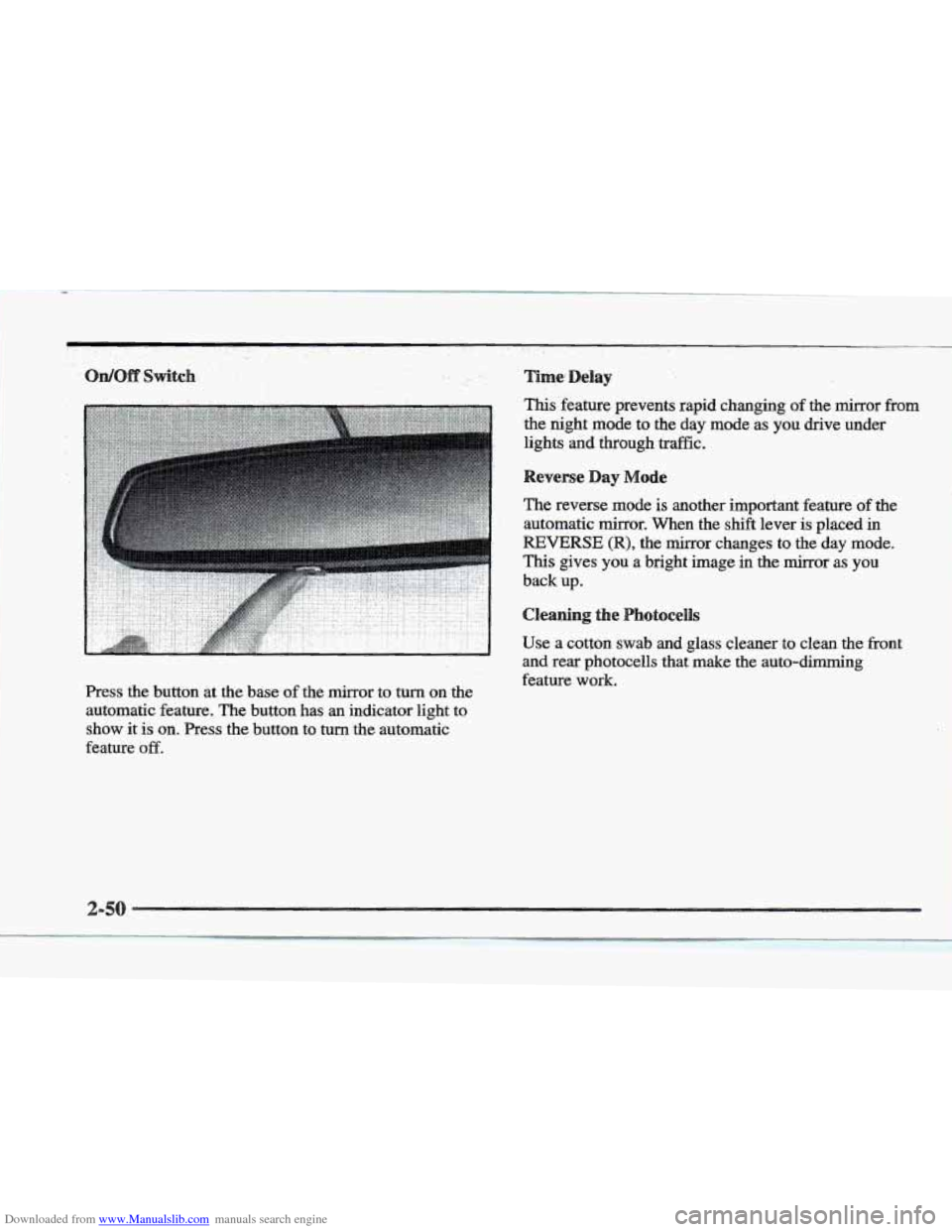
Downloaded from www.Manualslib.com manuals search engine Press the button at the base of the mirror to turn on the
automatic feature. The button
has an indicator light to
show it is on. Press the button to turn the automatic
feature
off.
Time; Delay
This'feature prevents rapid changing of the mirror from
the night mode to the day mode as. you drive under
lights
and through traffic.
Reverse Day Mode
The reverse mode is another important feature of the
automatic mirror. When the
shift lever is placed in
REVERSE (R), the mirror changes to the day mode.
This gives you a bright image in the mirror as you
back up.
Cleaning the Photocellls
Use a cotton swab and glass cleaner to clean the front
and rear photocells that make
the auto-dimming
feature work.
Page 125 of 361
Downloaded from www.Manualslib.com manuals search engine Be sure to keep the original hand-held transmitter
in case you need to erase and reprogram the
universal transmitter.
Note to Canadian Owners: During programming, the
hand-held transmitter may stop transmitting after one or
two seconds. If you are programming from one of these
transmitters, you should press and re-press
the button
on the hand-held transmitter every two seconds without
ever releasing
the button on the universal transmitter.
Release both buttons when the red light
on the universal
transmitter begins to flash rapidly.
Press and hold the appropriate button on the universal
transmitter. The red light
comes on while the signal is
being transmitted. Note that
the universal transmitter is disabled when the
VALET button
inside the glove box is activated. For
more information, see “Security Override” earlier in
this section.
Also note that if the hand-held transmitter appears to
program
the universal transmitter but does not open
your garage door,
and if the garage door opener was
manufactured after 1995, the garage door opener may
have
a “rolling code” system. A rolling code system
changes the code
of the garage door opener every time
you open or close the garage door.
To determine if you have this system, press the button
on the universal transmitter that you have programmed
already.
If the red light on the universal transmitter
flashes rapidly for
one or two seconds and then
stops flashing, the garage door opener has a rolling
code system.