Page 168 of 361

Downloaded from www.Manualslib.com manuals search engine SOURCE: Press this button to switch from radio to
cassette tape play.
If no cassette tape is in the tape
player,
CASS appears on the display and then the radio
station appears briefly. The display then reverts back
to
showing the time of day. Press this button again or
BAND to switch back to the radio.
6 EJECT: Press the upward triangle button to
remove a tape. The radio will play. Eject may be
activated with the radio
off. Cassette tapes may be
loaded with the radio
off but they will not start playing
until the
PWR button is pressed. Press PWR or turn the
ignition key
off to stop the cassette tape player. The tape
will stay
in the player and resume play at the point
where
it stopped. If you leave a cassette tape in the
player while listening to the radio, it may become warm.
CLN: If this message appears on the display, the
cassette tape player needs to
be cleaned. It will still play
tapes, but
you should clean it as soon as possible to
prevent damage to the tapes and player.
See “Care of
Your Cassette Tape Player” in the Index. After YOU clean
the player, press and
hold EJECT for five seconds to
reset the CLN indicator. The radio will display --- to
show the indicator was reset.
Dolby@ Noise Reduction
is manufactured under a
license from Dolby Laboratories Licensing Corporation.
Dolby and the double-D symbol are trademarks
of
Dolby Laboratories Licensing Corporation.
e
For information on the compact disc player, see “Trunk
Mounted
CD Changer” later in this section.
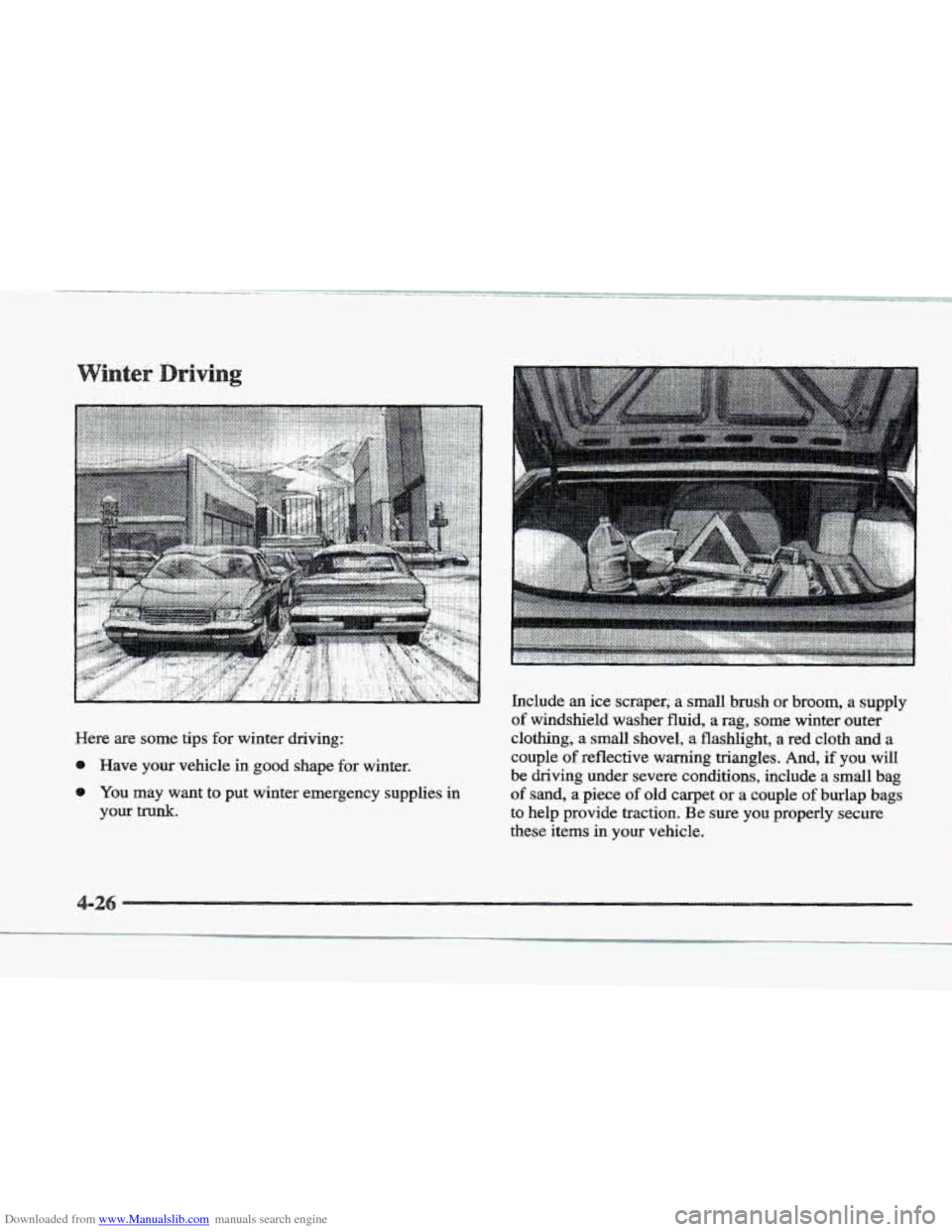
Playing the Radio
OL: Press this knob lightly to release it from its
stored position. The system will turn on. Press the knob
again to turn the system ~ff. To increase volume, turn the
knob clockwise. Turn it counterclockwise to decrease
volume. The volume level
will appear on the display.
Page 172 of 361
Downloaded from www.Manualslib.com manuals search engine For information on the compact disc player, see ‘‘Trunk
Mounted CD Changer” later in this section.
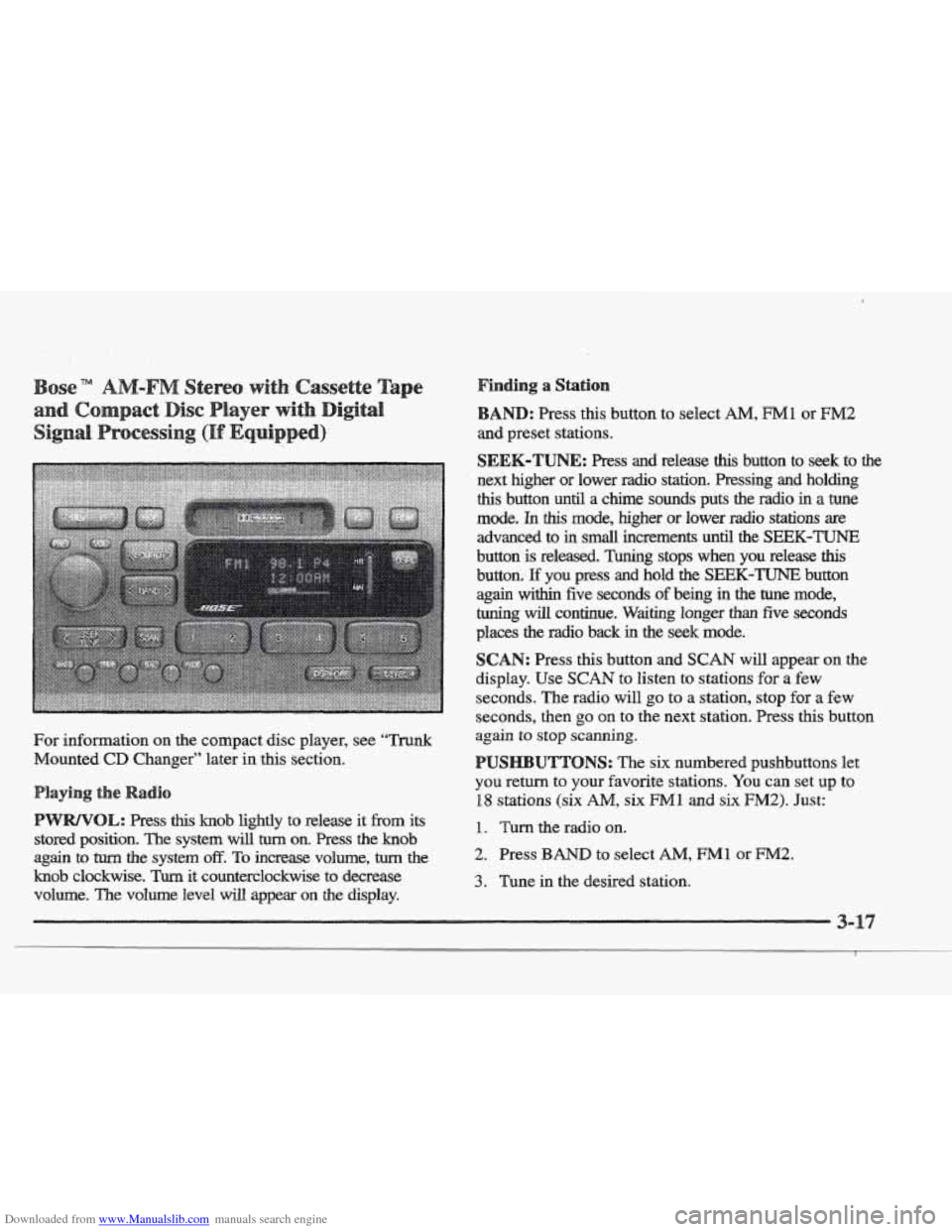
this knob lightly to release it from its
stored position.
The system will turn on. Press the knob
again
to turn the system off. To increase volume, turn the
knob clockwise. Turn it counterclockwise to decrease
volume. The volume level
will appear on the display.
Finding a Station
: Press this button to select AM, FM1 or EM2
SEEK-TUNE: Press and reiease this button to seek to the
next higher or lower radio station. Pressing and holding
this button until a chime sounds puts the radio in a tune
mode. In this mode, higher or lower radio stations are
advanced to
in small increments until the SEEK-TUNE
button is released. Tuning stops when you release this
button. E you press and hold the SEEK-TUNE button
again within five seconds of being in the tune mode,
tuning
will continue. Waiting longer than five seconds
places
the radio back in the seek mode.
SCAN: Press this button and SCAN will appear on the
display. Use
SCAN to listen to stations for a few
seconds. The radio will
go to a station, stop for a few
seconds, then
go on to the next station. Press this button
again to
stop scanning.
UTTONS: The six numbered pushbuttons let
you return to your favorite stations. You can set up to
18 stations (six AM, six Ml and six F”2). Just:
1. Turn the radio on.
2. Press BAND to select AM, FM1 or FM2.
3. Tune in the desired station.
Page 176 of 361
Downloaded from www.Manualslib.com manuals search engine .. .
te
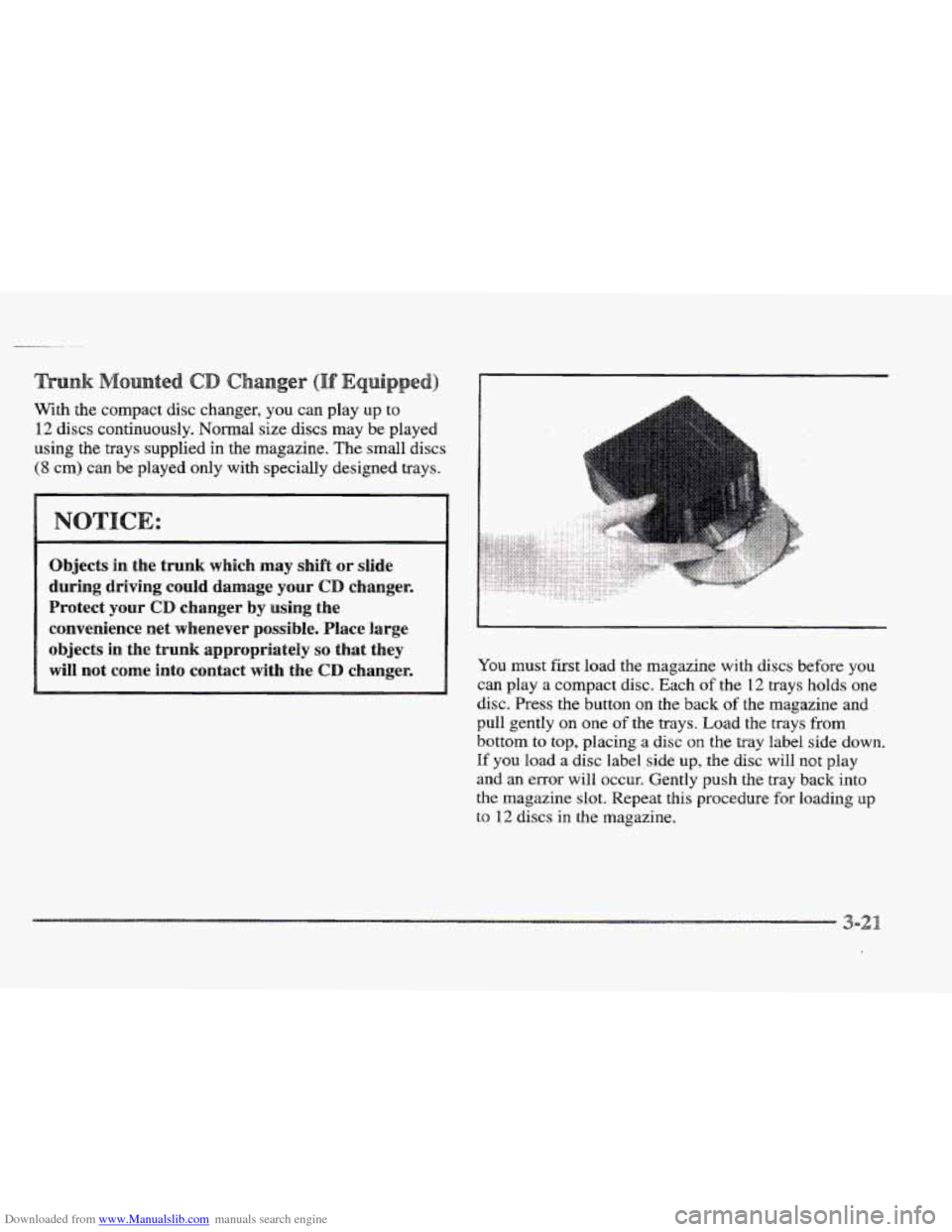
With the compact disc changer, you can play up to
12 discs continuously. Normal size discs may be played
using the trays supplied in the magazine.
The small discs
(8 cm) can be played only with specially designed trays.
Objects in the trunk which may shift or slide
during driving could damage your
CD changer.
Protect your
CD changes by using the
convenience net whenever possible. Place large
objects in
the trunk appropriately so that they
will not
come into contact with the CD changer. You must first load the magazine with discs before you
can play a compact disc. Each of the 12 trays holds one
disc. Press the button on the back of the magazine and
pull gently
on one of the trays. Load the trays from
bottom to top, placing a disc on the tray label side down.
If you load a disc label side up, the disc will not play
and an error will occur. Gently push the tray back into
the magazine slot. Repeat this procedure for loading up
to 12 discs in the magazine.
Page 211 of 361
Downloaded from www.Manualslib.com manuals search engine .. . . .. .
Here are some tips for winter driving:
@ Have your vehicle in good shape for winter.
0 You may want to put winter emergency supplies in
your trunk.
. ...
Include an ice scraper; a small brush or broom, a supply
of windshield washer fluid, a rag, some winter outer
clothing, a small shovel, a flashlight, a red cloth and a
couple
of reflective warning triangles. And, if you will
be driving under severe conditions,
include a small bag
of sand, a piece of old carpet or a couple of burlap bags
to help provide traction. Be sure you properly secure
these items
in your vehicle.
Page 216 of 361

Downloaded from www.Manualslib.com manuals search engine MFD BY GENERAL MOTORS, CORP
DATE GVWR GAWR FRT GAWR RR
THIS VEHICLE CONFORMS TO ALL APPLI-
CABLE
U.S. FEDERAL MOTOR VEHICLE
SAFETY, BUMPER, AND THEFT PREVENTION
STANDARDS
IN EFFECT ON THE DATE OF
MANUFACTURE SHOWN ABOVE.
The other label is the Certification label, found on the
rear edge
of the driver’s door. It tells you the gross
weight capacity of your vehicle, called the GVWR
(Gross Vehicle Weight Rating). The GVWR includes the
weight of the vehicle, all occupants, fuel and cargo.
Never exceed the
GVWR for your vehicle, or the Gross
Axle Weight Rating
(GAWR) for either the front or
rear axle.
If you do have a heavy load, you should spread it out.
Don’t carry more than
176 lbs. (80 kg) in your trunk.
Do not load your vehicle any heavier than the
GVWR, or either the maximum front or rear
GAWR. If YOU do, parts on your vehicle can
break, or it can change the way your vehicle
handles. These could cause you
to lose control.
Also, overloading can shorten the life
of
your vehicle.
Your warranty does not cover parts or
components that fail because of overloading.
If you put things inside your vehicle -- like suitcases,
tools, packages, or anything else -- they will go as fast
as the vehicle goes. If you have to stop OF turn quickly,
or if there is a crash, they’ll keep going.
Page 217 of 361
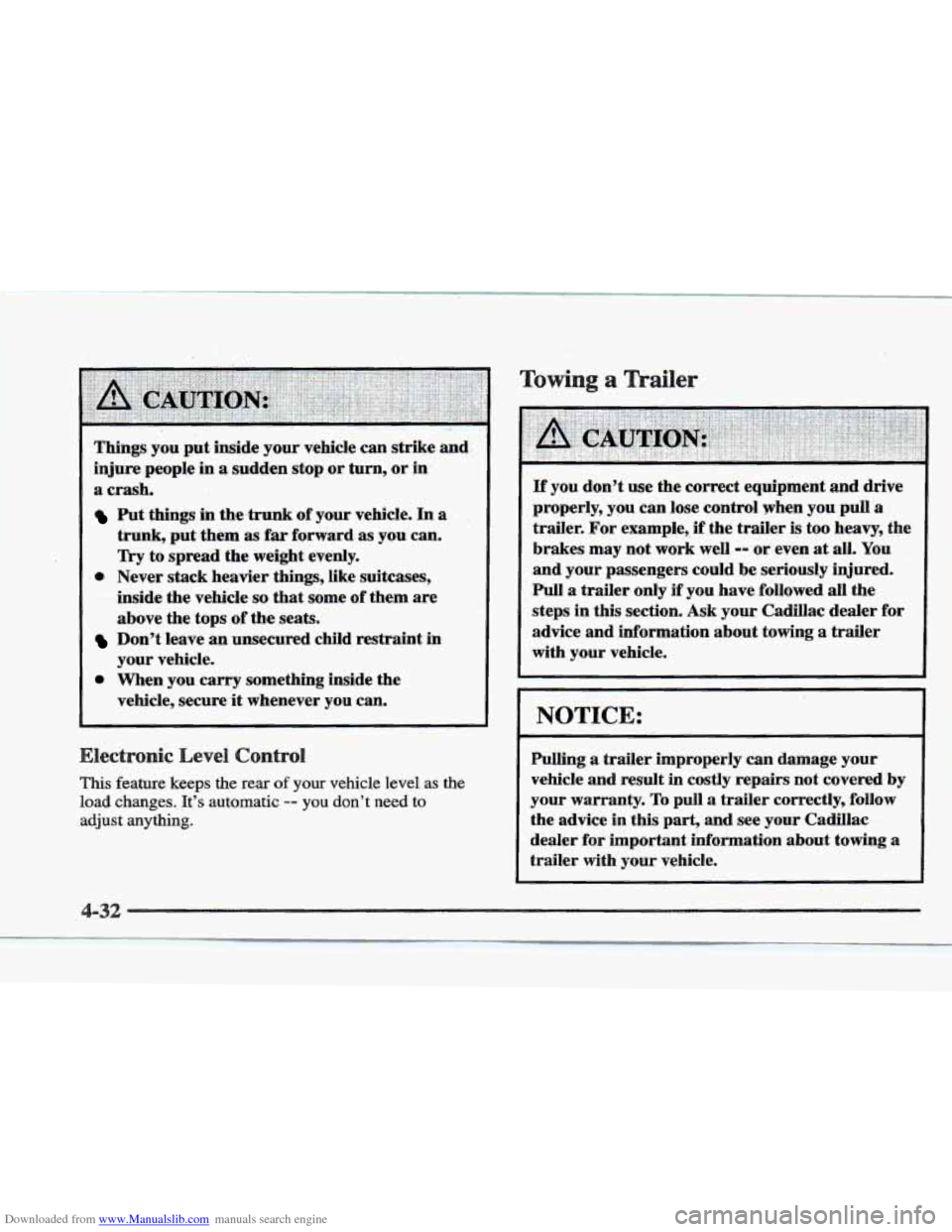
Downloaded from www.Manualslib.com manuals search engine Things’ you put. inside your- vehicle can strike and:
injure people in a sudden stop .or turn, or in
a crash,
Put things in the,trunk of your vehicle. In a ,
trunk, put.them as far forward. as you can.
Try to spread the weight evenly.
inside the
vehicle so that some of them are
above the tops
.of the seats.
Don’t leave an unsecured child restraint in
your vehicle.
0 When you carry something inside the
vehicle, secure
it whenever you can.
0 Never stack heavier things, like suitcases,
.I# ‘-a ...-,- ._ .. * . ..l_.
This feature keeps the rear of your vehicle level as the
load changes. It’s automatic -- you don’t need to
adjust anything.
Towing, a
If you don’t use the correct equipment and drive
properly, you can lose control when
you pull a
trailer. For example,, if the trailer is too heavy, the
brakes may not work well
=- or even at all. You
and your passengers could be seriously injured.
Pull a trailer only if you have followed all the
steps in
this section. Ask your Cadillac dealer for
advice and information about towing a trailer
with your vehicle.
I NOTICE.:
Pulling a trailer improperly can damage your
vehicle and result
in costly repairs not covered by
your warranty.
To pull a trailer correctly, follow
the advice in this part,
and see your Cadillac
dealer
for important information about towing a
trailer with your vehicle.
Page 252 of 361
Downloaded from www.Manualslib.com manuals search engine ........................................................................\
....... ........................................................................\
........
........................................... / ..................
.........
.. ...
The following steps will tell you how to use the jack and
change a tire.
The equipmiifit you’ll need is in the trunk. Pull the
carpeting from
the floor of the trunk. Turn the retainer
(center dial)
on the compact spare cover
counterclockwise
to remove it. Lift and remove the
cover. (See “Compact Spare Tire” later in this section
for more information about the compact spare.)
Page 253 of 361
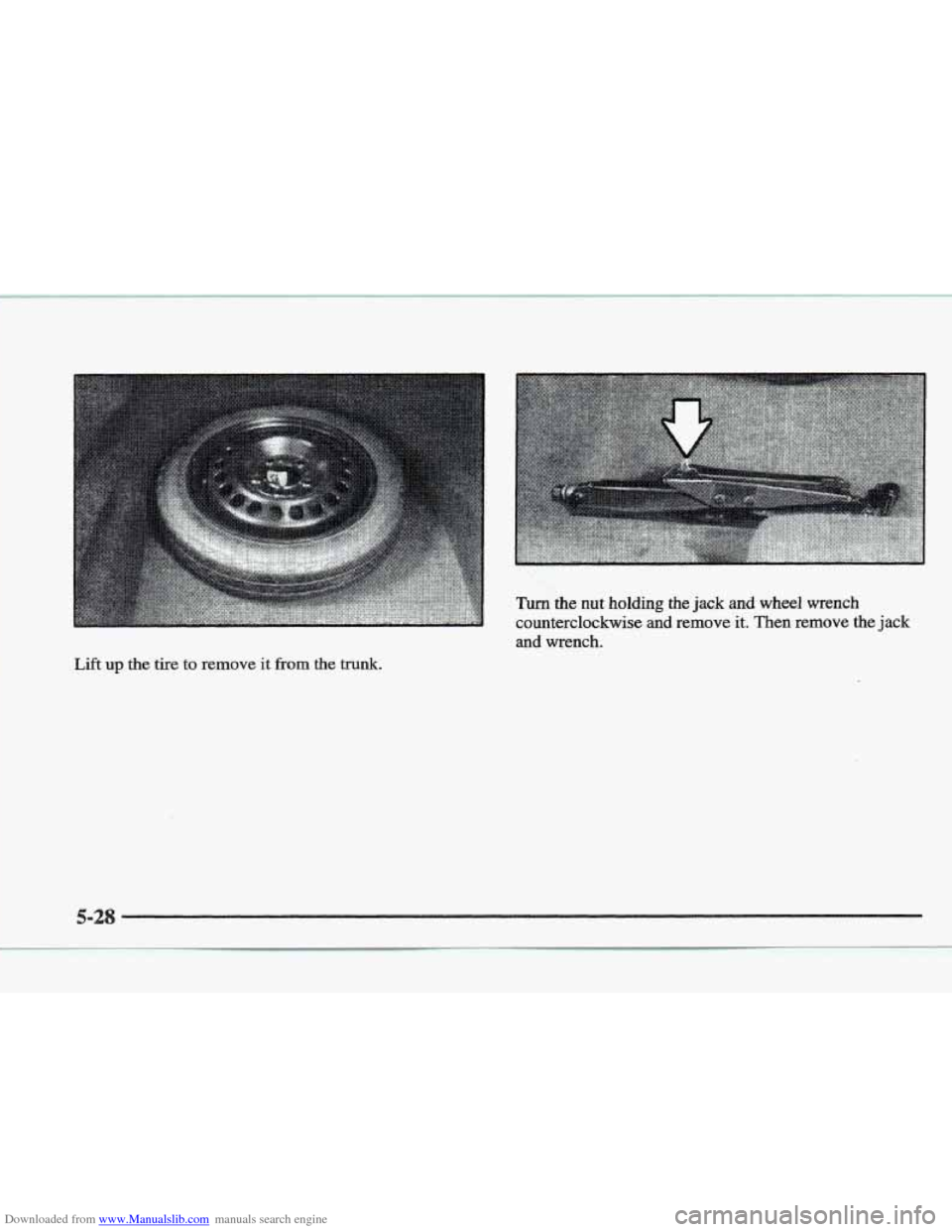
Downloaded from www.Manualslib.com manuals search engine Lift up the tire to remove it fiom the trunk.