1997 BUICK PARK AVENUE ignition
[x] Cancel search: ignitionPage 69 of 420
This system has a range of about 3 feet (1 m) up to
30 feet (9 m). At times you may notice a decrease in
range. This is normal for any remote keyless entry
system. If the transmitter does not work or if you have
to stand closer to your vehicle for the transmitter to
work, try this:
0
0
0
0
Check to determine if battery replacement is
necessary. See the instructions that follow.
Check the distance. You may be too far from your
vehicle. You may need to stand closer during rainy
or snowy weather.
Check the location. Other vehicles or objects may be
blocking the signal. Take a few steps to the left or
right, hold the transmitter higher, and try again.
If you’re still having trouble, see your Buick dealer
or a qualified technician for service.
Changes
or modifications to this system by other than an
authorized service facility could void authorization to
use this equipment.
Operation
The driver’s door will unlock when UNLOCK is
pressed. If pressed again within five seconds, all doors
will unlock. Pressing any button will also illuminate the
interior lamps (see “Illuminated Entry”
in the Index).
All doors will lock when LOCK
is pressed.
The trunk will unlock when the trunk button is pressed,
and the ignition is in LOCK or
OFF. The trunk button
will also work when the ignition is on, but only while in
PARK (P).
Instant Alarm
When the button with the horn symbol on the remote
keyless entry transmitter is pressed, the horn will sound
and the headlamps and taillamps will flash for up to
30 seconds. This can be turned off by pressing the
instant alarm button again or by turning the ignition on.
If your vehicle is equipped with the Content
Theft-Deterrent feature, you may also turn
off the
instant alarm by unlocking the vehicle with a key.
2-9
ProCarManuals.com
Page 70 of 420

Synchronization
If only the instant alarm button works, the transmitter
needs to be resynchronized to the receiver. Do this by
pressing and holding both the LOCK and
UNLOCK
buttons on the transmitter for about eight seconds; you
must be within range of the vehicle.
Once the transmitter has been resynchronized, the horn
will chirp and the exterior lamps will flash once. The
system should now operate properly.
Theft-Deterrent System
The remote keyless entry transmitter will arm the
theft-deterrent system whenever the doors are
closed and you push the
LOCK button when the
ignition is
OFF. It will disarm the system when you
push UNLOCK.
Personal Choice Features (If Equipped)
-Each remote keyless entry transmitter can be
programmed to the driver’s preference for memory door locks, security feedback, delayed locking and perimeter
lighting. See each feature in the Index. You can also
personalize your comfort control temperature, mode and
fan settings. See “Comfort Controls Personal Choice” in
the Index.
If your vehicle is equipped with the Driver Information
Center (DIC), you can also program these features
through the DIC. See “Driver Information Center” in
the Index.
2-10
ProCarManuals.com
Page 72 of 420

This feature lets the driver delay the actual locking of
the vehicle. When the power door lock switch
is pressed
with the key removed from the ignition and the driver’s
door open, a chime will sound three times to signal that
the lock delay mode is active. When all doors have been
closed, the doors will lock automatically after five
seconds.
If any door is opened before this, the
five-second timer will reset itself once all the doors have
been closed again.
Pressing the door lock switch twice within two seconds
will override this feature.
The delayed locking feature can be turned on or
off for
each remote keyless entry transmitter.
To turn the feature on:
1.
2.
3.
4.
Press and hold the power door lock switch on the door
throughout this procedure.
All the doors will lock.
Press the UNLOCK button on the transmitter to
enter the programming mode. The lock delay is still
off and all doors will remain locked.
Press the UNLOCK button on the transmitter again.
Lock delay is now active and all doors will unlock.
Release the power door lock switch.
If your vehicle is equipped with the Driver Information
Center (DIC),
you can also program these features
through the DIC. See “Driver Information Center” in
the Index.
To
turn this feature off, repeat the above procedure.
Matching Transmitter(s) To Your Vehicle
Each remote keyless entry transmitter is coded to
prevent another transmitter from unlocking your vehicle.
If a transmitter is lost or stolen, a replacement can be
purchased through your dealer. Remember to bring any
remaining transmitters with you when you go to your
dealer. When the dealer matches the replacement
transmitter to your vehicle, any remaining transmitters
must also be matched. Once your dealer has coded the
new transmitter, the lost transmitter will not unlock your
vehicle. Each vehicle can have up to four transmitters
matched to it.
See your dealer to match additional transmitters to
your vehicle.
2-12
ProCarManuals.com
Page 74 of 420
Trunk
Trunk Lock Release
To unlock the trunk from the outside, insert the master
doorhgnition key and turn it.
Remote Trunk Release
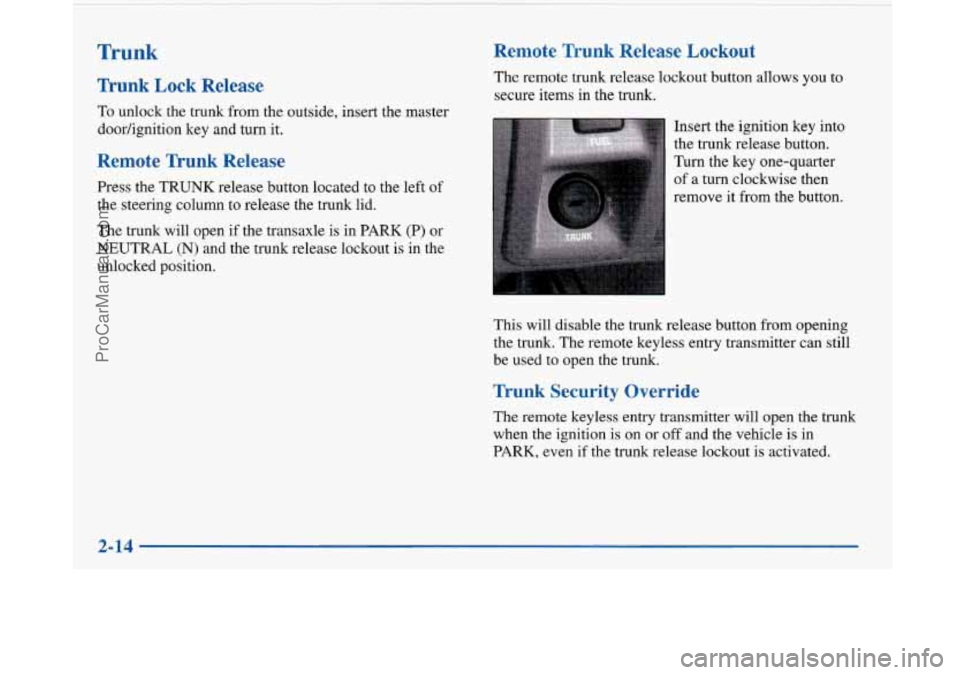
Press the TRUNK release button located to the left of
the steering column to release the trunk lid.
The trunk will open if the transaxle
is in PARK (P) or
NEUTRAL (N) and the trunk release lockout
is in the
unlocked position.
Remote Trunk Release Lockout
The remote trunk release lockout button allows you to
secure items in the trunk.
Insert the ignition key into
the trunk release button.
Turn the key one-quarter
of
a turn clockwise then
remove it from the button.
This will disable the trunk release button from opening
the trunk. The remote keyless entry transmitter can still
be used to open the trunk.
Trunk Security Override
The remote keyless entry transmitter will open the trunk
when the ignition is on or off and the vehicle
is in
PARK, even if the trunk release lockout is activated.
I
2-14
ProCarManuals.com
Page 75 of 420
It can be dangerous to drive with the trunk lid
open because carbon monoxide
(CO) gas can
come into your vehicle.
You can’t see or smell
CO.
It can cause unconsciousness and even death.
If you must drive with the trunk lid open or if
electrical wiring or other cable connections must
pass through the seal between the body and the
trunk lid:
0 Make sure all windows are shut.
0 Tbrn the fan on your heating or cooling
system to its highest speed with the setting
on any airflow selection except RECIRC.
That will force outside
air into your vehicle.
See “Comfort Controls’’ in the Index.
0 If you have air outlets on or under the
instrument panel, open them all the way.
See “Engine Exhaust’’ in the Index.
Theft
Vehicle theft is big business, especially in some cities.
Although your Buick has a number
of theft-deterrent
features, we know that nothing
we put on it can make it
impossible to steal. However, there are ways you can help.
Key in the Ignition
If you leave your vehicle with the keys inside, it’s an
easy target for joy riders or professional thieves
-- so
don’t do it.
With the ignition
off and the driver’s door open, you’ll
hear a chime reminding you to remove your key from
the ignition and take it with you. Always do this. Your
ignition and transaxle will be locked. And remember to
lock the doors.
Parking at Night
Park in a lighted spot, close all windows and lock your
vehicle. Remember to keep your valuables out
of sight.
Put them in a storage area, or take them with you.
2-15
ProCarManuals.com
Page 76 of 420

Parking Lots
If you park in a lot where someone will be watching
your vehicle, it’s best to lock
it up and take your keys.
But what if you have to leave your ignition key? What if
you have to leave something valuable in your vehicle?
Put your valuables in a storage area, like your trunk
or glove box.
Lock the glove box.
Lock all doors except the driver’s.
0 Give the valet key to the valet. Then take the master
key and remote keyless entry transmitter with you.
Content Theft-Deterrent
Your Buick is equipped
with a Content
Theft-Deterrent alarm system. With this system,
the SECURITY light will
SECURITY flash as you open the door
(if your ignition is off). This light
reminds
you to activate the theft-deterrent
system.
Were’s how to do it:
1. Open the door.
2. Lock the door with the power door lock switch or the
Remote Keyless Entry transmitter. The SECURITY
light should come on and stay on.
3. Close all doors. The SECURITY light should go off
after approximately
30 seconds. The alarm is not
armed until the SECURITY light goes off.
If a door is opened without the key or the remote keyless
entry transmitter, the
alarm will go off. Your vehicle’s
lamps will flash and the horn will sound for
30 seconds,
then will
turn off to save battery power.
Remember, the theft-deterrent system won’t activate if
you lock the doors with a key or use the manual door
lock. It activates only if you use a power door lock
switch with the door open, or with the remote keyless
entry transmitter. You should also remember that you
can start your vehicle with the correct ignition key if
the alarm has been set off.
2-16
ProCarManuals.com
Page 77 of 420

Here’s how to avoid setting off the alarm by accident:
0 If you don’t want to activate the theft-deterrent
system, the vehicle should
be locked with the door
key
after the doors are closed.
Always unlock a door with a key, or use the remote
keyless entry transmitter. Unlocking a door any other
way will set off the alarm.
If you set off the alarm by accident, unlock any door
with your key. You can also turn
off the alarm by
pressing UNLOCK on the remote keyless entry
transmitter. The alarm won’t stop if you try to unlock
a door any other way.
Testing the Alarm
1.
2.
3.
4.
From inside the vehicle, roll down the window.
Activate the system by locking the doors with the
power door lock switch while the door is open,
or
with the remote keyless entry transmitter.
Get out of the car, close the door and wait for the
SECURITY light to go out.
Then reach in through the window, unlock the door
with the manual door lock and open the door. This
should set
off the alarm. If
the alarm does not sound when it should, check to
see
if the horn works. The horn fuse may be blown.
To replace the fuse, see “Fuses and Circuit Breakers” in
the Index.
PASS-Key@ I11
Your vehicle is equipped
with the PASS-Key
111
(Personalized Automotive
Security System)
theft-deterrent system.
PASS-Key
I11 is a passive
theft-deterrent system. This
means you don’t have to do
anything different to arm or
disarm the system. It works
when you insert or remove
the key from the ignition.
PASS-Key
111 uses a radio frequency transponder in the
key that matches a decoder in your vehicle.
Your PASS-Key
I11 system operates on a radio
frequency subject to Federal Communications
Commission (FCC) Rules and with Industry and
Science Canada.
2-17
ProCarManuals.com
Page 78 of 420

This device complies with Part 15 of the FCC Rules.
Operation
is subject to the following two conditions:
(1) ths device may not cause harmful interference,
and
(2) this device must accept any interference
received, including interference that may cause
undesired operation.
This device complies with
RSS-210 of Industry and
Science Canada. Operation is subject to the following
two conditions:
(1) this device may not cause
interference, and
(2) this device must accept any
interference received, including interference that may cause undesired operation of the device.
Changes or modifications to this system by other than
an authorized service facility could void authorization
to use this equipment.
When the PASS-Key
III system senses that someone is
using the wrong key, it shuts down the vehicle’s starter
and fuel systems. The starter will not work and fuel
will stop being delivered to the engine. Anyone using
a trial-and-error method to start the vehicle will be
discouraged because of the high number of electrical
key codes. If
when trying to start the vehicle, the engine does not
start and the
SECURITY light comes on, the key may
have a damaged transponder. Turn the ignition off
and
try again.
If the engine still does not start, and the key appears to
be undamaged, try another ignition key. At this time,
you may also want to check the fuse (see “Fuses and
Circuit Breakers” in the Index). If the engine still does
not start with the other key, your vehicle needs service.
If your vehicle does start, the first key may be faulty.
See your Buick dealer or a locksmith who can service
the PASS-Key I11 to have a new key made.
It is possible for the PASS-Key
111 decoder to learn the
transponder value of
a new or replacement key. Up to
ten additional keys may be programmed for the vehicle.
This procedure is for learning additional keys only. If all
the currently programmed keys are lost or do not
operate, you must see your Buick dealer or a locksmith
who can service PASS-Key
I11 to have keys made and
programmed to the system.
See your dealer or a locksmith who can service
PASS-Key
I11 to get a new key blank that is a cut
exactly as a current black colored driver’s key that
operates the system.
Do not use a gray colored valet
key for this procedure.
2-18
~
ProCarManuals.com