1997 BUICK CENTURY headlamp
[x] Cancel search: headlampPage 87 of 406
Security Feedback
Security Feedback provides audible and/or visible
feedback that a remote keyless entry lock or unlock
command has been received and executed. Your
vehicle’s ignition must be off for this feature to work.
You may select one of four operating modes for
reception
of a lock command. You may also select one
of four operating modes for reception of an unlock
command. The selection and programming of the lock
and unlock operating modes are independent of each
other. The following modes are available for either lock
or unlock verification:
Mode
1 : No Verification
Mode
2: Horn Chirp only
Mode
3: Headlamp Flash only
Mode
4: Horn Chirp and Headlamp Flash
The operating mode
of the Security Feedback lock
function will be changed when you perform the following
sequence with your vehicle’s doors closed and the ignition
key in
RUN:
Press and hold the power’door lock switch. While
holding the door lock switch, press and release the
remote keyless entry
(RKE) transmitter lock switch.
This will initialize the customization mode. While in the customization
mode, the chime will sound the number
of chimes corresponding to the current Security
Feedback lock mode. Each additional press of the
RKE
transmitter lock switch will cause your vehicle to
advance the lock mode by one, starting from the current
Security Feedback lock mode. If cycled beyond lock
Mode
4, the vehicle will enter lock Mode 1. During this
procedure, the chime will sound the number
of chimes
corresponding
to the current lock mode, providing you
with feedback. When the door lock switch is released,
the vehicle will remain in the most recent lock mode.
The operating mode
of the Security Feedback unlock
function will
be changed when you perform the
following sequence with your vehicle’s doors closed and
the ignition key in
RUN:
Press and hold the power door unlock switch. While
holding the door unlock switch, press and release the
RKE
transmitter unlock switch. This will initialize the
customization mode. While in the customization mode, the
chime will sound the number
of chimes corresponding to
the current unlock mode. Each additional press of the
RKE transmitter unlock switch will cause your vehicle to
advance the unlock mode by one, starting from the current
unlock mode. If cycled beyond unlock Mode
4, the vehicle
will enter unlock Mode
1. During this procedure, the
chime will sound the number
of chimes corresponding to
2-11
ProCarManuals.com
Page 88 of 406
the current unlock mode, providing you with feedback.
When the door unlock switch is released, the vehicle will
remain in the most recent unlock mode.
Both the lock and unlock Security Feedback functions
will be in operating Mode
4 when the vehicle is shipped
from the factory.
Disconnecting the vehicle’s battery for up to a year will
not change the programmed mode of the lock and
unlock Security Feedback functions.
Illumination on Remote Activation
This feature provides interior illumination when a
remote keyless entry door unlock command is received
and executed by your vehicle. Your vehicle’s ignition
must be off for the Illumination on Remote Activation
feature
to work. The interior lamps will illuminate until
your vehicle’s ignition is turned to the
RUN position or
until an illumination period
of 40 seconds has elapsed. If
a door
is opened during the illumination period, the
timed illumination will be canceled, and
the interior
lamps will remain on since a door is open.
Instant Alarm
This feature allows you to activate an alarm by pressing a
switch on the remote keyless entry transmitter.
Your vehicle’s ignition must be
off for the Instant Alarm to
work. When
you press the special horn button on the remote
keyless entry transmitter, your vehicle’s headlamps will flash, the horn will
honk repeatedly, and your interior lamps
will illuminate, attracting attention if you need it. The alarm
will continue until:
1. You press the alarm button on the RKE transmitter a
second time.
2. The vehicle’s ignition is turned to the RUN position.
3. An alarm period of about two minutes has elapsed.
Matching Transmitter(s) To Your Vehicle
Each remote keyless entry transmitter is coded to
prevent another transmitter from unlocking your vehicle.
If a transmitter is lost or stolen, a replacement can be
purchased through your dealer. Remember
to bring any
remaining transmitters with you when you go
to your
dealer. When the dealer matches the replacement
transmitter to your vehicle, any remaining transmitters
must also be matched. Once your dealer has coded the
new transmitter, the lost transmitter will not unlock your
vehicle. Each vehicle can have only four transmitters
matched
to it.
2-12
ProCarManuals.com
Page 110 of 406
Turn SignaUMultifunction Lever
L
Lr
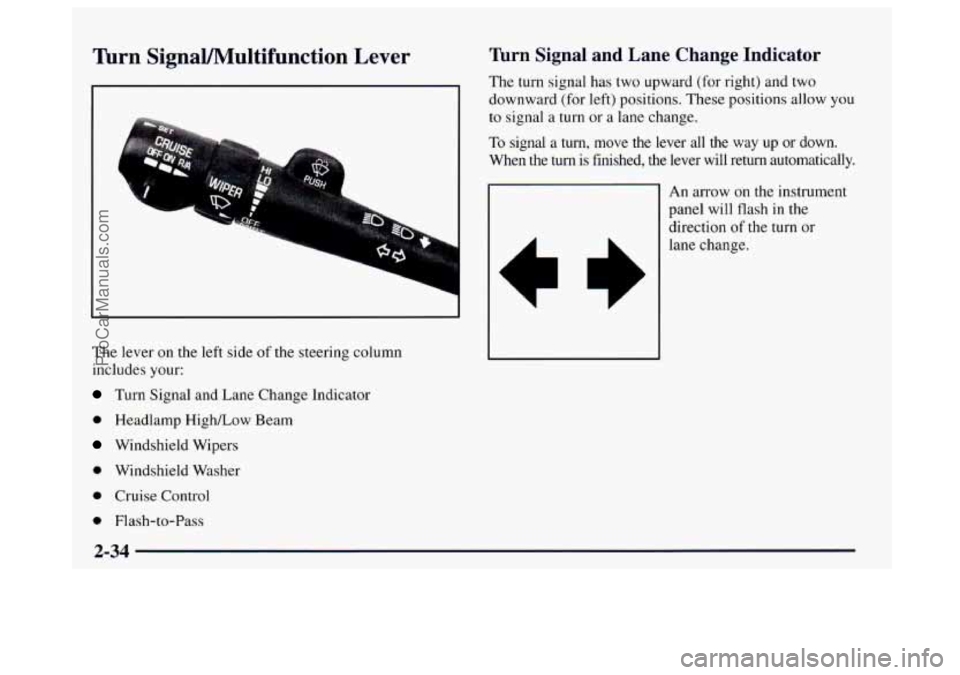
The lever on the left side of the steering column
includes your:
Turn Signal and Lane Change Indicator
0 Headlamp HighLow Beam
Windshield Wipers
0 Windshield Washer
0 Cruise Control
0 Flash-to-Pass
Turn Signal and Lane Change Indicator
The turn signal has two upward (for right) and two
downward (for left) positions. These positions allow
you
to signal a turn or a lane change.
To signal a turn, move the lever all the way up or down.
When the
turn is finished, the lever will return automatically.
An arrow on the instrument
panel will flash in the
direction of the turn
or
lane change.
2-34
ProCarManuals.com
Page 111 of 406
To signal a lane change, just raise or lower the lever
until the arrow starts
to flash. Hold it there until you
complete your lane change. The lever will return by
itself when you release
it.
As you signal a turn or a lane change, if the arrow
flashes faster than normal, a signal bulb may be burned
out and other drivers won’t see your turn signal.
If a bulb is burned out, replace it to help avoid an
accident. If
the arrows don’t go on at all when you
signal a turn, check for burned-out bulbs and then check
the fuse (see “Fuses and Circuit Breakers’’
in the Index).
A chime will sound if you leave your turn signal on for
more than
3/4 mile (1.2 km).
Headlamp High/Low Beam
To change your headlamps
from low beams to high
beams, or high
to low, pull
the multifunction lever all
the way toward you. Then
release
it. When the high
beams are on, a light on
the
instrument panel also will
be on.
Flash-to-Pass Feature
This feature lets you use your high-beam headlamps to
signal the driver in front of you that you want to pass. It
works even if your headlamps are
off.
To use it, pull the turn signal lever toward you a little,
but not
so far that you hear a click.
If your headlamps are off or on low beam, your
high-beam headlamps will turn
on. They’ll stay on as
long as you hold the lever toward you and the
high-beam indicator
on the dash will come on. Release
the lever to turn the high-beam headlamps off.
2-35
ProCarManuals.com
Page 117 of 406
Exterior Lamps
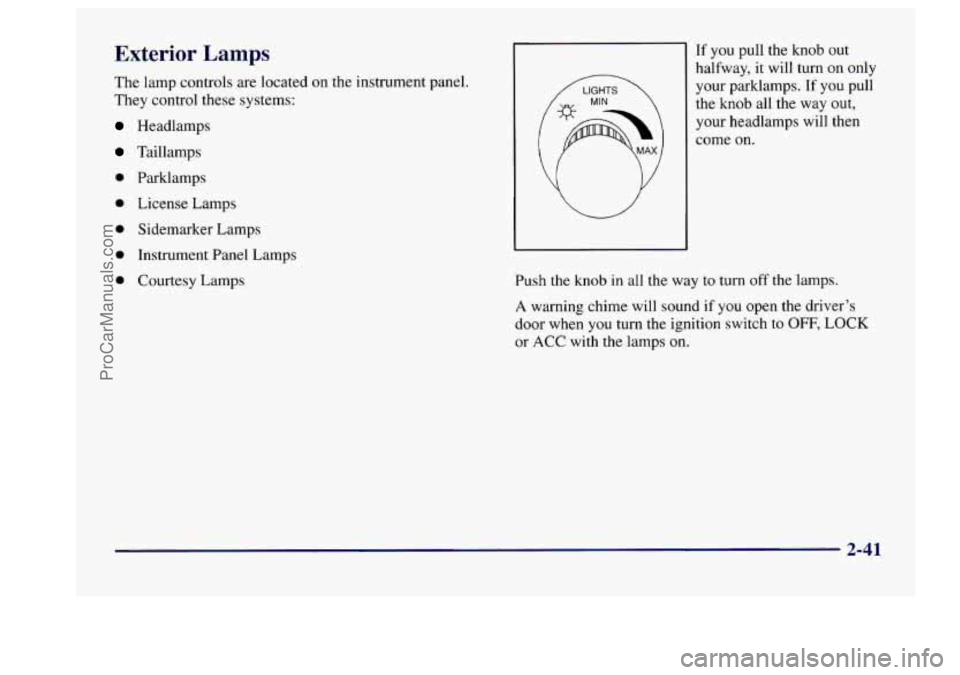
The lamp controls are located on the instrument panel.
They control these systems:
Headlamps
Taillamps
0 Parklamps
0 License Lamps
0 Sidemarker Lamps
0 Instrument Panel Lamps
0 Courtesy Lamps If you
pull the knob out
halfway,
it will turn on only
your parklamps.
If you pull
the knob all the way
out,
your headlamps will then
come on.
Push the knob
in all the way to turn off the lamps.
A warning chime will sound if you open the driver’s
door when
you turn the ignition switch to OFF, LOCK
or ACC with the lamps on.
2-41
ProCarManuals.com
Page 118 of 406
Daytime Running Lamps / Automatic
Headlamp Control
Daytime Running Lamps (DRL) can make it easier for
others to see the front
of your vehicle during the day.
DRL can be helpful
in many different driving
conditions, but
they can be especially helpful in the
short periods after dawn and before sunset.
A light sensor on top of the instrument panel makes the
DRL work,
so be sure it isn’t covered.
The DRL system
will make your front turn signal lamps
come on when:
0 The ignition is on,
The headlamp switch is off and
0 The parking brake is released.
When the DRL are on, only your your front turn signal
lamps will be on. The headlamps, taillamps, sidemarker
and other lamps won’t be
on. Your instrument panel
won’t be lit up either. When it’s
dark enough outside, your front turn signal
lamps will turn off and your vehicle’s headlamps and
parklamps will turn on. The other lamps that come on
with your headlamps will also come on.
When it’s bright enough outside, your headlamps will go
off and your front turn signal lamps will come on.
To idle your vehicle with the DRL off, set the parking
brake while the ignition is in
OFF or LOCK. Then start
your vehicle. The DRL, headlamps and parklamps will
stay off
until you release the parking brake.
As with any vehicle, you should turn on the regular
headlamp system when you need
it.
2-42
ProCarManuals.com
Page 119 of 406
Twilight Sentinel
Twilight Sentinel provides a period of exterior
illumination as you leave the vicinity of your vehicle.
The feature is activated when your vehicle’s headlamps
are on due to the automatic headlamp control feature
described previously
in this section, and when your
vehicle’s ignition is turned off. Your headlamps will
then remain
on until the headlamp switch is moved from
OFF to the parklamp position or until a 90 second
illumination period has elapsed.
If you turn off the ignition with the headlamp switch in
the parklamp or headlamp position, the Twilight
Sentinel cycle will not occur.
You can customize the vehicle
to activate the Twilight
Sentinel when your vehicle’s ignition is turned off under
the conditions described above, or you may choose not
to activate this feature under any conditions. The
enabled/disabled state of this feature will be toggled
when you perform the following sequence with the
doors closed and the ignition key
in the RUN position: Press
and hold
the power door lock switch. While
holding
the door lock switch, cycle the headlamp switch
on and then off two times. Release the power door lock
switch. These operations must be carried out
in a time
period
of less than 10 seconds, followed by a delay
period of no more than
10 seconds. Then, press and hold
the power door unlock switch. While holding the door
unlock switch, cycle the headlamp switch on and then
off two times. Release the courtesy door unlock switch.
These operations must be carried out
in a time period of
less than 10 seconds.
After releasing the door unlock switch, a single chime
will be heard if the Twilight Sentinel function has been
disabled; two chimes
will be heard if the feature has
been enabled. This feature will be enabled when your
vehicle is shipped from the factory. Disconnecting the
vehicle’s battery for up to a year will not change the
programmed operation of this feature.
2-43
ProCarManuals.com
Page 123 of 406
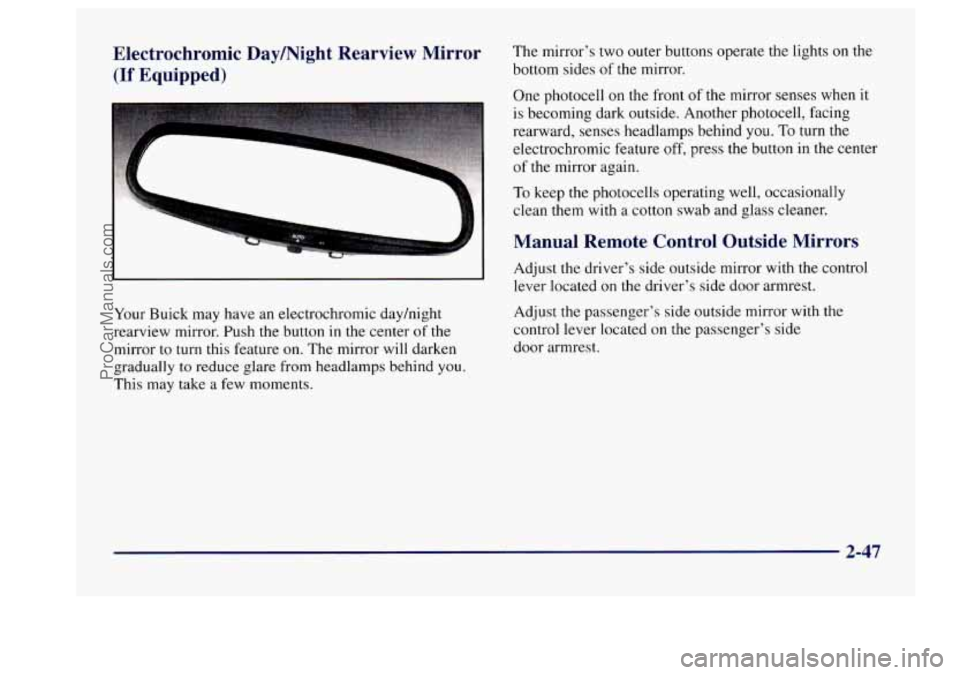
Electrochromic Daymight Rearview Mirror The mirror's two outer buttons operate the lights on the
(If Equipped) bottom sides of the mirror.
One photocell
on the front of the mirror senses when it
is becoming dark outside. Another photocell, facing
rearward, senses headlamps behind you.
To turn the
--
electrochromic feature off, press the button in the center
of the mirror again.
To keep the photocells operating well, occasionally
clean them
with a cotton swab and glass cleaner.
Manual Remote Control Outside Mirrors
Your Buick may have an electrochromic dayhight
rearview mirror. Push the button
in the center of the
mirror to turn this feature on. The mirror will darken
gradually to reduce glare from headlamps behind you.
This may take
a few moments. Adjust
the driver's side outside
mirror with the control
lever located on the driver's side door armrest.
Adjust
the passenger's side outside mirror with the
control lever located on the passenger's side
door armrest.
2-47
ProCarManuals.com