Page 126 of 183
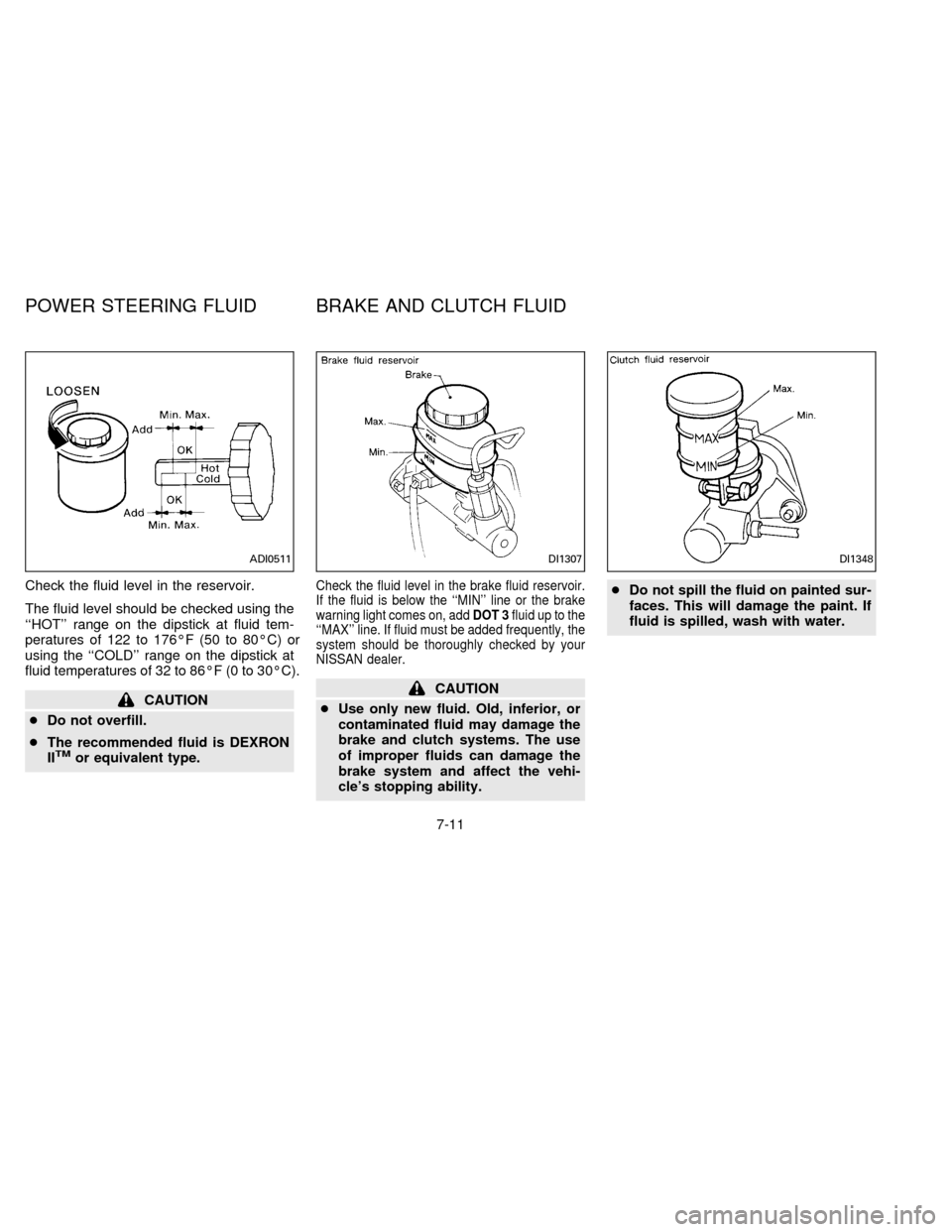
Check the fluid level in the reservoir.
The fluid level should be checked using the
``HOT'' range on the dipstick at fluid tem-
peratures of 122 to 176ÉF (50 to 80ÉC) or
using the ``COLD'' range on the dipstick at
fluid temperatures of 32 to 86ÉF (0 to 30ÉC).
CAUTION
cDo not overfill.
cThe recommended fluid is DEXRON
II
TMor equivalent type.
Check the fluid level in the brake fluid reservoir.
If the fluid is below the ``MIN'' line or the brake
warning light comes on, addDOT 3fluid up to the
``MAX'' line. If fluid must be added frequently, the
system should be thoroughly checked by your
NISSAN dealer.
CAUTION
cUse only new fluid. Old, inferior, or
contaminated fluid may damage the
brake and clutch systems. The use
of improper fluids can damage the
brake system and affect the vehi-
cle's stopping ability.cDo not spill the fluid on painted sur-
faces. This will damage the paint. If
fluid is spilled, wash with water.
ADI0511DI1307DI1348
POWER STEERING FLUID BRAKE AND CLUTCH FLUID
7-11
ZX
Page 127 of 183
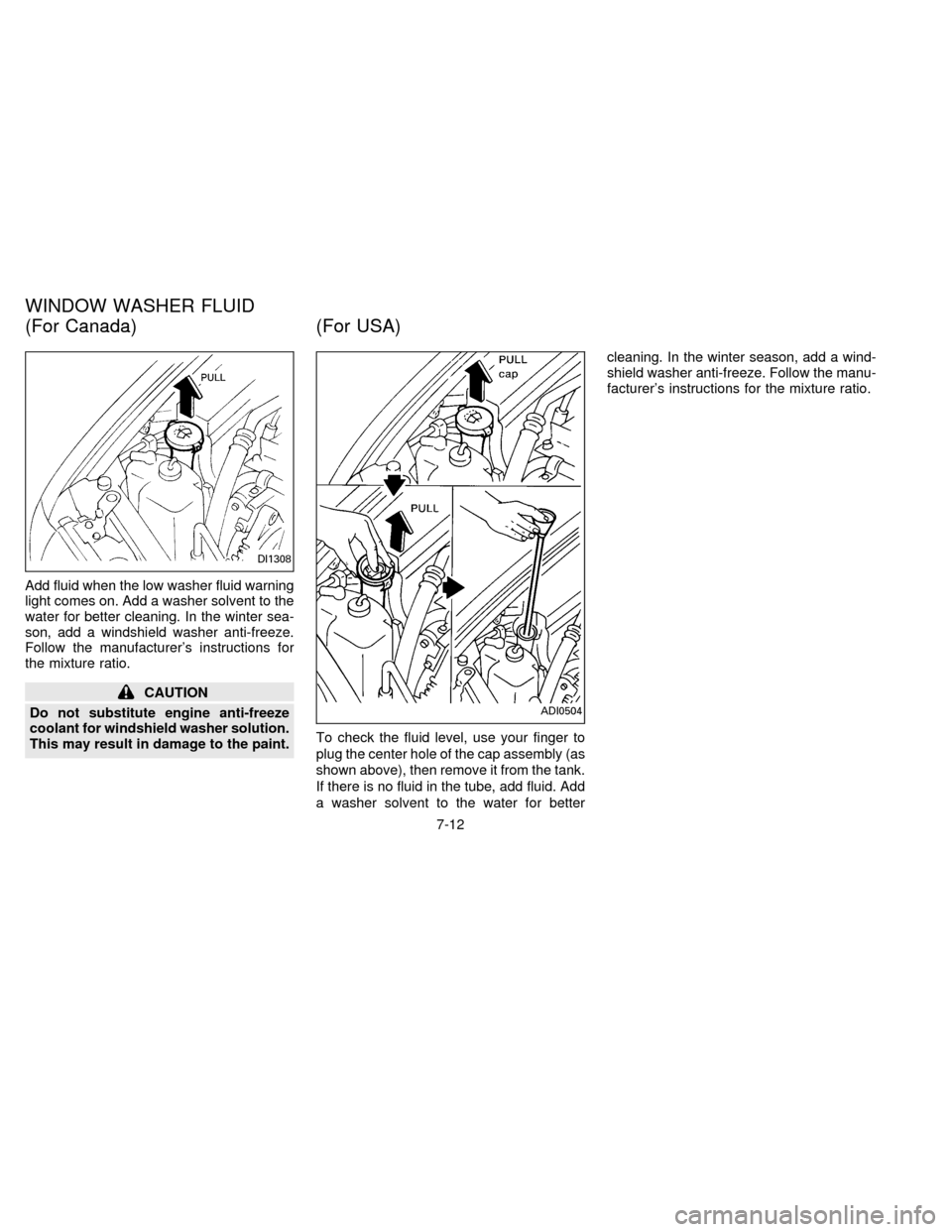
Add fluid when the low washer fluid warning
light comes on. Add a washer solvent to the
water for better cleaning. In the winter sea-
son, add a windshield washer anti-freeze.
Follow the manufacturer's instructions for
the mixture ratio.
CAUTION
Do not substitute engine anti-freeze
coolant for windshield washer solution.
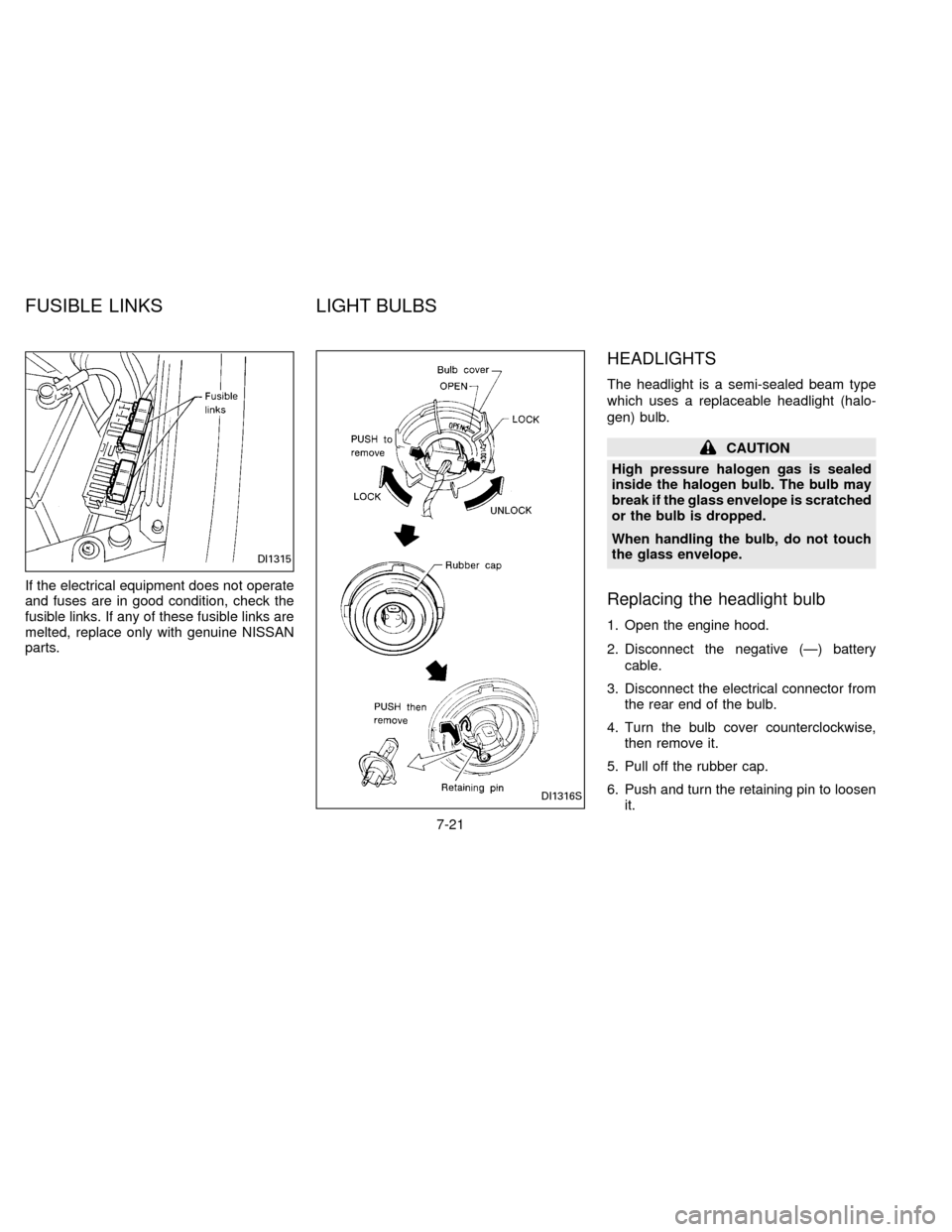
This may result in damage to the paint.To check the fluid level, use your finger to
plug the center hole of the cap assembly (as
shown above), then remove it from the tank.
If there is no fluid in the tube, add fluid. Add
a washer solvent to the water for bettercleaning. In the winter season, add a wind-
shield washer anti-freeze. Follow the manu-
facturer's instructions for the mixture ratio.
DI1308
ADI0504
WINDOW WASHER FLUID
(For Canada) (For USA)
7-12
ZX
Page 133 of 183
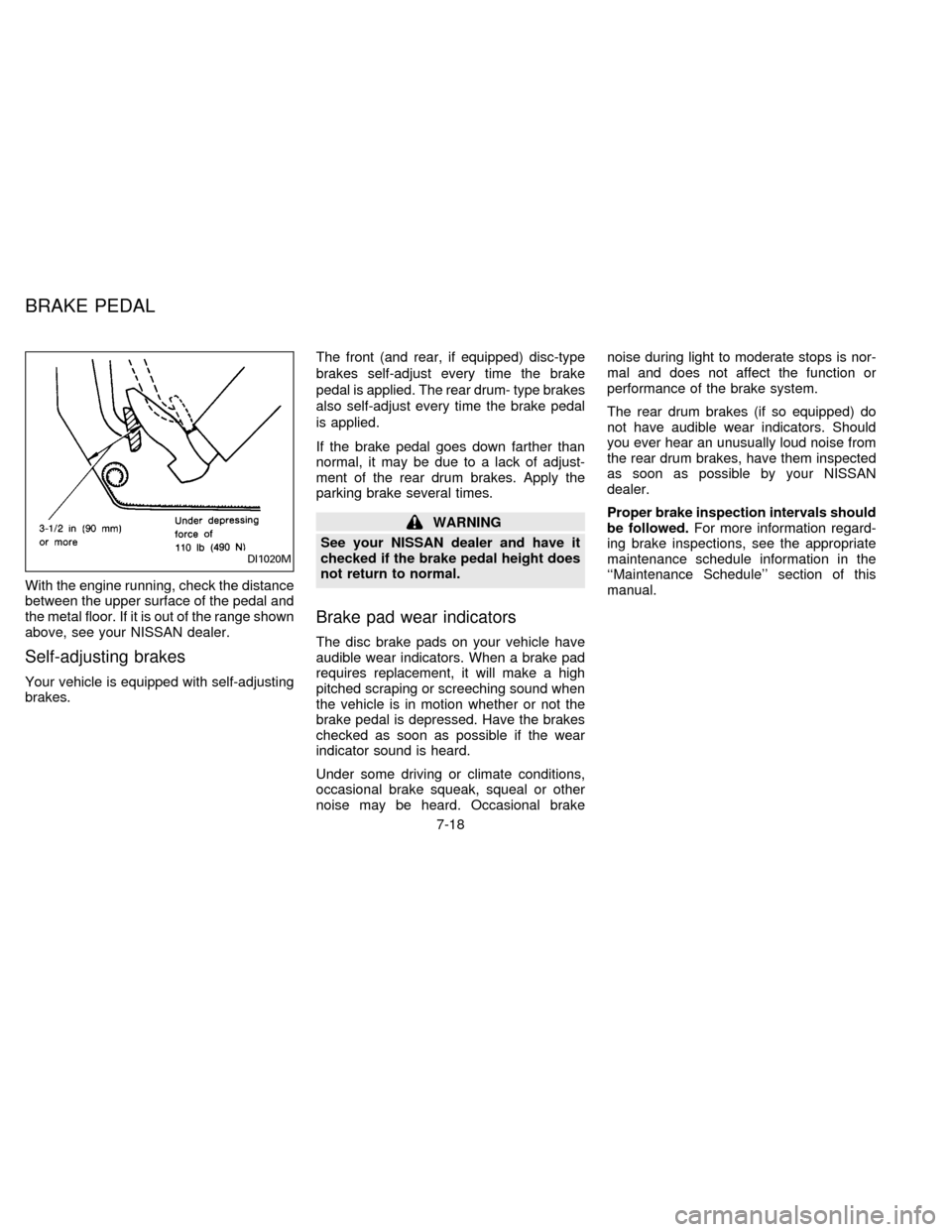
With the engine running, check the distance
between the upper surface of the pedal and
the metal floor. If it is out of the range shown
above, see your NISSAN dealer.
Self-adjusting brakes
Your vehicle is equipped with self-adjusting
brakes.The front (and rear, if equipped) disc-type
brakes self-adjust every time the brake
pedal is applied. The rear drum- type brakes
also self-adjust every time the brake pedal
is applied.
If the brake pedal goes down farther than
normal, it may be due to a lack of adjust-
ment of the rear drum brakes. Apply the
parking brake several times.
WARNING
See your NISSAN dealer and have it
checked if the brake pedal height does
not return to normal.
Brake pad wear indicators
The disc brake pads on your vehicle have
audible wear indicators. When a brake pad
requires replacement, it will make a high
pitched scraping or screeching sound when
the vehicle is in motion whether or not the
brake pedal is depressed. Have the brakes
checked as soon as possible if the wear
indicator sound is heard.
Under some driving or climate conditions,
occasional brake squeak, squeal or other
noise may be heard. Occasional brakenoise during light to moderate stops is nor-
mal and does not affect the function or
performance of the brake system.
The rear drum brakes (if so equipped) do
not have audible wear indicators. Should
you ever hear an unusually loud noise from
the rear drum brakes, have them inspected
as soon as possible by your NISSAN
dealer.
Proper brake inspection intervals should
be followed.For more information regard-
ing brake inspections, see the appropriate
maintenance schedule information in the
``Maintenance Schedule'' section of this
manual.
DI1020M
BRAKE PEDAL
7-18
ZX
Page 134 of 183

Check the brake booster function as fol-
lows:
1. With the engine off, press and release
the brake pedal several times. When
brake pedal movement (distance of
travel) remains the same from one pedal
application to the next, continue on to
next step.
2. While depressing the brake pedal, start
the engine. The pedal height should drop
a little.
3. With the brake pedal depressed, stop the
engine. Keep the pedal depressed for
about 30 seconds. The pedal height
should not change.
4. Run the engine for one minute without
depressing the brake pedal, then turn it
off. Depress the brake pedal several
times. The pedal travel distance will de-
crease gradually with each depression
as the vacuum is released from the
booster.
If the brakes do not operate properly, see
your NISSAN dealer.Press the pedal by hand and be sure the
free travel is within the limits shown above.
If free travel is out of the range shown
above, see your NISSAN dealer.
Engine compartment
If the electrical equipment does not come
on, check for an open fuse.
1. Be sure the ignition key and the headlight
switch are ``OFF''.
2. Open the engine hood.
3. Remove the fusible link cover.
4. Remove the fuse with the fuse puller.
5. If the fuse is open, replace it with a new
fuse.
ADIO528DI1313
BRAKE BOOSTER CLUTCH PEDAL FUSES
7-19
ZX
Page 135 of 183
Never use a fuse of higher amperage
rating than that specified on the fuse box
cover.
6. If a new fuse also opens, have the elec-
trical system checked and repaired by
your NISSAN dealer.
Passenger compartment
If any electrical equipment does not oper-
ate, check for an open fuse.
1. Be sure the ignition key and the headlight
switch are ``OFF''.
2. Open the fuse box cover.
3. Remove the fuse with the fuse puller.
4. If the fuse is open, replace it with a new
fuse.
Never use a fuse of higher amperage
rating than that specified on the fuse box
cover.5. If a new fuse also opens, have the elec-
trical system checked and repaired by
your NISSAN dealer.
ADI0502
7-20
ZX
Page 136 of 183
If the electrical equipment does not operate
and fuses are in good condition, check the
fusible links. If any of these fusible links are
melted, replace only with genuine NISSAN
parts.
HEADLIGHTS
The headlight is a semi-sealed beam type
which uses a replaceable headlight (halo-
gen) bulb.
CAUTION
High pressure halogen gas is sealed
inside the halogen bulb. The bulb may
break if the glass envelope is scratched
or the bulb is dropped.
When handling the bulb, do not touch
the glass envelope.
Replacing the headlight bulb
1. Open the engine hood.
2. Disconnect the negative (Ð) battery
cable.
3. Disconnect the electrical connector from
the rear end of the bulb.
4. Turn the bulb cover counterclockwise,
then remove it.
5. Pull off the rubber cap.
6. Push and turn the retaining pin to loosen
it.
DI1316S
DI1315
FUSIBLE LINKS LIGHT BULBS
7-21
ZX
Page 137 of 183
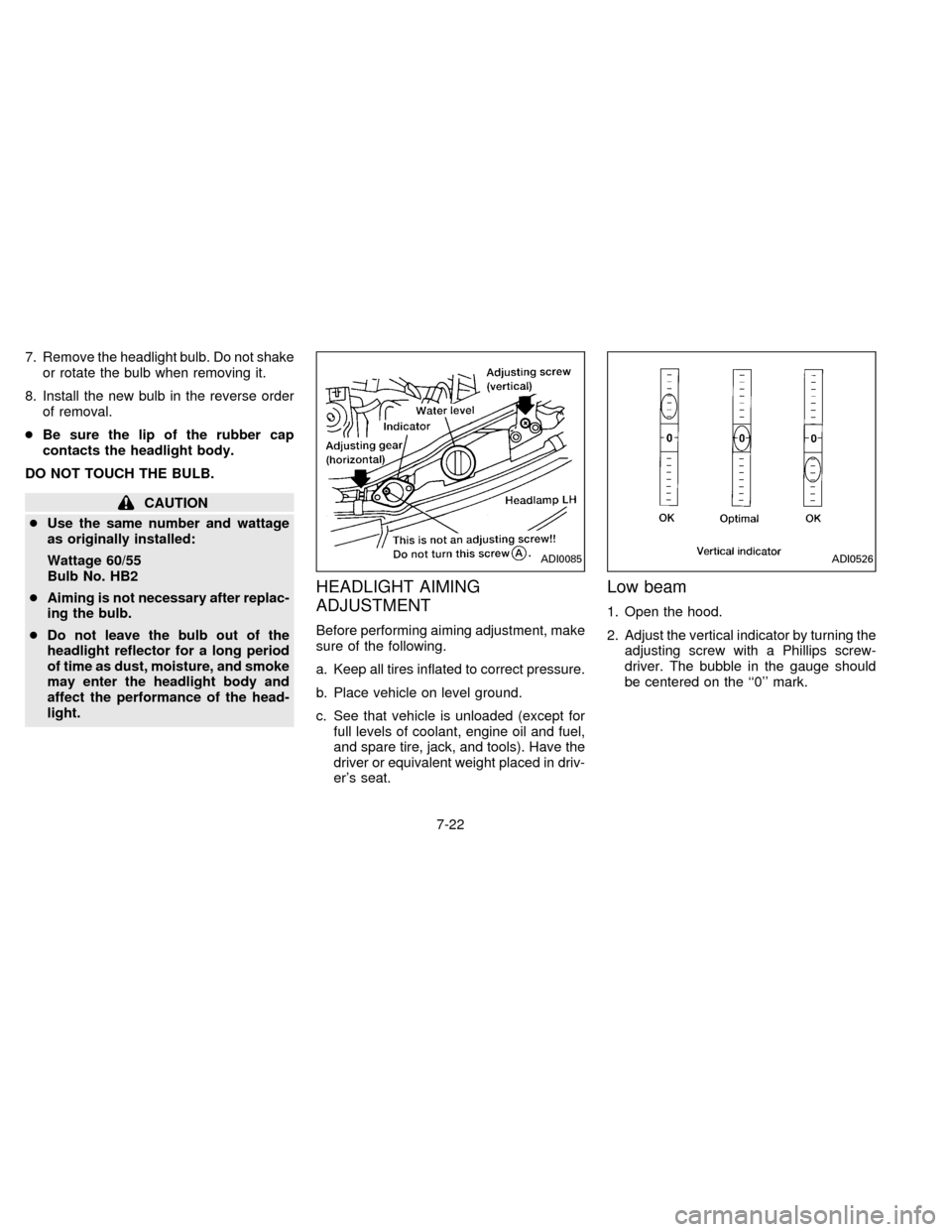
7. Remove the headlight bulb. Do not shake
or rotate the bulb when removing it.
8. Install the new bulb in the reverse order
of removal.
cBe sure the lip of the rubber cap
contacts the headlight body.
DO NOT TOUCH THE BULB.
CAUTION
cUse the same number and wattage
as originally installed:
Wattage 60/55
Bulb No. HB2
cAiming is not necessary after replac-
ing the bulb.
cDo not leave the bulb out of the
headlight reflector for a long period
of time as dust, moisture, and smoke
may enter the headlight body and
affect the performance of the head-
light.
HEADLIGHT AIMING
ADJUSTMENT
Before performing aiming adjustment, make
sure of the following.
a. Keep all tires inflated to correct pressure.
b. Place vehicle on level ground.
c. See that vehicle is unloaded (except for
full levels of coolant, engine oil and fuel,
and spare tire, jack, and tools). Have the
driver or equivalent weight placed in driv-
er's seat.
Low beam
1. Open the hood.
2. Adjust the vertical indicator by turning the
adjusting screw with a Phillips screw-
driver. The bubble in the gauge should
be centered on the ``0'' mark.
ADI0085ADI0526
7-22
ZX
Page 138 of 183

3. Adjust the horizontal indicator by turning
the adjusting screw with a Phillips screw-
driver.
The inner red line with the ``0'' mark
should align with the indicator line. Never
turn screw
sAas indicated in earlier
illustration.
ADJUSTMENT AFTER
HEADLIGHT ASSEMBLY
REPLACEMENT
If the vehicle has had front body repair and
the headlight assembly has been replaced,
the aiming should be checked using the
aiming chart as shown in the illustration.
a. Adjust headlights so that main axis of
light is parallel to center line of body
and is aligned with point P shown in
the illustration.
b. Dotted lines in illustration show cen-
ter of headlight.
``H'': Horizontal center line of head-
lights
``W'': Distance between each head-
light center
``L'': Distance between the headlights
and the wall that the lights are
tested against. 7,620 mm (300.00
in)
``C'': Distance below the horizontal
center line of the light (ªHº)
used in determining the main
axis of light. 106 mm (4.17 in)
H-C=M
M = main axis of light
ADI0505
ADI0096
7-23
ZX