1996 NISSAN ALTIMA light
[x] Cancel search: lightPage 33 of 183
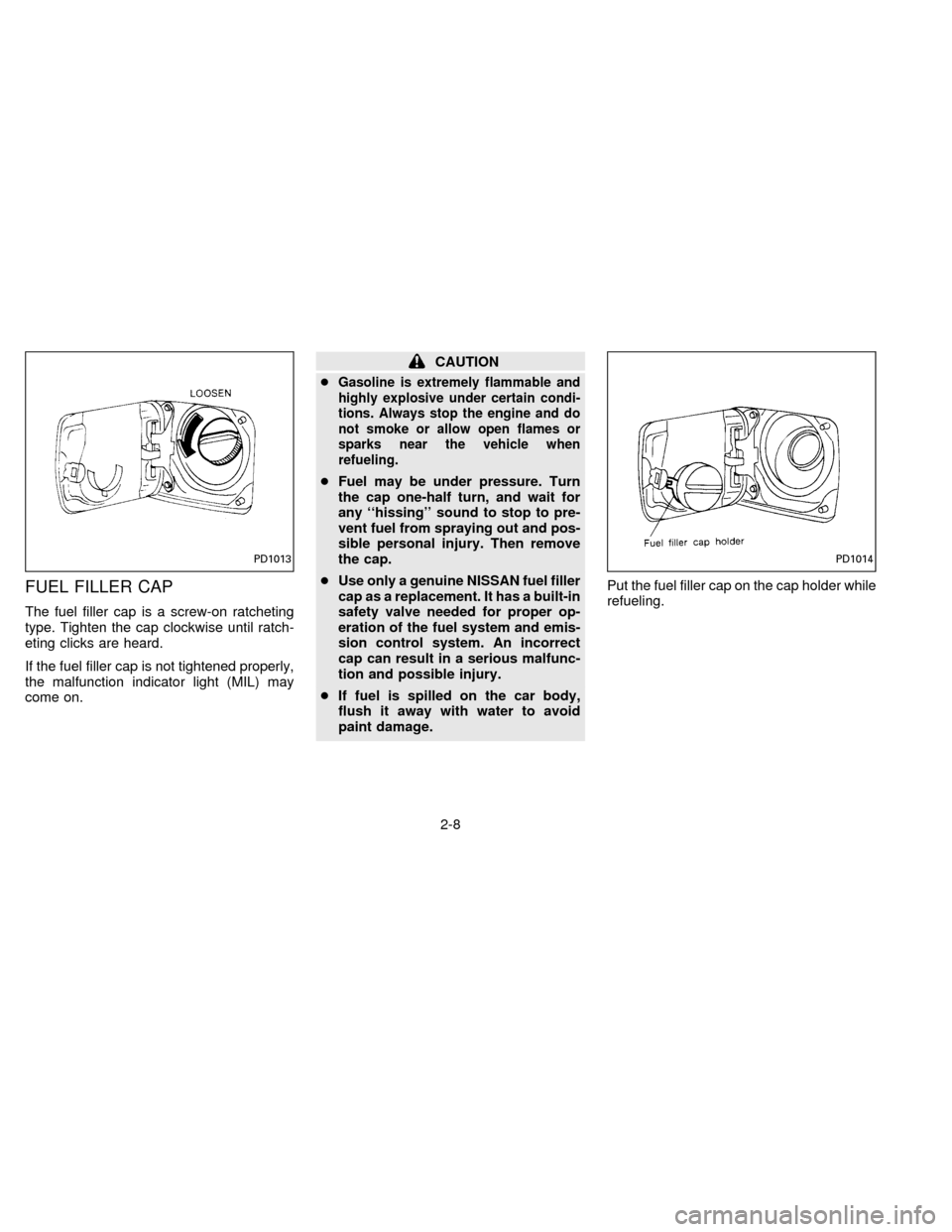
FUEL FILLER CAP
The fuel filler cap is a screw-on ratcheting
type. Tighten the cap clockwise until ratch-
eting clicks are heard.
If the fuel filler cap is not tightened properly,
the malfunction indicator light (MIL) may
come on.
CAUTION
c
Gasoline is extremely flammable and
highly explosive under certain condi-
tions. Always stop the engine and do
not smoke or allow open flames or
sparks near the vehicle when
refueling.
cFuel may be under pressure. Turn
the cap one-half turn, and wait for
any ``hissing'' sound to stop to pre-
vent fuel from spraying out and pos-
sible personal injury. Then remove
the cap.
cUse only a genuine NISSAN fuel filler
cap as a replacement. It has a built-in
safety valve needed for proper op-
eration of the fuel system and emis-
sion control system. An incorrect
cap can result in a serious malfunc-
tion and possible injury.
cIf fuel is spilled on the car body,
flush it away with water to avoid
paint damage.Put the fuel filler cap on the cap holder while
refueling.
PD1013PD1014
2-8
ZX
Page 41 of 183
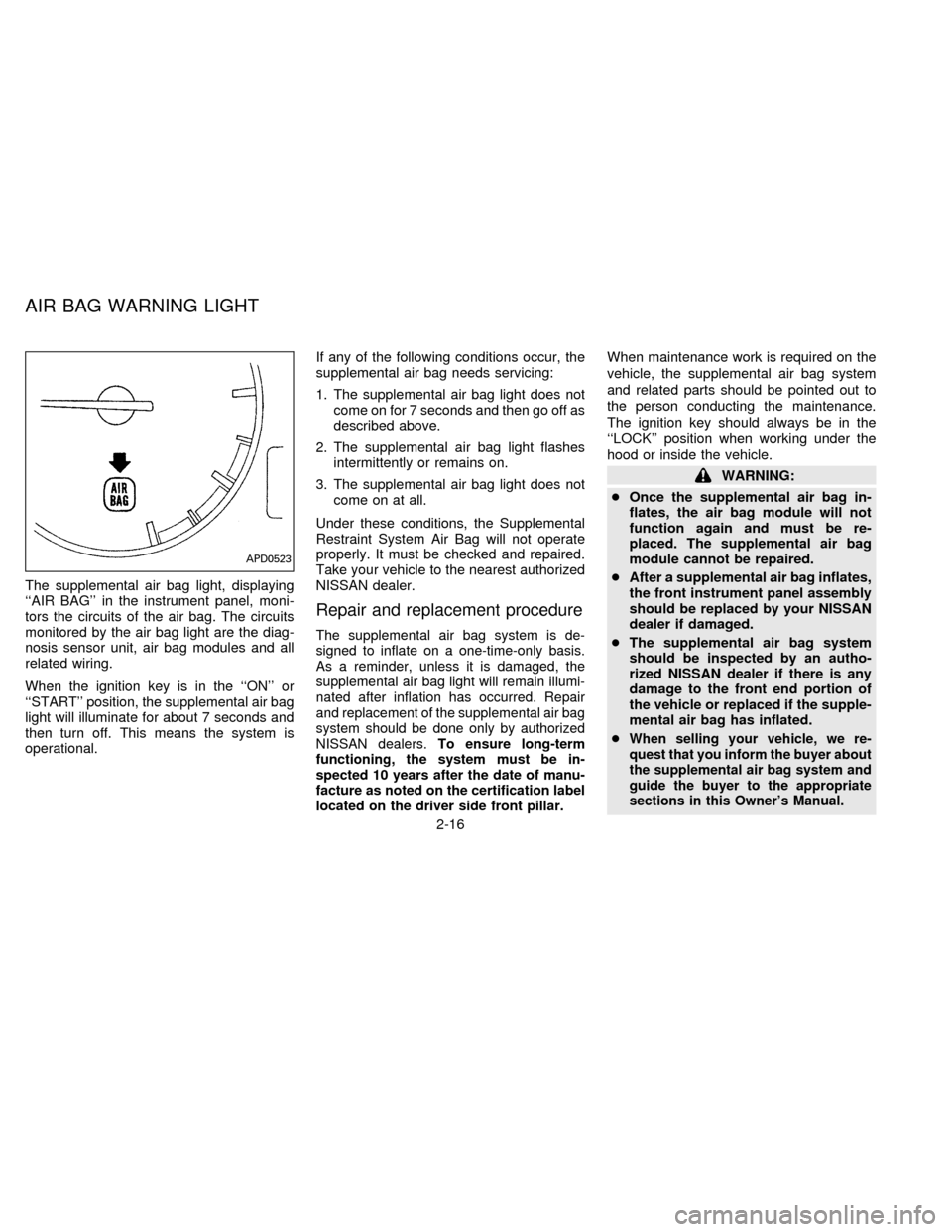
The supplemental air bag light, displaying
``AIR BAG'' in the instrument panel, moni-
tors the circuits of the air bag. The circuits
monitored by the air bag light are the diag-
nosis sensor unit, air bag modules and all
related wiring.
When the ignition key is in the ``ON'' or
``START'' position, the supplemental air bag
light will illuminate for about 7 seconds and
then turn off. This means the system is
operational.If any of the following conditions occur, the
supplemental air bag needs servicing:
1. The supplemental air bag light does not
come on for 7 seconds and then go off as
described above.
2. The supplemental air bag light flashes
intermittently or remains on.
3. The supplemental air bag light does not
come on at all.
Under these conditions, the Supplemental
Restraint System Air Bag will not operate
properly. It must be checked and repaired.
Take your vehicle to the nearest authorized
NISSAN dealer.
Repair and replacement procedure
The supplemental air bag system is de-
signed to inflate on a one-time-only basis.
As a reminder, unless it is damaged, the
supplemental air bag light will remain illumi-
nated after inflation has occurred. Repair
and replacement of the supplemental air bag
system should be done only by authorized
NISSAN dealers.To ensure long-term
functioning, the system must be in-
spected 10 years after the date of manu-
facture as noted on the certification label
located on the driver side front pillar.
When maintenance work is required on the
vehicle, the supplemental air bag system
and related parts should be pointed out to
the person conducting the maintenance.
The ignition key should always be in the
``LOCK'' position when working under the
hood or inside the vehicle.
WARNING:
cOnce the supplemental air bag in-
flates, the air bag module will not
function again and must be re-
placed. The supplemental air bag
module cannot be repaired.
cAfter a supplemental air bag inflates,
the front instrument panel assembly
should be replaced by your NISSAN
dealer if damaged.
cThe supplemental air bag system
should be inspected by an autho-
rized NISSAN dealer if there is any
damage to the front end portion of
the vehicle or replaced if the supple-
mental air bag has inflated.
c
When selling your vehicle, we re-
quest that you inform the buyer about
the supplemental air bag system and
guide the buyer to the appropriate
sections in this Owner's Manual.
APD0523
AIR BAG WARNING LIGHT
2-16
ZX
Page 42 of 183
cIf you need to dispose of a supple-
mental air bag or scrap the vehicle,
contact an authorized NISSAN dealer.
Correct supplemental air bag dis-
posal procedures are set forth in the
appropriate NISSAN Service Manual.
Incorrect disposal procedures could
cause personal injury.PRECAUTIONS ON SEAT BELT
USAGE
If you are wearing your seat belt properly
adjusted, your chances of being injured or
killed in an accident and/or the severity of
injury may be greatly reduced. NISSAN
strongly encourages you and all of your
passengers to buckle up every time you
drive, even if your seating position includes
an air bag.
Some states, provinces or territories re-
quire that seat belts be worn at all times
when a vehicle is being driven.
WARNING
cEvery person who drives or rides in
this vehicle should use a seat belt at
all times. Children should be in ap-
propriate child restraints.
cThe belt should be properly adjusted
to a snug fit. Failure to do so will
reduce the effectiveness of the en-
tire restraint system and increases
the chance or severity of injury in an
accident.cDo not wear the belt inside out or
twisted. Be sure the seat belt tongue
is securely fastened to the proper
buckle.
cDo not allow more than one person
to use the same belt.
cAll seat belt assemblies including
retractors and attaching hardware
should be inspected after any colli-
sion at your NISSAN dealer. NISSAN
recommends that all seat belt as-
semblies in use during a collision be
replaced unless the collision was
minor and the belts show no damage
and continue to operate properly.
Seat belt assemblies not in use dur-
ing a collision should also be in-
spected and replaced if either dam-
age or improper operation is noted.
cNever carry more people in the ve-
hicle than there are seat belts.
If the seat belt warning light glows con-
tinuously while the ignition is turned
``ON'' with all doors closed and all seat
belts fastened, it may indicate a mal-
function in the system. Have the system
checked by your NISSAN dealer.
SEAT BELTS
2-17
ZX
Page 56 of 183
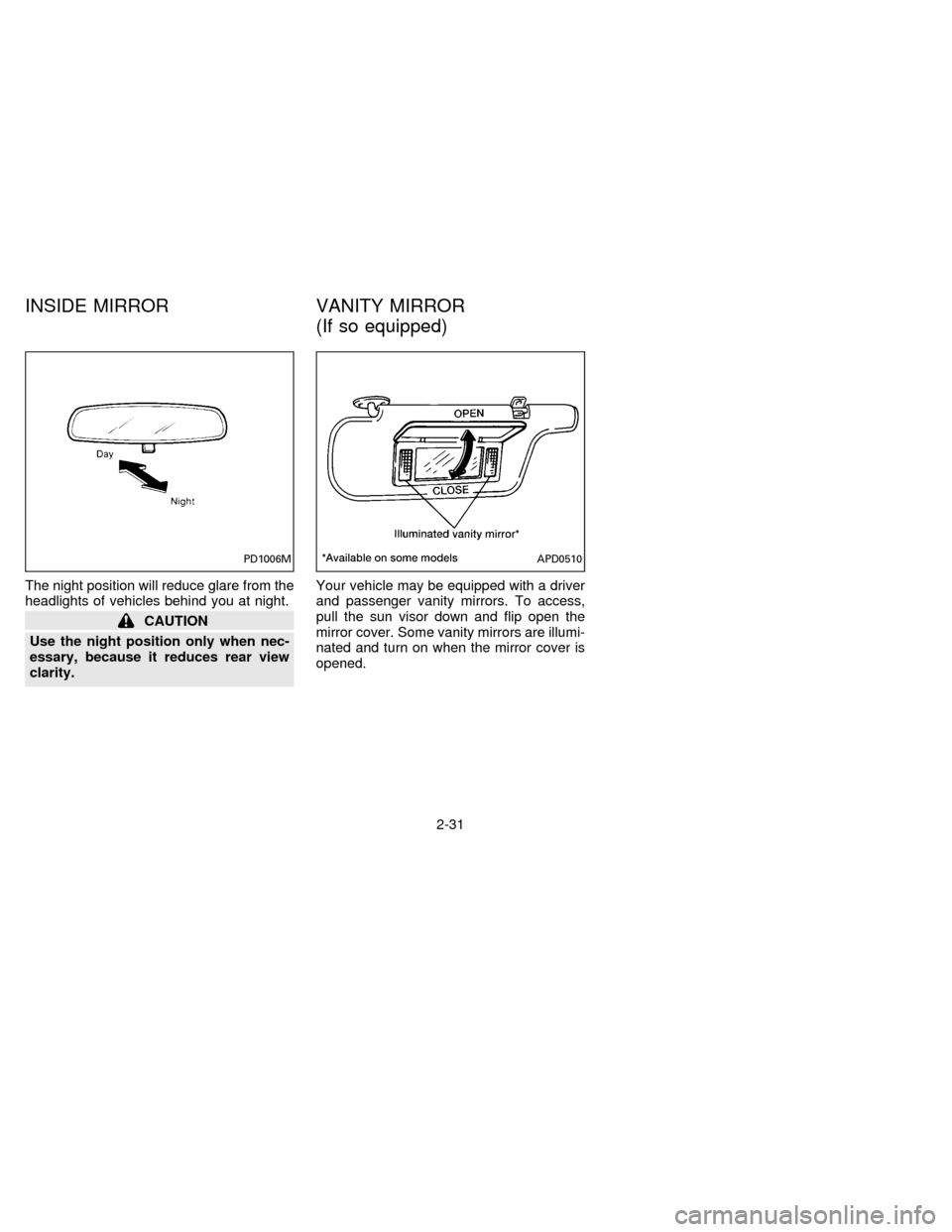
The night position will reduce glare from the
headlights of vehicles behind you at night.
CAUTION
Use the night position only when nec-
essary, because it reduces rear view
clarity.Your vehicle may be equipped with a driver
and passenger vanity mirrors. To access,
pull the sun visor down and flip open the
mirror cover. Some vanity mirrors are illumi-
nated and turn on when the mirror cover is
opened.
PD1006MAPD0510
INSIDE MIRROR VANITY MIRROR
(If so equipped)
2-31
ZX
Page 60 of 183
Ð Air flows from center and side
ventilators and foot outlets.
Ð Air flows mainly from foot outlets.
Ð Air flows from defroster outlets
and foot outlets.
Ð Air flows mainly from defroster
outlets.
Temperature control lever
This lever allows you to adjust the tempera-
ture of the outlet air.
Air recirculation button
OFF position:
Outside air is drawn into the passenger
compartment and distributed through the
selected outlet.
Use this position for normal heater or air
conditioning operation.
ON position (Indicator light on):
Interior air is recirculated inside the vehicle.
Push the air recirculation button to the ``ON''
position when driving on a dusty road or to
avoid traffic fumes and for maximum cooling
when using the air conditioning.
WARNING
Do not use the recirculation mode for
long periods as it may cause the inte-
rior air to become stale and the win-
dows to fog up.
Air conditioning button
(If so equipped)
This button is provided only on vehicles
equipped with air conditioning.
Start the engine, move the fan control dial to
the desired (1 to 4) position and push the
A/C button to turn on the air conditioning.
The indicator light will come on when the air
conditioning is on. To stop the air condition-
ing, push the switch again to return it to its
original position.
The air conditioning cooling function op-
erates only when the engine is running.
WARNING
Positioning of the heating or air condi-
tioning controls should not be done
while driving, in order that full attention
may be given to the driving operation.
HEATER OPERATION
Heating
This mode is used to direct heated air from
the floor outlets. Some air will also come
from the defrost vents.
1. Push the air recirculation button to the
``OFF'' position for normal heating.
2. Push the ``
'' button in.
3. Move the fan control dial to the desired
position.
4. Move the temperature control lever to the
desired position between the middle and
the ``HOT'' position.
Ventilation
This mode directs outside air from the side
and center vents.
1. Push the air recirculation button to the
``OFF'' position.
2. Push the ``
'' button in.
3. Move the fan control dial to the desired
position.
4. Move the temperature control lever to the
desired position.
3-3
ZX
Page 62 of 183

Cooling
This mode is used to cool and dehumidify.
1. Push the air recirculation button to the
``OFF'' position.
2. Push the ``
'' button in.
3. Move the fan control dial to the desired
position.
4. Push on the air conditioning button. The
indicator light will come on.
5. Move the temperature control lever to the
desired position.
cFor quick cooling when the outside tem-
perature is high, push the air recirculation
button to the ``ON'' position. Be sure to
return the air recirculation button to the
``OFF'' position for normal cooling.
Operating tips
cKeep the windows and sun roof closed
while the air conditioning is in operation.
cAfter parking in the sun, drive for two or
three minutes with the windows open to
vent hot air from the passenger compart-
ment. Then, close the windows. This will
allow the air conditioning to cool the
interior more quickly.cThe air conditioning system should be
operated for about ten minutes at
least once a month. This helps pre-
vent damage to the system due to lack
of lubrication.
cIf the coolant temperature gauge ex-
ceeds the HOT position, turn the air
conditioning off. See ``If your vehicle
overheats'' in the ``In case of emergency''
section for additional information.
Dehumidified heating
This mode is used to heat and dehumidify.
1. Push the air recirculation button to the
``OFF'' position.
2. Push the ``
'' button in.
3. Move the fan control dial to the desired
position.
4. Push on the air conditioning button. The
indicator light will come on.
5. Move the temperature control lever to the
desired position.
Dehumidified defogging
This mode is used to defog the windows
and dehumidify.1. Push the air recirculation button to the
``OFF'' position.
2. Push the ``
'' button in.
3. Move the fan control dial to the desired
position.
4. Push the air conditioning button. The
indicator light will come on.
5. Move the temperature control lever to the
desired position.
When the ``
'' button is pushed, the
air conditioning will automatically be
turned on to defog the windshield, and
the air recirculation mode will automati-
cally be turned off.
Outside air is drawn into the passenger
compartment to improve the defogging per-
formance.
AIR FLOW CHARTS
The charts on the following pages show the
switch and lever positions forMAXIMUM
and QUICKheating, cooling, or defrosting.
3-5
ZX
Page 66 of 183

begin to fog up while using the ECON
mode, use the procedures outlined in
Dehumified defogging.
Dehumidified defogging
1. Push the DEF switch on. The indicator
light will come on.
2. Push the temperature set button ``
'' or
``
'' to set the desired temperature.
cTo quickly remove ice or fog from the
outside of the windows, push the manual
fan control switch
and set to the
maximum position
.
cAs soon as possible after the windshield
is clean, push the AUTO switch to return
to the auto mode.
cWhen the DEF switch is pushed, the air
conditioning will automatically be turned
on at outside temperatures above 35ÉF
(2ÉC) to defog the windshield, and the air
recirculate mode will automatically be
turned off.
Outside air is drawn into the passenger
compartment to improve the defogging
performance.
Manual fan speed control
Push the fan control switchto manu-
ally control the fan speed. Each fan speed is
indicated by the shading of a fan blade on
the display. For example,
indicates
that the fan is operating at low speed and
indicates that the fan is operating at
medium-high speed.
cPush the AUTO switch to return to auto-
matic control of the fan speed.
Air recirculation switch
Push the air recirculation switch to recircu-
late interior air inside the vehicle. The indi-
cator light will come on.
Push it again to draw outside air into the
passenger compartment. The indicator will
go out.
cThe air recirculation mode will not be and
cannot be activated when the DEF mode
has been selected.
Manual air flow control
Pushing the manual air flow control switch
selects the air outlet.
Ð Air flows from center and side
ventilators.
Ð Air flows from center and side
ventilators and foot outlets.
Ð Air flows mainly from foot outlets.
Ð Air flows from defroster outlets
and foot outlets.
Ð Air flows mainly from defroster
outlets.
To turn the system off
Push the OFF switch.
Operating tips
cWhen the engine coolant temperature
and outside air temperature are low, the
air flow from the foot outlets may not
operate for a maximum of 150 seconds.
However, this is not a malfunction. After
the coolant temperature warms up, the
air flow from the foot outlets will operate
normally.
3-9
ZX
Page 71 of 183

indicating tape side will illuminate in the
display window.
Do not force the cassette tape into the
tape door.
Pressing strongly could cause player
damage.
The cassette tape will automatically change
directions to play the other side when the
first side is completed. At this time, the
arrow in the display window will change
direction.
cTo maintain good quality sound, NIS-
SAN recommends that you use cas-
sette tapes of 60 minutes or shorter in
length.
cCassette tapes should be removed
from the player when not in use. Store
cassettes in their protective cases
and away from direct sunlight, heat,
moisture and magnetic sources.
cDirect sunlight can cause the cassette
to become deformed. The use of de-
formed cassettes may cause the cas-
sette to jam in the player.
cDo not use cassettes that have labels
which are peeling and loose. If used,the label could jam in the player.
cIf a cassette has loose tape, insert a
pencil through one of the cassette
hubs and rewind the tape firmly
around the hubs. Loose tape may
cause tape jamming and wavering
sound quality.
cOver a period of time, the playback
head, capstan and pinch roller may
collect a tape coating residue as the
tape passes over the head. This resi-
due accumulation can cause weak or
wavering sound, and should be re-
moved periodically with a head clean-
ing tape. If the residue is not removed
periodically, the player may need to
be disassembled for cleaning.
Fast forwarding or rewinding the
tape
Push either the FF (fast forward) or REW
(rewind) button for the desired direction.
The
orsymbol will illuminate in
the display.
To stop the FF or REW function, press the
``PLAY/STOP'' button.
Automatic Program Search (APS)
fast forwarding or APS rewinding
the tape
Push either the APS FF or APS REW button
while the cassette tape is playing. The tape
will run quickly, and stop and play at the
next program. The indicator light flashes on
and off while searching the program. The
orsymbol will illuminate in
the display.
This system searches for the blank intervals
between selections. If there is a blank inter-
val within one program or there is no interval
between programs, the system may not
stop in the desired or expected location.
Changing the direction of tape play
Push the PROG (program) select button.
The
orsymbol will illuminate in
the display to indicate side of program play.
Playing and stopping the cassette
tape
Push the PLAY/STOP button while the cas-
sette tape is playing to stop the tape. Push
the button again to play the tape.
3-14
ZX