Page 98 of 320

To change the position of the steering wheel, pull
the release lever on the column toward you. Tip
the steering wheel to the desired position.
Release the lever to lock the steering wheel in
place.
Speed Control
Your vehicle has speed control, so you can
automatically maintain a constant speed above 30
mph (48 km/h). The switches to operate the
speed control are on the steering wheel.
Use of radio transmitting equipment that is not
Federal Communications Commission (FCC) or
in Canada the Canadian Radio and
Telecommunications Commission (CRTC)
approved may cause the speed control to
malfunction. Therefore, use only properly
installed FCC (CRTC in Canada) approved radio
transmitting equipment in your vehicle.NOTE: Since your vehicle has an Automatic
Overdrive Transaxle, you may want to drive in D
(Drive) when driving in hilly terrain, at higher
altitudes, or when pulling a trailer. This will
improve speed control performance.
NOTE: Do not shift to N (Neutral) when using
the speed control. This will cause the engine to
overspeed.
95
Page 111 of 320

THIS DEVICE COMPLIES WITH PART 15
OF THE FCC RULES. OPERATION IS
SUBJECT TO THE FOLLOWING TWO
CONDITIONS: (1) THIS DEVICE MAY NOT
CAUSE HARMFUL INTERFERENCE, AND
(2) THIS DEVICE MUST ACCEPT ANY
INTERFERENCE RECEIVED, INCLUDING
INTERFERENCE THAT MAY CAUSE
UNDESIRED OPERATION.
NOTE: All transmitters to be used on your vehicle
must be programmed/reprogrammed at the same
time.
Battery Saver
When the ignition is turned off, the vehicle will turn
off battery voltage to the interior lights after 45
minutes.
This will prevent draining of the battery if those
lights have been left on inadvertently or if a door is
not completely closed. BatterV voltage to these
108lamps will be restored when the outside front
door handles are lifted, the keyless entry keypad
is used, the remote entry transmitter is used, any
door is opened, the trunk is opened, or the
ignition key is turned to the ON position.
Anti-theft System
When armed, this system helps protect your
vehicle against break-ins or theft by monitoring
all doors, the hood, and the trunk lock cylinder.
When an unauthorized entry occurs, the system
triggers and will: flash the headlamps, parking lamps, interior
lamps, and alarm indicator light honk the horn prevent the engine from starting
Page 112 of 320

NOTE: The factory installed Remote Entry
System has a PANIC feature that also chirps the
vehicle horn and flashes the interior/exterior lamps
when the PANIC button on the remote entry
transmitter is pushed. The PANIC alarm and the
Anti-Theft alarm are two separate features.
Both the anti-theft alarm and the PANIC feature
can be active at the same time.
To tell the difference between a PANIC alarm anct
a triggered Anti-Theft alarm: only the Anti-Theft alarm will cause the alarm
indicator light (located in the center of the
instrument cluster) to flash on and off. only the Anti-Theft alarm will prevent the
engine from starting.
For more information on the PANIC alarm, see
Remote Entry System in the Index.Arming the system
To arm the system, do the following four steps in
sequence.
1. Remove the key from the ignition.
2. Open any door. The alarm indicator light
will start flashing to remind you to arm the
system.
3. Lock the doors by using the power door lock
switch, pressing the remote entry transmitter
LOCK button or pressing the last two
buttons (7/8, 9/0) of the keyless entry
keypad.
The alarm indicator will now glow steadily.
4. Close all doors. The alarm indicator light
will then remain on steadily for
approximately 30 more seconds and then go
out. When the light goes out the system is
armed.
109
Page 114 of 320

Triggering the alarm system
The armed system will be triggered if: any door is opened without disarming the
system (see previous paragraphs), or the trunk lock cylinder is removed, or
NOTE: You can open the trunk with your key
without setting off the alarm. the hood is opened.
Disarming a triggered system
The alarm can be disarmed by: unlocking a front door with the key using the keyless entry unlock code using the UNLOCK button of the remote entry
transmitterNOTE: The flashing lights and honking horn
will shut off automatically approximately
three minutes after the system is triggered.
It will trigger again if another intrusion
occurs. However, the engine will not be
allowed to start until the system is disarmed.
Windows
Using the Power Windows
Each door has a power control that opens and
closes the window on that door. The driver's
door has a master control panel that operates all
four windows.
Power windows can only be opened or closed
when the ignition is in the ON or ACC position
or during the ten minute delayed accessory
period after the ignition is turned off.
111
Page 134 of 320
Programming the Universal Transmitter
NOTE: It is recommended that your hand-held
transmitter contain fresh batteries prior to
programming./!\ WARNINGMake sure that people or objects are clearof the garage door, gate, etc. while you areprogramming the system.To program the Universal Transmitter:
I.Make sure your vehicle's engine is off.
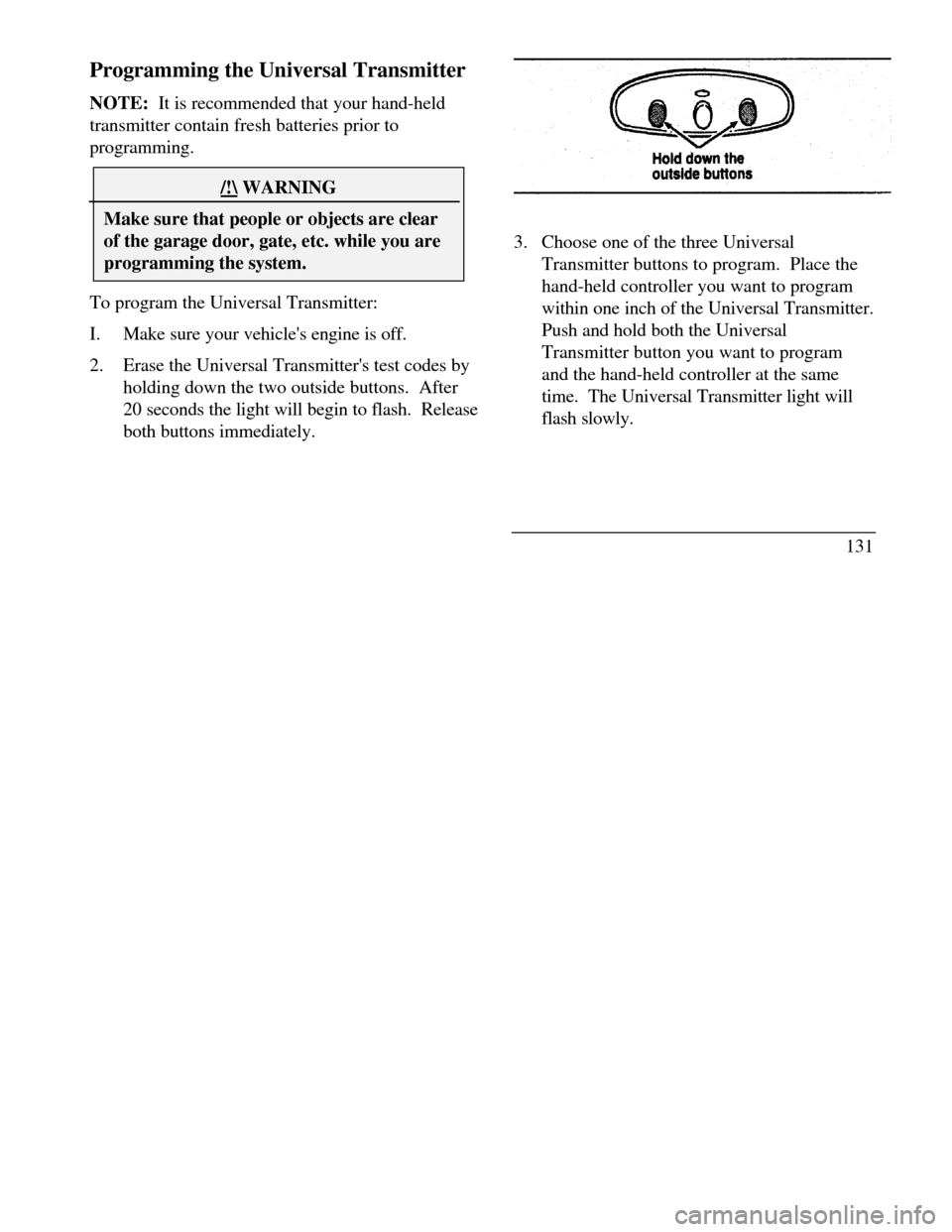
2.Erase the Universal Transmitter's test codes by
holding down the two outside buttons. After
20 seconds the light will begin to flash. Release
both buttons immediately.3. Choose one of the three Universal
Transmitter buttons to program. Place the
hand-held controller you want to program
within one inch of the Universal Transmitter.
Push and hold both the Universal
Transmitter button you want to program
and the hand-held controller at the same
time. The Universal Transmitter light will
flash slowly.
131
Page 182 of 320
Driving Your ContinentalYour vehicle has an automatic overdrive
transaxle. You may be familiar with the term
"transmission." We use transaxle because it is a
more accurate term for vehicles that have front-
wheel drive.
Driving with an Automatic
Overdrive Transaxle
Your automatic overdrive transaxle provides
fully automatic operation in either (Overdrive) or D (Drive). Driving with the shift
selector in (Overdrive) gives the best fuel
economy for normal driving conditions. For
manual control, start in 1 (First) and then shift
manually.
Your vehicle is equipped with an Electronic
Powertrain Control Module that limits engine
and/or vehicle speeds with a cut-out mode to
promote durability.Putting Your Vehicle in Gear
Your vehicle's gearshift can be on the column
or on the console./! WARNINGHold the brake pedal down while youmove the gearshift lever from position toposition. If you do not hold the brakepedal down, your vehicle may moveunexpectedly and injure someone.179
Page 183 of 320

To operate:
1.Start the engine.
2.Depress and hold the brake pedal.
3.Depress the thumb button (console-mounted
gearshift only).
4.Move the gearshift lever out of P (Park).
Your vehicle is equipped with a Brake Shift
Interlock safety feature. This feature prevents
the gearshift from being moved from the P
(Park) position until the brake pedal is
depressed. This feature is active when the
ignition is in the ON position. If the gearshift
lever CANNOT be moved from P (Park) with
the brake pedal depressed:
1.Turn the engine off and remove the ignition
key.
2.Apply parking brake.
3.Reinsert the ignition key and turn clockwise
to the first position (OFF).
1804.Depress the brake pedal, depress the
thumb button (console-mounted gearshift
only), move the gearshift lever to N
(Neutral) and start the engine.
If you need to shift out of P (Park) by using
the alternate procedure described above, it is
possible that a fuse has blown and that your
brakelamps may also not be functional.
Please refer to the Servicing Your
Continental chapter for instructions on
checking and replacing fuses./! WARNINGDO NOT DRIVE YOUR VEHICLEUNTIL YOU VERIFY THAT THEBRAKELAMPS ARE WORKING.
Page 186 of 320

Driving
When to use (Overdrive) (Overdrive) is the usual driving position for an
automatic overdrive transaxle. It works the same
way D (Drive) works, automatically upshifting or
downshifting as the vehicle speeds or slows.
However, (Overdrive) also shifts into a fourth gear
- an overdrive gear - when your vehicle cruises at a
consistent speed for any length of time. This fourth
gear will increase your fuel economy when you travel
at cruising speeds.(Overdrive) may not be appropriate for certain
terrain. If the transaxle shifts back and forth between
third and fourth gears while you are driving on hilly
roads or if your vehicle requires additional power for
climbing hills, shift to D (Drive).When to use D (Drive)
D (Drive) eliminates the excessive shifting
between third and fourth gears that your
vehicle sometimes does when you are traveling
through hilly terrain in Overdrive. It also
gives more engine braking to ml slow your
vehicle on downgrades than Overdrive.
When to use 1 (First)
Use I (First) when added engine braking is
desired when descending steep hills.
The automatic transaxle will shift to the proper
gear to ascend any grade without any need to
shift to I (First).
P (Park)
Always come to a complete stop before you
shift into P (Park). Make sure that the
gearshift is securely latched in P (Park). This
locks the transaxle and prevents the front
wheels from rotating.
183