Page 61 of 320

condition occurring. A warm up cycle consists
of engine start from a cold condition (engine at
ambient temperature) and running until the
engine reaches normal operating temperature.
On the fourth engine start up, the Service
Engine Soon light will turn off as soon as the
engine begins to crank. It is not necessary to
have the engine serviced.
Under certain conditions, the Service Engine
Soon Light may come on if the fuel cap is not
properly installed. If the Service Engine Soon
Light comes on and you suspect that the fuel
cap is not properly installed, pull off the road as
soon as it is safely possible and turn off the
engine. Remove and replace the cap, making
sure it is properly seated.
After completing the three consecutive warm
up cycles and on the fourth engine start up, the
Service Engine Soon Warning Light should
turn off. If the light does not go off after the
fourth engine re-start, have your vehicle
serviced by your dealer or a qualified
technician.
58High Beam LightThis light comes on when the headlamps are turned
to high beam or when you flash the lights.
Chime for Headlamps On
This chime sounds if the driver or any passenger
door is open when the parking lamps or headlamps
are on. The chime sounds until you close the door,
turn off the lamps or turn the ignition to the ON
position.
Page 64 of 320
Operator Selectable FeaturesCluster Control Buttons and Message Center
Control ButtonsThese features are controlled by the message
center control buttons located to the right of the
instrument cluster.
System Check
Pressing the SYSTEM CHECK button causes
the M/C to cycle through a status of each of the
systems being monitored. For each of the
monitored systems, the M/C will indicate either
an OK message or a warning message for three
seconds. The sequence of the system check
report is as follows: Washer Fluid Level Ride Control Oil Level Engine Coolant Level Voltage Level Engine Temperature
61
Page 65 of 320

Doors Closed Trunk Closed Trunk Closed Exterior Lamps Distance to Empty Fuel Level TractionControl (if equipped)
System Warnings
System warnings alert you to possible
problems or malfunctions in your vehicle's
operating systems. There are up to 18 warning
messages which can be displayed by the M/C
to show the status of the monitored systems.
The M/C will display the last selected feature if
there are no more warning messages. This
allows you to use the full functionality of the
M/C after you acknowledge the warning by
pressing the RESET button and clearing the
warning message.
62WARNINGACT10NDoor AjarDriver's Door AjarCheck Engine TempCheck Charging SystemLow Fuel LevelWarning returns after 10 minutesLow Engine CoolantLow Oil LevelLow Tire Pressure(if equipped)Headlamp OutBrake Lamp OutCheck Traction Control(if equipped)Check Ride ControlTrunk AjarWarning reappears after key is turnedCheck Steering Assistfrom OFF to ONLow Washer FluidAir Leveling DisabledTail lamp OutFront Turn Lamp Out
Page 69 of 320

Speedometer
The speedometer tells you how many miles
(kilometers) per hour your vehicle is moving.
Tachometer
The tachometer displays the approximate
engine revolutions per minute (rpm), or how
fast the engine is running.
You can drive your vehicle at most rpm points
on the tachometer but you must stay out of the
red zone.
If you drive with the tachometer in the red
zone, you may damage the engine.
Engine Coolant Temperature Gauge
This gauge indicates the temperature of the
engine coolant, not the coolant level. If the
coolant is not at its proper level or mixture, the
gauge indication will not be accurate.
66The pointer moves from the C (cold) mark into the
NORMAL band as the engine coolant warms up. It
is acceptable for the pointer to fluctuate within the
NORMAL band under normal driving conditions.
Under certain driving conditions such as, heavy stop
and go traffic, or driving up hills in hot weather, the
pointer may indicate at the top of the NORMAL
band.
If, under any circumstances, the pointer moves above
the NORMAL band, the engine coolant is
overheating and continued operation may cause
engine damage.
If your engine coolant overheats:
1.Pull off the road as soon as it is safely possible.
2.Turn off the engine.
3.Let the engine cool. DO NOT REMOVE
COOLANT SYSTEM FILL CAP UNTIL
THE ENGINE IS COOL.
Page 70 of 320

4. Check the coolant level following the
instructions on checking and adding coolant
to your engine, see the Engine Coolant in
the Index. If you do not follow these
instructions, you or others could be injured.
If the coolant continues to overheat, have the
coolant system serviced as soon as possible.
Fuel Gauge
The fuel gauge displays approximately how
much fuel you have in the fuel tank. The
ignition switch must be in the OFF position
while filling the tank with at least three gallons
(I I liters) for the fuel gauge to indicate the
new level. If the ignition is left ON or less than
3 gallons (I 1 liters) of fuel are added the fuel
gauge will not immediately indicate the new
fuel level. The gauge will gradually correct
itself to indicate the true fuel level.Overhead Console Warnings
If your Continental is equipped with the Pressure
Alert System, a warning will appear in the overhead
console when the pressure in one of your vehicle's
tires drops below acceptable levels or if the system
has malfunctioned.LOW TIREPRESSURESee Securities in the Features chapter for more
information.
67
Page 76 of 320
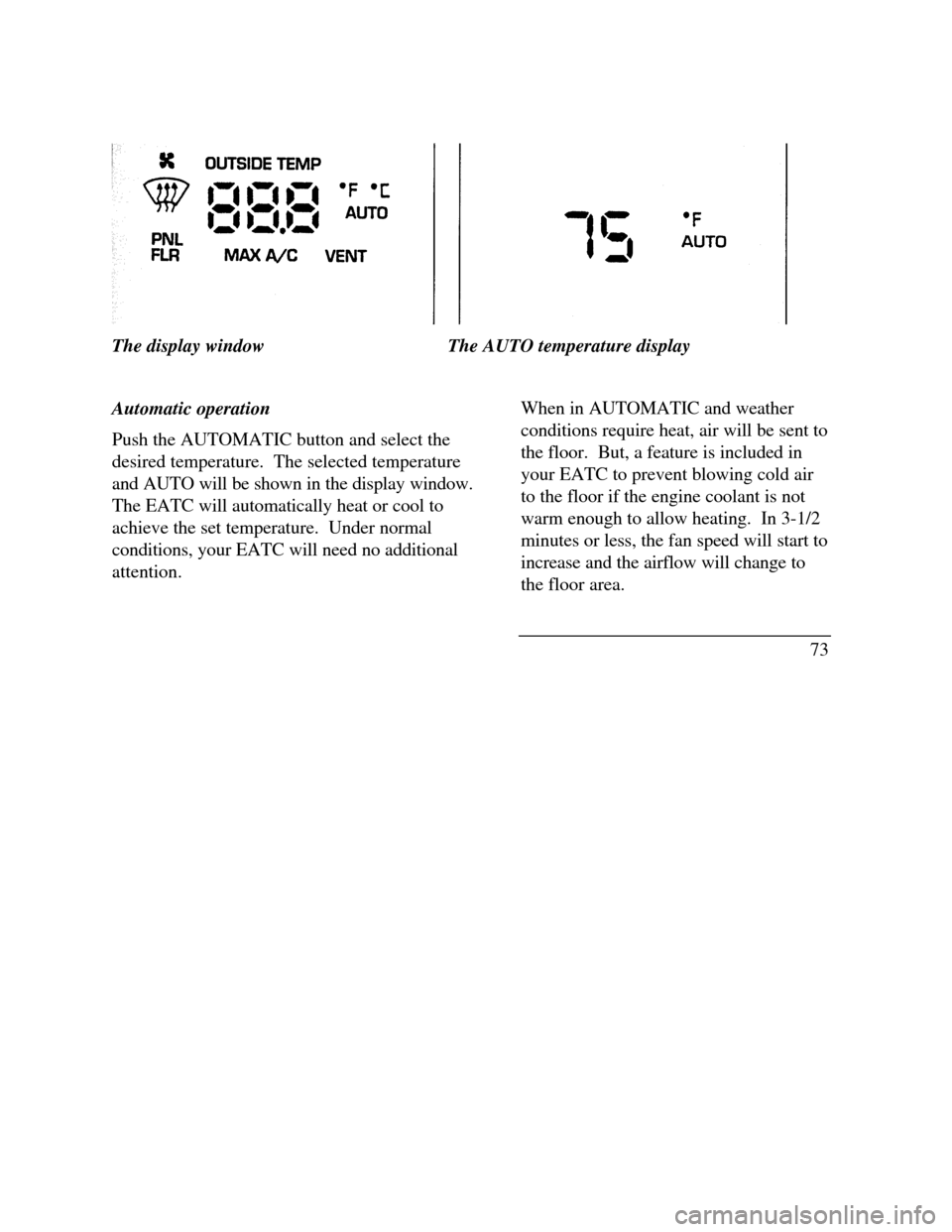
The display windowThe AUTO temperature display
Automatic operation
Push the AUTOMATIC button and select the
desired temperature. The selected temperature
and AUTO will be shown in the display window.
The EATC will automatically heat or cool to
achieve the set temperature. Under normal
conditions, your EATC will need no additional
attention.When in AUTOMATIC and weather
conditions require heat, air will be sent to
the floor. But, a feature is included in
your EATC to prevent blowing cold air
to the floor if the engine coolant is not
warm enough to allow heating. In 3-1/2
minutes or less, the fan speed will start to
increase and the airflow will change to
the floor area.
73
Page 82 of 320
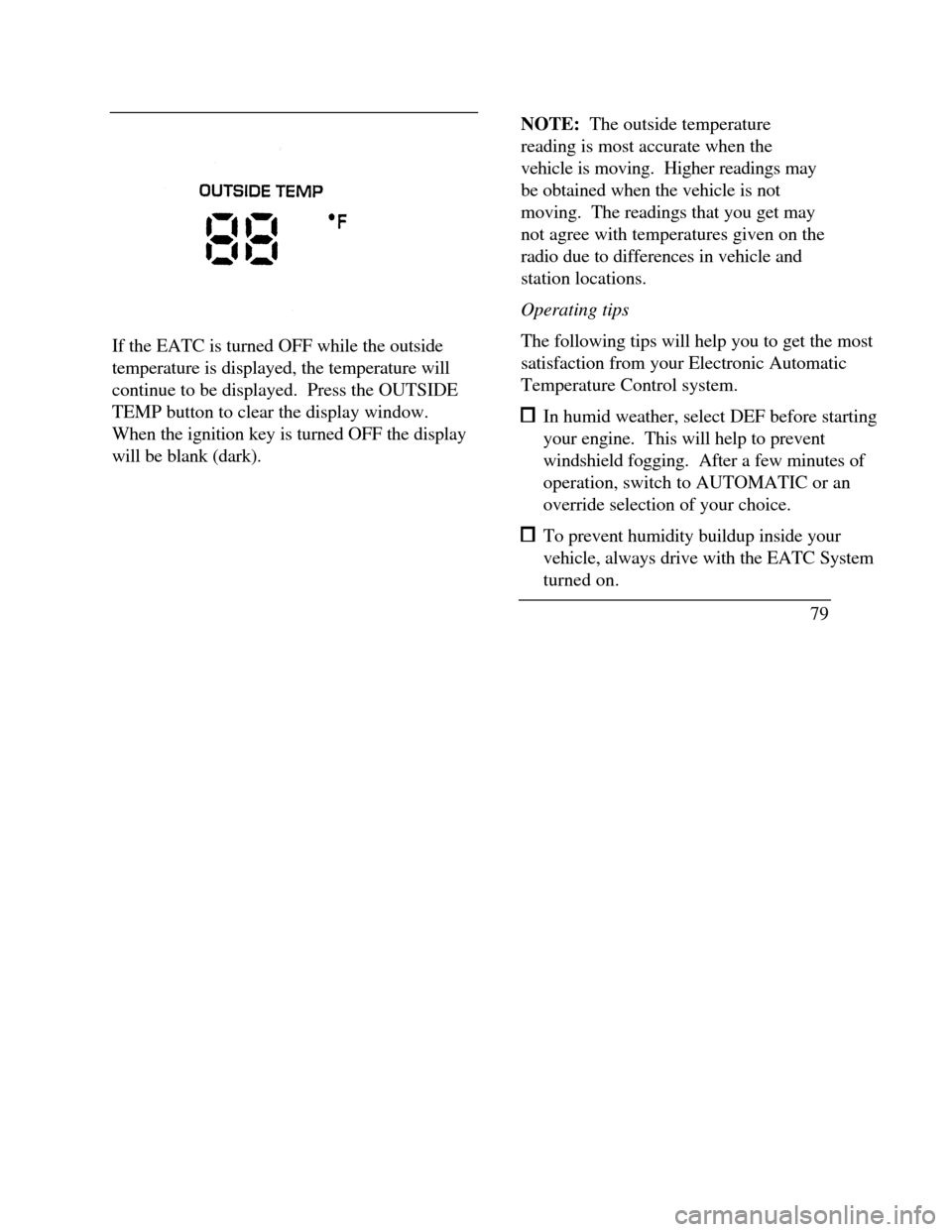
If the EATC is turned OFF while the outside
temperature is displayed, the temperature will
continue to be displayed. Press the OUTSIDE
TEMP button to clear the display window.
When the ignition key is turned OFF the display
will be blank (dark).NOTE: The outside temperature
reading is most accurate when the
vehicle is moving. Higher readings may
be obtained when the vehicle is not
moving. The readings that you get may
not agree with temperatures given on the
radio due to differences in vehicle and
station locations.
Operating tips
The following tips will help you to get the most
satisfaction from your Electronic Automatic
Temperature Control system. In humid weather, select DEF before starting
your engine. This will help to prevent
windshield fogging. After a few minutes of
operation, switch to AUTOMATIC or an
override selection of your choice. To prevent humidity buildup inside your
vehicle, always drive with the EATC System
turned on.
79
Page 84 of 320

The button that controls the rear window
defroster and heated outside rearview mirrors
Clear away any snow that is on the rear window
and outside rearview mirrors before using the
defroster. With the engine running, push the
defroster button.
After approximately 10 minutes, the defroster
will turn off. If the window or mirrors are still
not clear, turn the defroster on again.The defroster will turn off when the ignition key is
turned to the OFF or START position.
The heating elements are bonded to the inside of
the rear window. Do not use sharp objects to
scrape the inside of the rear window or use
abrasive cleaners to clean it. Doing so could
damage the heating elements.
The Interior and Exterior Lights
Daytime Running Light System
(Canadian vehicles only)
The Daytime Running Light (DRL) system turns
the high beam headlamps on, with a reduced light
output, when:
œ The headlamp system is in the OFF position,
and
œ The vehicle is running, and
œ The vehicle has a fully released parking brake.
81