Page 92 of 320
Steering Column ControlsThe controls on the steering column and wheel
are designed to give you easy access to the
controls while you are driving.
The Turn Signal Lever
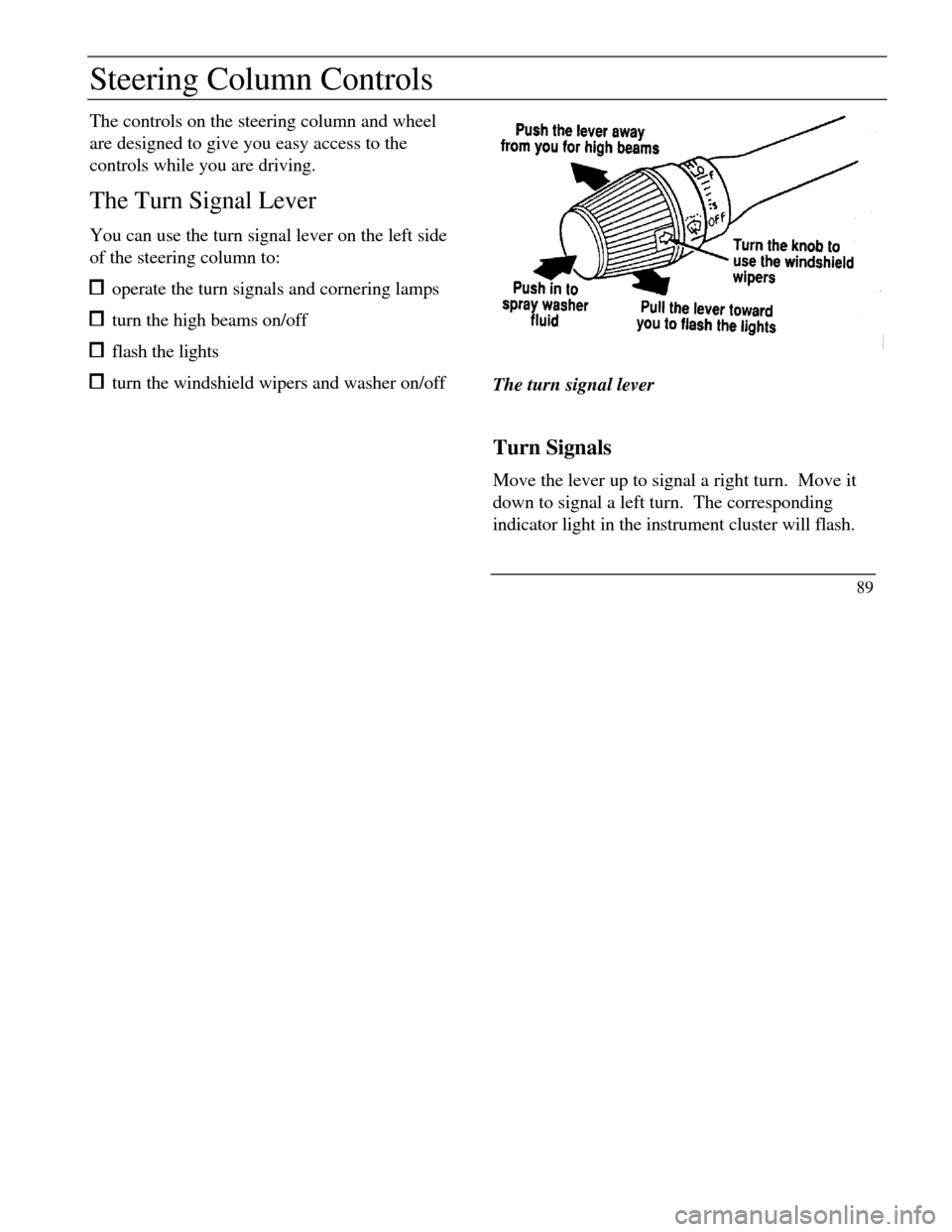
You can use the turn signal lever on the left side
of the steering column to: operate the turn signals and cornering lamps turn the high beams on/off flash the lights turn the windshield wipers and washer on/offThe turn signal lever
Turn Signals
Move the lever up to signal a right turn. Move it
down to signal a left turn. The corresponding
indicator light in the instrument cluster will flash.
89
Page 99 of 320
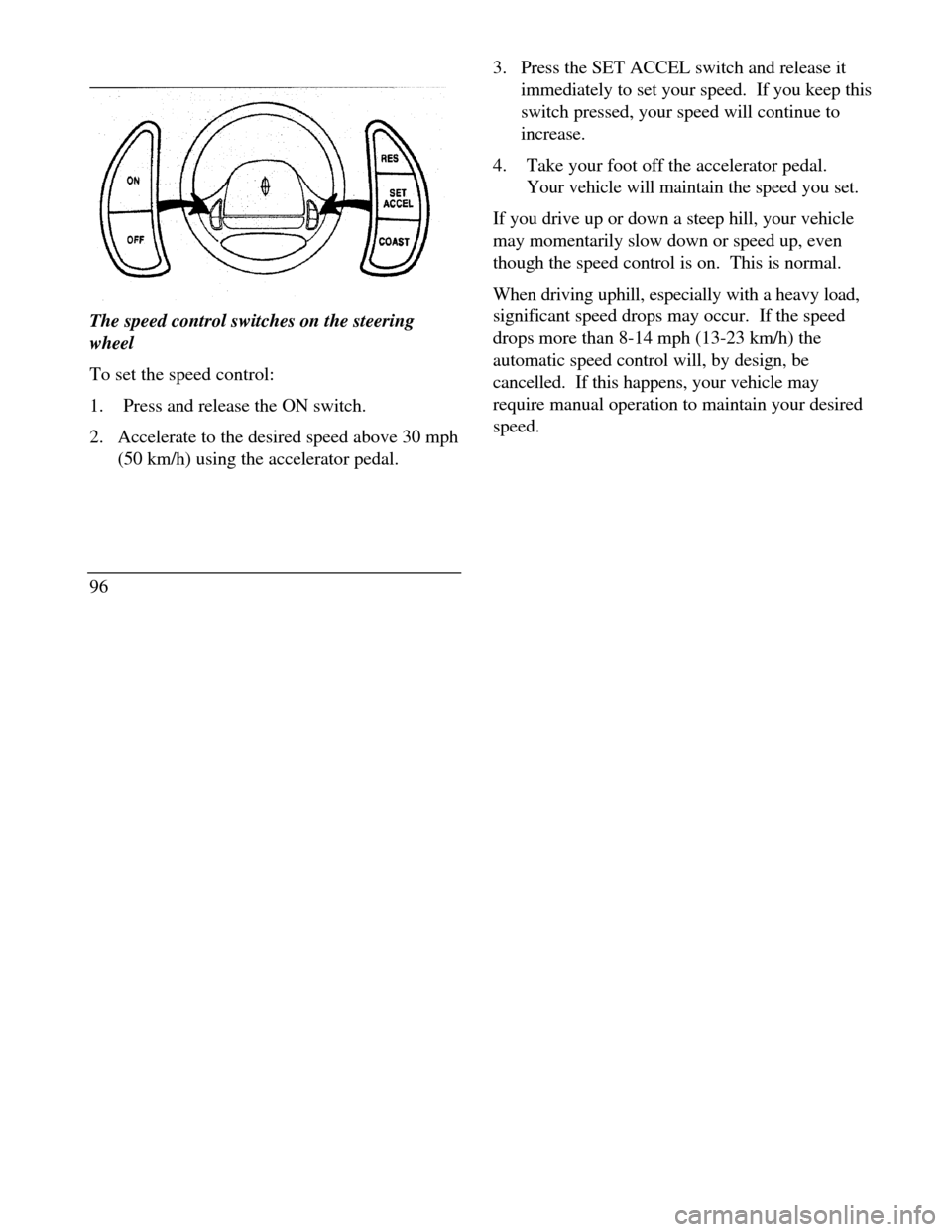
The speed control switches on the steering
wheel
To set the speed control:
1.Press and release the ON switch.
2. Accelerate to the desired speed above 30 mph
(50 km/h) using the accelerator pedal.
963. Press the SET ACCEL switch and release it
immediately to set your speed. If you keep this
switch pressed, your speed will continue to
increase.
4.Take your foot off the accelerator pedal.
Your vehicle will maintain the speed you set.
If you drive up or down a steep hill, your vehicle
may momentarily slow down or speed up, even
though the speed control is on. This is normal.
When driving uphill, especially with a heavy load,
significant speed drops may occur. If the speed
drops more than 8-14 mph (13-23 km/h) the
automatic speed control will, by design, be
cancelled. If this happens, your vehicle may
require manual operation to maintain your desired
speed.
Page 126 of 320
Road Calibrated Suspension
Your Continental is equipped with a ride control
system that is designed to read disturbances in the
road surface every six inches at 60 mph (100 km/h)
to provide you with optimal driving response.
Ride control allows you to chose both a ride feel
and steering effort that best flts your personal
driving style. These options may be selected by
using the RIDE/STEER Message Center button.Pressing this button once will allow you to adjust
your RIDE CONTROL settings, between
NORMAL, PLUSH and FIRM. The settings are
changed by pressing the SELECT button while
RIDE CONTROL is displayed.
Pressing the RIDE/STEER button a second time
will allow you to adjust the STEERING
EFFORT settings between NORMAL, LOW,
and HIGH. The settings are changed by pressing
the SELECT button while STEERING EFFORT
is displayed.
123
Page 148 of 320

Quick Summary To utilize your vehicle's assistance request
feature, YOUR CELLULAR PHONE MUST BE
ACTIVATED. Roadside or emergency assistance can be
requested whenever your key is in the
RUN/START position and for two minutes after
the vehicle is turned off. An assistance request is initiated by pressing
either the tow truck or ambulance button located
in the overhead console. When a button is pressed, a warning lamp located
in the overhead console begins to flash and status
messages are displayed on the vehicle's message
center. (Messages are only displayed when your
key is in the RUN/START position.) The vehicle's cellular phone automatically
places a call to a 24 hour emergency
response center. When contact is made, the vehicle sends an
electronic data message to the response center's
computer. This data message includes latitude
and longitude coordinates obtained from the
vehicle's positioning system. Once the data transmission is complete, the
call is forwarded to a response center
operator who confirms your location using a
computerized map. The vehicle's cellular handset is locked-out,
the phone is automatically placed in "hands
free" mode and voice communication is
established with the operator through the
"hands free" microphone. Typically, voice communication with an
operator is established within one minute
after an assistance button is pressed.
145
Page 149 of 320
The operator verbally obtains details of Your
situation and, if necessary, ties your vehicle into a
three-way phone call with the United States Auto
Club or local 911 or other emergency services to
dispatch the appropriate assistance to your
location. Once the situation has been appropriately
handled, the operator will terminate the call, the
system warning light will stop flashing and the
system will be reset. In most situations, ONLY
the response center can terminate an assistance
request.
General Description
Lincoln's Remote Emergency Satellite Cellular
Unit (RESCU) is designed to expedite roadside or
emergency assistance to distressed motorists who
are uncertain of their location and/or are uncertain
of who to contact for assistance.
The Lincoln RESCU System utilizes Global
Positioning System (GPS) technology and the
146nation's cellular phone network to track vehicle
location and, at the touch of a button, put you in
voice contact with the Lincoln Security
Response Center.
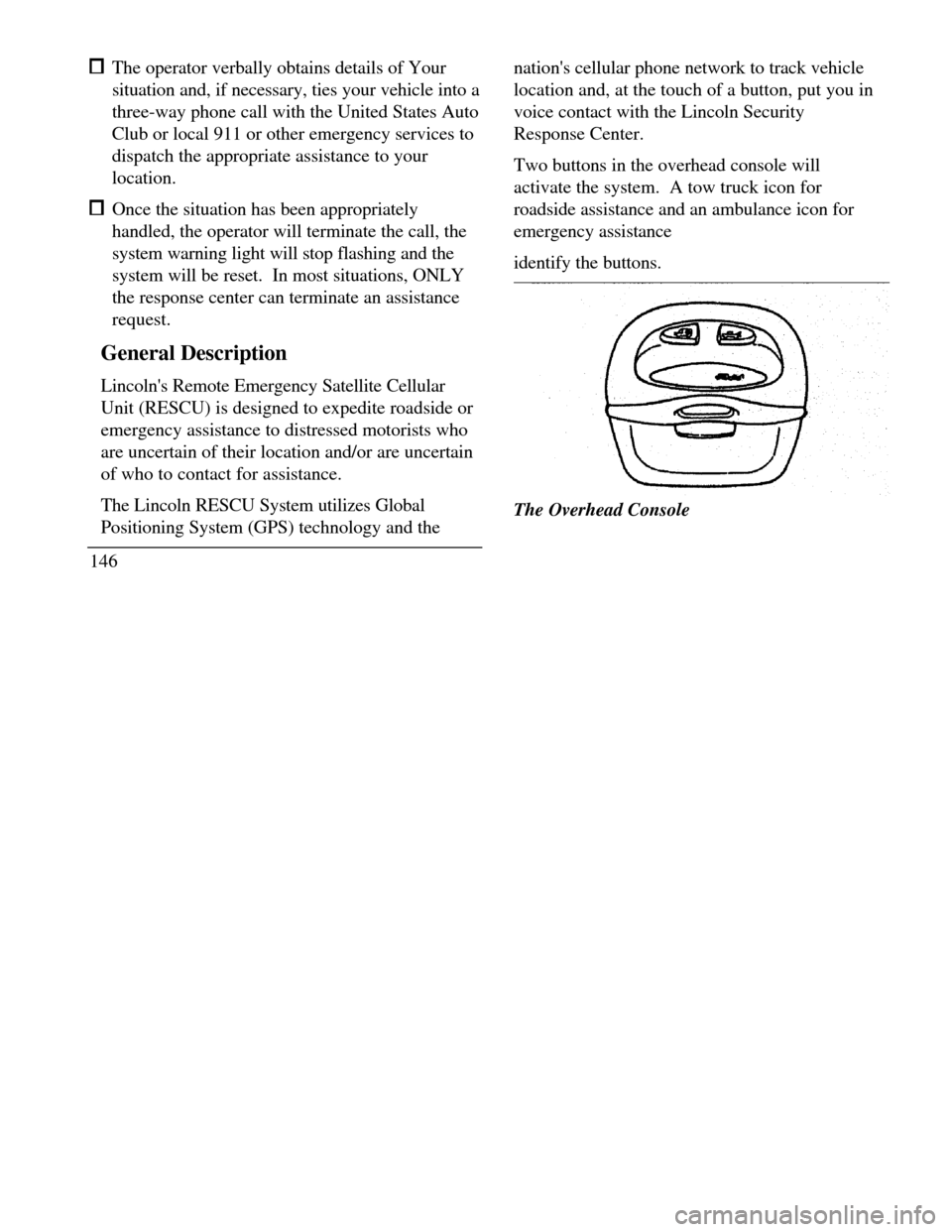
Two buttons in the overhead console will
activate the system. A tow truck icon for
roadside assistance and an ambulance icon for
emergency assistance
identify the buttons.The Overhead Console
Page 150 of 320
When you select a button, the vehicle's cellular
phone will automatically place a call to the response
center's central computer. Once contact is made, an
electronic data message will be transmitted. This
data message will include: Type of alarm (roadside or emergency) Vehicle Identification Number (VIN) Latitude and longitude coordinates Last recorded speed and direction of the vehicle Time tag identifying when last position was taken Call-back phone number
After the transmission is complete, the call is
forwarded to an operator who will verify the details
of the request and confirm the vehicle's location
using computerized map.Tow Truck Button
(Roadside Assistance)
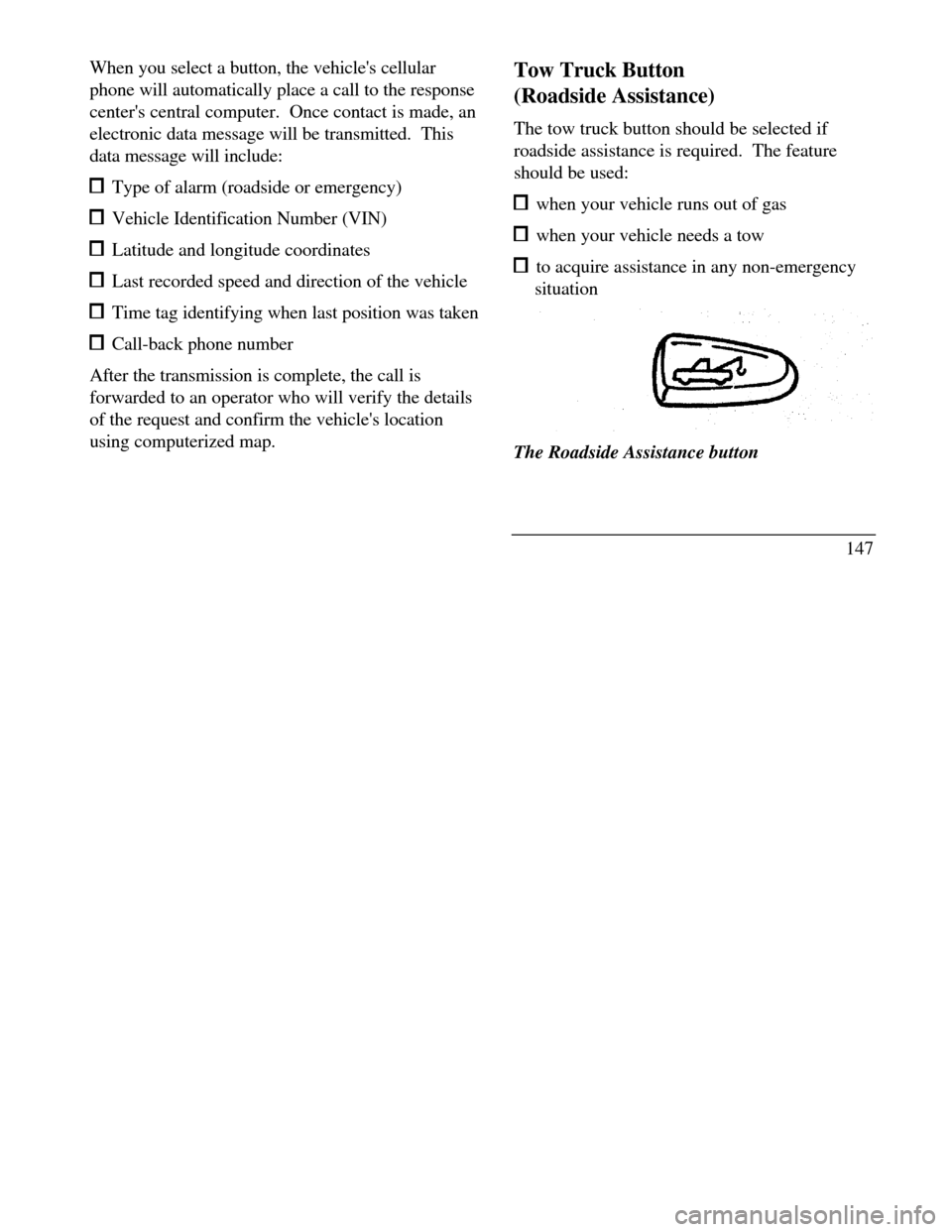
The tow truck button should be selected if
roadside assistance is required. The feature
should be used: when your vehicle runs out of gas when your vehicle needs a tow to acquire assistance in any non-emergency
situationThe Roadside Assistance button
147
Page 151 of 320

When this button is pressed, the Lincoln Security
Response Center relays details of your situation and
your location to the United States Auto Club
(USAC) via a three-way phone call. The response
center/USAC will: dispatch the appropriate service vehicle to your
location. provide the service vehicle's estimated time of
arrival. call back approximately three minutes after the
service vehicle's estimated time of arrival to
confirm that assistance has arrived.
Ambulance Button
(Emergency Assistance)
The ambulance button should be selected if
emergency assistance is required. This feature
should be used: if you have been involved in an accident
148 to report a crime or fire when medical attention is required to receive assistance in any emergency
situationThe Emergency Assistance button
When this button is pressed, the Lincoln
Security Response Center relays details of your
situation and your location to local 911 or other
emergency services via a three-way phone call.
The response center/emergency services will: dispatch the appropriate emergency help to
your location
Page 152 of 320

when appropriate, stay in direct phone contact
with you until emergency help arrives notify pre-designated family contacts or friends
of the emergency situation, if requested, or if no
response is received from the vehicle.
NOTE: If You are certain of your location, a direct
phone call to 911 or other emergency services may
provide a faster response.
Activation and Deactivation
When either of the two Lincoln RESCU buttons is
pressed, a warning light, located in the overhead
console, will begin to flash and status messages will
be displayed on the vehicle's message center,
confirming an assistance request has been made.
The warning light will continue to flash throughout
the activation.The RESCU Warning light
The system can be activated whenever your
ignition key is in the RUN/START Position and
for two Minutes after your vehicle is turned off.
In most situations, the assistance request can
ONLY be terminated and the system reset when
a special tone is sent to the vehicle by the
Lincoln Security Response Center. (See
Automatic Redial later in this chapter for
exceptions.) Operation will continue even if the
vehicle is turned off during an activation
(although visual feedback via the Message
Center will not be available in this situation).
149