1995 PONTIAC GRAND-AM clock
[x] Cancel search: clockPage 134 of 354

Playing the Radio
VOL-BAL: With the ignition on, turn the upper knob
clockwise to turn your audio system on and to increase
the volume. Turn the knob counterclockwise to turn the
volume down and to turn the system
off.
PROG-RCL: Press the upper knob to change between
the clock and the radio station frequency display when
the radio is on.
Finding a Station
AM FM: Press the lower knob to change between the
AM and FM bands (the digital display will display AM
or FM and if the station is in stereo).
AMST: Press this button if you don’t want AM stereo,
such as when a station is weak or noisy. Press again to
return to
AM stereo.
TUNE: Turn the lower knob clockwise or
counterclockwise to tune in radio stations (the radio
station frequency will be displayed
on the digital
display).
SEEK: Each time you press SEEK, you will tune in the
next station higher or lower on the
AM or FM radio
band.
Presets: The four pushbuttons below the digital display
can be used to preset up to
14 radio stations (seven AM
and seven FM).
1. Tune in the desired station.
2. Press SET. The word SET will appear on the digital
display for five seconds.
3. While SET is displayed, press one of the four
pushbuttons. Whenever you press this button again,
the preset station
will be tuned in.
4. Repeat steps 1-3 for each of four AM and four FM
stations.
Up to three additional stations on each band may be
preset by “pairing” pushbuttons:
1. Tune in the desired station.
2. Press SET, and within five seconds press any two
adjacent pushbuttons at the same time. Whenever
you press these two buttons again, the preset station
will be tuned in.
3-11
ProCarManuals.com
Page 136 of 354
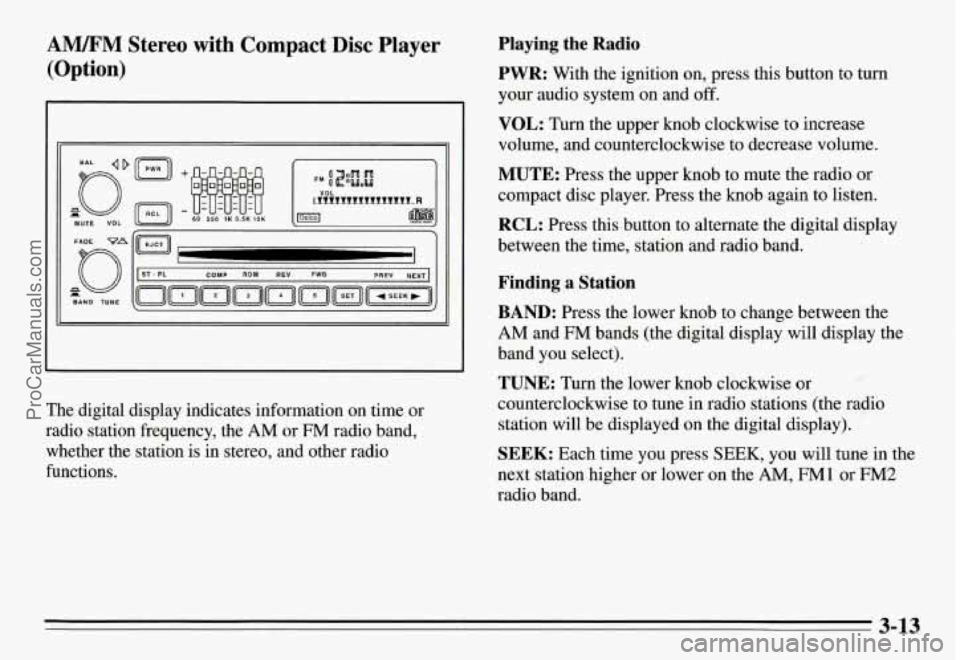
AM/FM Stereo with Compact Disc Player
(Option)
-1
The digital display indicates information on time or
radio station frequency, the
AM or FM radio band,
whether the station is
in stereo, and other radio
functions.
Playing the Radio
PWR:
With the ignition on, press this button to turn
your audio system on and off.
VOL: Turn the upper knob clockwise to increase
volume, and counterclockwise to decrease volume.
MUTE: Press the upper knob to mute the radio or
compact disc player. Press the knob again to listen.
RCL: Press this button to alternate the digital display
between the time, station and radio band.
Finding a Station
BAND: Press the lower knob to change between the
AM and FM bands (the digital display will display the
band you select).
TUNE: Turn the lower knob clockwise or
counterclockwise to tune in radio stations (the radio
station will be displayed on the digital display).
SEEK: Each time you press SEEK, you will tune in the
next station higher or lower on the
AM, FM1 or FM2
radio band.
3-13
ProCarManuals.com
Page 138 of 354
The player may be too hot, too cold or the road may
be too rough for the disc to play. As soon as things
get back to normal, the disc should play.
While a disc is playing, the CD indicator is displayed on
the digital display, as is the clock.
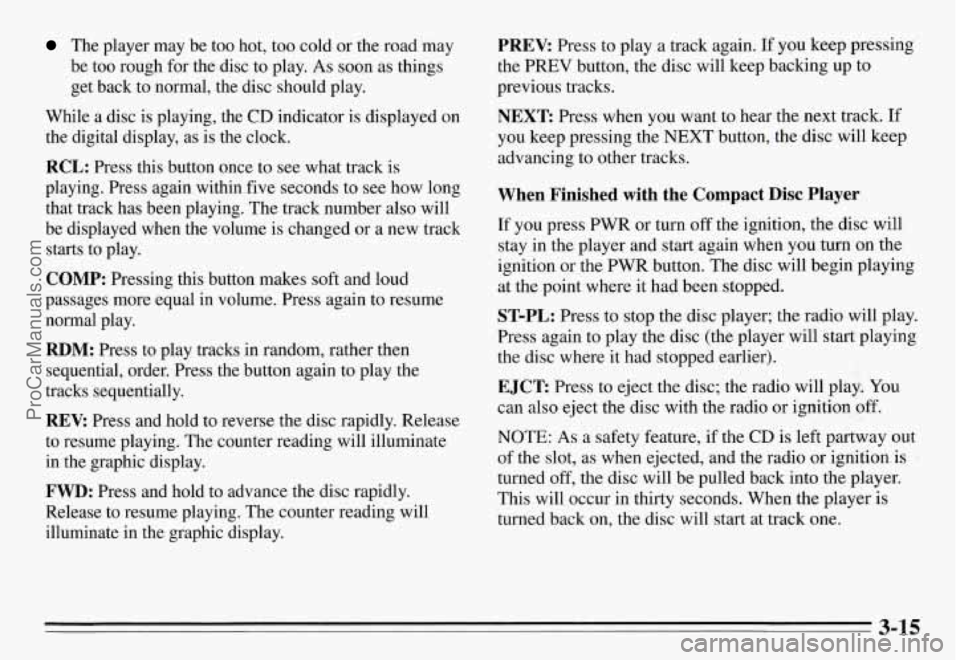
RCL: Press this button once to see what track is
playing. Press again within five seconds to see how long
that track has been playing. The track number also will
be displayed when the volume is changed or a new track
starts to play.
COMP: Pressing this button makes soft and loud
passages more equal in volume. Press again to resume
normal play.
RDM: Press to play tracks in random, rather then
sequential, order. Press the button again to play the
tracks sequentially.
REV: Press and hold to reverse the disc rapidly. Release
to resume playing. The counter reading will illuminate
in the graphic display.
FWD: Press and hold to advance the disc rapidly.
Release to resume playing. The counter reading will
illuminate in the graphic display.
PREV: Press to play a track again. If you keep pressing
the
PREV button, the disc will keep backing up to
previous tracks.
NEXT: Press when you want to hear the next track. If
you keep pressing the
NEXT button, the disc will keep
advancing to other tracks.
When Finished with the Compact Disc Player
If you press PWR or turn off the ignition, the disc will
stay in the player and start again when you turn on the
ignition or the PWR button. The disc will begin playing
at the point where it had been stopped.
ST-PL: Press to stop the disc player; the radio will play.
Press again to play the disc (the player will start playing
the disc where it had stopped earlier).
EJCT Press to eject the disc; the radio will play. You
can also eject the disc with the radio
or ignition off.
NOTE: As a safety feature, if the CD is left partway out
of the slot, as when ejected, and the radio
or ignition is
turned
off, the disc will be pulled back into the player.
This will occur in thirty seconds. When the player is
turned back on, the disc will start at track one.
3-15
ProCarManuals.com
Page 139 of 354
CD Player Theft Deterrent Feature
Delco LOC II@ is an anti-theft feature for the compact
disc player. It can be used or ignored. If ignored, the
system plays normally. If it is used, your player won’t be
usable
if it is ever stolen because it will go to LOC mode
any time battery power is removed. It will also go to
LOC mode any time power from the battery is turned
off
by the Battery Protection feature (see “Battery Rundown
Protection” in the Index). Until an unlock code is
entered,
it will not turn on.
The instructions below tell you how to enter a secret
code into the system. If your vehicle loses battery power
for any reason, you must unlock the system with the
secret code before the radio will turn on.
Setting the Anti-Theft System
1. Write down any six-digit number and keep it in a
safe place. This is your secret code.
2. Turn the ignition to the ACC or RUN position.
3. Press the PWR button to turn the radio off.
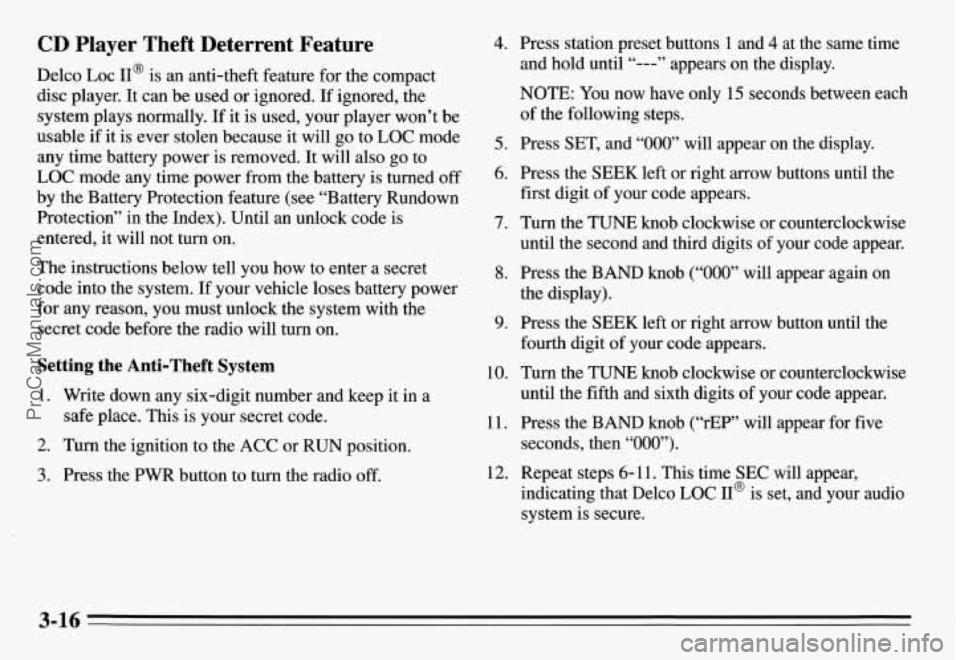
4. Press station preset buttons 1 and 4 at the same time
and hold until “---” appears on the display.
NOTE:
You now have only 15 seconds between each
of the following steps.
5. Press SET, and “000” will appear on the display.
6. Press the SEEK left or right arrow buttons until the
first digit of your code appears.
7. Turn the TUNE knob clockwise or counterclockwise
until the second and third digits
of your code appear.
8. Press the BAND knob (“000” will appear again on
the display).
9. Press the SEEK left or right arrow button until the
fourth digit of your code appears.
10. Turn the TUNE knob clockwise or counterclockwise
until the fifth and sixth digits of your code appear.
11. Press the BAND knob (“rEP” will appear for five
seconds, then “000”).
indicating that Delco LOC II@ is set, and your audio
system is secure.
12. Repeat steps 6- 11. This time SEC will appear,
3-16
ProCarManuals.com
Page 140 of 354
Disabling the Anti-Theft System
Enter your secret code by following these steps (you
will have only
15 seconds between each step).
1.
2.
3.
4.
5.
6.
7.
8.
Turn the ignition to the ACC or RUN position, and
turn the radio off.
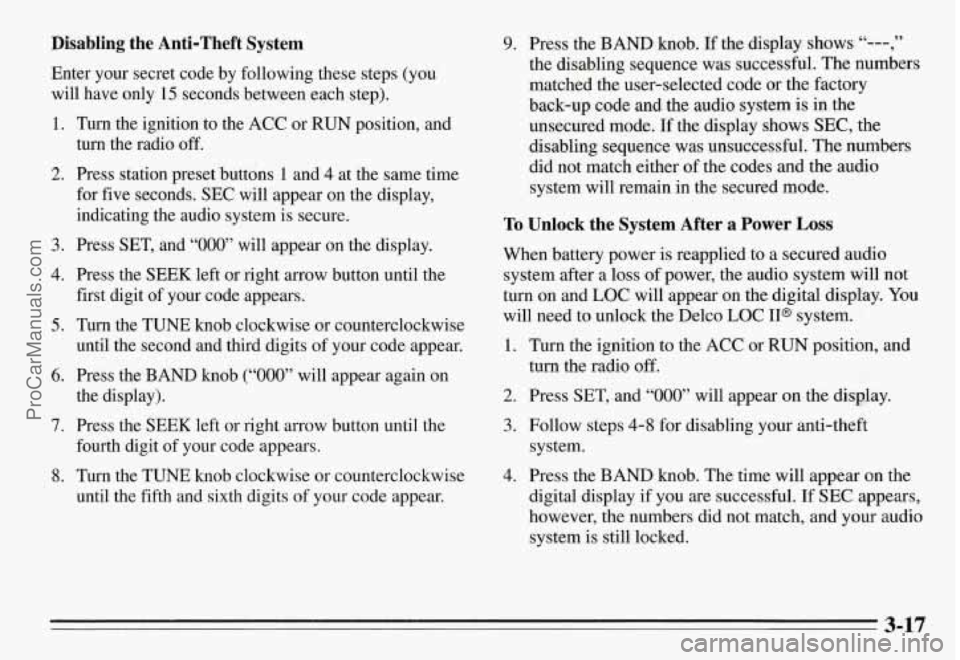
Press station preset buttons 1 and 4 at the same time
for five seconds. SEC will appear on the display,
indicating the audio system is secure.
Press SET, and “000’ will appear on the display.
Press the SEEK left or right arrow button until the
first digit of your code appears.
Turn the TUNE knob clockwise or counterclockwise
until the second and third digits of your code appear.
Press the BAND knob
(“000” will appear again on
the display).
Press the SEEK left or right arrow button until the
fourth digit of your code appears.
Turn the TUNE knob clockwise or counterclockwise
until the fifth
and sixth digits of your code appear.
9. Press the BAND knob. If the display shows “---,”
the disabling sequence was successful. The numbers
matched the user-selected code or the factory
back-up code and the audio system is in the
unsecured mode.
If the display shows SEC, the
disabling sequence was unsuccessful. The numbers
did not match either of the codes and the audio
system will remain in the secured mode.
To Unlock the System After a Power Loss
When battery power is reapplied to a secured audio
system after a loss of power, the audio system will not
turn on and LOC will appear on the digital display.
You
will need to unlock the Delco LOC 11” system.
1. Turn the ignition to the ACC or RUN position, and
2. Press SET, and “000” will appear on the display.
3. Follow steps 4-8 for disabling your anti-theft
4. Press the BAND knob. The time will appear on the
turn the radio off.
system.
digital display if you are successful. If SEC appears,
however, the numbers did not match, and your audio
system is still locked.
3-17
ProCarManuals.com
Page 152 of 354
Speed limit signs near curves warn that you should
adjust your speed. Of course, the posted speeds are
based on good weather and road conditions. Under less
favorable conditions you’ll want to go slower.
If you need to reduce your speed as you approach a
curve, do it before you enter the curve, while your front
wheels are straight ahead.
Try to adjust your speed so you can “drive” through the
curve. Maintain a reasonable, steady speed. Wait to
accelerate until
you are out of the curve, and then
accelerate gently into the straightaway.
Steering in Emergencies
There are times when steering can be more effective than
braking. For example,
you come over a hill and find a
tsuck stopped in your lane, or a car suddenly pulls out
from nowhere, or a child darts out from between parked
cars and stops right in front of you. You can avoid these
problems by braking
-- if you can stop in time. But
sometimes you can’t; there isn’t room. That’s the time \
for
evasive action
-- steering around the problem.
Your Pontiac can perform very well in emergencies like
these. First apply your brakes. It is better to remove as
much speed as you can from a possible collision. Then
steer around the problem, to the left or right depending
on the space available.
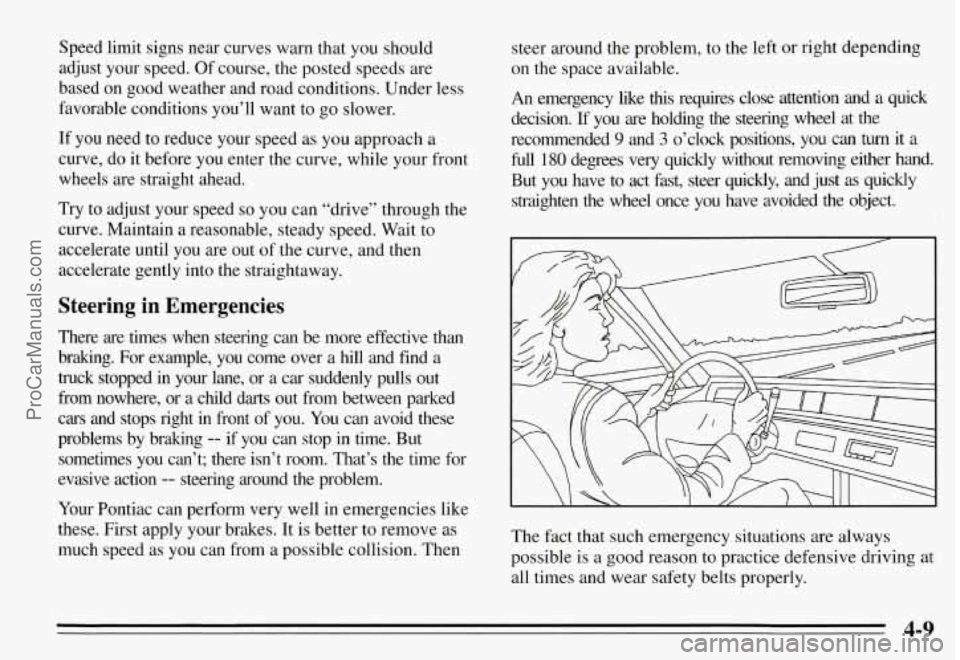
An emergency like this requires close attention and a quick
decision.
If you are holding the steering wheel at the
recommended
9 and 3 o’clock positions, you can turn it a
full 180 degrees very quickly without removing either hand.
But
you have to act fast, steer quickly, and just as quickly
straighten the wheel once
you have avoided the object.
The fact that such emergency situations are always
possible is a good reason to practice defensive driving at
all times and wear safety belts properly.
4-9
ProCarManuals.com
Page 203 of 354

The following steps will tell you how to use the jack and
change a tire.
The equipment you’ll need is in the trunk.
1. Turn the center retainer nut on the compact spare tire
housing counterclockwise to remove it, then lift the
tire cover. You will find the jacking instructions label
on the underside of the tire cover,
2. Remove the wing bolt securing the compact spare
tire and spacer by turning it counterclockwise. Then
lift
off the spacer and remove the spare tire.
3. The jack and the wheel wrench are stored in a foam
tray by the compact spare tire.
a few inches.
4. Turn the jack handle clockwise to raise the jack head
5. Using the wheel wrench, remove the plastic cap nuts
(if your vehicle has them) and loosen all the wheel
nuts. Don’t remove them yet.
On some models, a cover plate must be removed to
find the wheel nuts. Carefully use the wedge end
of
the wheel wrench to pry it off.
5-22
ProCarManuals.com
Page 205 of 354
I I
NOTICE: I
Do not jack or lift vehicle using oil pan. Pans
could crack and begin to leak fluid.
I
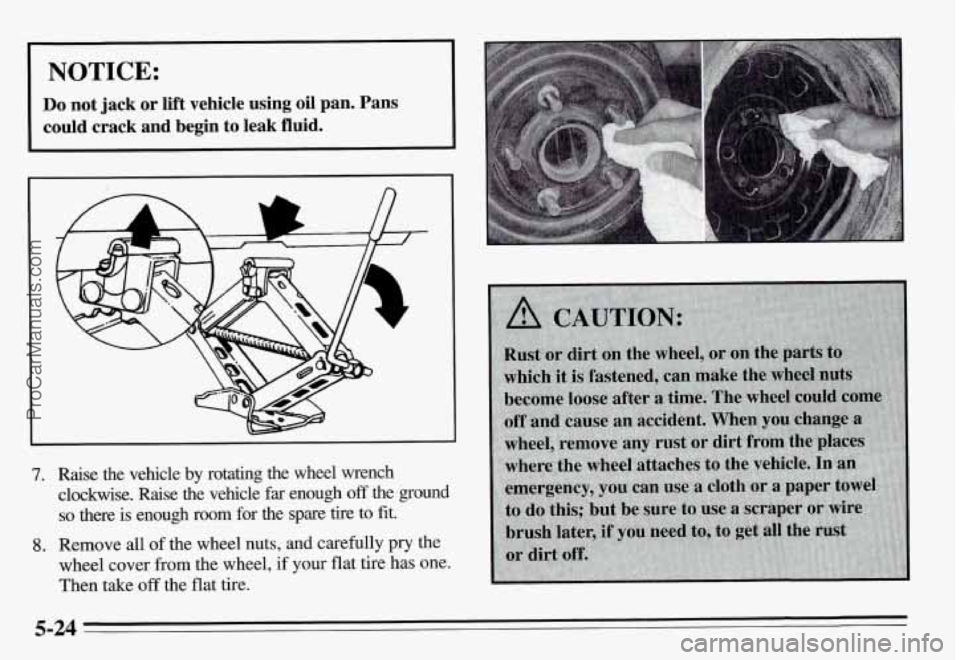
7. Raise the vehicle by rotating the wheel wrench
clockwise. Raise the vehicle far enough
off the ground
so there is enough room for the spare tire to fit.
wheel cover from the wheel, if your flat tire has one.
Then take
off the flat tire.
8. Remove all of the wheel nuts, and carefully pry the
5-24
ProCarManuals.com