1995 Oldsmobile Cutlass Supreme engine
[x] Cancel search: enginePage 112 of 340
.(I
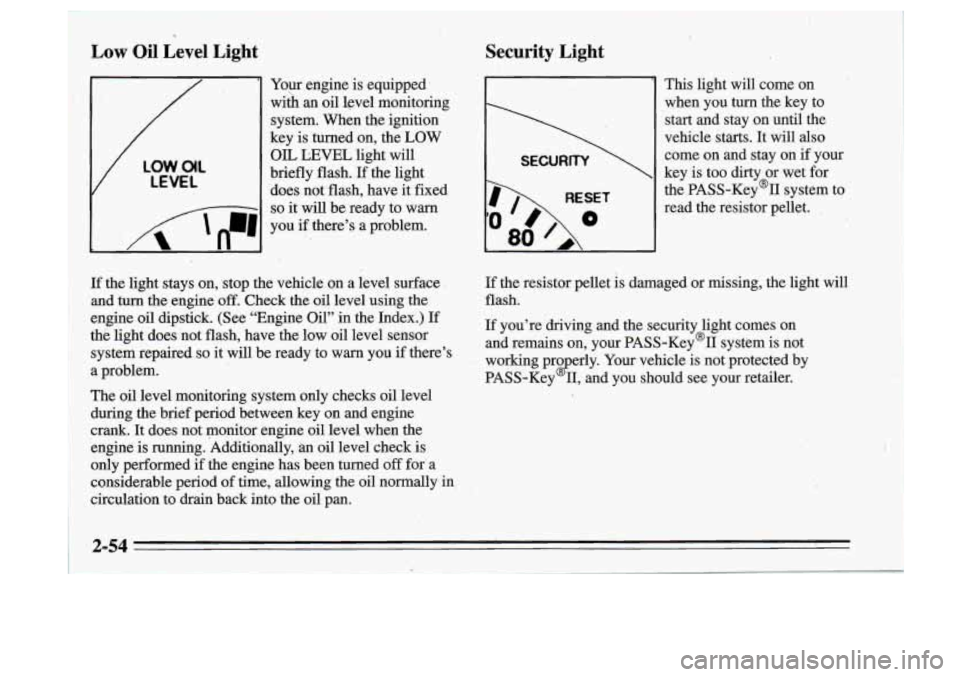
Low Oil Level Light
Your engine is equipped’
wiih
an oil level monitoring
system. When the ignition
key is turned on, the
LOW
V
LOW.O(L
LEVEL
OIL LEVEL light will
briefly flash.
If the light
‘does not flash, have it fixed
I 8 - -1 so it will be ready to warn
I n
I ‘A ‘n-1 , .
you if there’s a problem.
- ..
Security Light
I
RESET
80
This light will come on
when you
turn the key to
start and stay on until the
vehicle starts.
It will also
come on and stay on if your
key is too dirty or wet for
the PASS-Key% system to
read the resistor pellet.
,
If the light stays on,, stop the vehicle on a level surface
and turn the engine
off. Check the oil level using the
engine oil dipstick. (See “Engine Oil” in the Index.) If
thti light does not flash, have
the low oil level sensor
system repaired
so it will be ready to warn you if there’s
a problem.
The
oil level monitoring system only checks oil level
during the brief period between key on and engine
crank. It does not monitor engine oil level when the
engine is running. Additionally,
an oil level check.is
only performed if the engine has been turned
off for- a
considerable period
of time, allowing the oil normally in
circulation to drkn back into the oil pan.
If the resistor pellet is damaged or missing, the light will
flash.
If you’re driving and the security light comes on
and remains on, your PASS-Key’II system is not
working pro erly. Your vehicle is not protected by
PASS-Key
2 11, and you should see your retailer.
2-54
t
Page 114 of 340
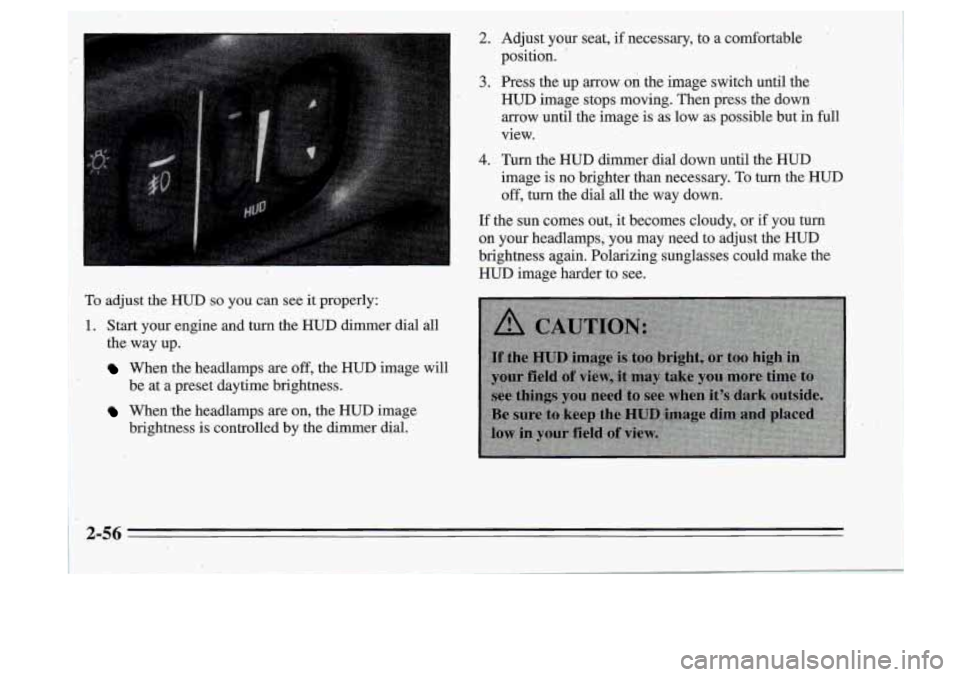
To adjust the HUD so you can see it properly:
1~. Start your engine and turn the HUD dimer dial all
I the, way up.
When the headlamps are off, the HUD image will
When the headlamps are on, the HUD image
be at
a preset daytime brightness.
brightness
is controlled by the dimmer dial.
2. Adjust your seat, if necessary, to a comfortable
position.
'
3. Press the up arrow on the image switch until the
HUD image stops moving. Then press the down
arrow until the image is as low as possible but in full
view.
4. Turn the HUD dimmer dial down until the HUD
image is no brighter than necessary. To turn the HUD
off, turn the dial all the way down.
If the sun comes out, it becomes cloudy, or if you turn
on your headlamps, you may need to adjust the HUD
brightness again. Polarizing sunglasses could make the
HUD image harder to see.
2-56
Page 119 of 340
Air Conditioning
On very hot days, open the windows long enough to let
hot inside air escape. This reduces the time the
compressor has to run, which should help fuel economy.
For quick cool-down on very hot days, use
MAX with
the temperature knob all the way in the blue area. If this
setting is used. for long periods of time, the air in your
vehicle may become too dry.
For normal cooling on hot days, use
VENT with the
temperature knob
in the blue area and the NC'button
pushed
in. The system will bring in outside air and cool it.
On cool but sunny days, the sun may warm your upper
body, but your lower body may not be warm enough.
You can use BI-LEVEL with the,terhperature
knob in
the middle and the
A/C button pushed in. The system
will bring
in outside air and direct it to your upper body,
while sending slightly warmed
air to your lower body.
You may notice this temperature difference more at
. '
some times than others.
J
Heating
On cold days use FLOOR with the temperature knob all
the way
in the red area. The system will bring in outside
air, heat it and send it to the floor ducts.
If your vehicle has an engine coolant heatkr, you can use
it to help your system provide warm air faster when it's
cold outside
(0" F (-1 8 O C) or lower). An engine coolant-
heater
warms the coolant your engine and heating
system use to provide heat. See "Engine Coolant
Heater" in the Index.
Ventilation
For mild outside temperatures when little heating or
cooling is needed, use
VENT to direct outside air through
your vehicle. Your vehicle also has the flow-through
ventilation system described later in this section.
Defogging and Defrosting Windows
Your system' has two settings for clearing the front and
side windows. To defrost the windows'quickly, use
DEFROST with the temperature knob all the way in the
red area. To warrn passengers while keeping the
windows' clean, use
QEFOG.
3-3
Page 122 of 340

Automatic Control
For the most efficient operation, you ,should.set the
system temperature and press the knob. The system will
select the best fan speed and air flow, settings to keep
you comfortable. The air conditioning compressor will
run
if the outside temperature is above 40°F (4.5 ” C).
YOU may notice
a delay of three to four minutes before
the fan comes on.
Manual Control
If you prefer to manually control the heating, cooling
and ventilation
in your vehicle, push UPPER, BI-LEV,
LOWER, DEFOG or
DEE AUTO will go off the
display. Set the system to the temperature and fan
speed you want. The system will try to maintain the
temperature you set using the mode you select. The
following suggestions will help the system run more
efficiently in manual mode.
Air Conditioning
On very hot days, open the windows long enough to
let hot inside
air escape. This reduces the time the
compressor has to run, which should help fuel economy.
For quick cool-down on very hot days, use RECIRC. If
this setting is used for long periods
of time, the air in
your vehicle may become too dry. For normal cooling on hot days, use UPPER with the
A/C button pushed
in. The system will.bring in outside
air and cool it.
On
cool but .sunny days, the sun may warm your upper ,
body, but your lower body may not be warm enough. You
can use BI-LEV with the A/C’ button pushed in.’
The system will bring in outside air and direct it to your
upper body, while sending slightly warmed air to your
lower body. You may notice this temperature difference
more at some times than.others.
Heating
On cold days use LOWER. The system will bring in
outside air, heat it and send it to the floor ducts.
If your vehicle has an engine coolant heater, you, can use
it to help your system provide warm air faster when it’s
cold outside
(0°F (-18°C) or lower). An engine coolant
heater warms the‘coolant your engine and heating
system use to provide heat. See “Engine Coolant
Heater” in the Index.
Ventilation
For mild outside temperatures when little heating or
cooling is needed, use-UPPER to direct outside air through
your vehicle.
Your vehicle also has the flow-through
ventilation system described later in
this section.
3-6
-
Page 124 of 340

Flow-Through Ventilation System
Your vehicle's flow-through ventilation system supplies
outside air info the vehicle when it is moving. Outside
air will also enter the vehicle when the air conditioning
fan
is running.
Ventilation Tips
Keep the hood and fkont air inlet free of ice, snow or
any other obstruction, such- as leaves. The heater and
defroster will work far better, reducing the chance
of
fogging the inside of your windows.
, When you enter a vehicle in cold weather, set the
mode to
FLQOR or LOWER and the fan to .the
highest speed for a few moments before driving off.
This helps clear the intake ,ducts of snow and
moisture and reduces the chance of fogging the
inside of your windows.
'0 Keep the air path under the front seats'clear of
objects. This helps air to circulate throughout your
vehicle.
Audio Systems
Your Delco@ aubo system has been designed to operate
easily and give years of listening pleasure.
You will get
the most enjoyment out of 'it if you acquaint yourself with
it first. Find out what your Delco@system cpn do and how
.
,to operdte all its controls, to be sure you're getting the most
out of the advanced engineering that went into it.
Setting the Clock
You can set the-clock with the ignition on or off.
I
1. Press and hold HR until the correct hour appears.
The letter
A or'-P may appear in'the display for, AM
or PM.
2. Press and hold MN until the correct minute appears.
Page 134 of 340
To help avoid hearing loss or damage:
Adjust the volume control to the lowest setting.
0 Increase volume slowly until you hear comfortably
and clearly.
NOTICE:
Before you add any sound equipment to your
vehicle
-- like a tape player, CB radio, mobile
telephone or two-way radio
-- be sure you can
add what you want.
If you can, it’s very
important to do it properly. Added sound
equipment may interfere with the operation of
your vehicle’s engine, Delco@ radio or other
systems, and even damage them. And, your
vehicle’s systems may interfere with the
operation of sound equipment that has been
added improperly.
So, before adding sound equipment, check with
your retailer and be sure to check Federal rules
covering mobile radio and telephone units.
~
Care of Your Cassette Tape Player
A tape player that is not cleaned regularly is subject to
reduced sound quality, ruining the cassette or damaging the mechanism. Tape cassettes that are not properly
stored
in their plastic cases away ,from contaminants,
direct sunlight, and extreme heat may not operate
properly and could cause premature failure
of the tape
player.
Your tape player should be cleaned with every
50 hours
of use to provide optimum performance. Your radio may
display Cln to indicate that you have used your tape
player for
50 hours without resetting the tape clean
timer. If you notice a reduction in sound quality,
regardless
of when the tape player was last cleaned, try
playing a different cassette to see if the tape or the tape
player is at fault. If the second cassette results
in no
improvement in sound quality, try cleaning the tape
player.
Proper tape player cleaning should be done with a
scrubbing action, nonabrasive cleaner cassette. This is a
wet-type cleaning system that uses a cleaning cassette
with pads that scrub the tape head as the hubs
of the
cleaner cassette turn.
To properly clean your tape player,
follow the instructions with the cleaning cassette. If you
I
Page 146 of 340
Remember: Anti-iock doesn’t change the time you need
to get your foot up to the brake pedal.
If you get too
close to the .vehicle in front of you, you won’t have time
to apply your brakes
if that vehicle suddenly. slows or
stops. Always leave enough room up ahead to stop, even
though
you have anti-lock brakes.
,_ Steering
Power Steering
If you lose power steering assist because the engine
stops
or the system is not, functioning, you can steer but
it will take much more effort.
. ..
To Use Anti-Lock
Don’t pump the brakes. Just hold the brake pedal down
and let anti-lock work for you. You may feel the system
working, or you may notice some noise, but this is
normal. When your anti-lock system is adjusting brake
pressure to help avoid a braking skid, the LOW TRAC
light will come’on., See “Anti-Lock Brake System
Active Light”
in the Index.
Braking .,in Emergencies
Usti your anti-lock braking system when you’need to.
With anti-lock, you can steer and brake at the same
time.
In many emergencies, steering can help you more
than even the very best braking.
.‘
Steering Tips
Driving on Curves
It’s important to take curves at a reasonable speed.
A lot of the “driver lost control” accidents mentioned on
the news happen on curves. Here’s why:
Experienced driver or beginner, each
of us is subject to
the samelaws of physics when driving on curves. The
traction of the tires against the road surface makes it
possible for the vehicle to change its path when you
turn
the front wheels. If there’s no traction, inertia will keep
the vehicle going in the same direction. If you’ve ever
tried to steer a vehicle on wet ice, you’ll understand this.
The traction you can get in a curve depends on the
condition of your tires and the road surface, $the angle at
which the curve is banked, and your speed. While
you’re in a curve, speed is the one factor you can
control.
Page 151 of 340
A cornering skid and an acceleration skid are best
handled by easing your foot
off the acce1,erator pedal.
If your. vehicle starts to slide, ease your foot off the ’’
accelerator pedal and’ quickly steer the way you want the
vehicle to go. If you start steering quickly enough,.your
vehicle may straighten out. Always be ready for a
second skid if
it occurs.
Of course, traction is reduced vvhen water, snow, ice,
gravel,
or other material is on the road. For safety, you’ll
want to slow down and adjust your driving to these
conditions. It is important to slow down on slippery
surfaces because stopping distance will ,be longer and
vehicle‘ control more limited.
While driving-on
a surface with reduced traction, try .
your best to avoid sudden steering, acceleration, or
braking (including engine braking by shifting to a lower
gear). Any sudden changes could cause the tires to slide.
You may
pot realize the surface is slippery until your
vehicle is skidding. Learn to recognize warning clues
--
such as enough water, ice or packed snow on the road to
make a “mirrored surface” -- and slow down when you
have any doubt.
Remember: Any anti-lock brake system
(ABS) helps
avoid,only the braking skid.
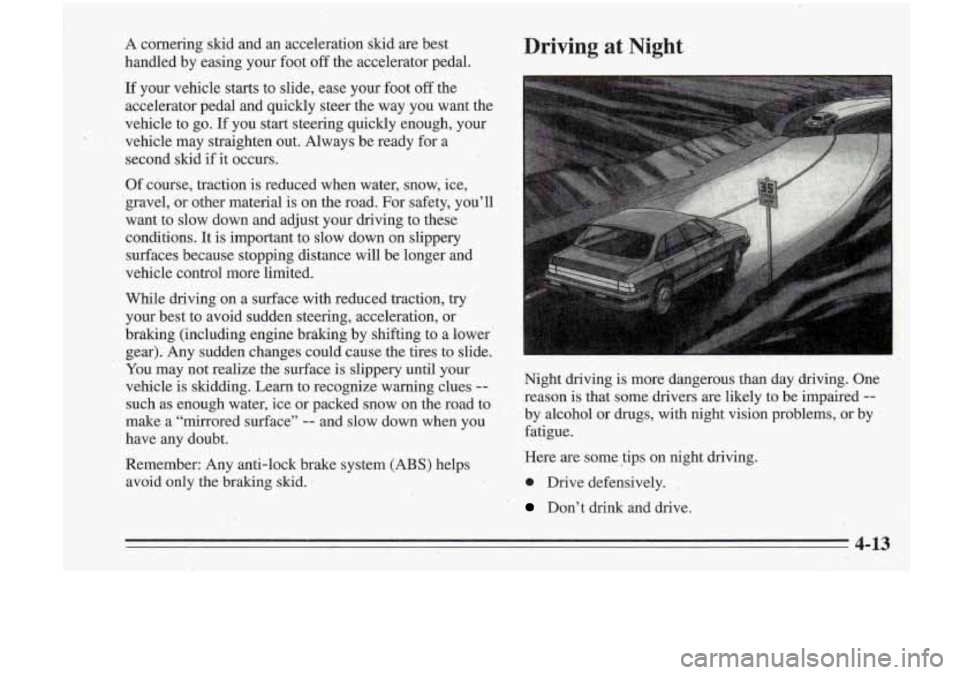
Driving at Night
I ~
Night driving is rnore’dangerous than day driying. One
reason is that some drivers are likely to be impaired-
--
by alcohol or drugs, with night vision problems, or by .
fatigue.
Here are some tips on night driving.
0 Drive defensively. -
’ Don’t drink and drive.
4-13 ,.