Page 75 of 324
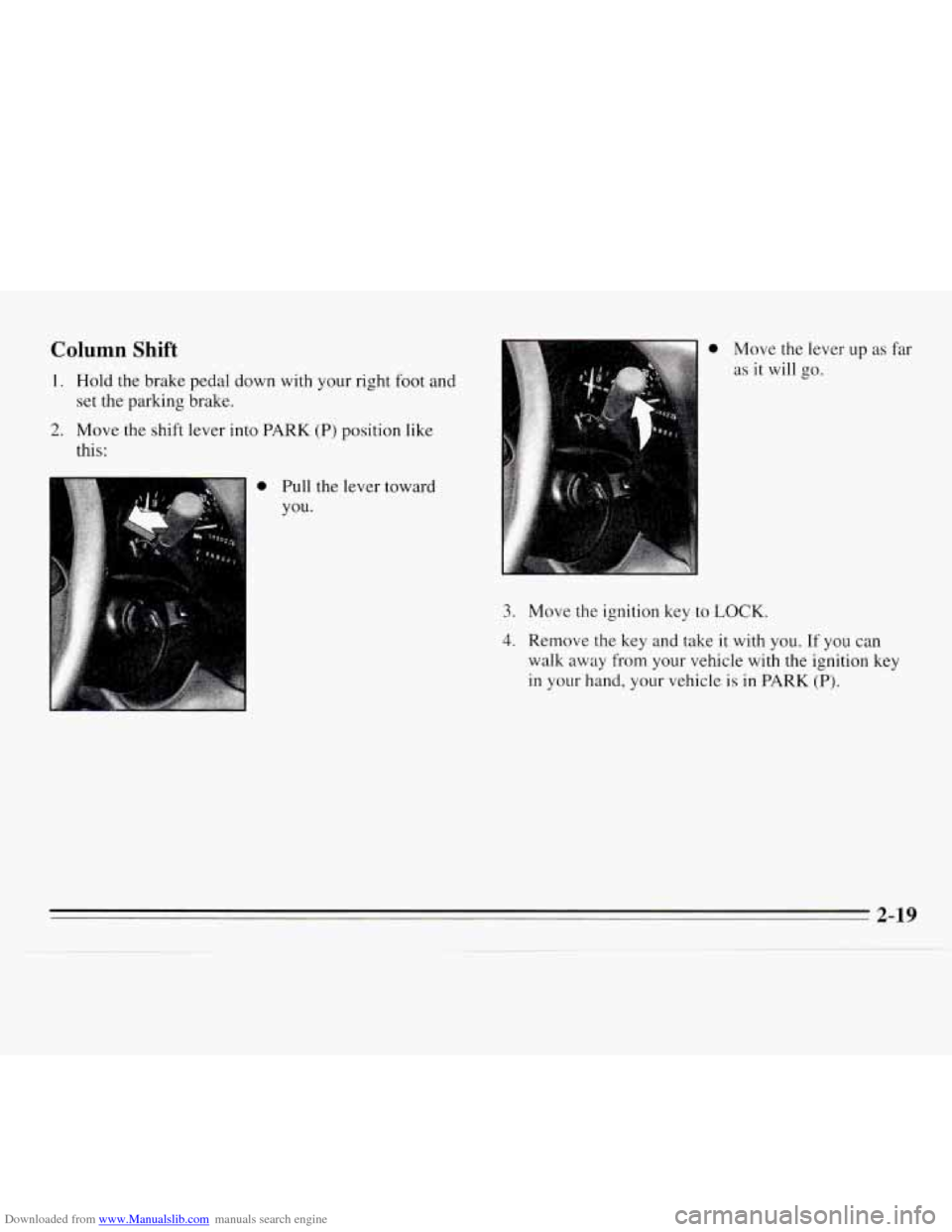
Downloaded from www.Manualslib.com manuals search engine Column Shift
1. Hold the brake pedal down with your right foot and
set the parking brake.
2. Move the shift lever into PARK (P) position like
this:
0 Move the lever up as far
as it will go.
0 Pull the lever toward
you.
3. Move the ignition key to LOCK.
4. Remove the key and take it with you. If you can
walk away from your vehicle with the ignition key
in
your hand, your vehicle is in PARK (P).
2-19
Page 76 of 324
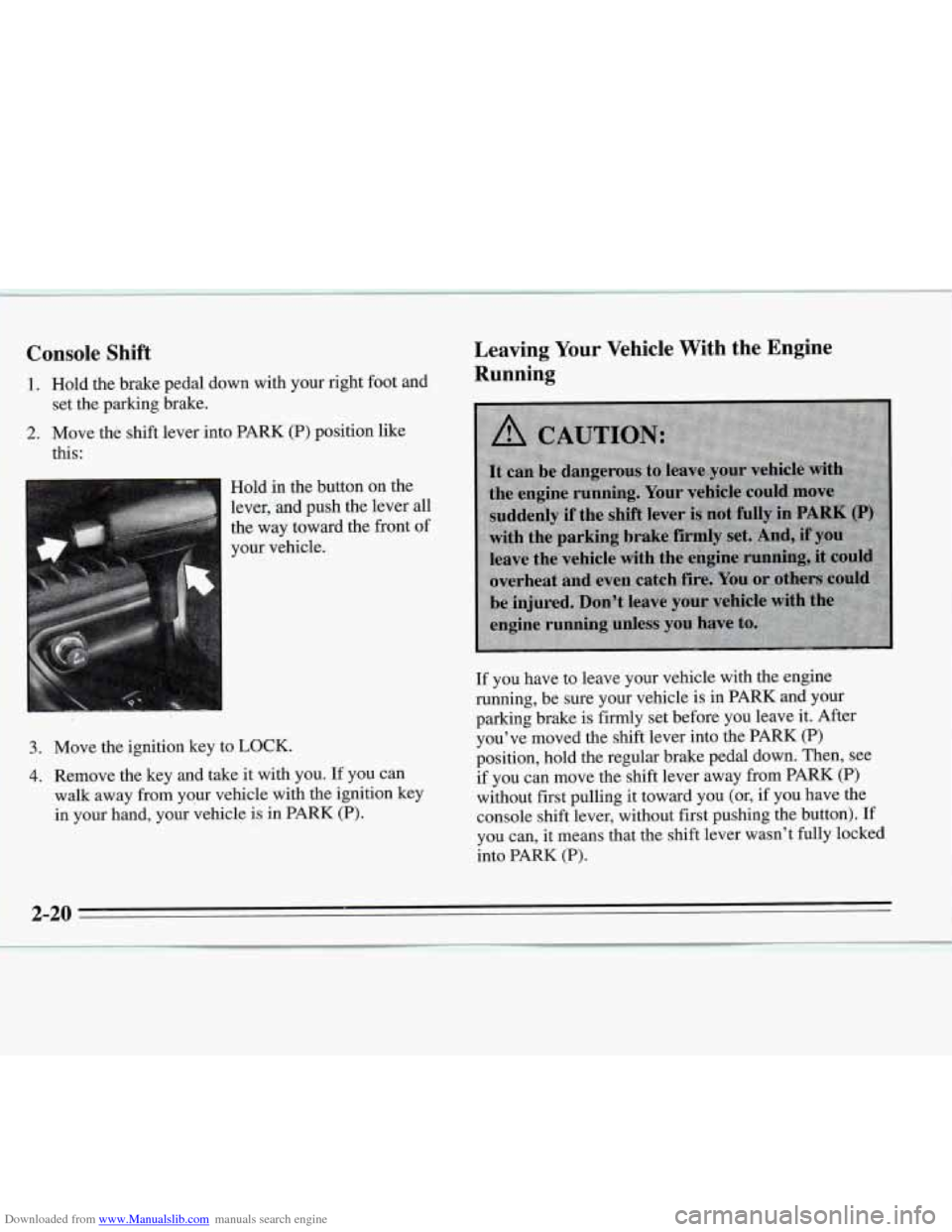
Downloaded from www.Manualslib.com manuals search engine Console Shift
1. Hold the brake pedal down with your right foot and
2. Move the shift lever into PARK (P) position like
set
the parking brake.
this:
Hold in the button on the
lever,
and push the lever all
the way toward the front of
your vehicle.
3. Move the ignition key to LOCK.
4. Remove the key and take it with you. If you can
walk away from your vehicle with the ignition key
in your hand, your vehicle is in PARK
(P).
Leaving Your Vehicle With the Engine
Running
If you have to leave your vehicle with the engine
running, be sure your vehicle is in PARK and your
parking brake is firmly set before you leave it. After
you’ve moved the shift lever into the PARK (P)
position, hold
the regular brake pedal down. Then, see
if you can move the shift lever away
from PARK (P)
without first pulling it toward you (or, if you have the
console shift lever, without first pushing the button).
If
you can, it means that the shift lever wasn’t fully locked
into PARK (P).
2-20
___c
Page 77 of 324
Downloaded from www.Manualslib.com manuals search engine Torque Lock
If you are parking on a hill and you don’t shift your
transaxle into PARK (P) properly, the weight of the
vehicle may put too much force on the parking pawl in
the transaxle. You may find it difficult to pull the shift
lever out of PARK
(P). This is called “torque lock.” To
prevent torque lock,
set the parking brake and then shift
into PARK (P) properly before
you leave the driver’s
seat. To find out how, see “Shifting Into PARK (P)” in
the Index.
When you are ready
to drive, move the shift lever out of
PARK
(P) before you release the parking brake.
If “torque lock” does occur, you may need to have
another vehicle push yours a little uphill to take some of
the pressure from the transaxle,
so you can pull the shift
lever out of PARK
(P).
Shifting Out of PARK (P)
Your Chevrolet has a brake-transaxle shift interlock.
You must fully apply your regular brakes before you can
shift from PARK (P) when the ignition is
in RUN. See
“Automatic Transaxle” in the Index.
If you cannot shift
out of PARK (P), ease pressure on
the shift lever by pushing it all
the way into PARK (P)
while keeping the brake pedal pushed down. Release the
shift lever button
if you have a console shift. Then move
the shift lever out of PARK
(P), being sure to press the
shift lever button if you have a console shift.
If you ever hold the brake pedal down but still can’t
shift out
of PARK (P), try this:
1. Turn the key to OFF.
2. Apply and hold the brake until the end of Step 4.
3. Shift to NEUTRAL (N).
4. Start the vehicle and shift to the drive gear you want.
5. Have the vehicle fixed as soon as you can.
2-21
Page 80 of 324
Downloaded from www.Manualslib.com manuals search engine Power Windows (Option)
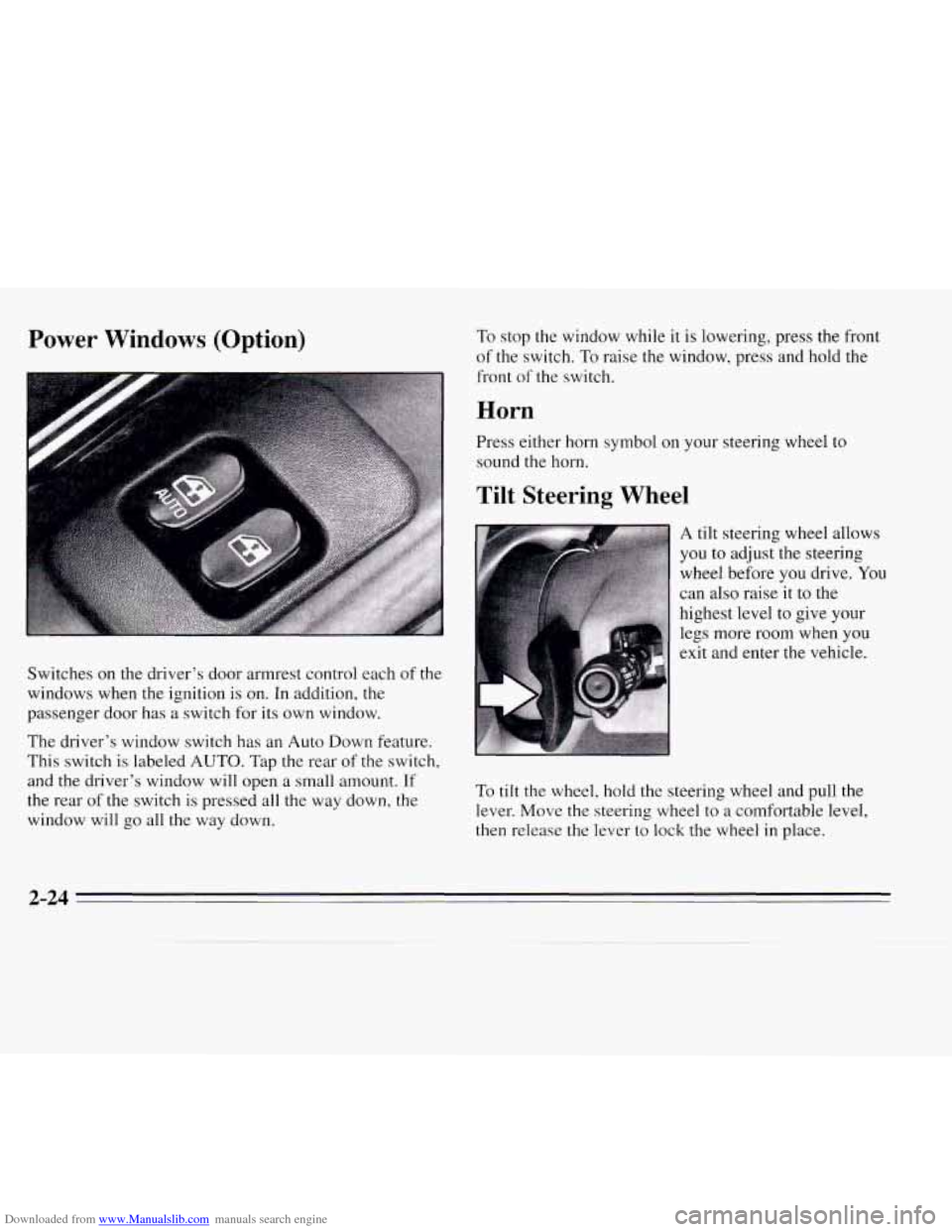
Switches on the driver's door armrest control each of the
windows when the ignition is on. In addition, the
passenger door has a switch for its own window.
The driver's window switch has an Auto Down feature.
This switch is labeled
AUTO. Tap the rear of the switch,
and the driver's window will open a small amount.
If
the rear of the switch is pressed all the way down, the
window will go all the way down.
To stop the window while it is lowering, press the front
of the switch. To raise the window, press and hold the
front of the switch.
Horn
Press either horn symbol on your steering wheel to
sound the horn.
Tilt Steering Wheel
A tilt steering wheel allows
you to adjust the steering
wheel before you drive.
You
can also raise it to the
highest level to give your
legs more room when you
exit and enter the vehicle.
To tilt the wheel, hold the steering wheel and pull the
lever. Move the steering wheel to
a comfortable level,
then release the lever to lock the wheel in place.
2-24
Page 86 of 324
Downloaded from www.Manualslib.com manuals search engine Passing Another Vehicle While Using Cruise Control
Use the accelerator pedal to increase your speed. When
you take your
foot off the pedal, your vehicle will slow
down to the cruise control speed you set earlier.
Using Cruise Control on Hills
How well your cruise control will work on hills depends
upon your speed, load and
the steepness of the hills.
When going up steep hills, you may have to step on the
accelerator pedal to maintain your speed. When going
downhill, you may have to brake or shift to a lower gear
to keep your speed down. Of course, applying the brake
takes you out of cruise control. Many drivers find this to
be too much trouble and don’t use cruise control on
steep hills.
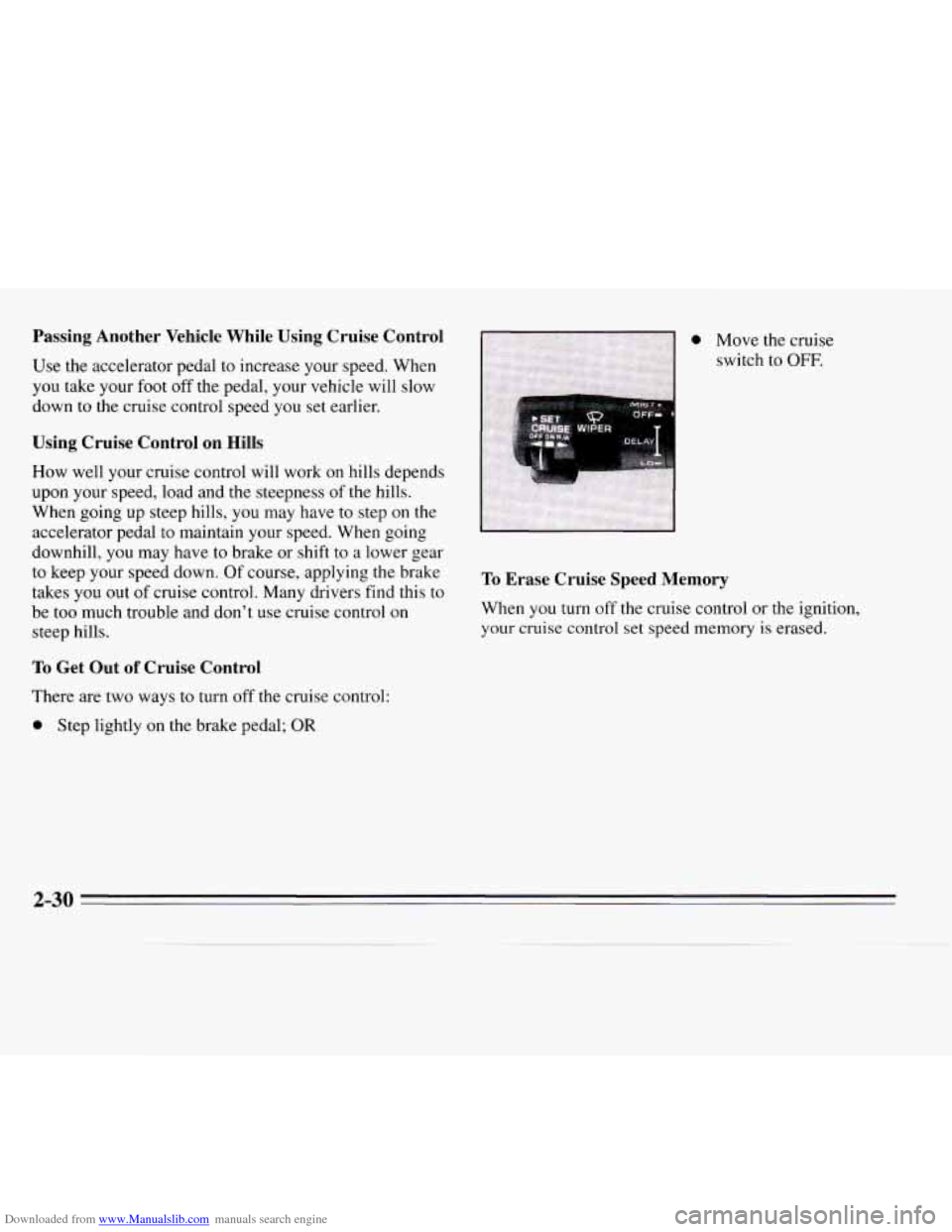
a Move the cruise
switch to
OFF.
To Erase Cruise Speed Memory
When you turn off the cruise control or the ignition,
your cruise control set speed memory is erased.
To Get Out of Cruise Control
There are two ways to turn off the cruise control:
a Step lightly on the brake pedal; OR
2-30
Page 87 of 324
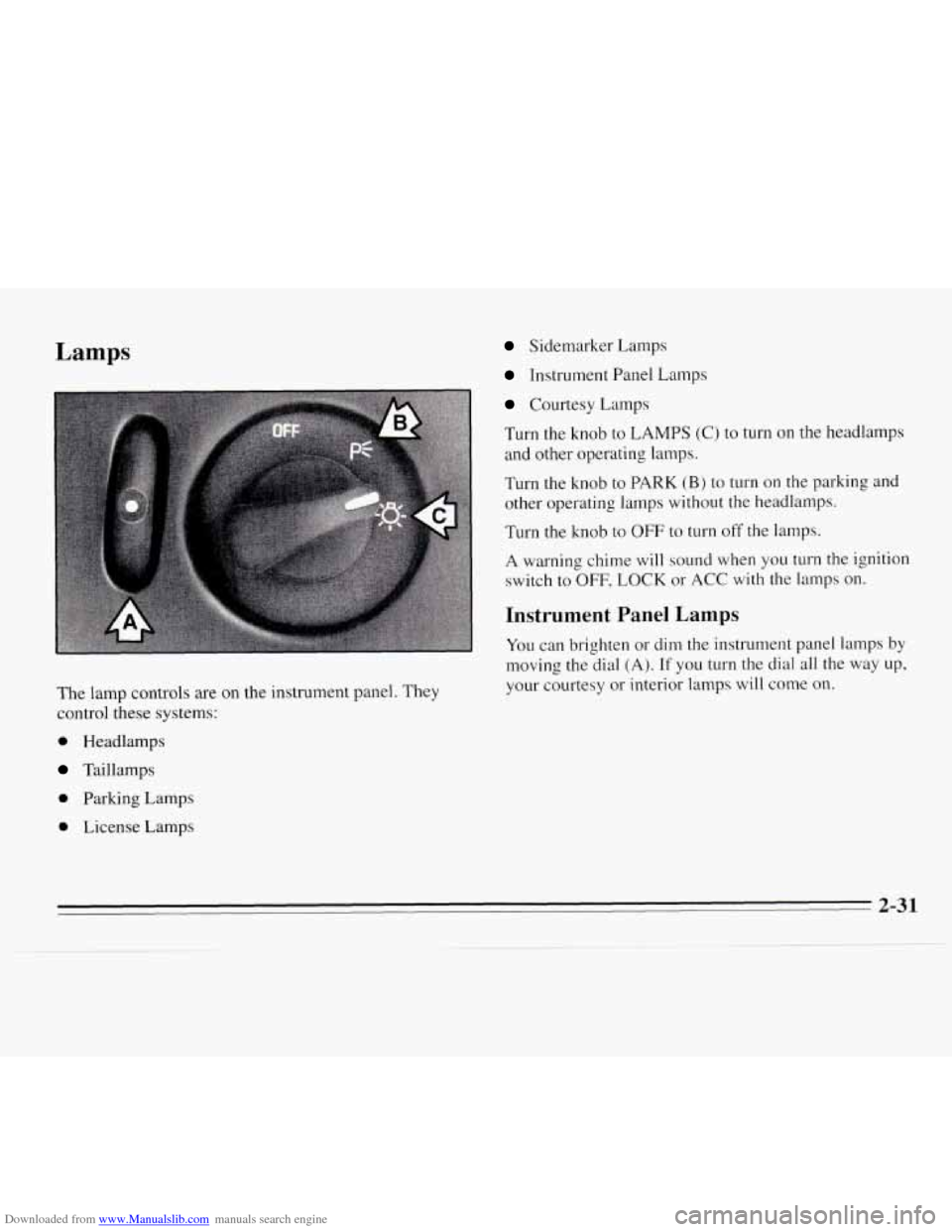
Downloaded from www.Manualslib.com manuals search engine Lamps Sidemarker Lamps
Instrument Panel Lamps
Courtesy Lamps
Turn the knob
to LAMPS (C) to turn on the headlamps
and other operating lamps.
Turn the knob to
PARK (B) to turn on the parkine and
other operating lamps without the headlamps.
Turn the knob to
OFF to turn off the lamps.
A warning chime will sound when you
turn the ignition
switch to
OFF, LOCK or ACC with the lamps on.
Instrument Panel Lamps
You can brighten or dim the instrument panel lamps by
moving the dial (A). If you turn the dial all the way up,
your courtesy
or interior lamps will come on.
The lamp controls are on the instrument panel. They
control these systems:
0 Headlamps
Taillamps
0 Parking Lamps
0 License Lamps
Page 88 of 324

Downloaded from www.Manualslib.com manuals search engine Daytime Running Lamps (Canada Only)
Daytime Running Lamps (DRL) make it easier to see
the front of your vehicle during the day. DRL can be
helpful when it’s raining and in the short periods after
dawn and before sunset. Several countries, including
Canada, require
DRL.
A light sensor on top of the instrument panel makes the
DRL work,
so be sure it isn’t covered.
The DRL system will make your low-beam headlamps
come on at reduced brightness in daylight when:
0 The ignition is on,
0 The headlamp switch is off, and
0 The parking brake is released.
When the
DRL are on, only your low-beam headlamps
will be on. The taillamps, sidemarker and other lamps
won’t be
on. Your instrument panel won’t be lit up
either.
When it’s dark enough outside, your low-beam
headlamps will change to full brightness. The other
lamps that come on with your headlamps will also come
on.
When it’s bright enough outside, the regular lamps will
go off, and your low-beam headlamps change to the
reduced brightness of DRL.
To idle your vehicle with the DRL
off, set the parking
brake while the ignition
is in OFF or LOCK. Then start
your vehicle. The DRL will stay off until you release the
parking brake.
As with any vehicle, you should turn on the regular
headlamp system any time you need it.
Interior Lamps
When any door is opened, several lamps come on. These
lamps are courtesy lamps. They make it easy for you
to
enter and leave your vehicle. You can also turn these
lamps on by moving the dial near the headlamp knob all
the way
up.
Some of the lamps have switches so you can turn them
on, even when the doors are closed. These lamps are
reading lamps. To avoid draining your battery, be sure to
turn off all reading lamps when leaving your vehicle.
2-32
Page 89 of 324
Downloaded from www.Manualslib.com manuals search engine Battery Saver
Your vehicle has a feature to help prevent you from
draining the battery,
in case you accidentally leave the
courtesy lamps on. If you leave the dial turned all the
way up, or if you leave
a door open, the lamps will
automatically
turn off after 10 minutes if the ignition
is off.
This feature will not turn off the reading lamps, only
the lamps controlled by the dial. Be sure to turn off
any reading lamps using the switch before you leave
the vehicle.
Sustained Interior Illumination
Your courtesy lamps will come on and stay on for a set
time whenever you:
Open a door.
Press UNLOCK on the Remote Lock Control (if
equipped).
equipped).
Press DOOR on the Remote Lock Control (if
If you open a door, the lamps will stay on while it’s open
and then turn off automatically about
18 seconds after
you close it.
If you don’t open a door, the lamps will
turn off after about
18 seconds, unless you pressed
UNLOCK on the Remote Lock Control. If you pressed
UNLOCK and don’t open a door, the lamps will turn off
after about
55 seconds.
Sustained interior illumination includes
a feature called
theater dimming. With theater dimming, the lamps don’t
just turn off at
the end of the delay time. Instead, they
slowly dim during
the delay time until they go out. The
delay time is cancelled if you turn the ignition key to
RUN or START, so the lamps will go out right away.
When
the ignition is on, Sustained Interior Illumination is
inactive, which means the courtesy lamps won’t come on.
2-33