1995 CHEVROLET BLAZER light
[x] Cancel search: lightPage 137 of 380
Downloaded from www.Manualslib.com manuals search engine Rear Window Defogger (Option)
If your vehicle has this option, the rear window will have lines running
across the glass. These lines heat your window.
For best results, clear the window of as much snow or ice as possible before
using the rear window defogger.
REAR DEFOG
-
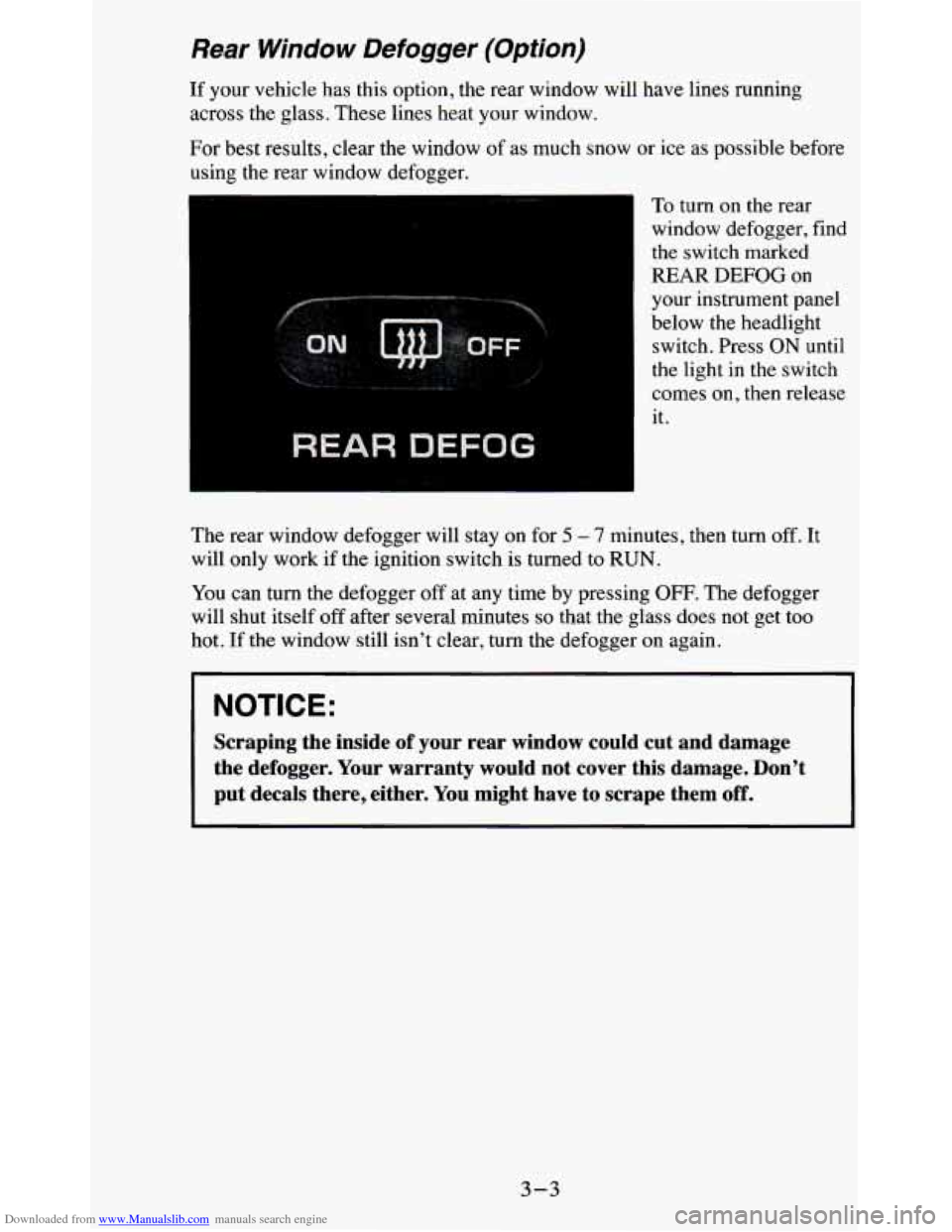
To turn on the rear
window defogger, find
the switch marked
REAR
DEFOG on
your instrument panel
below the headlight switch. Press ON until
the light in the switch
comes on, then release
it.
The rear window defogger will stay on for
5 - 7 minutes, then turn off. It
will only work if the ignition switch is turned to RUN.
You can
turn the defogger off at any time by pressing OFF. The defogger
will shut itself off after several minutes
so that the glass does not get too
hot.
If the window still isn’t clear, turn the defogger on again.
NOTICE:
Scraping the inside of your rear window could cut and damage
the defogger. Your warranty would not cover this damage. Don’\
t
put decals there, either. You might have to scrape them
off.
3-3
Page 143 of 380
Downloaded from www.Manualslib.com manuals search engine Pushbuttons - The four pushbuttons let you return to favorite stations. 10
set the pushbuttons for up to fourteen favorite stations (7 AM and 7 FM):
1. Tune in the desired station.
2. Press the SET button. “SET” appears in the display momentarily.
3. Within 5 seconds, press one of the four pushbuttons to store the station.
Whenever
you press that button, the preset station will return.
NOTE:
In addition to the four stations set as above, up to three additional stations
may be preset on each band by pressing two adjoining pushbuttons at the
same time. Then
do the following:
1. Tune in the desired station.
2. Push the SET button. “SET” appears in the display momentarily.
3. Within 5 seconds, press any two adjoining pushbuttons at the same
time. (The station will return when the same two buttons are presse\
d
again
.>
Repeat these steps for each pair of buttons.
TREBLE
- Slide the TREBLE lever up to increase the treble response. If
the station is weak or noisy, slide the TREBLE lever down to reduce the
noise.
BASS
- Slide the BASS lever up to increase the bass response. Adjust the
BASS lever to give a pleasing sound to your ear.
AUTO DNR
@ - This unit is equipped with an automatic Dynamic Noise
Reduction system. DNR@reduces background hiss on
AM and FM radio
broadcasts, as well as on cassette tapes. DNR@is a registered trademark
of
National Semiconductor Corporation.
To PIay A Cassette
Your tape player is built to work best with tapes that are 30 to 45 minutes
long on each side. Tapes longer than that are
so thin they may not work well
in this player.
Once the tape is playing, use the upper and lower knobs for volume, balance
and fade just as you do for the radio.
A lighted arrow shows which direction
the tape is being played.
FWD - To rapidly advance the tape, press 4 or b in the direction that the
amber arrow points and the tape will rapidly go forward until you press the
STOP-EJECT button lightly.
REV - To rapidly reverse the tape, press 4 or b in the opposite direction
that the amber arrow points and the tape will rapidly reverse
until you press
the STOP-EJECT button lightly.
3-9
Page 145 of 380
Downloaded from www.Manualslib.com manuals search engine Lower Knob (TUNE-AM-FM) - The lower knob has two functions:
0 Turn it to tune in radio stations.
0 Press it to change between the AM and FM bands.
FADE
- The control ring behind the lower knob adjusts the fronthear
speaker balance.
SEEK - Press the SEEK button to cause the receiver to SEEK the next
higher station and stop.
SCAN
- Press the SCAN button to hear each station for a few seconds.
Push it again
when you reach the station you want to listen to and the radio
will stop scanning.
“SCAN” appears in the display.
Pushbuttons
- The four pushbuttons let you return to favorite stations. To
set the pushbuttons for
up to fourteen favorite stations (7 AM and 7 FM):
1. Tune in the desired station.
2. Push the SET button. “SET” appears in the display for about 5 seconds.
3. Within the 5 seconds, push one of the four pushbuttons. Whenever you
press that button, the preset station will return.
NOTE:
In addition to the four stations set as above, up to three additional stations
may be preset on each band by pressing
two adjoining pushbuttons at the
same time. Then do the following:
1. Tune in the desired station.
2. Press the SET button.
3. Within 5 seconds, press any two adjoining pushbuttons at the same time.
(The station will return when the same
two buttons are pressed again.)
Adjust the Tone
- Use the levers in the upper middle left corner to set the
bass, midrange, and treble until you get the sound
you want. The 60 and 250
levers adjust the bass, 1 K is midrange, and 3 .X and 1 OK control the treble.
We suggest you start with the center lever
(1K) in the midpoint position,
then move the others up until
you get the amount of bass and treble you like.
Am-St Button
- The Am-St button is just below the SEARCH button.
Push this when
you tune to an AM station that broadcasts in stereo. Your
STEREO light will come on when you’re receiving AM stereo. If you push
Am-St and there is
no more noise, it means the station is weak. You’ll hear
the station better if you don’t use Am-St. Just push the Am-St button again
to delete stereo.
AUTO DNR@
- This unit is equipped with an automatic Dynamic Noise
Reduction system. DNR%educes background hiss on AM and
FM radio
broadcasts, as well as on cassette tapes. DNR@is a registered trademark of
National Semiconductor Corporation.
3-11
Page 146 of 380
Downloaded from www.Manualslib.com manuals search engine To Play A Cassette
Your tape player is built to work best with tapes that are 30 to 45 minutes
long on each side. Tapes longer than that are
so thin they may not work well
in this player.
Once the tape is playing, use
the upper and lower knobs for volume, balance
and fade just as you do for the radio.
A lighted arrow shows which direction
the tape is being played.
CrO2
- The CrO2 button lets you set the system for the type of cassette
being used. If you are using chrome or metal tapes, push
the 02 button in.
FWD
- To rapidly advance the tape, press 4 or b in the direction that the
amber arrow points and the tape will rapidly go forward until you press the
STOP-EJECT button lightly.
REV
- To rapidly reverse the tape, press 4 or b in the opposite direction
that the amber arrow points and the tape will rapidly reverse until you press
the STOP-EJECT button lightly.
SEARCH
- Press the SEARCH button to the recessed position.
Press
b to go to the beginning of the next selection.
Press
4 and the tape will reverse to the beginning of the current selection.
PROGRAM
- To go from one side of the tape to the other, press the
PWR-VOL-PROG-RCL knob.
STOP- EJECT
- To remove the tape or stop the tape and switch to radio,
press the STOP-EJECT button.
If “Cln” (Clean) appears on the display when you insert your cassette tape,
your cassette player needs to be cleaned. It will still play cassette tapes but
it
should be cleaned to prevent damage to your cassette tapes and the cassette
tape player. See “Care of Your Cassette Tape Player” later in this section.
After you have cleaned the cassette tape player, press and hold EJECT for
5
seconds to reset the the “Cln” indicator. The radio will display “- - -” to
show the clean feature has been reset.
Your Delco system may be able
to receive C-QUAM@ stereo broadcasts.
Many AM stations around the country use C-QUAM@ to produce stereo,
though some do not. C-QUAM@ is a re istered trademark of Motorola Inc.
If your Delco system can get C-QUAM signals, your STEREO light will
come
on when you are receiving stereo.
5
3-12
Page 151 of 380
Downloaded from www.Manualslib.com manuals search engine 4. Press the BAND knob and the time appears - indicating that the
disabling sequence was successful.
If the display indicates “SEC”, the
numbers did not match and the unit is still secured.
Disabling The Theft System
1. Press presets 1 and 4 for 5 seconds with ignition on and radio off. The
display will
show “SEC”, indicating the unit is in the secure mode.
2. Press the SET button. The display will show “000”.
3. Enter the first three digits of the code following steps 6 and 7 of the
preceding paragraphs (To Lock the System). The display will show the
numbers as entered.
4. Press the BAND knob. The radio will display “000”.
5. Enter the second three digits of the code. The display will show the
numbers as entered.
6. Press the BAND knob. If the display shows “- - - ”, the disabling
sequence was successful. The numbers matched the user-selected code
or the factory back-up code, and the unit is in the UNSECURED
mode. If the display shows “SEC”, the disabling sequence was
unsuccessful and the numbers did not match either of the codes and the
unit will remain in the SECURED mode.
Understanding Radio Reception
FM stereo will give you the best sound. But FM signals will reach only
about
10 to 40 miles (16 to 65 km). And, tall buildings or hills can interfere
with
FM signals, causing the sound to come and go.
The range for most AM stations is greater than for
FM, especially at night.
The longer range, however, can cause stations to interfere with each other.
AM can pick up noise from things like storms and power lines.
Try reducing
the treble
to reduce this noise if you ever get it.
AM Stereo means the Delco@ system can receive C-QUAM@stereo
broadcasts. Many AM stations around the count use C-QUAM@ to
produce stereo, though some do not. (C-QUAM
2 is a registered trademark
of Motorola, Inc.)
If your DelcoB system can get C-QUAM@, your
“STEREO” light will come on when you’re receiving it.
Be aware that hearing damage from loud noise is almost undetectable until
it is too late. Your hearing can adapt to higher volumes of sound. Sound that
seems normal can be loud and harmful to your hearing. Take precautions by
adjusting the volume control on your radio to a safe sound level before your
hearing adapts to it.
3-17
Page 152 of 380
Downloaded from www.Manualslib.com manuals search engine To help avoid hearing loss or damage:
1. Adjust the volume control to the lowest setting.
2. Increase volume slowly until you hear comfortably and clearly.
NOTICE:
Before you add any sound equipment to your vehicle - like a
tape player, CB radio, mobile telephone or two-way radio - be
sure you can add what you want.
If you can, it’s very important
to do
it properly. Added sound equipment may interfere with the
operation of your vehicle’s engine, Delco’ radio or other
systems, and even damage them. And, your vehicle’s systems
may interfere with the operation of sound equipment that has
been added improperly.
So, before adding sound equipment, check with your dealer and
be sure to check Federal rules covering mobile radio and
telephone units.
Care of Your Cassette PIayer and Tape
A tape player that is not cleaned regularly is subject to reduce\
d sound
quality, ruining the cassette, or damaging the mechanism. Tape cassettes that
are not properly stored in their plastic cases away from contaminan\
ts, direct
sunlight, and extreme heat, may not operate properly and could cause
premature failure
of the tape player.
Your tape player should be cleaned with every
50 hours of use to provide
optimum performance. Your radio may display “Cln” (Clean) to indicate
that you have used your tape player for
50 hours without re-setting the tape
clean timer.
If you notice a reduction in sound quality, regardless of when
the tape player was last cleaned,
try playing a different cassette to see if the
tape or tape player is at fault. If the second cassette results in no
improvement in sound quality,
try cleaning the tape player.
Proper tape player cleaning should be done with a scrubbing action,
non-abrasive cleaning cassette. This is a wet-type cleaning system that uses
a cleaning cassette with pads which scrub the tape head as the \
hubs of the
cleaner cassette turn.
To properly clean your tape player, follow instructions
with the cleaning cassette. If you use this type of cleaner, the radio may
display an error and eject the cartridge. This is normal and \
is the result
of an
added feature
in the tape player that detects broken tapes. If an error occurs,
you will need to insert the cleaning cassette at least
3 times to thoroughly
clean the tape player.
3-18
Page 153 of 380
Downloaded from www.Manualslib.com manuals search engine You may prefer to use a non-scrubbing action, wet-type cleaner. This type
of cleaner uses a fabric belt to clean the tape head. This type of cleaner
cassette will not cause an error, but it may not clean the tape player as
thoroughly as the scrubbing type cleaner.
A scrubbing action cleaner cassette is available through your retailer (SPO
12344600).
Cassettes are subject to wear and the sound quality may degrade over time.
Always verify that the cassette tape
is in good condition and the tape player
is clean before obtaining service on your tape player.
t
NOTICE:
Cassette tape adapter kits for portable CD players will not work
in your cassette player. These adapters will cause the radio t\
o
display an error and the adapter cassette will be ejected.
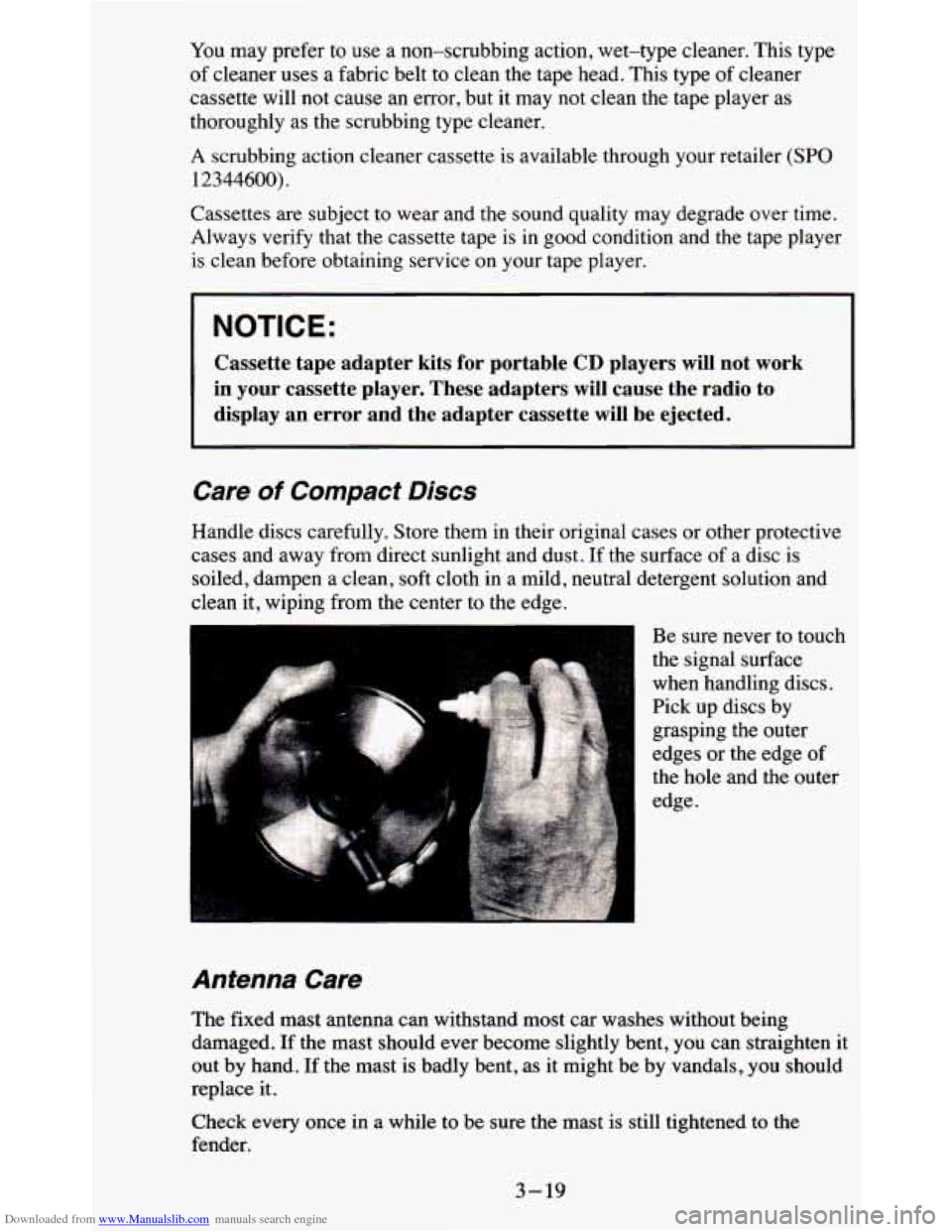
Care of Compact Discs
Handle discs carefully. Store them in their original cases or other protective
cases and away from direct sunlight and dust. If the surface of a disc
is
soiled, dampen a clean, soft cloth in a mild, neutral detergent solution and
clean it, wiping from the center to the edge.
Be sure never to touch
the signal surface
when handling discs.
Pick up discs by
grasping the outer
edges or the edge
of
the hole and the outer
edge.
Antenna Care
The fixed mast antenna can withstand most car washes without being
damaged.
If the mast should ever become slightly bent, you can straighten it
out by hand. If the mast is badly bent, as it might be by vandals, you should
replace it.
Check every once in a while to be sure the mast
is still tightened to the
fender.
3-19
Page 163 of 380
Downloaded from www.Manualslib.com manuals search engine Off-Road Recovery
You may find sometime that your right wheels have dropped off the edge of
a road onto the shoulder while you’re driving.
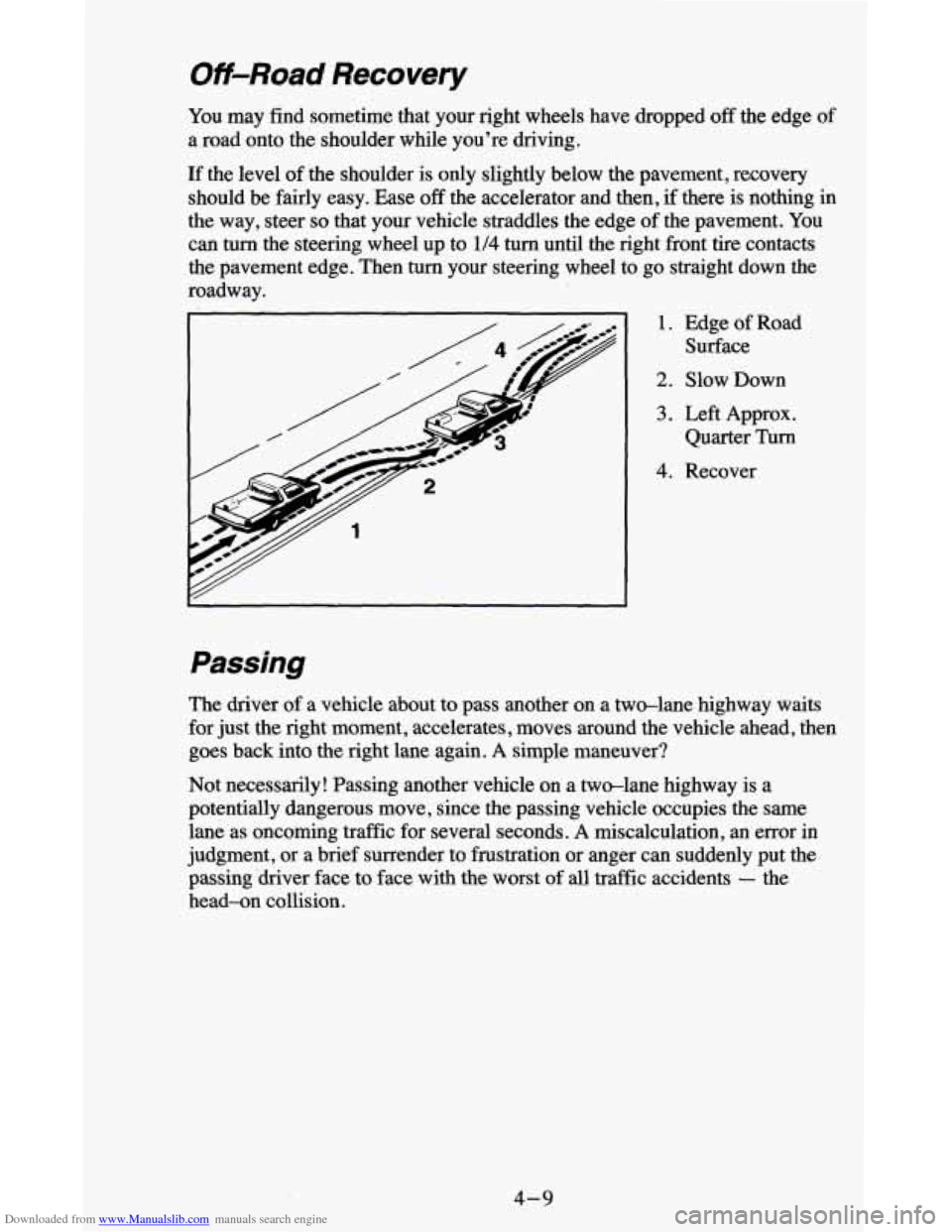
If the level of the shoulder is only slightly below the pavement, recovery
should be fairly easy. Ease off the accelerator and then, if there is nothing in
the way, steer
so that your vehicle straddles the edge of the pavement. You
can
turn the steering wheel up to 1/4 turn until the right front tire contacts
the pavement edge. Then
turn your steering wheel to go straight down the
roadway.
I 1. Edge of Road
Surface
2. Slow Down
3. Left Approx.
Quarter
Turn
4. Recover
Passing
The driver of a vehicle about to pass another on a two-lane highway waits
for just the right moment, accelerates, moves around the vehicle ahead, then
goes back into the right
lane again. A simple maneuver?
Not necessarily! Passing another vehicle on a twdane highway is a
potentially dangerous move, since the passing vehicle occupies the same
lane as oncoming traffic for several seconds.
A miscalculation, an error in
judgment,
or a brief surrender to frustration or anger can suddenly put the
passing ‘driver face to face with the worst of all traffic accidents
- the
head-on collision.
4-9