1995 CHEVROLET ASTRO CARGO VAN ignition
[x] Cancel search: ignitionPage 128 of 342
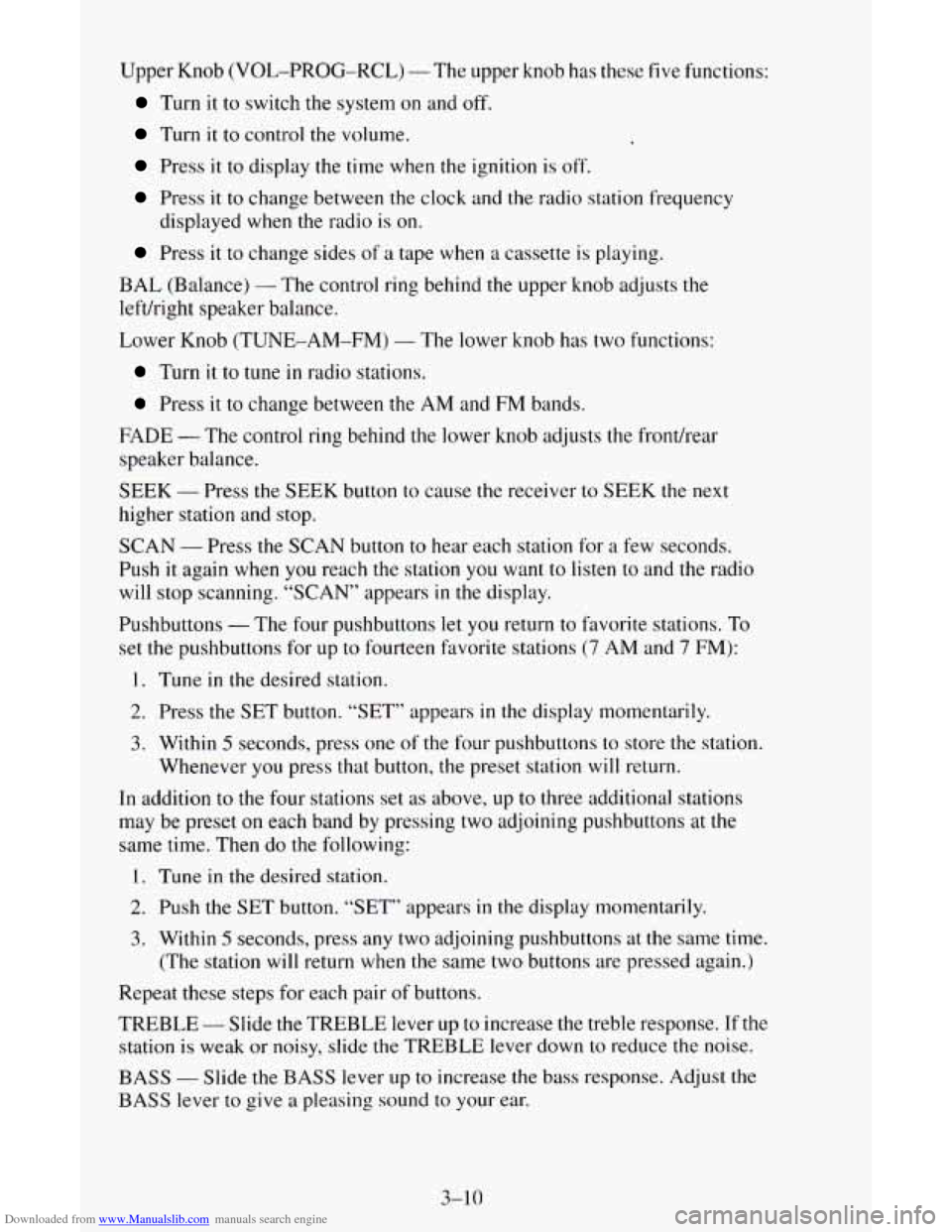
Downloaded from www.Manualslib.com manuals search engine Upper Knob (VOL-PROG-RCL) - The upper knob has these five functions:
Turn it to switch the system on and off.
Turn it to control the volume,
Press it to display the time when the ignition is off.
Press it to change between the clock and the radio station frequency
Press it to change sides of a tape when a cassette is playing.
displayed
when the radio
is on.
BAL (Balance)
- The control ring behind the upper knob adjusts the
leftkight speaker balance.
Lower Knob (TUNE-AM-FM)
- The lower knob has two functions:
Turn it to tune in radio stations.
Press it to change between the AM and FM bands.
FADE
- The control ring behind the lower knob adjusts the fronthear
speaker balance.
SEEK
- Press the SEEK button to cause the receiver to SEEK the next
higher station and stop.
SCAN
- Press the SCAN button to hear each station for a few seconds.
Push it again when you reach
the station you want to listen to and the radio
will stop scanning. “SCAN” appears
in the display.
Pushbuttons
- The four pushbuttons let you return to favorite stations. To
set the pushbuttons for
up to fourteen favorite stations (7 AM and 7 FM):
1. Tune in the desired station.
2. Press the SET button. “SET” appears in the display momentarily.
3. Within 5 seconds, press one of the four pushbuttons to store the station.
Whenever you press that button,
the preset station will return.
In addition to the four stations set
as above, up to three additional stations
may be preset on each band by pressing two adjoining pushbuttons at
the
same time. Then do the following:
1. Tune in the desired station.
2. Push the SET button. “SET” appears in the display momentarily.
3. Within 5 seconds, press any two adjoining pushbuttons at the same time.
(The station will return when the same two buttons are pressed again.)
Repeat these steps for each pair of buttons.
TREBLE
- Slide the TREBLE lever up to increase the treble response. If the
station is weak or noisy, slide the TREBLE lever down to reduce the noise.
BASS - Slide the BASS lever up to increase the bass response. Adjust the
BASS lever to give a pleasing sound to your ear.
3-10
Page 130 of 342
Downloaded from www.Manualslib.com manuals search engine How to Operate Your ETP AM-FM Stereo Audio
Cassette System with Equalizer
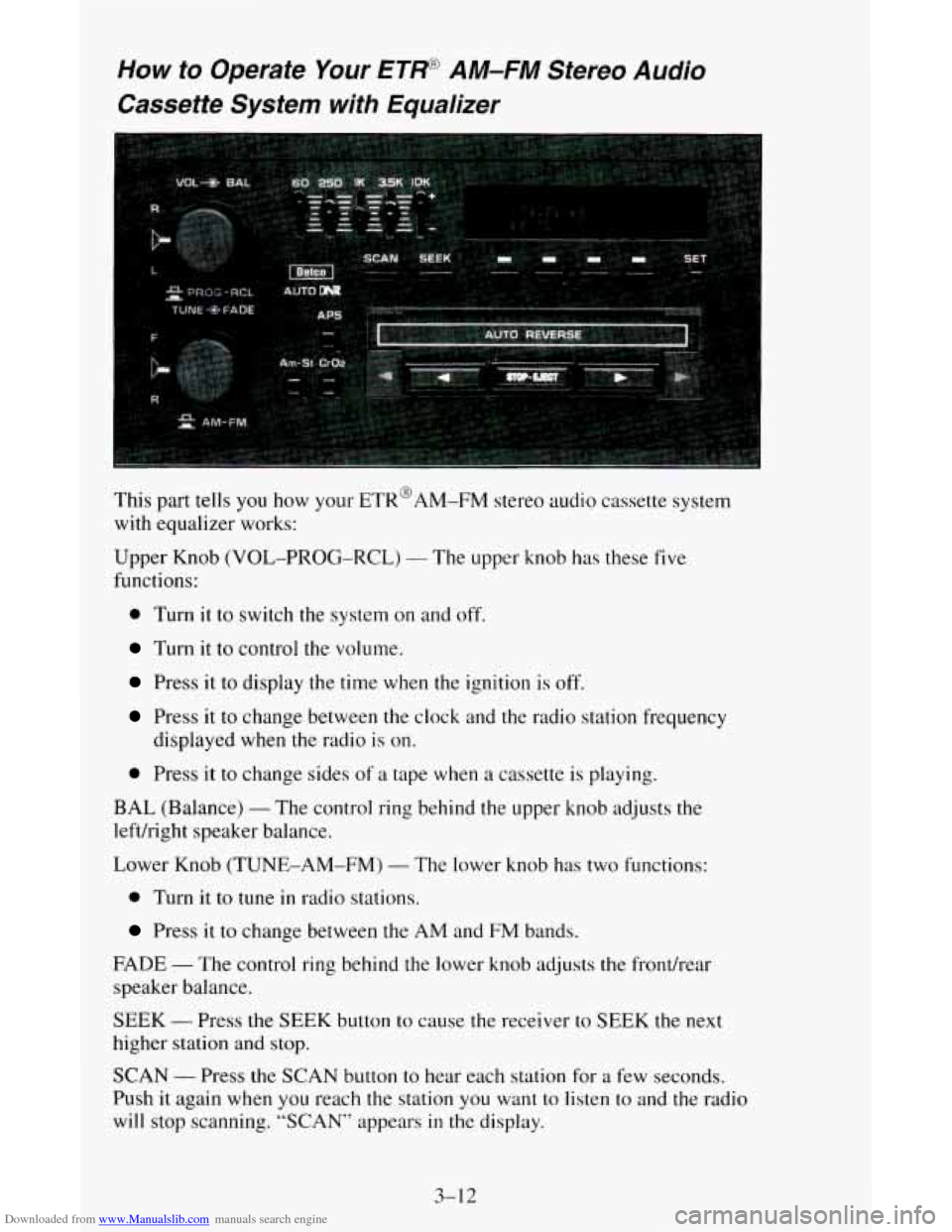
This part tells you how your ETR@AM-FM stereo audio cassette system
with equalizer works:
Upper Knob (VOL-PROG-RCL)
- The upper knob has these five
functions:
0 Turn it to switch the system on and off.
Turn it to control the volume.
Press it to display the time when the ignition is off.
Press it to change between the clock and the radio station frequency
displayed when the radio is
on.
0 Press it to change sides of a tape when a cassette is playing.
BAL (Balance) - The control ring behind the upper knob adjusts the
leftkight speaker balance.
Lower Knob (TUNE-AM-FM)
- The lower knob has two functions:
0 Turn it to tune in radio stations.
Press it to change between the AM and FM bands.
FADE - The control ring behind the lower knob adjusts the fronthear
speaker balance.
SEEK
- Press the SEEK button to cause the receiver to SEEK the next
higher station and stop.
SCAN - Press the SCAN button to hear each station for a few seconds.
Push it again when you reach the station you want to
listen to and the radio
will stop scanning. “SCAN” appears in the display.
3-1 2
Page 133 of 342
Downloaded from www.Manualslib.com manuals search engine Rear/Front Speaker Control - The control ring behind the lower knob
fades the sound between your rear and front speakers. Fade
levels will be
briefly displayed.
SEEK
- Press the SEEK button to cause the receiver to seek the next
higher station.
Press the
4 SEEK button to cause the receiver to seek the next lower
station.
SCAN
- Press the SCAN button to hear each station for a few seconds.
Push it again when you reach the station you want
to listen to and the radio
will stop scanning. “SC” appears in the display.
Pushbuttons
- The five pushbuttons let you return to favorite stations.
They are also used when you play a disc. (See “To Play A Compact Disc”.)
To set the pushbuttons for up to ten favorite stations
(5 AM and 5 FM):
1. Tune in the desired station.
2. Push the SET button. “SET” is displayed briefly.
3. Within 5 seconds, push one of the five pushbuttons to store the station.
Whenever you press that button, the preset station will return. Repeat
the steps for each of the
5 AM and 5 FM stations.
MUTE
- Press the MUTE button and all sound from the radio or CD
player stops. By pressing the button again sound
will begin again.
RCL
- Press the RCL button to change between the clock and the radio
station frequency displayed when the radio is on. RCL may be pressed
when
the ignition is off to see the time.
BASS
- Press the BASS A to increase the bass tones and v BASS to
decrease bass tones. Press
the center of the control for a preset bass position.
The bass level
will be displayed briefly when using this control.
TREBLE
- Press the TREB A to increase the treble tones and v TREB to
decrease the treble tones. Press the center
of the control for a preset treble
position. The treble level
will be displayed briefly when using this control.
To Play A Compact Disc (CD)
I NOTICE:
DO NOT use mini-discs that are called singles. They won’t eject.
USE FULL-SIZE COMPACT DISCS.
I
Press the PWR button to turn the player on. Inserting a disc partway with
the power off and ignition on will also turn the player on. Insert
a disc into
the
slot, label side up. The player will pull it in. Wait a few seconds and the
disc should play.
3-15
Page 134 of 342
Downloaded from www.Manualslib.com manuals search engine If the disc player is very hot, or if you’re driving on a very rough road, a
disc may come out or just
not play. If you see the word HOT on the display,
the disc player is
too hot to play the disc. Press RCL to make the word HOT
go
off the display.
When things get back to normal, the disc should play again. If the disc
comes back out, check whether:
The disc is upside down.
It is dirty, scratched, or wet.
Too much moisture is in the air. (If there is, wait about one hour and try
again.)
RCL
- Press RCL to see what track is playing. Press it again within 5
seconds to see how long it has been playing. The track number also appears
when you change the volume or when a new track starts to play.
COMP
- Press the COMP button to make soft and loud passages more
nearly equal in volume. “COMP” will appear in the display while using this
control.
RDM
- The RDM button means random and when it is pressed, it causes
the CD mechanism to play the tracks in a random order rather than in the
sequential
1, 2’3 order. “RDM” will appear in the display while using this
control.
To return to normal sequence, press RDM again.
REV
- Press and hold the REV button to quickly return to a favorite
passage. Release it to display the passage. The counter reading will be
displayed while using this control.
FWD
- Press and hold the FWD button to advance quickly within a track.
Release it to resume playing. Watch the display
to stop at a specific passage.
SCAN
- Press SCAN to sample each track for approximately 10 seconds.
Scanning will continue until the RDM, SCAN
or any other motion button is
pressed again.
PREV
- Hold the PREV (4 SEEK) button, or press it more than once, and
the disc will return to previous tracks.
NEXT - Press NEXT (SEEK ,) to hear the next track now instead of
waiting until the present track is finished. If you hold this button or press it
more than once, the disc will advance further.
ST-PL
- Press ST-PL (Stop-Play) to make the disc stop and the radio
play. Press ST-PL again to restart the disc at the point where it stopped.
Press PWR or turn the ignition key
off to stop the disc player. The disc stays
in the player and will resume playing at the point where it stopped.
Press EJCT to eject the disc and make
the radio play. The disc will start at
track
1 when you reinsert it.
3-16
Page 135 of 342
Downloaded from www.Manualslib.com manuals search engine Delco LOC /I Theft Deterent Feature
Delco LOC II@ is an anti-theft feature for the compact disc player. It can be
used or ignored. If ignored, the system plays normally. If it is used, your
player won’t be usable
if it is ever stolen, because it will go to LOC mode
any time the battery power is removed. After a
loss of battery power, the
player cannot be turned on unless an unlock code is entered.
The instructions below tell you how to enter
a secret code into the system. If
your vehicle loses battery power for any reason, you must unlock the system
with the secret code before the radio will turn on.
To Lock The System:
1. Write down any 6 digit number and keep it in a safe place.
2. Turn the ignition to the ACC (Accessory) or RUN position.
3. Press the PWR knob to turn the radio off.
4. Press the 1 and 4 buttons together. Hold them down until “- - -” shows
on the display.
You are now ready to enter your secret code. Don’t wait more than 15
seconds between steps.
5. Press SET and “000” will appear on the display.
6. Press the SEEK or 4 button to make the first number appear.
7. Press SCAN to make the next two numbers agree with your code.
8. Press BAND and “000” will appear again. Now you are ready to enter
9. Repeat steps 6 and 7 for the last three digits of your code.
the last three digits of your code.
10. Press BAND and “REP” will appear for 5 seconds and then “000” will
11. Repeat steps 6 through 10. This time “SEC” will appear - indicating
appear.
that the radio
is secure.
To Unlock The System After A Power Loss
When battery power is reapplied to a secured radio, the radio won’t turn on
and “LOC” will appear on the display.
Enter your secret code as follows. Pause no more than
15 seconds between
steps.
1. Turn the ignition on. (Radio off.)
2. Press the SET button. The display will show “000”.
3-17
Page 136 of 342
Downloaded from www.Manualslib.com manuals search engine 3. Enter the six digits of the code following steps 6-9 above. The display
will show the numbers
as entered.
4. Press the BAND knob and the time appears - indicating that the
disabling sequence was successful.
If the display indicates “SEC”, the
numbers did
not match and the unit is still secured.
Disabling The Theft System
1. Press presets 1 and 4 for 5 seconds with ignition on and radio off. The
display will show
“SEC”, indicating the unit is in the secure mode.
2. Press the SET button. The display will show “000”.
3. Enter the first three digits of the code following steps 6 and 7 of the
preceding paragraphs (“To Lock
the System”). The display will show
the numbers
as entered.
4. Press the BAND knob. The radio will display “000”.
5. Enter the second three digits of the code. The display will show the
numbers
as entered.
6. Press the BAND knob. If the display shows “- - - ”, the disabling
sequence was successful. The numbers matched the user-selected code
or the factory back-up code, and the
unit is in the UNSECURED
mode. If
the display shows “SEC”, the disabling sequence was
unsuccessful and
the numbers did not match either of the codes and the
unit will remain
in the SECURED mode.
Understanding Radio Reception
FM stereo will give you the best sound. But FM signals will reach only
about 10 to 40 miles (16 to 65 km). And, tall buildings or hills can interfere
with FM signals, causing the sound to come and
go.
The range for most AM stations is greater than for FM, especially at night.
The longer range, however, can cause stations
to interfere with each other.
AM can pick up noise from things like storms and power lines. Try reducing
the treble
to reduce this noise if you ever get it.
AM Stereo means the DelcoB system can receive C-QUAM@stereo
broadcasts. Many AM stations around
the countr use C-QUAM@ to
produce stereo, though some do not. (C-QUAM
4 is a registered trademark
of Motorola, Inc.) If your Delco@ system can get C-QUAM@, your
“STEREO” light
will come on when you’re receiving it.
Be aware that hearing damage from loud noise is almost undetectable
until
it is too late. Your hearing can adapt to higher volumes of sound. Sound that
seems normal can be loud and harmful to your hearing. Take precautions by
adjusting
the volume control on your radio to a safe sound level before your
hearing adapts
to it.
3-18
Page 176 of 342
Downloaded from www.Manualslib.com manuals search engine 2. Get the vehicles close enough so the jumper cables can reach, but be
sure the vehicles aren’t touching each other.
If they are, it could cause a
ground connection you don’t want. You wouldn’t be able to start your
vehicle, and the bad grounding could damage the electrical systems.
You could be injured if the vehicles roll. Set the parking brake firmly
on each vehicle. Put an automatic transmission in PARK
(P) or a
manual transmission in NEUTRAL (N).
If you have a
four-wheel-drive vehicle with
a manual transfer case shift lever, be
sure the transfer case is
not in NEUTRAL (N).
3. Turn off the ignition on both vehicles. Turn off all lights that aren’t
needed, and radios. This will avoid sparks and help save both batteries.
And it could save your radio!
- ~-
NOTICE:
If you leave your radio on, it could be badly damaged. The
repairs wouldn’t be covered by your warranty.
4. Open the hoods and locate the batteries. Find the positive (+) and
negative
(-) terminals on each battery.
5. Check that the jumper cables don’t have loose or missing insulation. If
they do, you could get a shock. The vehicles could be damaged too.
Before
you connect the cables, here are some basic things you should
know. Positive
(+> will go to positive (+) and negative (-) will go to
negative
(-1 or a metal engine part. Don’t connect (+) to (-) or you’ll
get a short that would damage the battery and maybe other parts too.
5-4
Page 179 of 342
Downloaded from www.Manualslib.com manuals search engine Towing Your Vehicle
Try to have a GM dealer or a professional towing service tow your vehicle.
They can provide the right equipment and know how to tow
it without
damage.
If your vehicle has been changed
or modified since it was factory-new by
adding aftermarket items like fog lamps, aero skirting, or special tires and
wheels, these things can be damaged during towing.
Before
you do anything, turn on the hazard warning flashers.
When
you call, tell the towing service:
0 Whether your vehicle has rear-wheel drive or the all-wheel-drive
option. If your vehicle has fog lamps, it cannot be towed from the front
with sling-type equipment.
The make, model, and year of your vehicle.
0 Whether you can still move the shift lever.
0 If there was an accident, what was damaged.
When your vehicle
is being towed, have the ignition key off. The steering
wheel should be clamped in a straight-ahead position, with
a clamping
device designed for towing service.
Do not use the vehicle’s steering
column lock for this.
The transmission should be in NEUTRAL (N) and the
parking brake released.
5-7