1995 CHEVROLET ASTRO CARGO VAN Section 5
[x] Cancel search: Section 5Page 119 of 342
Downloaded from www.Manualslib.com manuals search engine Comfort Controls & Audio Systems
Section
In this section you’ll find out how to operate the comfort control systems
and audio systems offered with your vehicle. Be sure
to read about the
particular system supplied with your vehicle.
Comfort Controls
Heater Controls
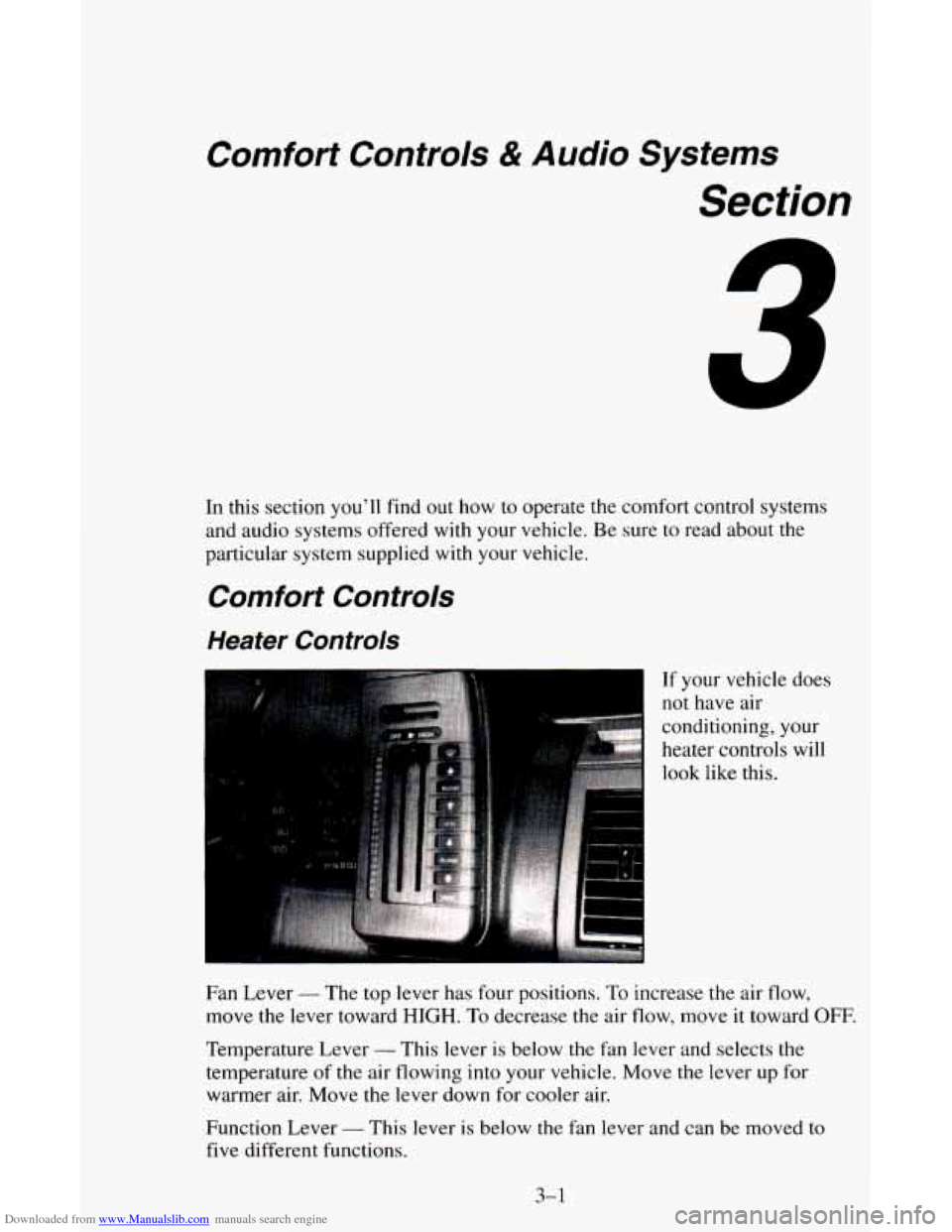
If your vehicle does
not have air
conditioning, your
heater controls will
look like this.
Fan Lever
- The top lever has four positions. To increase the air flow,
move the lever toward
HIGH. To decrease the air flow, move it toward OFF.
Temperature Lever - This lever is below the fan lever and selects the
temperature
of the air flowing into your vehicle. Move the lever up for
warmer air. Move the lever down for cooler air.
Function Lever
- This lever is below the fan lever and can be moved to
five different functions.
3-1
Page 129 of 342
Downloaded from www.Manualslib.com manuals search engine To PIay A Cassette
Your tape player is built to work best with tapes that are 30 to 45 minutes
long on each side. Tapes longer than that are
so thin they may not work well
in this player.
Once the tape is playing, use the upper and lower knobs for volume, balance
and fade just as you do for the radio. A lighted arrow shows which direction
the tape is being played.
FORWARD
- To rapidly advance the tape, press 4 or b in the direction
that the amber arrow points and the tape will rapidly go forward until
you
press the STOP-EJECT button lightly.
REVERSE
- To rapidly reverse the tape, press 4 or b in the opposite
direction that the amber arrow points and the tape will rapidly reverse until
you press the STOP-EJECT button lightly.
PROGRAM
- To go from one side of the tape to the other, press the
VOL-PROG-RCL knob.
STOP-EJECT
- To remove the tape or stop the tape and switch to radio,
press the STOP-EJECT button.
If a tape
is inserted with side “1” (or “A”) up, then the right arrow means
that that side is being played. Likewise,
a left arrow would indicate that side
“2” (or “B”) had been selected. The player will automatically switch to the
other side
of the tape when the first side ends.
If “Cln” (Clean) appears
on the display when you insert your cassette tape,
your cassette player needs to be cleaned. It will
still play cassette tapes but it
should be cleaned to prevent damage to your cassette tapes and the cassette
tape player. See “Care
of Your Cassette Tape Player” later in this section.
After you have cleaned the cassette tape player, press and hold
STOP-EJECT for
5 seconds to reset the the “Cln” indicator. The radio will
display
“- - -” to show the clean feature has been reset.
3-1 1
Page 132 of 342
Downloaded from www.Manualslib.com manuals search engine Press 4 or in the opposite direction that the amber arrow points and the
tape will reverse
to the beginning of the current selection.
PROGRAM
- To go from one side of the tape to the other, press the
VOL-PROG-RCL knob.
STOP- EJECT - To remove the tape or stop the tape and switch to radio,
press the STOP-EJECT button.
If “Cln” (Clean) appears on the display when you insert your cassett.e tape,
your cassette player needs
to be cleaned. It will still play cassette tapes but it
should be cleaned to prevent damage to your cassette tapes and the cassette
tape player. See “Care of Your Cassette Tape Player” later
in this section.
After you have cleaned
the cassette tape player, press and hold EJECT for 5
seconds to reset the the “Cln” indicator. The radio will display “- - -” to
show the clean feature has been reset.
How to Operate Your ET@ AM-FM Stereo Audio
Compact Disc (CD) System
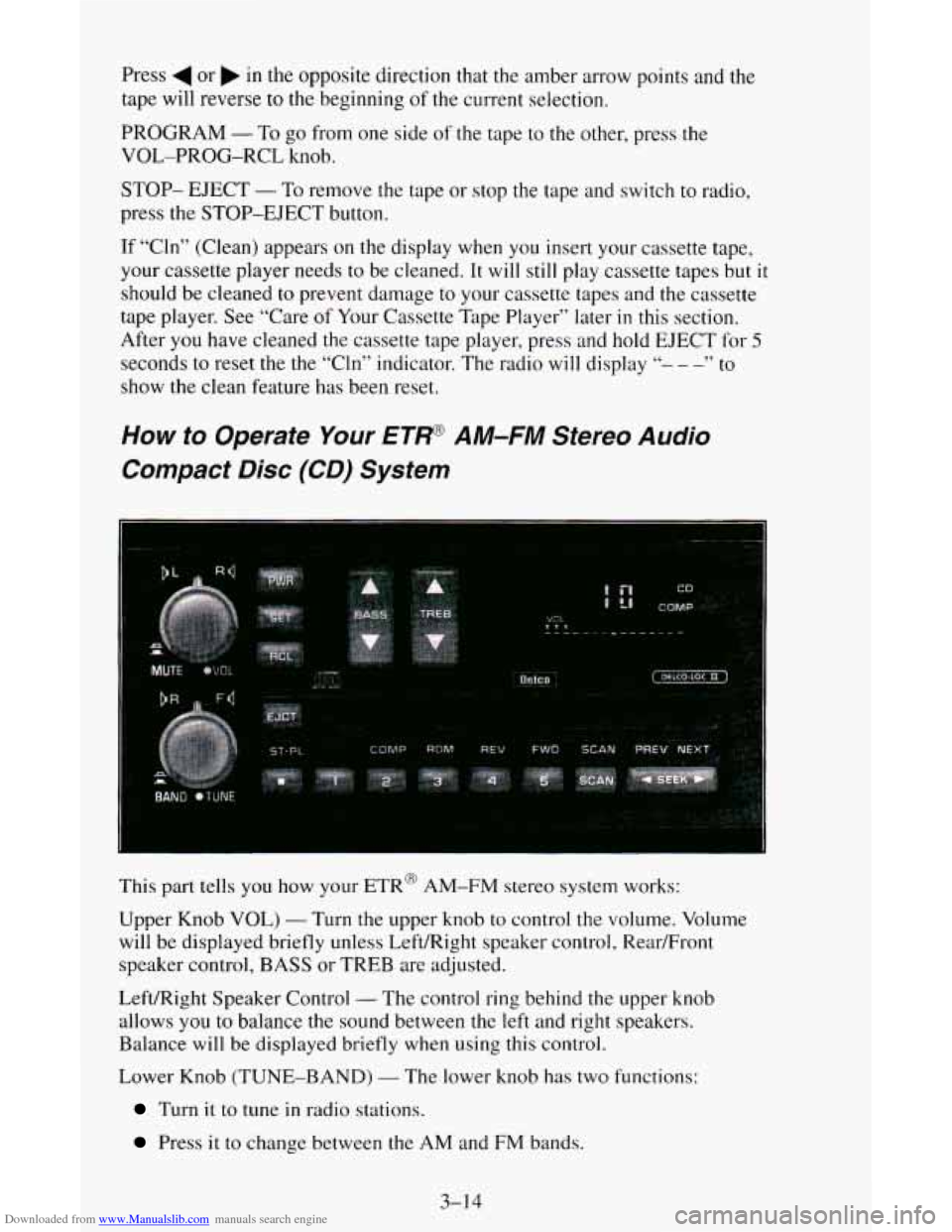
This part tells you how your ETR@ AM-FM stereo system works:
Upper Knob VOL)
- Turn the upper knob to control the volume. Volume
will be displayed briefly unless Left/Right speaker control, Rear/Front
speaker control, BASS or TREB are adjusted.
Left/Right Speaker Control
- The control ring behind the upper knob
allows
you to balance the sound between the left and right speakers.
Balance
will be displayed briefly when using this control.
Lower Knob (TUNE-BAND)
- The lower knob has two functions:
Turn it to tune in radio stations.
Press it to change between the AM and FM bands.
3-1 4
Page 139 of 342
Downloaded from www.Manualslib.com manuals search engine Your Driving and the Road
Section
Here you’ll find information about driving on different kinds of roads and in
varying weather conditions. We’ve also included many other useful tips
on
driving.
Defensive Driving
The best advice anyone can give about driving is: Drive defensively.
Please start with a very important safety device in your vehicle: Buckle
up.
(See “Safety Belts” in the Index.)
Defensive driving really means “be ready for anything.” On city streets,
rural roads, or freeways,
it means “always expect the unexpected.”
Assume that pedestrians or other drivers are going
to be careless and make
mistakes. Anticipate what they might do. Be ready for their mistakes.
4-1
Page 148 of 342
Downloaded from www.Manualslib.com manuals search engine 0
0
0
0
0
0 0
0
Watch for traffic signs, pavement markings, and lines. If you can see a
sign up ahead that might indicate a turn or an intersection, delay your
pass.
A broken center line usually indicates it’s all right to pass
(providing the road ahead is clear). Never cross a solid line on your
side of the lane or a double solid line, even if the road seems empty
of
approaching traffic.
Do not get too close to the vehicle you want to pass while you’re
awaiting
an opportunity. For one thing, following too closely reduces
your
area of vision, especially if you’re following a larger vehicle.
Also, you won’t have adequate space if the vehicle ahead suddenly
slows or stops. Keep back a reasonable distance.
When it looks like a chance
to pass is coming up, start to accelerate but
stay in the right lane and don’t get too close. Time your move
so you
will be increasing speed as the time comes to move into the other lane.
If the way is clear to pass, you will have a “running start” that more
than makes up for the distance you would lose by dropping back. And
if something happens
to cause you to cancel your pass, you need only
slow down and drop back again and wait for another opportunity.
If other cars are lined up to pass a slow vehicle, wait your turn. But
take care that someone isn’t trying to pass
you as you pull out to pass
the slow vehicle. Remember
to glance over your shoulder and check
the blind spot.
Check your mirrors, glance over your shoulder, and start your left lane
change signal before moving out of the right lane
to pass. When you
are far enough ahead of the passed vehicle to see its front in your inside
mirror, activate your right lane change signal and move back into the
right lane. (Remember that your right outside mirror is convex. The
vehicle you just passed may seem to be farther away from
you than it
really is.)
Try not to pass more than one vehicle at a time on two-lane roads.
Reconsider before passing
the next vehicle.
Don’t overtake a slowly moving vehicle too rapidly. Even though the
brake lights are not flashing, it may be slowing down or starting
to turn.
If you’re being passed, make it easy for the following driver to get
ahead of you. Perham vou
can ease a little to the ripht.
4-10
Page 153 of 342
Downloaded from www.Manualslib.com manuals search engine Some Other Rainy Weather Tips
Turn on your low-beam headlamps - not just your parking lamps -
0 Besides slowing down, allow some extra following distance. And be
to help make you more visible to others.
especially careful when you pass another vehicle. Allow yourself more
clear room ahead, and be prepared to have your view restricted by road
spray.
Have good tires with proper tread depth. (See “Tires” in the Index.)
City Driving
a
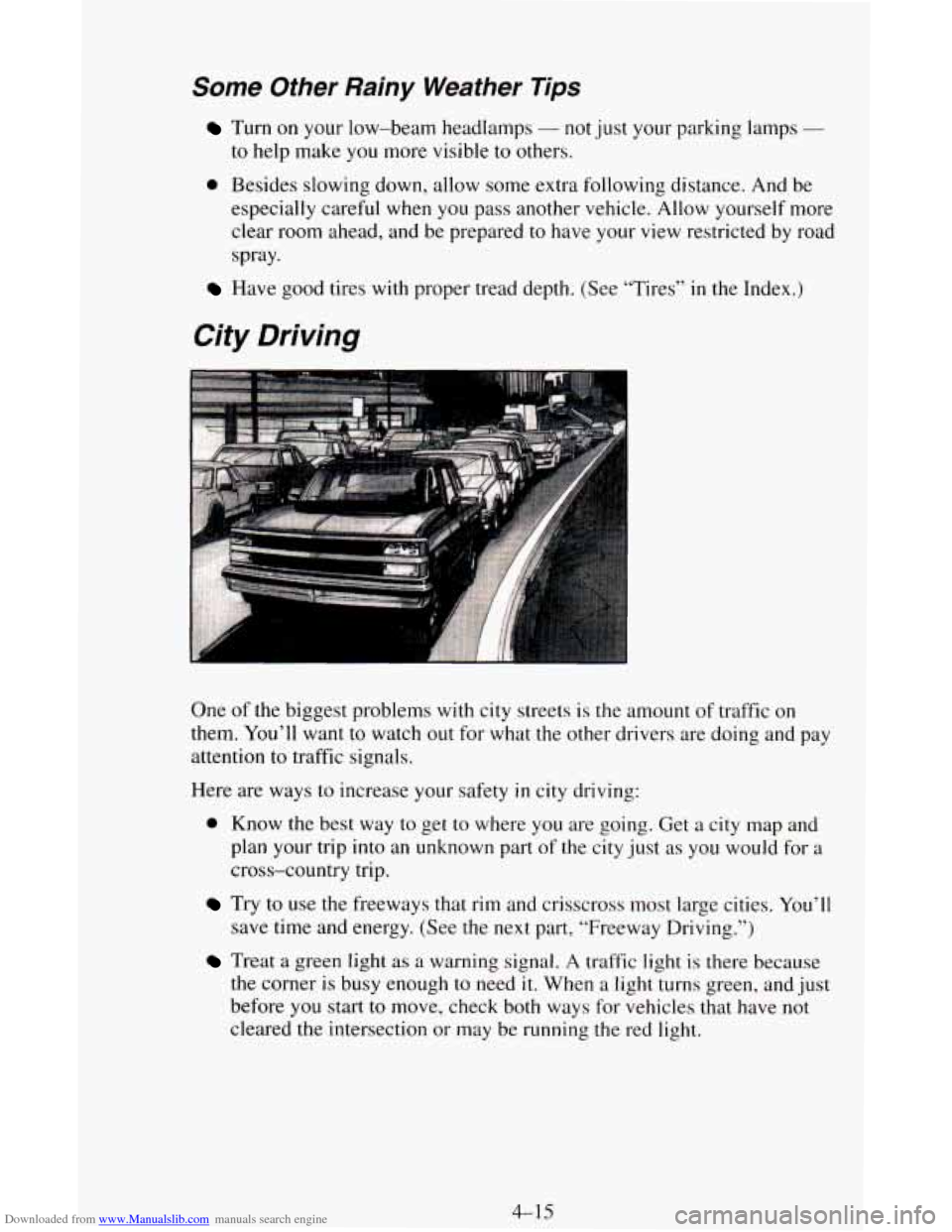
One of the biggest problems with city streets is the amount of traffic on
them. You’ll want to watch out for what the other drivers are doing and pay
attention
to traffic signals.
Here are ways to increase your safety
in city driving:
0 Know the best way to get to where you are going. Get a city map and
plan your trip into an unknown part
of the city just as you would for a
cross-country trip.
save time and energy. (See the next part, “Freeway Driving.”)
Treat a green light as a warning signal. A traffic light is there because
the corner is busy enough to need
it. When a light turns green, and just
before
you start to move, check both ways for vehicles that have not
cleared the intersection or may be running
the red light.
Try to use the freeways that rim and crisscross most large cities. You’ll
4-15
Page 164 of 342

Downloaded from www.Manualslib.com manuals search engine Towing a Trailer
NOTICE:
Pulling a trailer improperly can damage your vehicle and result\
in costly repairs not covered
by your warranty. To pull a trailer
correctly, follow the advice in this part, and see your
GM dealer
for important information about towing a trailer with your
vehicle.
Most vehicles are ready for some trailer towing. If yours was built with
trailering options, as many are, it’s ready for heavier trailers. But trailering
is different than just driving your vehicle by itself. Trailering means changes
in handling, durability, and fuel economy. Successful, safe trailering takes
correct equipment, and it has to be used properly.
That’s the reason for this part. In it are many time-tested, important
trailering tips and safety rules. Many of these are important for your safety
and that
of your passengers. So please read this section carefully before you
pull a trailer.
&!You Do Decide To Pull A Trailer
If you do, here are some important points.
There are many different laws, including speed limit restrictions,
having to do with trailering. Make sure your rig will be legal, not only
where you live but also where you’ll be driving.
A good source for this
information can be state or provincial police.
Consider using a sway control if your trailer will weigh 2,000 pounds
(900 kg) or less. You should always use a sway control if your trailer
will weigh more than
2,000 pounds (900 kg). You can ask a hitch
dealer about sway controls.
4-26
Page 171 of 342
Downloaded from www.Manualslib.com manuals search engine Maintenance When Trailer Towing
Your vehicle will need service more often when you’re pulling a trailer. See
the Maintenance Schedule for more
on this. Things that are especially
important in trailer operation are automatic transmission fluid (don’t
overfill), engine oil, axle lubricant, belt, cooling system, and brake
adjustment. Each of these is covered in this manual, and the Index will help
you find them quickly. If you’re trailering, it’s a good idea to review these
sections before you start your trip.
Check periodically to see that all hitch nuts and bolts are tight.
Trailer Lighting Systems Wiring
See “Trailer Wiring Harness” in the Index.
4-33