Page 17 of 395
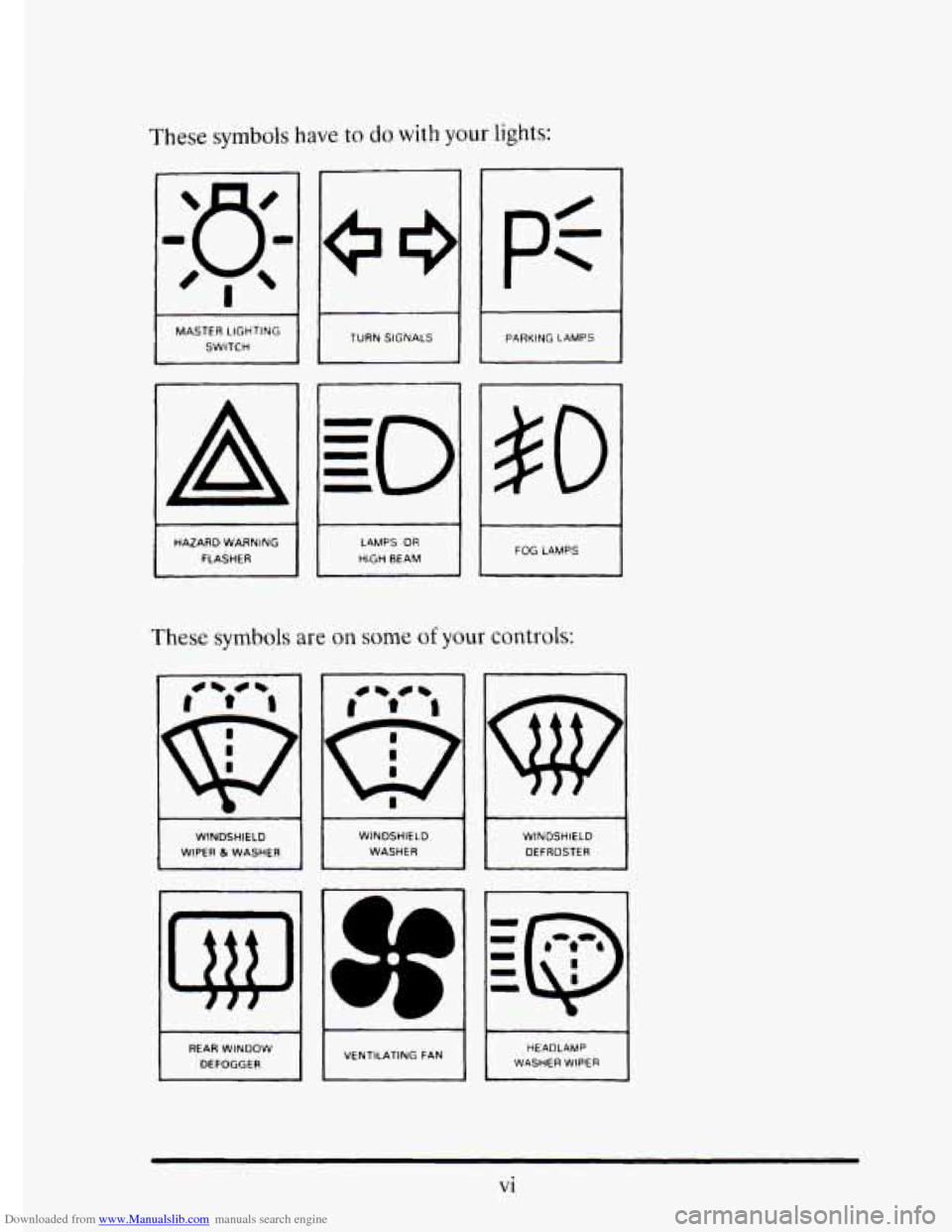
Downloaded from www.Manualslib.com manuals search engine These symbols have to do with your lights:
a
MASTER LIGHTING SWITCH
A
HAZARD WARNING
FLASHER TURN
SIGNALS
LAMPS OR
HIGH BEAM
pt
~~
PARKING LAMPS
#O
1 FOG LAMPS
These symbols are on some of your controls:
WINDSHIELD
WIPER 81 WASHER
REAR WINDOW
DEFOGGER WINDSHIELD
WASHER
dp
I VENTILATING FAN WINDSHIELD
DEFROSTER
HEADLAMP
WASHER WIPER
vi
Page 78 of 395
Downloaded from www.Manualslib.com manuals search engine KEYLESS ENTRY SYSTEM
n
With this feature you can turn on your interior lamps, lock and unlock
your doors, or unlock your trunk from up to
30 feet (9 m) using the key
chain transmitter supplied with your vehicle.
Your Keyless Entry System is intended
to be used as a supplementary
vehicle entry device. It
is not intended to replace, but rather should be
used
in conjunction with a door lock key. It operates on a radio frequency
subject to Federal Communications Commission (FCC) Rules.
This device complies with Part
15 of the FCC Rules. Operation is subject
to the following
two conditions: (1) This device may not cause harmful
interference, and
(2) This device must accept any interference received,
including interference that may cause undesired operation.
Should interference to this system occur, try this:
Check to determine if battery replacement is necessary. See the
0 Check the distance. You may be too far from your vehicle. This
Check the location. Other vehicles or objects may be blocking the
See your Cadillac dealer or a qualified technician for service.
Changes or modifications
to this system by other than an authorized
service facility could
void authorization to use this equipment.
instructions
on battery replacement.
product has a maximum range.
signal.
2-7
Page 109 of 395
Downloaded from www.Manualslib.com manuals search engine TURN SIGNLIMULTIFUNCTION LEVER
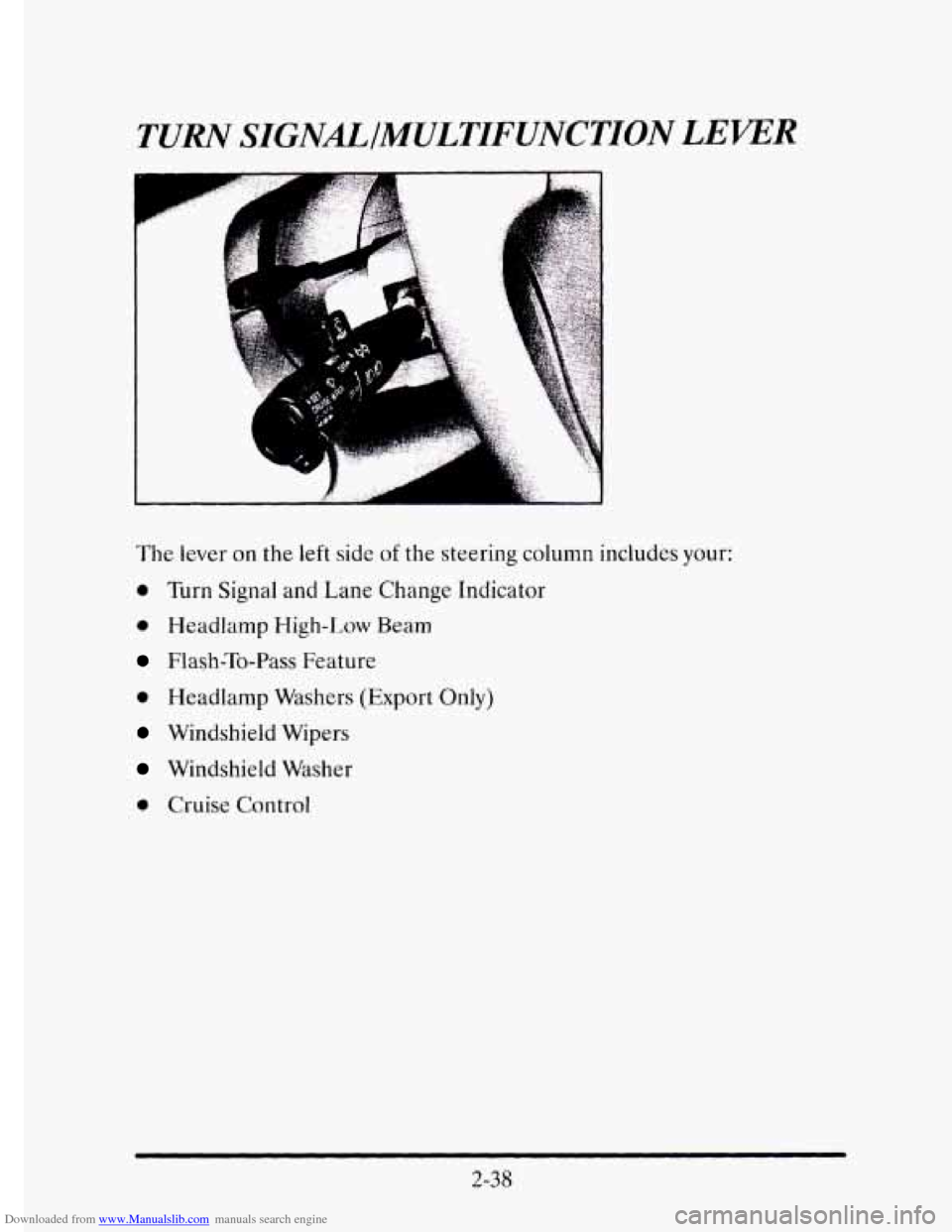
The lever on the left side of the steering column includes your:
0 Turn Signal and Lane Change Indicator
0 Headlamp High-Low Beam
Flash-To-Pass Feature
0 Headlamp Washers (Export Only)
Windshield Wipers
Windshield Washer
0 Cruise Control
2-38
Page 110 of 395
Downloaded from www.Manualslib.com manuals search engine Turn Signal and Lane Change Indicator
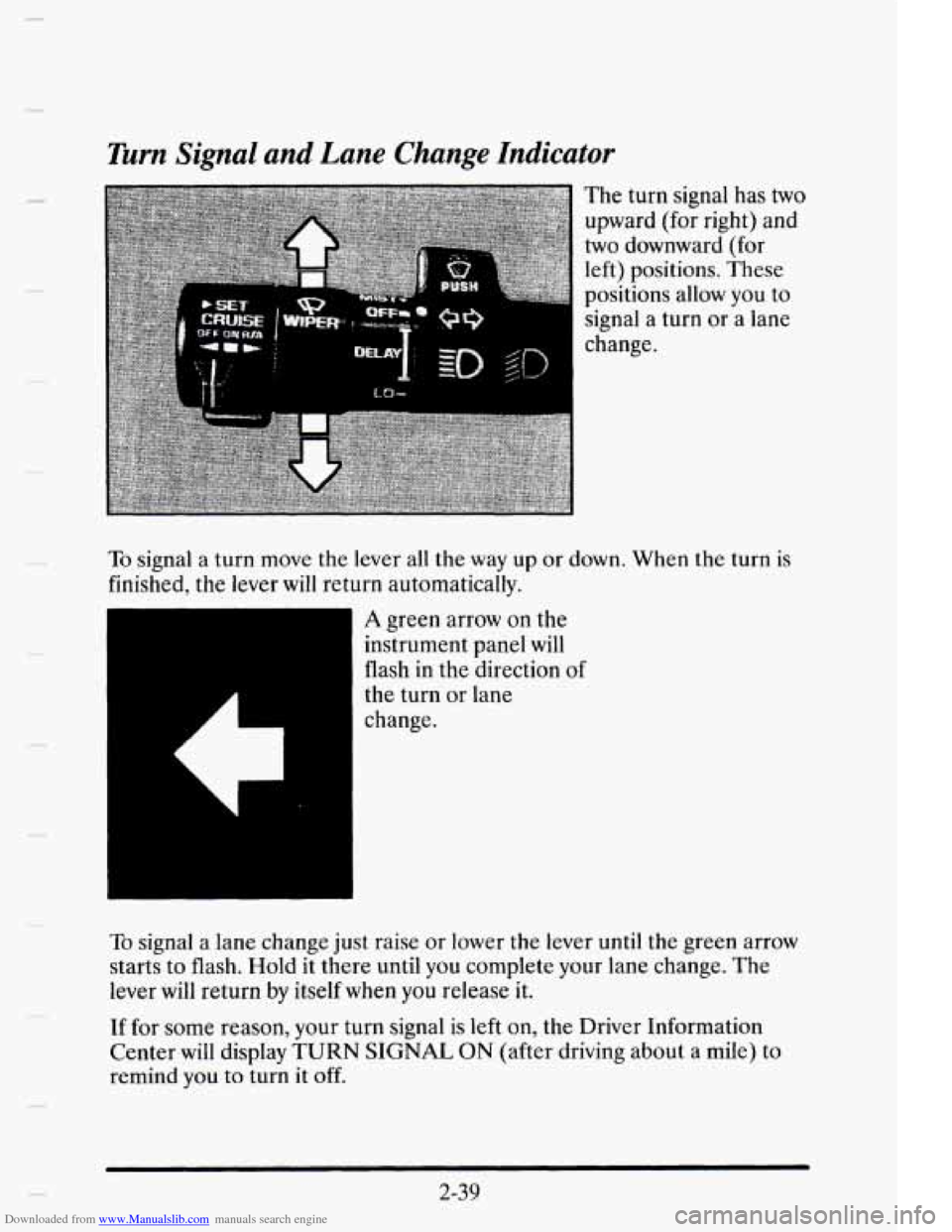
The turn signal has two
upward (for right) and
two downward (for
left) positions. These
positions
allow you to
signal a turn or a lane
change.
To signal a turn move the lever all the way up or down. When the turn is
finished, the lever will return automatically.
CI.
A green arrow on the
instrument panel will
flash in the direction
of
the turn or lane
change.
To signal a lane change just raise or lower the lever until the green arrow
starts to flash. Hold it there until
you complete your lane change. The
lever
will return by itself when you release it.
If for some reason, your turn signal is left on, the Driver Information
Center will display
TURN SIGNAL ON (after driving about a mile) to
remind you
to turn it off.
2-39
Page 111 of 395
Downloaded from www.Manualslib.com manuals search engine As you signal a turn or a lane change, if the arrows don’t flash but just stay on
a signal bulb may be burned
out and other drivers won’t see your turn signal.
If
a bulb is burned out, rcplacc it to help avoid an accident. If the green
arrows don’t go on at all when you signal
a turn, check the fuse (see
“Fuses’’ in
the Index) and for burned-out bulbs.
Wiper Activated Headlumps
This feature activates the headlamps and parking lamps after the
windshield wipers have been in use
for approximately 23 seconds.
In order
to operate the wiper activated headlamps, the twilight sentinel
must
be in the ON position. This feature lights the way in poor weather
and
it also makes your vehicle more visible to other drivers. If the wiper
activated headlamps are
on, and the ignition switch is turned off, the
wiper activated headlamps
will immediately turn off.
The wiper activated headlamps will deactivate if you turn off the twilight
sentinel
or if the windshield wipers have been turned off for a period of
one or two seconds.
Headlamp High-Low Beam
To change the
headlamps from low
beam
to high or high to
low, pull the turn signal
lever all
the way toward
you. Then releasc it.
When the high beams
are on, this blue
light
on thc instrument
panel
will also be on.
Flash-To-Pass Feature
This lets you use your high beam headlamps to signal a driver in front of
you that you want to pass. It works even if your headlamps are off.
2-40
Page 123 of 395
Downloaded from www.Manualslib.com manuals search engine Rear Fog Lamps (Export Only)
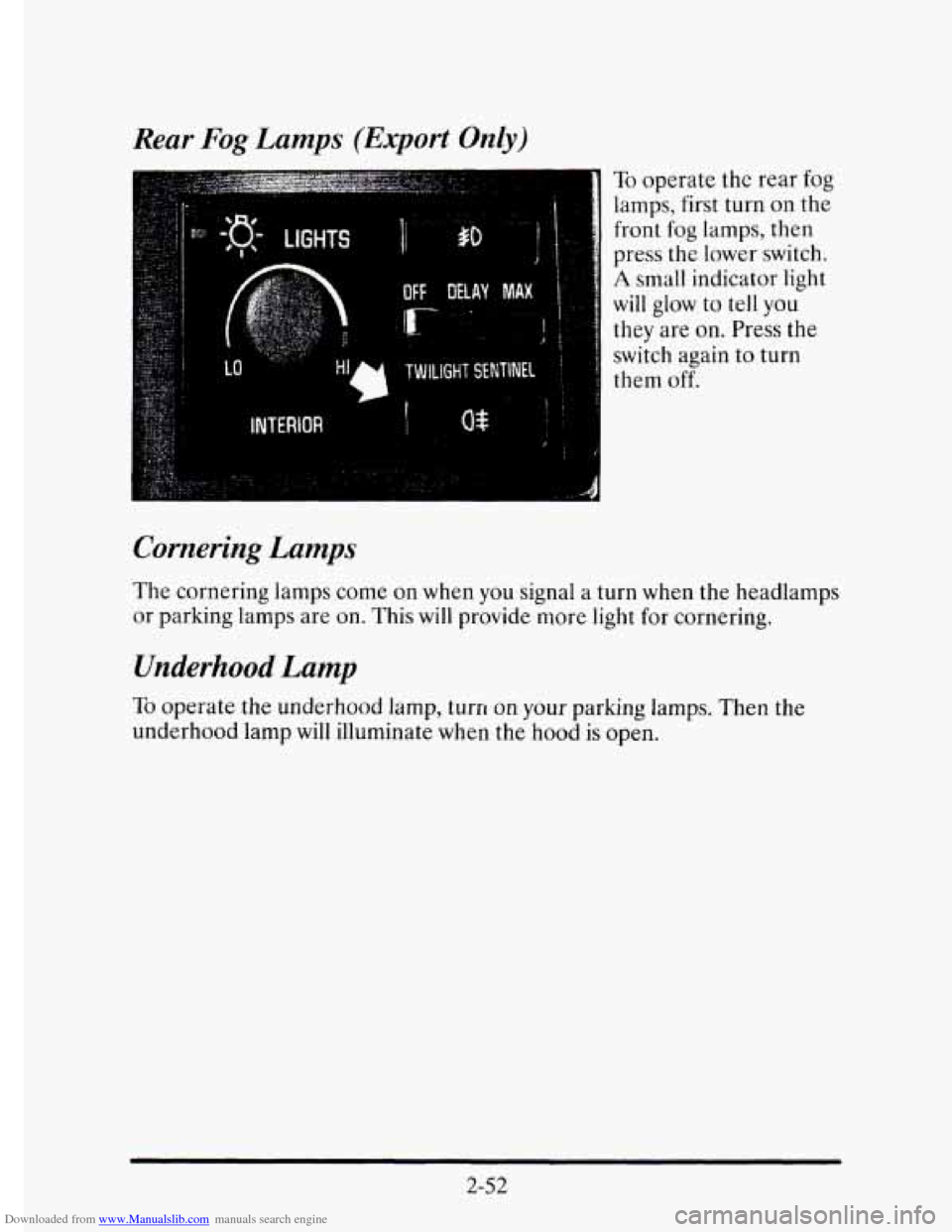
To operate the rear fog
lamps, first turn on the
front
fog lamps, then
press the lower switch.
A small indicator light
will glow to tell you
they are on. Press the
switch again to turn
them
off.
Cornering Lamps
The cornering lamps come on when you signal a turn when the headlamps
or parking lamps are on. This will provide more light for cornering.
Underhood Lamp
TO operate the underhood lamp, turn on your parking lamps. Then the
underhood lamp will illuminate when the hood
is open.
2-52
Page 143 of 395
Downloaded from www.Manualslib.com manuals search engine Trip Odometer
By using this button
you can tell how far
you’ve gone since you
last set
the TRIP SET
back to zero. To reset,
press and hold
the
button until zeros
appear.
If your vehicle
is domestic, the trip odometer will return to zero after
999.9 miles (1 609 km). If your vehicle is Canadian, the trip odometer will
return
to zero after 1 999.9 km (1 242 miles).
WMING LIGHTS
This part describes the warning lights that are on your vehicle. The
pictures will help you locate them.
Warning lights can signal that something
is wrong before it becomes
serious enough to cause an expensive repair or replacement. Paying
attention
to your warning lights could also save you or others from injury.
Warning lights come on when
there may be or is a problem with one of
your vehicle’s functions. As you will see in the details on the next few
pages, some warning lights come on briefly when you start the engine just
to let you know they’re working. If you are familiar with this section, you
should not
be alarmed when this happens.
2-72
Page 162 of 395
Downloaded from www.Manualslib.com manuals search engine TRACTION DISABLED - 88
m This message will be displayed if a problem is noted in the Traction
Control System. Have your vehicle serviced as soon as possible.
TRANS FLUID RESET - 48
With the engine not running and
the ignition ON, press and hold the OFF
and REAR DEFOG buttons until the TRANS FLUID RESET message
appears
in the Information Center (between five and 20 seconds).
TURN SIGNAL ON - 20
This message is a reminder, after driving about a mile, that you have your
turn signal on.
TRUNK OPEN - 24
This message indicates that your trunk is open when the ignition is ON.
VERY LOW REFRIGERANT A/C COMPRESSOR OFF - 12
This message means that the Air Conditioning system detects a
refrigerant level that is
low enough to cause damage to the A/C
compressor. To avoid damage the A/C compressor automatically turns off
and the Electronic Climate Control will automatically switch from AUTO
to ECON and remain there. Have your A/C system serviced
if this
message appears.
Speed Sensitive Steering (SSS)
This system varies the amount of steering effort proportionate to your
vehicle speed. Steering
is easier at a lower speed for increased
maneuverability and parking ease. As your vehicle speed increases, the
steering effort is also increased proportionately. At highway speeds the
amount
of steering effort is greatly increased to provide a manual-like
steering feel for maximum control and enhanced vehicle stability.
2-9 1