Page 168 of 395
Downloaded from www.Manualslib.com manuals search engine i.
Temperature
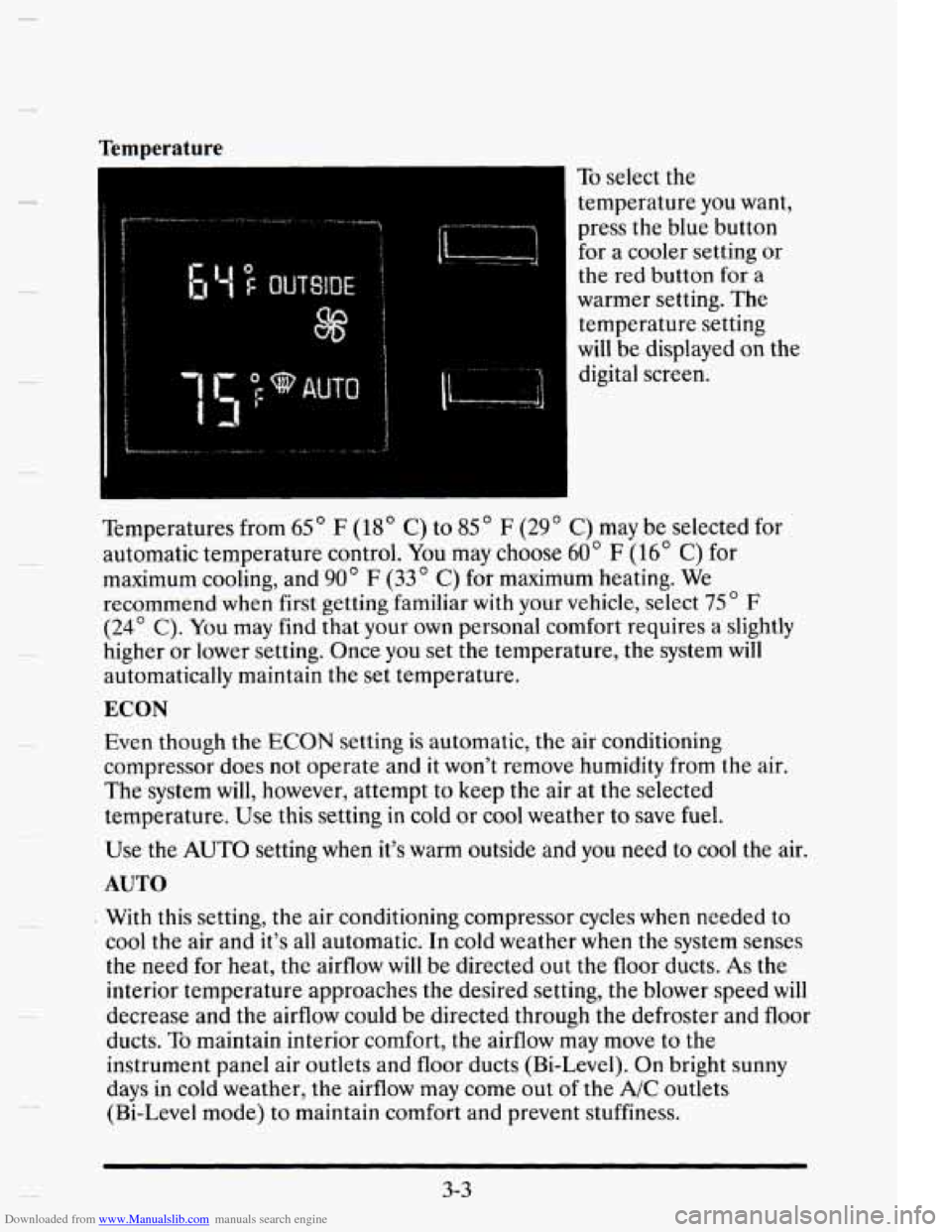
To select the
temperature you want,
press the blue button
for a cooler setting or
the red button for a
warmer setting.
The
temperature setting
will be displayed on the
digital screen.
Temperatures from
65 ' F (18' C) to 85 " F (29 ' C) may be selected for
automatic temperature control.
You may choose 60" F (16' C) for
maximum cooling, and
90' F (33" C) for maximum heating. We
recommend when first getting familiar with your vehicle, select
75 ' F
(24' C). You may find that your own personal comfort requires a slightly
higher or lower setting. Once you set the temperature, the system will
automatically maintain the set temperature.
ECON
Evert though the ECON setting is automatic, the air conditioning
compressor does not operate and it won't remove humidity from the air.
The system will, however, attempt to
keep the air at the selected
temperature.
Use this setting in cold or cool weather to save fuel.
Use the AUTO setting when it's warm outside and you need to cool the air.
AUTO
With this setting, the air conditioning compressor cycles when needed to
cool the air and it's all automatic. In cold weather when the system senses
the need for heat, the airflow will be directed out the floor ducts.
As the
interior tempcrature approaches the desired setting, the blower speed
will
decrease and the airflow could be directed through the defroster and floor
ducts.
To maintain interior comfort, the airflow may move to the
instrument panel air outlets and floor ducts (Bi-Level). On bright sunny
days in cold weather, the airflow may come out
of the A/C outlets
(Bi-Level mode) to maintain comfort and prevent stuffiness.
3-3
Page 193 of 395
Downloaded from www.Manualslib.com manuals search engine Avoid needless heavy braking. Some peoplc drive in spurts -- heavy
acceleration followed by heavy braking
-- rather than keeping pace with
traffic. This is a mistake. Your brakes may
not have time to cool between
hard stops.
Your brakes will wear out much faster if you do a lot of heavy
braking. If you keep pace with the traffic and allow realistic following
distances,
you will eliminate a lot of unnecessary braking. That means
better braking and longer brake
life.
If your engine ever stops while you’re driving, brake normally but don’t
pump your
brakes. If you do, the pedal may get harder to push down. If
your engine stops, you will still have some power brake assist. But you will
use it when you brake. Oncc thc power assist is used up, it may take
longer to stop and the brake pedal
will be harder to push.
Anti-Lock Brakes (ABS)
Your Cadillac has an advanced electronic braking system that will help
prevent
a braking skid.
ANTI-
LOCK (@)
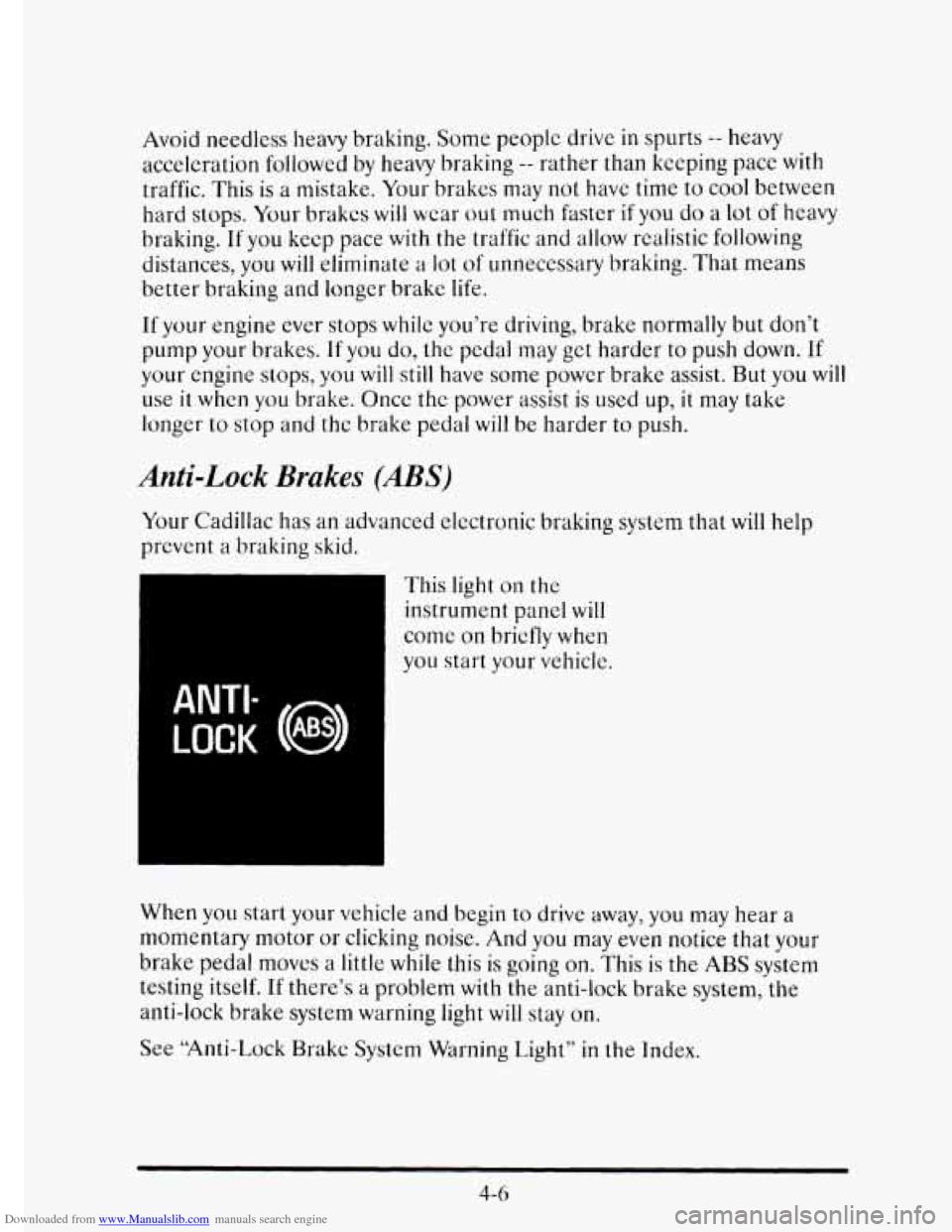
This light on the
instrument panel will
come on briefly when
you start your vehicle.
When
you start your vehicle and begin to drive away, you may hear a
momentary motor
or clicking noise. And you may even notice that your
brake pedal mows a little while this is going
on. This is the ABS system
testing itself.
If there’s a problem with the anti-lock brake system, the
anti-lock brake system
warning light will stay on.
See “Anti-Lock Brakc System Warning Light”
in the Index.
4-6
Page 225 of 395
Downloaded from www.Manualslib.com manuals search engine Making Turns
NOTICE:
Making very sharp turns while trailering could cause the trailer
to come in contact with the vehicle. Your vehicle could be
damaged. Avoid making very sharp turns while trailering.
When you’re turning with a trailer, make wider turns than normal. DO this
so your trailer won’t strike soft shoulders, curbs, road signs, trees, or other
objects. Avoid jerky or sudden maneuvers. Signal well in advance.
Turn Signals When Towing a Trailer
When you tow a trailer, your vehicle has to have a different turn signal
flasher and extra wiring. The green arrows on your instrument panel will
flash whenever you signal
a turn or lane change. Properly hooked up, the
trailer lamps
will also flash, telling other drivers you’re about to turn,
change lanes or stop.
When towing a trailer, the green arrows on your instrument panel
will
flash for turns even if the bulbs on the trailer are burned out. Thus, you
may think drivers behind you are seeing your
signal when they are not. It’s
important to
che.ck occasionally to be sure the trailer bulbs are still
working.
Driving On Grades
Reduce speed and shift to a lower gear before you start down a long or
steep downgrade.
If you don’t shift down, you might have to use your
brakes
so much that they would get hot and no longer work well.
4-38
Page 229 of 395
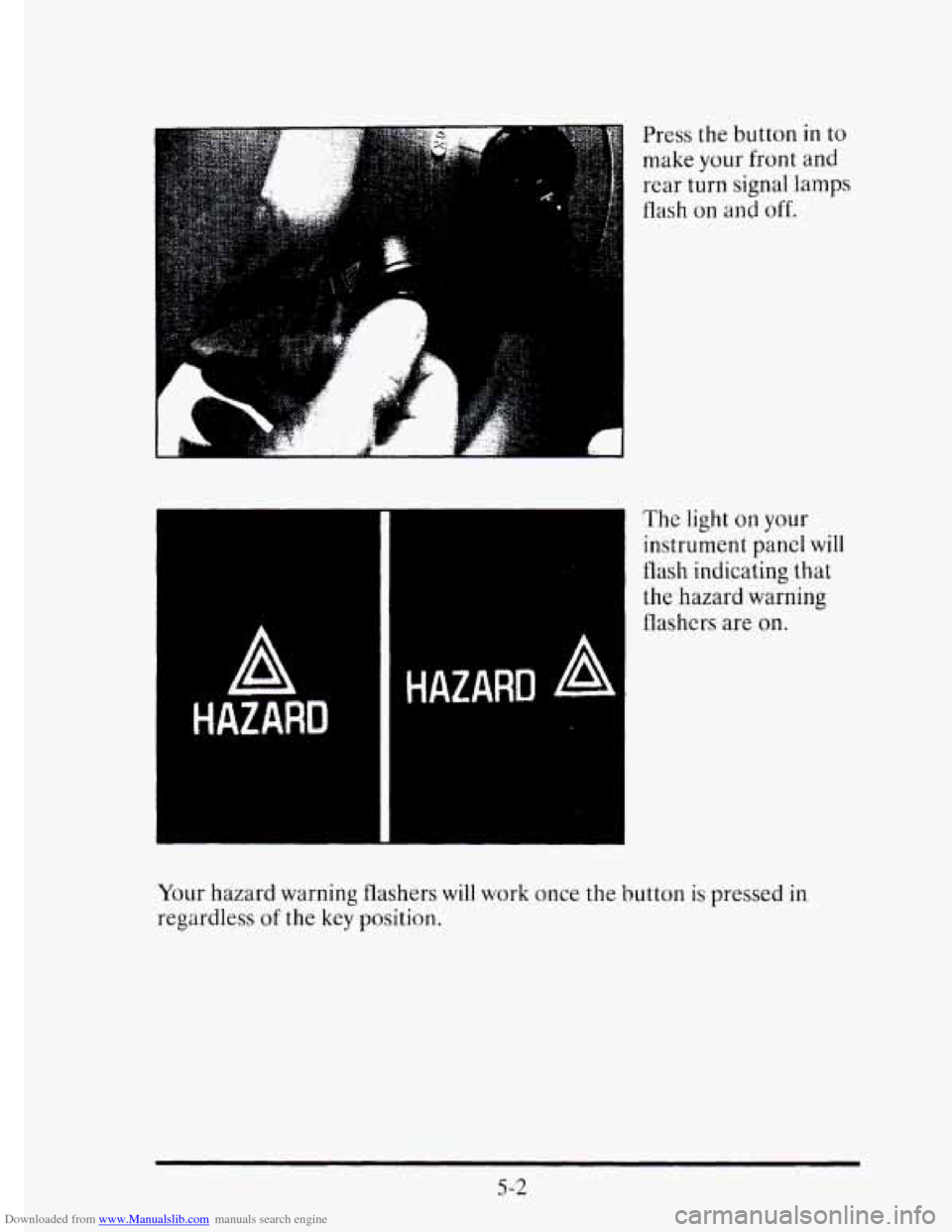
Downloaded from www.Manualslib.com manuals search engine Press the button in to
make your front and rear turn signal lamps
flash
on and off.
A
HAZARD
The light on your
instrument panel will
flash indicating
that
the hazard warning
flashers are
on.
HAZARD A
5-2
Your hazard warning flashers will work once the button is pressed in
regardless
of the key position.
Page 239 of 395
Downloaded from www.Manualslib.com manuals search engine ENGINE OKEMEATING
The Driver Information Center will display either ENGINE COOLANT
HOT-IDLE ENGINE or
STOP ENGINE ENGINE OVERHEATING.
In addition you will find the warning light about a hot engine on your
instrument panel on Canadian vehicles.
Overheated Engine Protection Operating Mode
Should a low coolant condition exist and the message STOP ENGINE
ENGINE OVERHEATING is displayed, an overheat protection mode
which alternates firing groups of four cylinders helps prevent engine
damage. This operating
mode allows your vehicle to be driven to a safe
place
in an emergency; you may drive up to 50 miles (80 km). Towing a
trailer in the overheat protection mode should be avoided.
NOTICE:
After driving in the “Overheated Engine Protection Operating
Mode,” to avoid engine damage, allow the engine
to cool before
attempting any repair. The engine oil may be severely degraded.
Change the oil and reset the
oil life indicator. See “Engine Oil,
When
to Change” in the Index.
5-12
Page 267 of 395
Downloaded from www.Manualslib.com manuals search engine CHECKING THINGS UNDER THE HOOD
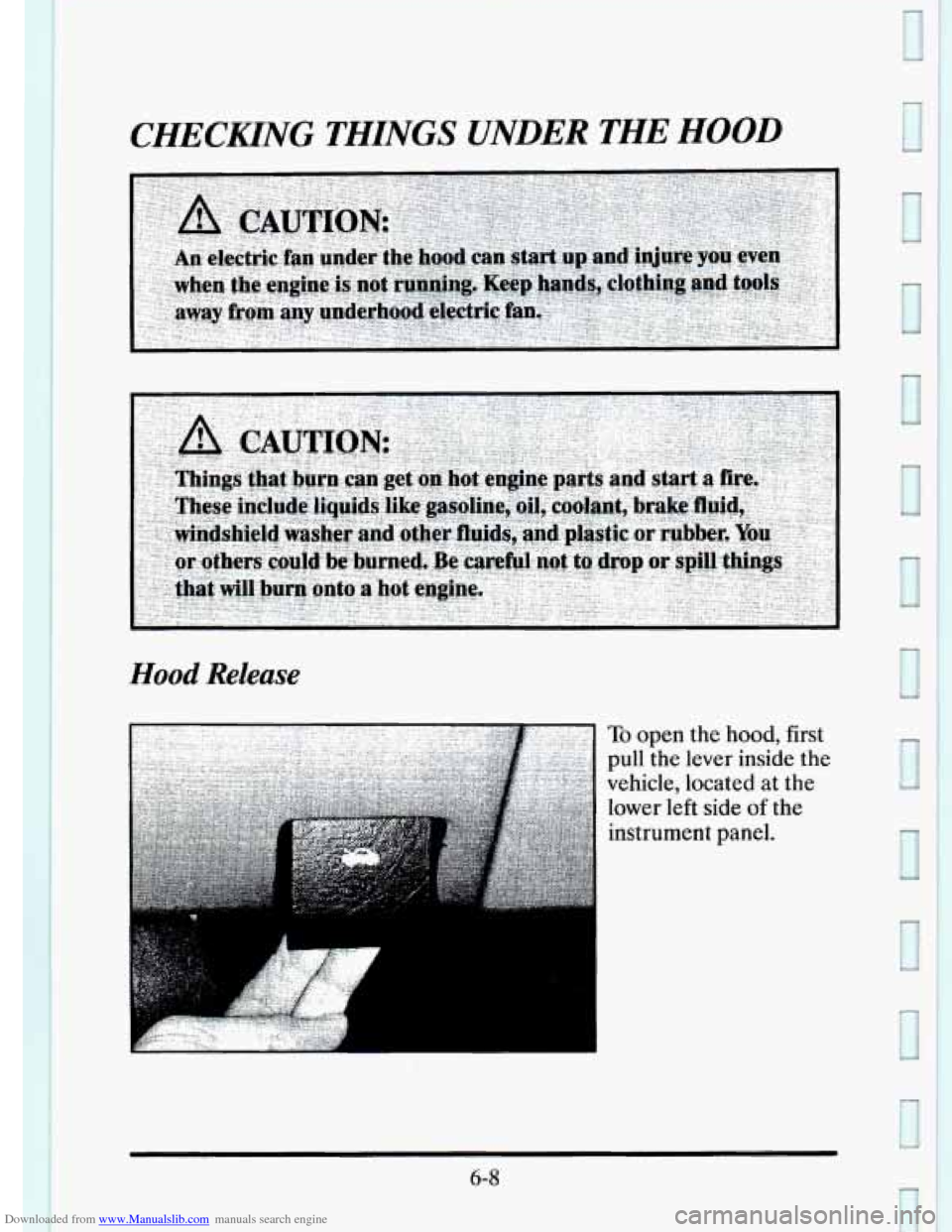
Hood Release
To open the hood, first
pull the lever inside the
vehicle, located at the
lower
left side of the
instrument panel.
6-8
3
Page 314 of 395
Downloaded from www.Manualslib.com manuals search engine Cleaning the Top of the Instrument Panel
Use only mild soap and water to clean the top surfaces of the instrument
panel. Sprays containing silicones or waxes may cause annoying
reflections in the windshield and even make it difficult to see through
the
windshield under certain conditions.
Cleaning Speaker Covers
Vacuum around a speaker cover gently, so that the speaker won’t be
damaged. If something gets
on one of them, follow the steps earlier under
“Using Solvent-Type Cleaner
on Fabric.” Use as little solvent as you can.
Care of Wood Panels
Use a clean cloth moistened in warm soapy water (use mild dish washing
soap).
Dry the wood immediately with a clean cloth.
CARE OF SAFETYBELTS
Keep belts clean and dry.
6-55
Page 320 of 395
Downloaded from www.Manualslib.com manuals search engine VEHICLE IDENTIFICATION NUMBER (UN)
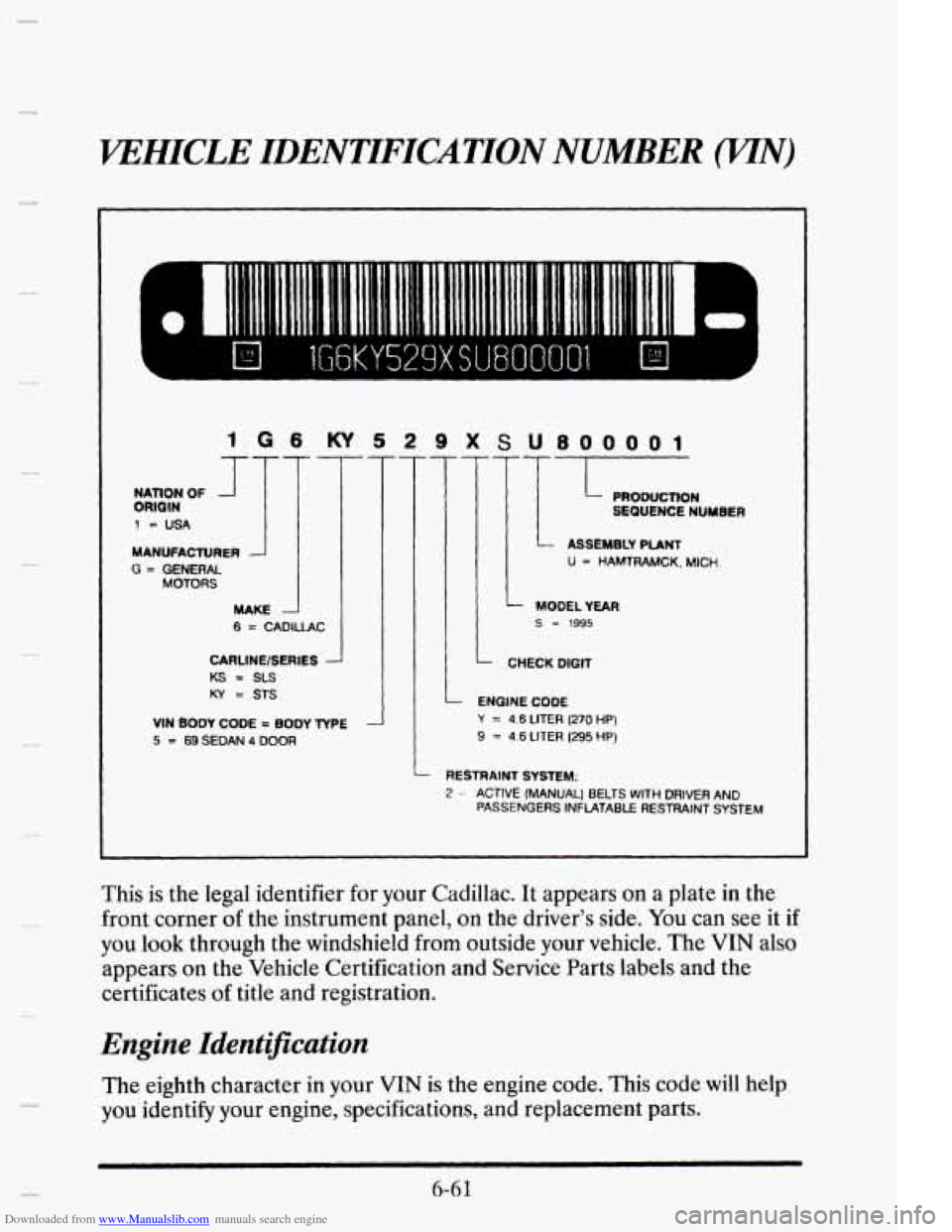
1 G 6 KY 5 2 9 X S U800001
MANUFACTURER
G = GENERAL MOTORS
MAKE
6 = CADIUAC
CARLlNElSEAlCS -
KS = SLS
KY = STS
VIN BODY CODE = BODY TYPE
5 = 69SEDAN 4 DOOR
-L!? U = HAMTRAMCK. MICH.
ENGINE CODE
Y = 4.6 LITER (270 HP)
9 = 4.6 LITER (295 HP)
- RESTRAINT SYSTEM:
2 - ACTIVE (MANUAL) BELTS WITH DRIVER AND
PASSENGERS INFLATABLE RESTRAINT SYSTEM
This is the legal identifier for your Cadillac. It appears on a plate in the
front corner of the instrument panel, on the driver’s side. You can see it if
you look through the windshield from outside your vehicle. The VIN also
appears
on the Vehicle Certification and Service Parts labels and the
certificates
of title and registration.
Engine Identification
The eighth character in your VIN is the engine code. This code will help
you identifj your engine, specifications, and replacement parts.
b 6-6 1