1995 CADILLAC ELDORADO maintenance schedule
[x] Cancel search: maintenance schedulePage 158 of 395
Downloaded from www.Manualslib.com manuals search engine BATTERY VOLTS LOW - 06
This message will appear when the electrical system is charging less than
10 volts or if the battery has been drained. If this message appears
immediately after starting,
it is possible that the generator can still
recharge the battery. The battery should recharge after driving a few miles
and the message should go out. If this message appears while driving or
after starting your vehicle and stays on, have
it checked immediately to
determine the cause
of this problem. To help the generator recharge the
battery quickly you can reduce the load on the electrical system by turning
off your accessories. You can monitor battery voltage on
the Driver
Information Center by toggling the
INFORMATION button. The normal
range
is 11.5 to 15.5 volts.
CHANGE TRANS FLUID - 47
This message will appear when it is time to replace the transaxle fluid. See
your maintenance schedule booklet for the proper fluid and change
intervals.
CHECK BRAKE FLUID - 37
This message is displayed to inform the driver that the brake reservoir
fluid level is low. Check
the brake reservoir level and add as needed. Have
the brake system serviced by a Cadillac technician as soon as possible.
If the brake warning light is on, follow the directions in that part.
CHECK COOLANT LEVEL - 04
This message will appear when there is a low level of engine coolant.
Have the cooling system serviced by a Cadillac technician as soon as
possible.
CHECK FUEL GAGE - 39
This message will appear when your fuel supply is less than four gallons
and your display is turned off.
2-87
Page 159 of 395
Downloaded from www.Manualslib.com manuals search engine LOW OIL LEVEL - 36
For correct operation of the low oil sensing system, the vehicle should be
on a level surface. A false LOW OIL LEVEL message may appear if the
vehicle is parked
on grades. The oil level sensing system does not check
for actual oil
level if the engine has been off for a short period of time,
and the
oil level is never sensed while the engine is running. If the LOW
OIL LEVEL message appears, and your vehicle has been parked on level
ground with
the engine off for at least 30 minutes, your oil level should be
checked by observing the oil dipstick. Prior to checking your oil level be
sure your engine has
been off for five minutes and your vehicle is on a
level surface. Then check your dipstick and add oil if necessary. See
“Engine
Oil” in the Index.
CHECK WASHER FLUID - 25
This message will appear for a few seconds indicating that you need
washer solvent.
CHANGE OIL SOON - 40
This message will appear when you have used 90% of the engine oil’s
expected life, based on your driving patterns.
CHANGE ENGINE OIL - 82
This means that the life of your engine oil has expired and it should be
changed within 200 miles. See “Engine Oil” and “Filter
Recommendations”
in the Maintenance Schedule. After an oil change the
Oil Life Index must be resct. See “Oil Life Indicator” in the Index on how
to reset it.
CRUISE ENGAGED - 43
This message will appear for a few seconds when you select a speed at
which to cruise.
ENGINE COOLANT HOT - 44
This message will appear when your engine coolant temperature is over
248’ F (126’ C). To avoid added strain on a hot cngine turn off your
Climate Control system. Stop and allow your vehicle
to idle until it cools
down or the message is removed.
If it does not cool down, turn off your
engine and have it serviced before driving
it again. Severe engine damage
can result from an overheated engine. See “Engine Overheating” in the
Index.
2-88
Page 164 of 395
Downloaded from www.Manualslib.com manuals search engine The Oil Life Indicator may say to change the oil sooner than your
Maintenance Schedule. This can happen
if driving conditions, such as
short trips in cold weather, cause shorter oil life. Always keep a written
record
of the mileage and date when you last changed your oil. For more
information on when to change your oil, see the Cadillac Maintenance
Schedule Booklet.
If you see CHANGE
OIL SOON, it means that you have less than 10% of
your oil life left and you should consider changing your engine oil.
If you see CHANGE ENGINE OIL, it means the oil life is gone and
you should change the oil right away (certainly within 200 more miles
E320 km]).
The system should indicate to change the oil between 3,000 miles
(5 000 km) and 7,500 miles (12 500 km), but it may even indicate to
change it before 3,000 miles under very severe conditions. It all depends
on your driving patterns. If it’s been
7,500 miles (12 500 km), it indicates
to change the oil.
There are two things the system doesn’t do:
It can’t sense heavy dust in the places where you drive. If you drive in a
dusty area, you should change your oil
every 3,000 miles (5 000 km) or
three months (whichever comes first) unless the display says
to change
it even sooner than that.
It doesn’t check how much oil you have, so you’ll still have to check for
that. To see how, see “Engine Oil” in the Index.
When You’ve Changed the Oil
When new oil is put in, you’ll need to reset your system. To do this, display
the OIL LIFE INDEX by pressing the INFORMATION button. Then
press and hold the
RESET buttons until the display shows 100 OIL LIFE
LEFT
2-93
Page 226 of 395
Downloaded from www.Manualslib.com manuals search engine Parking on Hills
c
You really should not park your vehicle, with a trailer attached, on a hill.
If something goes wrong, your rig could start to move. People can be
injured, and both your vehicle and the trailer can be damaged.
But
if you ever have to park your rig on a hill, here’s how to do it:
1. Apply your regular brakes, but do not shift into PARK (P).
2. Have someone place chocks under the trailer wheels.
3. When the wheel chocks are in place, release the regular brakes until
the chocks absorb the load.
4. Reapply the regular brakes. Then shift into PARK (P) firmly and apply
5. Release the regular brakes.
your parking
brake.
When You Are Ready to Leave Afier Parking on a Hill
1. Apply your regular brakes and hold the pedal down while you:
Start your engine;
Shift into a gear; and
Be sure the parking brake has released.
2. Let up on the brake pedal.
3. Drive slowly until the trailer is clear of the chocks.
4. Stop and have someone pick up and store the chocks.
Maintenance When Trailer Towing
Your vehicle will need service more often when you’re pulling a trailer.
See the Maintenance Schedule
for more on this. Things that are especially
important in trailer operation are automatic transaxle fluid (don’t
overfill), engine oil, belt, cooling system, and brake adjustment. Each
of
these is covered in this manual, and the Index will help you find them
quickly.
If you’re trailering, it’s a good idea to review these sections before
you start your trip.
Check periodically to see that all hitch nuts and bolts are tight.
4-39
Page 276 of 395
Downloaded from www.Manualslib.com manuals search engine NOTICE:
If the air cleaner is off, a backfire can cause a damaging engine
fire. And, dirt can easily get into your engine, which
will damage
it. Always have the air cleaner in place when you’re driving.
Refer to the Maintenance Schedule to determine when to replace the
air filter.
AIR CLEANER FILTER REPUCEMENT
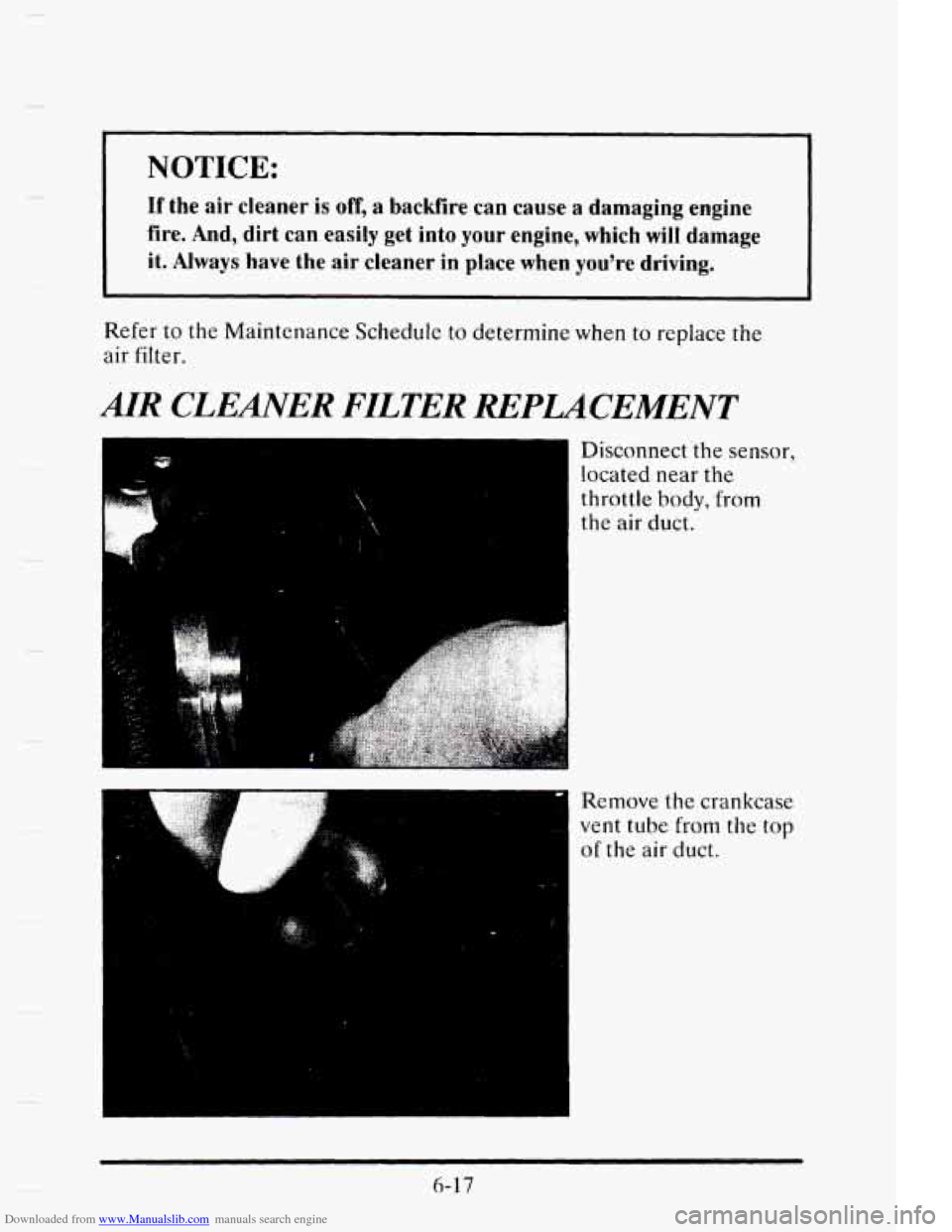
I Disconnect the sensor,
located near the
throttle
body, from
the air duct. i
Remove the crankcase
vent tube from the top
of the air duct.
L ... I
1
6-17
Page 278 of 395

Downloaded from www.Manualslib.com manuals search engine Push the two tabs and
' pivot the top half to
~ separate the air
cleaner.
Once you have
replaced the air cleaner
filter, reverse the steps
to reassemble
and
install back into your
vehicle.
AUTOMTIC TMSAXLE FLUID
When to Check and Change
A good time to check your automatic transaxle fluid level is when the
engine oil
is changed. Refer to the Maintenance Schedule to determine
when to change your fluid.
6-19
Page 286 of 395

Downloaded from www.Manualslib.com manuals search engine c
When the engine compartment is
hot,
the level
should be at the
HOT mark.
cool, the level
should be at the
FULL COLD
mark.
A fluid loss in this system could indicate a problem. Have the system
inspected and repaired.
What to Add
Refer to the Maintenance Schedule to determine what kind of fluid to
use.
I NOTICE:
When adding power steering fluid or making a complete fluid
change, always use the proper
fluid. Failure to use the proper
fluid can cause leaks and damage hoses and seals.
6-27
Page 303 of 395
Downloaded from www.Manualslib.com manuals search engine When to Check
Check your tires once a month or more.
Don’t forget your compact sparc tire.
It should be at 60 psi (420 kPa).
How to Check
Use a good quality pocket-type gage to check tire pressure. Simply
looking at the tires
will not tell you the pressure, especially ii you have
radial tires
-- which may look properly inflated even if they’re
underinflated.
If your tires have valve caps, be sure to put them back on. They help
prevent leaks
by keeping out dirt and moisture.
Tire Inspection and Rotation
Tires should be inspected every 6,000 to 8,000 miles (10 000 to ‘13 000 km)
for any signs
of unusual wear. If unusual wear is present, rotate your tires
as
soon as possible and check wheel alignment. Also check for damaged
tires or wheels. See “When it’s Time for
New Tires” and “Wheel
Replacement” later in this section
for more information.
The purpose of regular rotation is to achieve more uniform wear for all tires
on the vehicle. The first rotation is the most important. See “Scheduled
Maintenance Services”
in the Index for scheduled rotation intervals.
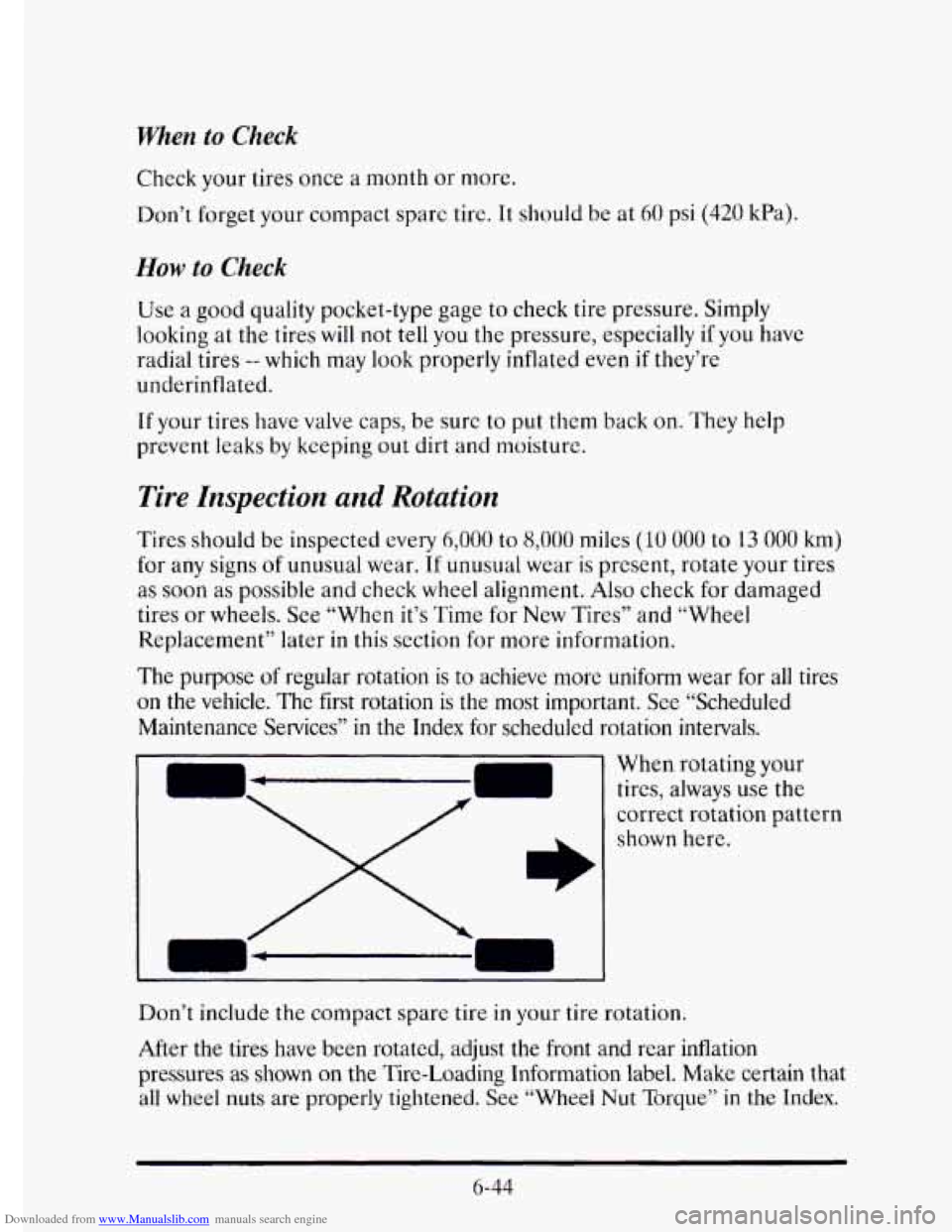
When rotating your
tires, always use
the
correct rotation pattern
shown here.
Don’t include the compact spare tire
in your tire rotation.
After the tires have been rotated, adjust
the front and rear inflation
pressures as
shown on the Tire-Loading Information label. Make certain that
all wheel nuts are properly tightened. See “Wheel Nut Torque” in the Index.
6-44