Page 82 of 276
Features & Controls
80
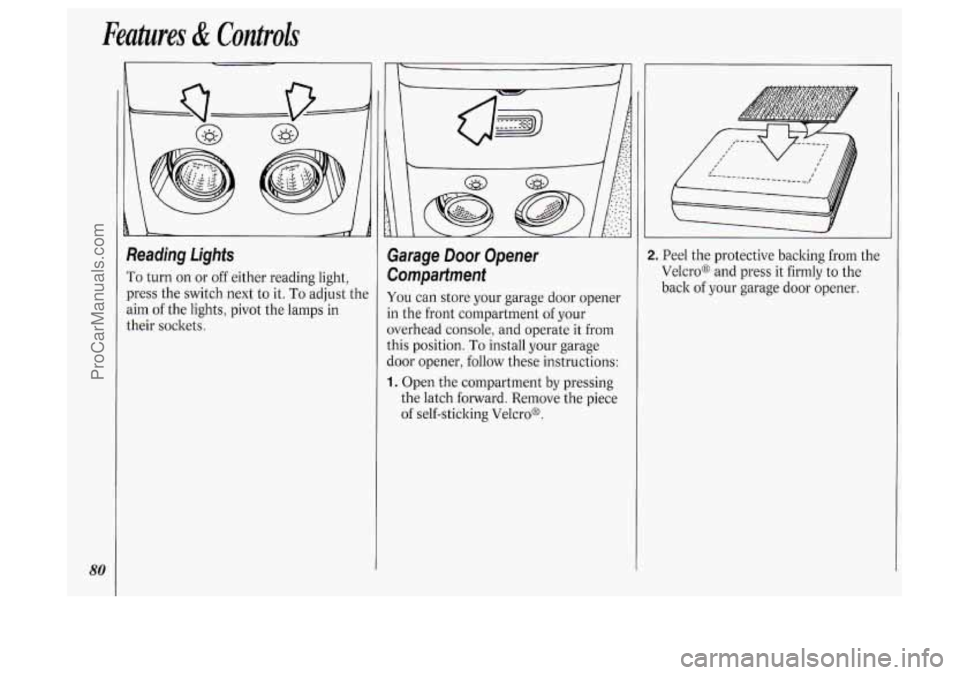
Reading Lights
To turn on or off either reading light,
press the switch next to it.
To adjust the
aim of the lights, pivot the lamps in
their sockets.
Garage Door Opener
Compartment
You can store your garage door opener
in the front compartment of your
overhead console, and operate it from
this position.
To install your garage
door opener, follow these instructions:
1. Open the compartment by pressing
the latch forward. Remove the piece
of self-sticking Velcro@.
2. Peel the protective backing from the
Velcro@ and press it firmly to the
back of your garage door opener.
ProCarManuals.com
Page 85 of 276
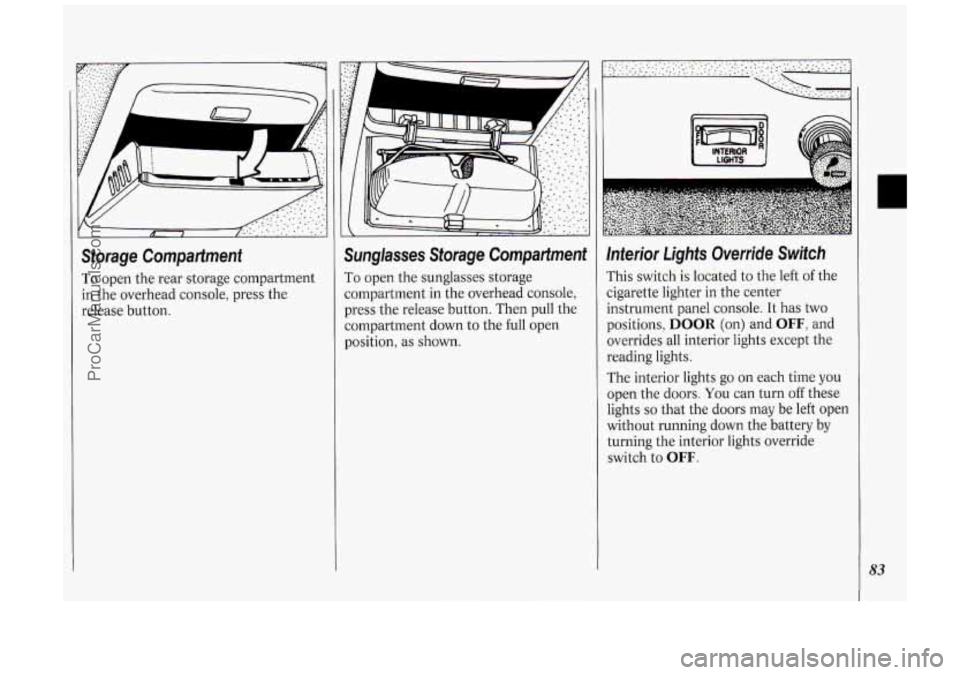
Storage Compartment
To open the rear storage compartment
in the overhead console, press the
release button.
Sunglasses Storage Compartment
To open the sunglasses storage
compartment in the overhead console,
press the release button. Then pull the
compartment down to the full open
position, as shown.
Inferior Lights Override Switch
rhis switch is located to the left of the
zigarette lighter in the center
instrument panel console. It has two
positions,
DOOR (on) and OFF, and
overrides all interior lights except the
reading lights.
The interior lights go
on each time you
open the doors. You can turn off these
lights
so that the doors may be left open
without running down the battery by
turning the interior lights override
switch
to OFF.
83
ProCarManuals.com
Page 86 of 276
Features & Controls
84
Center Dome Light
Located in the center of your vehicle,
this light has no switch of its
own. It
will go on each time you open the
doors, unless you turn the interior lights
override switch in the center instrument
panel console to
OFF.
If you have the optional rear climate
control, you will not have a center dome
light.
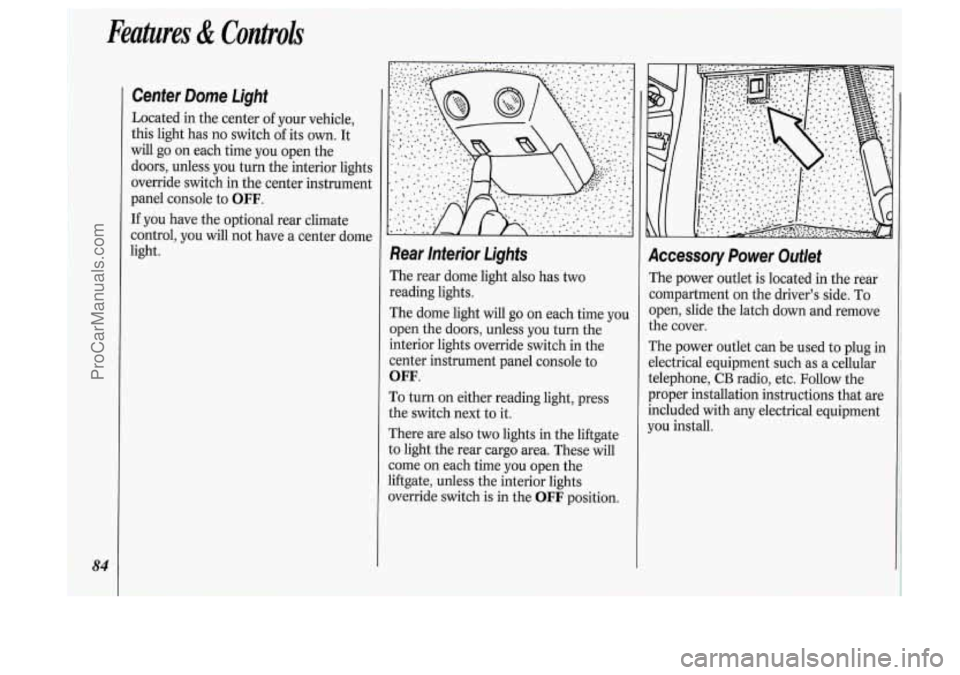
Rear lnterior Lights
The rear dome light also has two
reading lights.
The dome light will go
on each time you
open the doors, unless you turn the
interior lights override switch in the
center instrument panel console to
OFF.
To turn on either reading light, press
the switch next to it.
There are also
two lights in the liftgate
to light the rear cargo area. These will
come
on each time you open the
liftgate, unless the interior lights
override switch is in the
OFF position.
Accessory Power Outlet
The power outlet is located in the rear
compartment on the driver’s side. To
open, slide the latch down and remove
the cover.
The power outlet can be used to plug in
electrical equipment such as a cellular
telephone,
CB radio, etc. Follow the
proper installation instructions that are
included with any electrical equipment
you install.
ProCarManuals.com
Page 88 of 276
86
Features & Controls
you may damage the system. After 30
minutes, wait at least 10 minutes before
restarting the air inflator.
To turn off the inflator, press OFF and
detach the hose, first from the inflated
object, then from the outlet. Place the
inflator kit tools
in the pouch and store
it in the glove box.
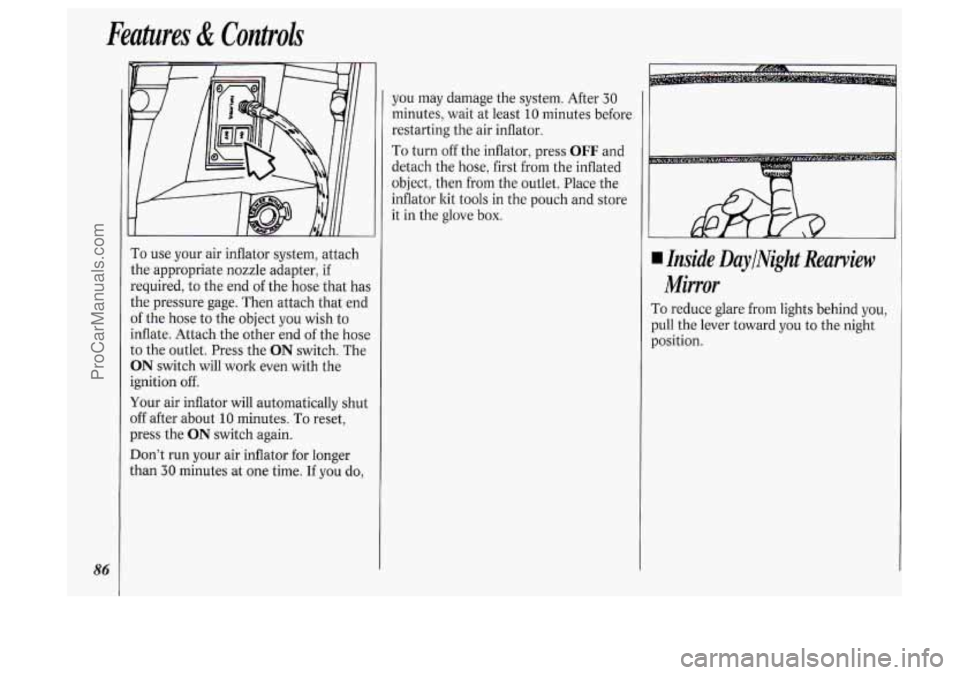
To use your air inflator system, attach
the appropriate nozzle adapter, if
required, to the end of the hose that has
the pressure gage. Then attach that end
of the hose to the object you wish to
inflate. Attach the other end
of the hose
to the outlet. Press the
ON switch. The
ON switch will work even with the
ignition off.
Your air inflator will automatically shut
off after about
10 minutes. To reset,
press the
ON switch again.
Don’t run your air inflator for longer
than
30 minutes at one time. If you do,
4 Inside DaylNight Rearview
Mirror
To reduce glare from lights behind you,
pull the lever toward you to the night
position.
ProCarManuals.com
Page 92 of 276
Features & Controls
90
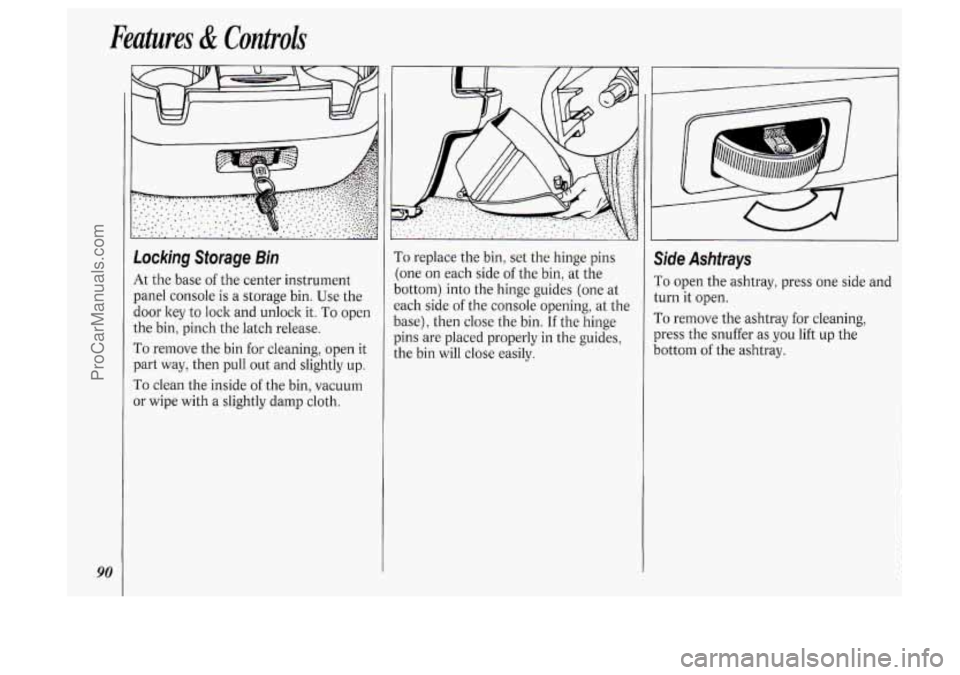
Locking Storage Bin
At the base of the center instrument
panel console is a storage bin. Use the
door key
to lock and unlock it. To open
the bin, pinch the latch release.
To remove the bin for cleaning, open it
part way, then pull out and slightly up.
To clean the inside of the bin, vacuum
or wipe with a slightly damp cloth.
To replace the bin, set the hinge pins
:one on each side
of the bin, at the
lottom) into the hinge guides (one at
:ach side
of the console opening, at the
lase), then close the bin.
If the hinge
)ins are placed properly in the guides,
he bin will close easily.
Side Ashtrays
To open the ashtray, press one side and
turn it open.
To remove the ashtray for cleaning,
press the snuffer as
you lift up the
bottom
of the ashtray.
ProCarManuals.com
Page 97 of 276
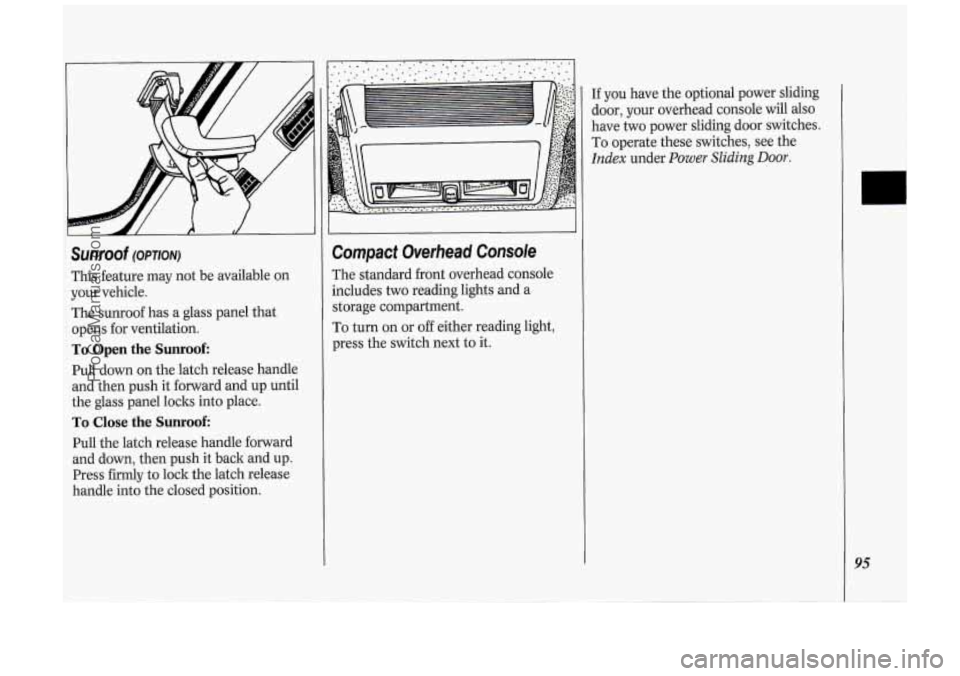
Sunroof (OPTION)
This feature may not be available on
your vehicle.
The sunroof has a glass panel that
opens for ventilation.
To Open the Sunroof:
Pull down on the latch release handle
and then push it forward and up until
the glass panel loclts into place.
To Close the Sunroof:
Pull the latch release handle forward
and down, then push it back and up.
Press firmly to lock the latch release
handle into the closed position.
Compact Overhead Console
The standard front overhead console
includes
two reading lights and a
storage compartment.
To turn on or
off either reading light,
press the switch next to it.
If you have the optional power sliding
door, your overhead console will
also
have two power sliding door switches.
To operate these switches, see the
Index under Power Sliding Door.
95
ProCarManuals.com
Page 99 of 276
The Instrument Panel-Your
Information System
Your instrument panel is designed to let
you know at
a glance how your vehicle
is running. You’ll know how fast you’re
going, how much fuel you’re using, and
many other things you’ll need
to drive
safely
and economically.
Refer to the accompanying diagram
of
your instrument panel to locate the
components listed below.
1. Side Vents
2. Light Controls
3. Turn Signal/Multifunction Lever
4. Tilt Steering Wheel Lever
5. Instrument Cluster
6. Gearshift Lever
7. Wipermasher Controls
8. Center Vents
9. Storage Compartment
IO. Side Vents
11. Circuit Brealter/Relay Panel
12. Glove Box/Fuse Panel
13. Audio System
14. Rear Fan Controls
15. Cup Holders/Ashtray
16. Locking Storage Bin
17. Lighter
18. Interior Lights Override Switch
19. Traction Control Switch
20. Climate Controls
21. Hazard Warning Flashers Switch
22. Ignition Switch
23. Horn
24. Steering Wheel Touch Controls
(Option)
97
ProCarManuals.com
Page 100 of 276
Features & Controls
98
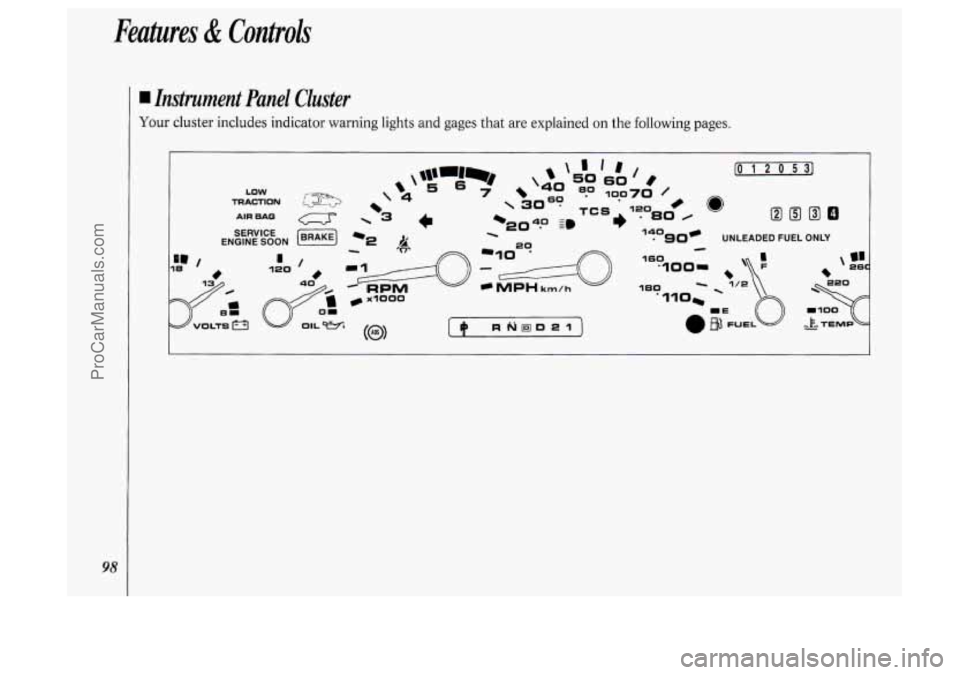
I Instrument Panel Cluster
Your cluster includes indicator warning lights and gages that are explained on the following pages.
ProCarManuals.com