1994 OLDSMOBILE SILHOUETTE change time
[x] Cancel search: change timePage 122 of 276
120
Comfort Controls &Audio Systems
To Preset Radio Stations:
1. Tune in the desired station.
2. Press SET. The word SET will
appear on the digital screen for five
seconds.
3. While SET is displayed, press one of
the four pushbuttons.
4. Repeat steps 1-3 for each of four AM
and four
FM stations.
Up to three additional stations
on each
band may be preset by “pairing”
pushbuttons:
1. Tune in the desired station.
2. Press SET, and within five seconds
press any two adjacent pushbuttons
at the same time.
3. The station can be tuned in when the
same two pushbuttons are pressed at
the same time.
VOL* BAL TREBLE I= - -
= PROG-RCL
TUNE +> FADE BASS
d
AUTO REVERSE
2 AM-FM
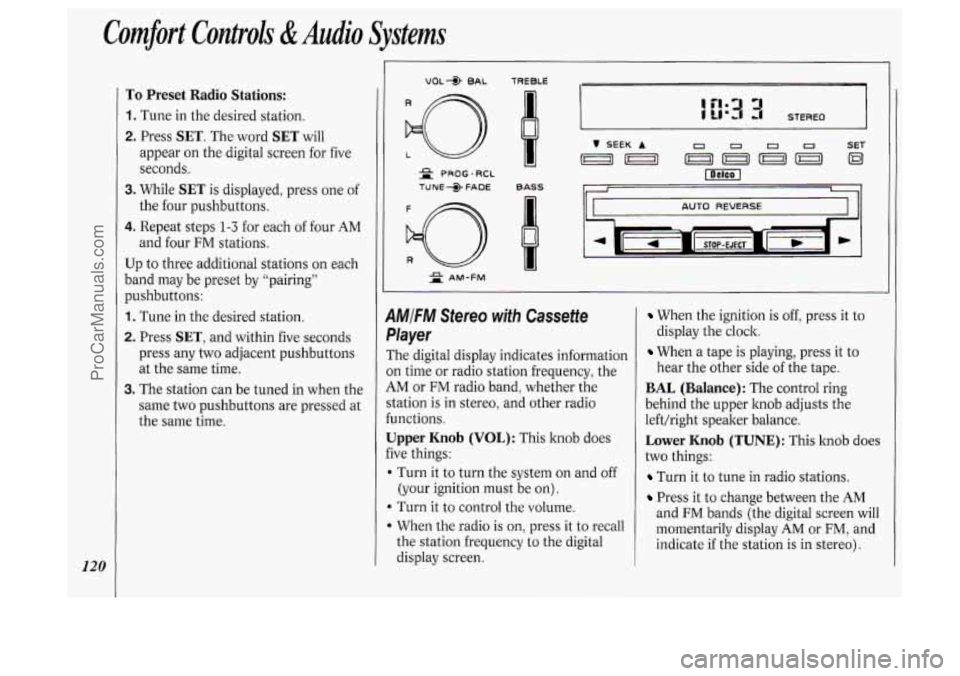
1MIFM Stereo with Cassette
,layer
The digital display indicates information
)n time or radio station frequency, the
iM or FM radio band, whether the
‘tation is in stereo, and other radio
unctions.
Jpper Knob (VOL): This knob does
ive things:
I Turn it to turn the system on and off
(your ignition must be on).
b Turn it to control the volume.
When the radio is on, press it to recall
the station frequency to the digital
display screen.
When the ignition is off, press it to
display the clock.
When a tape is playing, press it to
hear the other side
of the tape.
BAL (Balance): The control ring
behind the upper knob adjusts the
left/right speaker balance.
Lower Knob (TUNE): This knob does
two things:
Turn it to tune in radio stations.
Press it to change between the AM
and FM bands (the digital screen will
momentarily display
AM or FM, and
indicate if the station is in stereo).
ProCarManuals.com
Page 123 of 276
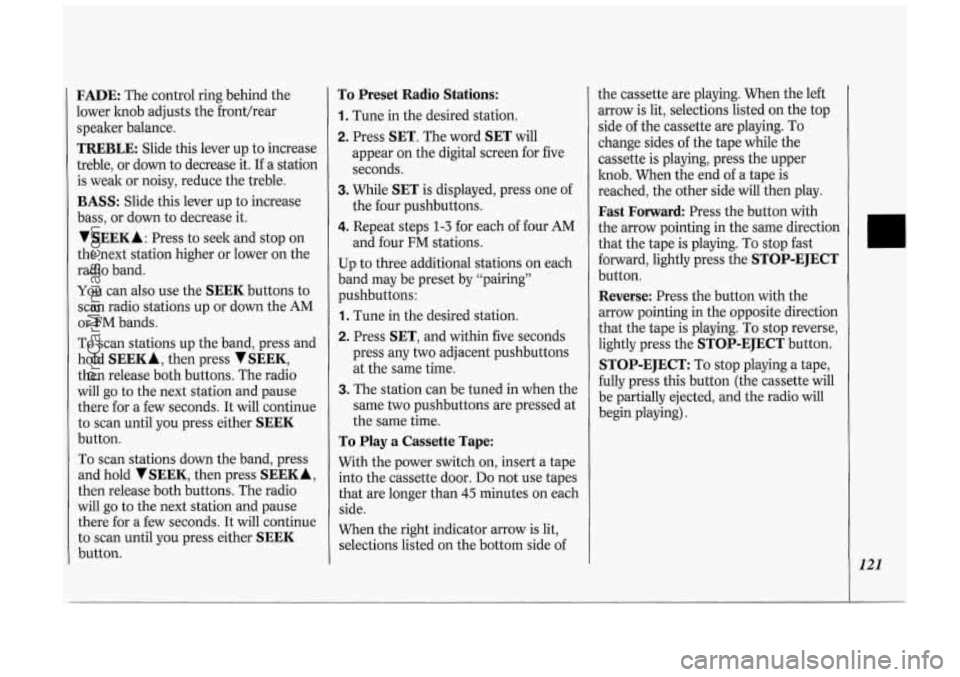
FADE: The control ring behind the
lower knob adjusts the fronthear
speaker balance.
TREBLE: Slide this lever up to increase
treble, or down to decrease it. If a station
is weak or noisy, reduce the treble.
BASS: Slide this lever up to increase
bass, or down to decrease it.
VSEEKA : Press to seek and stop on
the next station higher or lower on the
radio band.
You can also use the
SEEK buttons to
scan radio stations up or down the AM
or FM bands.
To scan stations up the band, press and
hold
SEEKA, then press VSEEK,
then release both buttons. The radio
will
go to the next station and pause
there for
a few seconds. It will continue
to scan until you press either
SEEK
button.
To scan stations down the band, press
and hold
V SEEK, then press SEEK A,
then release both buttons. The radio
will
go to the next station and pause
there for a few seconds. It will continue
to scan until you press either
SEEK
button.
To Preset Radio Stations:
1. Tune in the desired station.
2. Press SET. The word SET will
appear
on the digital screen for five
seconds.
3. While SET is displayed, press one of
the four pushbuttons.
4. Repeat steps 1-3 for each of four AM
and four FM stations.
Up to three additional stations
on each
band may be preset by “pairing”
pushbuttons:
1. Tune in the desired station.
2. Press SET, and within five seconds
press any two adjacent pushbuttons
at the same time.
3. The station can be tuned in when the
same two pushbuttons are pressed at
the same time.
To Play a Cassette Tape:
With the power switch on, insert a tape
into the cassette door.
Do not use tapes
that are longer than
45 minutes on each
side.
When the right indicator arrow is lit,
selections listed
on the bottom side of the cassette are
playing. When the left
arrow is lit, selections listed
on the top
side of the cassette are playing. To
change sides of the tape while the
cassette is playing, press the upper
knob. When the end of a tape is
reached, the other side will then play.
Fast Forward Press the button with
the arrow pointing in the same direction
that the tape is playing. To stop fast
forward, lightly press the
STOP-EJECT
button.
Reverse: Press the button with the
arrow pointing in the opposite direction
that the tape is playing. To stop reverse,
lightly press the
STOP-EJECT button.
STOP-EJECT: To stop playing a tape,
fully press this button (the cassette will
be partially ejected, and the radio will
begin playing).
121
ProCarManuals.com
Page 124 of 276
Comfort Controls &Audio Systems
122
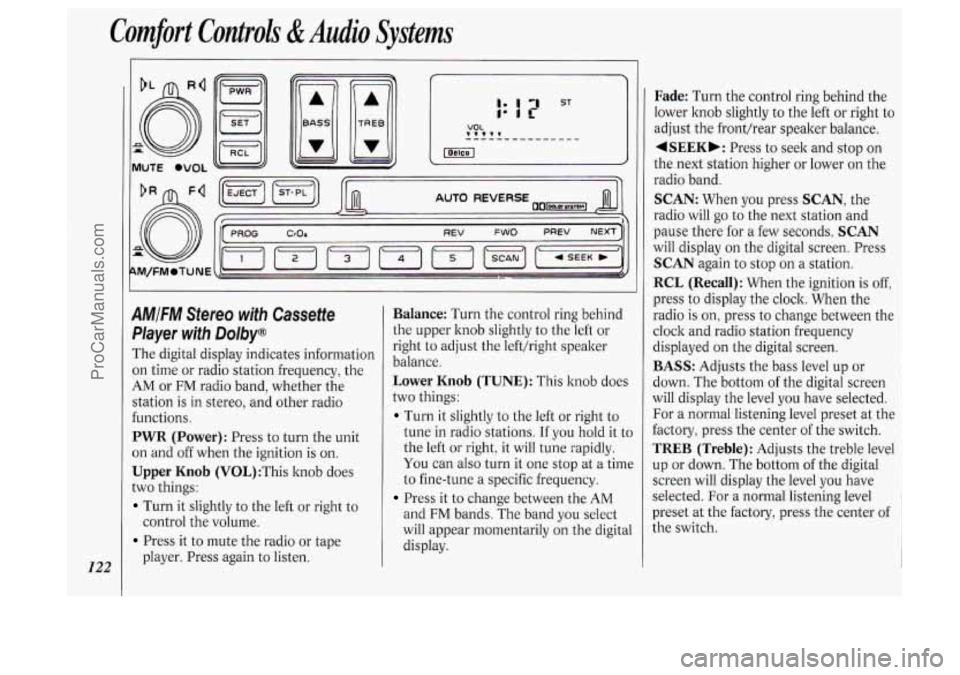
AMIFM Stereo with Cassette
Pkyer with Dolby@
The digital display indicates information
on time or radio station frequency, the
AM or FM radio band, whether the
station
is in stereo, and other radio
functions.
PWR (Power): Press to turn the unit
on and off when the ignition
is on.
Upper Knob (V0L):This knob does
two things:
Turn it slightly to the left or right to
Press it to mute the radio or tape
control the
volume.
player. Press again to listen.
Balance: Turn the control ring behind
the upper knob slightly to the left or
right to adjust the lefthight speaker
balance.
Lower Knob (TUNE): This knob does
two things:
Turn it slightly to the left or right to
tune in radio stations. If you hold it to
the left or right, it will tune rapidly.
You can also turn it one stop at a time
to fine-tune a specific frequency.
Press it to change between the AM
and FM bands. The band you select
will appear momentarily on the digital
display.
Fade: Turn the control ring behind the
lower knob slightly to the left or right to
adjust the fronthear speaker balance.
4SEEKb: Press to seek and stop on
the next station higher or lower on the
radio band.
SCAN: When you press SCAN, the
radio will
go to the next station and
pause there for a few seconds.
SCAN
will display on the digital screen. Press
SCAN again to stop on a station.
RCL (Recall): When the ignition is off,
press to display the clock. When the
radio
is on, press to change between the
clock and radio station frequency
displayed on the digital screen.
BASS: Adjusts the bass level up or
down. The bottom
of the digital screen
will display the level you have selected.
For a normal listening level preset at the
factory, press the center of the switch.
TREB (Treble): Adjusts the treble level
up or down. The bottom of the digital
screen will display the level you have
selected. For a normal listening level
preset at the factory, press the center of
the switch.
ProCarManuals.com
Page 126 of 276
Comfort Controls di Audio Systems
124
A
F
T
A
s1
fl
P
0
u
1
0
SI
li
P
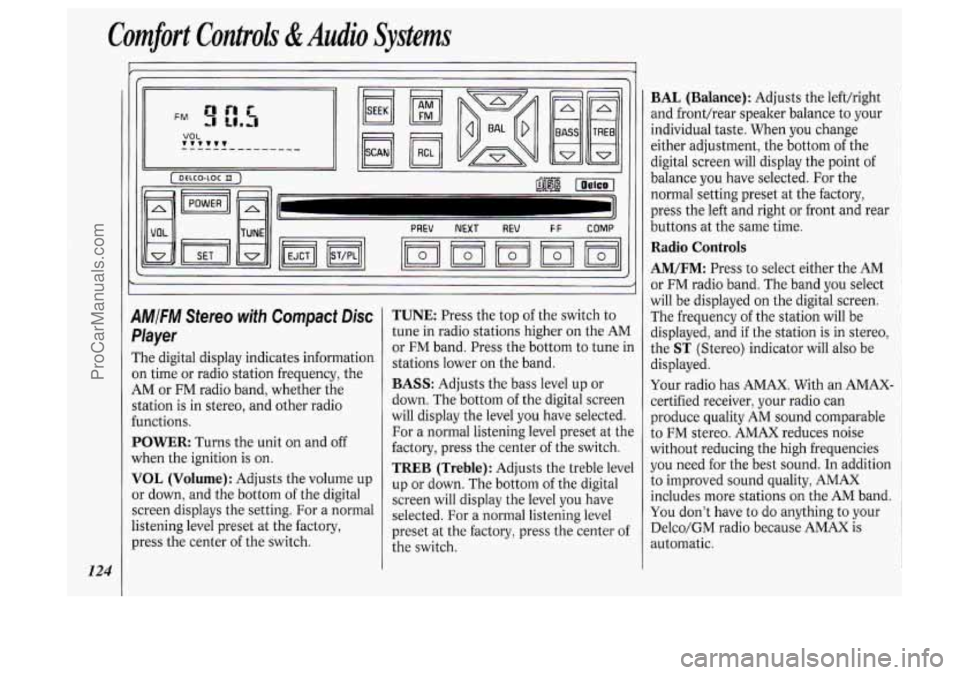
M/FM Stereo with Compact Disc
'layer
'he digital display indicates information
n time or radio station frequency, the
,M or FM radio band, whether the
tation is in stereo, and other radio
mctions.
'OWER: Turns the unit on and off
Then the ignition
is on.
'OL (Volume): Adjusts the volume up
r down, and the bottom of the digital
Ereen displays the setting. For a normal
stening level preset at the factory,
ress the center of the switch.
TUNE: Press the top of the switch to
tune in radio stations higher on the AM
or FM band. Press the bottom to tune in
stations lower on the band.
BASS: Adjusts the bass level up or
down. The bottom of the digital screen
will display the level you have selected.
For a normal listening level preset at the
factory, press the center of the switch.
TREB (Treble): Adjusts the treble level
up or down. The bottom of the digital
screen will display the level you have
selected. For a normal listening level
preset at the factory, press the center of
the switch.
BAL (Balance): Adjusts the left/right
and fronthear speaker balance to your
individual taste. When you change
either adjustment, the bottom
of the
digital screen will display the point
of
balance you have selected. For the
normal setting preset at the factory,
press the left and right or front and rear
buttons
at the same time.
Radio Controls
AM/FM: Press to select either the AM
or FM radio band. The band you select
will be displayed
on the digital screen.
The frequency of the station will be
displayed, and if the station is in stereo,
the
ST (Stereo) indicator will also be
displayed.
Your radio has AMAX. With an AMAX-
certified receiver, your radio can
produce quality AM sound comparable
to
FM stereo. AMAX reduces noise
without reducing the high frequencies
you need for the best sound. In addition
to improved sound quality, AMAX
includes more stations
on the AM band.
You don't have to do anything to your
Delco/GM radio because AMAX is
automatic.
ProCarManuals.com
Page 138 of 276
Your Driving and the Road
* x1000
136
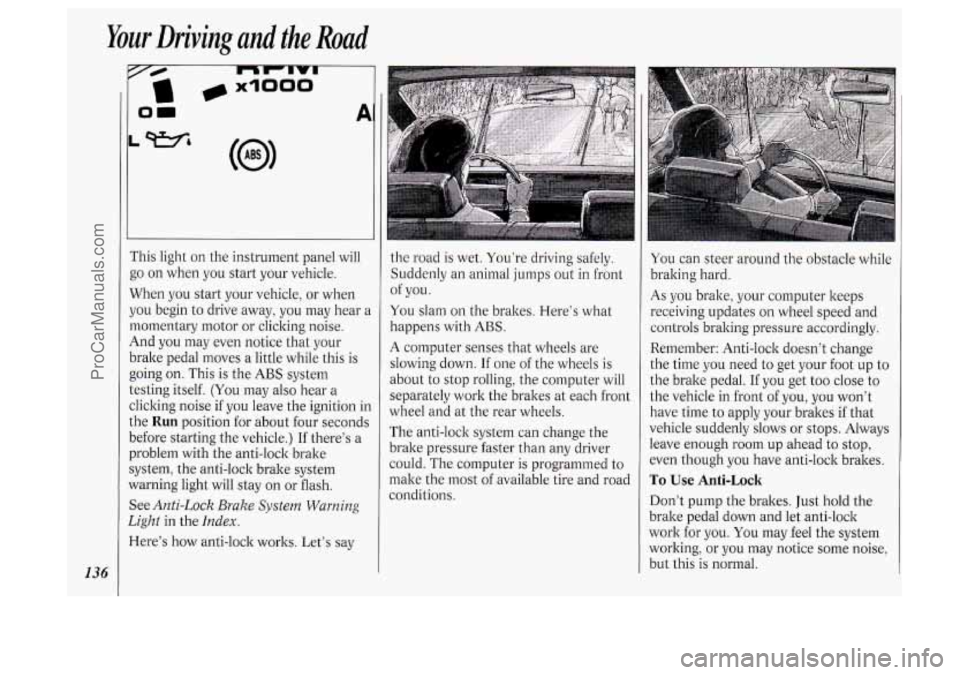
i‘his light on the instrument panel will
go on when you start your vehicle.
When you start your vehicle, or when
jou begin to drive away, you may hear a
nomentary motor or clicking noise.
4nd you may even notice that your
)rake pedal moves
a little while this is
going on. This is the
ABS system
:esting itself.
(You may also hear a
:licking noise if you leave the ignition in
.he
Run position for about four seconds
Iefore starting the vehicle.) If there’s a
Jroblem with the anti-lock brake
iystem, the anti-lock brake system
Yarning light will stay on or flash.
See
Anti-Lock Brake System Warning
2ight
in the Index.
lere’s how anti-lock works. Let’s say
1
the road is wet. You’re driving safely.
Suddenly an animal jumps out
in front
You slam on the brakes. Here’s what
happens with
ABS.
A computer senses that wheels are
slowing down.
If one of the wheels is
about to stop rolling, the computer will
separately work the brakes at each front
wheel and at the rear wheels.
The anti-lock system can change the
brake pressure faster than any driver
could. The computer is programmed to
make the most of available tire and road
conditions. of
you.
You can steer around the obstacle while
braking hard.
As you brake, your computer keeps
receiving updates on wheel speed and
controls braking pressure accordingly.
Remember: Anti-lock doesn’t change
the time you need
to get your foot up to
the brake pedal.
If you get too close to
the vehicle in front of you, you won’t
have time to apply your brakes if that
vehicle suddenly slows or stops. Always
leave enough room up ahead to stop,
even though you have anti-lock brakes.
To Use Anti-Lock
Don’t pump the brakes. Just hold the
brake pedal down and let anti-lock
work for you. You may feel the system
working, or you may notice some noise,
but this is normal.
ProCarManuals.com
Page 140 of 276
Your Driving and the Road
138
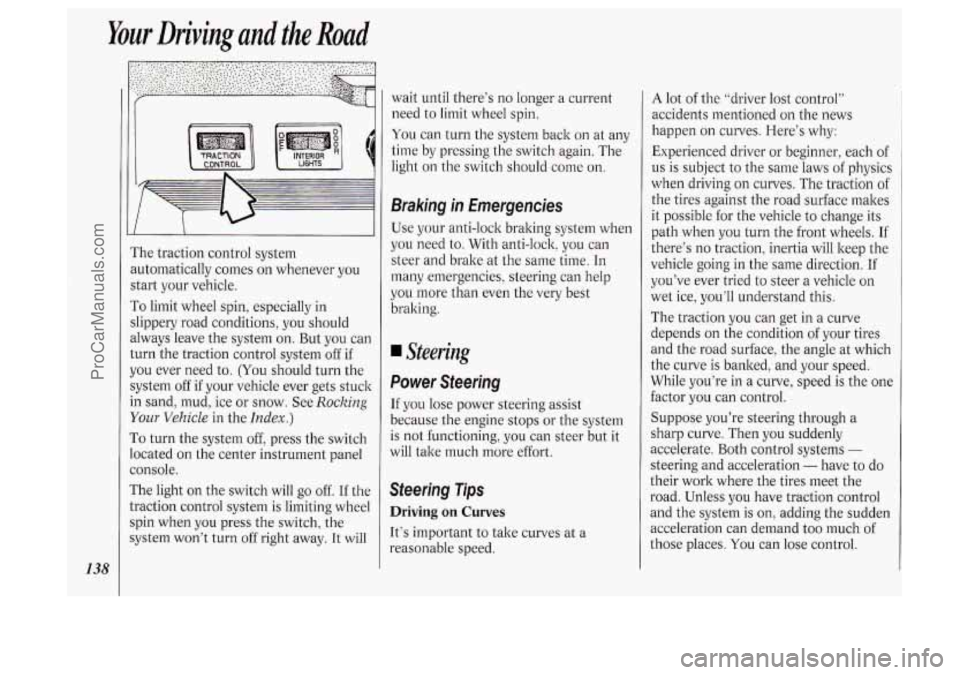
I’he traction control system
mtomatically comes
on whenever you
start your vehicle.
To limit wheel spin, especially in
slippery road conditions, you should
dways leave the system on. But you can
:urn the traction control system off if
IOU ever need to. (You should turn the
;ystem off
if your vehicle ever gets stuck
n sand, mud, ice or snow. See Rocking
Your Vehicle in the Index.)
To turn the system off, press the switch
ocated on the center instrument panel
:onsole.
The light on the switch will go
off. If the
Lraction control system is limiting wheel
;pin when you press the switch, the
;ystem won’t turn
off right away. It will wait until
there’s
no longer a current
need to limit wheel spin.
You can turn the system back on at any
time by pressing the switch again. The
light
on the switch should come on.
Braking in Emergencies
Use your anti-lock braking system when
you need to. With anti-lock, you can
steer and brake at the same time.
In
many emergencies, steering can help
you more than even the very best
braking.
Steering
Power Steering
If you lose power steering assist
because the engine stops or the system
is not functioning, you can steer but it
will take much more effort.
Steering Tips
Driving on Curves
It’s important to take curves at a
reasonable speed.
A lot of the “driver lost control”
accidents mentioned on the news
happen
on curves. Here’s why:
Experienced driver or beginner, each of
us is subject to the same laws of physics
when driving
on curves. The traction of
the tires against the road surface makes
it possible for the vehicle to change its
path when you turn the front wheels. If
there’s
no traction, inertia will keep the
vehicle going in the same direction.
If
you’ve ever tried to steer a vehicle on
wet ice, you’ll understand this.
The traction you can get in a curve
depends
on the condition of your tires
and the road surface, the angle at which
the curve is banked, and your speed.
While you’re in a curve, speed
is the one
factor you can control.
Suppose you’re steering through a
sharp curve. Then you suddenly
accelerate. Both control systems
-
steering and acceleration - have to do
their work where the tires meet the
road. Unless you have traction control
and the system is on, adding the sudden
acceleration can demand too much
of
those places. You can lose control.
ProCarManuals.com
Page 143 of 276
drop back again and wait for another
opportunity.
slow vehicle, wait your turn. But take
care that someone isn’t trying to pass
you as you pull out to pass the slow
vehicle. Remember to glance over
your shoulder and check the blind
spot.
Check your mirrors, glance over your
shoulder, and start your left lane
change signal before moving out
of
the right lane to pass. When you are
far enough ahead of the passed
vehicle to see its front in your inside
mirror, activate your right lane change
signal and move back into the right
lane. (Remember that your right
outside mirror
is convex. The vehicle
you just passed may seem to be
farther away from you than it really
is.)
Try not to pass more than one vehicle
at a time on two-lane roads. Reconsider before passing the next
vehicle.
vehicle
too rapidly. Even though the
If other cars are lined up to pass a
Don’t overtake a slowly moving brake
lights are not flashing, it may be
slowing down or starting to turn.
If you’re being passed, make it easy
for the following driver to get ahead of
you. Perhaps you can ease a little to
the right.
Loss of Control
Let’s review what driving experts say
about what happens when the three
control systems (brakes, steering and
acceleration) don’t have enough friction
where the tires meet the road to do
what the driver has asked.
In any emergency, don’t give up. Keep
trying to steer and constantly seek
an
escape route or area of less danger.
In a skid, a driver can lose control of
the vehicle. Defensive drivers avoid
most skids by taking reasonable care
suited to existing conditions, and by not
“overdriving” those conditions. But
skids are always possible.
The three types of skids correspond to
your Oldsmobile’s three control systems.
In the braking skid your
wheels aren’t rolling. In the steering or
cornering skid, too much speed or
steering in
a curve causes tires to slip
and lose cornering force. And in the
acceleration skid
too much throttle
causes the driving wheels to spin.
A cornering skid is best handled by
easing your foot
off the accelerator
pedal.
If you have the traction control
system, remember: It helps avoid only
the acceleration skid. If you do not have
traction control, or
if the system is off,
then an acceleration skid is also best
handled by easing your foot
off the
accelerator pedal.
If your vehicle starts to slide, ease your
foot off the accelerator pedal and
quicltly steer the way you want the
vehicle to go.
If you start steering
quickly enough, your vehicle may
straighten out. Always be ready for a
second skid
if it occurs.
Of course, traction is reduced when
water, snow, ice, gravel, or other
material is on the road. For safety,
you’ll want to slow down and adjust
your driving to these conditions. It is
important to slow down on slippery
141
ProCarManuals.com
Page 144 of 276
Your Driving and the Rod
142
surfaces because stopping distance will
be longer and vehicle control more
limited.
While driving on a surface with reduced
traction, try your best to avoid sudden
steering, acceleration, or braking
(including engine braking by shifting to
a lower gear). Any sudden changes
could cause the tires to slide.
You may
not realize the surface is slippery until
your vehicle
is skidding. Learn to
recognize warning clues
- such as
enough water, ice or packed snow on
the road to make a “mirrored surface”
- and slow down when you have any
doubt.
Remember: Any anti-lock braking
system
(ABS) helps avoid only the
braking skid.
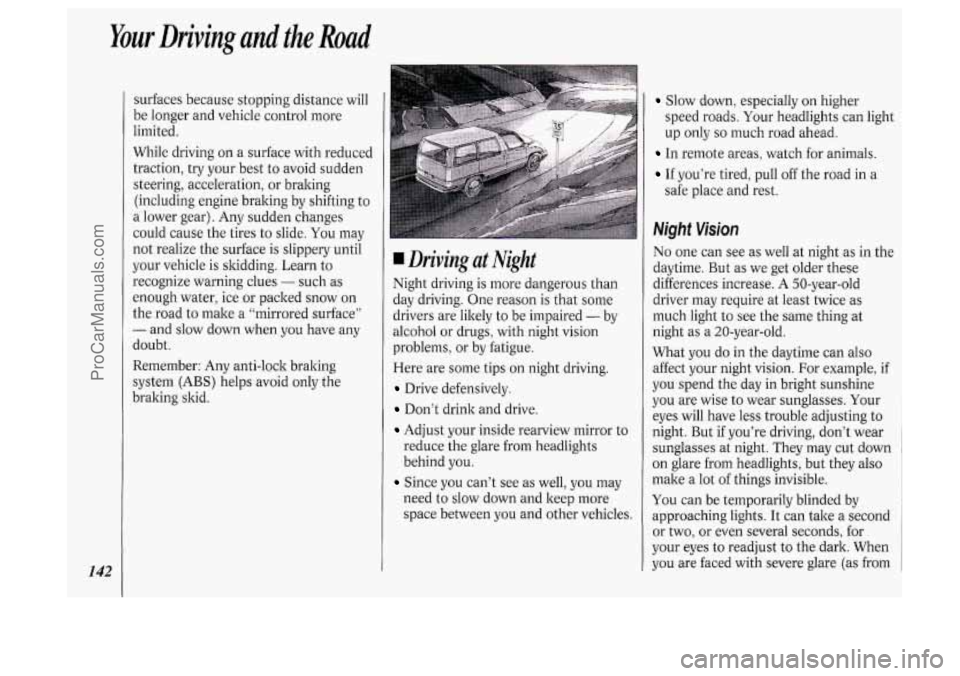
Driving at Night
Night driving is more dangerous than
day driving. One reason is that some
drivers are likely to be impaired
- by
alcohol or drugs, with night vision
problems, or by fatigue.
Here are some tips on night driving.
Drive defensively.
Don’t drink and drive.
Adjust your inside rearview mirror to
reduce the glare from headlights
behind you.
Since you can’t see as well, you may
need to slow down and keep more
space between you and other vehicles.
Slow down, especially on higher
speed roads. Your headlights can light
up only
so much road ahead.
In remote areas, watch for animals.
If you’re tired, pull off the road in a
safe place and rest.
Night Vision
No one can see as well at night as in the
daytime. But as we get older these
differences increase.
A 50-year-old
driver may require at least twice as
much light to see the same thing at
night
as a 20-year-old.
What you do in the daytime can also
affect your night vision. For example, if
you spend the day in bright sunshine
you are wise to wear sunglasses. Your
eyes will have less trouble adjusting to
night. But if you’re driving, don’t wear
sunglasses at night. They may cut down
on glare from headlights, but they also
make a lot
of things invisible.
You can be temporarily blinded by
approaching lights. It can take a second
or two, or even several seconds, for
your eyes to readjust to the dark. When
you are faced with severe glare (as from
ProCarManuals.com