1994 CHEVROLET S10 light
[x] Cancel search: lightPage 66 of 340

Downloaded from www.Manualslib.com manuals search engine To Stop
Let up on the accelerator pedal and press the brake pedal. Just b\
efore
the vehicle stops, press the clutch pedal and the brake pedal, and\
shift
to
“N’ (Neutral).
N (Neutral)
Use this position when you start or idle your engine.
R (Reverse)
To back up, press down the clutch pedal, wait about 6 seconds, then
shift into
“R’ (Reverse). Then let up on the clutch pedal slowly while
pressing the accelerator pedal.
NOTICE:
Shift to “R” (Reverse) only after your vehicle is stopped.
Shifting to
“R” (Reverse) while your vehicle is moving could
damage your transmission.
Also, use “R” (Reverse), along with the parking brake, for parking your
vehicle.
Shift Light
If you have a manual
transmission, you
have a
SHIFT light.
This light will show
you when to shift to
the next higher gear
for best fuel economy.
When this light comes on, you can shift to the next high€ ;ear if weather,
road and traffic conditions let you. For the best fuel economy\
, accelerate slowly and shift when the light comes on.
While you accelerate, it is normal for the light to go on and
off if you
quickly change the position of the accelerator. Ignore the
SHIFT light when
you downshift.
2-20
F
Page 67 of 340
Downloaded from www.Manualslib.com manuals search engine Four-wheel Drive Vehicles Only: If your vehicle has four-wheel drive
and is equipped with a manual transmission, disregard the shift light when
the transfer case is in
4LO.
Locking Rear Axle
If you have this feature, your rear axle can give you additio\
nal traction on
snow, mud, ice, sand
or gravel. It works like a standard axle most of the
time, but when one of the rear wheels has no traction and the other does, the
locking feature will allow the. wheel with traction to move the vehicle.
Parking Brake
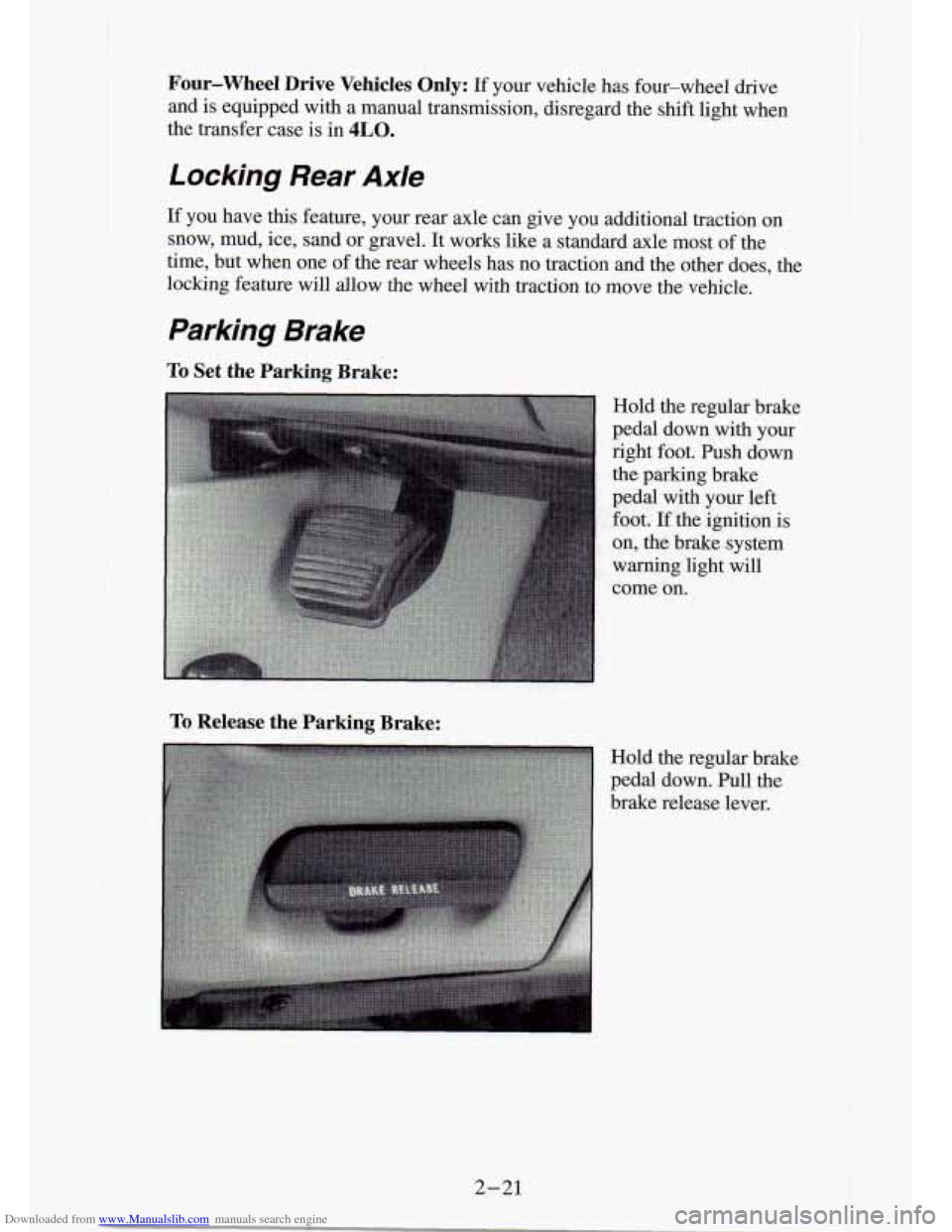
To Set the Parking Brake:
To Release the Parking Brake:
Hold the regular brake
pedal down with your
right foot. Push down
the parking brake
pedal with your left
foot. If the ignition is
on, the brake' system
warning light will
come
on.
Hold the regular brake
pedal down. Pull the
brake release lever.
I
2-21
Page 73 of 340

Downloaded from www.Manualslib.com manuals search engine Four- Wheel Drive
If your vehicle has four-wheel drive, you can send your engine’\
s driving
power to all four wheels for extra traction.
To shift out of two-wheel drive
and into four-wheel drive, move the transfer case shift lever to
4HI or 4LO.
You should use 2HI for most normal driving conditions, however.,
NOTICE:
Driving in the 4HI or 4LO positions for a long time on dry or
wet pavement could shorten the life of your vehicle’s drivet\
rain.
Manual Transfer Case
An indicator light near the lever shows you the transfer
If your four-wheel
drive vehicle has the
manual transfer case,
the transfer case shift
lever is
on the floor to
the right of the driver.
Use this lever to shift
into and out of
four-wheel drive.
- case settings:
2HI
An indicator light near the lever shows you the transfer case settings:
2HI
@ 4HI
NSETPARK
BRAKE
4LO
@ 4HI
NSETPARK
BRAKE
4LO
2-27
Page 74 of 340
Downloaded from www.Manualslib.com manuals search engine ..
The front axle portion of the diagram on the indicator will light up when
you shift into four-wheel drive. A slight delay between shifting an\
d the
pattern’s lighting is normal. If the pattern does not light up, or if the front
axle does not go out after you shift out of four-wheel drive, have your
dealer check your system. Turn the
INT LIGHTS switch located to the
right of your headlight switch to dim your transfer case indicator light\
when
your headlights or parking lights are on. This will also cause\
your
instrument panel lights to dim.
2HI: This setting is for driving in most street and highway situations. Your
front axle is not engaged in two-wheel drive.
4HI: This setting engages your front axle to help drive your vehicl\
e. Use
4HI when you need extra traction, such as on snowy or icy roads, \
or in most
off-road situations.
N SET PARK BRAKE: Shift to this neutral setting only when your vehicle
needs to be towed.
4LO: This setting also engages your front axle to give you extra traction.
You may never need
4LO. It sends the maximum power to all four wheels.
You might choose
4LO if you were driving off-road in sand, mud, or deep
snow and climbing or descending steep hills.
You can shift from
2HI to 4HI or from 4HI to 2HI while the vehicle is
moving. It is not necessary for you to press the transfer case shift lever
button. Your front axle will engage faster
if you take your foot off of the
accelerator for a few seconds after you shift.
To shift your transfer case into N SET PARK BRAKE:
1. Stop the vehicle and shift your transmission into “N” (Neutral).
2. Set the parking brake. Your vehicle can roll unless the brakes are
applied.
To shift into or out of 4LO :
1. The vehicle must be stopped or moving less than 3 mph (4.8 Wh)
with the transmission in “N’ (Neutral) or the clutch pedal depressed.
2. Press the transfer case shift button and shift in one continuous motion.
Don’t pause in
N SET PARK BRAKE as you shift into or out of 4L0, or
your gears could clash.
Remember that driving in
4HI or 4LO may reduce fuel economy. Also,
driving in four-wheel drive on dry pavement could cause your t\
ires to wear
faster and make your transfer case harder to shift.
2-28
I
Page 75 of 340
Downloaded from www.Manualslib.com manuals search engine Electronic Transfer Case
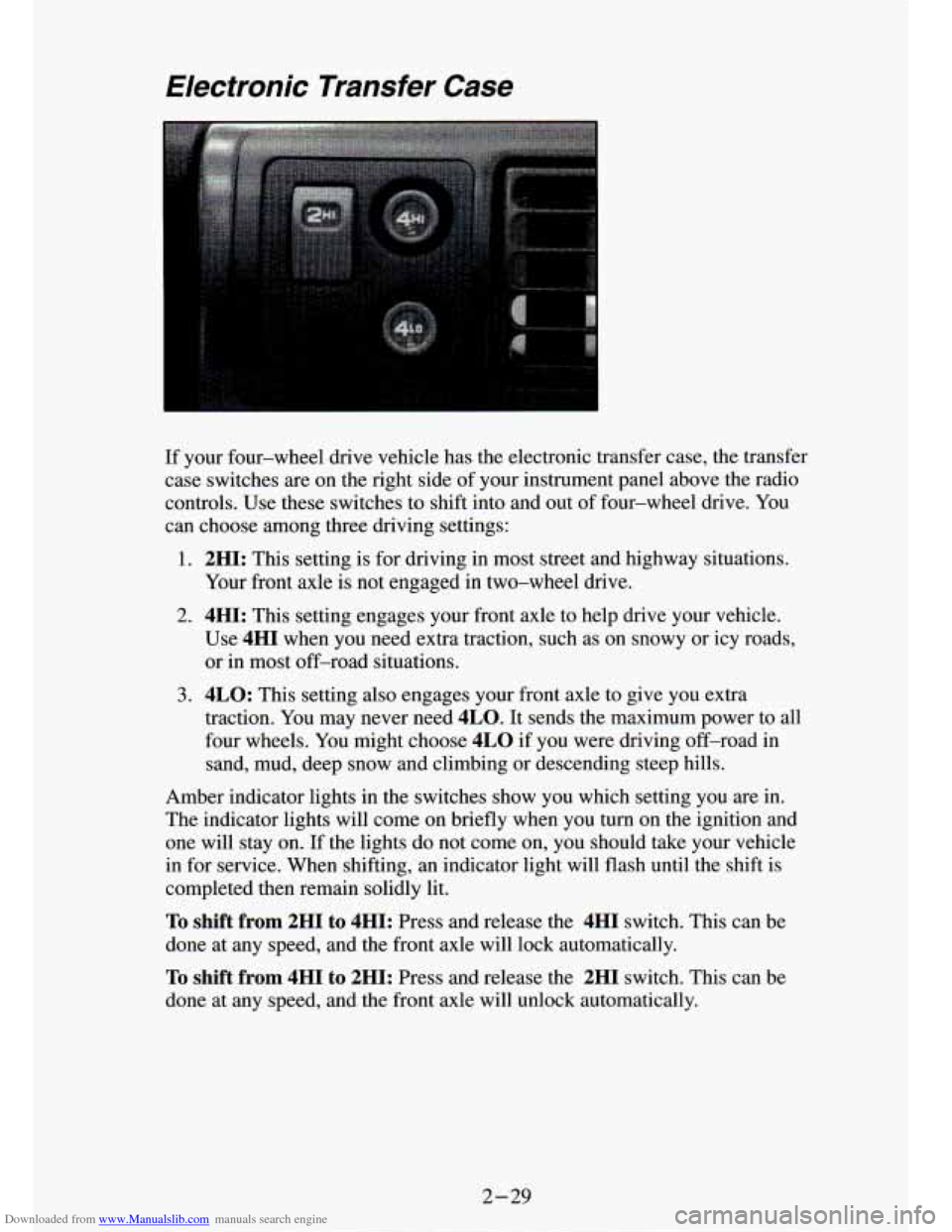
If your four-wheel drive vehicle has the electronic transfer case, the transfer
case switches are on the right side of your instrument panel above the radio
controls. Use these switches to shift into and out of four-wheel drive. You
can choose among three driving settings:
1. 2HI: This setting is for driving in most street and highway situations.
Your front axle is not engaged
in two-wheel drive.
2. 4HI: This setting engages your front axle to help drive your vehicle.
Use
4HI when you need extra traction, such as on snowy or icy roads, \
or in most off-road situations.
3. 4LO: This setting also engages your front axle to give you extra
traction. You may never need
4LO. It sends the maximum power to all
four wheels. You might choose
4LO if you were driving off-road in
sand, mud, deep snow and climbing or descending steep hills.
Amber indicator lights in the switches show you which setting \
you are in.
The indicator lights will come on briefly when you
turn on the ignition and
one
will stay on. If the lights do not come on, you should take your vehicle
in for service. When shifting, an indicator light will flash until the shift is
completed then remain solidly lit.
To shift from 2HI to 4HI: Press and release the 4HI switch. This can be
done at any speed, and the front axle will lock automatically.
To shift from 4HI to 2HI: Press and release the 2HI switch. This can be
done at any speed, and the front axle will unlock
; omaticallv.
2-29
Page 76 of 340
Downloaded from www.Manualslib.com manuals search engine To shift from 2H1, or 4HI to 4LO : The vehicle must be stopped or
moving less than
3 rnph (4.8 km/h) with the transmission in “N” (Neutral)
or the clutch pedal depressed. The preferred method for shifting into
4LO is
to have your vehicle slowly moving
1 to 2 mph (1.6 to 3.2 ludh). Press and
release the
4LO switch. You must wait for the amber 4LO indicator light to
stop flashing and go solid amber before shifting your transmission into
gear
or releasing the clutch pedal.
If the
4LO switch is pressed when your vehicle is in gear and/or moving, \
the amber
4LO indicator light will flash for 30 seconds and not complete
the shift unless your vehicle is below
3 mph (4.8 km/h) and the transmission
is in “N” (Neutral)
or the clutch pedal depressed.
On automatic transmission equipped vehicles: If your transfer case does not
shift into
4L0, your transmission indicator switch may require adjustment.
With your transmission in
“N’ (Neutral), press and release the 4LO switch.
While the amber
4LO indicator light is flashing, shift your transmission into
P (Park).
Wait until the
4LO indicator light go - - solid amber before shifting your
transmission into gear. This will get
you into 4L0, but you should take your
vehicle in for service
so normal operation can be restored.
To shift from 4LO to 4HI: Your vehicle must be stopped or moving less
than
3 mph (4.8 km/h) with the transmission in “N” (Neutral) and the clutch
pedal depressed. The preferred method for shifting out of
4LO is to have
your vehicle slowly moving
1 to 2 mph (1.6 to 3.2 km/h). Press and release
the
4HI switch. You must wait for the 4HI indicator light to stop flashing
and
go solid amber before shifting your transmission into gear or rele\
asing
the clutch pedal.
If the
4HI switch is pressed when your vehicle is in gear and/or moving, the
4HI indicator light will flash for 30 seconds but not complete the shift
unless the vehicle is below
3 mph (4.8 km/h) and the transmission is in
“N’ (Neutral) or the clutch pedal depressed.
On automatic transmission equipped vehicles: If your transfer case does not
shift into
4H1, your transmission indicator switch may require adjustment.
With your transmission in
“N’ (Neutral), press and release the 4HI switch.
While the
4HI indicator light is flashing, shift your transmission into
P (Park). Wait until the 4HI indicator light goes solid amber before shifting
your transmission into gear. This will get you into
4H1, but you should take
your vehicle in for service
so normal operation can be restored.
2-30-
I
Page 80 of 340
Downloaded from www.Manualslib.com manuals search engine Turn SignaUMultifunction Lever
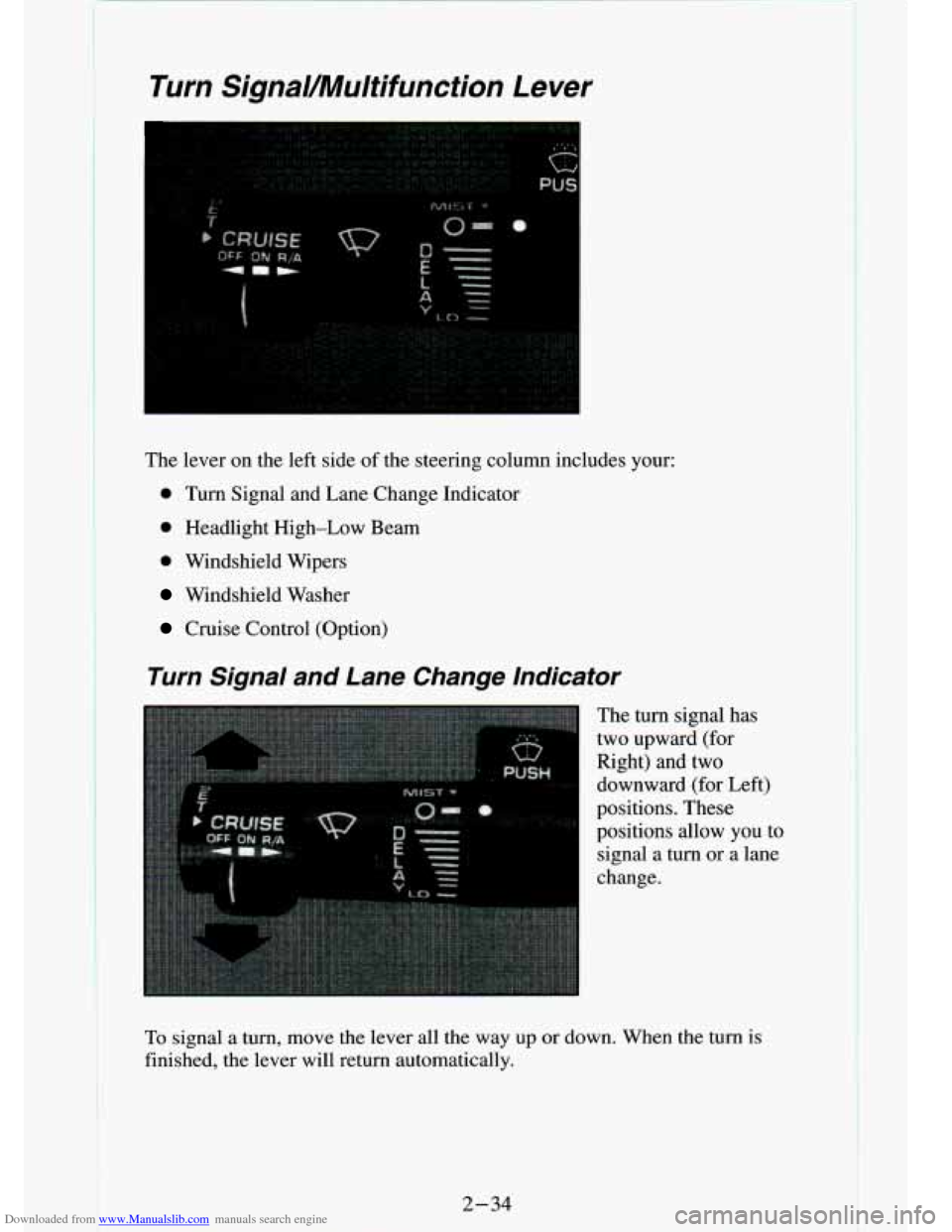
The lever on the left side of the steering column includes your:
0 Turn Signal and Lane Change Indicator
0 Headlight High-Low Beam
0 Windshield Wipers
Windshield Washer
Cruise Control (Option)
Turn Signal and Lane Change Indicator
The turn signal has
two upward (for
Right) and two downward (for Left)
positions. These
positions allow you to
signal a turn
or a lane
change.
To signal a turn, move the lever all the way up or down. When the turn is
finished, the lever will return automatically.
2-34
Page 81 of 340
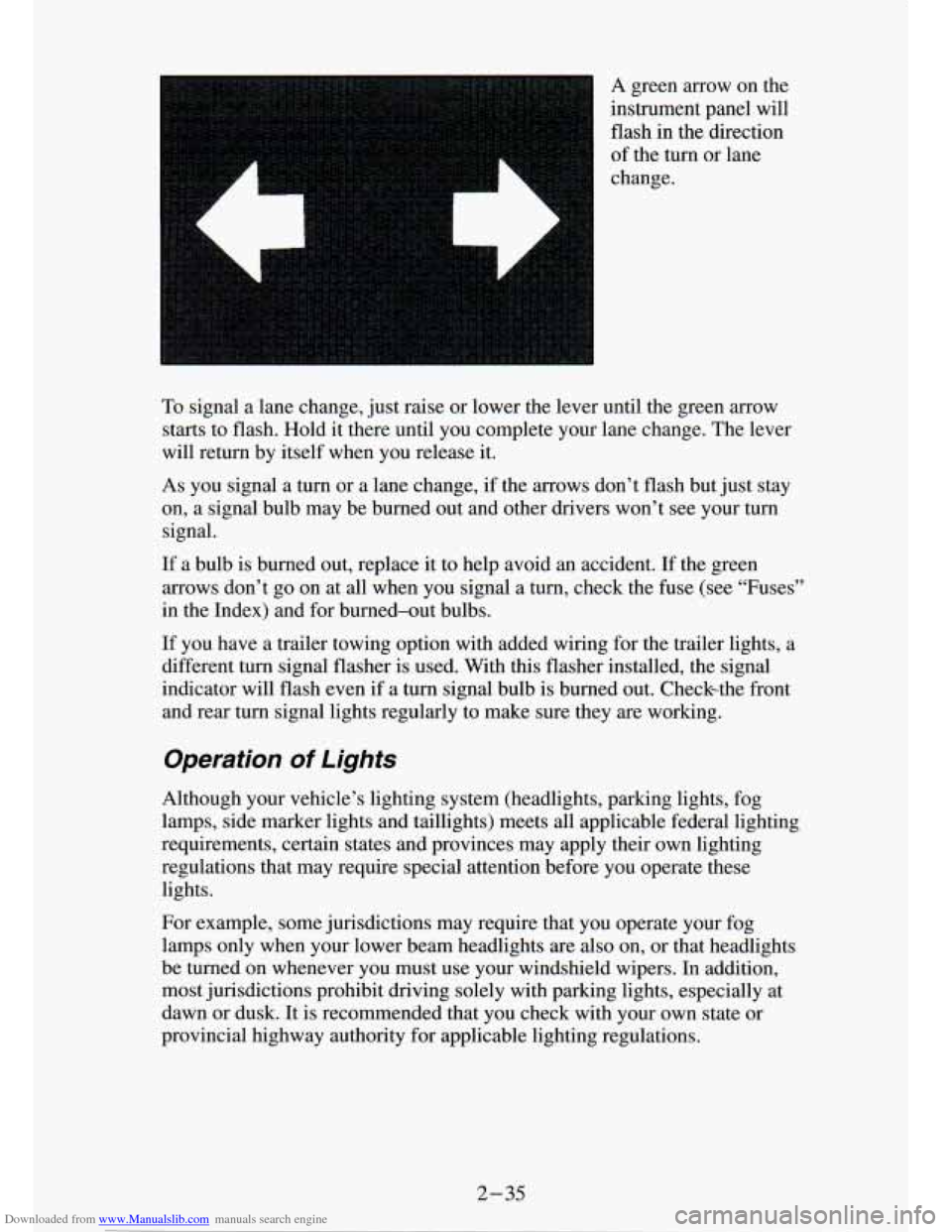
Downloaded from www.Manualslib.com manuals search engine A green arrow on the
instrument panel will
flash in the direction
of the turn
or lane
change.
To signal a lane change, just raise or lower the lever until the green arrow
starts to flash. Hold it there until you complete your lane change. The lever
will return by itself when you release it.
As you signal a turn or a lane change, if the arrows don’t f\
lash but just stay
on, a signal bulb may be burned out and other drivers won’t see your turn
signal.
If a bulb is burned out, replace it to help avoid an accident. If the green
arrows don’t go
on at all when you signal a turn, check the fuse (see “Fuses”
in the Index) and for burned-out bulbs.
If you have a trailer towing option with added wiring for
the trailer lights, a
different turn signal flasher is used. With this flasher installed, the signal
indicator will flash even if a turn signal bulb is burned out. Checkthe front
and rear turn signal lights regularly to make sure they
are working.
Operation Of Lights
Although your vehicle’s lighting system (headlights, parking \
lights, fog
lamps, side marker lights and taillights) meets all applicable federal ligh\
ting
requirements, certain states and provinces may apply their own lighting
regulations that may require special attention before you operat\
e these
lights.
For example, some jurisdictions may require that you operate your f\
og
lamps only when your lower beam headlights
are also on, or that headlights
be turned on whenever you must use your windshield wipers. In add\
ition,
most jurisdictions prohibit driving solely with parking lights, \
especially at
dawn or dusk. It is recommended that you check with your own state or
provincial highway authority for applicable lighting regulations.
2 -35