1994 CHEVROLET CAVALIER lock
[x] Cancel search: lockPage 100 of 243
Downloaded from www.Manualslib.com manuals search engine -
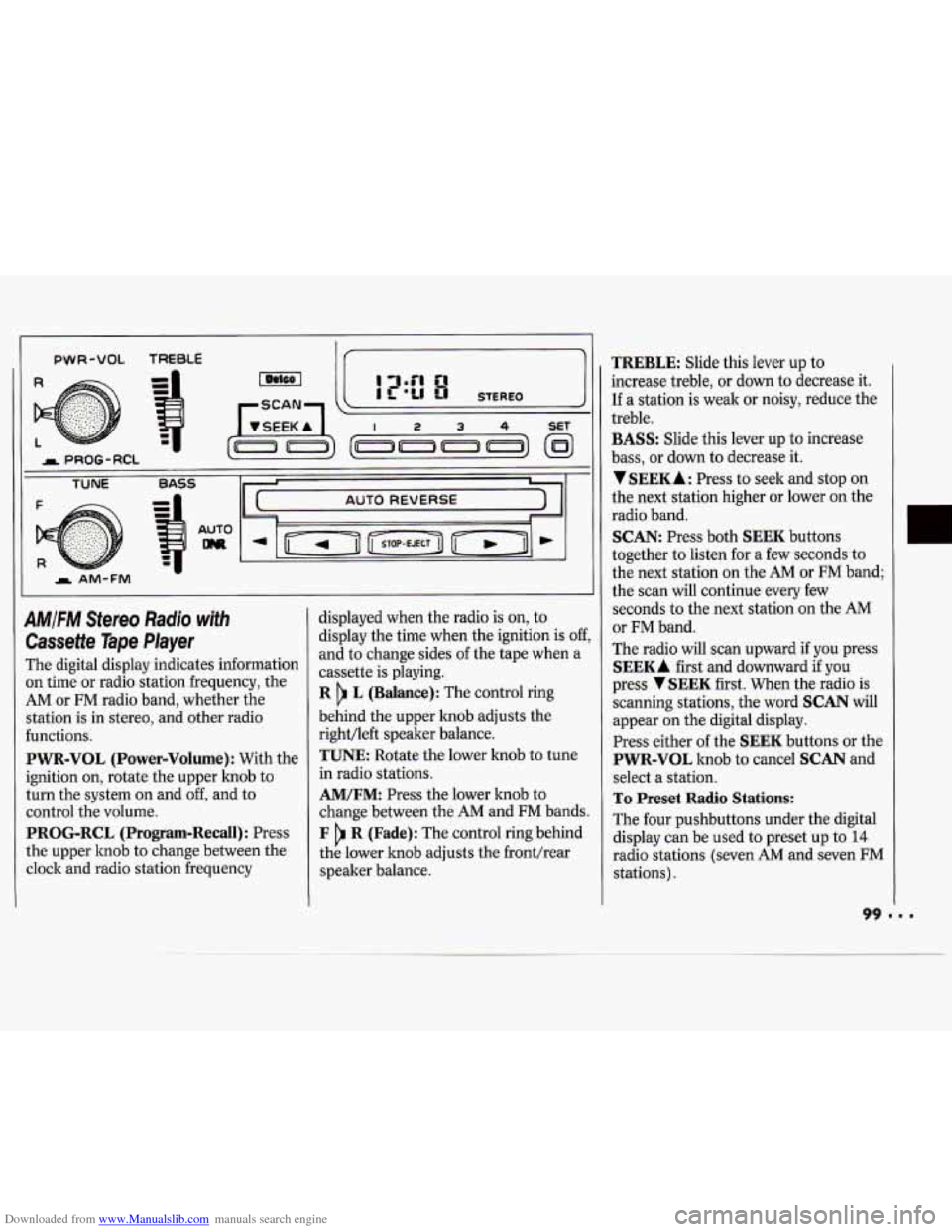
PWR-VOL TREBLE
AM/FM Stereo Radio with
Cassette Tape Player
The digital display indicates information
on time or radio station frequency, the
AM or FM radio band, whether the
station is in stereo, and other radio
functions.
PWR-VOL (Power-Volume) : With the
ignition on, rotate the upper lmob to
turn the system on and
off, and to
control the volume.
PROG-RCL (Program-Recall): Press
the upper knob to change between the
clock and radio station frequency displayed
when the radio is
on, to
display the time when the ignition is
off,
and to change sides of the tape when a
cassette is playing.
R L (Balance): The control ring
behind the upper knob adjusts the
right/left speaker balance.
TUNE Rotate the lower knob to tune
in radio stations.
AM/FM: Press the lower knob to
change between the
AM and FM bands.
F R (Fade): The control ring behind
the lower knob adjusts the fronthear
speaker balance.
TREBLE: Slide this lever up to
increase treble, or down to decrease it.
If a station is weak or noisy, reduce the
treble.
BASS: Slide this lever up to increase
bass, or down
to decrease it.
VSEEKA: Press to seek and stop on
the next station higher or lower on the
radio band.
SCAN: Press both SEEK buttons
together to listen for a few seconds to
the next station on the
AM or FM band;
the scan will continue every few
seconds to the next station on the AM
or FM band.
The radio will scan upward if you press
SEEKA first and downward if you
press
VSEEK first. When the radio is
scanning stations, the word
SCAN will
appear on the digital display.
Press either
of the SEEK buttons or the
PWR-VOL knob to cancel SCAN and
select a station.
To Preset Radio Stations:
The four pushbuttons under the digital
display can be used to preset up to
14
radio stations (seven AM and seven FM
stations).
Page 103 of 243

Downloaded from www.Manualslib.com manuals search engine Comfort Concr 5 & Audio Systems
102
4. Repeat steps 1-3 for each of five AM
Compact Disc Player
Many of the controls for the radio also
have functions for the compact disc
player,
as explained here.
Don’t use mini-discs that are called
singles. They won’t eject. Use only full-
size compact discs.
1. Turn the PWR-VOL knob to turn on
the power.
2. Insert a disc part-way into the slot,
with the label side up. The player will
pull
it in. Within a few seconds, the
disc should play.
If the disc comes back out and/or
Err
appears on the display:
The disc may be upside down.
The disc may be dirty, scratched or
wet.
There may be too much moisture in
the air (wait about one hour and try
again).
The player may be too hot, or the road
may be too rough for the disc to play.
As soon as things get back to normal,
the disc should play.
and
five
FM stations.
While a disc is playing, the
CD indicator
is displayed on the digital screen, as is
the clock.
RCL (Recall): Press this button once
to see which track is playing. Press
again while the track number is still
displayed to see how long your selection
has been playing. The track number
also will be displayed when the volume,
bass, or treble is changed or a new track
starts to play.
COMP (Compression): Pressing this
button makes soft and loud passages
more equal in volume. Press again to
resume normal play.
RDM (Random): Press to play tracks
in random, rather than sequential,
order. This feature remains active until
the
RDM button is pressed again.
REV (Reverse): Press and hold to rapidly
reverse the disc. Release to resume playing.
FWD (Fast Forward): Press and hold
to rapidly advance the disc. Release to
resume playing.
SCAN: Press this button to sample ten
seconds of each track. Press again to
stop scanning.
PREV (Previous): Press to play a track
again.
If you keep pressing the PREV
button, the disc will keep backing up to
previous tracks.
NEXT: Press to advance to the next
track. If you keep pressing the
NEXT
button, the disc will keep advancing to
other tracks.
When Finished with the Compact
Disc Player:
If you turn off the radio, or turn off the
ignition, the disc will stay in the player
Page 105 of 243
Downloaded from www.Manualslib.com manuals search engine Comfort Controls & Audio Systems
8. Press the TUNE knob. If the display
shows
"- - -," the radio is unsecured
and
will play again. If the display
shows
SEC, the steps were not
successful and the numbers did not
match the secret code.
If
you lose or forget your code, see your
dealer.
If you lose battery power, when the
battery is reconnected the radio will not
turn on and
IX)C will appear. Follow
steps
1-8 for disabling your system, and
the time will appear
if you are successful.
If
SEC appears, the numbers did not
match and
YOUK unit is still locked.
Understanding Radio Reception
FM Stereo
FM Stereo will give you the best sound,
but FM signals
will reach only about 10
to 40 miles (16 to 65 la). Tall buildings
or hills can interfere with FM signals,
causing the sound to come and go.
AM
The range for most AM stations is
greater than for
FM, especially at night.
The longer range, however,
can cause
stations to interfere with each other,
AM can also pick up noise from things
like storms and power lines. To lower
this noise,
try reducing the treble level.
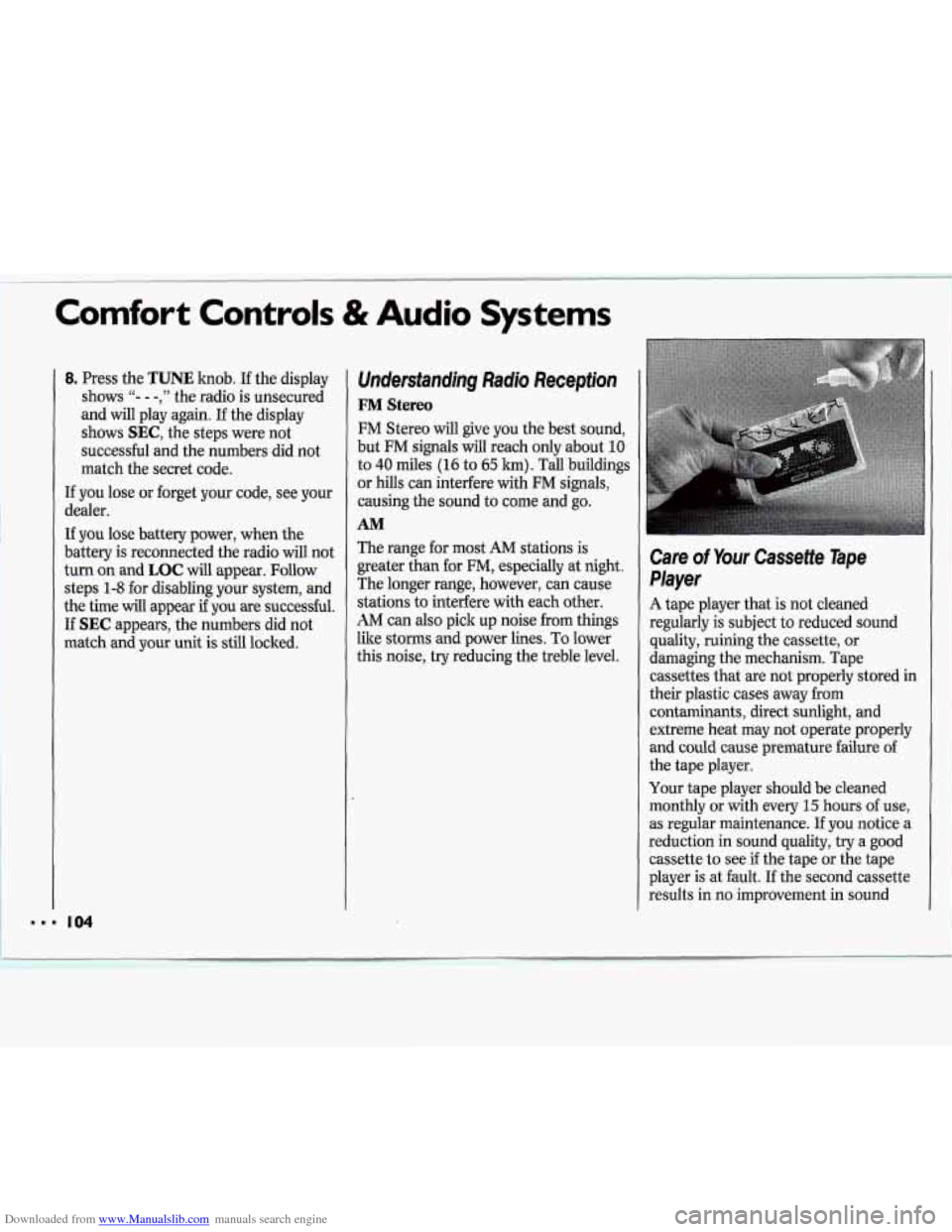
Care of Your Cassette Tape
Player
A tape player that is not cleaned
regularly
is subject to reduced sound
quality, ruining the cassette, or
damaging the mechanism. Tape
cassettes that are not properly stored in
their plastic cases away from
contaminants, direct sunlight, and
extreme heat may not operate properly
and could cause premature failure of I'
the tape player.
Your tape player should be cleaned
monthly or with every
15 hours of use,
as regular maintenance. If you notice a ll
reduction in sound quality, try a good
cassette to see
if the tape or the tape
player is at fault. If the second cassette
results in no improvement in sound
Page 108 of 243
Downloaded from www.Manualslib.com manuals search engine Here you’ll find information
about driving on different kinds
of
roads and in varying weather
conditions
. We’ve also included
many other useful tips on driving
.
107
Part 4
Your Driving and the Road
Defensive Drlvmg 108
Drunken Driving
........................................................................\
............................. 108
Control
of a Vehicle
Braking
........................................................................\
......................................... 110
Anti-Lock Brakes
........................................................................\
......................... 111
Steering Tips ........................................................................\
................................. 113
Steermg m Emergencies ........................................................................\
............... 114
Passing
........................................................................\
.......................................... 115
Driving at Night ........................................................................\
.............................. 117
Driving in the Rain
........................................................................\
.......................... 118
City Driving ........................................................................\
..................................... 119
Freeway Driving
........................................................................\
.............................. 120
Before Leaving on a Long Trip
........................................................................\
....... 121
Hill and Mountain Roads
........................................................................\
................ 122
Winter Drnmg 123
Recreational Towing
........................................................................\
........................ 125
Towing a Trailer
........................................................................\
.............................. 126
.. ........................................................................\
............................
..
.. ........................................................................\
.................................
......... ~
Page 112 of 243
Downloaded from www.Manualslib.com manuals search engine And, of course, actual stopping
distances vary greatly with the surface
of the road (whether it’s pavement or
gravel); the condition
of the road (wet,
dry, icy); tire tread; and the condition
of
your brakes.
Avoid needless heavy braking. Some people drive in spurts
- heavy
acceleration followed by heavy braking
- rather than keeping pace with traffic.
This is a mistake. Your brakes may not
have time to cool between hard stops.
Your brakes
will wear out much faster if
you do a lot
of heavy braking. If you
keep pace with the traffic and allow realistic following
distances, you will
eliminate a lot of unnecessary braking.
That means better braking and longer
brake life.
If your engine ever stops while you’re
driving, brake normally but don’t pump
your brakes. If you do, the pedal may
get harder to push down. If your engine
stops, you will still have some power
brake assist. But you will use it when
you brake. Once the power assist is
used
up, it may take longer to stop and
the brake pedal will be harder to push.
L
- 20
- 10
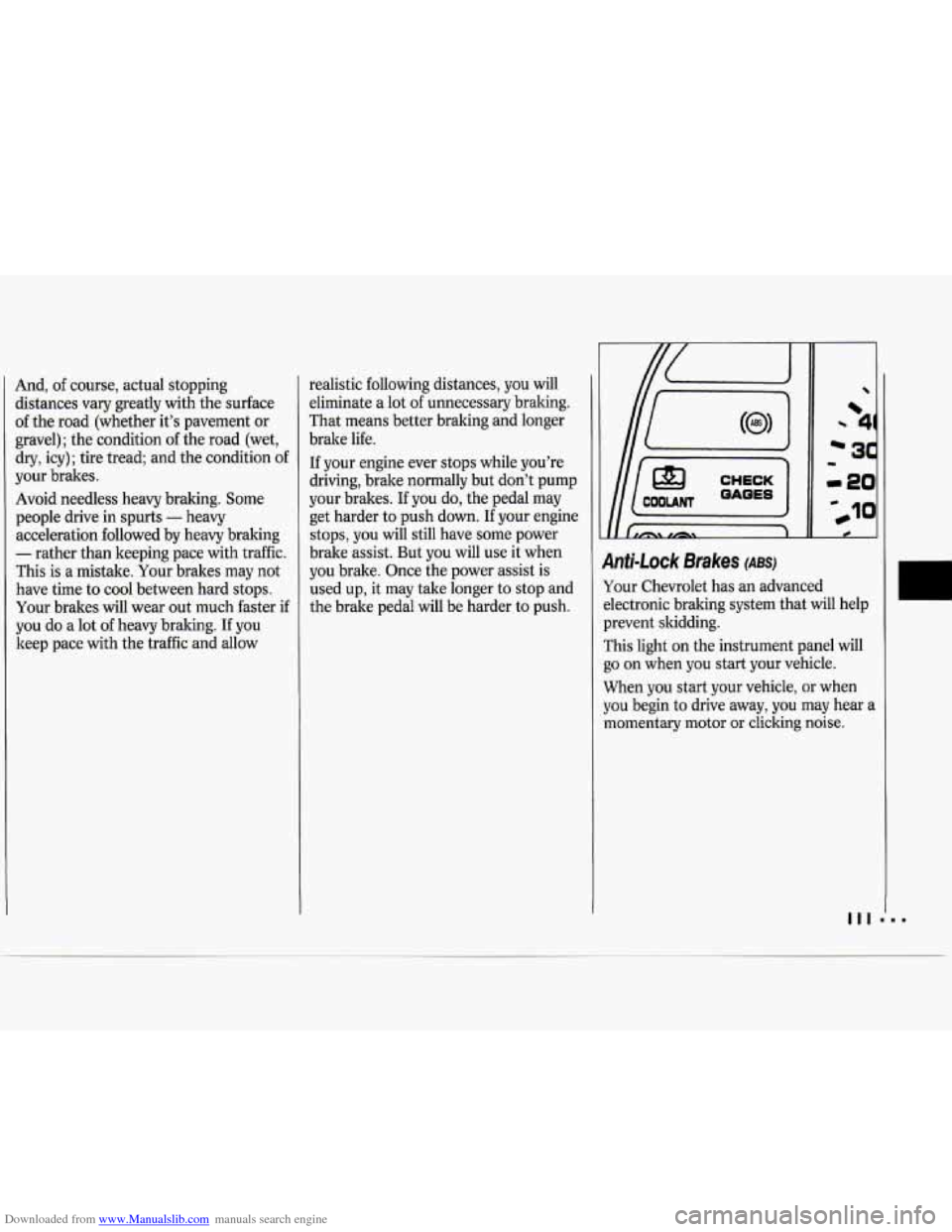
9nti-Lock Brakes (ABS)
Your Chevrolet has an advanced
dectronic braking system that will help
prevent skidding.
rhis light on the instrument panel will
30 on when you start your vehicle.
When you start your vehicle, or when
you begin to drive away, you may hear a
momentary motor
or clicking noise.
Page 113 of 243
Downloaded from www.Manualslib.com manuals search engine Your Driving and the Road
And you may even notice that your
brake pedal moves a little while this is
going on. This is the ABS system
testing itself.
If there’s a problem with
the anti-lock brake system, the anti-lock
brake system warning light will stay on
or flash.
See
Anti-lock Brake System Warning
Light
in the Index.
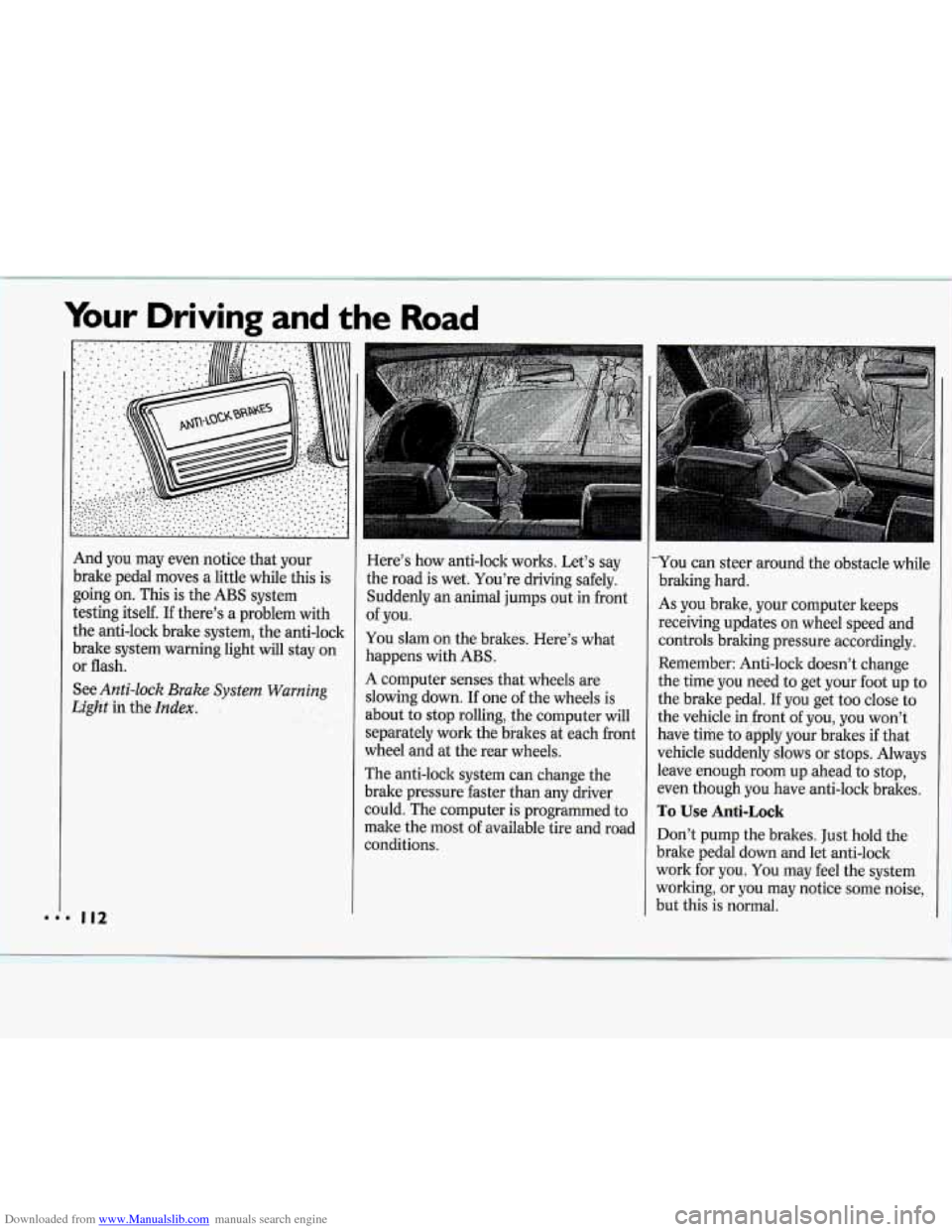
Here’s how anti-lock works. Let’s say
the road is wet. You’re driving safely.
Suddenly
an animal jumps out in front
of you.
You slam on the brakes. Here’s what
happens with ABS.
A computer senses that wheels are
slowing down.
If one of the wheels is
about to stop rolling, the computer wil
separately work the brakes at each fro]
wheel and at the rear wheels.
The anti-lock system can change the
brake pressure faster than any driver
1
nt
could.*The computer is programmed to
make the most of available tire and road
conditions.
L-
You can steer around the obstacle while
braking hard.
As you brake, your computer keeps
receiving updates on wheel speed and
controls braking pressure accordingly.
Remember: Anti-lock doesn’t change
the time you need to get your foot up to
the brake pedal. If you get too close to
the vehicle in front of you, you won’t
have time to apply your brakes if that
vehicle suddenly slows or stops. Always
leave enough room up ahead to stop,
even though you have anti-lock brakes.
To Use Anti-Lock
Don’t pump the brakes. Just hold the
brake pedal down and let anti-lock
work for you. You may feel the system
working, or you may notice some noise,
but this is normal.
Page 114 of 243
Downloaded from www.Manualslib.com manuals search engine Braking in Emergencies
Use your anti-lock braking system when
you need to. With anti-lock, you can
steer and brake at the same time. In
many emergencies, steering can help
you more than even the very best
braking.
Power Steering
If you lose power steering assist
because the engine stops or the system
is not functioning, you can steer but it
will take much more effort.
Steering Tips
Driving on Curves
It’s important to take curves at a
reasonable speed.
A lot of the “driver lost control”
accidents mentioned
on the news
happen
on curves. Here’s why:
Experienced driver or beginner, each
of
us is subject to the same laws of physics
when driving on curves. The traction of
the tires against the road surface makes
it possible for the vehicle to change its
path when you turn the front wheels.
If
there’s no traction, inertia will keep the
vehicle going in the same direction.
If
you’ve ever tried to steer a vehicle on
wet ice, you’ll understand this.
The traction you can get in a curve
depends on the condition of your tires
and the road surface, the angle at which
the curve
is banked, and your speed.
While you’re in a curve, speed is the one
factor you can control.
Suppose you’re steering through a
sharp curve. Then you suddenly accelerate.
Both control systems
-
steering and acceleration - have to do
their work where the tires meet the
road. Adding the sudden acceleration
can demand too much
of those places.
You can lose control.
What should you do if this ever
happens? Ease up on the accelerator
pedal, steer the vehicle the way you
want it to go, and slow down.
Speed limit signs near curves warn that
you should adjust your speed. Of
course, the posted speeds are based on
good weather and road conditions.
Under less favorable conditions you’ll
want to go slower.
If you need to reduce your speed as you
approach
a curve, do it before you enter
the curve, while your front wheels are
straight ahead.
Try to adjust your speed
so you can
“drive” through the curve. Maintain a
reasonable, steady speed. Wait to
accelerate until you are out of the curve,
and then accelerate gently into the
straightaway.
Page 115 of 243
Downloaded from www.Manualslib.com manuals search engine Your Driving and the Road
P
..
Steering in Emergencies
There are times when steering can De
more effective than braking. For
example, you come over a hill and find
a truck stopped in your lane, or a car
suddenly pulls out from nowhere, or a
child darts out from between parked
cars and stops right in front
of you. You
can avoid these problems by braking -
if you can stop in time. But sometimes
you can't; there isn't room. That's the
time for evasive action
- steering
around the problem.
Your Chevrolet
can perform very well in
emergencies like these. First apply your
brakes. It
is better to remove as much
speed as you can from a possible collision.
Then steer around the
problem, to the left or right depending
on the space available.
An emergency like this requires close
attention and a quick decision.
If you
are holding the steering wheel
at the
recommended
9 and 3 o'clock positions,
you can turn it a full
180 degrees very
quickly without removing either hand.
But you have to act fast, steer quickly,
and just as quickly straighten the wheel
once you have avoided the object.
The fact that such emergency situations
are always possible is a good reason to
practice defensive driving at all times
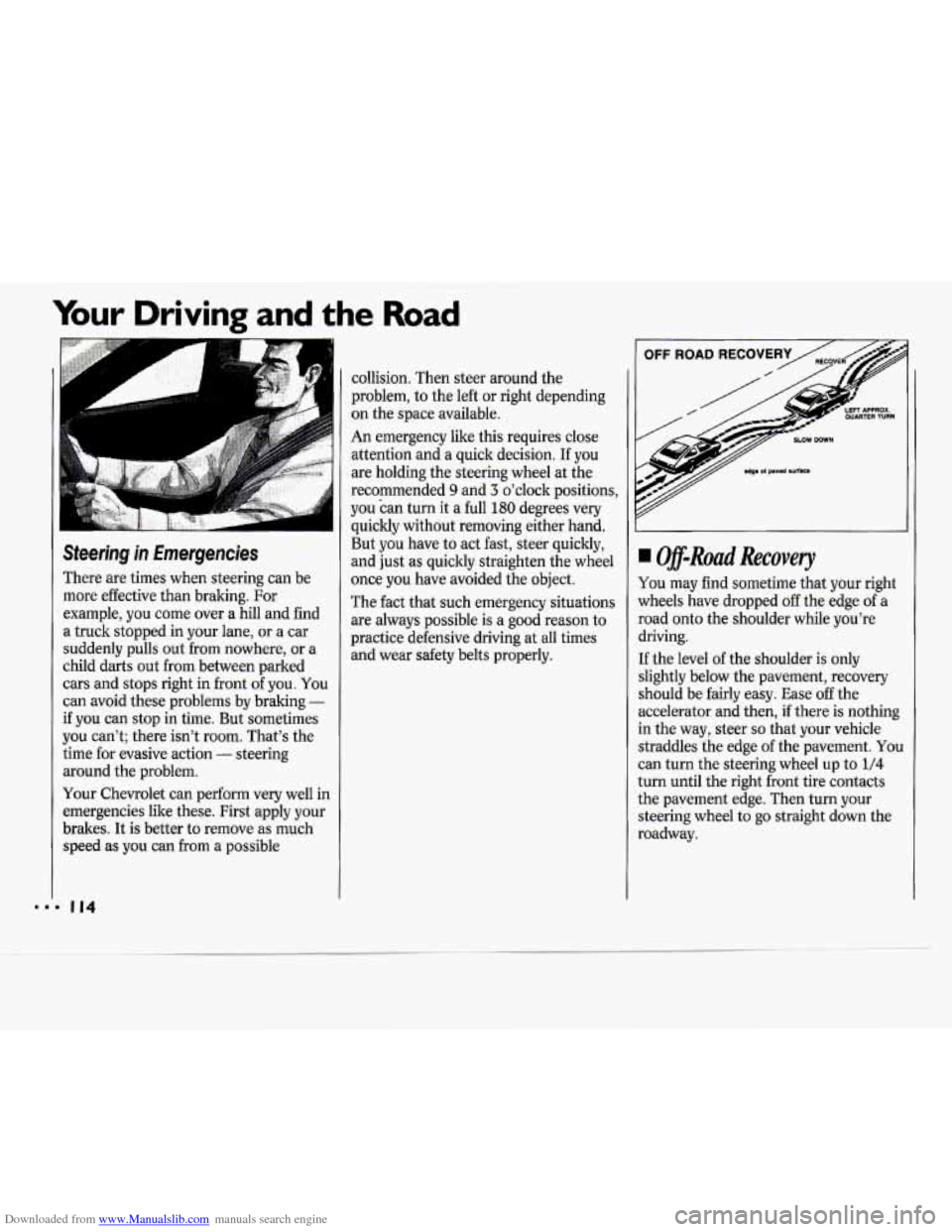
and wear safety belts properly. I Off-Ruad Recovery
You may find sometime that your right
lvheels have dropped
off the edge of a
soad onto the shoulder while you're
hiving.
:f the level of the shoulder is only
;lightly below the pavement, recovery
;hould be fairly easy. Ease off the
iccelerator and then, if there is nothing
n the way, steer
so that your vehicle
itraddles the edge of the pavement. You
:an turn the steering wheel up to
1/4
urn until the right front tire contacts
he pavement edge. Then turn your
;teering wheel
to go straight down the
toadway.