Page 63 of 243
Downloaded from www.Manualslib.com manuals search engine Features & Controls
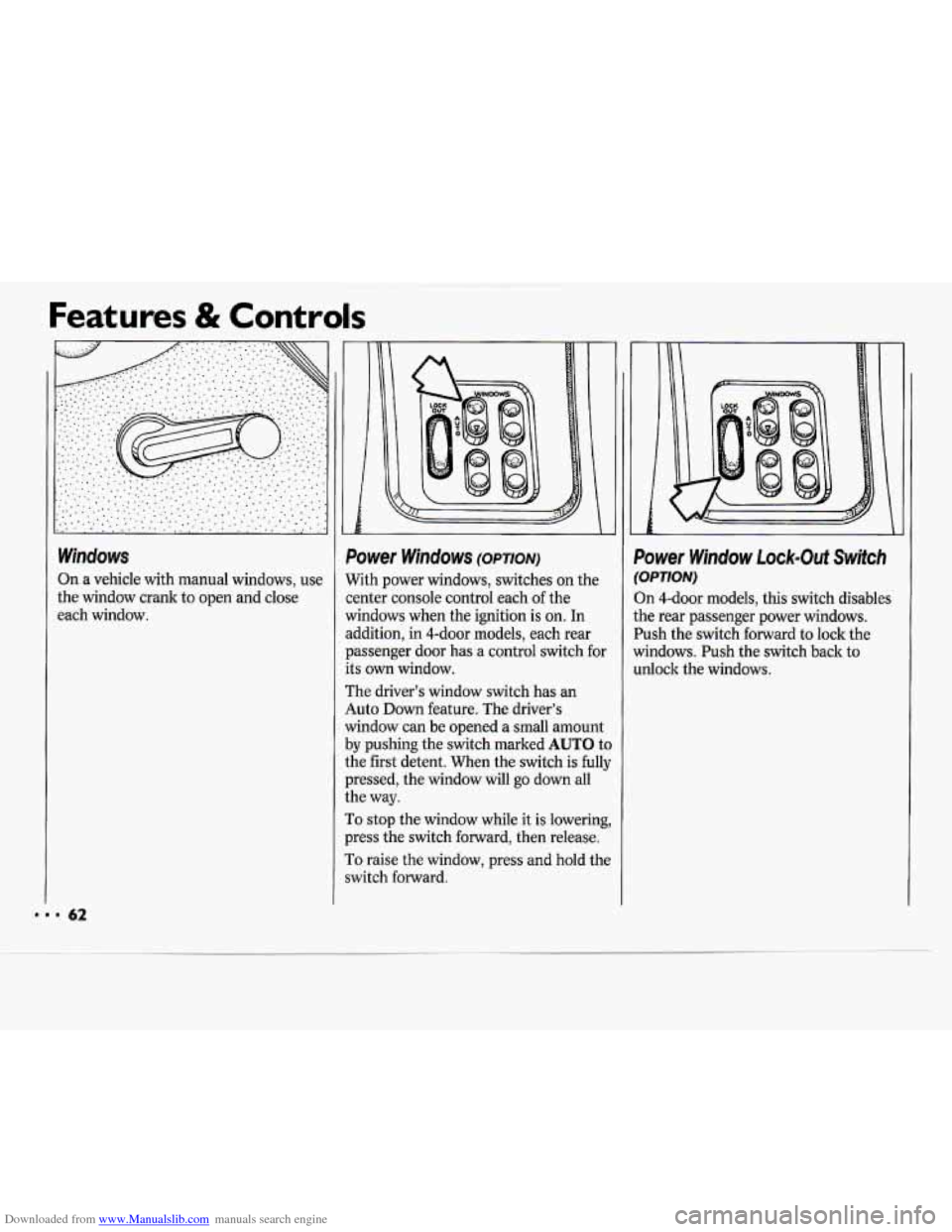
Windows
On a vehicle with manual windows, use
the window crank
to open and close
each window.
i Le I
Power Windows (OPTION)
With power windows, switches on the
center console control each of the
windows when the ignition is on. In
addition, in 4-door models, each rear
passenger door has a control switch
for
its own window.
The driver’s window switch has an
Auto
Down feature. The driver’s
window can be opened a small amount
by pushing the switch marked AUTO to
the first detent. When the switch is fully
pressed, the window will go down all
the way.
To stop the window while it is lowering,
press the switch forward, then release.
To raise the window, press and hold the
switch forward.
h?
Power Window Lock-Out Switch
(OPTION)
Dn 4-door models, this switch disables
the rear passenger power windows.
Push the switch forward to lock the
windows. Push the switch back to
unlock the windows.
Page 64 of 243
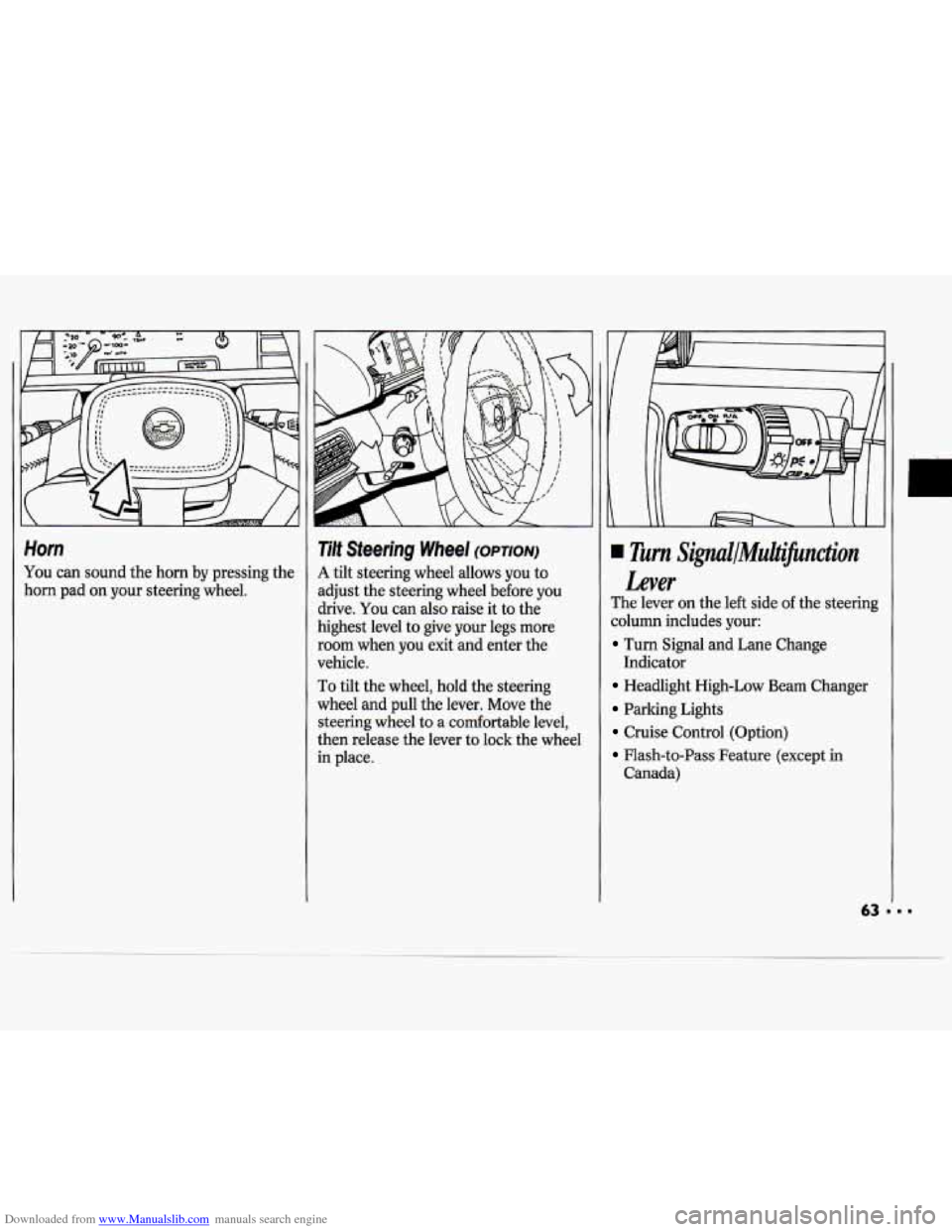
Downloaded from www.Manualslib.com manuals search engine Horn
You can sound the horn by pressing the
horn pad on your steering wheel.
Tilt Steering Wheel (OPTION)
A tilt steering wheel allows you to
adjust the steering wheel before
you
drive. You can also raise it to the
highest level to give your legs more
room when
you exit and enter the
vehicle.
To tilt the wheel, hold the steering
wheel and pull the lever. Move the
steering wheel to a comfortable level,
then release the lever to lock the wheel
in place.
Turn Signul/MuiJicnction
Lever
The lever on the left side of the steering
column includes your:
Turn Signal and Lane Change
Headlight High-Low Beam Changer
Parking Lights
Cruise Control (Option)
Flash-to-Pass Feature (except in
Indicator
Canada)
Page 70 of 243

Downloaded from www.Manualslib.com manuals search engine c
II
Intermittent Windshield Wipers
(OPTION)
If your vehicle has intermittent
windshield wipers, you can set the
wiper speed for
a long or short delay
between wipes. This can be very useful
in light rain or snow.
Move the stalk to
DEL, then rotate the
band marked
DELAY to choose the
delay you want. Rotate the band up for
shorter delay times between wiper
cycles. Rotate the band down for longel
delay times between wiper cycles.
For a single wiper cycle, push the stalk
to
MIST, then let go.
1
1
t I
1
4
1
1
1
1
r
Windshield Washer
Standard Wipers:
To spray washer fluid on the
windshield, pull the stalk with the wipe]
symbol
on it toward you one time.
When you release the stalk the washers
will stop, but the wipers will keep going
in low until you move the wiper control
to OFF.
Intermittent Windshield Wipers:
If you have intermittent windshield
wipers, after each wash cycle ends the
wipers will resume the delay speed you
were using before.
If you had no speed
selected, the wipers will stop. Driving
without washer fluid can be
dangerous.
A bad mud splash can block
your vision.
You could hit another
vehicle or go
off the road. Check your
washer fluid level often.
Page 75 of 243
Downloaded from www.Manualslib.com manuals search engine . . ..-
I
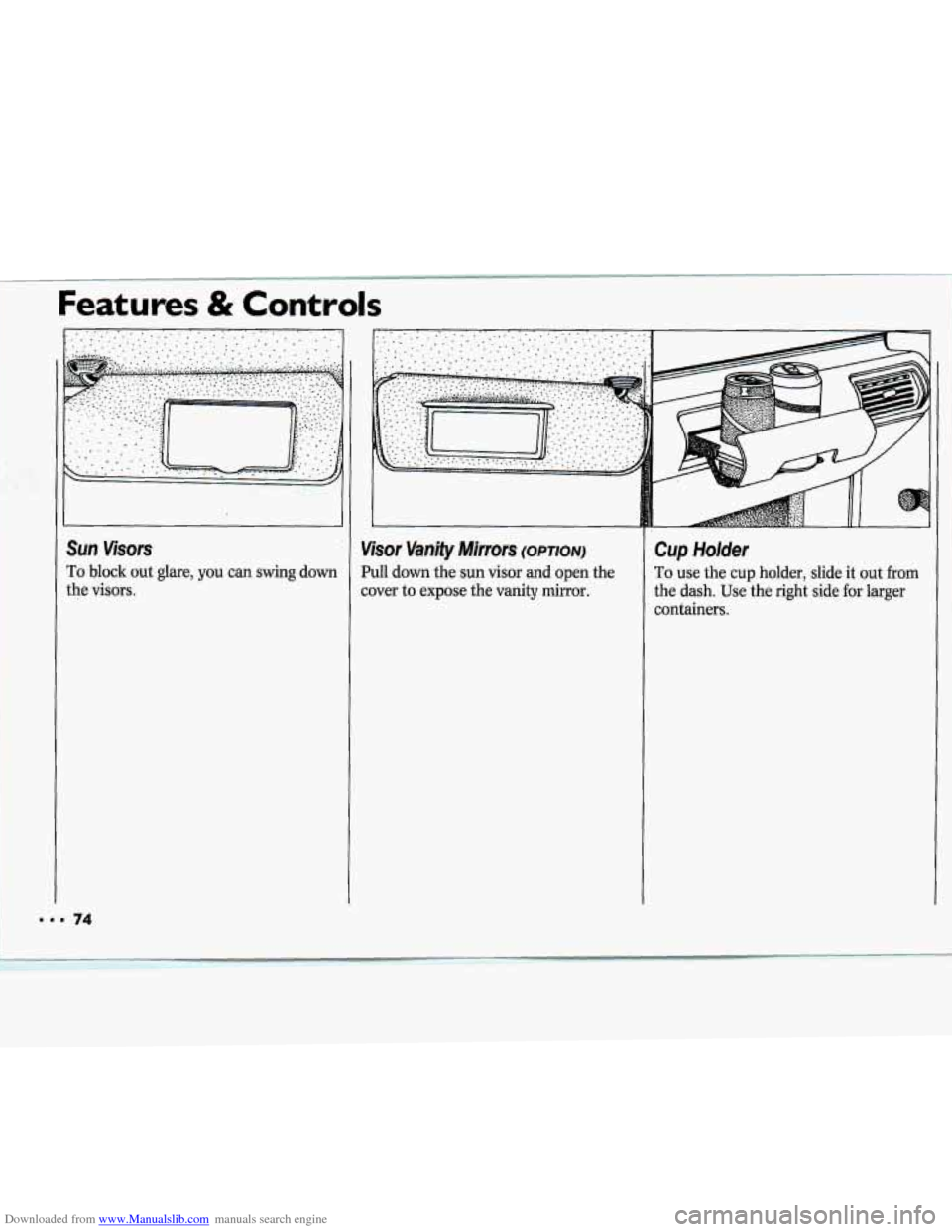
SUR visors
To block out glare, you can swing down
the visors.
Features & Controls
Cup Holder
To use the cup holder, slide it out from
the dash. Use the right side for larger
containers.
Page 77 of 243
Downloaded from www.Manualslib.com manuals search engine Features & Controls
E
a
tl
76
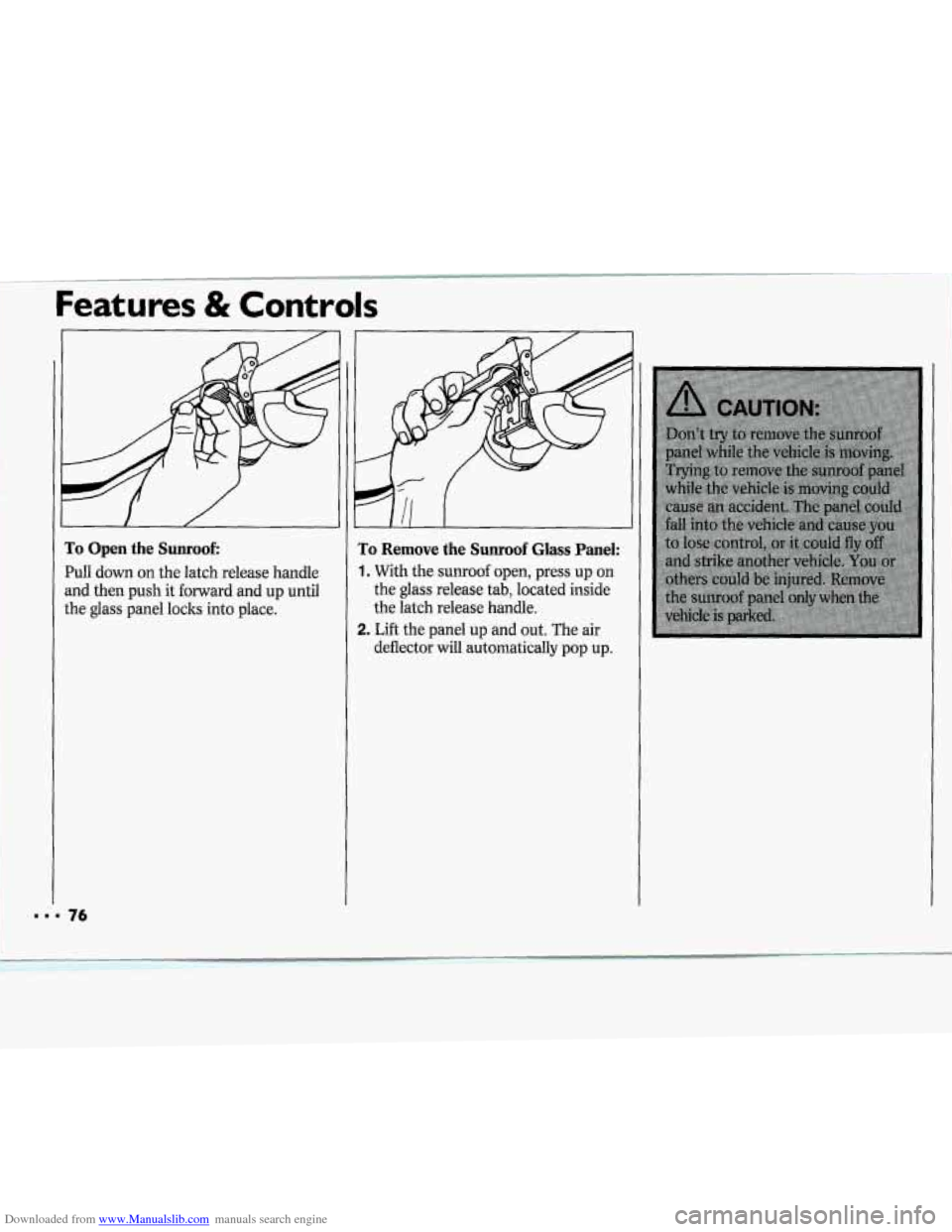
ro Open the Sunroof:
W, down on the latch release handle
nd then push it forward and up until
he glass panel locks into place.
ro Remove the Sunroof Glass Panel:.
. With the. sunroaf open, press up on
the glass .release tab; located inside
the latch release handle.
deflector
will automatically pap up.
I, Li€t the pane1 up- ahd aut. The air
Page 88 of 243
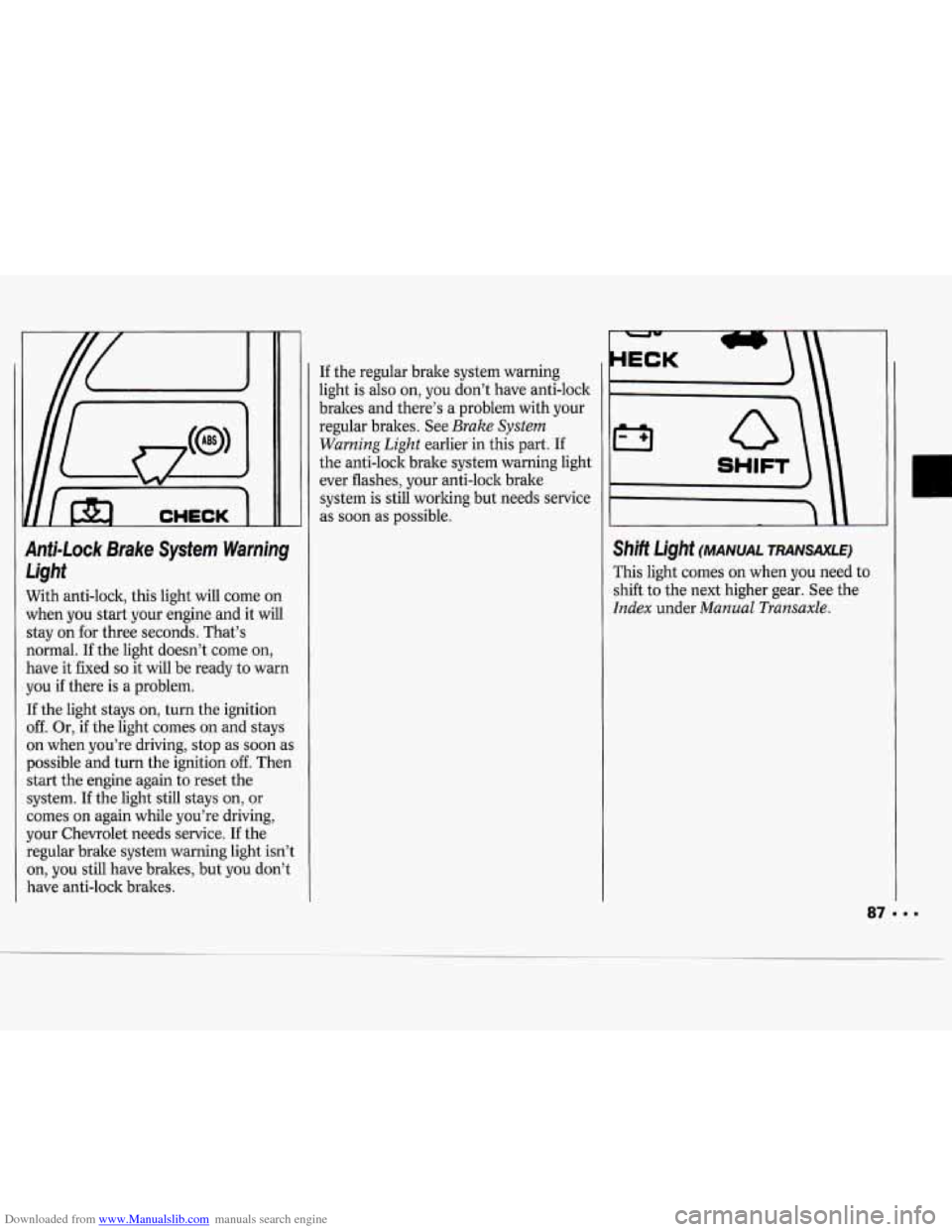
Downloaded from www.Manualslib.com manuals search engine Anti-Lock Brake System Warning Light
With anti-lock, this light will come on
when you start your engine and it will
stay on for three seconds. That’s
normal.
If the light doesn’t come on,
have it fixed
so it will be ready to warn
you if there is a problem.
If the light stays on, turn the ignition
off. Or, if the light comes on and stays
on when you’re driving, stop as soon
as
possible and turn the ignition off. Then
start the engine again to reset the
system. If the light still stays on, or
comes on again while you’re driving,
your Chevrolet needs service.
If the
regular brake system warning light isn’t
on,
you still have brakes, but you don’t
have anti-lock brakes. If
the regular brake system warning
light is also on, you don’t have anti-lock
brakes and there’s a problem with your
regular brakes. See
Brake System
Warning Light
earlier in this part. If
the anti-lock brake system warning light
ever flashes, your anti-lock brake
system is still working but needs service
as soon as possible.
I SHIFT
Shift Light (MANUAL TRANSAXLE)
This light comes on when you need to
shift to the next higher gear. See the
Index under Manual Transaxle.
Page 92 of 243
Downloaded from www.Manualslib.com manuals search engine In this part you'll find out how to
operate the comfort control systems and audio systems
offered with your Chevrolet. Be
sure to read about the particular
system supplied with your vehicle.
Part 3
Comfort Controls & Audio Systems
Climate Control System ........................................................................\
.................... 92
Air Conditioning System ........................................................................\
.................. 93
Rear Window Defogger ........................................................................\
..................... 95
Setting the Clock ........................................................................\
............................... 97
AM/FM Stereo Radio ........................................................................\
........................ 97
AM/FM Stereo Radio with Cassette Tape Player .................................................... 99
AM/FM Stereo Radio with Compact Disc Player.. ................................................ 101
Understanding Radio Reception. ........................................................................\
.... 104
Care of Your Cassette Tape Player ........................................................................\
. 104
Care of Your Compact Discs ........................................................................\
.......... 105
Fixed Mast Antenna ........................................................................\
........................ 105
Page 98 of 243
Downloaded from www.Manualslib.com manuals search engine If- 71
c
VSEEKA 1234sET
I ILSCANA
I' I
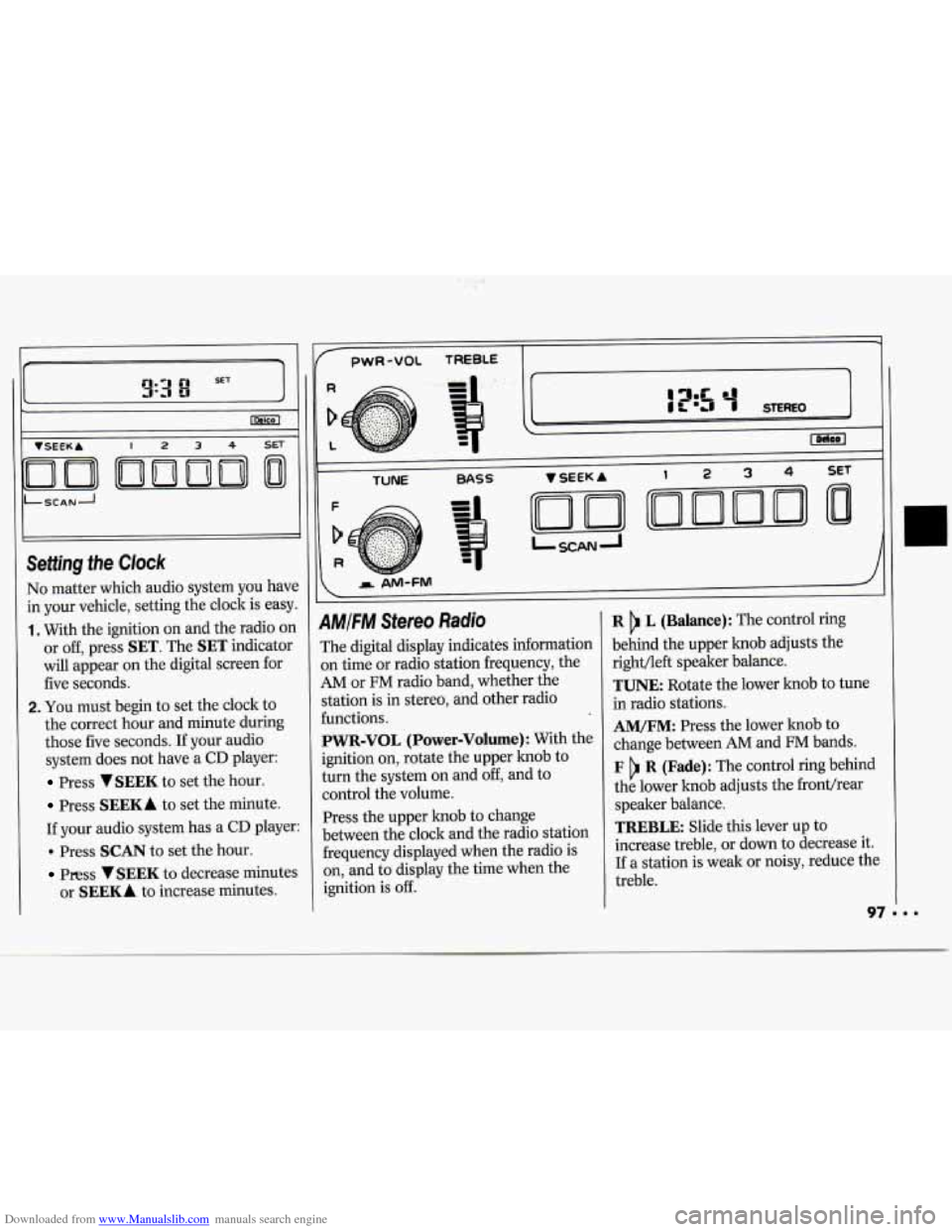
No matter which audio system you have
in your vehicle, setting the clock is easy.
1. With the ignition on and the radio on
or off, press
SET. The SET indicator
will appear on the digital screen for
five seconds.
2. You must begin to set the clock to
the correct hour and minute during
those five seconds. If your audio
system does not have a
CD player:
Press VSEEK to set the hour.
Press SEEKA to set the minute.
If your audio system has a
CD player:
. Press SCAN to set the hour.
Press VSEEK to decrease minutes
or
SEEKA to increase minutes.
1
pwR-VOL TREBLE -
TUNE BASS
AMIFM Stereo Radio
The digital display indicates information
on time
or radio station frequency, the
AM or FM radio band, whether the
station is in stereo, and other radio
functions.
PWR-VOL (Power-Volume): With the
ignition
on, rotate the upper knob to
turn the system
on and off, and to
control the volume.
Press the upper knob to change
between the clock and the radio station
frequency displayed when the radio is
on, and to display the time when the
ignition is
off.
R L (Balance): The control ring
behind the upper knob adjusts the
right/left speaker balance.
TUNE: Rotate the lower knob to tune
in radio stations.
AM/FM: Press the lower knob to
change between
AM and FM bands.
F R (Fade): The control ring behind
the lower knob adjusts the fronthear
speaker balance.
TREBLE: Slide this lever up to
increase treble, or
down to decrease it.
If a station is weak or noisy, reduce the
treble.