1994 CHEVROLET BLAZER radio
[x] Cancel search: radioPage 153 of 348
Downloaded from www.Manualslib.com manuals search engine How to Operate Your ETP AM-FM Stereo Audio
Compact Disc (CD) System
i
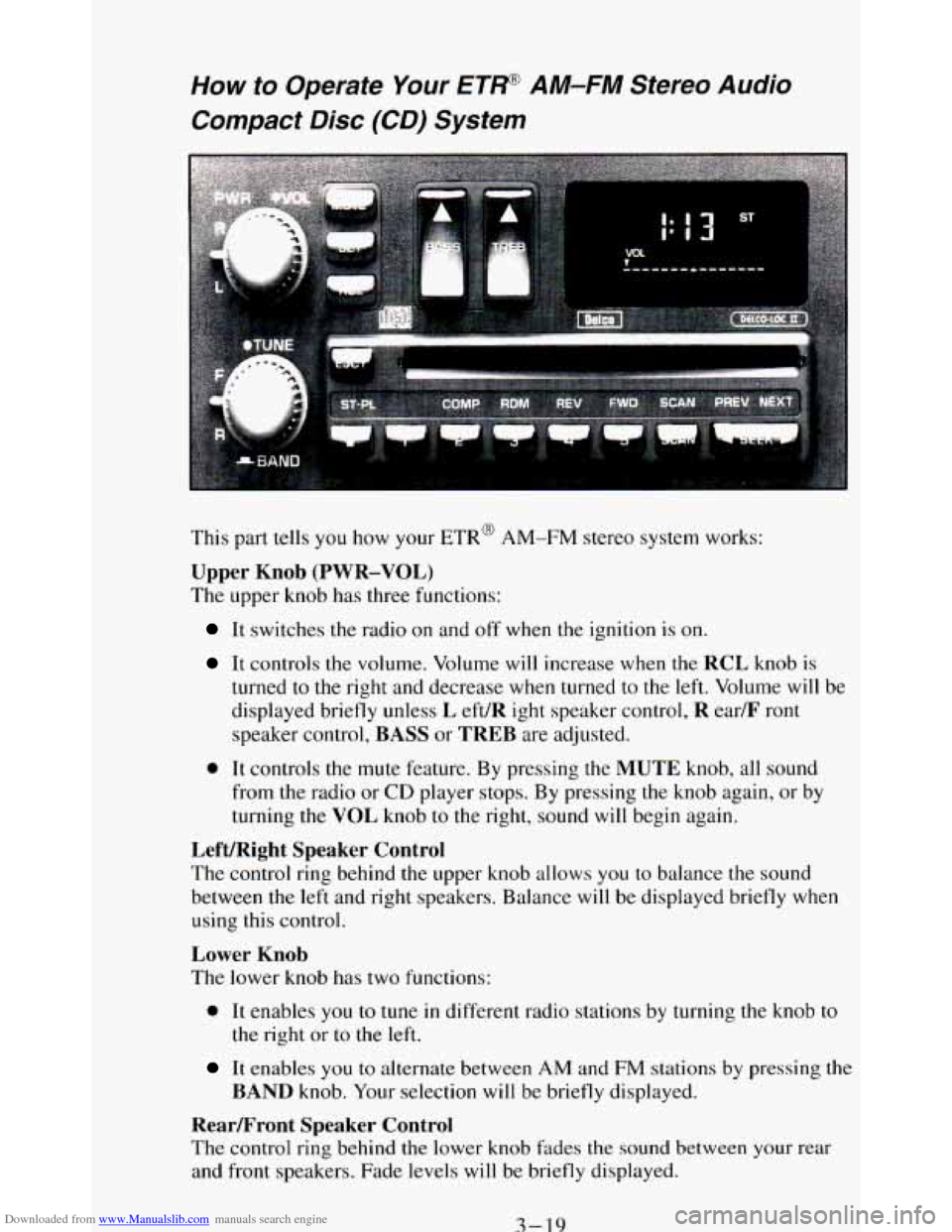
This part tells you how your ETR@ AM-FM stereo system works:
Upper Knob (PWR-VOL)
The upper knob has three functions:
It switches the radio on and off when the ignition is on.
It controls the volume. Volume will increase when the RCL knob is
turned
to the right and decrease when turned to the left. Volume will be
displayed briefly unless
L eft/R ight speaker control, R ear/F ront
speaker control, BASS or TREB are adjusted.
0 It controls the mute feature. By pressing the MUTE knob, all sound
from the radio or
CD player stops. By pressing the knob again, or by
turning the VOL knob
to the right, sound will begin again.
Left/Right Speaker Control
The control ring behind the upper knob allows you to balance the sound
between the left and right speakers. Balance will be displayed briefly when
using this control.
Lower Knob
The lower knob has two functions:
0 It enables you to tune in different radio stations by turning the knob to
the right or to the left.
It enables you to alternate between AM and FM stations by pressing the
BAND knob. Your selection will be briefly displayed.
RearLFront Speaker Control
The control ring behind the lower knob fades the sound between your rear
and front speakers. Fade levels will be briefly displayed.
3-19
Page 154 of 348
Downloaded from www.Manualslib.com manuals search engine SEEK
Pressing the SEEK button will cause the receiver to seek the next higher
station and stop.
Pressing the
4 SEEK button will cause the receiver to seek the next lower
station and stop.
SCAN
When you press SCAN, the radio will go to the next station and pause, and
will keep scanning until you press SCAN again. SC will be displayed when
using this control.
Pushbuttons
The five pushbuttons let you return to favorite stations. They are also used
when
you play a disc. (See “To Play A Compact Disc”.)
To set the pushbuttons for
up to ten favorite stations (5 AM and 5 FM):
Tune in the desired station.
Push the SET button. (SET is displayed briefly.)
Within 5 seconds, push one of the five pushbuttons to store the station.
Whenever you press that button, the preset station
will return.
Clock
To set the clock, just:
Press the SET button. The radio may be on or off.
Within 5 seconds, press and hold either SEEK to increase the
minutes or
4 SEEK to decrease the minutes until the correct minute
appears on the display.
Press and hold SCAN until the correct hour appears on the display.
RCL
Press the RCL button to alternate between time and radio station on the
display.
RCL may be pressed when the ignition is off to see the time.
BASS
Press the BASS A to increase the bass tones and BASS to decrease bass
tones. Press the center of the control for a preset
BASS position. The bass
level will be displayed briefly when using this control.
TREBLE
Press the TREB A to increase the treble tones and TREB to decrease
the treble tones. Press the center of the control for a preset
TREB position.
The treble level
will be displayed briefly when using this control.
3-20
Page 156 of 348
Downloaded from www.Manualslib.com manuals search engine SCAN
Press SCAN to sample each track for approximately 10 seconds. Scanning
will continue until the
RDM, SCAN or any other motion button is pressed
again.
PREV
If you hold the PREV (4 .SEEK ) button, or press it more than once, the
disc will return
to previous tracks.
NEXT
Press NEXT (SEEK ) to hear the next track now instead of waiting until
the present track is finished. If you hold this button or press it more than
once, the disc will advance further.
ST-PL
Press ST-PL (Stop-Play) to make the disc stop and the radio play. Press
ST-PL again to restart the disc at the point where it stopped.
Press
PWR or turn the ignition key off to stop the disc player. The disc
stays
in the player and will resume playing at the point where it stopped.
Press
EJCT to eject the disc and make the radio play. The disc will start at
track
1 when you reinsert it.
Anti-Theft Feature
Delco LOC II@ is an Anti-Theft feature for the compact disc player. It can
be used or ignored. If ignored, the system plays normally. If
it is used, your
player won’t be usable
if it is ever stolen, because it won’t turn on.
The instructions below tell you how to enter a secret code into the system. If
your car loses battery power for any reason,
you must unlock the system
with the secret code before the radio will turn
on.
To Lock The System:
1.
2.
3.
4.
5.
6.
7.
Write down any 6 digit number and keep it in a safe place.
Turn the ignition
to the ACC (Accessory) or RUN position.
Press
the PWR button to turn the radio off.
Press the
1 and 4 buttons together. Hold them down until “- - -” shows
on the display.
You are now ready
to enter your secret code. Don’t wait more than
15 seconds between steps.
Press SET and 000 will appear on the display.
Press the
SEEK or 4 button to make the first number appear.
Press
SCAN to make the last two numbers agree with your code.
3-22
Page 157 of 348
Downloaded from www.Manualslib.com manuals search engine 8. Press BAND and 000 will appear again. Now you are ready to enter the
last three digits of your code.
9. Repeat steps 6 and 7 for the last three digits of your code.
10. Press BAND and rEP will appear for 5 seconds and then 000 will
appear.
11. Repeat steps
6 through 10. This time SEC will appear-indicating that
the radio
is secure.
To Unlock The System After A Power Loss
When battery power is reapplied to a secured radio, the radio won’t turn on
and LOC will appear on the display.
Enter your secret code as follows: pause no more than
15 seconds between
steps
.
1. Turn the ignition on. (Radio off.)
2. Depress the SET button. The display will show 000.
3. Enter the six digits of the code following steps 6-9 above. The display
will show the numbers as entered.
4. Depress the BAND knob and the time appears - indicating that the
disabling sequence was successful. If the display indicates
SEC, the
numbers did
not match and the unit is still secured.
Disabling The Theft System
1. Depress presets 1 and 4 for 5 seconds with ignition on and radio power
off. The display will show
SEC, indicating the unit is in the secure
mode.
2. Depress the SET button. The display will show 000.
3. Enter the first three digits of the code following steps 6 and 7 of the
preceding paragraphs. The display
will show the numbers as entered.
4. Depress the BAND knob. The radio will display 000.
5. Enter the second three digits of the code. The display will show the
numbers
as entered.
6. Depress the BAND knob. If the display shows “- - - ”, the disabling
sequence was successful. The numbers matched
the user-selected code
or the factory back-up code, and the unit is
in the UNSECURED mode.
If the display shows
SEC, the disabling sequence was unsuccessful and
the numbers did not match either of the codes and the unit will remain
in the SECURED mode.
3-23
Page 206 of 348
Downloaded from www.Manualslib.com manuals search engine 2.
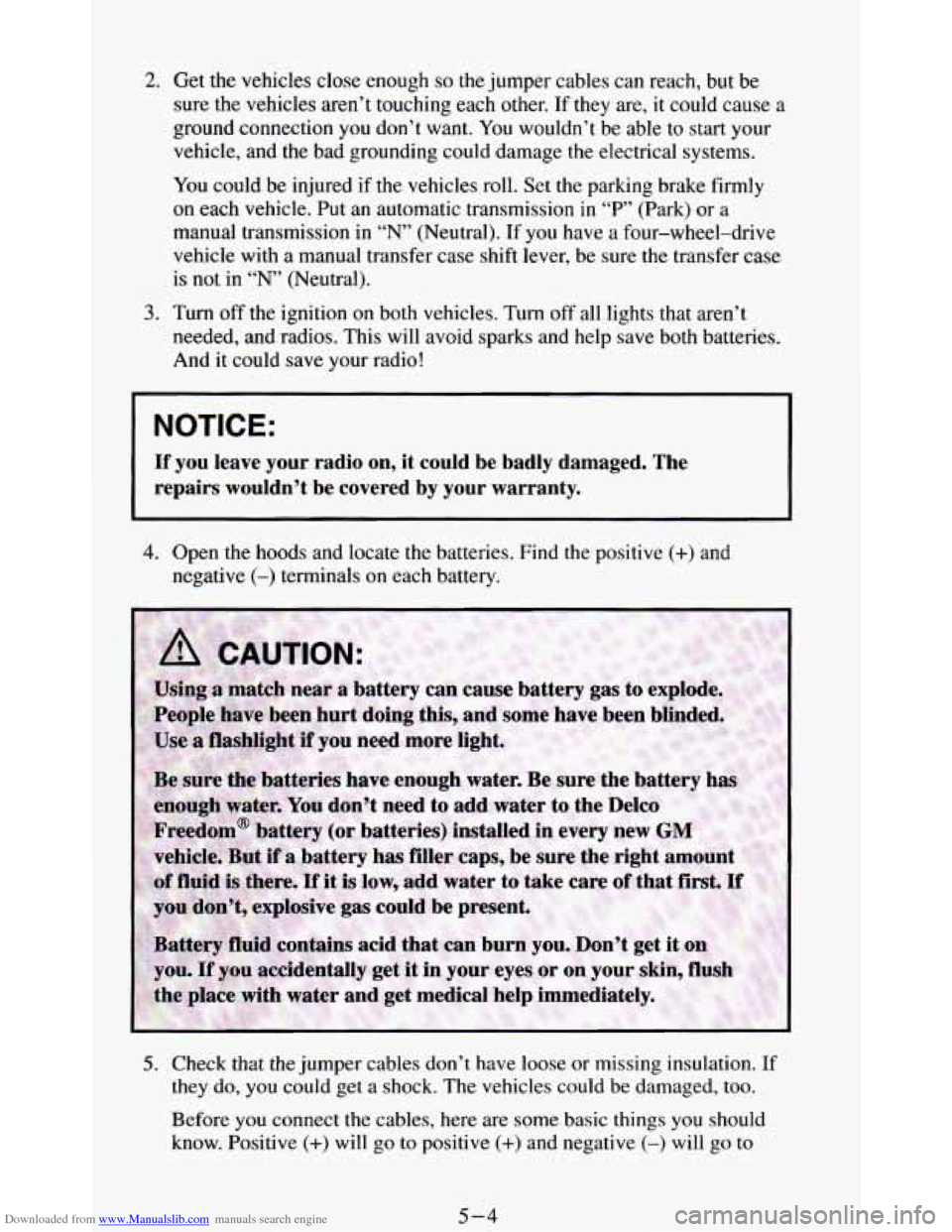
3.
Get the vehicles close enough so the jumper cables can reach, but be
sure the vehicles
aren’t touching each other. If they are, it could cause
ground connection you don’t want. You wouldn’t be able to start you1
vehicle, and the bad grounding could damage the electrical systems.
You could be injured if the vehicles roll. Set
the parking brake firmly
on each vehicle. Put an automatic transmission in “P’ (Park) or a
a
manual transmission in “N” (Neutral). If you have a four-wheel-drive
vehicle with
a manual transfer case shift lever, be sure the transfer case
is not in “N” (Neutral).
Turn
off the ignition on both vehicles. Turn off all lights that aren’t
needed, and radios. This will avoid sparks and help save both batteries.
And it could save your radio!
~~~
NOTICE:
~~
If you leave your radio on, it could be badly damaged. The
repairs wouldn’t be covered by your warranty.
4. Open the hoods and locate the batteries. Find the positive (+) and
negative (-) terminals on each battery.
5. Check that the jumper cables don’t have loose or missing insulation. If
they do, you could get a shock. The vehicles could be damaged, too.
Before you connect the cables, here are some basic things you should
know. Positive
(+) will go to positive (+) and negative (-) will go to
5-4
Page 298 of 348
Downloaded from www.Manualslib.com manuals search engine Be sure to use the
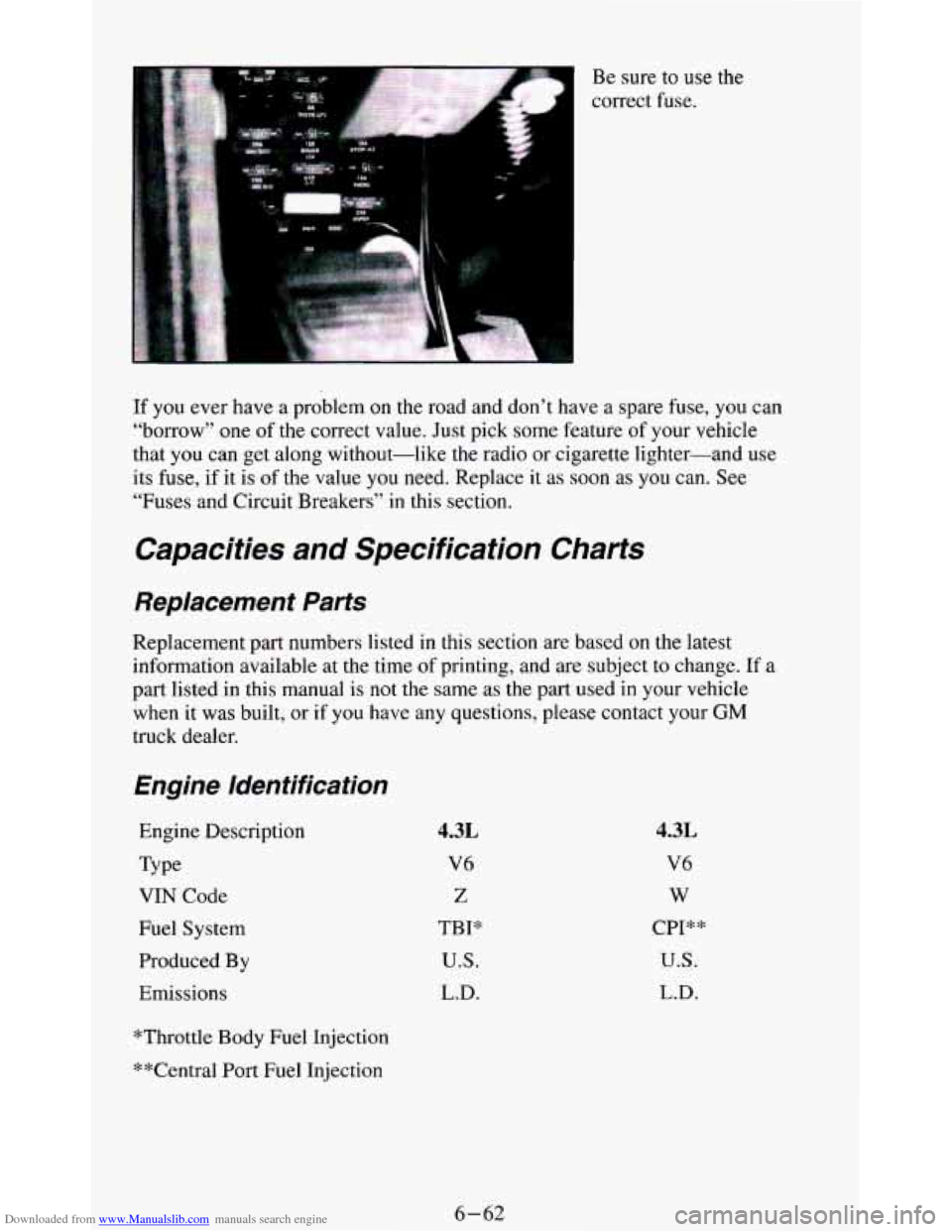
correct fuse.
If you ever have a problem on the road and don’t have a spare fuse, you can
“borrow”
one of the correct value. Just pick some feature of your vehicle
that you can get along without-like
the radio or cigarette lighter-and use
its fuse, if it is
of the value you need. Replace it as soon as you can. See
“Fuses and Circuit Breakers”
in this section.
Capacities and Specification Charts
Replacement Parts
Replacement part numbers listed in this section are based on the latest
information available at the time
of printing, and are subject to change. If a
part listed in this manual is
not the same as the part used in your vehicle
when it was built,
or if you have any questions, please contact your GM
truck dealer.
Engine Identification
Engine Description
Type
VIN Code
Fuel System
Produced By
Emissions
4.3L
V6
Z
TBP
U.S.
L.D.
4.3L
V6
w
CPI**
U.S.
L.D.
*Throttle Body Fuel Injection
**Central Port Fuel Injection
6-62
Page 302 of 348
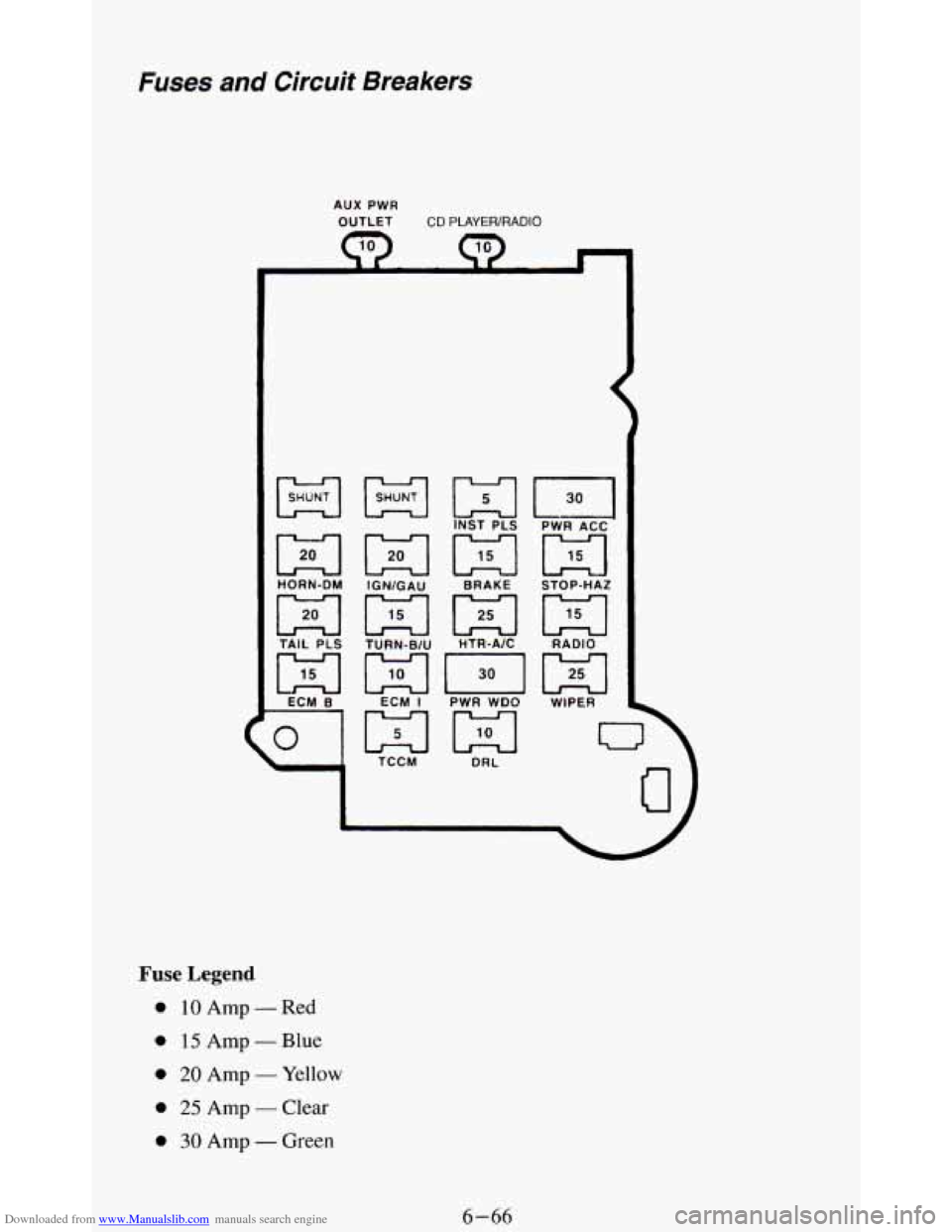
Downloaded from www.Manualslib.com manuals search engine Fuses and Circuit Breakers
AUX PWR
OUTLET CD PLAYER/RADIO
01
1
TCCM DRL
Fuse Legend
0 10 Amp - Red
0 15 Amp - Blue
0 20 Amp - Yellow
0 25 Amp - Clear
0 30 Amp - Green
6-66
Page 303 of 348
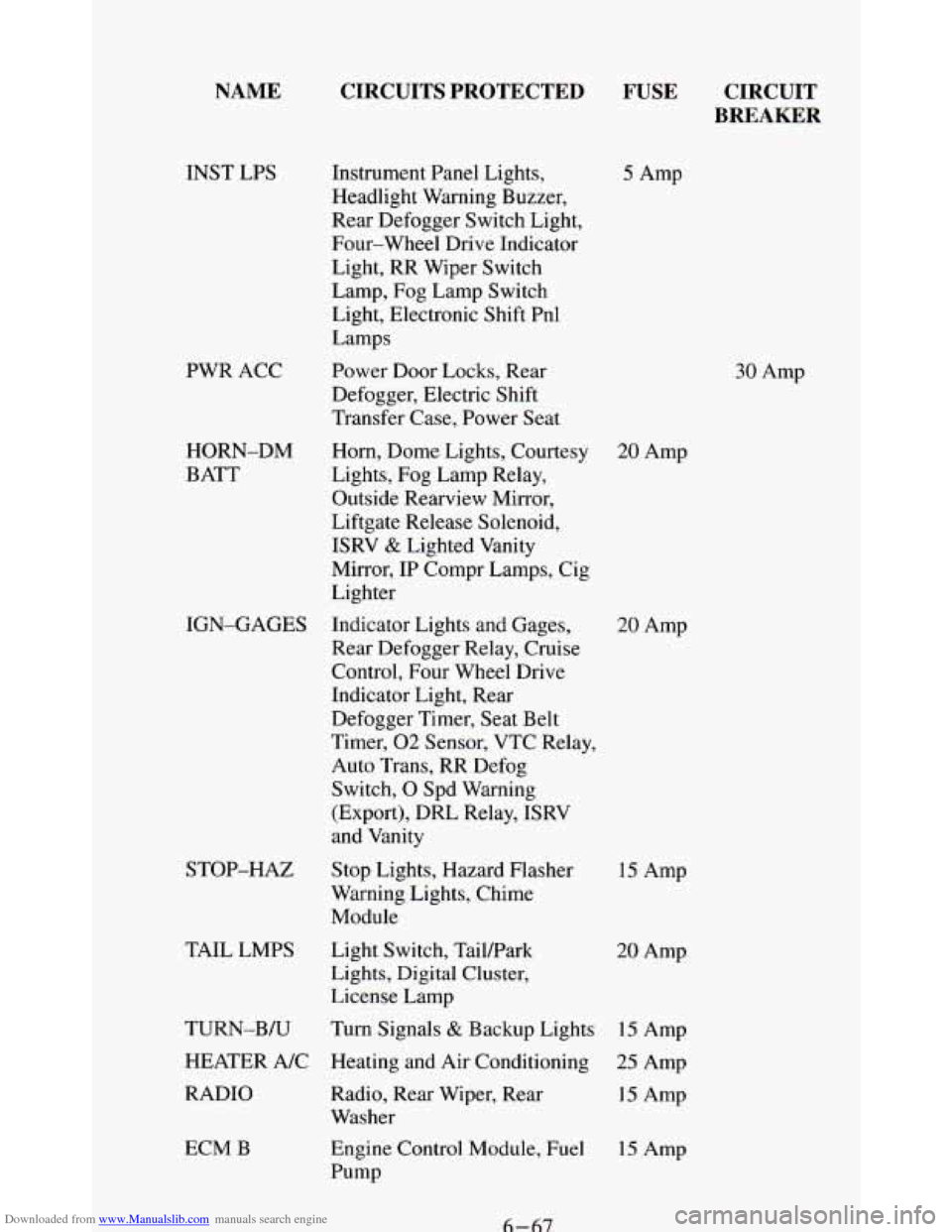
Downloaded from www.Manualslib.com manuals search engine NAME
INST LPS
PWR ACC
HORN-DM
BATT
STOP-HAZ
TAIL LMPS
ECM B
CIRCUITS PROTECTED
FUSE CIRCUIT
BREAKER
Instrument Panel Lights,
Headlight Warning Buzzer,
Rear Defogger Switch Light,
Four-wheel Drive Indicator
Light, RR Wiper Switch
Lamp, Fog Lamp Switch
Light, Electronic Shift Pnl
Lamps
Power Door Locks, Rear
Defogger, Electric Shift
Transfer Case, Power Seat
Horn, Dome Lights, Courtesy
20 Amp
Lights, Fog Lamp Relay,
Outside Rearview Mirror,
Liftgate Release Solenoid,
ISRV
& Lighted Vanity
Mirror, IP Compr Lamps, Cig
Lighter
IGN-GAGES Indicator Lights and Gages,
Rear Defogger Relay, Cruise
Control, Four Wheel Drive
Indicator Light, Rear
Defogger Timer, Seat Belt
Timer,
02 Sensor, VTC Relay,
Auto Trans, RR Defog
Switch,
0 Spd Warning
(Export),
DRL Relay, ISRV
and Vanity
Stop Lights, Hazard Flasher
Warning Lights, Chime
Module
Light Switch, Tailpark
Lights, Digital Cluster,
License Lamp
TURN-B/U Turn Signals
& Backup Lights 15 Amp
HEATER A/C Heating and Air Conditioning
25 Amp
RADIO Radio, Rear Wiper, Rear
15 Amp
Washer
Engine Control Module, Fuel
15 Amp
Pump
5 Amp
30 Amp
20 Amp
15 Amp
20 Amp
6-67