1993 CHEVROLET S10 traction
[x] Cancel search: tractionPage 73 of 356
Downloaded from www.Manualslib.com manuals search engine CAUTION I
If you skip more than one gear when you downshift, you could lose
control of your vehicle. And you could injure yourself or others.
NOTICE
Locking Rear Axle
If you have this feature, your rear axle can give you additio\
nal traction on
snow, mud, ice, sand or gravel. It works like a standard axle\
most of the
time, but one of the rear wheels has no traction and the other does, the
locking feature will allow the wheel with traction to move the vehicle.
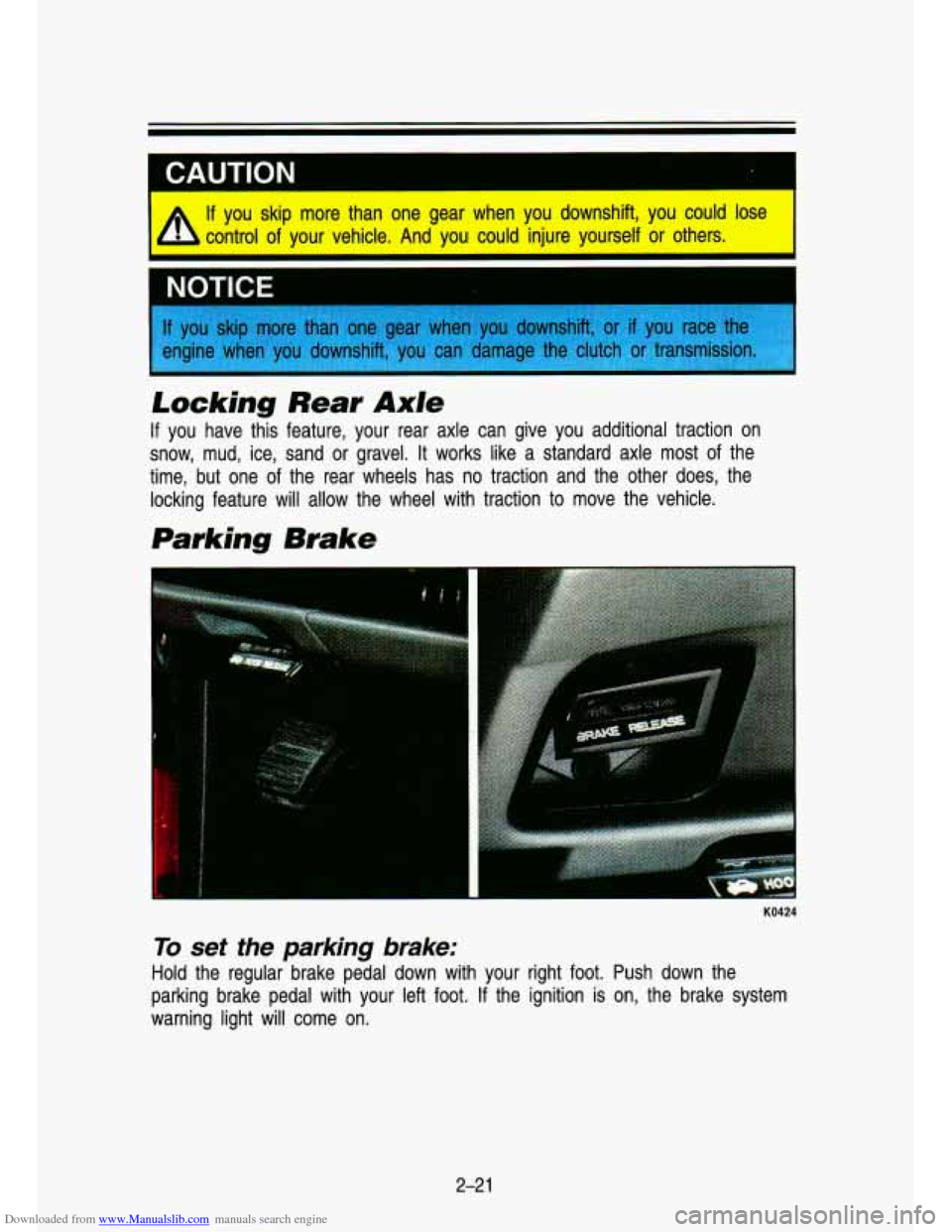
Parking Brake
KO424
To set the parking brake:
Hold the regular brake pedal down with your right foot. Push \
down the
parking brake pedal with your left foot.
If the ignition is on, the brake system
warning light will come on.
2-21
Page 79 of 356
Downloaded from www.Manualslib.com manuals search engine It can be dangerous to get out of your vehicle if the shift llever is not I
fully in P (Park) with the parking brake firmly set. Your vehide can
roll. Don’t leave your vehicle when the engine is running, \
unlless y~
have to.
If you’ve left the engine running, tihe vehicle can move
suddenly.
You or others could be injured. To be sure your vehicle
won’t move, when you’re on fairly level ground, always se\
t your
parking brake and move the shift lever to
P (Park).
If you have four-wheel drive with a manual transfer case shift lever
and your transfer case
is in N (Neutral), your vehide will be free to
roll, even if your shift lever is in P (Park). So, be sure the transfer
case is in a drive gear-not
in ‘N (Neutral)., Follow the proper steps
to be sure your vehicle
won’t move. See “Shifting Into P (Park)” in
the Index.
If you are parking on a hill, or if you’re pulling a trailer, also see
“Farking on Mills” or “Towing a Trailer” in the Index.
If your vehicle has four-wheel drive, you can send your engine’\
s driving power
to all four wheels for extra traction.
To shift out of two-wheel drive and into
four-wheel drive, move the transfer case shift lever
to 4 HIGH or 4 LOW. You
should use
2 WHEEL for most normal driving conditions, however.
2-27
Page 80 of 356

Downloaded from www.Manualslib.com manuals search engine Features & Controls
Manual Transfer Case
I
PO1 63
The transfer case shift lever is on the floor to the right of the driver. Use this
lever
to shift into and out of four-wheel drive. An indicator light near the lever
shows you the transfer case settings:
2 WHEEL
4 HIGH
N SET PARKING BRAKE
4 LOW
The front axle portion
of the diagram on the indicator will light up when you
shift into four-wheel drive. A slight delay between shifting and the patte\
rn's
lighting is normal.
If the pattern does not light up, or if the front axle does
not go out after you shift out
of four-wheel drive, have your dealer check
your system. Turn the dial above your headlight switch
to the left to dim your
transfer case indicator light when your headlights or parking l\
ights are on.
2 WHEEL: This setting is for driving in most street and highway situations.
Your front axle is not engaged in two-wheel drive.
4 HIGH: This setting engages your front axle to help drive your vehicle.
Use
4 HIGH when you need extra traction, such as on snowy or icy roads, \
or in most off-road situations.
N SET PARKING BRAKE: Shift to this neutral setting only when your vehicle
needs
to be towed.
2-28
I
Page 81 of 356
Downloaded from www.Manualslib.com manuals search engine 4 LOW: This setting also engages your front axle to give you extra traction.
You may never need
4 LOW. It sends the maximum power to all four wheels.
You might choose
4 LOW if you were driving off-road in sand, mud, or deep
snow and climbing or descending steep hills.
You can shift from
2 WHEEL to 4 HIGH or from 4 HIGH to 2 WHEEL while
the vehicle is moving.
It is not necessary for you to press the transfer case
shift lever button. Your front axle will engage faster if you take your foot
off
of the accelerator for a few seconds after you shift.
To shift into or out of 4 LOW or N SET PARKING BRAKE:
-
1. Stop your vehicle and shift your transmission into neutral.
2. Press the transfer case shift button and shift in one continuous motion.
Don’t pause in
N SET PARKING BRAKE as you shift into or out of 4 LOW,
or your gears could clash.
Remember that driving in
4 HIGH or 4 LOW may reduce fuel economy. Also,
driving in four-wheel drive on dry pavement could cause your tires to wear
faster and make your transfer case harder to shift.
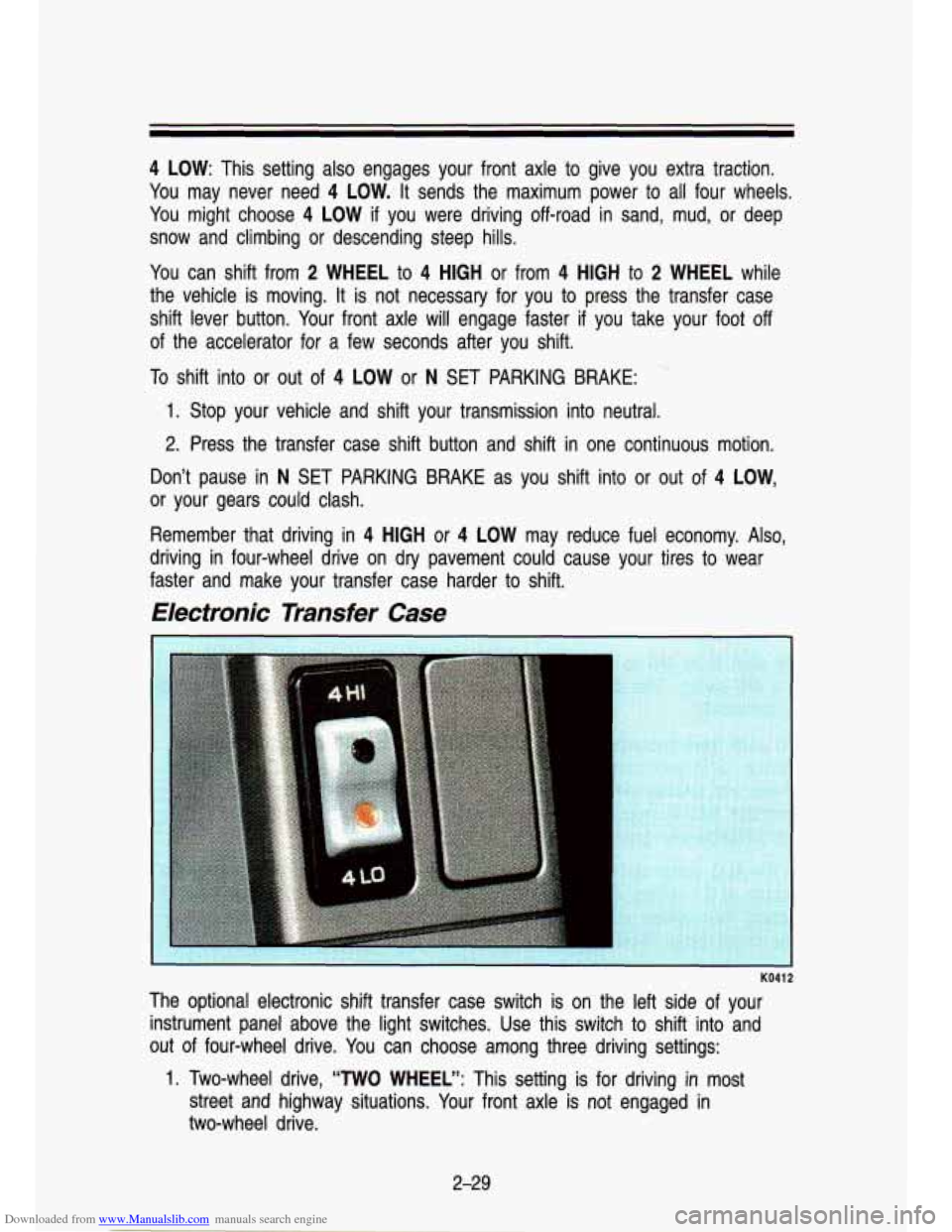
Electronic Transfer Case
1
KO41 2
The optional electronic shift transfer case switch is on the left side of your
instrument panel above the light switches. Use this switch to \
shift into and
out of four-wheel drive. You can choose among three driving settings:
1. Two-wheel drive, “TWO WHEEL”: This setting is for driving in most
street and highway situations. Your front axle
is not engaged in
two-wheel drive.
2-29
Page 82 of 356

Downloaded from www.Manualslib.com manuals search engine t
Featums & Contmls
2. 4HI: This setting engages your front axle to help drive your \
vehicle. Use 4HI when you need extra traction, such as on snowy or ic\
y roads,
or in most off-road situations.
3. 4LO: This setting also engages your front axle to give you extra traction.
You may never need 4LO. It sends the maximum power to
all four
wheels. You might choose 4L0
if you were driving off-road in sand,
mud, or deep snow and climbing or descending steep hills.
Indicator lights on the switch show you which setting you are \
in. Both
indicator lights
will come on briefly when you turn on the ignition. If both
lights
do not come on, you should take your vehicle in for service. The 4HI
position has a green indicator light and the 4LO position has \
an amber
indicator light. When shifting from 4HI to 4LO or 4LO to 4HI,\
the indicator
light will flash until the shift is completed.
Two-Wheel Drive, “TWO WHEEL”, does not have a switch posi\
tion or an indicator light. Your vehicle will be in
two wheel drive if neither indicator light
is on.
To shift from two-wheel drive,
“TWO WHEEL”, to 4HI: Press and release
the 4HI switch. This can be done at any speed, and the front\
axle will lock
automatically.
To shift from 4HI to two-wheel drive, “TWO WHEEL”: Press and\
release
the 4HI switch. This can be done at any speed, and the front\
axle will unlock
automatically.
To shift from two-wheel drive, ‘‘TWO WHEEL”, or 4HI to 4LO: Stop your
vehicle. Shift your transmission into
N (Neutral) or depress your clutch pedal.
Press and release the 4LO switch. You must wait for the amber 4LO
indicator light to stop flashing and go solid amber before shi\
fting your
transmission into gear or releasing the clutch pedal.
If the 4L0 switch is pressed when your vehicle is in gear and/or moving, the
amber 4L0 indicator light will flash for
30 seconds and not complete the shift
unless your vehicle is below
3 mph and the transmission is in N (Neutral) or
the clutch pedal depressed.
On automatic transmission equipped vehicles:
If your transfer case does not
shift into 4L0, your transmission indicator switch may require adjustment. With
your transmission in
N (Neutral), press and release the 4LO switch. While the
amber 4LO indicator light is flashing, shift your transmission \
into
P (Park).
Wait until the 4LO indicator light goes solid amber before shifting your
transmission into gear. This will get you into 4L0, but you should take your
vehicle in for service
so normal operation can be restored.
2-30
Page 94 of 356

Downloaded from www.Manualslib.com manuals search engine Features & Contmls
t
1 CALITION I. - .. ;Fg ,. L A Cruise Control can be dangerous where you can't drive safely a\
t
a steady speed.
So, don't use your Cruise Control on winding
roads
or in heavy traffic.
Cruise Control can be dangerous on slippery roads. On such
roads, fast changes in tire traction can cause needless wheel
spinning, and you could lose control. Don't use Cruise Control \
on slippery roads.
To Set Cruise Control
Move the Cruise Control switch to ON.
1 CAUTION
A If you leave your Cruise Control switch on when you're not using \
k Cruise, you might hit a button and go into Cruise when you don't
want to. You could be startled and even lose control. Keep the
Cruise Control switch
OFF until you want to use it.
Get up to the speed you want.
Push in the set button at the end of the lever and release it.
Take your foot off the accelerator pedal.
2-42
Page 172 of 356
Downloaded from www.Manualslib.com manuals search engine Your Driving and the Road
Steering Tips
Driving on Curves
It’s important to take curves at a reasonable speed.
A lot of the “driver lost control” accidents mentioned on the news \
happen on
curves. Here’s why:
Experienced driver or beginner, each of us is subject to the same laws of
physics when driving on curves. The traction of the tires against the road
surface makes it possible for the vehicle to change its path when you turn
the front wheels.
If there’s no traction, inertia will keep the vehicle going in
the same direction.
If you’ve ever tried to steer a vehicle on wet ice, you’ll \
understand this.
The traction you can get in a curve depends on the condition of your tires
and the road surface, the angle at which the curve is banked, and your
speed. While you’re in a curve, speed is the one factor you can control.
Suppose you’re steering through a sharp curve. Then you sudd\
enly apply the
brakes. Both control systems-steering and braking-have to do their work
where the tires meet the road. Adding the hard braking can de\
mand too
much at those places. You can lose control. The same thing can happen
if
you’re steering through a sharp curve and you suddenly accel\
erate. Those
two control systems-steering and acceleration-can overwhelm those places
where the tires meet the road and make you lose control.
What should you
do if this ever happens? Let up on the brake or accelerator
pedal, steer the vehicle the way you want it to go, and slow down.
Speed limit signs near curves warn that you should adjust your\
speed. Of
course, the posted speeds are based on good weather and road \
conditions. Under less favorable conditions you’ll want to go slower.
If you need to reduce your speed as you approach a curve, do it before you
enter the curve, while your front wheels are straight ahead. Try to adjust your
speed
so you can “drive” through the curve. Maintain a reasonable, \
steady
speed. Wait to accelerate until you are out of the curve, and then accelerate
gently into the straightaway.
When you drive into a curve at night, it’s harder to see the road ahead of
you because it bends away from the straight beams of your lights. This is
one
good reason to drive slower.
Steering in Emergencies
There are times when steering can be more effective than braki\
ng. For
example, you come over a hill and find a truck stopped in your lane, or a
4-1 %
Page 176 of 356

Downloaded from www.Manualslib.com manuals search engine Your Driving and the Road
Don’t overtake a slowly moving vehicle too rapidly. Even tho\
ugh the
brake lights are not flashing, it may be slowing down or starting to turn.
If you’re being passed, make it easy for the following driv\
er to get ahead
of you. Perhaps you can ease a little to the right.
Loss of Control
Let’s review what driving experts say about what happens whe\
n the three
control systems (brakes, steering and acceleration) don’t ha\
ve enough friction
where the tires meet the road to
do what the driver has asked.
In any emergency, don’t give up. Keep trying to steer, and constantly seek an
escape route or area of less danger.
Skidding
In a skid, a driver can lose control of the vehicle. Defensive drivers avoid
most skids by taking reasonable care suited to existing conditi\
ons, and by not
“overdriving” those conditions. But skids are always possib\
le.
The three types
of skids correspond to your vehicle’s three control systems.
In the braking skid, your wheels aren’t rolling. In the steering or cornering
skid, too much speed or steering in a curve causes tires to \
slip and lose
cornering force. And in the acceleration skid, too much throttle causes the
driving wheels to spin.
A cornering skid and an acceleration skid are best handled by easing your
foot off the accelerator pedal. If your vehicle starts to slide (as when you turn
a corner on a wet, snow- or ice-covered road), ease your foo\
t
off the
accelerator pedal as soon as you feel the tires start to slide. Quickly steer
the way you want the vehicle to go. If you start steering quickly enough, your
vehicle will straighten out.
As it does, straighten the front wheels.
Of course, traction is reduced when water, snow, ice, gravel, or other material
is on the road. For safety, you’ll want to slow down and adjust your driving to
these conditions.
It is important to slow down on slippery surfaces because
stopping distance will be longer and vehicle control more limit\
ed.
While driving on a surface with reduced traction, try your bes\
t to avoid
sudden steering, acceleration, or braking (including engine brak\
ing by shifting
to a lower gear). Any sudden move could cause the tires to slide. You may
not realize the surface is slippery until your vehicle is skidding. Learn to
recognize warning clues-such as enough water, ice or packed snow on the
road to make
a “mirrored surface”-and slow down when you have any
doubt.
4-22