Page 109 of 370
Downloaded from www.Manualslib.com manuals search engine Features & Controls
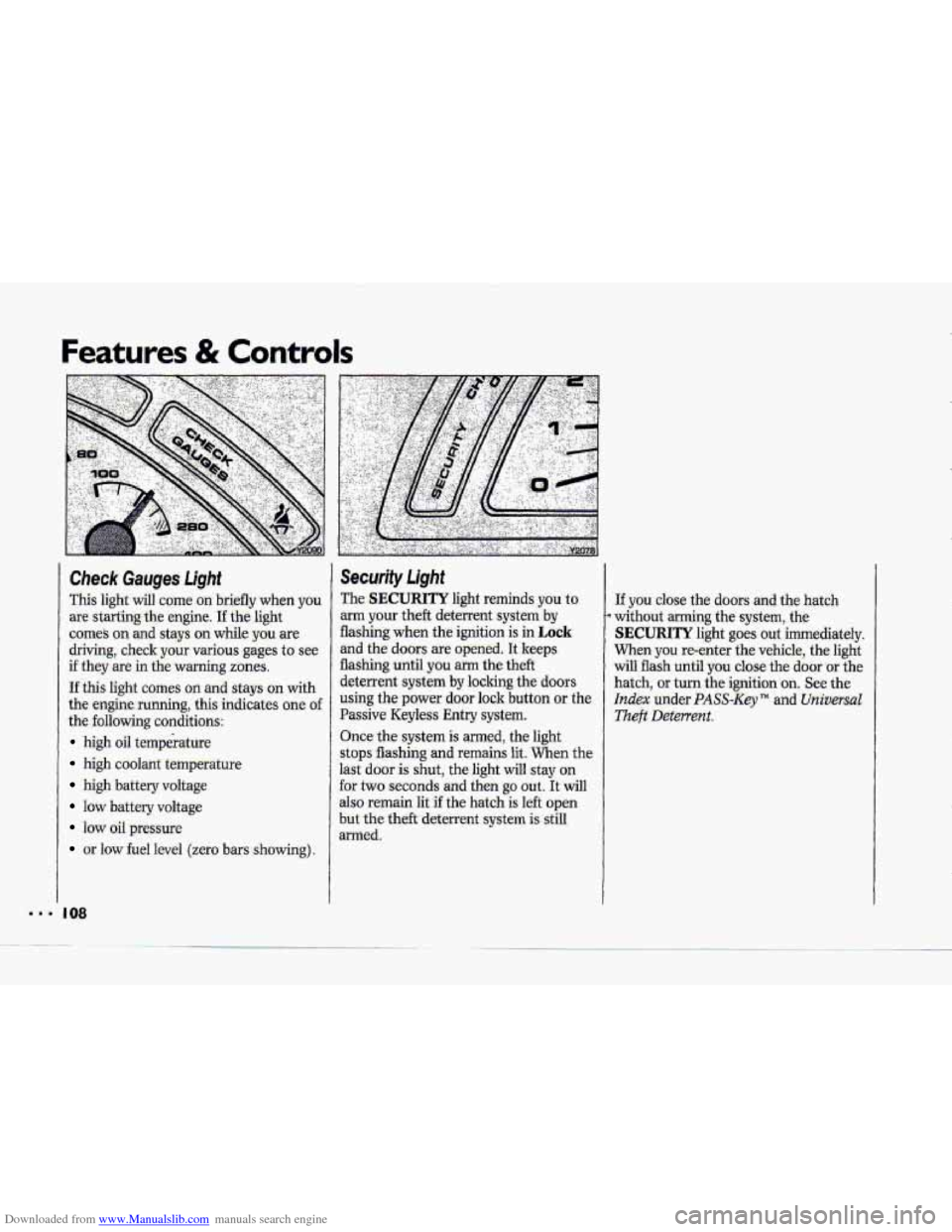
Check Gauges Light
This light will come on briefly whien y6u
are starting the engine. I€ the light
comes on and stays on while you are
driving, check your various gages to see
if they are in the warning zones.
If this light comes on and stays on with
the engine running, this indicates one of
the following conditions:
high oil temperature
high coolant temperattiE’
high battery voltage
low battery voltage
IOW oil pressure
or low fuel level (zero bars showing).
I 08
Security Light
The SECURITY light reminds you to
arm your theft deterrent system by
flashing when the ignition is in Lock-
and the doors are opened. It keeps
flashing until
you arm the theft
deterrent system
by locking the doors
using the power door lock button or the
Passive Keyless Entry system.
Once the system
is armed, the light
stops flashing
and remains lit. When the
last
door is shut, the light will stay on
for two seconds and then
go out. It will
also remain lit if the hatch is left open
but the theft deterrent system is still
armed.
If you close the doors and the hatch
without arming the system, the
SECURITY light goes out immediately.
When you re-enter the vehicle, the light
w.ill flash until
you close the door or the
hatch,
or turn the ignition .on. See the
Index under PASS-Key TM and Universal
.Theft Deterrent.
Page 113 of 370
Downloaded from www.Manualslib.com manuals search engine Features & Controls
..I I
Low Coolant Warning Light
If this light comes on, your system is
overheat. See the Index under Engine
Coolant and have your vehicle serviced
a low on coolant and the engine may
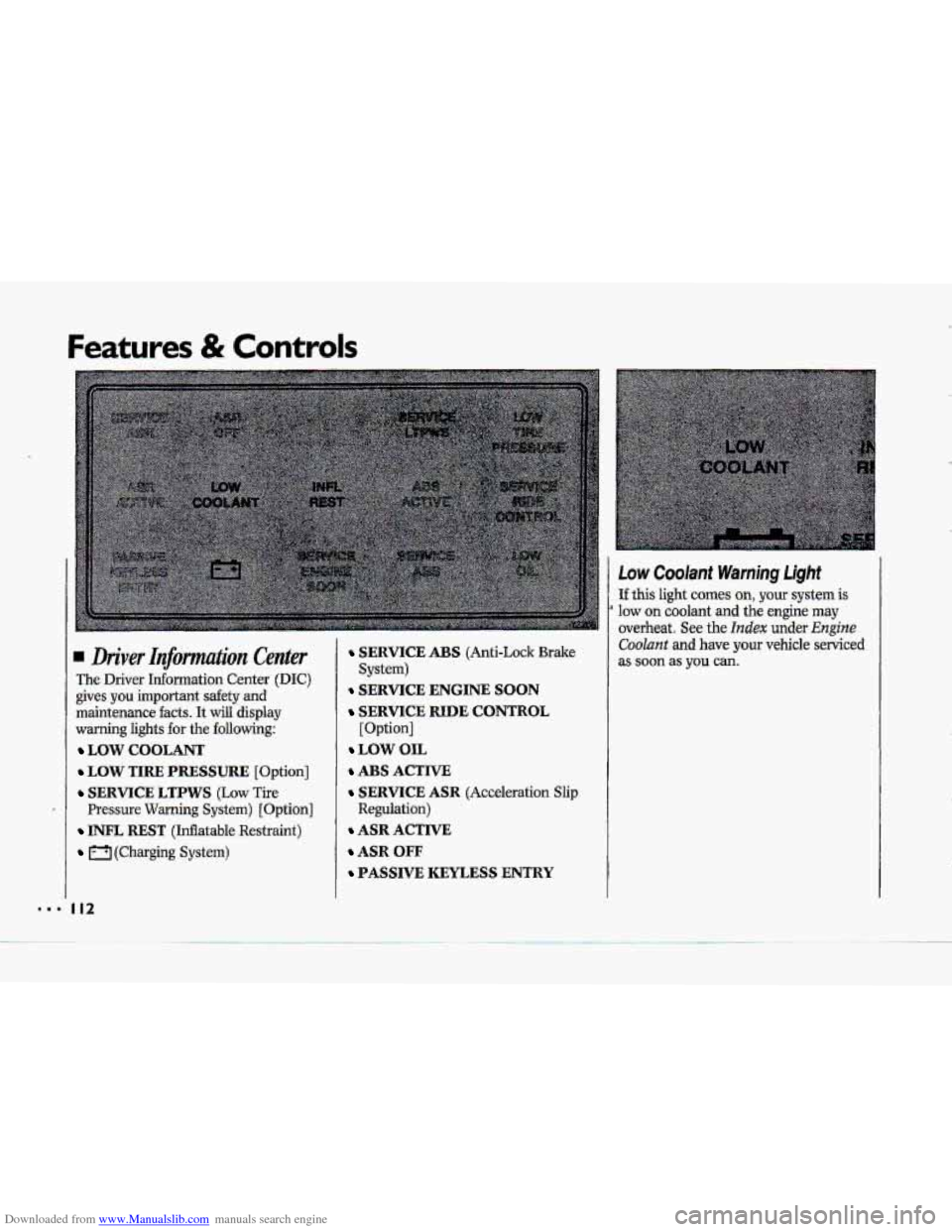
Driver Infomtation Center
The Driver Information Center (DIC)
gives you important safety and
maintenance
facts. It will display
warning lights
€or the following:
LOW COOLANT
LOW TIRE PRESSURE [Option]
SERVICE LTPWS (Low Tire
Pressure Warning System) [Option]
INFL REST (Inflatable Restraint)
(Charging System)
I12
SERVICE ABS (Anti-Lock Brake
SERVICE ENGINE SOON
SERVICE RIDE CONTROL
[Option]
LOW OIL
ABS ACTIVE
SERVICE ASR (Acceleration Slip
Regulation)
ASR ACTIVE
ASR OFF
PASSIVE KEYLESS ENTRY
System) as soon as you can.
Page 118 of 370
Downloaded from www.Manualslib.com manuals search engine NOTICE i I 1 ABS Active Light
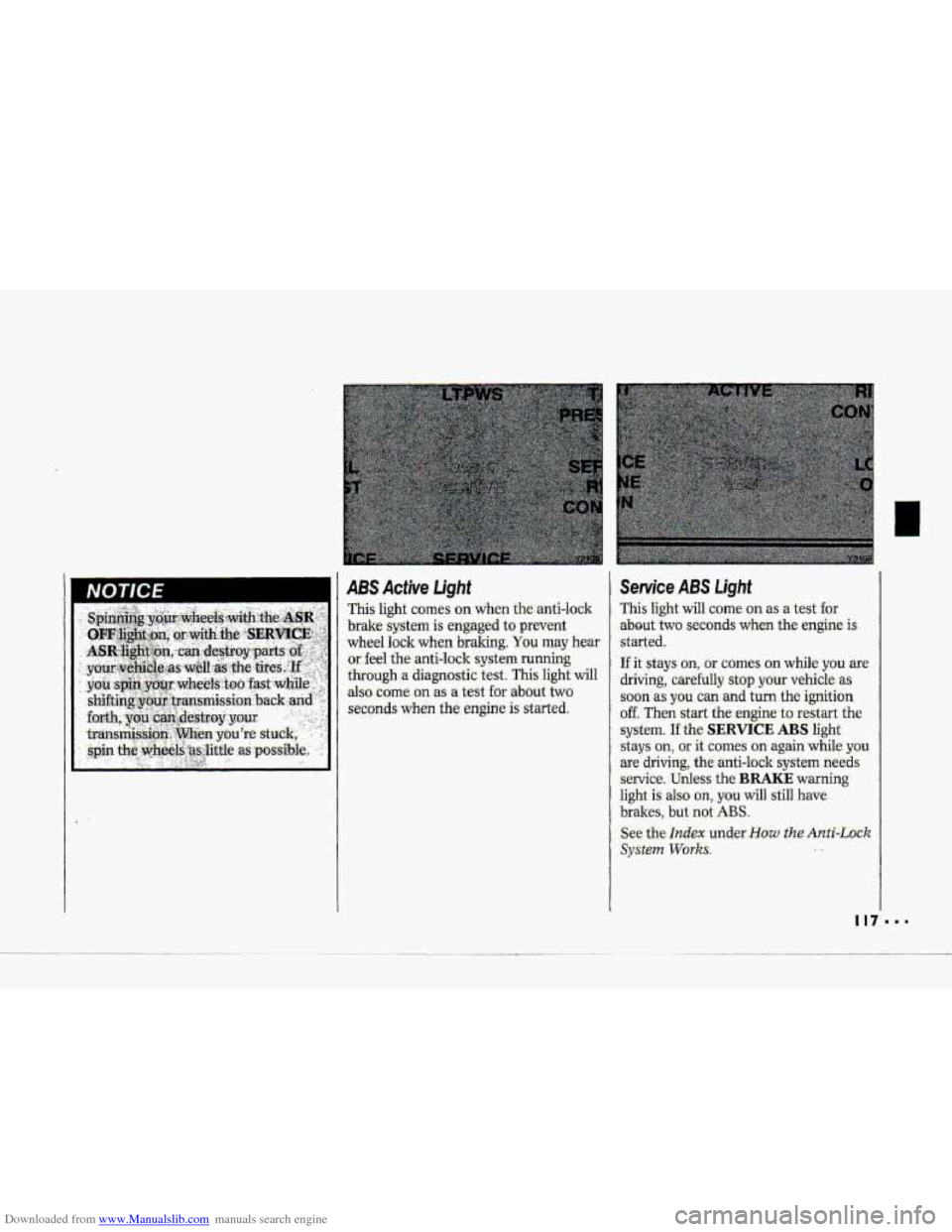
This light c0me.s on when the-anti-lo-clr
brake system is engaged to prevent
wheel lock when
braking. You may hear
or. feel the-anti-lock system running
through a diagnostic test. This light will
also
come on as a test for .about two
seconds
when the engine is ‘started.
Service ABS Light
This light will come on as a test for
.about- two seconds when the engine is
.started.
If it stays on, - or comes an while you are
driving, carefully stop your vehicle as
.soon as you can and turn the ignition
off. Then start the engine to restart the
system.
If the SERVICE ABS light
stays
on, or it comes on again while you
are driving; the anti-lock system needs
service. Unless the BRAKE warning
light is also on,. you will still have
brakes, but not ABS.
See the Index under-How the Anti-Lock
SyStePn Works. ..
Page 121 of 370
Downloaded from www.Manualslib.com manuals search engine Features & Controls
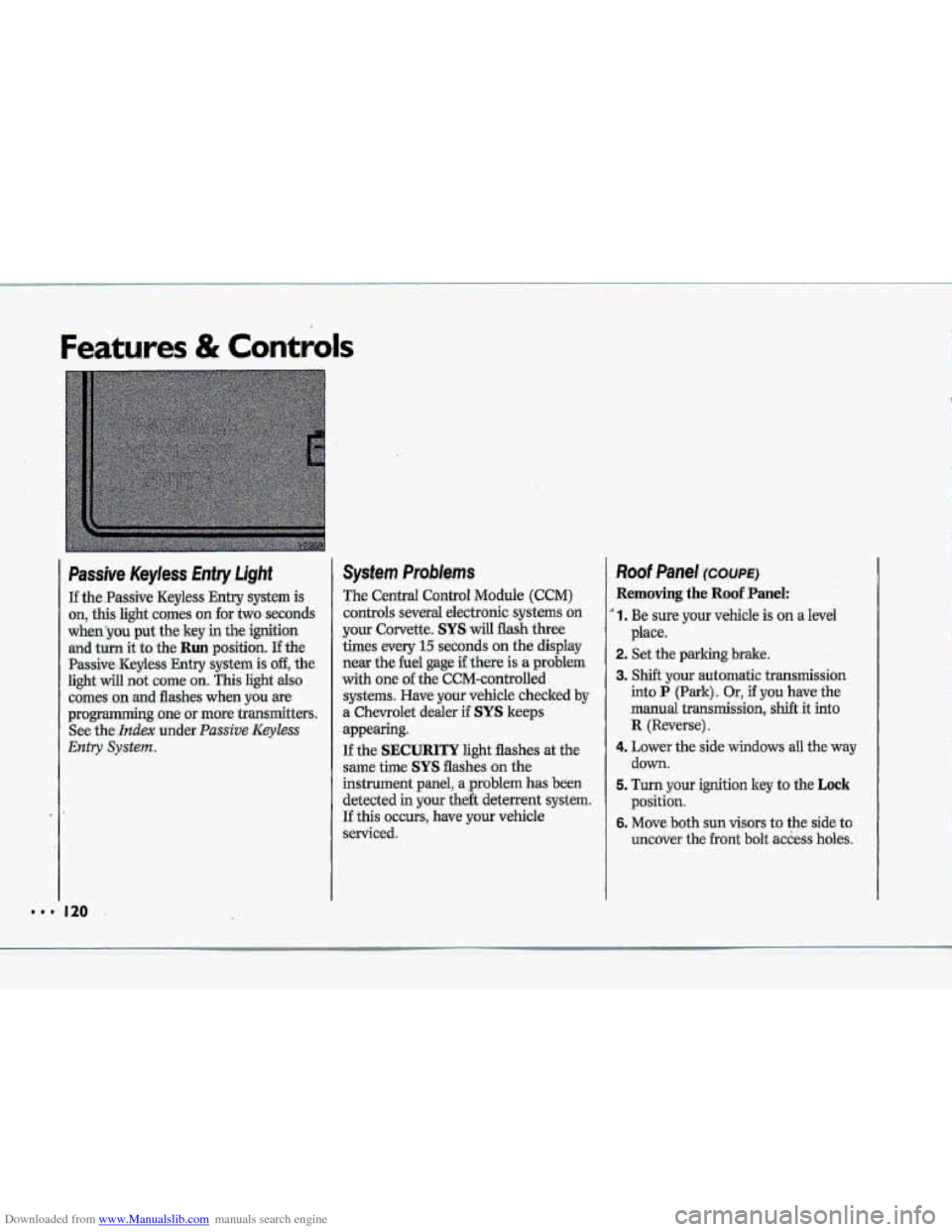
Passive Keyless Entry Light
If the.Passive Keyless Entry system is
on, this light comes on for two seconds
whenyou put the key in the ignition
and turn it to the Run position. If the
Passive -Keyless Entry .system is off, the
light will not cume on. This light also
comes on .md flashes when you we
programming~ one or more transmitters.
See
the- Index under. Passive Keyless
Entry System.
System Problems
The Central Control Module (CCM)
controls several electronic systems on
your Corvette. SYS will flash three
times every
15 seconds on the display
near the he1 gage if there is a problem
with one of the CCM-cantrolled
systems. Have your vehicle checked
by
a. Chevrolet dealer if SYS keeps
appearing.
If the SECURITY light flashes at the
same the SYS flashes on the
instrument panel, a ,problem has been
detected in your the& deterrent system.
If this OCCUTS, have YQW vehicle
serviced.
Roof Panel ~XWE)
Removing the Roof Panel:
' 1. Be sure your vehicle is on a level
2. Set the parking brake.
3. Shift your automatic transmission
into P (Park). Or, if you have the
manual
transmission, shift it into
R {Reverse).
4. Lower the side windows all the'way
down.
5. Turn your ignition key to the Lock
position.
6. Move both sun visors to the side to
uncover the
.front bolt access holes.
place.
k p*
.&
"' 120
Page 126 of 370
Downloaded from www.Manualslib.com manuals search engine rh To Lower Your Convertible Tow
~~~ ~
. Park on a level surface, set the
parking brake
firmly, shift an
automatic transmission into
P (Park)
and shut off the engine. Shift a
manual transmission into R (Reverse).
Then lower both
windpp and-sun
visors.
E
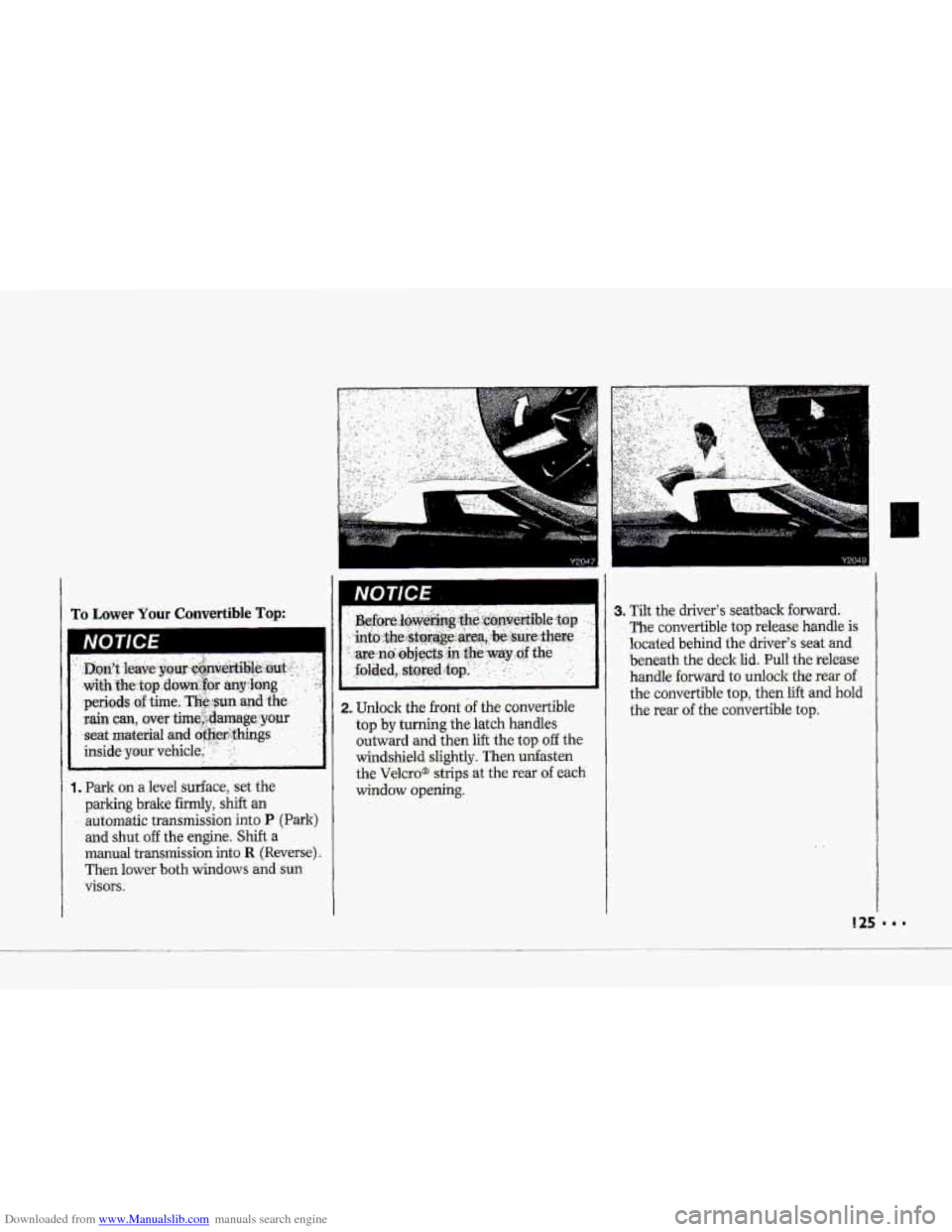
i 1. Unlock the front of the convertible
top by turning the latch handles
outward and then
lift the top off the
windshield slightly. Then unfasten
the
Velcro@ strips at the rear of each
window opening.
I
3. Tilt the driver's seatback forward.
The convertible top release handle is
located behind the driver's seat and
beneath the deck
lid. Pull the release
handle
forward to unlock the rear of
the convertible top, then lift and hold
the rear
of the convertible top.
Page 131 of 370
Downloaded from www.Manualslib.com manuals search engine ..I
Features & Controls
Convertiible Hardtop (CONT.)
4. Loosen the rear comer bracket bolts
with the ratchet wrench.
130
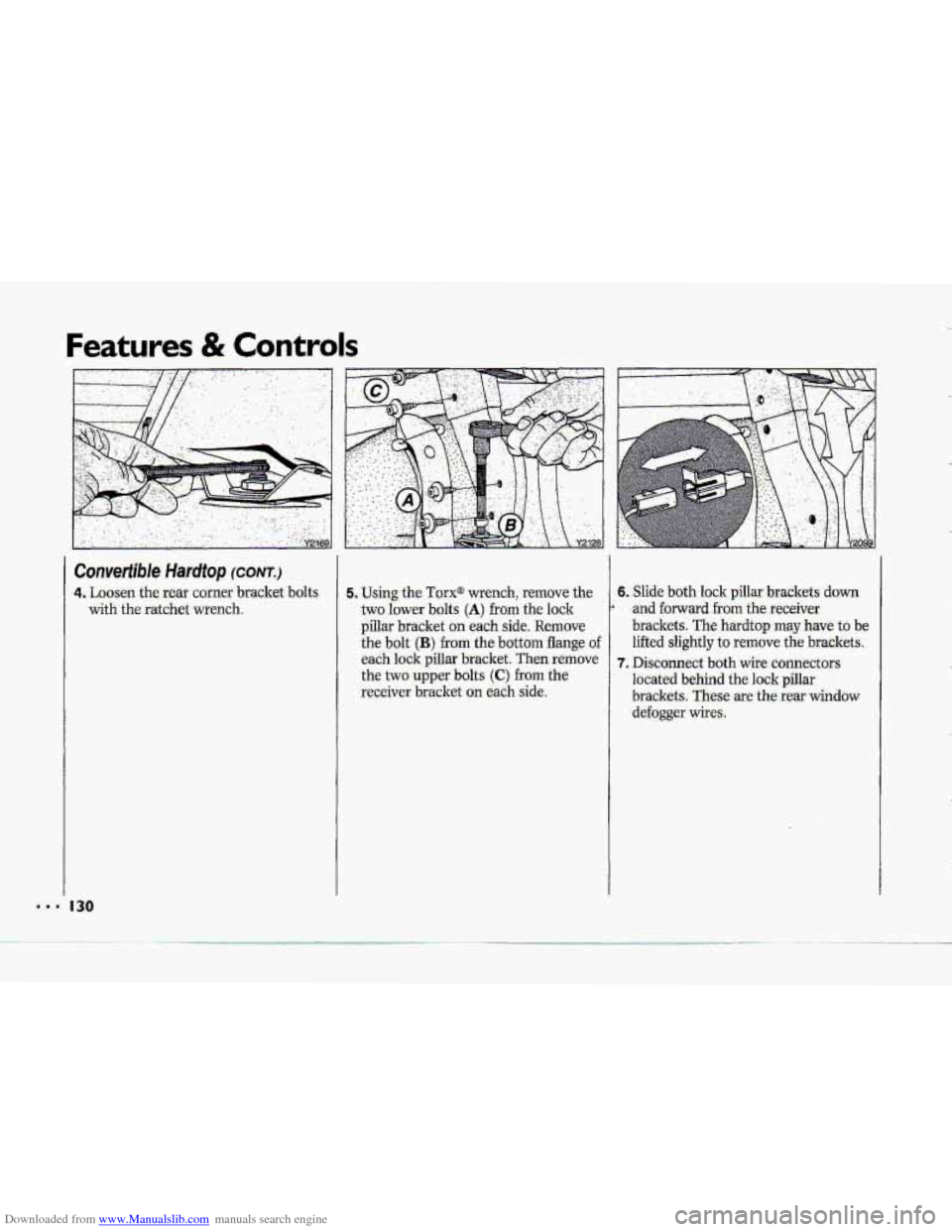
5. Using the Torx@ wrench, remove the 6. Slide both lock pillar brackets down
two lower bolts
(A) from th-e lock
brackets.
These are the rear window -receiver bracket on each side. located behind the lock pillar
the two upper
bolts (C) from the
7. Disconnect both wife connectors
each lock pillar bracket. Then remove lifted slightly
to remove
the brackets.
the bolt (B) from the bottom flange of
brackets. The hardtop may have to be
pillar bracket on each side, Remove
* and forward from the receiver
defogger wires.
Page 133 of 370
Downloaded from www.Manualslib.com manuals search engine ..I
Features & Controls
Convertible Hardtop (CONT.)
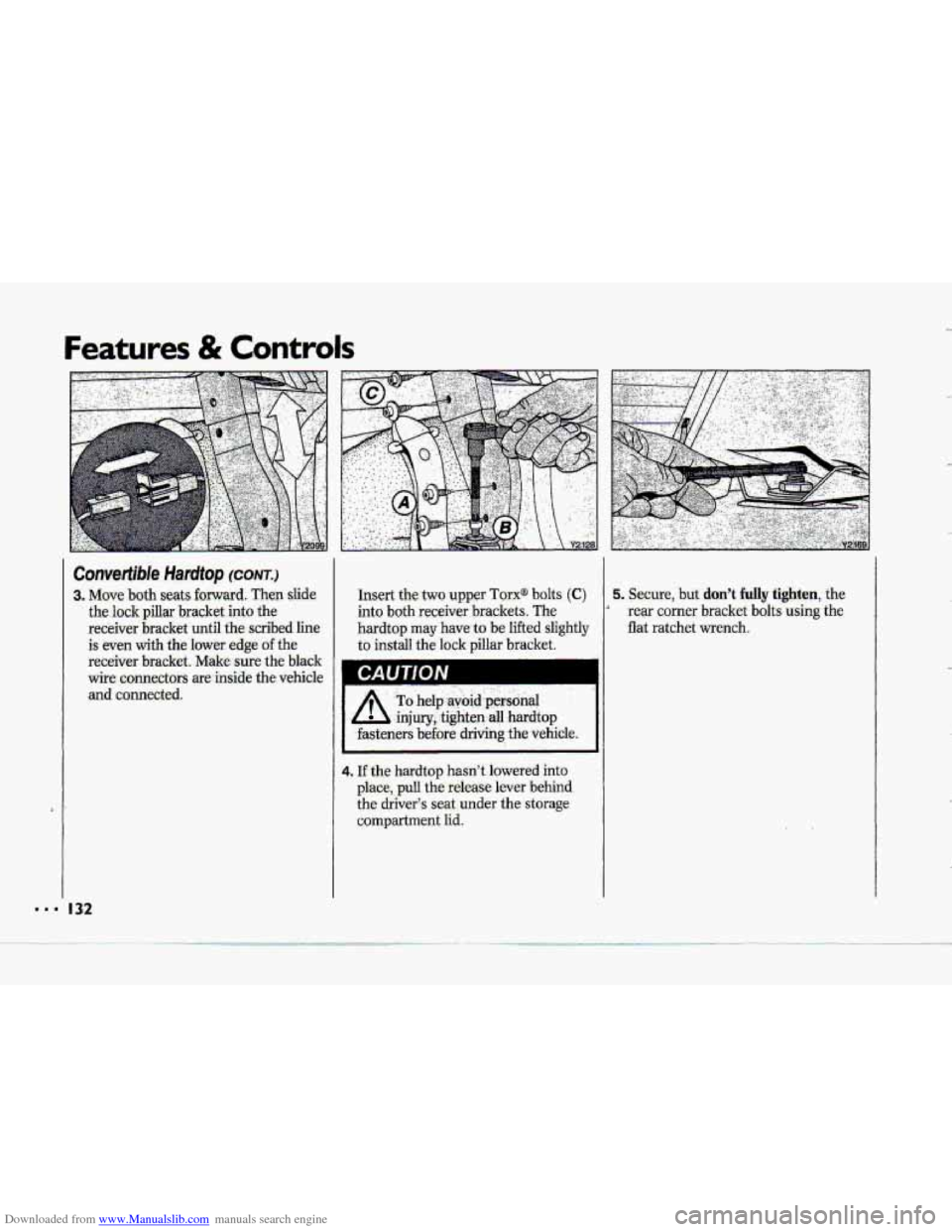
-3. Move both seats forward. Then slide
the lock pillar bracket into the
receiver bracket until
the scribed line
is even with the lower edge of the
receiver bracket. Make-sure the black
wire. connectors are inside the vehicle
and connected.
I 32
Insert the two upper Tarx@ bolts (C)
into both receiver brackets:. The
hardtop may have- to be lifted slightly
to install the lock pillar bracket.
A’
To help,avbid .p&oial . ,.
,injury,,tighten all hardtop
.fasteners
before driving the vehicle.
4. If the hardtop hasn’t lowered into
place, pull the release lever -behind
the driver3 seat.under the storage
compartment lid.
5. Secure, but don’t fully tighten, the
rear corner bracket bdts using the
flat ratchet wrench.
4
Page 134 of 370
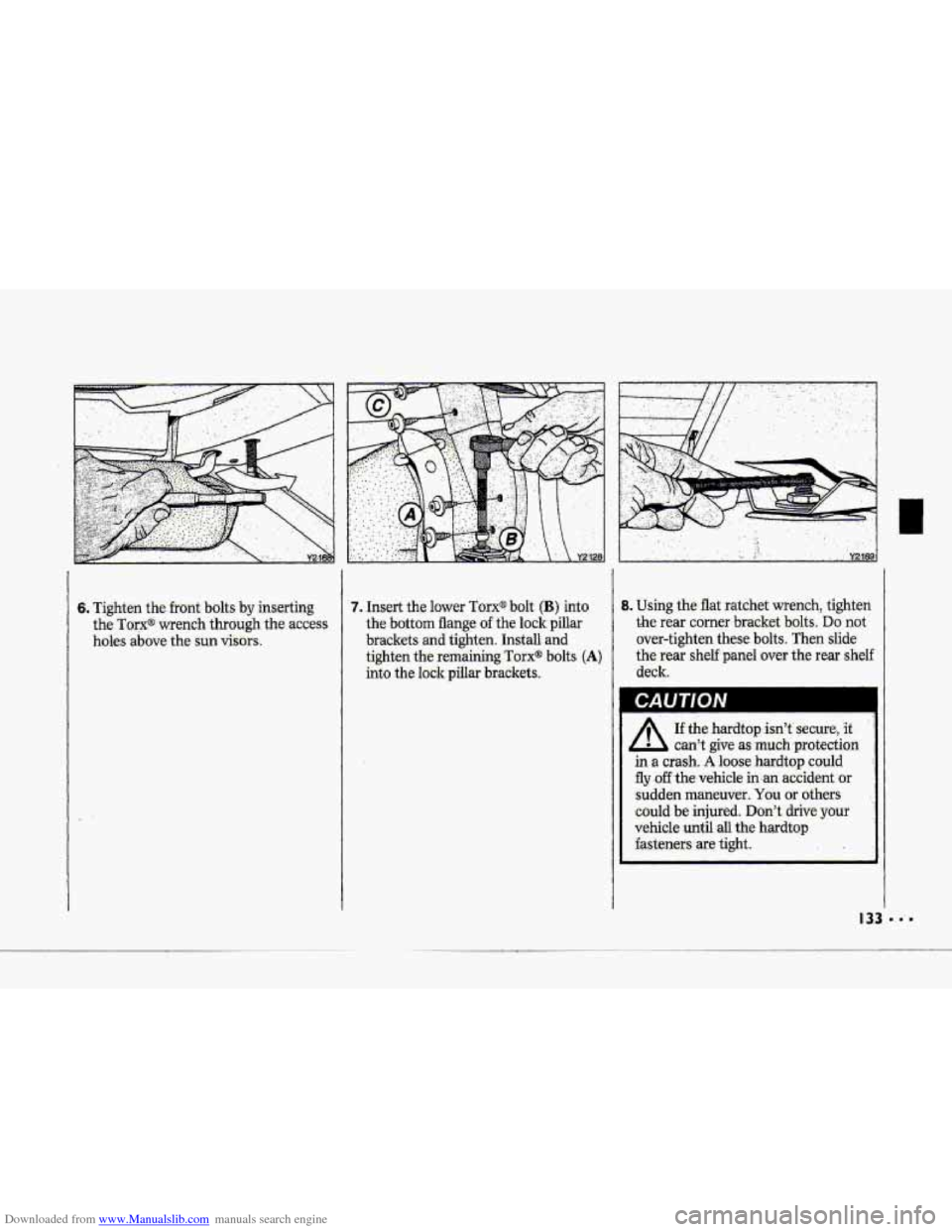
Downloaded from www.Manualslib.com manuals search engine 6. :Tighten the front bolts by inserting
the Torx@wrench, through the access
holes
above the sun visors.
7. Insert the lower TorX@ bolt (B) into
the bottom flange of the 1o.ckpillar
brackets
and tighten. Install and
tighten the remaining Tmx@ bolts -(A)
into the lockpillar brackets.
I
8. Using the Bat ratchet wrench, tighten
the. rear corner bracket bolts. Do not
over-tighten these bolts. Then slide
-the. rear shelf panel over the rear shelf
deck..
A
If the .hardtop isn't' secure, it
can't give as much -protection
in a cmh. A loose hardt0.p co.uld
fly .off the; vehicle accident or
sudden maneuver. You or others
could be injured. Don't :&tie your
vehicle
until all the hardtop
hsteners .are tight..
d