1993 CHEVROLET CAVALIER fog light
[x] Cancel search: fog lightPage 11 of 308
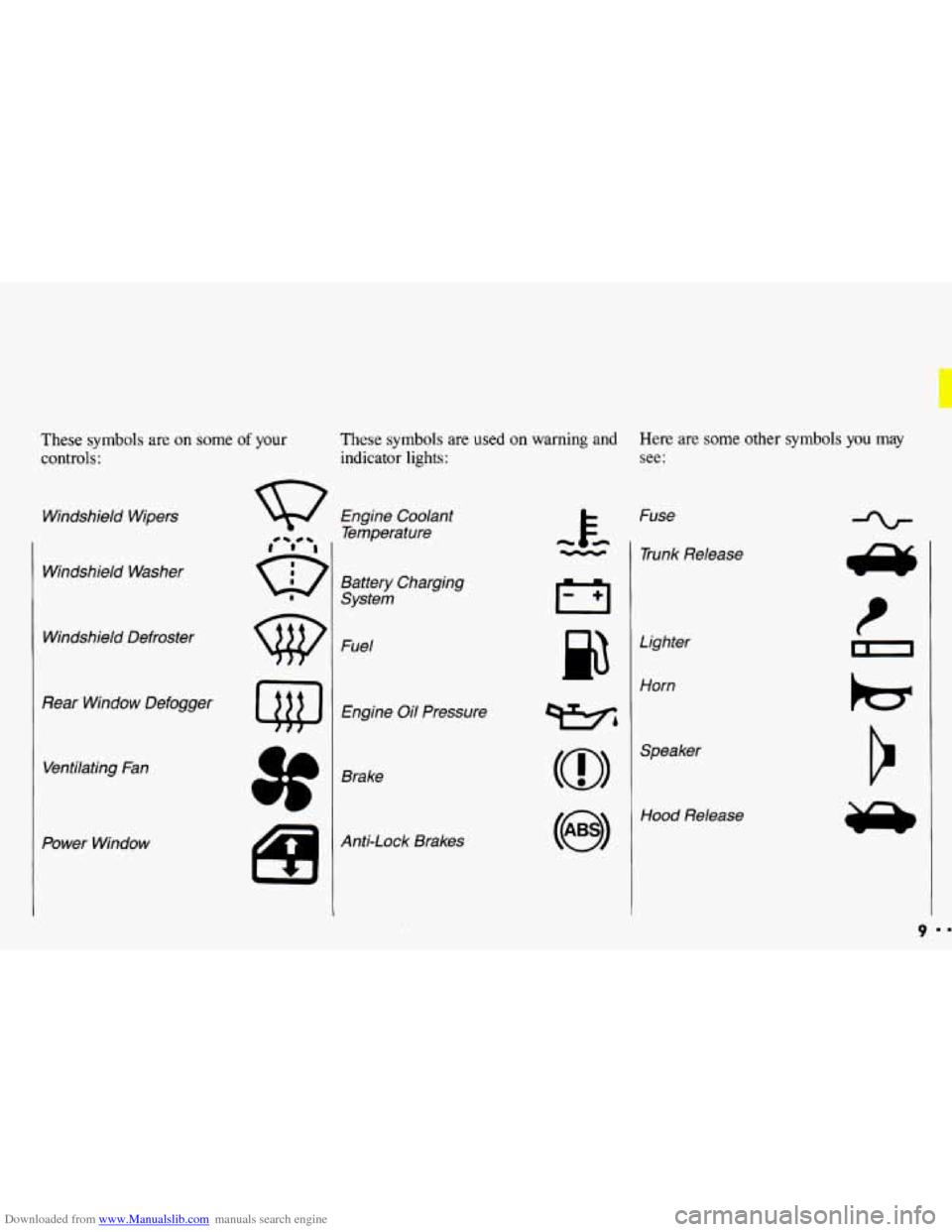
Downloaded from www.Manualslib.com manuals search engine These symbols are on some of your
controls:
Windshield Wipers
Windshield Washer
Windshield Defroster
Rear Window Defogger Ventilating Fan
Power Window
These symbols are used on warning and Here are some other symbols you may
indicator lights: see:
Engine Coolant
Temperature
Battery Charging
System
Fuel
Engine Oil Pressure
Brake
Anti-Lock Brakes Fuse
- 1 Trunk Release
cc
Lighter
Horn
wbl
(@I
Hood Release
9
Page 81 of 308
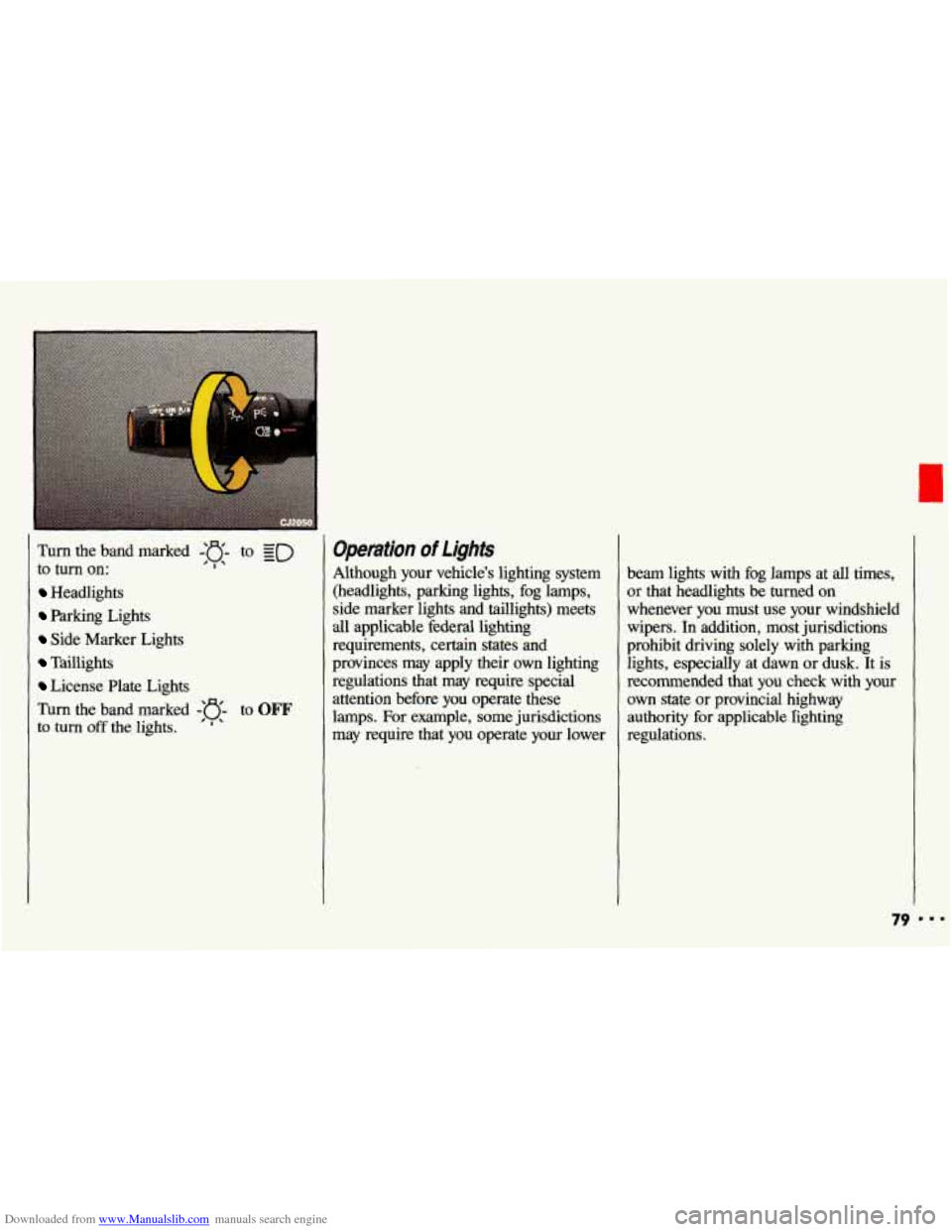
Downloaded from www.Manualslib.com manuals search engine Turn the band marked -'o- to ED
to turn on: ' I' -
Headlights
Parking Lights
Side Marker Lights
Taillights
License Plate Lights
Turn the band marked
-'e- to OFF
to turn off the lights. ' ' '
Operation of lights
Although your vehicle's lighting system (headlights, parking lights, fog lamps,
side marker lights and taillights) meets
all applicable federal lighting
requirements, certain states and
provinces may apply their own lighting
regulations that may require special
attention before you operate these
lamps. For example, some jurisdictions
may require that you operate your lower beam lights with
fog lamps at all times,
or that headlights be
turned on
whenever you must use your windshield
wipers.
In addition, most jurisdictions
prohibit driving solely with parking
lights, especially at dawn or dusk. It is
recommended that you check with your
own state or provincial highway
authority for applicable righting
regulations.
79 ...
Page 95 of 308
Downloaded from www.Manualslib.com manuals search engine The lnstrument Panel-
Your information System
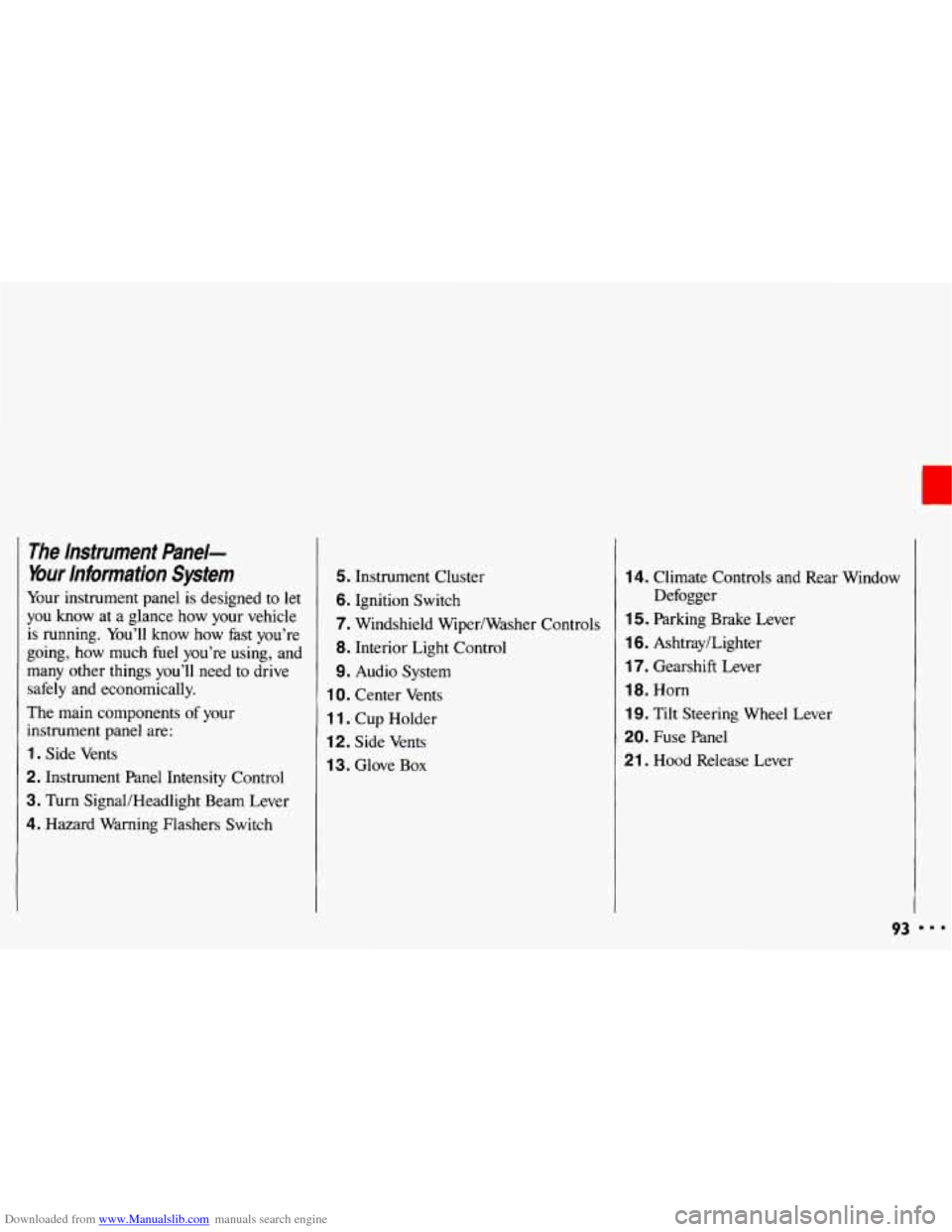
Your instrument panel is designed to let
you know at a glance how your vehicle
is running. You’ll know how fast you’re
going, how much fuel you’re using, and
many other things you’ll need to drive
safely and economically.
The main components
of your
instrument panel are:
1. Side Vents
2. Instrument Panel Intensity Control
3. Turn SignaVHeadlight Beam Lever
4. Hazard Warning Flashers Switch
5. Instrument Cluster
6. Ignition Switch
7. Windshield Wiper/Washer Controls
8. Interior Light Control
9. Audio System
1 0. Center Vents
1 1. Cup Holder
12. Side Vents
1 3. Glove Box
14. Climate Controls and Rear Window
1 5. Parking Brake Lever
16. Ashtray/Lighter
17. Gearshift Lever
18. Horn
19. Tilt Steering Wheel Lever
20. Fuse Panel
21 . Hood Release Lever Defogger
93 I..
Page 108 of 308
Downloaded from www.Manualslib.com manuals search engine Comfort Controls & Audio Systems
Climate Control System
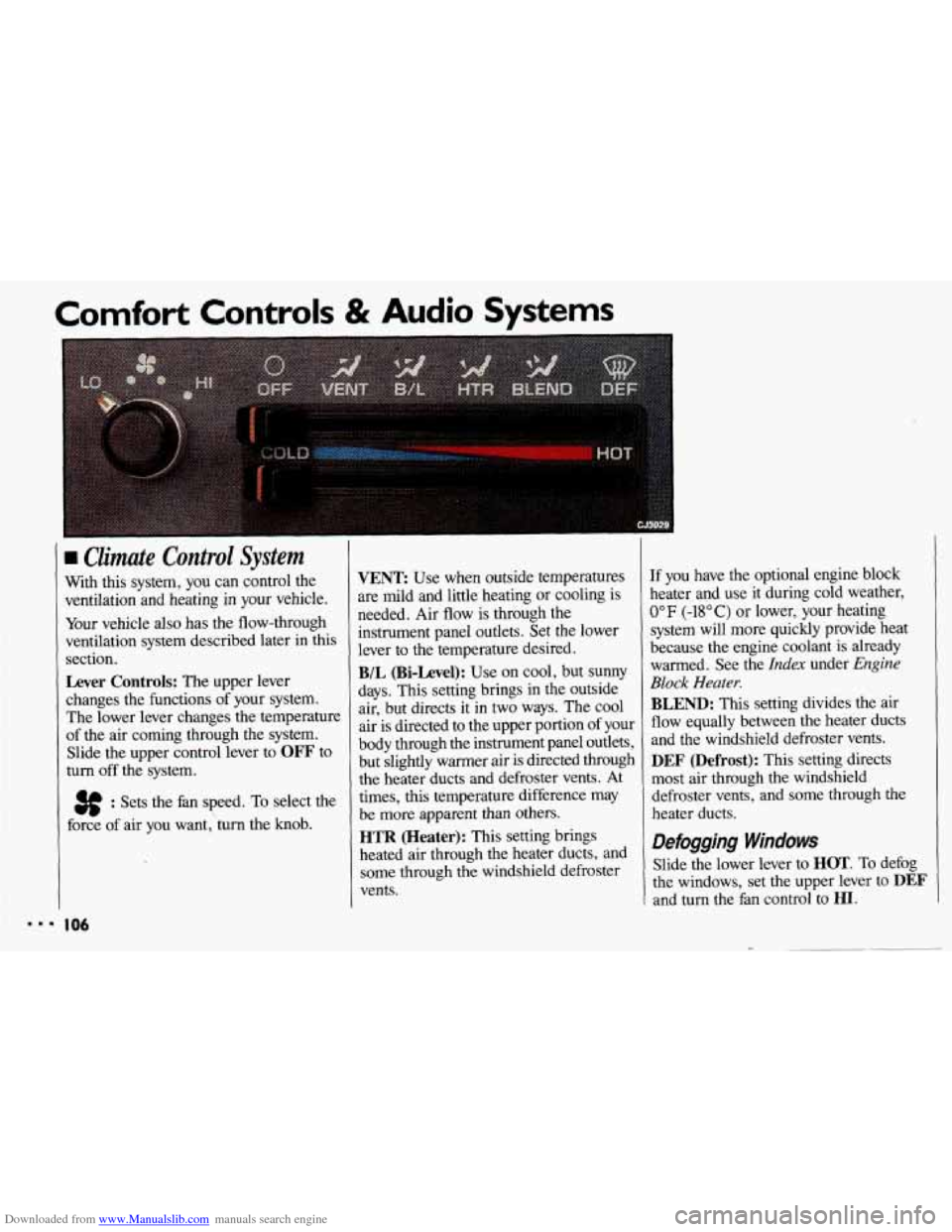
With this system, you can control the
ventilation and heating in your vehicle.
Your vehicle
also has the flow-through
ventilation system described later in this
section.
Lever Controls: The upper lever
changes the functions of your system.
The lower lever changes the temperature
of the air coming through the system.
Slide the upper control lever to
OFF to
turn
off the system.
3f : Sets the fan speed. To select the
force of air you want,'turn the knob.
I06
VENT Use when outside temperatures
are mild and little heating or cooling is
needed. Air flow is through the
instrument panel outlets. Set the lower
lever to the temperature desired.
B/L (Bi-Level): Use on cool, but SUMY
days. This setting brings in the outside
air, but directs it in
two ways. The cool
air is directed to the upper portion of your
body through the instrument panel outlets,
but slightly warmer air is directed through
the heater ducts and defroster vents. At
times, this temperature difference may
be more apparent than others.
HTR (Heater): This setting brings
heated air through the heater ducts, and
some through the windshield defroster
vents.
If you have the optional engine block
heater and use it during cold weather,
0°F (-18°C) or lower, your heating
system will more quickly provide heat
because the engine coolant is already
warmed. See the
Index under Engine
Block Heater.
BLEND: This setting divides the air
flow equally between the heater ducts
and the windshield defroster vents.
DEF (Defrost): This setting directs
most air through the windshield
defroster vents, and some through the
heater ducts.
Defogging Windows
Slide the lower lever to HOT. To defog
the windows, set the upper lever to
DEF
and turn the fan control to HI.
Page 111 of 308
Downloaded from www.Manualslib.com manuals search engine i; . ... ..- -. . ,' $,
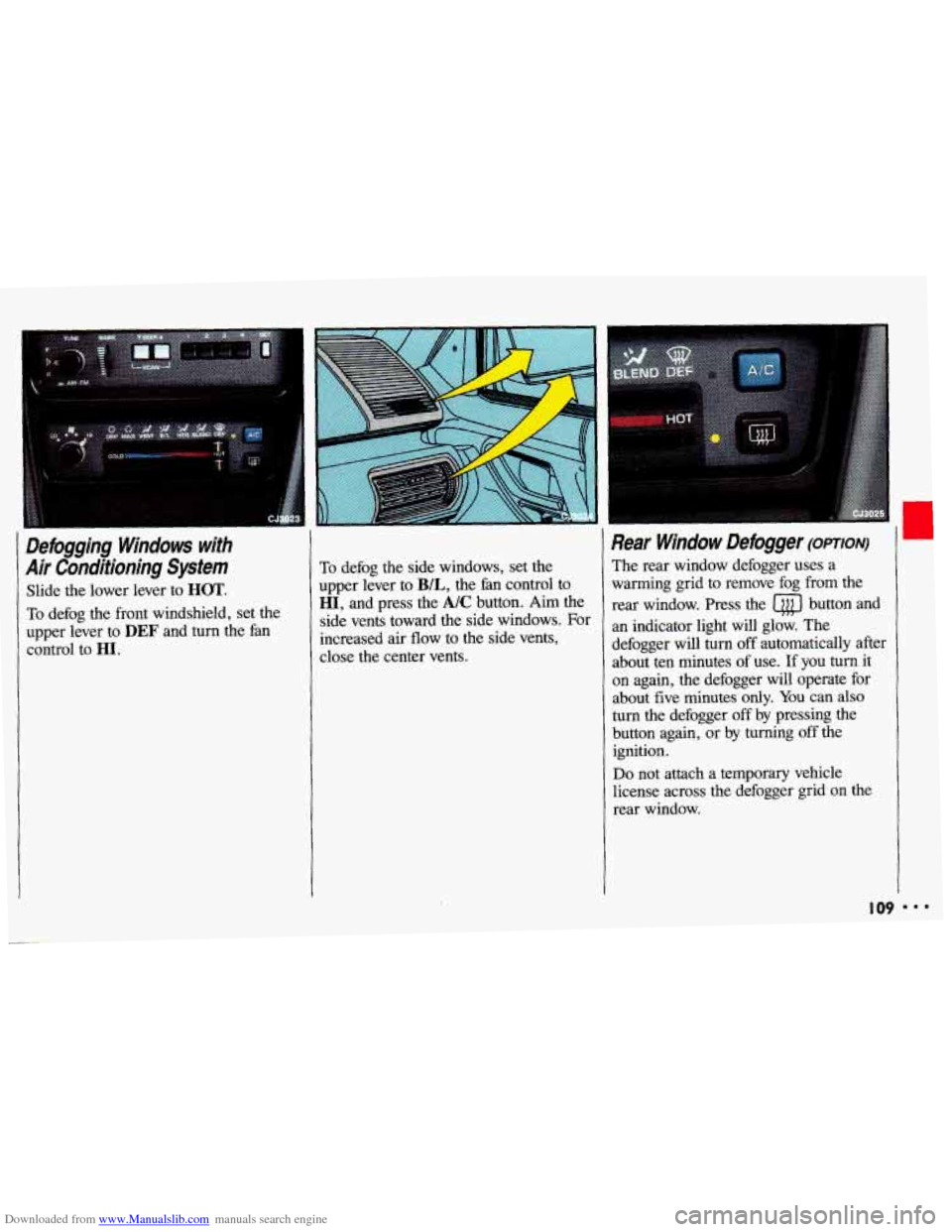
Defogging Windows with
Air Conditioning System
Slide the lower lever to HOT.
To defog the front windshield, set the
upper lever to
DEF and turn the fan
control to HI.
To defog the side windows, set the
upper lever to
B/L, the fan control to
HI, and press the A/C button. Aim the
side vents toward the side windows. For
increased air flow to the side vents,
close the center vents.
Rear Window Defogger (omoN)
The rear window defogger uses a
warming grid to remove fog from the
rear window. Press the
a button and
an indicator light will glow. The
defogger will turn
off automatically after
about ten minutes of use. If you
turn it
on again, the defogger will operate for
about five minutes
only. You can also
turn the defogger off by pressing the
button again, or by turning off the
ignition.
Do not attach a temporary vehicle
license across the defogger grid on
the
rear window.
I09 I..
Page 149 of 308
Downloaded from www.Manualslib.com manuals search engine Hydroplaning
Hydroplaning is dangerous. So much
water can build up under your tires that
they can actually ride on the water. This
can happen if the road is wet enough
and you’re going fast enough. When
your vehicle
is hydroplaning, it has little
or
no contact with the road.
You might
not be aware of hydroplaning.
You could drive along for some time
without realizing your tires aren’t
in
constant contact with the road. You
could find out the hard way: when you
have to slow, turn, move out to pass-or
if you get hit by a gust of wind. You could
suddenly find yourself
out of control. Hydroplaning doesn’t happen often. But
it
can
if your tires haven’t much tread or
if the pressure in one or more is low. It
can happen if a lot of water is standing
on the road. If
you can see reflections
from trees, telephone poles, or other
vehicles, and raindrops “dimple’’ the
water’s surface, there could be
hydroplaning.
Hydroplaning usually happens at higher
speeds. There just isn’t
a hard and fast
rule about hydroplaning. The best
advice is to slow down when
it is
raining, and be careful.
Some Other Rainy Weather Tips
Turn on your headlights-not just your
parking lights-to help make you
more
visible to others.
Look for hard-to-see vehicles coming
from behind. You may want
to use
your headlights even
in daytime if it’s
raining hard.
Besides slowing down, allow some
extra following distance. And be
especially careful when you pass
another vehicle. Allow yourself more
clear room ahead, and be prepared to
have your view restricted by road
spray. If
the road spray is so heavy you
are actually blinded, drop back. Don’t
pass until conditions improve. Going
more slowly is better than having an
accident.
Use your defogger if it helps.
Have good tires with proper tread
depth. (See
the Index under fires.)
I47
Page 150 of 308
Downloaded from www.Manualslib.com manuals search engine Your Driving and the Road
Driving in Fog, Mist and Haze
Fog can occur with high humidity or
heavy frost. It can be
so mild that you
can see through it for several hundred
feet (meters). Or it might be
so thick
that you can see only a few
feet (meters)
ahead. It may come suddenly to an
otherwise clear road. And it can be a
major hazard.
When
you drive into a fog patch, your
visibility will be reduced quickly. The
biggest dangers are striking the vehicle
ahead or being struck by the one
behind. Try to “read” the fog density
down the road.
If the vehicle ahead
starts to become less clear or, at night, if
the taillights are harder to see, the fog is
probably thickening. Slow down to give traffic behind you a chance to slow
down.
I48
Everybody then has a better chance to
avoid hitting the vehicle ahead.
A patch of dense fog may extend only
for a
few feet (meters) or for miles
(kilometers); you can’t really tell while
you’re
in it. You can only treat the
situation with extreme care.
One common fog condition-sometimes
called mist or ground fog-can happen
in weather that seems perfect, especially
at night or in the early morning
in valley
and low, marshy areas.
You can be
suddenly enveloped
in thick, wet haze
that may even coat your windshield.
You
can often spot these fog patches or mist
layers with your headlights. But
sometimes they can be waiting for
you
as you come over a hill or dip into a
shallow valley. Start your windshield
wipers and washer to help clear
accumulated road dirt. Slow down
carefully.
Tips on Driving in Fog
If you get caught in fog, turn your
headlights on low beam, even in
daytime. You’ll see-and be
seen-better.
Don’t use your high beams. The light
will bounce
off the water droplets that
make up fog and reflect back at you.
Use your defogger. In high humidity,
even a light buildup of moisture
on the
inside
of the glass will cut down on your
already limited visibility. Run your
windshield wipers and washer
occasionally. Moisture can build up
on
the outside glass, and what seems to be
fog may actually be moisture on the
outside of your windshield.
Treat dense fog as an emergency. Try to
find a place
to pull off the road. Of
course you want to respect another’s
property, but you might need to put
Page 151 of 308
Downloaded from www.Manualslib.com manuals search engine something between you and moving
vehicles-space, trees, telephone poles,
a private driveway, anything that
removes you from other traffic.
zf visibility is near zero and you must
stop but are unsure whether you are
away from the road, turn your lights on,
start your hazard warning flashers, and
sound your horn at intervals or when
you hear approaching traffic.
Pass other vehicles in fog only if you
can see far enough ahead to pass safely.
Even then, be prepared to delay your
pass if you suspect the
fog is worse up
ahead. If other vehicles try to pass
you,
make it easy for them.
City Driving
One of the biggest problems with city
streets is the amount
of traffic on them.
You’ll want to watch out for what the
other drivers are doing and pay attention
to traffic signals.
Here are ways to increase your safety in
city driving:
Know the best way to get to where you
are going. Try not to drive around
trying to pick out a familiar street or
landmark. Get a city map and plan
your trip into an unknown part
of the
city just as
you would for a cross-
country trip.
Try to use the freeways that rim and
crisscross most large cities. You’ll save
time and energy. (See the next section,
Freeway Driving.)
Treat a green light as a warning
signal.
A traffic light is there because
the corner is busy enough to need it.
When
a light turns green, and just
before you
start to move, check both
ways for vehicles that have not cleared
the intersection or may be running the
red light.
remember that
they are for ideal road,
weather and visibility conditions. You
may need to drive below the posted
limit
in bad weather or when visibility
is especially poor.
clear
of intersections when you see or
hear emergency vehicles.
Obey all posted speed limits. But
Pull to the right (with care) and stop
I49 BIB