Page 157 of 407
Downloaded from www.Manualslib.com manuals search engine Road Sensing Suspension (Northstar Only)
3
The Road Sensing Suspension automatically controls the ride of your
vehicle. The system controls damping forces in the shock absorbers and
struts
in response to various road and driving conditions. The system is
capable of making these changes
within milli-seconds.
The Road Sensing Suspension controller is a computer used to control
and monitor
the system. The computer receives inputs from vertical
acceleration sensors, wheel to body position sensors, vehicle speed
sensor, lift and dive signals, and determines optimum strut valving or
(suspension stiffness) for your current operating conditions. The
computer also receives feedback from the various components to
determine proper system operation. If the computer receives an incorrect
feedback from the system, an error code
will be set in memory and a
SERVICE RIDE CONTROL message
will display on the Driver
Information Center. If this message should appear, have your vehicle
serviced at your Cadillac dealer at your earliest convenience.
Oil Life Indicator
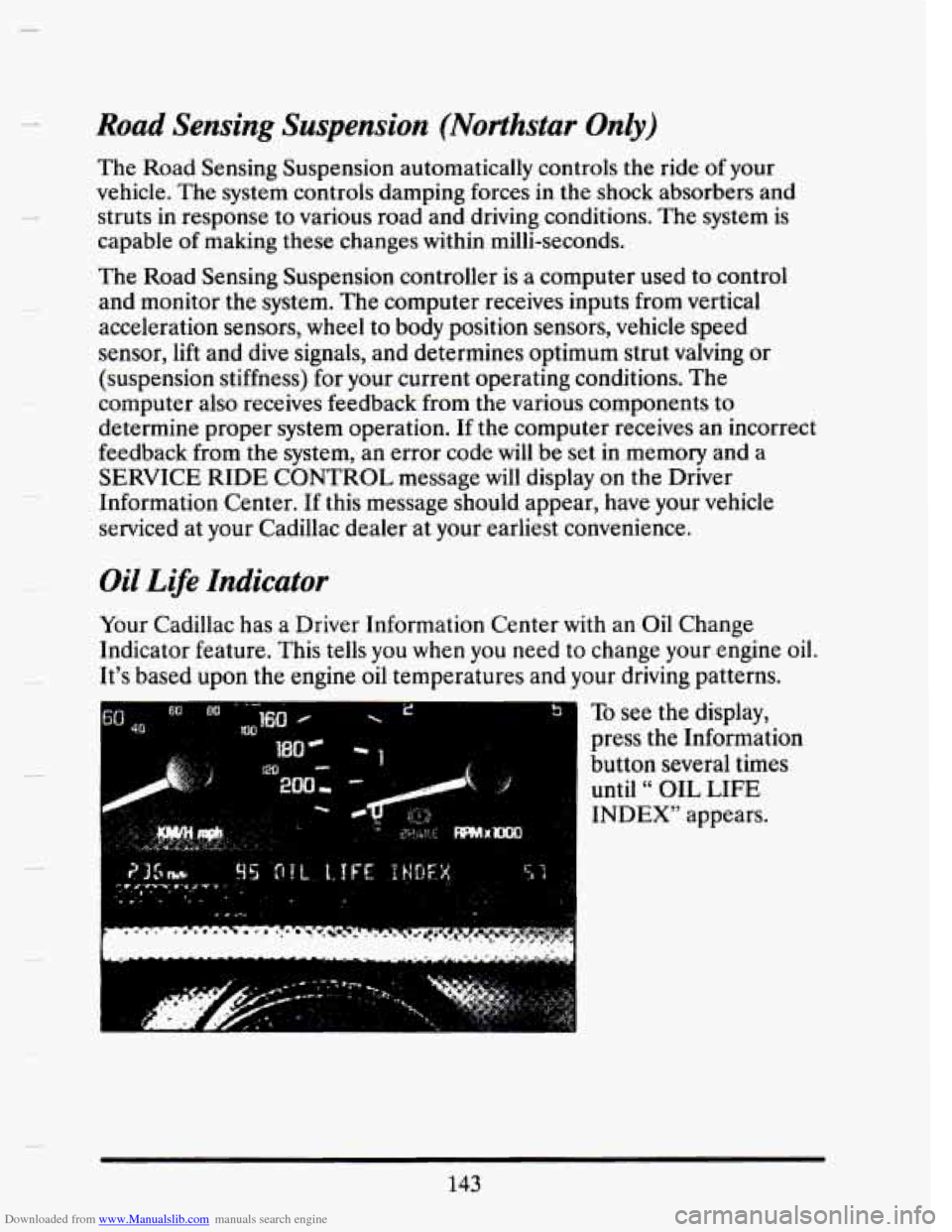
Your Cadillac has a Driver Information Center with an Oil Change
Indicator feature. This tells you when you need to change your engine oil.
It's based
upon the engine oil temperatures and your driving patterns.
To see the display,
press the Information
button several times until
" OIL LIFE
INDEX" appears.
143
Page 159 of 407
Downloaded from www.Manualslib.com manuals search engine Speed Sensitive Suspension
The Speed Sensitive Suspension automatically controls the firmness of
your Cadillac’s ride.
An actuator in each of the four struts will change
ride firmness depending on vehicle speed and other driving conditions.
As the vehicle speed increases, the firmness of the suspension changes to
one or three damping modes “Comfort”, for speeds less than
40 mph,
“Normal” for speeds between
40 and 60 mph, and “Firm” for speeds
greater than
60 mph. The system also stiffens damping during hard
acceleration, braking and cornering for increased control.
A computer is used to control and monitor the system. The computer
receives speed, acceleration and determines optimum mode strut v\
alving
(or suspension stiffness) for your current operating conditions\
. The
computer also receives feedback from the struts to determine proper
system operation. If the computer receives an incorrect feedback from
the system,
an error code will be set in memory and a message
“SERVICE RIDE CONTROC‘
will be displayed until the problem is
corrected. If this message should appear, have your vehicle serviced at
your Cadillac dealer at your earliest convenience.
Electronic Level Control
This keeps your car level.
The ignition has
to be “ON” for the level control to work. When you turn
the ignition off, you may hear the level control exhausting. The system
consists of an electronic height sensor, a small electric air compressor,
and air adjustable shock absorbers mounted on the rear of
the vehicle.
If the system has a slight leak, the air compressor
will run frequently for a
few seconds each time.
For a massive air leak, the air compressor
will stay on for approximately 7
minutes. You should see your dealer for service, but you can keep driving
your Cadillac, though.
145
Page 161 of 407
Downloaded from www.Manualslib.com manuals search engine Electronic Climate Control (ECC)
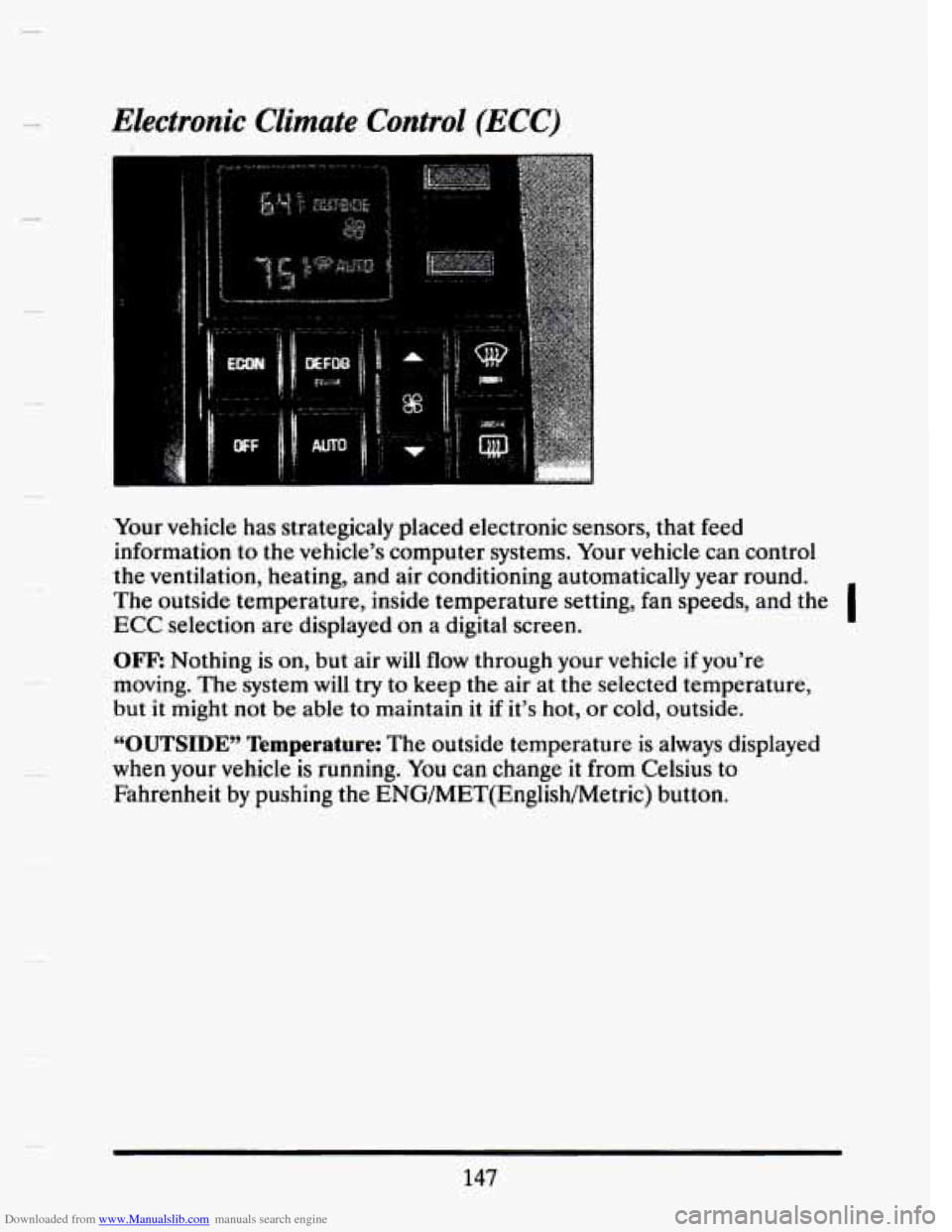
Your vehicle has strategicaly placed electronic sensors, that feed
information to the vehicle’s computer systems. Your vehicle can control
the ventilation, heating, and air conditioning automatically year round.
The outside temperature, inside temperature setting, fan speeds, and the
ECC selection are displayed on a digital screen. I
OFF: Nothing is on, but air will flow through your vehicle if you’re
moving. The system will try to keep the air at the selected temperature,
but it might not
be able to maintain it if it’s hot, or cold, outside.
“OUTSIDE” Temperature: The outside temperature is always displayed
when your vehicle is running. You can change it from Celsius
to
Fahrenheit by pushing the ENG/MET(English/Metric) button.
147
Page 162 of 407
Downloaded from www.Manualslib.com manuals search engine Temperature
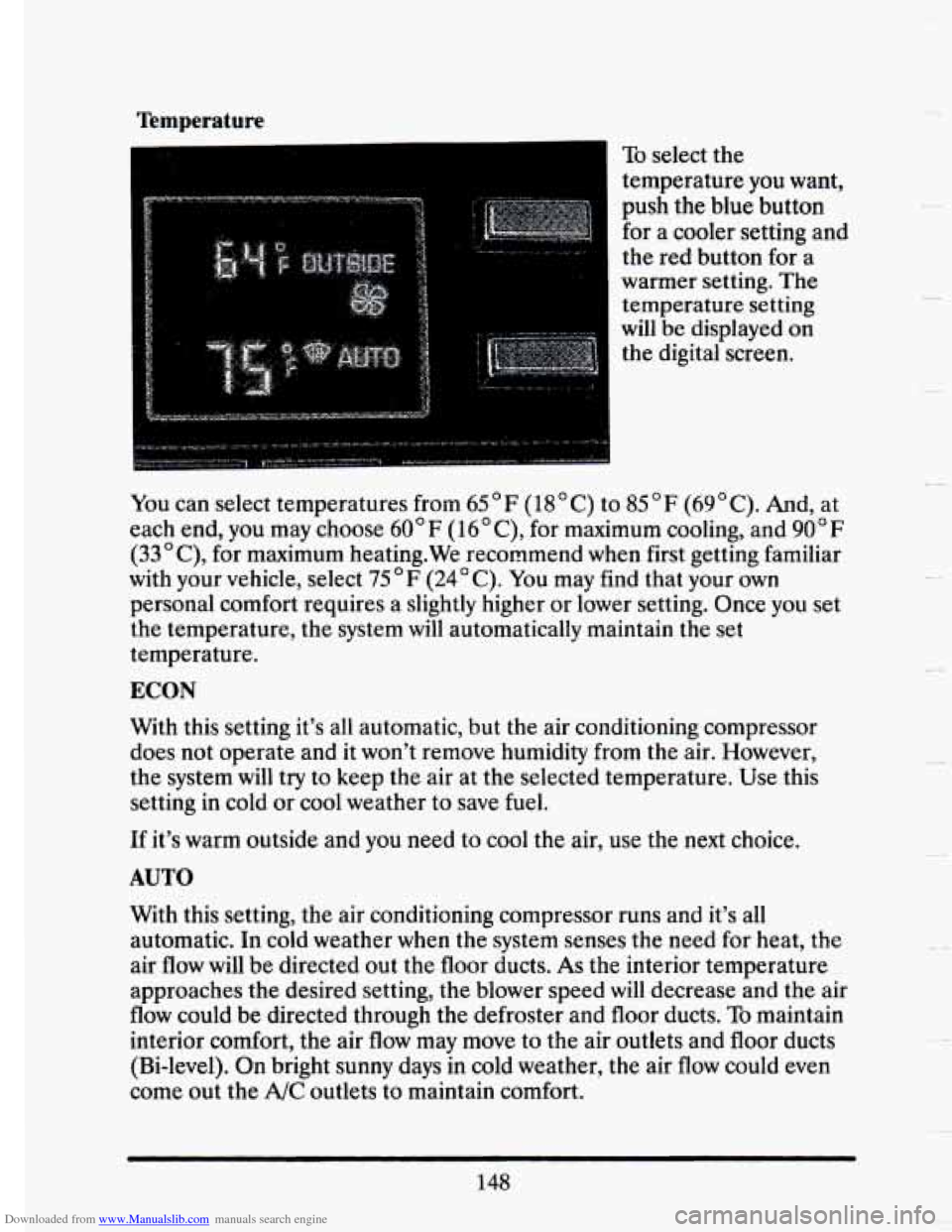
To select the
temperature you want,
push the blue button
for a cooler setting and
the red button for a
warmer setting. The
temperature setting
will be displayed on
the digital screen.
You can select temperatures from 65OF (18OC) to
85°F (69OC). And, at
each end, you may choose 60"
F (16OC), for maximum cooling, and 90°F
(33OC), for maximum heating.We recommend when first getting familiar
with your vehicle, select 75OF (24OC). You may find that your own
personal comfort requires a slightly higher or lower setting. Once you set
the temperature, the system
will automatically maintain the set
temperature.
ECON
With this setting it's all automatic, but the air conditioning compressor \
does not operate and it won't remove
humidity from the air. However,
the system
will try to keep the air at the selected temperature. Use this
setting
in cold or cool weather to save fuel.
If it's warm outside and you need to cool the air, use the next choice.
AUTO
With this setting, the air conditioning compressor runs and it's all
automatic. In cold weather when the system senses the need for\
heat, the
air flow
will be directed out the floor ducts. As the interior temperature
approaches the desired setting, the blower speed
will decrease and the air
flow could be directed through the defroster and floor ducts.
To maintain
interior comfort, the air flow may move to the air outlets and floor ducts
(Bi-level). On bright sunny days in cold weather, the air flow could even
come out the A/C outlets to maintain comfort.
148
-.
Page 163 of 407
Downloaded from www.Manualslib.com manuals search engine Electronic Climate Control Features
A/C Purge
If your vehicle is sitting out on a hot day and you have it set on AUTO,
the air will first flow out the floor air ducts for a few seconds. That is
normal. This is to expel hot air in the air ducts.
As the air is cooled, the
flow will move through the A/C outlets.
Cold Weather Purge
On cold days when your system is first turned on, at any setting other
than Defroster, DEFOG or
OFF a small amount of air will flow through
the defroster duct preventing your windshield from fogging.
Automatic Defog
When using your wipers or rear window defogger for several minutes, the
system senses that a humid condition exists. When this happens, air flow
will be directed to the windshield and floor ducts to keep your side glass
and windshield clear.
Manually Recirculate Inside Air
There may be times, when you don’t want air from the outside. To
recirculate the air from the inside only, just set the temperature to 60°F
(16°C) and adjust your fan speed.
DEFOG
Push this button to divide the air between the windshield and the heater
ducts. This is useful when fog appears
on the windshield or side glass due
to a sudden
rain.
149
Page 164 of 407
Downloaded from www.Manualslib.com manuals search engine Fan Speeds
Push the (symbol)
button until “AUTO” is
displayed
on the
screen. At this setting,
the fan speed is
controlled automatically.
If it is
cold outside, the
blower may
not run in
the maximum high fan
speed. That is normal.
If you want the blower fan to run only at a fixed high speed, push the
(upper) button until you see
“HI” on the display.
If you want the fan speed to be automatic, but you like the fan speed to
be higher than the AUTO setting, just push the buttons until “HI/AUTO”
is shown on the display.
If you want the blower to run only at a fixed low speed, push the (low)
button until “LO” is shown on the display.
If you want the fan speed to run lower than the “AUTO” setting, push the
button until “AUTO
LO” is shown on the display.
DEFROSTER
Push this button to
remove fog or ice from
the windshield.
The
fan speed will work automatically or you can choose another fan
speed
if you want.
It will help a lot if you first clear any ice and snow from the hood and the
air inlet (it’s between the hood and the windshield).
150
Page 165 of 407
Downloaded from www.Manualslib.com manuals search engine Ip
i i
WAR DEFOGGER P
I"
c
P
P
F
F
r
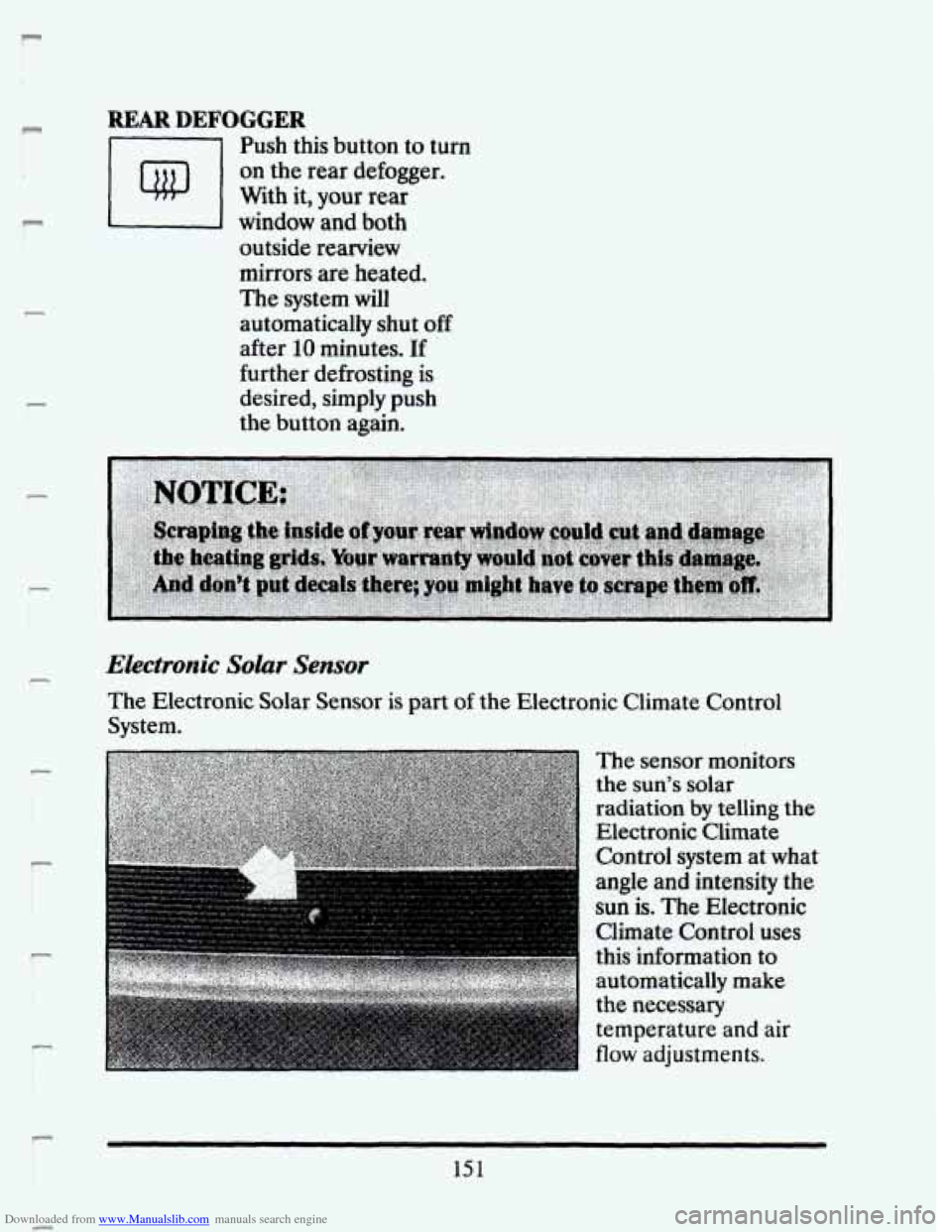
Push this button to turn
on the rear defogger.
With it,
your rear
window and both
outside rearview
mirrors are
heated.
The system will
automatically shut
off
after 10 minutes. If
further defrosting is
desired, simply push
the button again.
Ekctronic Solar Sensor
The Electronic Solar Sensor is part of the Electronic Climate Control
System.
The sensor monitors
the sun's solar
radiation
by telling the
Electronic Climate
Control system at what
angle and intensity the
sun is. The Electronic
Climate Control uses
this information
to
automatically make
the necessary
temperature and
air
flow adjustments.
151
Page 168 of 407
Downloaded from www.Manualslib.com manuals search engine This means your radio can produce quality AM sound comparable to FM
stereo. AMAX@ reduces noise without reducing the high frequencies you
need for the best sound.
In addition to improved sound quality, AMAX@
includes more station on the AM band. You don't have to do anything in
your radio because AMAX@ is automatic.
AM Stereo
I
A CAUTION:
Hearing damage from loud noise is almost undetectable until it
is too late. Your hearing can adapt to higher volumes of sound.
Sound that seems normal can be loud and harmful
to your
hearing.
Take precautions by agjusting the volume control on
your radio to
a safe sound level before your hearing adapts to it.
To help avoid hearing loss or damage:
I.
0 Adjust the volume control to the lowest setting.
Increase volume slowly until you hear comfortably and
clearly.
154
I
I
I