1993 CADILLAC SEVILLE warning
[x] Cancel search: warningPage 142 of 407
Downloaded from www.Manualslib.com manuals search engine Brake System Warning Light
Your Cadillac hydraulic brake system is divided into two parts. If one part
isn’t working, the other part can still work and stop
you. For good
braking, though, you need both parts working well.
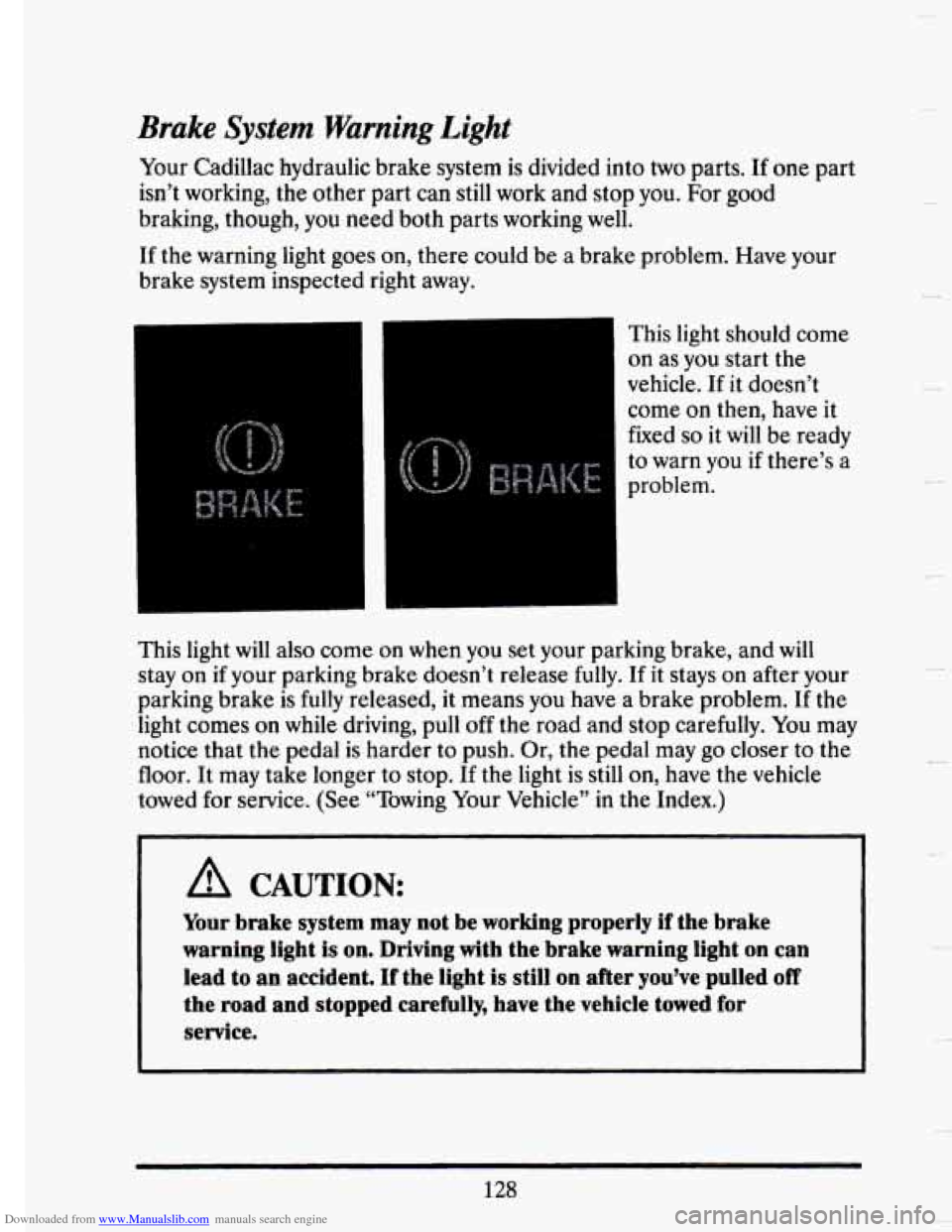
If the warning light goes on, there could be a brake problem. Have your
brake system inspected right away.
This light should come
on as you start the
vehicle.
If it doesn’t
come
on then, have it
fixed
so it will be ready
to warn you if there’s a
problem.
This light
will also come on when you set your parking brake, and will
stay on if your parking brake doesn’t release fully. If it stays on after your
parking brake is fully released, it means you have a brake problem. If the
light comes
on while driving, pull off the road and stop carefully. You may
notice that the pedal is harder to push. Or, the pedal may go closer to the
floor. It may take longer to stop. If the light is still
on, have the vehicle
towed for service. (See “Towing Your Vehicle” in the Index.)
A CAUTION:
Your brake system may not be working properly if the brake
warning light is on. Driving with the brake warning light on can
lead to an accident. If the light
is still on after you’ve pulled off
the road and stopped carefully, have the vehicle towed for
service.
128
c
Page 143 of 407

Downloaded from www.Manualslib.com manuals search engine F
P
!
r I
Anti-Lock Brake System Warnmg Light
With anti-lock, this light will go on when you start your engine and may
stay on for several seconds
or so. That’s normal. If the light doesn’t come
on, have it fixed
so it will be ready to warn you if there is a problem.
If the light stays on or comes on when you’re driving, stop as soon as
possible and turn the key
off. Then start the engine to reset the system. If
the light still stays
on, or comes on again while you’re driving, your
Cadillac needs service. Unless the regular brake system warning light
is
also on, you will still have brakes, but not anti-lock brakes. If the regular
brake system warning light is also on, see “Brake System Warning Light”
earlier in this part.
The anti-lock brake system warning light may also come
on when you are
driving with a compact spare tire. If this happens, the light means you
won’t have anti-lock
until you replace the compact spare with a full-size
tire. If the warning light stays on after you replace the compact spare with
;I full-six ticc, or if II corms on uguin when you’re driving, your Cadillac
llb*L~J yln lib’ I
129
Page 144 of 407
Downloaded from www.Manualslib.com manuals search engine Engine Temperature Warning Light (Export Only)
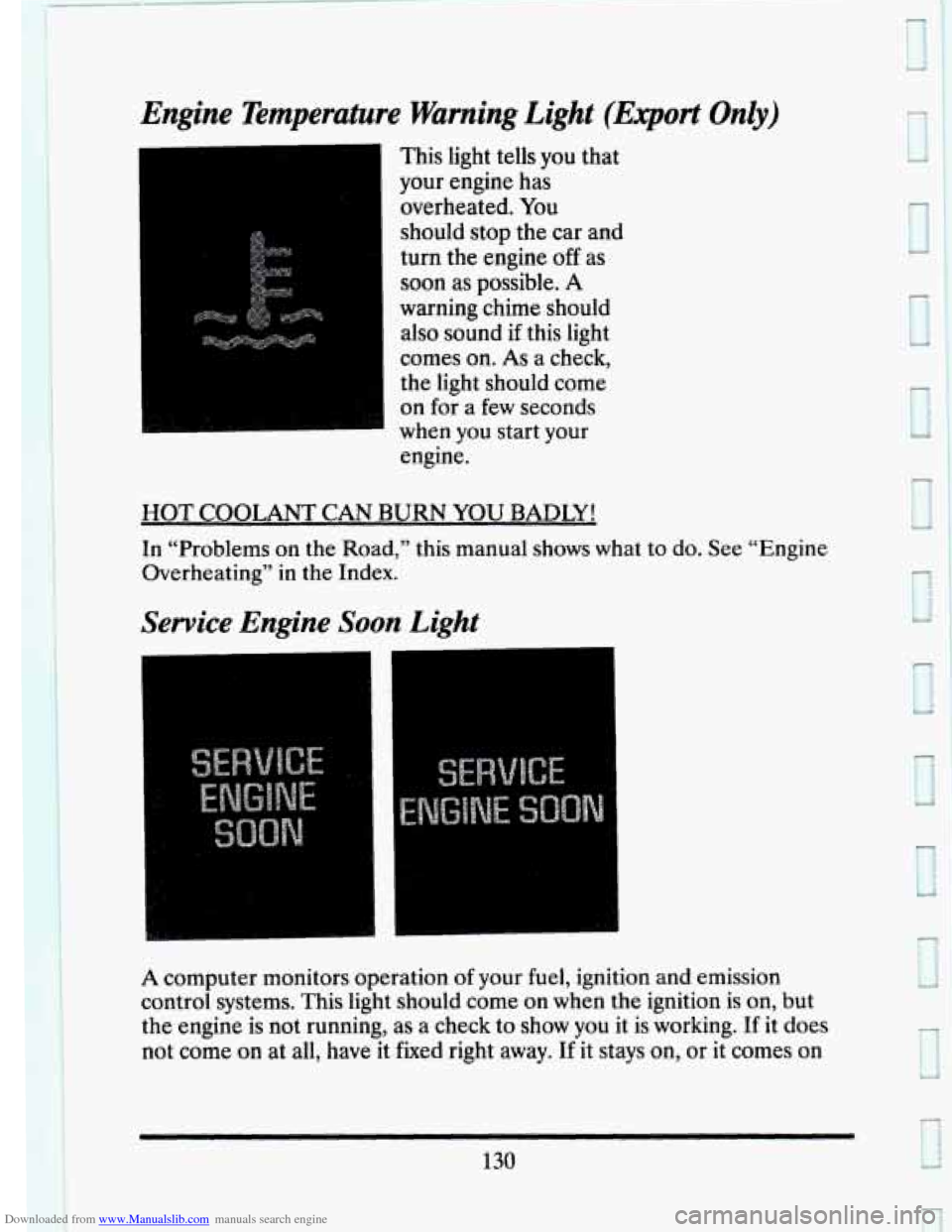
This light tells you that
your engine has
overheated. You
should stop the car and
turn the engine
off as
soon
as possible. A
warning chime should also sound if this light
comes on.
As a check,
the light should come
on for
a few seconds
when you start your
engine.
HOT COOLANT CAN BURN YOU BADLY!
In “Problems on the Road,” this manual shows what to do. See “Engine
Overheating”
in the Index.
Service Engine Soon Light
A computer monitors operation of your fuel, ignition and emission
control systems. This light should come on when the ignition is on, but
the engine is not running, as a check to show
you it is working. If it does
not come
on at all, have it fixed right away. If it stays on, or it comes on
130
e
Page 151 of 407
Downloaded from www.Manualslib.com manuals search engine DISPLAY ON/OFF
Pressing this button will turn off the Driver Information Center,
Electronic Climate Control and Fuel Data Center displays. While
displays are off, pressing the “INFORMATION” button
will turn on only
the Driver Information Center. If any other button is pressed or a driving
warning message needs to be displayed, or fuel level falls below
4 gallons,
all the displays
will come back on.
TRIP SET
Press and hold this button to set the Trip Odometer back to zero.
ENG/MET (English/Metric)
Press this button to switch from English (miles) to metric (kilometers).
Driver Information Center Messages
These messages will appear if there is a problem sensed in one of your
vehicle’s systems. Vehicles that are first sold
in Canada or are export
vehicles
will have a number after each message. This number helps to
identify that message, which is only displayed in English.
APPLY BRAKE TO SHIFT
This message will appear if your vehicle is in “P” (Park) for about 5
seconds and the brake is not depressed. If you do not want this message
to appear, you can cancel this message by pressing the
OFF and the Blue
(cooler) button
on the Electronic Climate control panel. Push the same 2
buttons again to have this message displayed again.
If the refrigerant system ever reaches an over-pressure condition, this
message will appear to tell you that the air conditioning compressor has
been turned off. Air conditioned air
will not be delivered to cool your
vehicle. If the pressure returns to a normal operating range, you must
select “AUTO”, “DEFOG”
, or Defrost to start the compressor. If this
message continues to appear, have the system repaired as soon as
possible to avoid compressor damage.
A/C OVERHEATED - A/C COMPRESSOR OFF
BATTERY NO CHARGE
This message will appear if your battery is not being charged. Have your
electrical system checked by your Cadillac dealership at your earliest
convenience.
137
Page 152 of 407
Downloaded from www.Manualslib.com manuals search engine BATTERY VOLTS HIGH
This message shows that the electrical charging system is overcharging,
(more than 16 volts). To avoid being stranded have the electrical system
checked by your Cadillac dealership at your earliest convenience. You can
reduce the charging overload
by using the accessories. Turn on the lights,
radio, set the Climate Control on
“AUTO” and the fan speed on “HI”
and turn the rear window defogger on. You can monitor battery voltage
on the Driver Information Center by toggling the “INFORMATION”
button. When the engine is running, the normal range
is 11.5 to 15.5
volts.
c
BATTERY VOLTS LOW
This message will appear when the electrical system is charging less than
10 volts, or if the battery has been drained. If this message appears
immediately after starting it is possible that the generator can still
recharge the battery. The battery should recharge after driving a few
miles and the message should go out. If this message appears while
driving or after starting your vehicle and stays on, have it checked
immediately to determine the cause
of this problem. To help the
generator recharge the battery quickly,
you can reduce the load on the
electrical system by turning
off your accessories. You can monitor battery
voltage on the Driver Information Center by toggling the
“INFORMATION’’ button. The normal range is
11.5 to 15.5 volts.
CHANGE TRANS FLUID (Northstar Only)
This message will appear when it is time to replace the transaxle fluid.
See your maintenance booklet
for the proper fluid and change intervals.
CHECK BRAKE FLUID
This message is displayed to inform the driver that the brake reservoir
fluid level is low. Check the brake reservoir level and add as needed.
Have the brake system serviced by a Cadillac technician as soon as
possible.
If the brake warning light is on, follow the directions in that
section.
CHECK COOLANT LEVEL (Northstar Only)
This message will appear when there is a low level of engine coolant.
Have the cooling system serviced by a Cadillac technician as soon as
possible.
138
I
. -’
L
c
Page 153 of 407
Downloaded from www.Manualslib.com manuals search engine CHECK FUEL GAGE
This message will appear when your fuel supply is less than 4 gallons and
your display
is turned off.
CHECK OIL LEVEL (Northstar Only)
This message will appear when your engine oil is approximately a quart
low. If this message is displayed, check the
oil and add as needed.
CHANGE OIL SOON
This message will appear when your engine oil is less than 10 percent or
the mileage since
the last oil change is more than 6750 miles.
CHANGE ENGINE OIL
This means that the life of your engine oil has expired and it should be
changed immediately. See engine oil and filter recommendations
in the
Maintenance Schedule. After an oil change, the Oil Life Index must be
reset. See “Oil Life Indicator”
in the index on how to reset it.
ENGINE COOLANT HOT IDLE ENGINE
This message will appear when your engine coolant temperature is over
126°C (248°F). To avoid added strain on a hot engine, turn off your
Climate Control system and stop and allow your vehicle to idle until
it
cools down or the message is removed. If it does not cool down, turn off
your engine and have it serviced before driving it again. Severe engine
damage can result from an overheated engine. See “Engine Overheating”
in the Index.
ENGINE HOT - A/C COMPRESSOR OFF
This message will appear when the Climate Control is in “Auto” or
Defrost and the engine coolant is hotter than
the normal operating
temperature. To avoid added strain on a hot engine the air conditioning
compressor is automatically turned
off. When that happens, air
conditioned air
is not delivered. If the coolant temperature returns to
normal, you must select
“AUTO”, “DEFOG” or Defrost to return to a
normal A/C compressor operation.
FUEL LEVEL VERY LOW
This message serves as a warning that the fuel level in your tank is
critically low. It means you shwld stop for fuel immediately.
139
Page 180 of 407
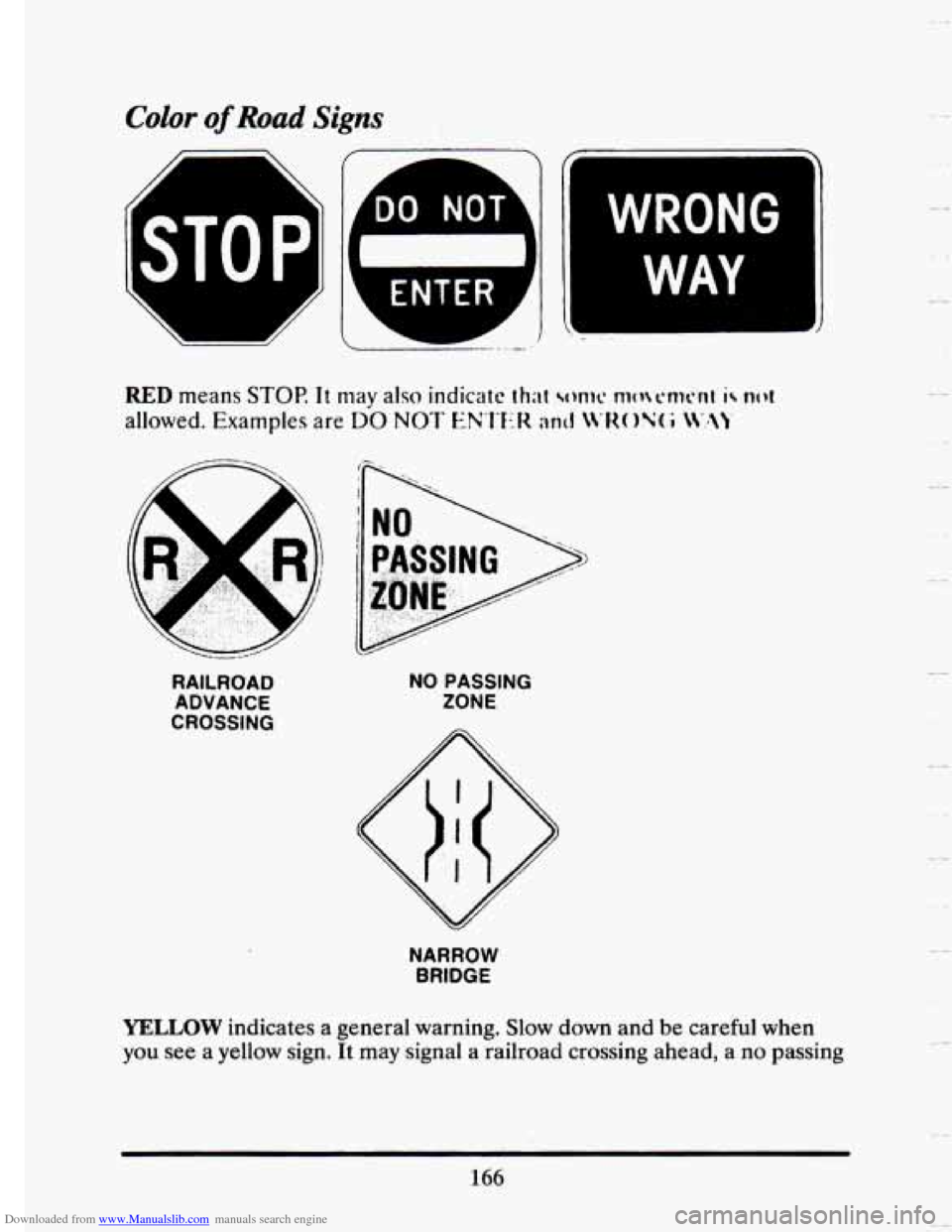
Downloaded from www.Manualslib.com manuals search engine Color of Road Signs
WRONG
WAY
RAILROAD ADVANCE
CROSSING NO
PASSING
ZONE
NARROW
BRIDGE
YELLOW indicates a general warning. Slow down and be careful when
you see
a yellow sign. It may signal a railroad crossing ahead, a no passing
166
.. -
-
Page 183 of 407
Downloaded from www.Manualslib.com manuals search engine STOP
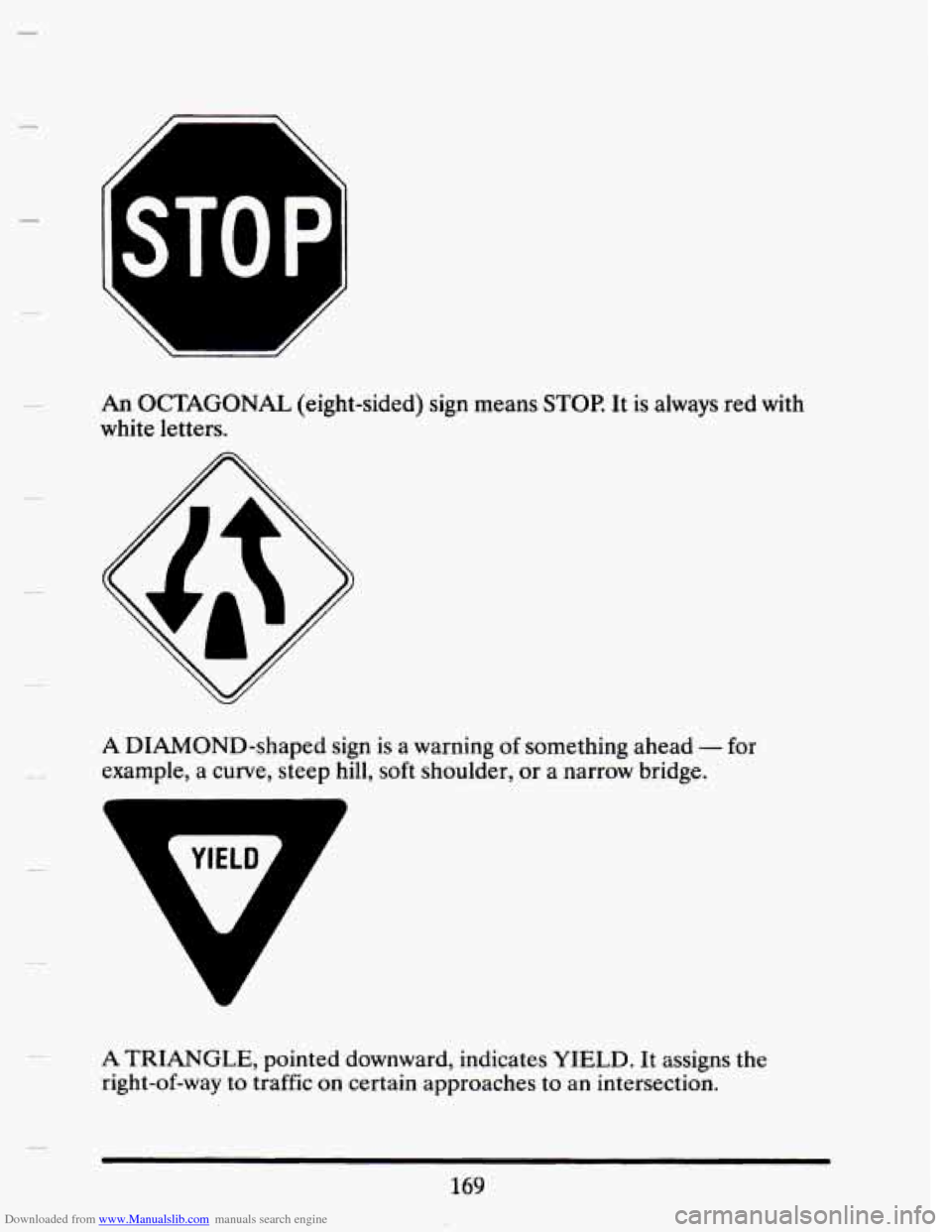
An OCTAGONAL (eight-sided) sign means STOP. It is always red with
white letters.
A DIAMOND-shaped sign is a warning of something ahead - for
example, a curve, steep hill, soft shoulder, or a narrow bridge.
A TRIANGLE, pointed downward, indicates YIELD. It assigns the
right-of-way
to traffic on certain approaches to an intersection.
169