Page 40 of 225

Controls Near the Steering Wheel
Headlights
The rotating switch on the left
lever controls the lights. Turning this switch to the first position
turns on the parking lights, tail
lights, instrument panel lights, side-marker lights, and rear license
plate lights. Turning the switch to the second position turns on
the headlights. If you leave the lights on with the
ignition switch in ACCESSORY (I)
or LOCK (0), you will hear a
reminder chime when you open the
driver's door.
To change between low beams and
high beams, pull back on the turn signal lever until you hear a click,
then let go. The high beam indica-
tor will light (see page 35). To flash the high beams, pull back
and hold the turn signal lever.
Release the lever and the high
beams will go off.
The high beams will stay on for as
long as you hold the lever, no matter what position the headlight
switch is in.
Daytime Running Lights
(Canadian Models)
With the headlight switch off, the
high beam headlights come on with
reduced brightness when you turn
the ignition switch to ON (II) and
release the parking brake. They
remain on until you turn the
ignition off, even if you set the
parking brake.
The headlights revert to normal
operation when you turn them on
with the switch.
Instruments and ControlsProCarManuals.comMain Menu Table of Contents s t
Page 43 of 225
Controls Near the Steering Wheel
Steering Wheel Adjustment
You can adjust the steering wheel height to suit your preference. Do
this before you begin driving.
1. Adjust the seat so you are acomfortable distance from the
pedals.
2. The lever to tilt the steering
wheel is under the steering column to the left. Push this
lever all the way down.
3. Move the steering wheel up or
down to the desired position.
Position the wheel so you can see
all the instrument panel gauges
and warning lights. Push the
lever up to lock the steering
wheel in that position.
4. Make sure you have securely locked the steering wheel inplace by trying to move it up and
down.
Instruments an d
Controls
Adjusting the steering wheel
position while driving may
cause you to lose control of
the car and be seriously injured in a crash.
Adjust the steering wheel only
when the car is stopped.ProCarManuals.comMain Menu Table of Contents s t
Page 44 of 225
Steering Wheel Controls
Cruise Control
Cruise control
allows you to
maintain a set speed above 25 mph
(40 km/h) without keeping your
foot on the accelerator pedal. It is
for cruising on straight, open
highways. It is not recommended
for conditions such as city driving,
winding roads, slippery roads,
heavy rain, or bad weather. You should have full control of the car
under those conditions. The cruise control, as it operates,
moves the accelerator pedal. You
can damage your car's accelerator
mechanism by resting your foot
under the pedal and blocking the movement. Using the Cruise Control
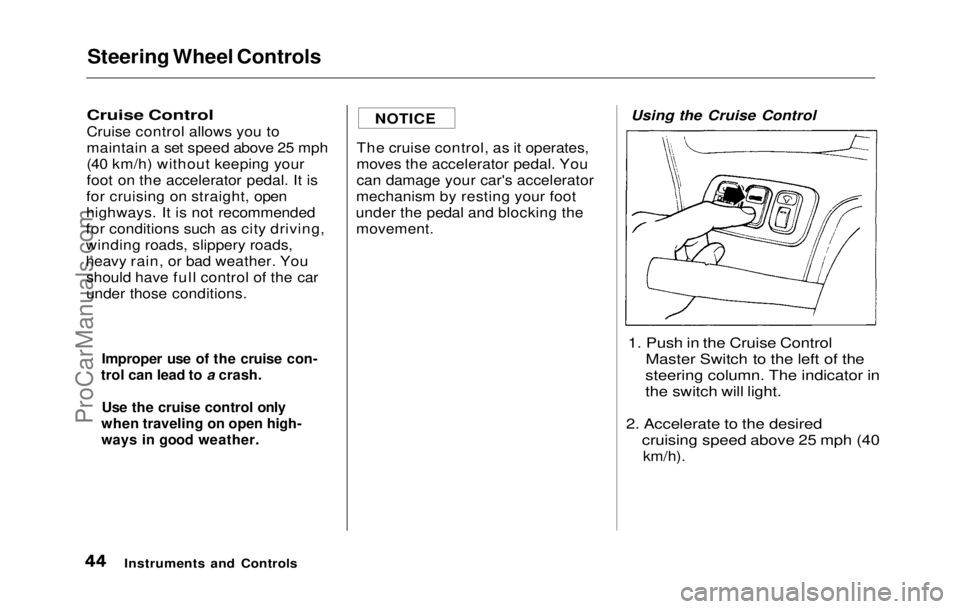
1. Push in the Cruise Control
Master Switch to the left of the
steering column. The indicator in
the switch will light.
2. Accelerate to the
desired
cruising speed above 25 mph (40
km/h).
Instruments an d
Controls
Improper use of the cruise con-
trol can lead to a crash.
Use the cruise control only
when traveling on open high-
ways in good weather.
NOTICEProCarManuals.comMain Menu Table of Contents s t
Page 47 of 225
Steering Wheel Controls, Keys and Locks
Horn
Press either of the buttons on the
steering wheel spokes to sound the
horn.
Key
s
Your
car comes with two kinds of
keys: a master key and a valet key.
The master key fits all locks on
your car: Ignition
Doors
Trunk
Trunk release handle
Rear seat trunk access
Center console compartment
The valet key only works the
ignition and the door locks. You
can keep the trunk, trunk release
handle, center console compart-
ment and rear seat trunk access
locked when you leave your car and valet key at a parking facility.
Each key has a number stamped in
one side. You will need this number
if you have to get a lost key re-
placed. Record this number and
keep it in a safe place.
Instruments and Controls
HORN
VALET KEYMASTER KEY
ProCarManuals.comMain Menu Table of Contents s t
Page 48 of 225
Keys and Locks
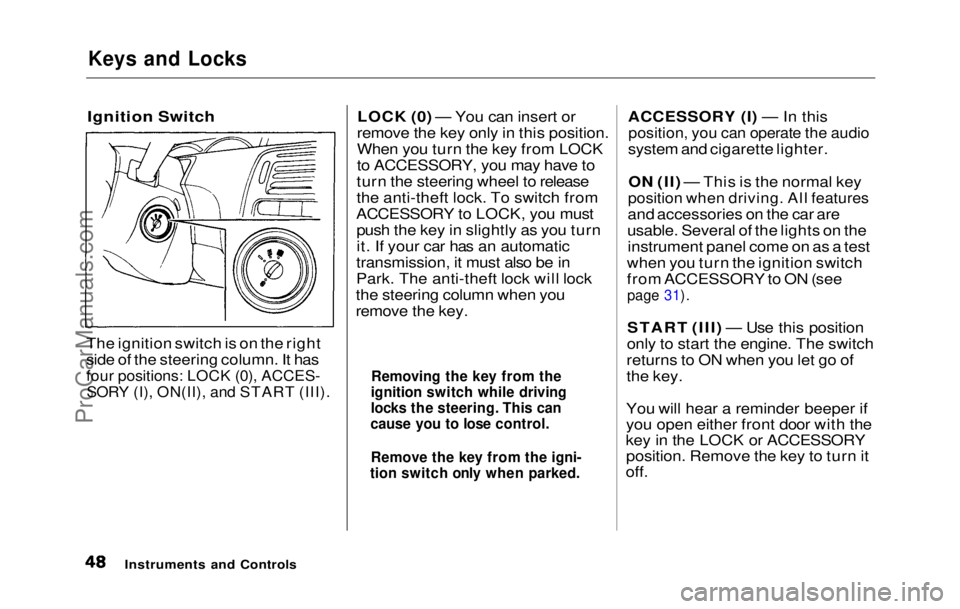
Ignition Switch
The ignition switch is on the right
side of the steering column. It has
four positions: LOCK (0), ACCES-
SORY (I), ON(II), and START (III).
LOCK (0) — You can insert or
remove the key only in this position.
When you turn the key from LOCK
to ACCESSORY, you may have to
turn the steering wheel to release
the anti-theft lock. To switch from
ACCESSORY to LOCK, you must push the key in slightly as you turn
it. If your car has an automatic
transmission, it must also be in
Park. The anti-theft lock will lock
the steering column when you
remove the key. ACCESSORY (I) — In this
position, you can operate the audio
system and cigarette lighter.
ON (II) — This is the normal key
position when driving. All features
and accessories on the car are
usable. Several of the lights on the instrument panel come on as a test
when you turn the ignition switch
from ACCESSORY to ON (see
page 31).
START (III) — Use this position
only to start the engine. The switch
returns to ON when you let go of
the key.
You will hear a reminder beeper if
you open either front door with the
key in the LOCK or ACCESSORY position. Remove the key to turn it
off.
Instruments and Controls
Removing the key from the
ignition switch while driving
locks the steering. This can
cause you to lose control.
Remove the key from the igni-
tion switch only when parked.ProCarManuals.comMain Menu Table of Contents s t
Page 49 of 225
Keys and Locks
Door Locks
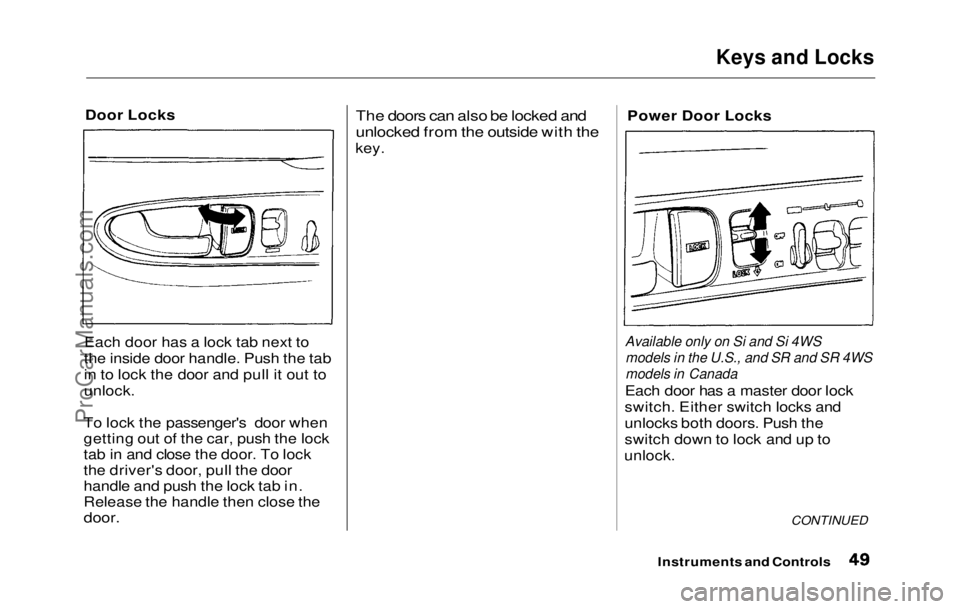
Each door has a lock tab next to
the inside door handle. Push the tab
in to lock the door and pull it out to
unlock.
To lock the passenger's door when
getting out of the car, push the lock
tab in and close the door. To lock
the driver's door, pull the door
handle and push the lock tab in.
Release the handle then close the
door.
The doors can also be locked and
unlocked from the outside with the
key. Power Door Locks
Available only on Si and Si 4WS models in the U.S., and SR and SR 4WS
models in Canada
Each door has a master door lock
switch. Either switch locks and
unlocks both doors. Push the
switch down to lock and up to
unlock.
CONTINUED
Instruments and ControlsProCarManuals.comMain Menu Table of Contents s t
Page 50 of 225

Keys and Locks
Both doors lock when you push in
the lock tab on the driver's door, or
lock the driver's door from the outside with the key. Only the
driver's door unlocks when you use
the key or lock tab. To unlock the
passenger's door, use the master
door lock switch or pull out the
lock tab on passenger's door.
Lockout Prevention
If you forget and leave the key in
the ignition switch, Lockout
Prevention will not allow you to
lock the driver's door. With either
door open and the key in the
ignition, the master door lock
switches are disabled. If you try to
lock the driver's door by pushing in
the lock tab, the tabs on both doors immediately pop up.
Trunk
You can open the trunk in two
ways:
Pull the trunk release handle to
the left of the driver's seat. Use the master key to open the
trunk lock. The valet key does
not work in this lock.
To close the trunk, press down on
the trunk lid.
See page 106 fo
r cargo loading and
weight limit
information. Keep the
trunk lid closed at all times while
driving to avoid damaging the lid
and getting exhaust gas in the
interior. See Carbon Monoxide
Hazard on page 25.
Instruments and Controls
MASTER KEY
TRUNK RELEASE
HANDLEProCarManuals.comMain Menu Table of Contents s t
Page 51 of 225
Keys and Locks, Seat Adjustments
To protect items in the trunk when
you need to give the key to some-
one else, lock the trunk release
handle with the master key and
give the other person the valet key.
Seat Adjustments
Adjust the seat before you start
driving.
To adjust the seat forward and
backward, pull up on the lever
under the seat cushion's front edge.
Move the seat to the desired
position and release the lever. Try
to move the seat to make sure it is
locked in position.
CONTINUED
Instruments and Controls
MASTER KEYProCarManuals.comMain Menu Table of Contents s t