1969 FORD MUSTANG oil type
[x] Cancel search: oil typePage 19 of 413
02-01-08
Brakes
02-01-08
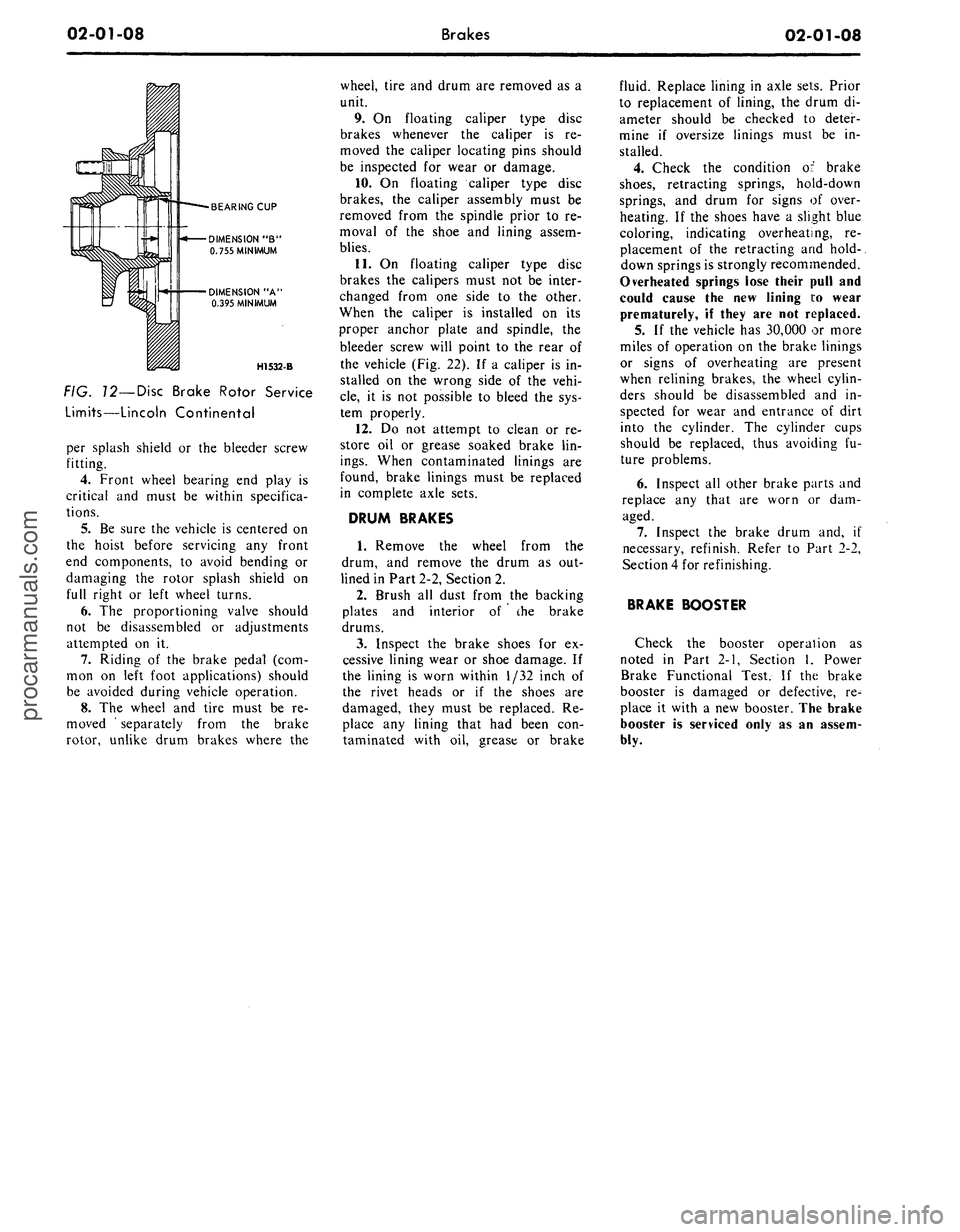
BEARING CUP
DIMENSION "B"
0.755 MINIMUM
DIMENSION "A'
0.395 MINIMUM
H1532-B
FIG. 12—Disc Brake Rotor Service
Limits—Lincoln Continental
per splash shield or the bleeder screw
fitting.
4.
Front wheel bearing end play is
critical and must be within specifica-
tions.
5.
Be sure the vehicle is centered on
the hoist before servicing any front
end components, to avoid bending or
damaging the rotor splash shield on
full right or left wheel turns.
6. The proportioning valve should
not be disassembled or adjustments
attempted on it.
7.
Riding of the brake pedal (com-
mon on left foot applications) should
be avoided during vehicle operation.
8. The wheel and tire must be re-
moved ' separately from the brake
rotor, unlike drum brakes where the
wheel, tire and drum are removed as a
unit.
9. On floating caliper type disc
brakes whenever the caliper is re-
moved the caliper locating pins should
be inspected for wear or damage.
10.
On floating caliper type disc
brakes, the caliper assembly must be
removed from the spindle prior to re-
moval of the shoe and lining assem-
blies.
11.
On floating caliper type disc
brakes the calipers must not be inter-
changed from one side to the other.
When the caliper is installed on its
proper anchor plate and spindle, the
bleeder screw will point to the rear of
the vehicle (Fig. 22). If a caliper is in-
stalled on the wrong side of the vehi-
cle,
it is not possible to bleed the sys-
tem properly.
12.
Do not attempt to clean or re-
store oil or grease soaked brake lin-
ings.
When contaminated linings are
found, brake linings must be replaced
in complete axle sets.
DRUM BRAKES
1.
Remove the wheel from the
drum, and remove the drum as out-
lined in Part 2-2, Section 2.
2.
Brush all dust from the backing
plates and interior of the brake
drums.
3.
Inspect the brake shoes for ex-
cessive lining wear or shoe damage. If
the lining is worn within 1/32 inch of
the rivet heads or if the shoes are
damaged, they must be replaced. Re-
place any lining that had been con-
taminated with oil, grease or brake
fluid. Replace lining in axle sets. Prior
to replacement of lining, the drum di-
ameter should be checked to deter-
mine if oversize linings must be in-
stalled.
4.
Check the condition of brake
shoes,
retracting springs, hold-down
springs, and drum for signs of over-
heating. If the shoes have a slight blue
coloring, indicating overheating, re-
placement of the retracting and hold-.
down springs is strongly recommended.
Overheated springs lose their pull and
could cause the new lining i:o wear
prematurely, if they are not replaced.
5. If the vehicle has 30,000 or more
miles of operation on the brake linings
or signs of overheating are present
when relining brakes, the wheel cylin-
ders should be disassembled and in-
spected for wear and entrance of dirt
into the cylinder. The cylinder cups
should be replaced, thus avoiding fu-
ture problems.
6. Inspect all other brake parts and
replace any that are worn or dam-
aged.
7.
Inspect the brake drum and, if
necessary, refinish. Refer to Part 2-2,
Section 4 for refinishing.
BRAKE BOOSTER
Check the booster operation as
noted in Part 2-1, Section 1, Power
Brake Functional Test. If the brake
booster is damaged or defective, re-
place it with a new booster. The brake
booster is serviced only as an assem-
bly.procarmanuals.com
Page 29 of 413

02-02-10
Brake System
02-02-10
brake adjustment then connect the
parking brake cable to the parking
brake lever (Fig. 8).
4.
Install the shoe guide (anchor
pin) plate on the anchor pin when so
equipped.
5.
Place the cable eye over the an-
chor pin with the crimped side toward
the backing plate.
6. Install the primary shoe to an-
chor spring (Fig. 15).
H1391-A
FIG. 75—Retracting Spring
Installation
7.
Install the cable guide on the
secondary shoe web with the flanged
hole fitted into the hole in the second-
ary shoe web. Thread the cable
around the cable guide groove (Fig.
8).
It
is
imperative that
the
cable
be
positioned
in
this groove
and not be-
tween
the
guide
and the
shoe
web.
8.
Install the secondary shoe to an-
chor spring with the tool shown in
Fig. 15.
Be certain that
the
cable
eye is not
cocked
or
binding
on the
anchor
pin
when installed.
All
parts should
be
flat
on
the
anchor
pin.
Remove
the
brake
cylinder clamp.
9. Apply high-temperature grease
(MIC-100-A) to the threads and the
socket end of the adjusting screw.
Turn the adjusting screw into the ad-
justing pivot nut to the limit of the
threads and then back off 1/2 turn.
Interchanging
the
brake shoe
ad-
justing screw assemblies from
one
side
of
the
vehicle
to the
other would cause
the brake shoes
to
retract rather than
expand each time
the
automatic
ad-
justing mechanism operated.
To pre-
vent installation on the wrong side of
the vehicle, the socket end of the ad-
justing screw is stamped with an R or
L (Fig. 16). The adjusting pivot nuts
can be distinguished by the number of
grooves machined around the body of
the nut. Two grooves on the nut indi-
cate a right thread; one groove indi-
cates a left thread.
10.
Place the adjusting socket on
the screw and install this assembly be-
tween the shoe ends with the adjusting
screw toothed wheel nearest the sec-
ondary shoe.
11.
Hook the cable hook into the
hole in the adjusting lever. The adjust-
ing levers are stamped with an R or L
to indicate their installation on right
or left brake assembly (Fig. 16).
12.
Position the hooked end of the
ADJUSTING LEVER
IDENTIFICATION LINES
H1143-C
FIG. 16—Adjusting Screw
and
Lever Identification
adjuster spring completely into the
large hole in the primary shoe web.
The last coil of the spring should be at
the edge of the hole. Connect the loop
end of the spring to the adjuster lever
hole.
13.
Pull the adjuster lever, cable
and automatic adjuster spring down
and toward the rear to engage the
pivot hook in the large hole in the sec-
ondary shoe web (Fig. 8).
14.
After installation, check the ac-
tion of the adjuster by pulling the sec-
tion of the cable between the cable
guide and the anchor pin toward the
secondary shoe web far enough to lift
the lever past a tooth on the adjusting
screw wheel. The lever should snap
into position behind the next tooth,
and release of the cable should cause
the adjuster spring to return the lever
to its original position. This return ac-
tion of the lever will turn the adjusting
screw.one tooth.
If pulling the cable does not pro-
duce the action described, or if the
lever action is sluggish instead of posi-
tive and sharp, check the position of
the lever on the adjusting screw
toothed wheel. With the brake in a
vertical position (anchor at the top),
the lever should contact the adjusting
wheel 3/16 inch (plus or minus 1/32
inch) above the centerline of the
screw. If the contact point is below
this centerline, the lever will not lock
on the teeth in the adjusting screw
wheel, and the screw will not be turned
as the lever is actuated by the cable.
To determine the cause of this con-
dition:
a. Check the cable end fittings. The
cable should completely fill or extend
slightly beyond the crimped section of
the fittings. If it does not meet this
specification, possible damage is indi-
cated and the cable assembly should
be replaced.
b.
Check the cable length. On
Ford, Mercury, Meteor, Thunderbird,
Continental Mark III, and Lincoln
Continental models, the cable should
measure 11 1/8 inches (plus or minus
1/64 inch) from the end of the cable
anchor to the end of the cable hook.
On Fairlane, Montego, Falcon,
Mustang, and Cougar models the
cable should measure 8 13/32 inches
on 9 inch brakes or 9 3/4 inches on
10 inch brakes from the end of the
cable anchor to the end of the cable
hook.
c. Check the cable guide for dam-
age.
The cable groove should be paral-
lel to the shoe web, and the body of
the guide should lie flat against the
web.
Replace the guide if it shows
damage.
d. Check the pivot hook on the
lever. The hook surfaces should be
square with the body of the lever for
proper pivoting. Replace the lever if
the hook shows damage.
e. See that the adjusting; screw
socket is properly seated in the notch
in the shoe web.
WHEEL CYLINDER
DRUM BRAKE
REMOVAL '
1.
Remove the wheel and the drum.
2.
Remove the brake shoe assem-
blies,
following procedures outlined in
this section.
3.
Disconnect the brake line from
the brake cylinder Figs. 17 thru 21.
On
a
vehicle with
a
vacuum brake
booster,
be
sure
the
engine
is
stopped
and there
is no
vacuum
in the
booster
system before disconnecting
the hy-
draulic lines.
To disconnect the hose at a front
cylinder, loosen the tube fitting that
connects the opposite end of the hose
to the brake tube at a bracket on the
frame. Remove the horseshoe-type re-
taining clip from the hose and brack-
et, disengage the hose from the brack-
et, then unscrew the entire hose as-
sembly from the front wheel cylinder.
At a rear cylinder, unscrew the tubeprocarmanuals.com
Page 44 of 413
02-02-25
Brake System
02-02-25
clearing the pin. Slide the switch com-
pletely onto the pin, and install the
nylon washer as shown in Figs. 29
thru 33. Be careful not to bend or de-
form the switch. Secure these parts to
the pin with the hairpin retainer. Con-
nect the stop light switch wires to the
connector, and install the wires in the
retaining clip.
BRAKE PEDAL
FORD, MERCURY
AND METEOR
Removal
1.
Disconnect the stop light switch
wires at the connector.
2.
Remove the hairpin retainer.
Slide the stop light switch off the
brake pedal pin just far enough for
the switch outer hole to clear the pin,
and then lift the switch straight up-
ward from the pin. Be careful not to
damage the switch during removal.
Slide the master cylinder or booster
push rod and the nylon washers and
bushing off the brake pedal pin (Figs.
26 and 29).
3.
Remove the hairpin type retainer
and washer from the brake pedal
shaft, then remove the shaft, the brake
pedal and the bushings from the pedal
support bracket.
Installation
1.
Apply a coating of SAE 10 En-
gine oil to the bushings and locate
bushings in their proper places on the
pedal assembly and pedal support
bracket (Figs. 26 and 29).
2.
Position the brake pedal assem-
bly to the support bracket, then install
the pedal shaft through the support
bracket and brake pedal assembly. In-
stall the retainer.
3.
Install the inner nylon washer,
the master cylinder or booster push
rod, and the bushing on the brake
pedal pin. Position the switch so that
it straddles the push rod with the
switch slot on the pedal pin and the
switch outer hole just clearing the pin.
Slide the switch completely onto the
pin, and install the nylon washer as
shown in Figs. 26 and 29. Be careful
not to bend or deform the switch. Se-
cure these parts to the pin with the
hairpin retainer.
4.
Connect the stop light switch
wires to the connector, and install the
wires in the retaining clip.
5.
Check the Brake Pedal Free
Height and Travel Measurements,
Part 2-1, Section 1.
FAIRLANE, MONTEGO AND
FALCON—MANUAL-SHIFT
TRANSMISSION
Removal
1.
Remove the clutch pedal assist
spring.
2.
Disconnect the clutch pedal-
to-equalizer rod at the clutch pedal by
removing the retainer and bushing.
3.
Disconnect the stop light switch
wires at the connector.
4.
Remove the switch retainer, and
slide the stop light switch off the
brake pedal pin just far enough for
the switch outer hole to clear the pin.
Then lower the switch away from the
pin.
5. Slide the master cylinder or
booster push rod and the nylon wash-
ers and bushing off from the brake
pedal pin (Figs. 27 and 30).
6. Remove the self-locking pin and
washer from the clutch and brake
pedal shaft, then remove the clutch
pedal and shaft assembly, the brake
pedal assembly, and the bushings from
the pedal support bracket (Figs. 27
and 30).
Installation
1.
Apply a coating of SAE 10 en-
gine oil to the bushings and locate all
bushings in their proper places on the
clutch and brake pedal assemblies.
2.
Position the brake pedal to the
support bracket, then install the clutch
pedal and shaft assembly through the
support bracket and brake pedal as-
sembly. Install the spring clip (Figs.
27 and 30).
3.
Install the clutch pedal assist
spring.
4.
Connect the clutch pedal-
to-equalizer rod to the clutch pedal
assembly with the bushing and the
spring clip retainer. Apply SAE 10
engine oil to the bushing.
5.
Install the inner nylon washer,
the master cylinder or booster push
rod, and the bushing on the brake
pedal pin. Position the switch so that
it straddles the push rod with the
switch slot on the pedal pin and the
switch outer hole just clearing the pin.
Slide the switch completely onto the
pin, and install the outer nylon washer
as shown in Figs. 27 and 30. Secure
these parts to the pin with the
self-
locking pin.
6. Connect the stop light switch
wires to the connector, and install the
wires to the retaining clip.
7.
Adjust the clutch pedal free play
(Group 5) to specification, if required.
8. Check the Brake Pedal Free
Height and Travel Measurements
(Part 2-1, Section 1).
MUSTANG AND COUGAR—
MANUAL-SHIFT
TRANSMISSION
Removal
1.
Disconnect the battery ground
cable from the battery.
2.
Remove the steering column.
Refer to Part 3-4, Section 2 for pro-
cedure.
3.
On non-power brakes, remove
the two cap screws retaining the mas-
ter cylinder to the dash panel and re-
move the two cap screws retaining the
brake pedal support bracket to the
dash panel. On power brakes remove
the two cap screws retaining the
booster to the dash panel.
4.
Working inside the vehicle, se-
cure the clutch pedal against the
bumper stop with a small C-clamp as
shown in Figs. 28 and 31.
5.
Disconnect the clutch pedal-
to-equalizer rod at the clutch pedal by
removing the retainer and bushing.
6. Disconnect the stop light switch
wires at the connector.
7.
Remove the switch retainer and
slide the stop light switch off the
brake pedal pin just far enough for
the switch outer hole to clear the pin.
Then lower the switch away from the
pin.
Remove the master cylinder or
booster push rod, bushing and nylon
washer from the brake pedal pin.
8. Remove the screw retaining the
pedal support bracket to the top inner
cowl bracket (Figs. 28 and 31).
9. Remove the two sheet metal
screws retaining the pedal support
bracket to the dash panel. On power
brakes remove the nuts from the
brake booster studs.
10.
Remove the two screws retain-
ing the pedal support bracket to the
upper cowl brace and lower the pedal
support bracket away from the steer-
ing column studs.
11.
Remove the pedal support
bracket assembly from the vehicle.
12.
Position the pedal and support
bracket assembly in a vise.
13.
Remove the C-clamp to release
the clutch pedal from its bumper stop
and pivot the pedal away from the
bumper.procarmanuals.com
Page 46 of 413

02-02-27
Brake System
02-02-27
4.
Connect the stop light switch
wires to the connector, and install the
wires in the retaining clip.
5.
Torque the booster mounting
nuts to specifications.
LINCOLN CONTINENTAL
Removal
1.
Disconnect the battery ground
cable from the battery.
2.
It is necessary to obtain clear-
ance to remove vacuum hoses and the
electrical connector to the temperature
heat control box. Remove the two
screws retaining the relay to the fend-
er and push the relay aside. Discon-
nect the vacuum hoses and connector
at the heat control box.
3.
Working under the instrument
panel, disconnect the vacuum hoses,
wires and retaining clip from the tem-
perature heat control box. Remove the
two screws securing the temperature
control box to the dash panel.
4.
Remove the lower control hous-
ing retaining screws (6). Disconnect
the wire harnesses at the lower control
panel and place the panel aside. Re-
move the wire harness shield. Remove
the wire harness clip. Position the
wire harness aside. Remove the tem-
perature control box and position it
aside.
5.
Remove the hair-pin type retain-
er. Slide the stop light switch off the
brake pedal pin just far enough for
the switch outer hole to clear the pin.
Lift the switch upward from the pin.
Slide the master cylinder push rod,
nylon washers and bushing off the
brake pedal pin.
6. Remove the pivot bolt and nut
that holds the pedal to the pedal sup-
port bracket. Remove the brake pedal
assembly from the support bracket
and remove the bushings.
7.
If required, remove the brake
pedal pad retaining nuts and remove
the brake pedal pad.
Installation
1.
If the brake pedal pad was re-
moved, position the pad on the pedal.
Install the pad retaining nuts and tor-
que them to specification.
2.
Apply SAE 10 engine oil to the
bushings and locate all the bushings in
their proper places on the pedal as-
sembly.
3.
Install the brake pedal assembly
and bushings to the support bracket,
and then install the pivot bolt through
the support bracket and pedal assem-
bly. Install the pivot bolt nut and tor-
que it to specification.
4.
Install the inner nylon washer,the
master cylinder push rod link, and the
bushing on the brake pedal pin. Posi-
tion the switch so that it straddles the
push rod link with the switch slot on
the pedal and the switch outer hole
just clearing the pin. Install the outer
nylon washer as shown in Fig. 33. In-
stall the hair-pin type retainer on the
brake pedal pin.
5.
Connect the stop light switch
wires to the connector, and install the
wires in the retaining clip.
6. Position the wire harness and
clip on the temperature control box
and install the retaining screw. Posi-
tion the temperature control box to
the dash panel and install the two re-
taining bolts.
7.
Connect the vacuum lines and
the electrical connector to the control
box. Position the wire harness to the
control box and install the retaining
clip.
8. Position the wire harness shield
and install two retaining bolts.
9. Connect the wire harnesses to
the lower control panel and install the
retaining screws.
10.
Working within the engine
compartment, connect the wire con-
nector to the temperature heat control
box.
11.
Position the relay to the fender
apron and install the retaining bolts.
12.
Connect the ground cable to the
battery.
13.
Check the brakes and light
switch for proper operation. Close the
hood.
PARKING BRAKE CONTROL
ASSEMBLY
FORD, MERCURY
AND METEOR
Removal
Refer to Fig. 34.
1.
Make sure the parking brake is
fully released.
2.
Remove all tension from the rear
cables by backing off the adjusting nut
from the equalizer.
3.
Remove the roll pin that secures
the release knob to the cable and re-
move the knob.
4.
Remove the nut that secures the
release cable to the instrument panel
and remove the cable from the rear of
the instrument panel.
5.
Remove the two nuts attaching
the control assembly to the dash
panel.
6. Remove the cap screw attaching
the control assembly to the cowl side
bracket.
7.
Disconnect the hose to the park-
ing brake vacuum unit, if so equipped.
8. Remove the front cable assembly
retainer clip from the cable assembly
and disconnect the cable ball from the
control clevis.
9. Remove the control assembly
from the vehicle.
Installation
1.
Position the control assembly in
the vehicle.
2.
Fit the cable assembly through
its mounting hole and install the re-
taining clip. Connect the cable ball to
the control clevis.
3.
Connect the vacuum hose to the
parking brake unit, if so equipped.
4.
Install the attaching cap screw to
the cowl side bracket. Do not tighten.
5.
Install the two control assemb-
ly-to-dash panel nuts. Tighten the nuts
and the cap screw to specifications.
6. Insert the release cable into the
instrument panel and install the re-
taining nut.
7.
Install the release knob on the
cable with the roll pin.
8. Check the operation of the park-
ing brake. Adjust the parking brake
as required.
FAIRLANE, MONTEGO
AND FALCON
Removal
Refer to Fig. 35.
1.
Make sure the parking brake is
completely released.
2.
Remove all tension from the rear
cables by backing off the jam nut and
adjusting nut from the equalizer.
3.
Working inside the vehicle, re-
move the four bolts and one nut re-
taining the left air vent and cable as-
sembly to the dash and instrument
panels. Remove the vent assembly.
4.
Remove the parking brake front
cable ball retaining clip from the clev-
is.
5.
Disconnect the cable ball from
the notch in the brake clevis.
6. Remove the three screws that at-
tach the control assembly to the left
cowl inner side panel.procarmanuals.com
Page 74 of 413

03-01-09
Suspension — Steering, Wheels And Tires — General Service
03-01-09
the reading exceeds specifications
(Part 3-13), replace the upper ball
joint.
LOWER BALL JOINT
INSPECTION
Ford,
Mercury, Meteor,
Thunderbird, Lincoln Continental
and Continental Mark III
1.
Raise the vehicle and place
jacks under the lower arms as shown
in Fig. 12. This will unload the lower
ball joints.
2.
Adjust the wheel bearings as des-
cribed in Part 3-12.
3.
Attach a dial indicator to the
lower arm and position the indicator
so that the plunger rests against the
inner side of the wheel rim adjacent to
the lower ball joint.
4.
Grasp the tire at the top and
bottom and slowly move the tire in
and out (Fig. 19). Note the reading
(radial play) on the dial indicator. If
the reading exceeds specifications
(Part 3-13), replace the lower ball
joint.
Cougar, Fairlane, Falcon,
Montego, Mustang
1.
Raise the vehicle on a frame
contact hoist or by floor jacks placed
beneath the underbody until the wheel
falls to the full down position.
2.
Ask an assistant to grasp the
lower edge of the tire and move the
wheel in and out.
3.
As the wheel is being moved in
and out, observe the lower end of the
spindle and the lower arm.
4.
Any movement between the
lower end of the spindle and the lower
arm indicates ball joint wear and loss
of preload. If any such movement is
observed, replace the lower arm.
During the foregoing check, the
upper ball joint will be unloaded and
may move. Disregard all such move-
ment of the upper ball joint. Also, do
not mistake loose wheel bearings for a
worn ball joint.
POWER STEERING GEAR
CLEANING
Disassembly and assembly of the
steering gear and. the sub-assemblies
must be made on a clean workbench.
As in repairing any hydraulically op-
erated unit, cleanliness is of utmost
importance. The bench, tools, and
parts must be kept clean at all times.
Thoroughly clean the exterior of the
unit with a suitable solvent and, when
necessary drain as much of the hy-
draulic fluid as possible. Handle all
parts very carefully to avoid nicks,
burrs,
scratches and dirt, which could
make the parts unfit for use.
Do not clean, wash or soak seals in
cleaning solvent.
INSPECTION
1.
Check the sector shaft contact
surface in the cover for wear. If worn,
replace the cover.
2.
Inspect the input shaft bearing
for cracked races and the balls for
looseness, wear, pitting, end play or
other damage. Check the fit of the
bearing on the input shaft. Replace
the bearing, if required.
3.
Inspect the valve housing for
wear, scoring or burrs.
4.
Inspect the tube seats in the
pressure and return ports in the valve
body for nicks, etc. If necessary, re-
move and replace.
5.
Check the sector shaft contact
surface in the housing for wear. If
worn, replace the bushing or the hous-
ing.
6. Check all fluid passages for ob-
struction or leakage.
7.
Inspect the steering gear housing
for cracks, stripped threads, and mat-
ing surfaces for burrs. Inspect the pis-
ton bore of the housing for scoring or
wear. If necessary, replace the hous-
ing.
8. Check the input shaft bearing
after installation to be sure that it ro-
tates freely.
9. If the valve spool is not free in
the valve housing, check for burrs at
the outward edges of the working
lands in the housing and remove with
a hard stone. Check the valve spool
for burrs and if burrs are found, stone
the valve in a radial direction only.
Check for freedom of the valve again.
10.
Check the piston rack teeth and
sector shaft teeth for nicks and burrs.
FLUSHING THE POWER
STEERING SYSTEM—ALL EXCEPT
LINCOLN CONTINENTAL AND
CONTINENTAL MARK III
Should it be necessary to replace an
inoperative power steering pump, the
need for flushing the steering system
is required when installing the new
pump.
1.
Remove the power steering pump
and remove the pulley as outlined in
Part 3-10.
2.
Install the pulley on a new
pump. Install the pump and connect
only the pressure hose to the pump
(Part 3-10).
3.
Place the fluid return line in a
suitable container and plug the reser-
voir return pipe.
4.
Fill the reservoir with lubricant
(C1AZ-19582-A).
5.
Disconnect the coil wire to pre-
vent the engine from starting and raise
the front wheels off the ground.
6. While approximately two quarts
of steering gear fluid are being poured
into the reservoir, turn the engine over
using the ignition key, at the same
time cycle the steering wheel from
stop to stop.
7.
As soon as all of the lubricant
has been poured in, turn off the igni-
tion key, and attach the coil wire.
8. Remove the plug from the reser-
voir return pipe, and attach the return
hose to the reservoir.
9. Check the reservoir fluid level; if
low, add fluid to the proper level. Do
not overfill.
10.
Lower the vehicle.
11.
Start the engine and cycle the
steering from stop to stop to expel
any trapped air from the system.
POWER STEERING PUMP—ALL
EXCEPT LINCOLN
CONTINENTAL AND
CONTINENTAL MARK III
CLEANING
Wash all parts (except seals) in a
Naptha or Chlorinated-type solvent
and dry with compressed air.
Punch or Rod
RELIEF VALVE PLUNGER
G1607-A
FIG.
20—Cleaning Pump Relief Valveprocarmanuals.com
Page 92 of 413
03-02-16
Suspension
03-02-16
2.
Place a jack under the outer end
of the arm.
3.
Tape the upper and lower spring
insulators to the spring.
4.
Compress the coil spring with
Tool 5310-A (Fig. 23) and place the
spring and insulators in position. Be
sure both ends of the spring are prop-
erly seated, and raise the arm. Guide
the spindle boss over the ball joint
stud.
5.
Install the ball joint stud retain-
ing nut and torque it to specification.
Continue tightening the nut to line up
the cotter pin hole. Install a new cot-
ter pin.
6. Connect the stabilizer bar to the
lower arm. Torque the nut to specifi-
cation.
7.
Connect the drag strut to the
lower arm. Torque the nuts to specifi-
cation.
8. Install the shock absorber.
9. Tighten the splash shield attach-
ing bolts to specifications.
10.
Install the hub and rotor on the
spindle and adjust the wheel bearings.
11.
Install the caliper to the spindle
and tighten the attaching bolts to
specifications. Check for the correct
flexible hose routing (Part 2-2).
12.
Install the wheel and tire on the
hub.
Torque the wheel lug nuts to
specifications and remove the support
stands.
13.
With the front end weight of
the car on the wheels, torque the
lower arm-to-crossmember bolt at-
taching nut to specification.
FRONT SUSPENSION
LOWER ARM
FORD, MERCURY,
METEOR, THUNDERBIRD,
CONTINENTAL MARK III
Removal
1.
Raise the front of the vehicle and
position safety stands under both sides
of the frame just back of the lower
arms.
2.
Remove the hub cap or wheel
cover.
3.
If equipped with drum type
brakes—Remove the wheel and tire
and brake drum as an assembly. Re-
move the brake backing plate attach-
ing bolts and remove the backing
plate from the spindle. Wire the back-
ing plate to the underbody to prevent
damage to the brake hose.
4.
If equipped with disc brakes-
—Remove the wheel and tire from the
•Tool—5310-A
F 1491-A
FIG. 23—Coil Spring Compressed
for Installation
F1437-A
FIG. 24—Removing Front Spring
—Lower Arm Replacement
hub.
Remove 2 bolts and washers that
attach the caliper and brake hose to
the spindle. Remove the caliper from
the rotor and wire it to the underbody
to prevent damage to the brake hose.
Then, remove the hub and rotor from
the spindle.
5.
Disconnect the lower end of the
shock absorber, and push it up to the
retracted position.
6. Disconnect the stabilizer bar link
from the lower arm.
7.
Remove the cotter pins from the
upper and lower ball joint stud nuts.
8. Remove 2 bolts and nuts attach-
ing the strut to the lower arm.
9. Loosen the lower ball joint stud
nut one or two turns. Do not remove
the nut from the stud at this time.
10.
Install Tool T57P-3OO6-A bet-
ween the upper and lower ball joint
studs (Fig. 7). The tool should be
seated firmly against the ends of both
studs and not against the stud nuts.
11.
With a wrench, turn the adapter
screw until the tool places the stud
under tension. Tap the spindle near
the lower stud with a hammer to loos-
en the stud in the spindle. Do not
loosen the stud from the spindle with
tool pressure only.
12.
Position a floor jack under the
lower arm (Fig. 24) and remove the
lower ball joint stud nut.
13.
Lower the floor jack and re-
move the sprina and insulator (Fie.
25).
14.
Remove one nut and bolt at-
taching the lower control arm to the
No.
2 crossmember and remove the
lower arm (Fig. 24).
Installation
1.
Position the lower arm to the
No.
2 crossmember and loosely install
the attaching bolt and nut (Fig. 1).
2.
Position the spring and insulator
to the upper spring pad and lower
arm. Using a floor jack, compress the
spring and guide the lower ball joint
stud into the spindle hole.
3.
Install the ball joint stud attach-
ing nut and torque to specification.
Continue to tighten the nut until the
cotter pin hole is in line with the nut
slots.
Install a cotter pin in the upper
and lower ball joint studs.
4.
Pull the shock absorber down
and connect it to the lower arm.
5.
Position the strut and bumper to
the lower arm. Install the attaching
bolts and nuts and torque to specifica-
tion.
6. Torque the lower arm to No. 2
crossmember attaching bolt and nut to
specifications.
7.
Position the stabilizer bar link to
the lower arm and install the attach-
ing nuts.
8. If equipped with drum type
brakes—Position the brake backing
plate to the spindle and install the at-
taching bolts. Torque the bolts to spe-
cification. Adjust the brakes as out-
lined in Group 2. Install the wheel,
tire,
and drum to the spindle and ad-
just the wheel bearings as outlined in
Part 3-12.
If equipped with disc brakes-Install
the hub and rotor on the spindle.
Position the caliper over the rotor and
install the attaching bolts. Torque the
bolts to specification. Install the
wheel and tire on the wheel hub and
adjust the wheel bearings as outlined in
Part 3-12.
9. Install the hub cap or wheel
cover.
10.
Remove the safety stands and'
lower the vehicle.
11.
Check the caster, camber, and
toe-in and adjust as required (Section
2,
Part 3-1).procarmanuals.com
Page 94 of 413

03-02-18
Suspension
03-02-18
5.
Remove the cotter pin from the
upper ball joint stud nut.
6. Loosen the upper ball joint stud
nut one or two turns. Do not remove
the nut from the stud at this time.
7.
Install tool T57P-3006-A be-
tween the upper and lower ball joint
studs with the adapter screw on top
(Fig. 13). The tool should be seated
firmly against the ends of both studs
and not against the nuts or lower stud
cotter pin.
8. With a wrench, turn the adapter
screw until the tool places the stua
under tension. Tap the spindle near
the upper stud with a hammer to loos-
en the stud in the spindle. Do not
loosen the stud from the spindle with
tool pressure only.
9. Remove the tool from between
the ball joint studs and place a floor
jack under the lower arm.
10.
Raise the floor jack to relieve
the pressure from the upper ball joint
stud nut and remove the nut.
11.
Remove the upper arm inner
shaft attaching bolts. Remove the
upper arm and inner shaft as an as-
sembly (Fig. 1).
12.
Remove the bumpei from the
upper arm.
Installation
1.
Position the bumper to the upper
arm and install the nut and washer.
Torque the nut to specifications.
2.
Position the upper arm inner
shaft to the frame side rail and install
the 2 attaching bolts and washers
snug.
3.
Connect the upper ball joint stud
to the spindle and install the attaching
nut. Torque the nut to specification
and continue to tighten the nut until
the cotter pin hole in the stud is in
line with the nut slots. Then, install
the cotter pin.
4.
If equipped with drum type bra-
kes—Adjust the brakes as outlined in
Part 2-2. Install the wheel, tire, and
drum to the spindle and adjust the
wheel bearings as outlined in Part
3-12.
5.
If equipped with disc brak-
es—Install the wheel and tire on the
hub and adjust the wheel bearings as
outlined in Part 3-12.
6. Install the hub cap or wheel
cover.
7.
Remove the safety stands and
lower the front of the vehicle.
8. Check caster, camber, and toe-in
and adjust as required (Section 2, Part
3-D.
COUGAR, FAIRLANE,
FALCON, MONTEGO,
MUSTANG
Removal
1.
Raise the front of the vehicle,
position safety stands under the
frame, and lower the vehicle slightly.
2.
Remove the wheel and tire.
3.
Remove the shock absorber
lower attaching nuts and washers.
4.
Remove the shock absorber
upper mounting bracket attaching
nuts,
and remove the shock absorber
and bracket as an assembly (Fig. 26).
On all 8-cylinder vehicles, remove
the air cleaner to obtain access for
tool installation.
5.
Install the spring compressor
tool and compress the spring (Figs.
19,
20 and 21).
6. Position a safety stand under the
lower arm.
7.
Remove the cotter pin from the
nut on the upper ball joint stud, and
loosen the nut one or two turns. Do
not remove the nut from the stud at
this time.
8. Position the ball joint remover
tool between the upper and lower ball
joint studs as shown in Fig. 10. The
tool should seat firmly against the
ends of both studs and not against the
stud nuts.
9. Turn the tool with a wrench until
the tool places the studs under consid-
erable tension; then, hit the spindle
smartly near the upper stud with a
hammer to break the stud loose in the
spindle. Do not loosen the stud in the
spindle with tool pressure only. If
both arms are being removed, loosen
the lower stud in the same manner as
the upper stud.
10.
Remove the nut from the upper
stud and lift the stud out of the
spindle.
11.
Remove the upper arm inner
shaft attaching nuts from the engine
compartment, and remove the upper
arm.
12.
Wipe off all loose dirt from the
upper arm parts. Do not wash the ball
joint with a solvent.
Installation
1.
Position the upper arm on the
underbody mounting bracket, and in-
stall the nuts and lock washers on the
two inner shaft attaching bolts. The
specified keystone-type lock washers
must be used. Torque the nuts to
soecification.
2.
Position the upper ball joint stud
in the top of the wheel spindle, and in-
stall the stud nut. Torque the nut to
specification, and continue to tighten
it until the cotter pin hole and slots
line up. Install a new cotter pin.
3.
Release the coil spring, remove
the tool, and install the front shock
absorber and the wheel and tire.
LINCOLN CONTINENTAL
Removal
1.
Place a jack under the outer end
of the suspension lower arm and raise
the arm. Refer to Fig. 22.
2.
Remove the wheel and tire.
3.
Remove the cotter pin from the
upper ball joint stud. Loosen the nut
one or two turns.
4.
Place a box wrench over the
lower end of the ball joint remover
tool, and position the tool as in Fig.
13.
The tool should seat firmly against
the ends of both studs, and not
against the upper stud nut.
5.
Turn the wrench until both studs
are under tension, and then, tap the
spindle with a hammer near the upper
stud to loosen it from the spindle. Do
not loosen the stud with tool pressure
alone. Remove the nut.
UPPER MOUNTING BRACKET
LOWER RETAINING BOLTS F 1490-A
FIG. 26—Removing or Installing
Front Shock Absorber—Typicalprocarmanuals.com
Page 194 of 413

04-01-07
General Axle Service
04-01-07
Tool-4201-
C
Tool-6565 USED WITH BRACKET
FROM Too/^*207-C
FLANGE
E1743-A
procedure under Backlash and Differ-
ential Bearing Preload Adjustments.
If the tooth pattern indicates a change
in shim thickness, follow the proce-
dure under Pinion Location.
REMOVABLE CARRIER
TYPE AXLE
The shim location for the removable
carrier type axle is between the pinion
retainer and the carrier (Fig. 13).
When adjusting this type carrier re-
ducing shim thickness will move the
pinion toward the ring gear; increas-
ing shim thickness will move the pi-
nion away from the ring gear (Fig.
13).
FIG. 11—Checking Companion Flange Lateral Runout—
Thunderbird and Continental Mark III
INTEGRAL CARRIER
TYPE AXLE
8. If the runout is still excessive, re-
place the companion flange and check
the runout. If necessary, rotate the
new flange on the pinion shaft until an
acceptable runout is obtained.
If excessive runout is still evident
after replacement of the companion
flange, it will be necessary to replace
the ring and pinion gear, and repeat
the above checks until runout is within
specifications.
9. Install the driveshaft assembly
(Group 5).
PINION LOCATION
ADJUSTMENT
BACKLASH
ADJUSTMENT,
LEFT
ADJUSTING
NUT
E1476-A
FIG. 12—Pinion and Ring Gear
Tooth Contact Adjustment
—
Integral Carrier Type Axles
PINION AND RING GEAR
TOOTH CONTACT
ADJUSTMENT
Two separate adjustments affect pin-
ion and ring gear tooth contact.
They are pinion location and backlash
(Figs.
12 and 13).
Individual differences in matching
the differential housing and the gear
set require the use of shims to locate
the pinion for correct contact with the
ring gear.
When adjusting either type axle,
shim thickness should be increased or
reduced only as indicated by the tooth
pattern check described in the fore-
going Section 1.
If the tooth pattern check indicates
a change in backlash only, follow the
PINION
LOCATION
ADJUSTMENT
SHIMS
LEFT
ADJUSTING
NUT
RIGHT
ADJUSTING
BACKLASH NUT
ADJUSTMENT El 409-A
FIG. 13—Pinion and Ring Gear
Tooth Contact Adjustment—
Removable Carrier Axles
The shim location for the integral
carrier type axle, is between the pi-
nion gear and the pinion rear bearing
cone (Fig. 12). When adjusting this
type axle, increasing shim thickness
moves the pinion toward the ring
gear; reducing shim thickness moves
the pinion away from the ring gear
(Fig. 12).
BACKLASH AND DIFFERENTIAL
BEARING PRELOAD
ADJUSTMENTS (ALL AXLES)
On a Light-Duty (WER) Axle, it is
necessary to remove the rear axle
shafts prior to performing the adjust-
ment procedures. Refer to Rear Axle
Shaft Wheel Bearing and Oil Seal Re-
placement—Light-Duty (WER), Axle,
Part 4-4, Section 2.
To secure a more uniform control
of differential side bearing preload in
service repairs, a dial indicator set-up
such as shown in Fig. 12 is used.
In both types of axle (Fig. 11 and
12),
the ring gear is moved away from
or toward the pinion as described in
the following procedure.
1.
Remove the adjusting nut locks,
loosen the differential bearing cap
bolts,
then torque the bolts to 15 ft-lbs
on integral carrier type axle; 20 ft-lbs
on removable carrier type axles before
making adjustments.
2.
The left adjusting nut is on the
ring gear side of the carrier. The right
nut is on the pinion side. Loosen the
right nut until it is away from the cup.
Tighten the left nut until the ring gear
is just forced into the pinion with
0.000 backlash then rotate the pinion
several revolutions to be sure no bind-
ing is evident. (Recheck the right nutprocarmanuals.com