2024 FORD F650/750 warning
[x] Cancel search: warningPage 60 of 386

Flashing the Headlamp High Beam
Slightly pull the lever toward you andrelease it to flash the headlamps.
AUTOLAMPS
WARNING: The system does notrelieve you of your responsibility to drivewith due care and attention. You mayneed to override the system if it does notturn the headlamps on in low visibilityconditions, for example daytime fog.
Autolamps turn the headlamps on in lowlight situations or when the wipers operate.
Switch the lighting control to theautolamps position.
The headlamps remain on for a period oftime after you switch the ignition off. Usethe information display controls to adjustthe period of time that the headlampsremain on.
Note: If you switch the autolamps on, youcannot switch the high beams on until thesystem turns the low beams on.
Windshield Wiper ActivatedHeadlamps
When you switch the autolamps on, theheadlamps turn on within 10 seconds ofswitching the wipers on. They turn offapproximately 60 seconds after you switchthe windshield wipers off.
The headlamps do not turn on with thewipers:
•During a single wipe.
•When using the windshield washers.
•If the wipers are in intermittent mode.
Note:If you switch the autolamps and theautowipers on, the headlamps turn on whenthe windshield wipers continuously operate.
INSTRUMENT LIGHTING
DIMMER
The instrument lighting dimmer buttonsare on the lighting control.
Repeatedly press one of thebuttons to adjust the brightness.
HEADLAMP EXIT DELAY
After you switch the ignition off, you canswitch the headlamps on by pulling thedirection indicator lever toward you. Youwill hear a short tone. The headlamps willswitch off automatically after threeminutes with any door open or 30 secondsafter the last door has been closed. Youcan cancel this feature by pulling thedirection indicator lever toward you againor switching the ignition on.
56
2024 F-650/750 (TBC) , enUSA, Edition date: 202210, First-PrintingLightingE311233 E291299 E296433
Page 61 of 386

DAYTIME RUNNING LAMPS -
VEHICLES WITH: DAYTIME
RUNNING LAMPS (DRL)
WARNING: The daytime runninglamps system does not activate the rearlamps and may not provide adequatelighting during low visibility drivingconditions. Make sure you switch theheadlamps on, as appropriate, during alllow visibility conditions. Failure to do somay result in a crash.
The system turns the lamps on in daylightconditions.
To switch the system on, switch thelighting control to any position exceptheadlamps.
DAYTIME RUNNING LAMPS -
VEHICLES WITH:
CONFIGURABLE DAYTIME
RUNNING LAMPS
WARNING: The daytime runninglamps system does not activate the rearlamps and may not provide adequatelighting during low visibility drivingconditions. Make sure you switch theheadlamps on, as appropriate, during alllow visibility conditions. Failure to do somay result in a crash.
Switch the daytime running lamps on oroff using the information display. SeeGeneral Information (page 71).
The daytime running lamps turn on when:
1.The lamps are on in the informationdisplay.
2.You switch the ignition on.
3.The transmission is not in park (P) forvehicles with automatic transmissionsor you release the parking brake forvehicles with manual transmissions.
4.The lighting control is in the autolampsposition.
5.The headlamps are off.
The other lighting control switch positionsdo not turn on the daytime running lamps.
If the daytime running lamps are off in theinformation display, the lamps stay off inall switch positions.
AUTOMATIC HIGH BEAM
CONTROL (IF EQUIPPED)
WARNING: The system does notrelieve you of your responsibility to drivewith due care and attention. You mayneed to override the system if it does notturn the high beams on or off.
The system turns on high beams if it is darkenough and no other traffic is present. If itdetects an approaching vehicle’sheadlamps or tail lamps, or street lightingahead, the system turns off high beamsbefore they can distract other road users.Low beams remain on.
Note:The system may not operate properlyif the sensor is blocked. Keep the windshieldfree from obstruction or damage.
Note:The system may not operate properlyin cold or inclement conditions. You canswitch on the high beams by overriding thesystem.
Note:If the system detects a blockage, forexample bird droppings, bug splatter, snowor ice, the system goes into low beam modeuntil you clear the blockage. A message mayappear in the information display if thecamera is blocked.
57
2024 F-650/750 (TBC) , enUSA, Edition date: 202210, First-PrintingLighting
Page 64 of 386

POWER WINDOWS (IF EQUIPPED)
WARNING: Do not leave childrenunattended in your vehicle and do notlet them play with the power windows.Failure to follow this instruction couldresult in personal injury.
WARNING: When closing thepower windows, verify they are free ofobstruction and make sure that childrenand pets are not in the proximity of thewindow openings.
Note:You may hear a pulsing noise whenjust one of the windows is open. Lower theopposite window slightly to reduce thisnoise.
Press the switch to open the window. Liftthe switch to close the window.
One-Touch Up or Down (If Equipped)
Press or lift the switch fully and release it.Press or lift it again to stop the window.
Note:The window may disable for up tofive minutes if you cycle it up and downrepeatedly. This helps prevent damage tothe motor. Normal operation resumes oncethe motor cools.
Restoring the One-Touch Up Function
You may lose the one-touch function if thevehicle battery is low.
Note:Perform one-touch up recalibrationwith the door closed. Calibrating with thedoor open causes the window to bounceback continuously.
To reset the function after the batteryrecharges:
1.Pull the switch all the way up.
2.Hold the switch until the glass stopsand continue to hold for two seconds.
3.Press the switch down and operate thewindow to the full down position.One-touch up is now functional.
Bounce-Back (If Equipped)
The window stops and reverses if it detectsan obstruction.
Overriding the Bounce-Back Feature
WARNING: If you overridebounce-back, the window does notreverse if it detects an obstacle. Takecare when closing the windows to avoidpersonal injury or damage to yourvehicle.
Pull up the window switch and hold withina few seconds of the window reaching thebounce-back position. The window travelsup with no bounce-back protection. Thewindow stops if you release the switchbefore the window fully closes.
Window Lock (If Equipped)
Press the control to lock or unlock the rearwindow controls.
60
2024 F-650/750 (TBC) , enUSA, Edition date: 202210, First-PrintingWindows and MirrorsE163056
Page 65 of 386
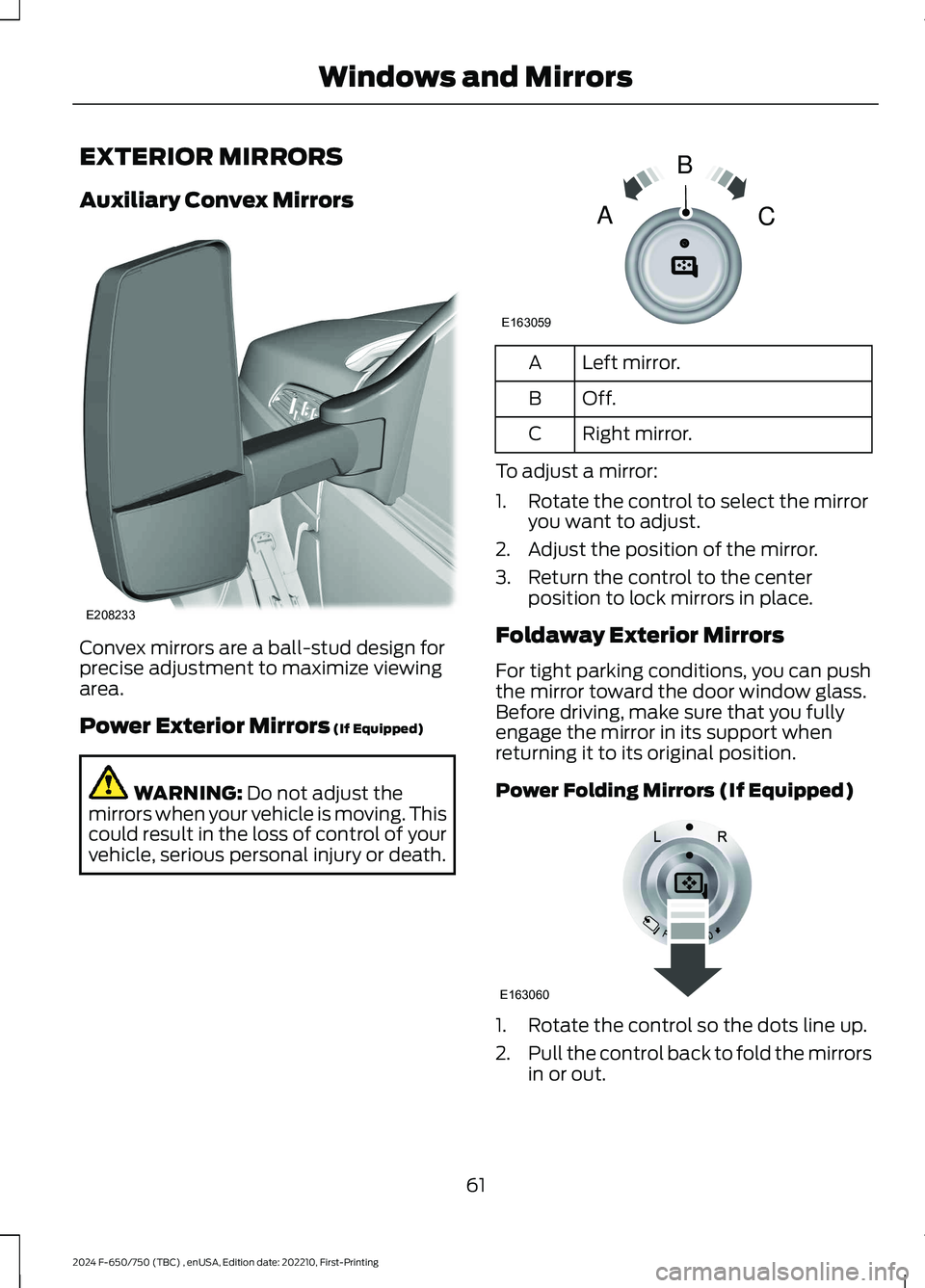
EXTERIOR MIRRORS
Auxiliary Convex Mirrors
Convex mirrors are a ball-stud design forprecise adjustment to maximize viewingarea.
Power Exterior Mirrors (If Equipped)
WARNING: Do not adjust themirrors when your vehicle is moving. Thiscould result in the loss of control of yourvehicle, serious personal injury or death.
Left mirror.A
Off.B
Right mirror.C
To adjust a mirror:
1.Rotate the control to select the mirroryou want to adjust.
2.Adjust the position of the mirror.
3.Return the control to the centerposition to lock mirrors in place.
Foldaway Exterior Mirrors
For tight parking conditions, you can pushthe mirror toward the door window glass.Before driving, make sure that you fullyengage the mirror in its support whenreturning it to its original position.
Power Folding Mirrors (If Equipped)
1.Rotate the control so the dots line up.
2.Pull the control back to fold the mirrorsin or out.
61
2024 F-650/750 (TBC) , enUSA, Edition date: 202210, First-PrintingWindows and MirrorsE208233 E163059BAC E163060
Page 67 of 386
To adjust the mirrors:
•Press and hold the control.
•When you position the mirrors in or out,the motors run as long as you hold thecontrol. The running motors allow youto make adjustments as needed.
•After positioning the mirrors, return thecontrol to the center position to helpprotect the motors from overheating.
INTERIOR MIRROR (IF EQUIPPED)
WARNING: Do not adjust the mirrorwhen your vehicle is moving.
Note:Do not clean the housing or glass ofany mirror with harsh abrasives, fuel or otherpetroleum or ammonia-based cleaningproducts
You can adjust the interior mirror to yourpreference. Some mirrors also have asecond pivot point. This lets you move themirror head up or down and from side toside.
Pull the tab below the mirror toward youto reduce glare at night.
SUN VISORS
Slide-on-rod (If Equipped)
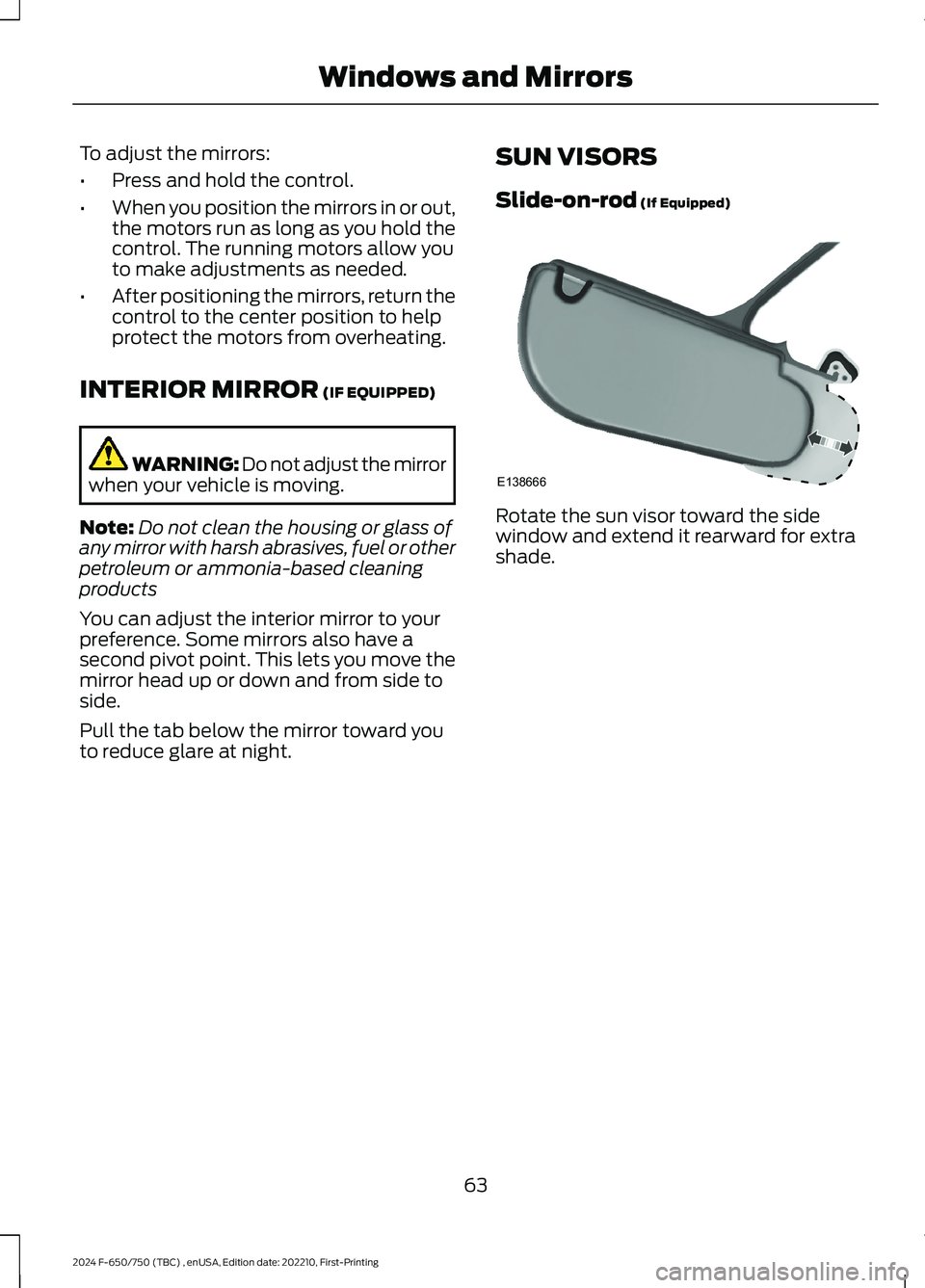
Rotate the sun visor toward the sidewindow and extend it rearward for extrashade.
63
2024 F-650/750 (TBC) , enUSA, Edition date: 202210, First-PrintingWindows and MirrorsE138666
Page 70 of 386

Engine Oil Pressure Gauge
Indicates engine oil pressure. At normaloperating temperature, the level indicatoris in the normal range. If the pressure gaugefalls below the normal range, stop yourvehicle, switch off the engine and checkthe engine oil level. Add oil if needed. If theoil level is correct, have your vehiclechecked by an authorized dealer.
Engine Coolant TemperatureGauge
WARNING: Do not remove thecoolant reservoir cap when the engine ison or the cooling system is hot. Wait 10minutes for the cooling system to cooldown. Cover the coolant reservoir capwith a thick cloth to prevent thepossibility of scalding and slowly removethe cap. Failure to follow this instructioncould result in personal injury.
Indicates engine coolant temperature. Atnormal operating temperature, the levelindicator is in the normal range. If theengine coolant temperature exceeds thenormal range, stop your vehicle as soon aspossible, switch off the engine and let theengine cool.
Fuel Gauge
The fuel gauge indicates about how muchfuel is in the fuel tank.
The arrow adjacent to the fuel pumpsymbol indicates on which side of yourvehicle the fuel filler door is located.
Note:The fuel gauge may vary slightlywhen your vehicle is moving or on a slope.
Low Fuel Reminder
A low fuel level reminder displays andsounds when the distance to emptyreaches 50 mi (80 km),25 mi (40 km),10 mi (20 km) and 0 mi (0 km) for allvehicle keys.
Note:The low fuel reminder can appear atdifferent fuel gauge positions depending onfuel economy conditions. This variation isnormal.
Distance to Empty
Indicates the approximate distance yourvehicle can travel on the fuel remaining inthe tank. Changes in driving pattern cancause the value to not only decrease butalso increase or stay constant for periodsof time.
Configurable Gauge
Transmission Fluid Temperature Gauge
Indicates transmission fluid temperature.At normal operating temperature, the levelindicator is in the normal range. If thetransmission fluid temperature exceedsthe normal range, stop your vehicle as soonas possible and verify the airflow is notrestricted by snow or debris blockingairflow through the grille.
Special operating conditions such assnowplowing, towing, or off-road use maycause higher than normal operatingtemperatures. See Special OperatingConditions Scheduled Maintenance(page 335).
To lower the transmission temperatureinto the normal range, alter the severity ofyour driving conditions. Operating thetransmission for extended periods with thegauge in the higher than normal area maycause internal transmission damage. If thegauge continues to show hightemperatures, see an authorized dealer.
66
2024 F-650/750 (TBC) , enUSA, Edition date: 202210, First-PrintingInstrument Cluster
Page 71 of 386
Diesel Exhaust Fluid Gauge
Indicates the fluid level in the dieselexhaust fluid (DEF) tank.
Voltmeter
Displays electrical system voltage.
WARNING LAMPS AND
INDICATORS
The following warning lamps andindicators alert you to a vehicle conditionthat may become serious. Some lampsilluminate when you start your vehicle tomake sure they work. If any lamps remainon after starting your vehicle, refer to therespective system warning lamp for furtherinformation.
Note:Some warning indicators appear inthe information display and operate thesame as a warning lamp but do notilluminate when you start your vehicle.
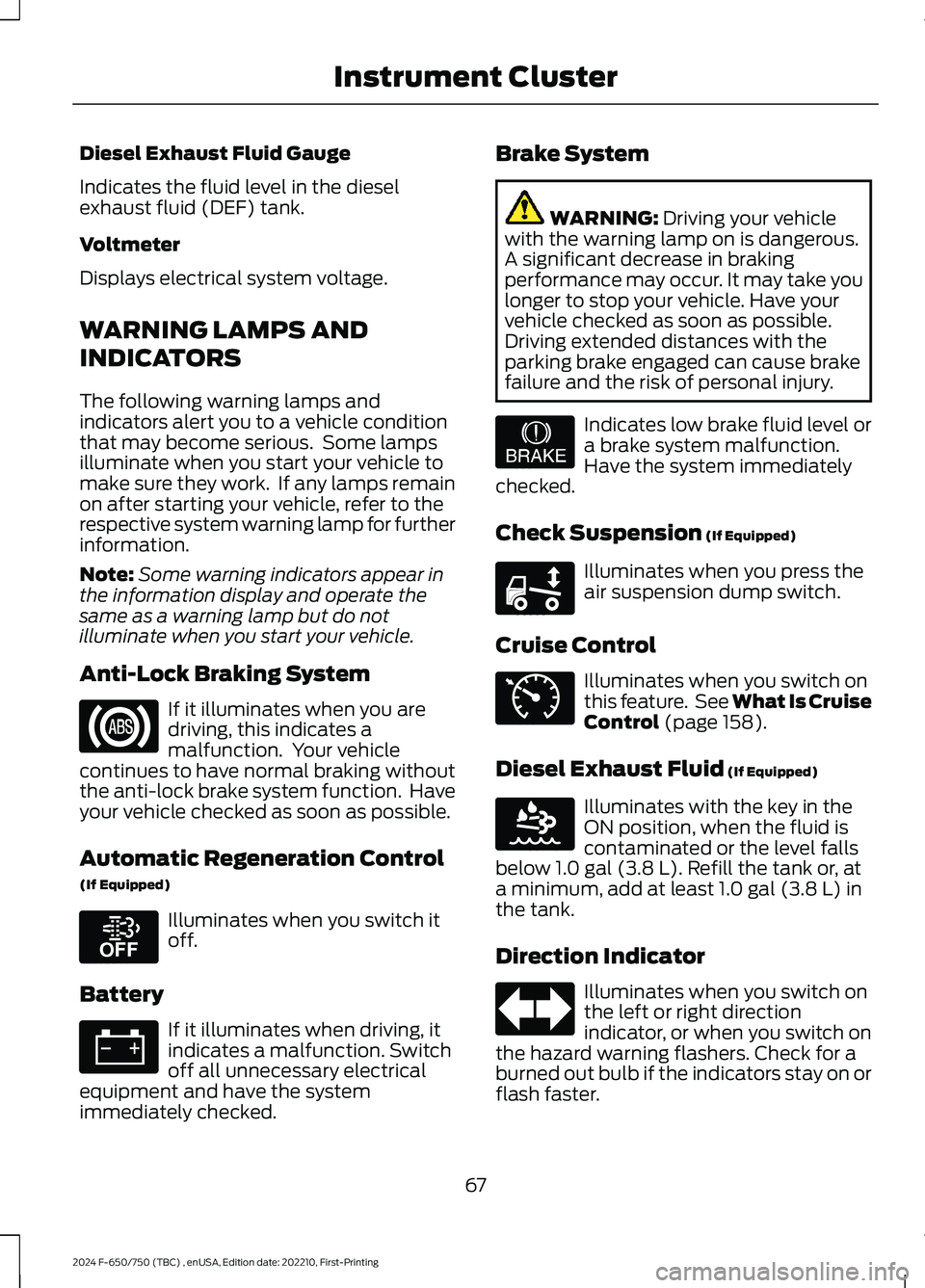
Anti-Lock Braking System
If it illuminates when you aredriving, this indicates amalfunction. Your vehiclecontinues to have normal braking withoutthe anti-lock brake system function. Haveyour vehicle checked as soon as possible.
Automatic Regeneration Control
(If Equipped)
Illuminates when you switch itoff.
Battery
If it illuminates when driving, itindicates a malfunction. Switchoff all unnecessary electricalequipment and have the systemimmediately checked.
Brake System
WARNING: Driving your vehiclewith the warning lamp on is dangerous.A significant decrease in brakingperformance may occur. It may take youlonger to stop your vehicle. Have yourvehicle checked as soon as possible.Driving extended distances with theparking brake engaged can cause brakefailure and the risk of personal injury.
Indicates low brake fluid level ora brake system malfunction.Have the system immediatelychecked.
Check Suspension (If Equipped)
Illuminates when you press theair suspension dump switch.
Cruise Control
Illuminates when you switch onthis feature. See What Is CruiseControl (page 158).
Diesel Exhaust Fluid (If Equipped)
Illuminates with the key in theON position, when the fluid iscontaminated or the level fallsbelow 1.0 gal (3.8 L). Refill the tank or, ata minimum, add at least 1.0 gal (3.8 L) inthe tank.
Direction Indicator
Illuminates when you switch onthe left or right directionindicator, or when you switch onthe hazard warning flashers. Check for aburned out bulb if the indicators stay on orflash faster.
67
2024 F-650/750 (TBC) , enUSA, Edition date: 202210, First-PrintingInstrument ClusterE67020 E208811 E67021 E209041 E208808 E71340 E163176 E67018
Page 72 of 386

Door Ajar
Displays when the ignition is onand any door is not completelyclosed.
Electronic Locking Differential (If
Equipped)
Illuminates when using theelectronic locking differential.
Engine Coolant Temperature
If it illuminates when your vehicleis moving, this indicates that theengine is overheating. Stop yourvehicle as soon as it is safe to do so andswitch the engine off. Have your vehiclechecked as soon as possible. See EngineCoolant Check (page 238).idk
Engine Oil Pressure
If it illuminates with the enginerunning, or when you are driving,this indicates a malfunction.Stop your vehicle as soon as it is safe todo so and switch off the engine. Check theengine oil level.
Note:Do not resume your journey if itilluminates despite the level being correct.Have the system checked as soon aspossible.
Exhaust Brake On (If Equipped)
The exhaust brake indicator lightilluminates when you switch theexhaust brake on.
Fasten Seatbelt
Illuminates and a tone soundsto remind you to fasten yourseatbelt.
High Beam
Illuminates when you switch onthe high beam headlamps. Itflashes when you use theheadlamp flasher.
Hydromax
If the light illuminates andremains on when the key is in theon position or the engine isrunning, this indicates inadequate hydraulicbooster pressure or reserve pump systemfailure. Stop the vehicle as soon aspossible and have your vehicle checked.
Low Fuel Level
Illuminates when the fuel levelis low or the fuel tank is nearlyempty. Refuel as soon aspossible.
Parking Brake Warning
Briefly illuminates when youswitch the ignition to the onposition, with the engine off. Italso illuminates when you apply theparking brake. If the park brake lamp doesnot illuminate at these times, seekimmediate service. Vehicles with the powerparking brake option: If the park brakewarning lamp begins to blink after settingthe parking brake, this may indicate afailure in the parking brake system. Havethe system checked as soon as possible.Driving extended distances with theparking brake engaged can cause brakefailure and the risk of personal injury.
Parking Lamps
Illuminates when you switch thelow beam headlamps or theparking lamps on.
68
2024 F-650/750 (TBC) , enUSA, Edition date: 202210, First-PrintingInstrument Cluster E163170 E103308 E67022 E171217 E71880 E67019 E146190 E208810 E71341