2024 CHEVROLET SILVERADO EV sensor
[x] Cancel search: sensorPage 102 of 429
Chevrolet Silverado EV Owner Manual (GMNA-Localizing-U.S./Canada-
16702912) - 2024 - CRC - 1/13/23
Instruments and Controls 101
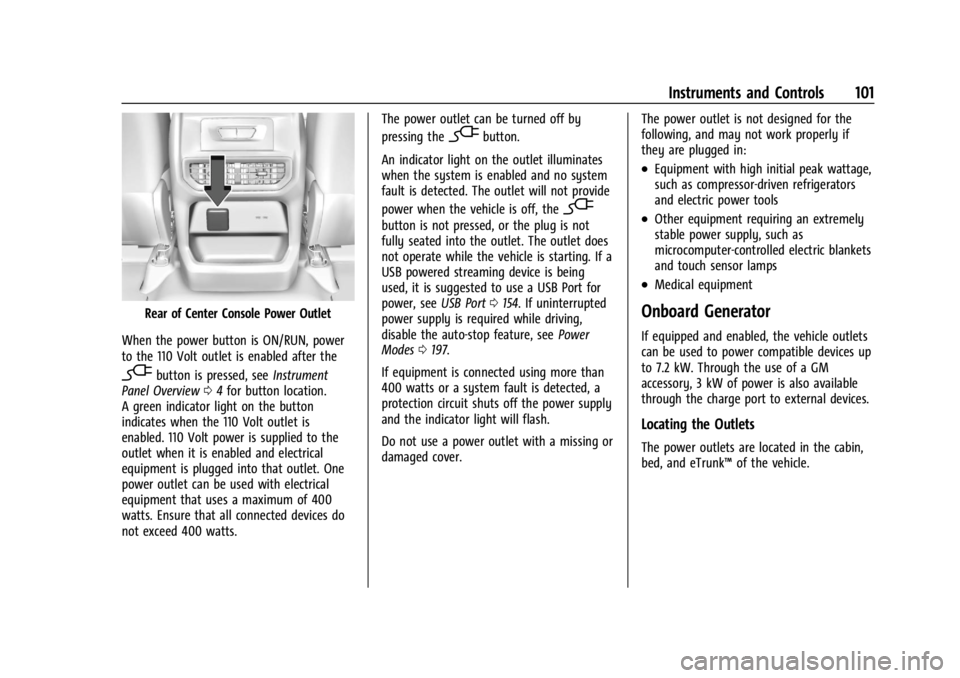
Rear of Center Console Power Outlet
When the power button is ON/RUN, power
to the 110 Volt outlet is enabled after the
-button is pressed, see Instrument
Panel Overview 04for button location.
A green indicator light on the button
indicates when the 110 Volt outlet is
enabled. 110 Volt power is supplied to the
outlet when it is enabled and electrical
equipment is plugged into that outlet. One
power outlet can be used with electrical
equipment that uses a maximum of 400
watts. Ensure that all connected devices do
not exceed 400 watts. The power outlet can be turned off by
pressing the
-button.
An indicator light on the outlet illuminates
when the system is enabled and no system
fault is detected. The outlet will not provide
power when the vehicle is off, the
-
button is not pressed, or the plug is not
fully seated into the outlet. The outlet does
not operate while the vehicle is starting. If a
USB powered streaming device is being
used, it is suggested to use a USB Port for
power, see USB Port0154. If uninterrupted
power supply is required while driving,
disable the auto-stop feature, see Power
Modes 0197.
If equipment is connected using more than
400 watts or a system fault is detected, a
protection circuit shuts off the power supply
and the indicator light will flash.
Do not use a power outlet with a missing or
damaged cover. The power outlet is not designed for the
following, and may not work properly if
they are plugged in:
.Equipment with high initial peak wattage,
such as compressor-driven refrigerators
and electric power tools
.Other equipment requiring an extremely
stable power supply, such as
microcomputer-controlled electric blankets
and touch sensor lamps
.Medical equipment
Onboard Generator
If equipped and enabled, the vehicle outlets
can be used to power compatible devices up
to 7.2 kW. Through the use of a GM
accessory, 3 kW of power is also available
through the charge port to external devices.
Locating the Outlets
The power outlets are located in the cabin,
bed, and eTrunk™
of the vehicle.
Page 114 of 429
Chevrolet Silverado EV Owner Manual (GMNA-Localizing-U.S./Canada-
16702912) - 2024 - CRC - 1/13/23
Instruments and Controls 113
When the vehicle is started, this light
flashes and a chime may come on to remind
passengers to fasten their seat belt. Then
the light stays on solid until the belt is
buckled. This cycle continues several times if
the front passenger remains or becomes
unbuckled while the vehicle is moving.
If the front passenger seat belt is buckled,
neither the chime nor the light comes on.
The front passenger seat belt reminder light
and chime may turn on if an object is put
on the seat such as a briefcase, handbag,
grocery bag, laptop, or other electronic
device. To turn off the reminder light and/or
chime, remove the object from the seat or
buckle the seat belt.
Second Row Passenger Seat Belt
Reminder Lights
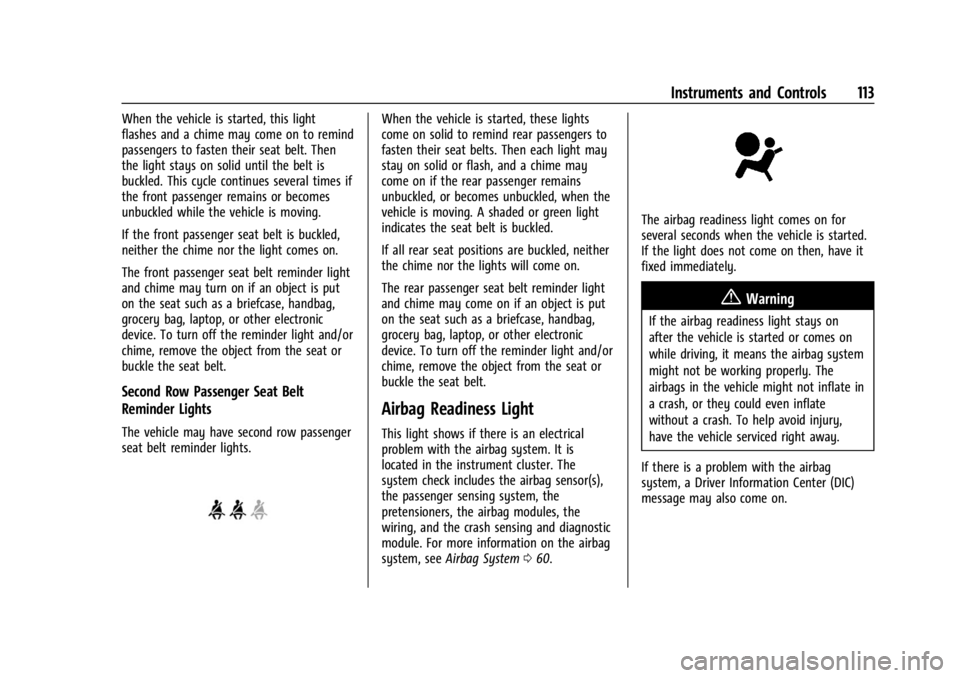
The vehicle may have second row passenger
seat belt reminder lights.
When the vehicle is started, these lights
come on solid to remind rear passengers to
fasten their seat belts. Then each light may
stay on solid or flash, and a chime may
come on if the rear passenger remains
unbuckled, or becomes unbuckled, when the
vehicle is moving. A shaded or green light
indicates the seat belt is buckled.
If all rear seat positions are buckled, neither
the chime nor the lights will come on.
The rear passenger seat belt reminder light
and chime may come on if an object is put
on the seat such as a briefcase, handbag,
grocery bag, laptop, or other electronic
device. To turn off the reminder light and/or
chime, remove the object from the seat or
buckle the seat belt.
Airbag Readiness Light
This light shows if there is an electrical
problem with the airbag system. It is
located in the instrument cluster. The
system check includes the airbag sensor(s),
the passenger sensing system, the
pretensioners, the airbag modules, the
wiring, and the crash sensing and diagnostic
module. For more information on the airbag
system, seeAirbag System 060.
The airbag readiness light comes on for
several seconds when the vehicle is started.
If the light does not come on then, have it
fixed immediately.
{Warning
If the airbag readiness light stays on
after the vehicle is started or comes on
while driving, it means the airbag system
might not be working properly. The
airbags in the vehicle might not inflate in
a crash, or they could even inflate
without a crash. To help avoid injury,
have the vehicle serviced right away.
If there is a problem with the airbag
system, a Driver Information Center (DIC)
message may also come on.
Page 141 of 429
Chevrolet Silverado EV Owner Manual (GMNA-Localizing-U.S./Canada-
16702912) - 2024 - CRC - 1/13/23
140 Lighting
Lighting
Exterior Lighting
Exterior Lamp Controls . . . . . . . . . . . . . . . . 140
Exterior Lamps Off Reminder . . . . . . . . . . . 141
Headlamp High/Low-Beam Changer . . . . 141
Flash-to-Pass . . . . . . . . . . . . . . . . . . . . . . . . . . . 141
Daytime Running Lamps (DRL) . . . . . . . . . 141
Automatic Headlamp System . . . . . . . . . . 142
Hazard Warning Flashers . . . . . . . . . . . . . . 142
Turn and Lane-Change Signals . . . . . . . . . 143
Exterior Cargo Lamps . . . . . . . . . . . . . . . . . . 143
Interior Lighting
Instrument Panel IlluminationControl . . . . . . . . . . . . . . . . . . . . . . . . . . . . . . 143
Dome Lamps . . . . . . . . . . . . . . . . . . . . . . . . . . 144
Reading Lamps . . . . . . . . . . . . . . . . . . . . . . . . 144
Lighting Features
Entry Lighting . . . . . . . . . . . . . . . . . . . . . . . . . 144
Exit Lighting . . . . . . . . . . . . . . . . . . . . . . . . . . . 145
Battery Load Management . . . . . . . . . . . . 145
Battery Power Protection . . . . . . . . . . . . . . 145
Exterior Lighting Battery Saver . . . . . . . . 146
Exterior Lighting
Exterior Lamp Controls
The exterior lamp controls, also known as
headlights, are in the Controls App on the
infotainment home screen. Select Controls >
Lights > Headlights.
To operate, select the following options:
Off : Turns off the exterior lamps.
For vehicles first sold in Canada, the
headlamps will automatically reactivate
when the vehicle is shifted out of P (Park).
Auto : Automatically turns on the
headlamps, parking lamps, taillamps,
instrument panel lights, roof marker lamps
(if equipped), license plate lamps or Daytime
Running Lamps (DRL), depending on outside
light conditions.
Parking : Turns on the parking lamps.
On : Turns on the exterior lamps.
IntelliBeam System
If equipped, this system turns the high-beam
headlamps on and off according to
surrounding traffic conditions. The system turns the high-beam headlamps
on when it is dark enough and there is no
other traffic present.
This light
bappears on the instrument
cluster when the IntelliBeam system is
enabled.
Turning the IntelliBeam On and Off
To enable and disable the IntelliBeam
system on the infotainment home screen,
select Control App > Lights >
bAuto
High Beams when the headlights are set in
the Auto position.
Driving with IntelliBeam
The system only activates the high beams
when driving over 40 km/h (25 mph).
The blue high-beam on light appears on the
instrument cluster when the high beams
are on.
There is a sensor near the top center of the
windshield that automatically controls the
system. Keep this area of the windshield
clear of debris to allow for best system
performance.
Page 142 of 429
Chevrolet Silverado EV Owner Manual (GMNA-Localizing-U.S./Canada-
16702912) - 2024 - CRC - 1/13/23
Lighting 141
The high-beam headlamps remain on, under
the automatic control, until one of the
following situations occurs:
.The system detects an approaching
vehicle's headlamps.
.The system detects a preceding vehicle's
taillamps.
.The outside light is bright enough that
high-beam headlamps are not required.
.The vehicle speed drops below 20 km/h
(12 mph).
The high beams may not turn off
automatically if the system cannot detect
another vehicle's lamps because of any of
the following:
.The other vehicle's lamps are missing,
damaged, obstructed from view,
or otherwise undetected.
.The other vehicle's lamps are covered
with dirt, snow, and/or road spray.
.The other vehicle's lamps cannot be
detected due to dense exhaust, smoke,
fog, snow, road spray, mist, or other
airborne obstructions.
.The vehicle windshield is dirty, cracked,
or obstructed by something that blocks
the view of the light sensor.
.The vehicle is loaded such that the front
end points upward, causing the light
sensor to aim high and not detect
headlamps and taillamps.
.The vehicle is being driven on winding or
hilly roads.
The automatic high-beam headlamps may
need to be disabled if any of the above
conditions exist.
Exterior Lamps Off Reminder
A warning chime sounds if the driver door is
opened while the vehicle is off and the
exterior lamps are on.
Headlamp High/Low-Beam
Changer
Push the turn signal lever away from you
and release, to turn the high beams on. To
return to low beams, push the lever again
or pull it toward you and release.
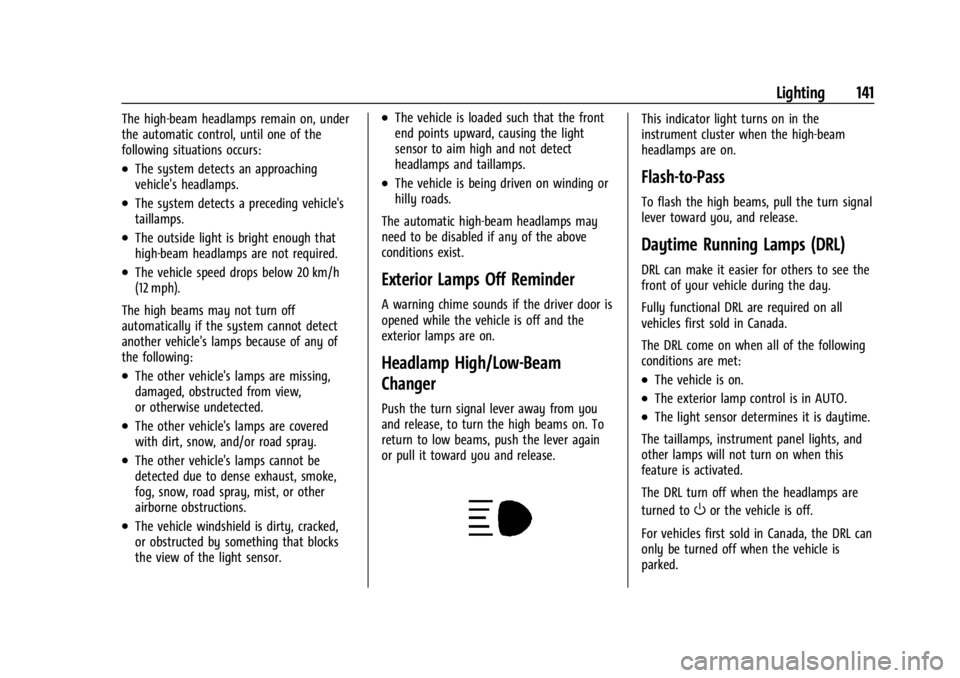
This indicator light turns on in the
instrument cluster when the high-beam
headlamps are on.
Flash-to-Pass
To flash the high beams, pull the turn signal
lever toward you, and release.
Daytime Running Lamps (DRL)
DRL can make it easier for others to see the
front of your vehicle during the day.
Fully functional DRL are required on all
vehicles first sold in Canada.
The DRL come on when all of the following
conditions are met:
.The vehicle is on.
.The exterior lamp control is in AUTO.
.The light sensor determines it is daytime.
The taillamps, instrument panel lights, and
other lamps will not turn on when this
feature is activated.
The DRL turn off when the headlamps are
turned to
Oor the vehicle is off.
For vehicles first sold in Canada, the DRL can
only be turned off when the vehicle is
parked.
Page 143 of 429
Chevrolet Silverado EV Owner Manual (GMNA-Localizing-U.S./Canada-
16702912) - 2024 - CRC - 1/13/23
142 Lighting
Automatic Headlamp System
When the exterior lamp control is set to
Auto and it is dark enough outside, the
headlamps come on automatically.
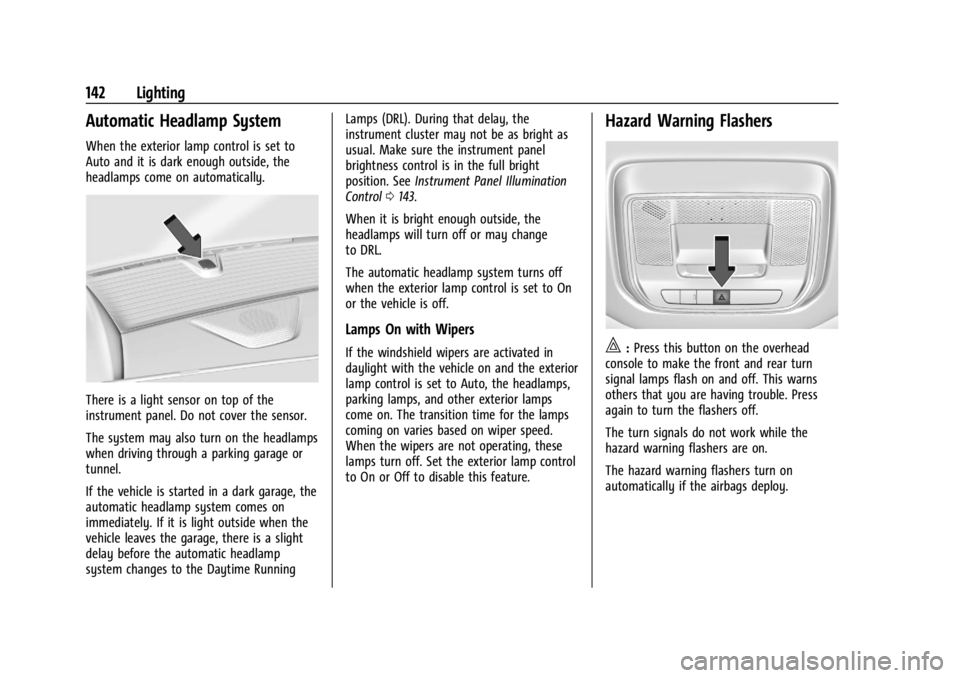
There is a light sensor on top of the
instrument panel. Do not cover the sensor.
The system may also turn on the headlamps
when driving through a parking garage or
tunnel.
If the vehicle is started in a dark garage, the
automatic headlamp system comes on
immediately. If it is light outside when the
vehicle leaves the garage, there is a slight
delay before the automatic headlamp
system changes to the Daytime RunningLamps (DRL). During that delay, the
instrument cluster may not be as bright as
usual. Make sure the instrument panel
brightness control is in the full bright
position. See
Instrument Panel Illumination
Control 0143.
When it is bright enough outside, the
headlamps will turn off or may change
to DRL.
The automatic headlamp system turns off
when the exterior lamp control is set to On
or the vehicle is off.
Lamps On with Wipers
If the windshield wipers are activated in
daylight with the vehicle on and the exterior
lamp control is set to Auto, the headlamps,
parking lamps, and other exterior lamps
come on. The transition time for the lamps
coming on varies based on wiper speed.
When the wipers are not operating, these
lamps turn off. Set the exterior lamp control
to On or Off to disable this feature.
Hazard Warning Flashers
|: Press this button on the overhead
console to make the front and rear turn
signal lamps flash on and off. This warns
others that you are having trouble. Press
again to turn the flashers off.
The turn signals do not work while the
hazard warning flashers are on.
The hazard warning flashers turn on
automatically if the airbags deploy.
Page 178 of 429
Chevrolet Silverado EV Owner Manual (GMNA-Localizing-U.S./Canada-
16702912) - 2024 - CRC - 1/13/23
Climate Controls 177
Rear Window Defogger
1REAR :If equipped, press to turn the
rear window defogger on or off. An indicator
light on the button comes on to show that
the rear window defogger is on.
The rear window defogger only works when
the vehicle is on. The defogger turns off if
the vehicle is turned off.
If the vehicle is equipped with heated
outside mirrors, they turn on when the rear
window defogger button is on and help to
clear fog or frost from the surface of the
mirror. See Heated Mirrors 036.
Caution
Using a razor blade or sharp object to
clear the inside rear window can damage
the rear window defogger. Repairs would
not be covered by the vehicle warranty.
Do not clear the inside rear window with
sharp objects.
Remote Start Climate Control Operation :
If equipped with remote start, the climate
control system may run when the vehicle is
started remotely. If equipped with heated or ventilated seats or a heated steering wheel,
these features may come on during a
remote start. See
Remote Vehicle Start 014,
Heated and Ventilated Front Seats 047, and
Heated Steering Wheel 097.
Sensors
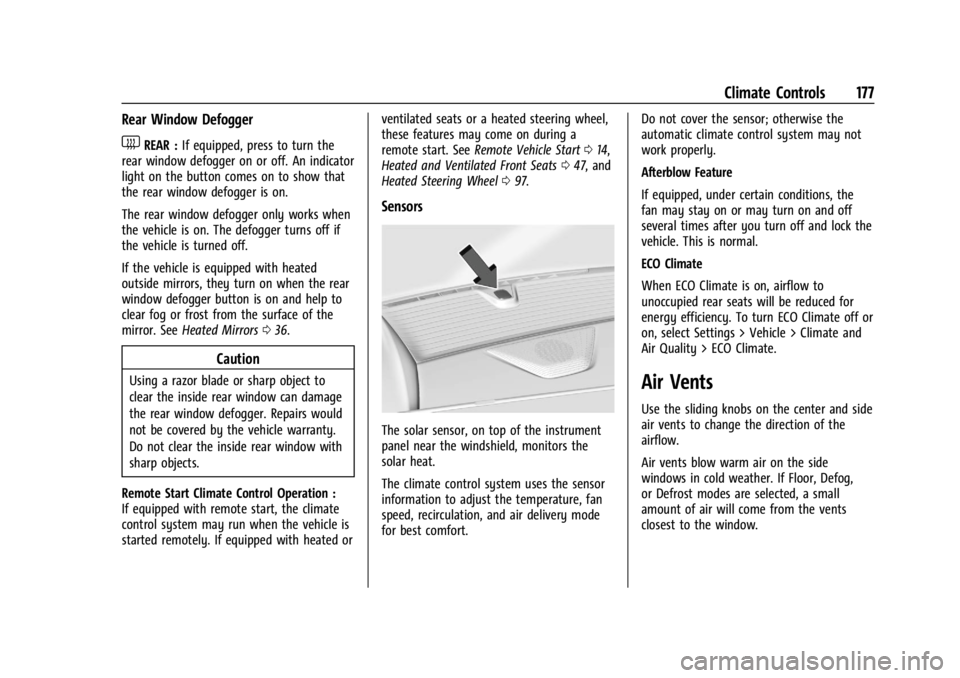
The solar sensor, on top of the instrument
panel near the windshield, monitors the
solar heat.
The climate control system uses the sensor
information to adjust the temperature, fan
speed, recirculation, and air delivery mode
for best comfort. Do not cover the sensor; otherwise the
automatic climate control system may not
work properly.
Afterblow Feature
If equipped, under certain conditions, the
fan may stay on or may turn on and off
several times after you turn off and lock the
vehicle. This is normal.
ECO Climate
When ECO Climate is on, airflow to
unoccupied rear seats will be reduced for
energy efficiency. To turn ECO Climate off or
on, select Settings > Vehicle > Climate and
Air Quality > ECO Climate.
Air Vents
Use the sliding knobs on the center and side
air vents to change the direction of the
airflow.
Air vents blow warm air on the side
windows in cold weather. If Floor, Defog,
or Defrost modes are selected, a small
amount of air will come from the vents
closest to the window.
Page 218 of 429
Chevrolet Silverado EV Owner Manual (GMNA-Localizing-U.S./Canada-
16702912) - 2024 - CRC - 1/17/23
Driving and Operating 217
.To accept the new set speed, briefly
move the thumbwheel down to−SET and
release it.
.To decline the new set speed, briefly
move the thumbwheel up to +RES and
release it.
If you do not accept or decline the new
proposed set speed, there is no change to
the set speed.
Conditions Affecting Automatic Speed
Limiter (Auto)
.There are changes in brightness, such as
entering and exiting tunnels, bridges, and
overpasses.
.There are low sun angles.
.Ambient lighting is poor in the evening or
early morning.
.There are multiple changes in brightness
or there are shadows along the roadway.
.There are conditions associated with low
visibility such as fog, rain, snow, or road
spray.
.The on-board camera’s view of the road is
blocked by leaves, snow, or other debris.
If Automatic Speed Limiter becomes
temporarily unavailable, change to
Manual mode. Resuming Speed Limiter
If Speed Limiter was active but then
*was
pressed, Speed Limiter can be resumed using
the previous set speed. Briefly move the
thumbwheel up to +RES and release it to
activate Speed Limiter using the previous set
speed.
If Speed Limiter was turned off because
cruise control, ACC, or Super Cruise was
turned on, to use Speed Limiter again:
1. Turn off cruise control, ACC, or Super Cruise.
2. On the infotainment home screen, touch Controls > Drive (Drive & Park) > Speed
Limiter.
3. Select Manual or Auto.
Overriding Speed Limiter
When Speed Limiter is active, the set speed
can be temporarily overridden only when
you fully apply the accelerator pedal. You
can control vehicle acceleration again when
the vehicle speed is below the set speed.
Turning Off Speed Limiter
To turn off Speed Limiter, from the
infotainment home screen, touch Controls >
Drive (Drive & Park) > Speed Limiter > Off.
Adaptive Cruise Control
(Advanced)
If equipped, Adaptive Cruise Control (ACC)
allows the cruise control set speed and
following gap to be selected. Read this
entire section before using this system. The
following gap is the following time (or
distance) between your vehicle and a vehicle
detected directly ahead in your path,
moving in the same direction. If no vehicle
is detected in your path, ACC works like
regular cruise control. ACC uses a camera
and radar sensor(s) to detect other vehicles.
See Radio Frequency Statement 0404.
If a vehicle is detected in your path, ACC can
apply acceleration or limited, moderate
braking to maintain the selected following
gap. To disengage ACC, apply the brake
pedal or press
*. If ACC is controlling the
vehicle speed when the Traction Control
System (TCS) or StabiliTrak/Electronic
Stability Control (ESC) system activates, ACC
may disengage. See Traction Control/
Electronic Stability Control 0207. When road
conditions allow ACC to be safely used, ACC
can be turned back on.
Page 219 of 429
Chevrolet Silverado EV Owner Manual (GMNA-Localizing-U.S./Canada-
16702912) - 2024 - CRC - 1/17/23
218 Driving and Operating
Disabling the TCS or StabiliTrak/ESC system
will disengage ACC and prevent ACC from
being re-engaged while TCS or StabiliTrak/
ESC is disabled.
ACC can reduce the need for you to
frequently brake and accelerate, especially
when used on expressways, freeways, and
interstate highways. When used on other
roads, you may need to take over the
control of braking or acceleration more
often.
{Warning
ACC has limited braking ability and may
not have time to slow the vehicle down
enough to avoid a collision with another
vehicle you are following. This can occur
when vehicles suddenly slow or stop
ahead, or enter your lane. Also see
“Alerting the Driver”later in this section.
Complete attention is always required
while driving and you should be ready to
take action and apply the brakes. See
Defensive Driving 0183.
{Warning
ACC will not detect or brake for children,
pedestrians, animals, or other objects.
Do not use ACC when:
.On winding and hilly roads or when
the sensors are blocked by snow, ice,
or dirt. The system may not detect a
vehicle ahead. Keep the entire front of
the vehicle clean.
.Visibility is poor due to rain, snow,
fog, dirt, insect residue, or dust; when
other foreign objects obscure the
camera and/or radar; or when the
vehicle in front or oncoming traffic
causes additional environmental
obstructions, such as road spray. ACC
performance is limited under these
conditions.
.On slippery roads where fast changes
in tire traction can cause excessive
wheel slip.
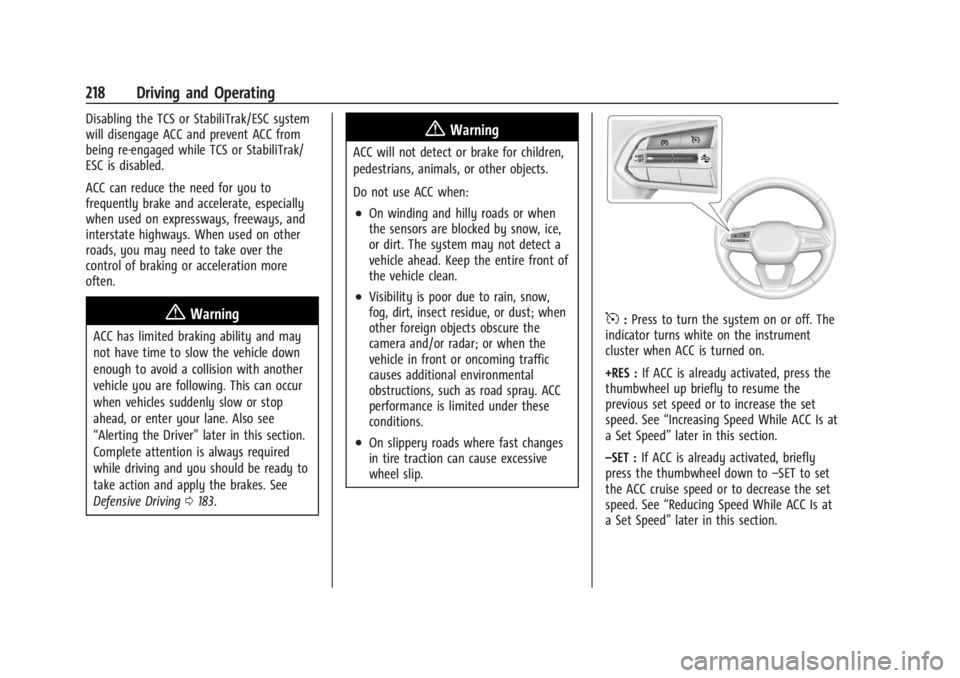
5:Press to turn the system on or off. The
indicator turns white on the instrument
cluster when ACC is turned on.
+RES : If ACC is already activated, press the
thumbwheel up briefly to resume the
previous set speed or to increase the set
speed. See “Increasing Speed While ACC Is at
a Set Speed” later in this section.
–SET : If ACC is already activated, briefly
press the thumbwheel down to –SET to set
the ACC cruise speed or to decrease the set
speed. See “Reducing Speed While ACC Is at
a Set Speed” later in this section.