2024 CHEVROLET CORVETTE ABS
[x] Cancel search: ABSPage 193 of 362
Chevrolet Corvette Owner Manual (GMNA-Localizing-U.S./Canada/Mexico-
17272984) - 2024 - CRC - 2/20/23
192 Driving and Operating
front and rear wheels to maximize driving
efficiency and improve driving dynamics.
Your vehicle has exceptional driving
capability, but care must always be taken to
adjust driving style to the traffic and road
conditions.
The vehicle eAWD settings may be
customized for the driver mode selected. See
Driver Mode Control0196 for more
information.
Brakes
Electric Brake Boost
Vehicles equipped with electric brake boost
have hydraulic brake circuits that are
electronically controlled when the brake
pedal is applied during normal operation.
The system performs routine tests and turns
off within a few minutes after the vehicle is
turned off. Noise may be heard during this
time. If the brake pedal is pressed during
the tests or when the electric brake boost
system is off, a noticeable change in pedal
force and travel may be felt. This is normal.
Antilock Brake System (ABS)
The Antilock Brake System (ABS) helps
prevent a braking skid and maintain steering
while braking hard.
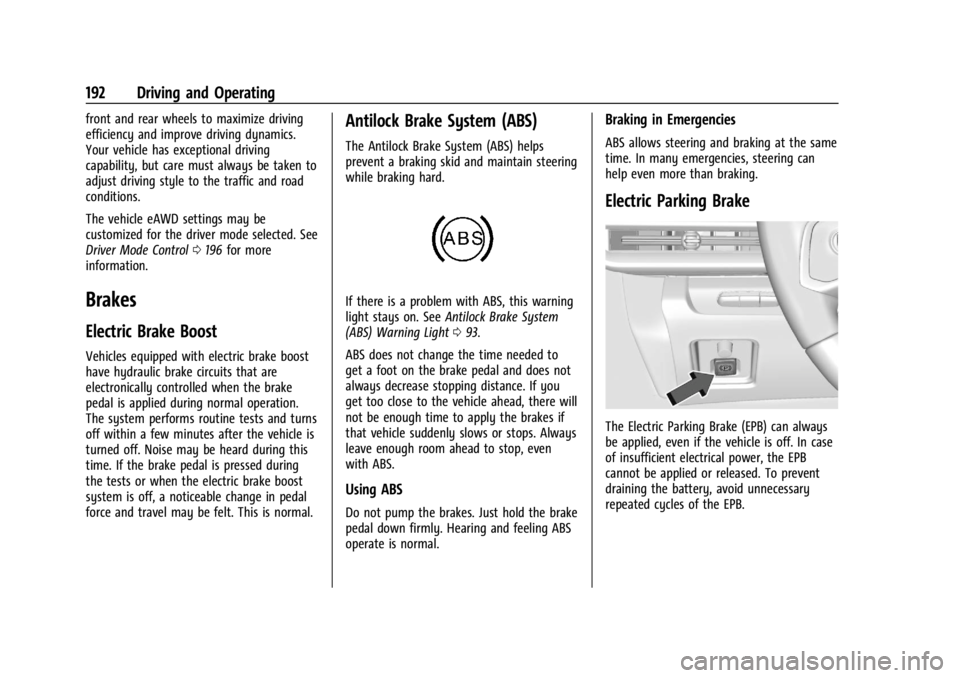
If there is a problem with ABS, this warning
light stays on. See Antilock Brake System
(ABS) Warning Light 093.
ABS does not change the time needed to
get a foot on the brake pedal and does not
always decrease stopping distance. If you
get too close to the vehicle ahead, there will
not be enough time to apply the brakes if
that vehicle suddenly slows or stops. Always
leave enough room ahead to stop, even
with ABS.
Using ABS
Do not pump the brakes. Just hold the brake
pedal down firmly. Hearing and feeling ABS
operate is normal.
Braking in Emergencies
ABS allows steering and braking at the same
time. In many emergencies, steering can
help even more than braking.
Electric Parking Brake
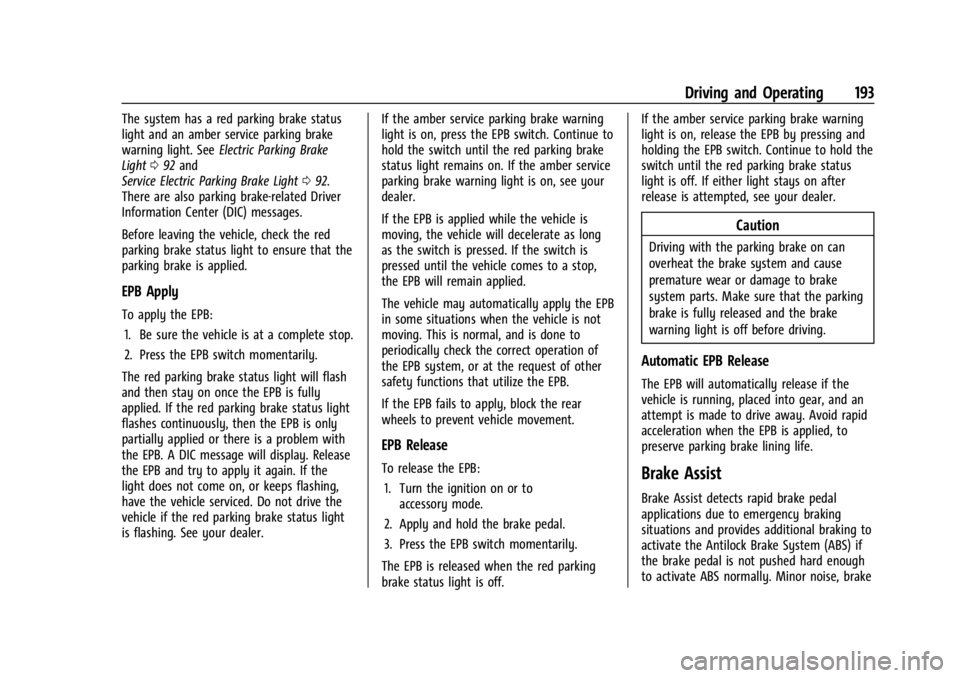
The Electric Parking Brake (EPB) can always
be applied, even if the vehicle is off. In case
of insufficient electrical power, the EPB
cannot be applied or released. To prevent
draining the battery, avoid unnecessary
repeated cycles of the EPB.
Page 194 of 362
Chevrolet Corvette Owner Manual (GMNA-Localizing-U.S./Canada/Mexico-
17272984) - 2024 - CRC - 2/20/23
Driving and Operating 193
The system has a red parking brake status
light and an amber service parking brake
warning light. SeeElectric Parking Brake
Light 092 and
Service Electric Parking Brake Light 092.
There are also parking brake-related Driver
Information Center (DIC) messages.
Before leaving the vehicle, check the red
parking brake status light to ensure that the
parking brake is applied.
EPB Apply
To apply the EPB:
1. Be sure the vehicle is at a complete stop.
2. Press the EPB switch momentarily.
The red parking brake status light will flash
and then stay on once the EPB is fully
applied. If the red parking brake status light
flashes continuously, then the EPB is only
partially applied or there is a problem with
the EPB. A DIC message will display. Release
the EPB and try to apply it again. If the
light does not come on, or keeps flashing,
have the vehicle serviced. Do not drive the
vehicle if the red parking brake status light
is flashing. See your dealer. If the amber service parking brake warning
light is on, press the EPB switch. Continue to
hold the switch until the red parking brake
status light remains on. If the amber service
parking brake warning light is on, see your
dealer.
If the EPB is applied while the vehicle is
moving, the vehicle will decelerate as long
as the switch is pressed. If the switch is
pressed until the vehicle comes to a stop,
the EPB will remain applied.
The vehicle may automatically apply the EPB
in some situations when the vehicle is not
moving. This is normal, and is done to
periodically check the correct operation of
the EPB system, or at the request of other
safety functions that utilize the EPB.
If the EPB fails to apply, block the rear
wheels to prevent vehicle movement.
EPB Release
To release the EPB:
1. Turn the ignition on or to accessory mode.
2. Apply and hold the brake pedal.
3. Press the EPB switch momentarily.
The EPB is released when the red parking
brake status light is off. If the amber service parking brake warning
light is on, release the EPB by pressing and
holding the EPB switch. Continue to hold the
switch until the red parking brake status
light is off. If either light stays on after
release is attempted, see your dealer.
Caution
Driving with the parking brake on can
overheat the brake system and cause
premature wear or damage to brake
system parts. Make sure that the parking
brake is fully released and the brake
warning light is off before driving.
Automatic EPB Release
The EPB will automatically release if the
vehicle is running, placed into gear, and an
attempt is made to drive away. Avoid rapid
acceleration when the EPB is applied, to
preserve parking brake lining life.
Brake Assist
Brake Assist detects rapid brake pedal
applications due to emergency braking
situations and provides additional braking to
activate the Antilock Brake System (ABS) if
the brake pedal is not pushed hard enough
to activate ABS normally. Minor noise, brake
Page 196 of 362
Chevrolet Corvette Owner Manual (GMNA-Localizing-U.S./Canada/Mexico-
17272984) - 2024 - CRC - 2/20/23
Driving and Operating 195
If cruise control is being used when TCS
begins to limit wheel spin, the cruise control
will automatically disengage. Cruise control
may be reengaged when road conditions
allow. SeeCruise Control 0212.
If the driver disables TCS, cruise control will
disengage. Cruise control will also be
disabled if Performance Traction
Management (PTM) is selected, or if
StabiliTrak is turned off.
Both systems come on automatically when
the vehicle is started and begins to move.
The systems may be heard or felt while
they are operating or while performing
diagnostic checks. This is normal and does
not mean there is a problem with the
vehicle.
It is recommended to leave both systems on
for normal driving conditions, but it may be
necessary to turn TCS off if the vehicle gets
stuck in sand, mud, ice, or snow. See If the
Vehicle Is Stuck 0173 and “Turning the
Systems Off and On” later in this section.
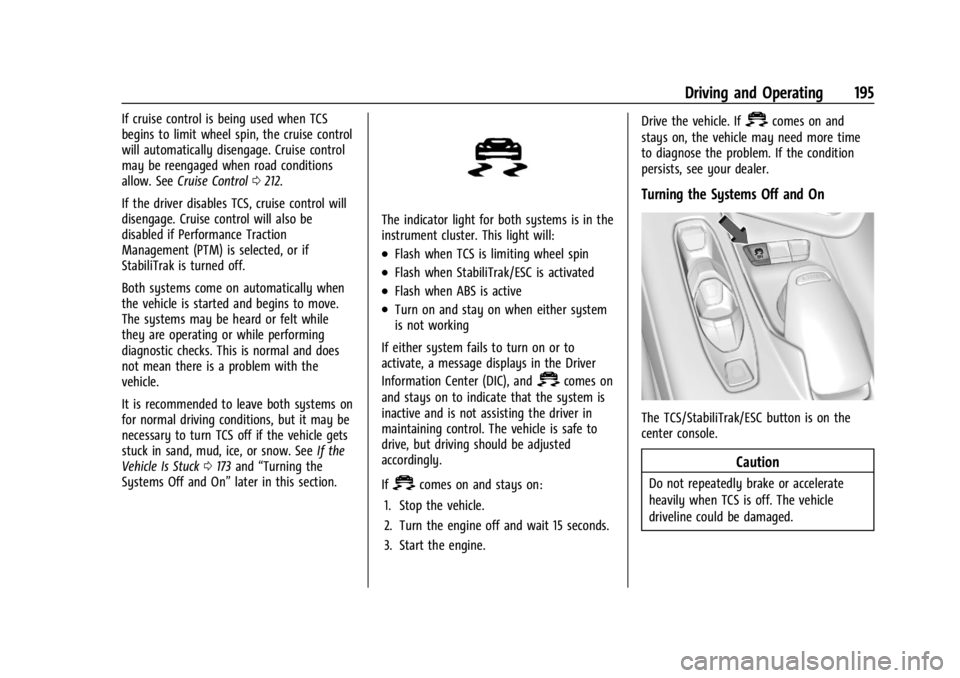
The indicator light for both systems is in the
instrument cluster. This light will:
.Flash when TCS is limiting wheel spin
.Flash when StabiliTrak/ESC is activated
.Flash when ABS is active
.Turn on and stay on when either system
is not working
If either system fails to turn on or to
activate, a message displays in the Driver
Information Center (DIC), and
=comes on
and stays on to indicate that the system is
inactive and is not assisting the driver in
maintaining control. The vehicle is safe to
drive, but driving should be adjusted
accordingly.
If
=comes on and stays on:
1. Stop the vehicle.
2. Turn the engine off and wait 15 seconds.
3. Start the engine. Drive the vehicle. If
=comes on and
stays on, the vehicle may need more time
to diagnose the problem. If the condition
persists, see your dealer.
Turning the Systems Off and On
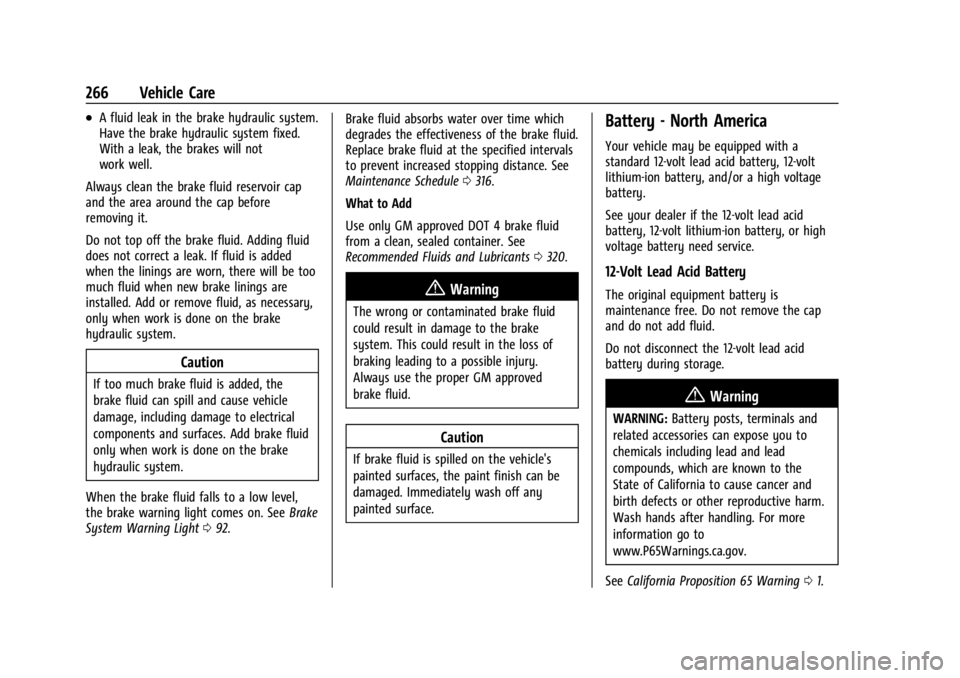
The TCS/StabiliTrak/ESC button is on the
center console.
Caution
Do not repeatedly brake or accelerate
heavily when TCS is off. The vehicle
driveline could be damaged.
Page 267 of 362
Chevrolet Corvette Owner Manual (GMNA-Localizing-U.S./Canada/Mexico-
17272984) - 2024 - CRC - 2/20/23
266 Vehicle Care
.A fluid leak in the brake hydraulic system.
Have the brake hydraulic system fixed.
With a leak, the brakes will not
work well.
Always clean the brake fluid reservoir cap
and the area around the cap before
removing it.
Do not top off the brake fluid. Adding fluid
does not correct a leak. If fluid is added
when the linings are worn, there will be too
much fluid when new brake linings are
installed. Add or remove fluid, as necessary,
only when work is done on the brake
hydraulic system.
Caution
If too much brake fluid is added, the
brake fluid can spill and cause vehicle
damage, including damage to electrical
components and surfaces. Add brake fluid
only when work is done on the brake
hydraulic system.
When the brake fluid falls to a low level,
the brake warning light comes on. See Brake
System Warning Light 092. Brake fluid absorbs water over time which
degrades the effectiveness of the brake fluid.
Replace brake fluid at the specified intervals
to prevent increased stopping distance. See
Maintenance Schedule
0316.
What to Add
Use only GM approved DOT 4 brake fluid
from a clean, sealed container. See
Recommended Fluids and Lubricants 0320.
{Warning
The wrong or contaminated brake fluid
could result in damage to the brake
system. This could result in the loss of
braking leading to a possible injury.
Always use the proper GM approved
brake fluid.
Caution
If brake fluid is spilled on the vehicle's
painted surfaces, the paint finish can be
damaged. Immediately wash off any
painted surface.
Battery - North America
Your vehicle may be equipped with a
standard 12-volt lead acid battery, 12-volt
lithium-ion battery, and/or a high voltage
battery.
See your dealer if the 12-volt lead acid
battery, 12-volt lithium-ion battery, or high
voltage battery need service.
12-Volt Lead Acid Battery
The original equipment battery is
maintenance free. Do not remove the cap
and do not add fluid.
Do not disconnect the 12-volt lead acid
battery during storage.
{Warning
WARNING: Battery posts, terminals and
related accessories can expose you to
chemicals including lead and lead
compounds, which are known to the
State of California to cause cancer and
birth defects or other reproductive harm.
Wash hands after handling. For more
information go to
www.P65Warnings.ca.gov.
See California Proposition 65 Warning 01.
Page 274 of 362

Chevrolet Corvette Owner Manual (GMNA-Localizing-U.S./Canada/Mexico-
17272984) - 2024 - CRC - 2/20/23
Vehicle Care 273
Fuses and Circuit Breakers
The wiring circuits in the vehicle are
protected from short circuits by a
combination of fuses and circuit breakers.
This greatly reduces the chance of damage
caused by electrical problems.
{Danger
Fuses and circuit breakers are marked
with their ampere rating. Do not exceed
the specified amperage rating when
replacing fuses and circuit breakers. Use
of an oversized fuse or circuit breaker can
result in a vehicle fire. You and others
could be seriously injured or killed.
{Warning
Installation or use of fuses that do not
meet GM’s original fuse specifications is
dangerous. The fuses could fail, and result
in a fire. You or others could be injured
or killed, and the vehicle could be
damaged.
See Accessories and Modifications 0232 and
General Information 0232.
To check or replace a blown fuse, see
Electrical System Overload 0272.
Instrument Panel Fuse Block
The instrument panel fuse block is behind
the glove box. The glove box can be
accessed by unlatching the door damper and
squeezing the pivot to release the damper
ring. Pull the glove box bin side walls in to
release the door stops. Then turn the door
until the hinge hooks release from
hinge pin.
To Access:
1. Open the top cover.
2. Remove the top cover by pushing inward on the latch.
3. Pull the cover upward.
To Install: 1. Insert the tabs on the back of the cover into the slots in the instrument panel.
2. Align the clip with the slots in the instrument panel.
3. Press the cover into place.
See your dealer if additional assistance is
needed.
Page 277 of 362

Chevrolet Corvette Owner Manual (GMNA-Localizing-U.S./Canada/Mexico-
17272984) - 2024 - CRC - 2/20/23
276 Vehicle Care
RelaysUsage
K1 –
K2 Glove Box Relay
K3 Horn Relay
K4 Front Wash Relay K5 Retained Accessory Power/Accessory Relay
K6 Front Trunk Release Relay 1
K7 –
K8 –
K9 Front Trunk Release Relay 2
K10 Wiper RelayRear Compartment Fuse Block
The rear compartment fuse block is in the
rear of the vehicle in between the seats.
To Access: 1. Open top cover.
2. Remove the top cover by pushing inward on the latch.
3. Pull the cover upward.
To Install: 1. Insert the tabs on the back of the cover into the slots in the rear compartment.
2. Align the clip with the slots in the instrument panel.
3. Press the cover into place.
See your dealer if additional assistance is
needed.
Page 307 of 362
Chevrolet Corvette Owner Manual (GMNA-Localizing-U.S./Canada/Mexico-
17272984) - 2024 - CRC - 2/20/23
306 Vehicle Care
Recreational Vehicle Towing
Caution
Dolly towing or dinghy towing the
vehicle may cause damage because of
reduced ground clearance. Always put the
vehicle on a flatbed truck or trailer.
The vehicle was neither designed nor
intended to be towed with any of its wheels
on the ground. If the vehicle must be
towed, see Transporting a Disabled Vehicle
0 303.
Appearance Care
Exterior Care
Locks
Locks are lubricated at the factory. Use a
de-icing agent only when absolutely
necessary, and have the locks greased after
using. See Recommended Fluids and
Lubricants 0320.
Washing the Vehicle
To preserve the vehicle's finish, wash it
often and out of direct sunlight.
Caution
Do not use petroleum-based, acidic,
or abrasive cleaning agents as they can
damage the vehicle's paint, metal,
or plastic parts. If damage occurs, it
would not be covered by the vehicle
warranty. Approved cleaning products can
be obtained from your dealer. Follow all
manufacturer directions regarding correct
product usage, necessary safety
precautions, and appropriate disposal of
any vehicle care product.
Caution
Avoid using high-pressure washes closer
than 30 cm (12 in) to the surface of the
vehicle. Use of power washers exceeding
8 274 kPa (1,200 psi) can result in
damage or removal of paint and decals. Cleaning Underhood Components
Caution
Do not power wash any component
under the hood that has this
e
symbol.
This could cause damage that would not
be covered by the vehicle warranty.
Solvents or aggressive cleaners may harm
underhood components. The usages of these
chemicals should be avoided. Recommend
water only.
A pressure washer may be used, but care
must be utilized. The following criteria must
be followed:
.Water pressure must be kept below
14,000 KPa (2,000 PSI).
.Water temperature must be below 80 °C
(180 °F).
.Spray nozzle with a 40 degree wide angle
spray pattern or wider must be used.
.Nozzle must be kept at least 30 cm (1 ft)
away from all surfaces.
Page 350 of 362

Chevrolet Corvette Owner Manual (GMNA-Localizing-U.S./Canada/Mexico-
17272984) - 2024 - CRC - 2/20/23
Index 349
IndexA
Accessories and Modifications . . . . . . . . . . . 232
Accessory Power . . . . . . . . . . . . . . . . . . . . . . . . . . 181
ActiveFuel Management . . . . . . . . . . . . . . . . . . . . . 182
Add-On Electrical Equipment . . . . . . . . . . . . . 230
Additional OnStar Information . . . . . . . . . . . . . . . . . . . . 343
Adjustments Lumbar, Front Seats . . . . . . . . . . . . . . . . . . . . 41
Advanced Driver Assistance Systems . . . . . . . . . . . . . 214
Agreements Trademarks and License . . . . . . . . . . . . . . . 147
Air Cleaner/Filter, Engine . . . . . . . . . . . . . . . . . . 255
Conditioning . . . . . . . . . . . . . . . . . . . . . . . . . . . 150
Dam, Front . . . . . . . . . . . . . . . . . . . . . . . . . . . . . 177
Filter Life System . . . . . . . . . . . . . . . . . . . . . . 254
Filter, Passenger Compartment . . . . . . . . 153
Vents . . . . . . . . . . . . . . . . . . . . . . . . . . . . . . . . . . 153
Airbag System . . . . . . . . . . . . . . . . . . . . . . . . . . . . .53 Check . . . . . . . . . . . . . . . . . . . . . . . . . . . . . . . . . . . 61
How Does an Airbag Restrain? . . . . . . . . . . 56
Passenger Sensing System . . . . . . . . . . . . . . 57
What Makes an Airbag Inflate? . . . . . . . . . 55
What Will You See after an AirbagInflates? . . . . . . . . . . . . . . . . . . . . . . . . . . . . . . 56 Airbag System (cont'd)
When Should an Airbag Inflate? . . . . . . . . 55
Where Are the Airbags? . . . . . . . . . . . . . . . . 54
Airbags Adding Equipment to the Vehicle . . . . . . . 61
Passenger Status Indicator . . . . . . . . . . . . . . 89
Readiness Light . . . . . . . . . . . . . . . . . . . . . . . . . 88
Replacing System Parts after aCrash . . . . . . . . . . . . . . . . . . . . . . . . . . . . . . . . . 62
Servicing Airbag-Equipped Vehicles . . . . . . 60
Alarm Vehicle Security . . . . . . . . . . . . . . . . . . . . . . . . 22
Alert Rear Cross Traffic . . . . . . . . . . . . . . . . . . . . . . 218
Side Blind Zone (SBZA) . . . . . . . . . . . . . . . . . 223
All-Season Tires . . . . . . . . . . . . . . . . . . . . . . . . . . 280
All-Wheel Drive . . . . . . . . . . . . . . . . . . . . . . . . . . . 191
Light . . . . . . . . . . . . . . . . . . . . . . . . . . . . . . . . . . . . 93
AM-FM Radio . . . . . . . . . . . . . . . . . . . . . . . . . . . . . 122
Antenna Diversity System . . . . . . . . . . . . . . . . . . . . . . 124
Antilock Brake System (ABS) . . . . . . . . . . . . . 192 Warning Light . . . . . . . . . . . . . . . . . . . . . . . . . . 93
Appearance Care Exterior . . . . . . . . . . . . . . . . . . . . . . . . . . . . . . . . 306
Interior . . . . . . . . . . . . . . . . . . . . . . . . . . . . . . . . . 311
Apple CarPlay and Android Auto . . . . . . . . . 140
Assistance Program, Roadside . . . . . . . . . . . . 332