2023 TOYOTA SUPRA warning
[x] Cancel search: warningPage 225 of 372

2253-1. CONTROLS
3
CONTROLS
The detection of objects with
ultrasonic measurements can
run into physical limits, e.g., in
the following situations:
With obstacles and persons at
the edge of the lane.
Low objects already dis-
played, for instance curbs,
can move into the blind area
of the sensors before or after
a continuous tone sounds.
Reaching the system limits can
cause false warnings.
To prevent false alarms, switch
off Automatic Park Sensors
activ. on obstacle detection,
refer to page 226, for instance in
automatic vehicle washes.
A vehicle message is displayed.
Parking Sensor has failed. Have
the system checked by your
Toyota dealer. The rearview camera provides
assistance in parking and
maneuvering backwards. The
area behind the vehicle is
shown on the Control Display.
Additionally, assistance func-
tions can be shown in the dis-
play, e.g., help lines.
Limits of ultrasonic measure-
ment
False warnings
Malfunction
White symbol is displayed,
and the range of the sen-
sors is dimmed on the
Control Display.
Rearview camera
Concept
Safety information
WARNING
The system cannot serve as a
substitute for the driver’s personal
judgment in assessing the traffic
situation. Based on the limits of
the system, it cannot inde-
pendently react to all traffic situa-
tions. There is a risk of accident.
Adjust driving style to traffic condi-
tions. Check surrounding traffic
and vehicle's surroundings
closely and actively intervene
where appropriate.
Page 229 of 372
2293-1. CONTROLS
3
CONTROLS
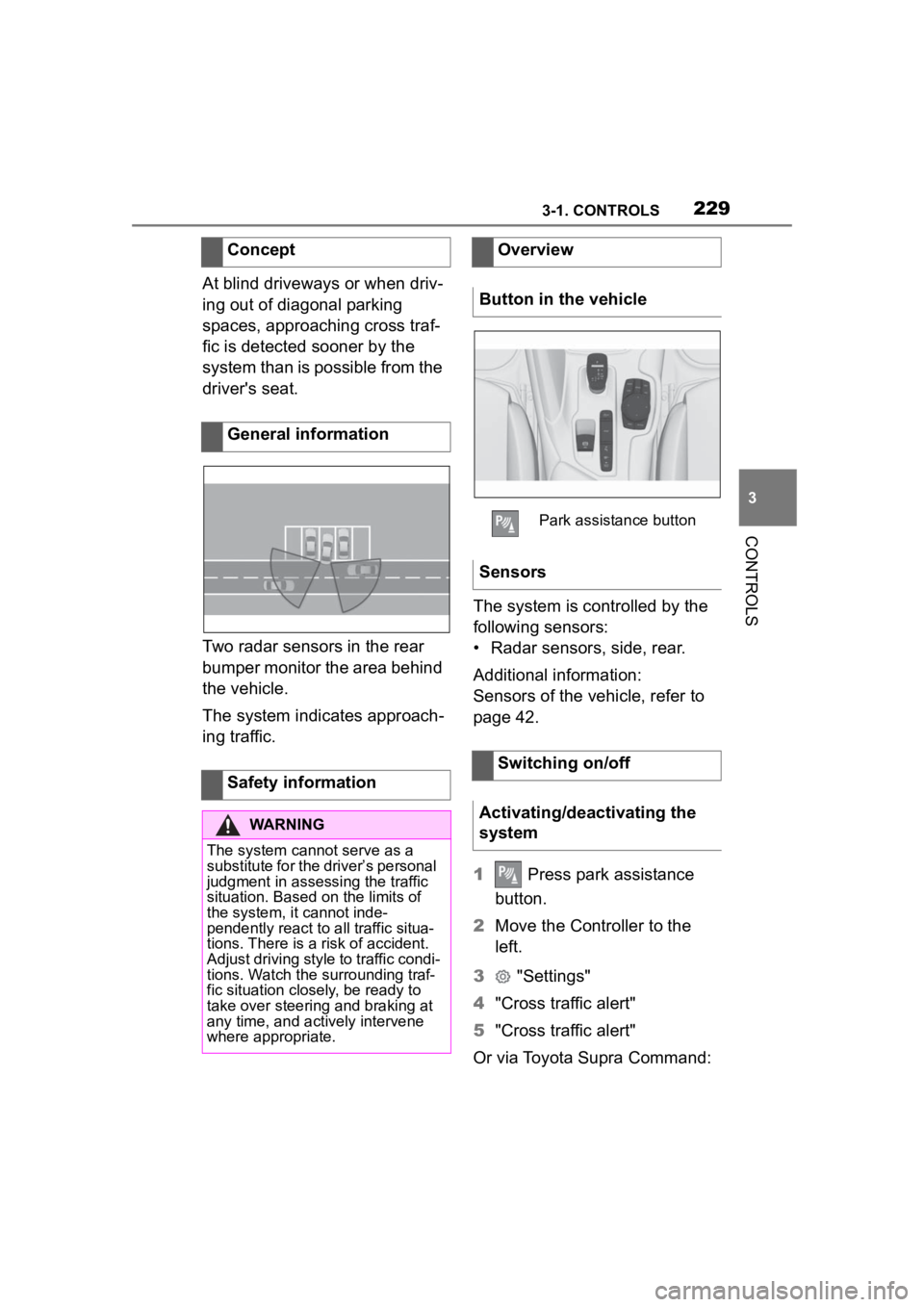
At blind driveways or when driv-
ing out of diagonal parking
spaces, approaching cross traf-
fic is detected sooner by the
system than is possible from the
driver's seat.
Two radar sensors in the rear
bumper monitor the area behind
the vehicle.
The system indicates approach-
ing traffic.The system is controlled by the
following sensors:
• Radar sensors, side, rear.
Additional information:
Sensors of the vehicle, refer to
page 42.
1
Press park assistance
button.
2 Move the Controller to the
left.
3 "Settings"
4 "Cross traffic alert"
5 "Cross traffic alert"
Or via Toyota Supra Command:
Concept
General information
Safety information
WARNING
The system cannot serve as a
substitute for the driver’s personal
judgment in assessing the traffic
situation. Based on the limits of
the system, it cannot inde-
pendently react to all traffic situa-
tions. There is a
risk of accident.
Adjust driving style to traffic condi-
tions. Watch the surrounding traf-
fic situation closely, be ready to
take over steering and braking at
any time, and actively intervene
where appropriate.
Overview
Button in the vehicle
Park assistance button
Sensors
Switching on/off
Activating/deactivating the
system
Page 230 of 372

2303-1. CONTROLS
1"My vehicle"
2 "Vehicle settings"
3 "Parking"
4 "Cross traffic alert"
5 "Cross traffic alert"
If the system was activated on
the Control Display, it is auto-
matically switched on as soon
as Parking Sensors or Pan-
orama View is active and a gear
is engaged.
If reverse gear is engaged, the
rear system is switched on.
The system is automatically
switched off in the following situ-
ations:
When the speed exceeds
walking speed.
When a certain driving dis-
tance is exceeded.
With an active parking opera-
tion of the parking assistant.
The respective display is called
up on the Control Display. A sig-
nal tone may sound and the light
in the exterior mirror may flash. The light in the exterior mirror
flashes if vehicles are detected
by the rear sensors and your
own vehicle is moving back-
wards.
In the Parking Sensors view, the
respective boundary area
flashes red, if vehicles are
detected by the sensors.
In addition to the optical indica-
tor, a warning signal sounds if
your own vehicle moves into the
respective direction.
Switching on automatically
Switching off automatically
WARNING
General informationLight in the exterior mirror
Display in the Parking Sen-
sors view
Acoustic warning
Page 233 of 372
2333-1. CONTROLS
3
CONTROLS
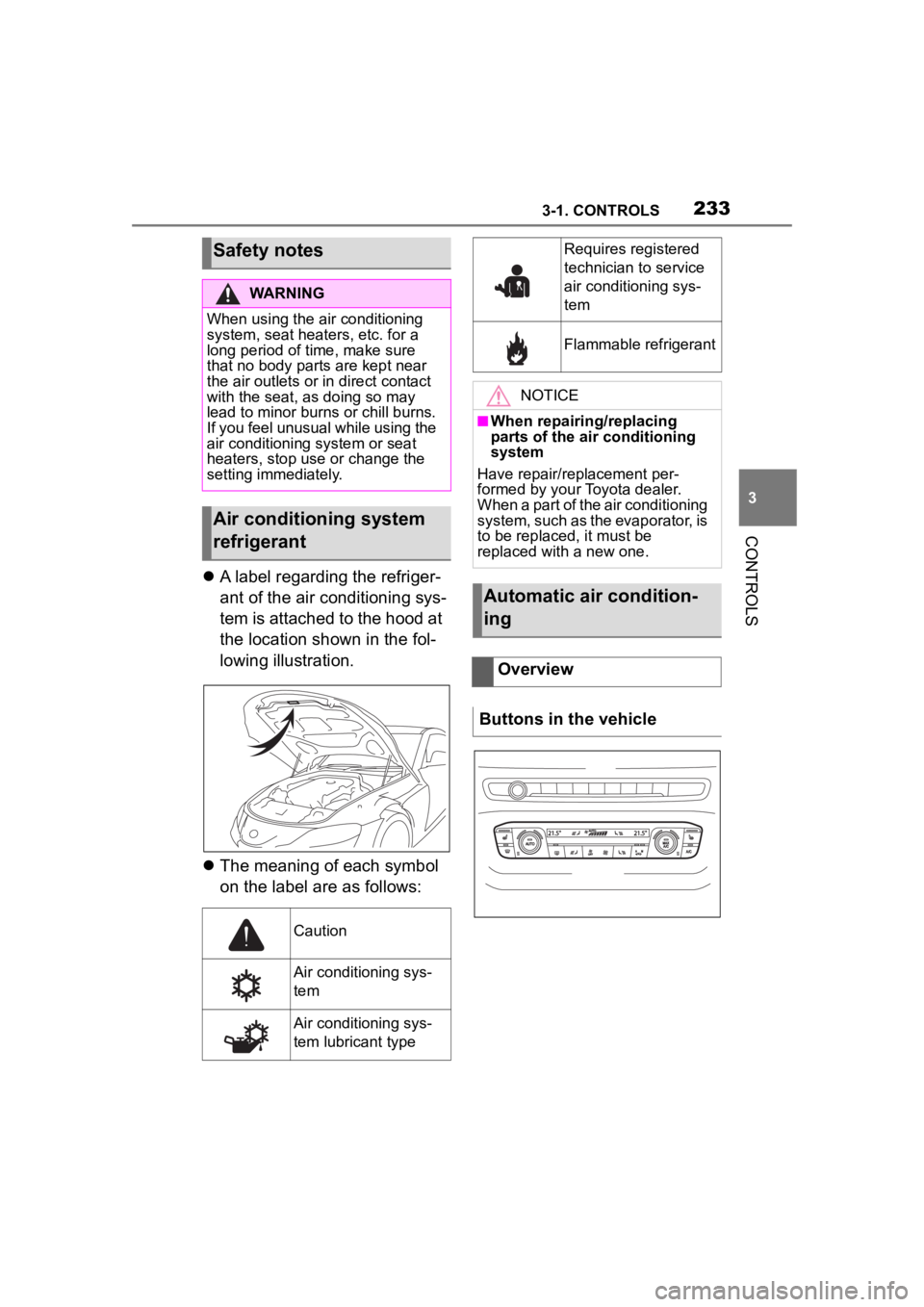
A label regarding the refriger-
ant of the air conditioning sys-
tem is attached to the hood at
the location shown in the fol-
lowing illustration.
The meaning of each symbol
on the label are as follows:
Safety notes
WARNING
When using the air conditioning
system, seat heaters, etc. for a
long period of time, make sure
that no body parts are kept near
the air outlets or i n direct contact
with the seat, as doing so may
lead to minor burns or chill burns.
If you feel unusual while using the
air conditioning system or seat
heaters, stop use or change the
setting immediately.
Air conditioning system
refrigerant
Caution
Air conditioning sys-
tem
Air conditioning sys-
tem lubricant type
Requires registered
technician to service
air conditioning sys-
tem
Flammable refrigerant
NOTICE
■When repairing/replacing
parts of the air conditioning
system
Have repair/replacement per-
formed by your Toyota dealer.
When a part of the air conditioning
system, such as the evaporator, is
to be replaced, it must be
replaced with a new one.
Automatic air condition-
ing
Overview
Buttons in the vehicle
Page 242 of 372
2423-1. CONTROLS
desired functions. The
hand-held transmitter for the
particular system is required in
order to program the remote
control.
Before selling the vehicle, delete
the stored functions for the sake
of security.
If possible, do not install the
antenna of the remote-con-
trolled system, e.g. the garage
door drive, near metal objects to
ensure the best possible opera-
tion.Additional questions are
answered by:
Your Toyota dealer.
www.homelink.com on the
Internet.
HomeLink is a registered trade-
mark of Gentex Corporation.
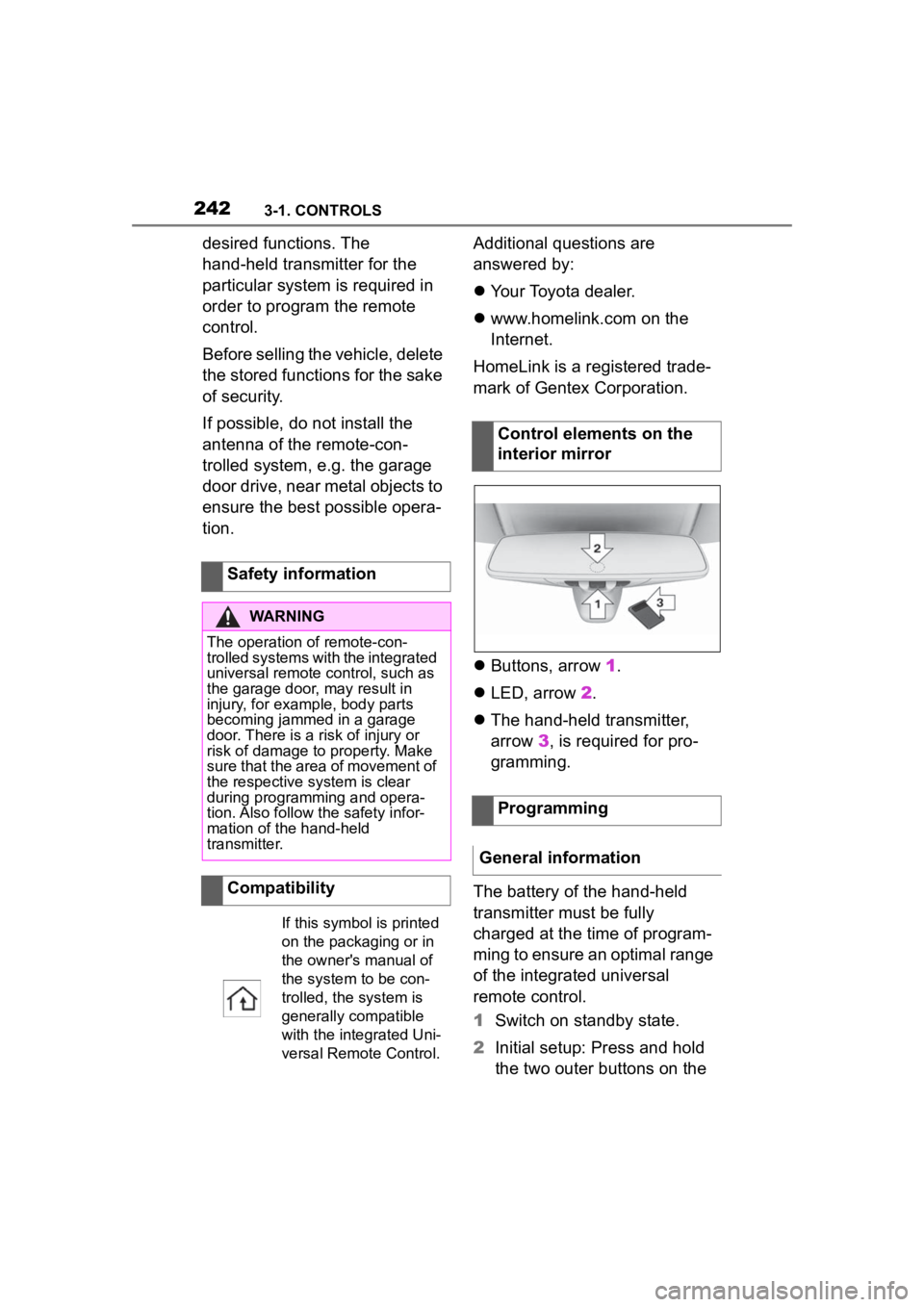
Buttons, arrow 1.
LED, arrow 2.
The hand-held transmitter,
arrow 3, is required for pro-
gramming.
The battery of the hand-held
transmitter must be fully
charged at the time of program-
ming to ensure an optimal range
of the integrated universal
remote control.
1 Switch on standby state.
2 Initial setup: Press and hold
the two outer buttons on the
Safety information
WARNING
The operation of remote-con-
trolled systems with the integrated
universal remote c
ontrol, such as
the garage door, may result in
injury, for example, body parts
becoming jammed in a garage
door. There is a risk of injury or
risk of damage to property. Make
sure that the area of movement of
the respective system is clear
during programming and opera-
tion. Also follow the safety infor-
mation of the hand-held
transmitter.
Compatibility
If this symbol is printed
on the packaging or in
the owner's manual of
the system to be con-
trolled, the system is
generally compatible
with the integrated Uni-
versal Remote Control.
Control elements on the
interior mirror
Programming
General information
Page 245 of 372
2453-1. CONTROLS
3
CONTROLS
The system, such as the garage
door, can be operated using the
button on the interior mirror
while the drive-ready or standby
state is switched on. To do this,
hold down the button within
receiving range of the system
until the function is activated.
The interior mirror LED stays lit
while the wireless signal is being
transmitted.
All stored functions will be
deleted. The functions cannot
be deleted individually.
Press and hold the two outer
buttons on the interior mirror
simultaneously for approxi-
mately 10 seconds until the LED
on the interior mirror flashes
green rapidly.Fold the sun visor down or up.
A vanity mirror is located in the
sun visor behind a cover. When
the cover is opened, the mirror
lighting switches on.
The lighter socket can be used
as a socket for electrical equip-
ment when standby and
drive-ready state are switched
on.
The total load of all sockets
must not exceed 140 watts at 12
volts.
Do not damage the socket by
using non-compatible connec-
tors.
Operation
WARNING
The operation of remote-con-
trolled systems with the integrated
universal remote c
ontrol, such as
the garage door, may result in
injury, for example, body parts
becoming jammed in a garage
door. There is a risk of injury or
risk of damage to property. Make
sure that the area of movement of
the respective system is clear
during programming and opera-
tion. Also follow the safety infor-
mation of the hand-held
transmitter.
Deleting stored functions
Sun visor
Glare shield
Vanity mirror
Sockets
Concept
General information
Page 246 of 372

2463-1. CONTROLS
Pull off the cover.
*: if equipped
Open the cover.
Follow the information regarding
the connection of mobile
devices to the USB port in the
section on USB connections,
refer to page 75.
The USB port is located on the
center console.
Properties:
USB port Type A.
For charging external
Safety information
WARNING
Devices and cables in the unfold-
ing area of the airbags, such as
portable navigation devices, can
hinder the unfoldin
g of the airbag
or be thrown around in the car's
interior during unfolding. There is
a risk of injury . Make sure that
devices and cables are not in the
airbag's area of unfolding.
NOTICE
Battery chargers for the vehicle
battery can work with high volt-
ages and currents, which means
that the 12 volt on-board network
can be overloaded or damaged.
There is a risk of damage to prop-
erty. Only connect battery char-
gers for the vehi cle battery to the
starting aid terminals in the
engine compartment.
NOTICE
If metal objects fall into the
socket, they can cause a short cir-
cuit. There is a risk of damage to
property. Replace the socket
cover again after using the
socket.
Center console
Cargo area*
USB port
General information
In the center console
Page 247 of 372
2473-1. CONTROLS
3
CONTROLS
devices.
Charging current:
max. 1.5 A (vehicles without wire-
less charger)
max. 2.1 A (vehicles with wireless
charger)
For data transfer.
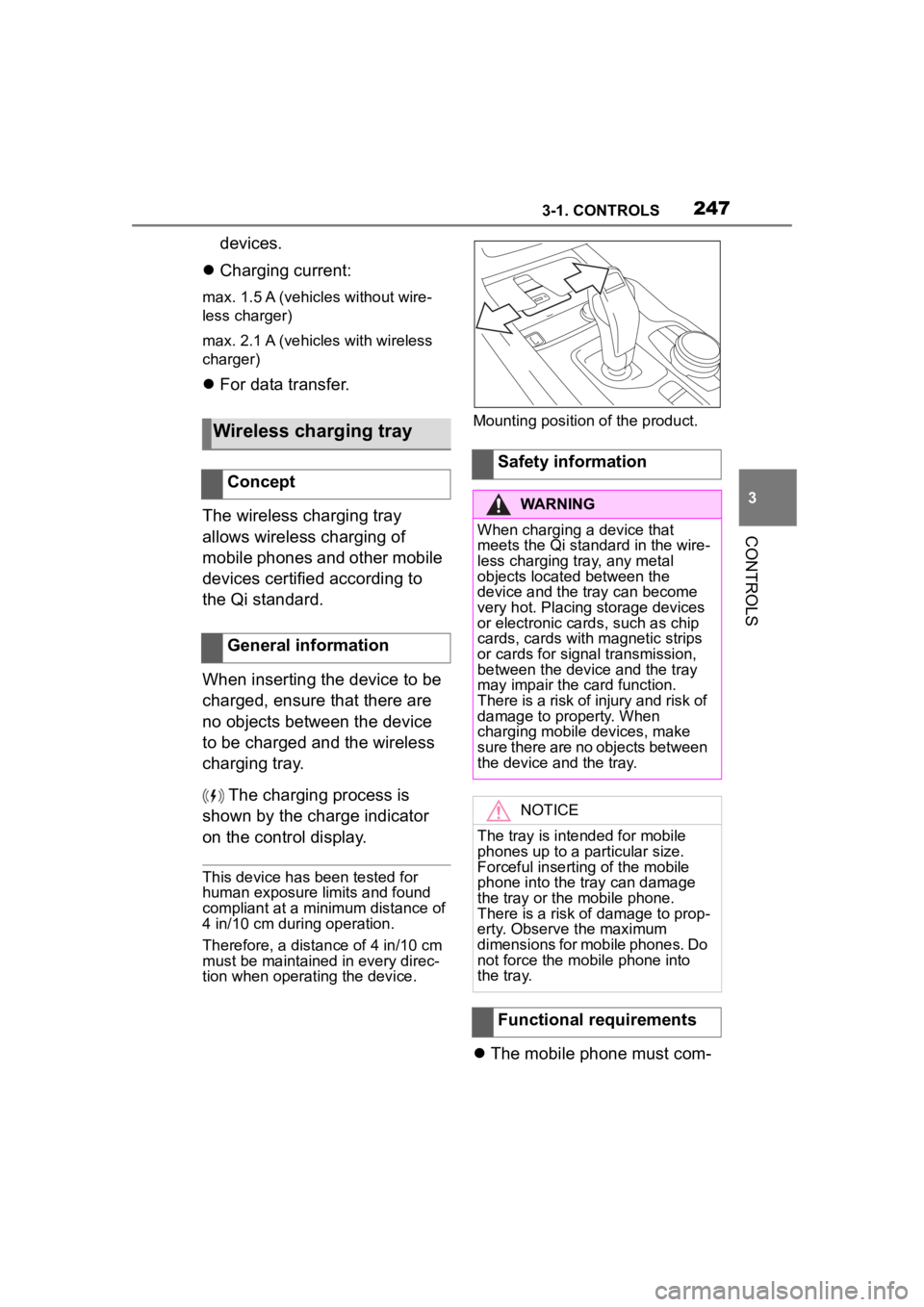
The wireless charging tray
allows wireless charging of
mobile phones and other mobile
devices certified according to
the Qi standard.
When inserting the device to be
charged, ensure that there are
no objects between the device
to be charged and the wireless
charging tray. The charging process is
shown by the charge indicator
on the control display.
This device has been tested for
human exposure limits and found
compliant at a minimum distance of
4 in/10 cm during operation.
Therefore, a dist ance of 4 in/10 cm
must be maintained in every direc-
tion when operating the device. Mounting position of the product.
The mobile phone must com-
Wireless charging tray
Concept
General information
Safety information
WARNING
When charging a device that
meets the Qi standard in the wire-
less charging tray, any metal
objects located between the
device and the tray can become
very hot. Placing storage devices
or electronic card s, such as chip
cards, cards with magnetic strips
or cards for signal transmission,
between the device and the tray
may impair the card function.
There is a risk of injury and risk of
damage to property. When
charging mobile devices, make
sure there are no objects between
the device and the tray.
NOTICE
The tray is intended for mobile
phones up to a particular size.
Forceful inserting of the mobile
phone into the tray can damage
the tray or the mobile phone.
There is a risk of damage to prop-
erty. Observe the maximum
dimensions for mobile phones. Do
not force the mobile phone into
the tray.
Functional requirements