2023 TOYOTA SUPRA warning
[x] Cancel search: warningPage 188 of 372
1883-1. CONTROLS
The system is controlled by the
following sensors:
• Cameras behind the wind-shield.
Additional information:
Sensors of the vehicle, refer to
page 42.
The camera must detect the
lane markings for the lane
departure warning to be active.
Depending on the national-mar-
ket version, the system is auto-
matically active after every driving off.
The menu for the Toyota Supra
Safety system is displayed.
If all Toyota Supra Safety sys-
tems were switched off, all sys-
tems are now switched on.
"Customize Settings": depend-
ing on the equipment version,
the Toyota Supra Safety sys-
tems can be individually config-
ured. The individual settings are
activated and stored. As soon
as a setting is changed on the
menu, all settings of the menu
are activated.
The following settings are
switched between:
"ALL ON": all Toyota Supra
Safety systems are switched on.
Basic settings are activated for
the subfunctions.
"Customize": the Toyota Supra
Safety systems are switched on
according to the individual set-
tings.
Some Toyota Supra Safety sys-
tems cannot be individually
switched off.
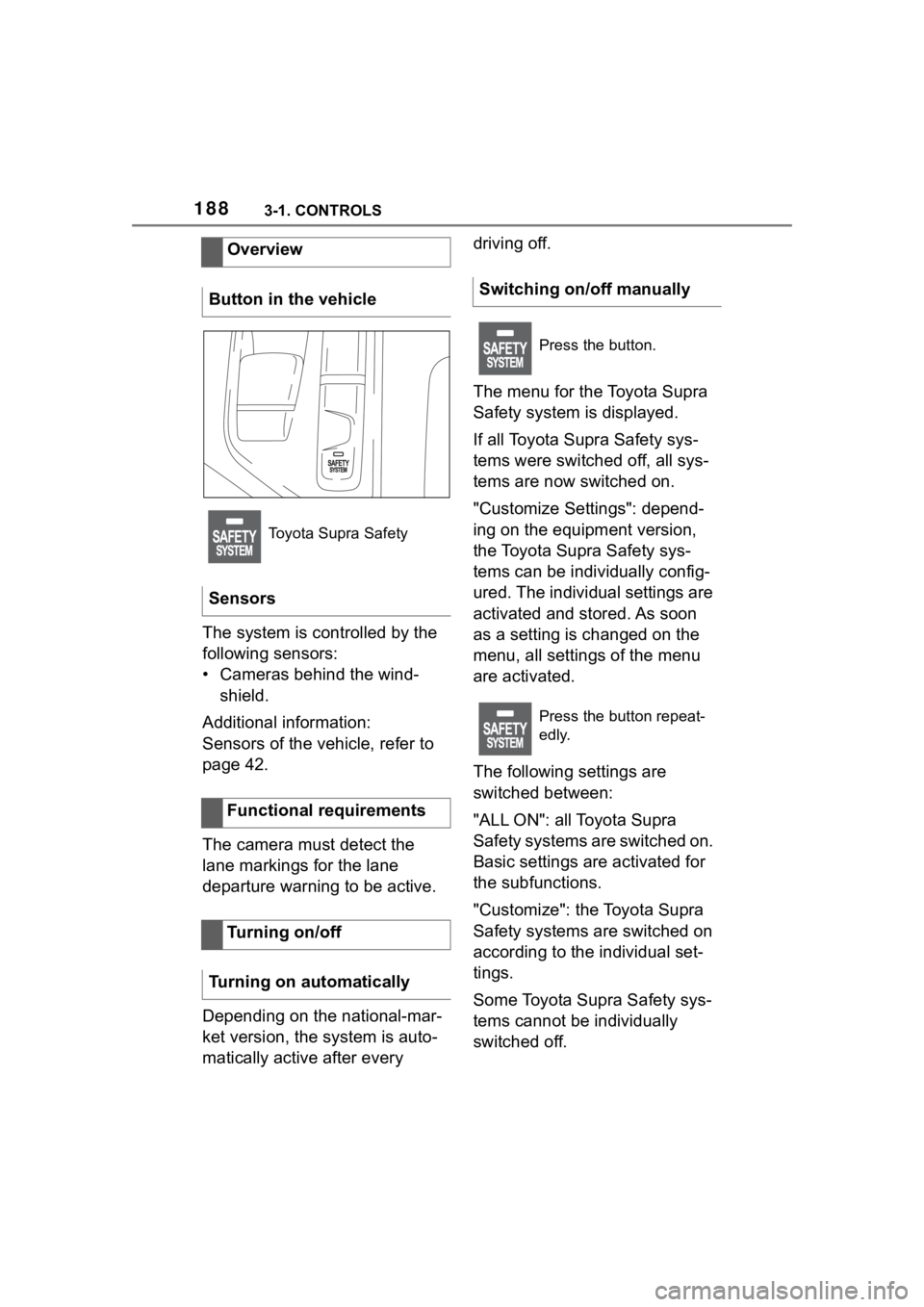
Overview
Button in the vehicle
Toyota Supra Safety
Sensors
Functional requirements
Turning on/off
Turning on automatically
Switching on/off manually
Press the button.
Press the button repeat-
edly.
Page 189 of 372

1893-1. CONTROLS
3
CONTROLS
All Toyota Supra Safety systems
are switched off.
Via Toyota Supra Command:
1"My Vehicle"
2 "Vehicle settings"
3 "Toyota Supra Safety"
4 "Lane Departure Warn."
5 Select desired setting:
"Early": the system promptly
issues a warning whenever a
hazardous situation is
detected.
"Medium": the system meets
the standardized safety
requirements.
"Reduced": some warnings
are suppressed depending on the situation, for instance
during passing without a turn
signal or when purposely driv-
ing over lane markings in
curves.
"Off": no warnings are issued.
Via Toyota Supra Command:
1 "My Vehicle"
2 "Vehicle settings"
3 "Steering wheel vibration"
4 Select the desired setting.
The steering intervention can be
switched on and off separately
for Blind spot monitor and lane
departure warning.
Via Toyota Supra Command:
1 "My Vehicle"
2 "Vehicle settings"
3 "Toyota Supra Safety"
4 "Steering intervention"
Depending on the national-market
version, the steerin g intervention is
automatically active after every
driving off.
Press and hold this button.
ButtonStatus
Indicator lights up
green: all Toyota Supra
Safety systems are
switched on.
Indicator lights up
orange: some Toyota
Supra Safety systems
are switched off or cur-
rently unavailable.
Indicator does not light
up: all Toyota Supra
Safety systems are
switched off.
Setting the warning time
Setting the intensity of the
steering wheel vibration
Switching steering interven-
tion on/off
Page 190 of 372

1903-1. CONTROLS
If you leave the lane and if a
lane marking has been
detected, the steering wheel
vibrates in accordance with the
steering wheel vibration setting.
When the turn signal is switched
on in the corresponding direc-
tion before changing the lane, a
warning is not issued.
If, in the speed range up to 130
mph/210 km/h a lane boundary
is crossed, the system may
intervene with a brief active
steering intervention in addition
to vibrating. The steering inter-
vention helps keep the vehicle in
the lane. The steering interven-
tion can be noticed on the steer-
ing wheel and can be manually overridden at any time. During
an active steering intervention,
the display in the instrument
cluster will blink.
For instance, the steering inter-
vention will be suppressed in the
following situations:
With accelerating or braking
hard.
When the turn signal indicator
is blinking.
With hazard warning system
switched on.
In driving situation with high
driving dynamics.
The Vehicle Stability Control
VSC adjusts.
Immediately following a steer-
ing intervention by the vehi-
cle systems.
When actively merging back
to your own lane after pass-
ing.
Depending on the equipment, in
the event of multiple active
steering interventions by the
system within 3 minutes without
the driver's intervention at the
steering wheel, an acoustic
warning will sound. A short
warning signal will sound at the
second steering intervention.
Beginning with the third steering
intervention, an continuous
warning will sound.
Display in the instrument
cluster
The icon is illuminated
green: the system is
turned on. A lane bound-
ary has been detected on
at least one side of the
vehicle and the system is
ready to intervene. Warn-
ings will be issued.
Icon flashes green: the
system is performing a
steering intervention.
Warning function
If you leave the lane
Steering intervention
Warning signal
Page 191 of 372
1913-1. CONTROLS
3
CONTROLS
In addition, a vehicle message is
displayed.
The warning signal and vehicle
message are an encouragement
to pay closer attention to the
lane.
For instance, the warning will be
canceled in the following situa-
tions:
Automatically after a few sec-
onds.
When returning to your own
lane.
When braking hard.
When using the turn signal.
If VSC Vehicle Stability Con-
trol System intervenes.
Additional information: • Cameras, refer to page 45.
The system may not be fully
functional in the following situa-
tions:
In the event of missing, worn,
poorly visible, merging,
diverging, or multiple lane
markings such as in construc-
tion areas.
When lane markings are cov-
ered in snow, ice, dirt or
water.
In tight curves or on narrow
lanes.
When lane markings are cov-
ered by objects.
When driving very close to the
vehicle in front of you.
Up to 10 seconds after the
start of the engine via the
Start/Stop button.
A vehicle message may be dis-
played when the system is not
fully functional.
*: if equipped
Blind spot monitor detects vehi-
cles in the blind spot or vehicles
approaching from behind in the
adjacent lane. A warning is
issued in various gradations in
End of warning
System limits
Safety information
WARNING
The system is designed to oper-
ate in certain conditions and cir-
cumstances. Due to conditions or
other factors, the system may not
respond. There m ay be a risk of
accident or risk of damage to
property. Actively intervene as
needed. Refer to the information
in this Owner’s Manual regarding
the scope of the system’s opera-
tion and limitations.
System limits of the sensors
Functional limitations
Blind spot monitor*
Concept
Page 192 of 372

1923-1. CONTROLS
these situations.
Radar sensors monitor the area
behind and next to the vehicle
when traveling faster than a
minimum speed.
The minimum speed is coun-
try-specific and is displayed in
the menu for the Toyota Supra
Safety systems.
The system indicates whether
there are vehicles in the blind
spot, arrow 1, or approaching
from behind in the adjacent
lane, arrow 2.
The light in the exterior mirror
lights up dimmed.
Before you change lanes after
setting the turn signal, the sys-
tem issues a warning in the situ-
ations described above.
The light in the exterior mirror
flashes and the steering wheel
vibrates. General informationSafety information
WARNING
The system cannot serve as a
substitute for the driver’s personal
judgment in assessing the traffic
situation. Based on the limits of
the system, it cannot inde-
pendently react to all traffic situa-
tions. There is a risk of accident.
Adjust driving style to traffic condi-
tions. Watch the surrounding traf-
fic situation closely, be ready to
take over steering and braking at
any time, and actively intervene
where appropriate.
WARNING
Indicators and warnings cannot
serve as a substitute for the
driver
Page 194 of 372

1943-1. CONTROLS
Via Toyota Supra Command:
1"My Vehicle"
2 "Vehicle settings"
3 "Toyota Supra Safety"
4 "Blind spot monitor"
5 Select the desired setting.
"Off": with this setting, no warning is
output.
Via Toyota Supra Command:
1"My Vehicle"
2 "Vehicle settings"
3 "Steering wheel vibration"
4 Select the desired setting.
The dimmed light in the exterior
mirror indicates when there are
vehicles in the blind spot or approaching from behind.
If the turn signal is switched on
while a vehicle is in the critical
zone, the steering wheel
vibrates briefly and the light in
the exterior mirror flashes
brightly.
The warning stops when the
other vehicle has left the critical
area or after deactivation of the
turn signal.
A flashing of the light during
vehicle unlocking serves as sys-
tem self-test.
If the vehicle speed exceeds
approx. 155 mph/250 km/h, the
Setting the warning time
Setting the force of the steer-
ing wheel vibration
Warning function
Light in the exterior mirror
Prewarning
Acute warning
Flashing of the light
System limits
Safety information
WARNING
The system is designed to oper-
ate in certain conditions and cir-
cumstances. Due to conditions or
other factors, the system may not
respond. There may be a risk of
accident or risk of damage to
property. Actively intervene as
needed. Refer to the information
in this Owner’s Manual regarding
the scope of the system’s opera-
tion and limitations.
Upper speed limit
Page 195 of 372
1953-1. CONTROLS
3
CONTROLS
system is deactivated temporar-
ily.
If the vehicle speed falls below
approx. 155 mph/250 km/h, the
system once again responds
according to the setting.
Additional information:
• Radar sensors, refer to page 42.
The system may not be fully
functional in the following situa-
tions:
When a vehicle is approach-
ing at a speed much faster
than your own.
In heavy fog, wet conditions,
or snowfall.
In tight curves or on narrow
lanes.
If the bumper is dirty, iced up,
or covered, for instance by
stickers.
After improperly performed
work on the vehicle paint.
If cargo protrudes.
A vehicle message is displayed
when the system is not fully
functional.
Depending on the selected warning settings, e.g., warning
time, more or fewer warnings
can be displayed. However,
there may also be an excess of
premature warnings of critical
situations.
Depending on the equipment
and national-market version, the
rear-end collision preparation
can react to vehicles approach-
ing from behind.
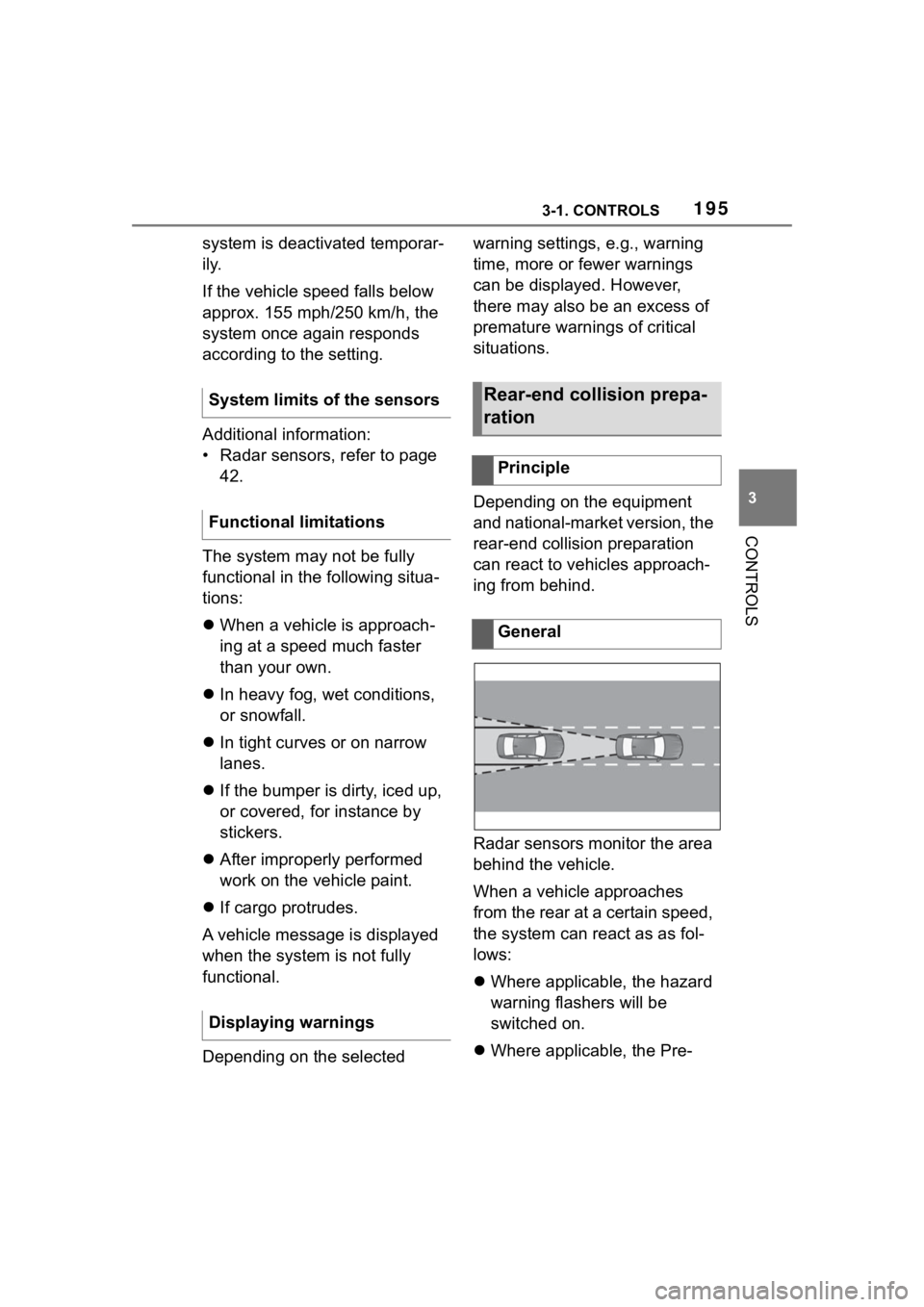
Radar sensors monitor the area
behind the vehicle.
When a vehicle approaches
from the rear at a certain speed,
the system can react as as fol-
lows:
Where applicable, the hazard
warning flashers will be
switched on.
Where applicable, the Pre-
System limits of the sensors
Functional limitations
Displaying warnings
Rear-end collision prepa-
ration
Principle
General
Page 196 of 372
1963-1. CONTROLS
Crash functions are triggered.
The system is controlled by the
following sensors:
• Radar sensors, side, rear.
Additional information:
Sensors of the vehicle, refer to
page 42. The system is automatically
active when the vehicle is turned
on.
The system is deactivated in the
following situations:
When driving in reverse.
Additional information:
• Radar sensors, refer to page P.43.
The system may not be fully
functional in the following situa-
tions:
When a vehicle is approach-
ing at a speed much faster
than your own.
The approaching vehicle is
approaching slowly.
In the event of an accident, the
system can bring the vehicle to
a halt automatically without
intervention by the driver in cer-
tain situations. This can reduce
the risk of a further collision and
Safety information
WARNING
The system cannot serve as a
substitute for the driver's personal
judgment in assessing the traffic
situation. Based on the limits of
the system, it cannot inde-
pendently react to all traffic situa-
tions. There is a
risk of accident.
Adjust driving style to traffic condi-
tions. Watch the surrounding traf-
fic situation closely, be ready to
take over steering and braking at
any time, and actively intervene
where appropriate.
WARNING
Indicators and warnings cannot
serve as a substitute for the
driver