Page 94 of 496
942-1. Instrument cluster
*1: These lights come on when the power switch is turned to ON to
indicate that a system check is
being performed. They will turn
off after the hybrid system is on,
or after a few seconds. There
may be a malfunction in a sys-
tem if the lights do not come on,
or turn off. Have the vehicle
inspected by your Toyota dealer.
*2: This light illuminates on the multi-information display.
*3: 4.2-inch display.
*4: 7-inch display.
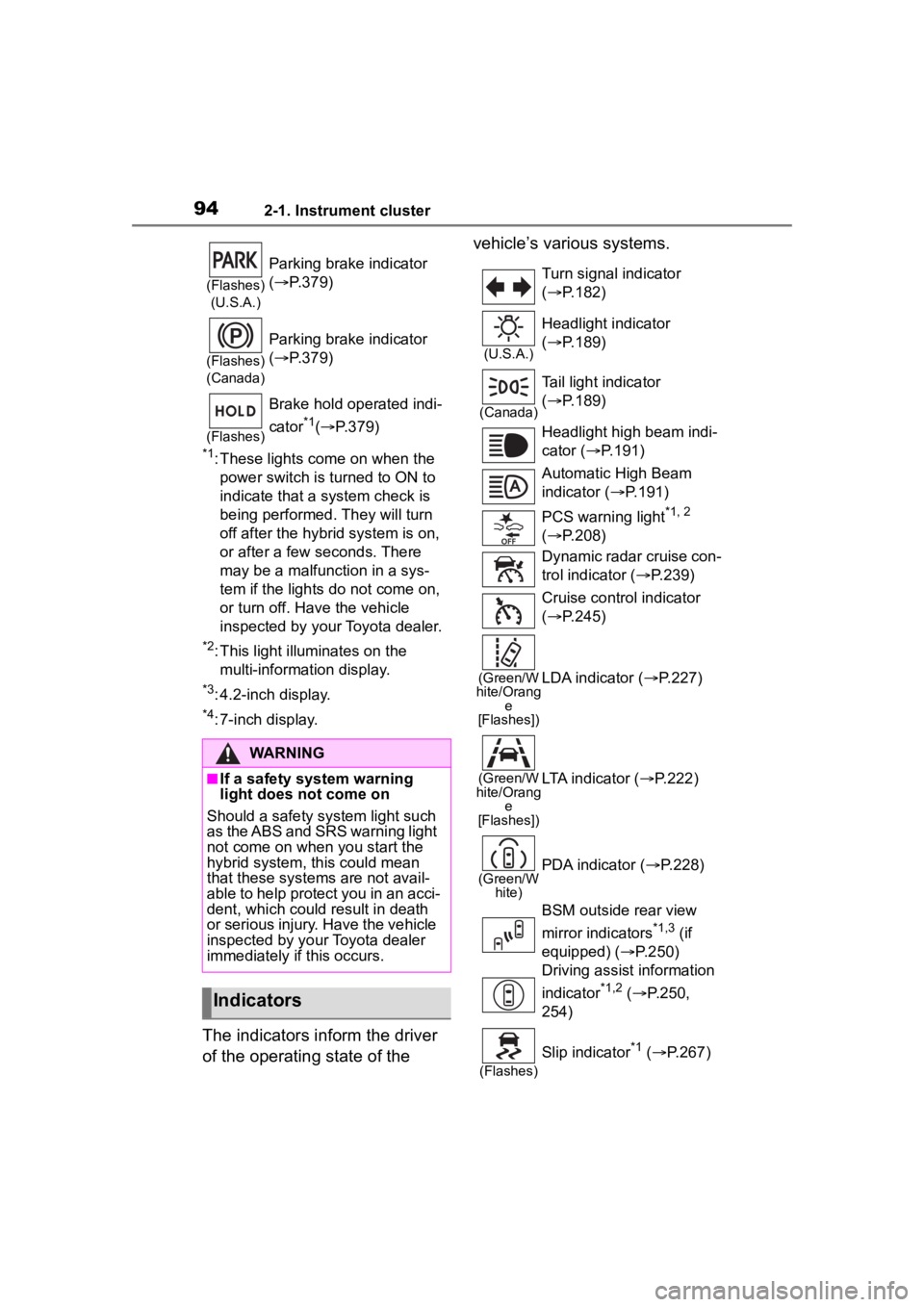
The indicators inform the driver
of the operating state of the vehicle’s various systems.
(Flashes)
(U.S.A.)
Parking brake indicator
( P.379)
(Flashes)
(Canada)
Parking brake indicator
( P.379)
(Flashes)
Brake hold operated indi-
cator
*1( P.379)
WARNING
■If a safety system warning
light does not come on
Should a safety system light such
as the ABS and SRS warning light
not come on when you start the
hybrid system, this could mean
that these systems are not avail-
able to help protect you in an acci-
dent, which could result in death
or serious injury. Have the vehicle
inspected by your Toyota dealer
immediately if this occurs.
Indicators
Turn signal indicator
( P.182)
(U.S.A.)
Headlight indicator
( P.189)
(Canada)
Tail light indicator
( P.189)
Headlight high beam indi-
cator ( P.191)
Automatic High Beam
indicator ( P.191)
PCS warning light
*1, 2
( P.208)
Dynamic radar cruise con-
trol indicator ( P.239)
Cruise control indicator
( P.245)
(Green/W
hite/Orang e
[Flashes])LDA indicator ( P.227)
(Green/W
hite/Orang e
[Flashes])LTA indicator ( P.222)
(Green/W
hite)PDA indicator ( P.228)
BSM outside rear view
mirror indicators
*1,3 (if
equipped) ( P.250)
Driving assist information
indicator
*1,2 ( P.250,
254)
(Flashes)
Slip indicator*1 ( P.267)
Page 95 of 496
952-1. Instrument cluster
2
Vehicle status information and indicators
*1: These lights come on when the power switch is turned to ON to
indicate that a system check is
being performed. They will turn
off after the hybrid system is on,
or after a few seconds. There
may be a malfunction in a sys-
tem if the lights do not come on,
or turn off. Have the vehicle inspected by your Toyota dealer.
*2: This light comes on when the
system is turned off.
*3: This light illuminates on the out-side rear view mirrors.
*4: This light illuminates on the multi-information display.
*5: When the outside temperature is approximately 37°F (3°C) or
lower, this indicator will flash for
approximately 10 seconds, then
stay on.
*6: This light illuminates on the cen-ter panel.
*7: This light illuminates on the over-head console.
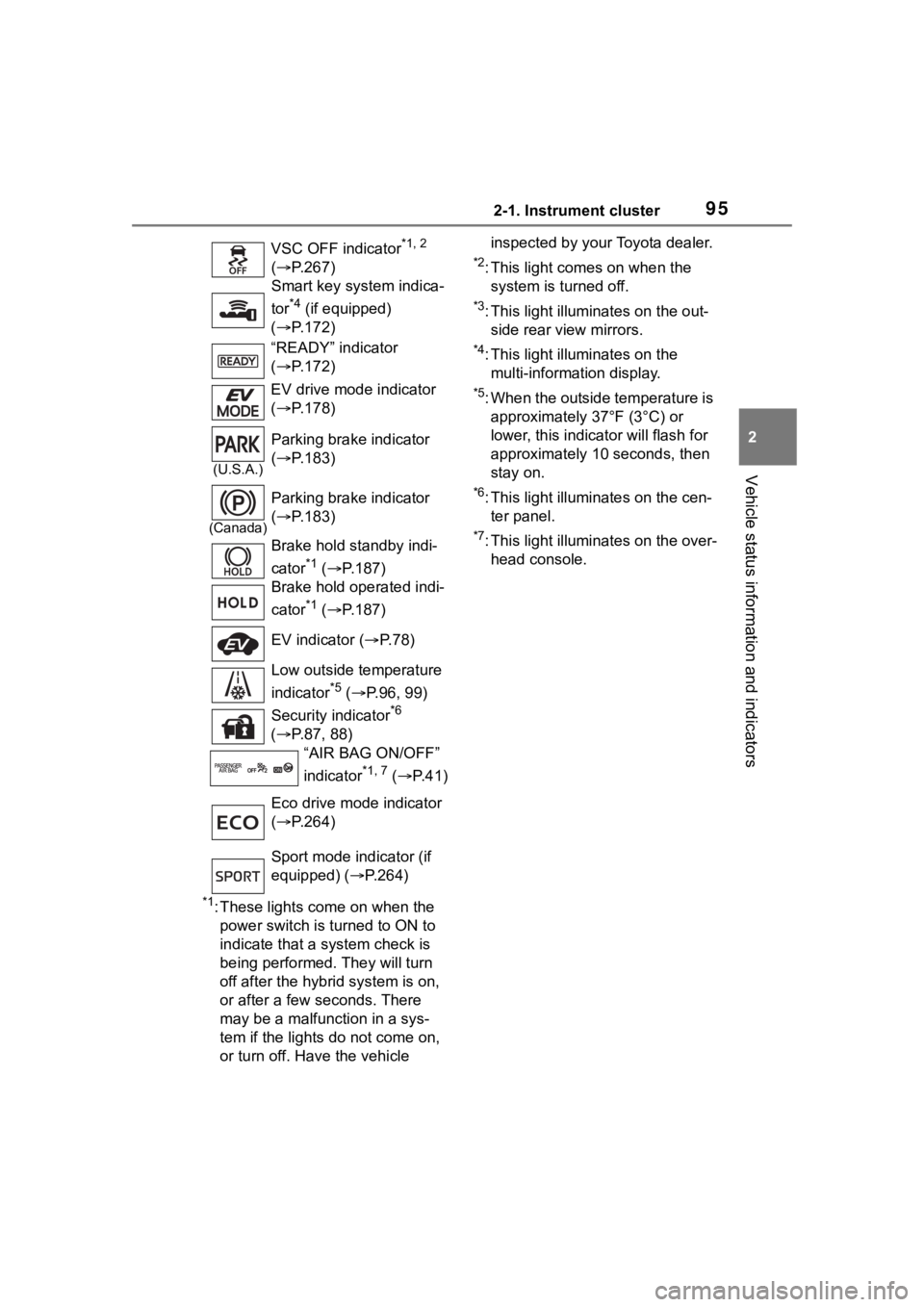
VSC OFF indicator
*1, 2
( P.267)
Smart key system indica-
tor
*4 (if equipped)
( P.172)
“READY” indicator
( P.172)
EV drive mode indicator
( P.178)
(U.S.A.)
Parking brake indicator
( P.183)
(Canada)
Parking brake indicator
( P.183)
Brake hold standby indi-
cator
*1 ( P.187)
Brake hold operated indi-
cator
*1 ( P.187)
EV indicator ( P. 7 8 )
Low outside temperature
indicator
*5 ( P.96, 99)
Security indicator
*6
( P.87, 88)
“AIR BAG ON/OFF”
indicator
*1, 7 ( P. 4 1 )
Eco drive mode indicator
( P.264)
Sport mode indicator (if
equipped) ( P.264)
Page 98 of 496
982-1. Instrument cluster
■Display items
Odometer
Displays the total distance the vehi-
cle has been driven.
Trip meter A/Trip meter B
Displays the distan ce the vehicle
has been driven si nce the meter
was last reset. Trip meters A and B
can be used to record and display
different distances independently.
To reset, display the desired trip
meter and press and hold the dis-
play change button.
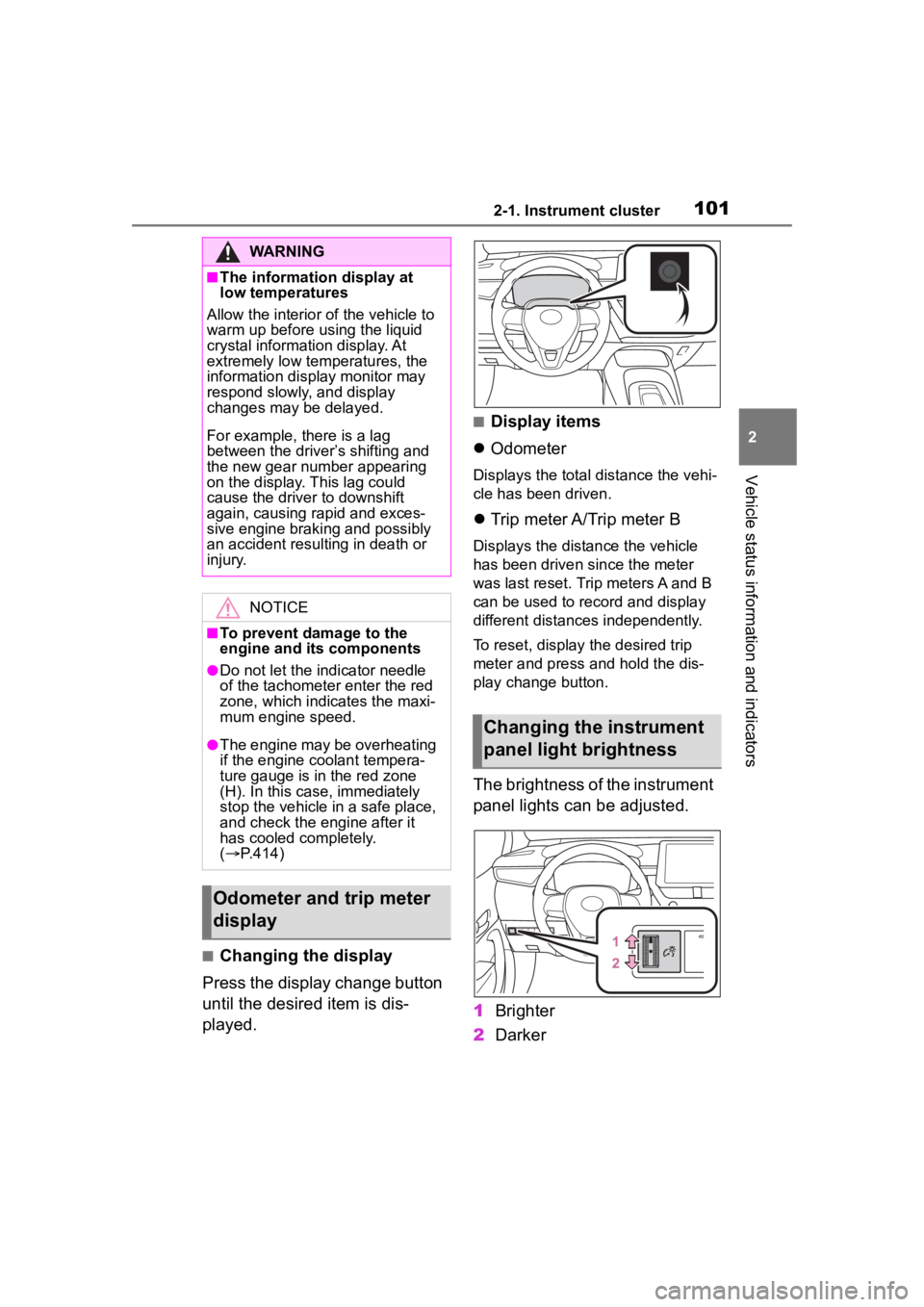
The brightness of the instrument
panel lights can be adjusted.
1 Brighter
2 Darker
■Instrument panel light bright-
ness adjustment
The brightness of the instrument
panel lights can be adjusted sepa-
rately for when the tail lights are on
and off.
■The clocks can be adjusted
on the audio system
screen.
Refer to “MULTIMEDIA
OWNER’S MANUAL”.
Changing the instrument
panel light brightness
Adjusting the clock
Page 101 of 496
1012-1. Instrument cluster
2
Vehicle status information and indicators
■Changing the display
Press the display change button
until the desired item is dis-
played.
■Display items
Odometer
Displays the total distance the vehi-
cle has been driven.
Trip meter A/Trip meter B
Displays the distance the vehicle
has been driven since the meter
was last reset. Trip meters A and B
can be used to record and display
different distances independently.
To reset, display the desired trip
meter and press and hold the dis-
play change button.
The brightness of the instrument
panel lights can be adjusted.
1 Brighter
2 Darker
WARNING
■The information display at
low temperatures
Allow the interior of the vehicle to
warm up before u sing the liquid
crystal informat ion display. At
extremely low temperatures, the
information display monitor may
respond slowly, and display
changes may be delayed.
For example, there is a lag
between the driver’s shifting and
the new gear number appearing
on the display. This lag could
cause the driver to downshift
again, causing rapid and exces-
sive engine braking and possibly
an accident resulting in death or
injury.
NOTICE
■To prevent damage to the
engine and its components
●Do not let the i ndicator needle
of the tachomete r enter the red
zone, which indicates the maxi-
mum engine speed.
●The engine may be overheating
if the engine coolant tempera-
ture gauge is in the red zone
(H). In this case, immediately
stop the vehicle in a safe place,
and check the engine after it
has cooled completely.
( P.414)
Odometer and trip meter
display
Changing the instrument
panel light brightness
Page 102 of 496
1022-1. Instrument cluster
■Instrument panel light bright-
ness adjustment
The brightness of the instrument
panel lights can be adjusted sepa-
rately for when the tail lights are on
and off.
■The clocks can be adjusted
on the audio system
screen.
Refer to “MULTIMEDIA
OWNER’S MANUAL”.
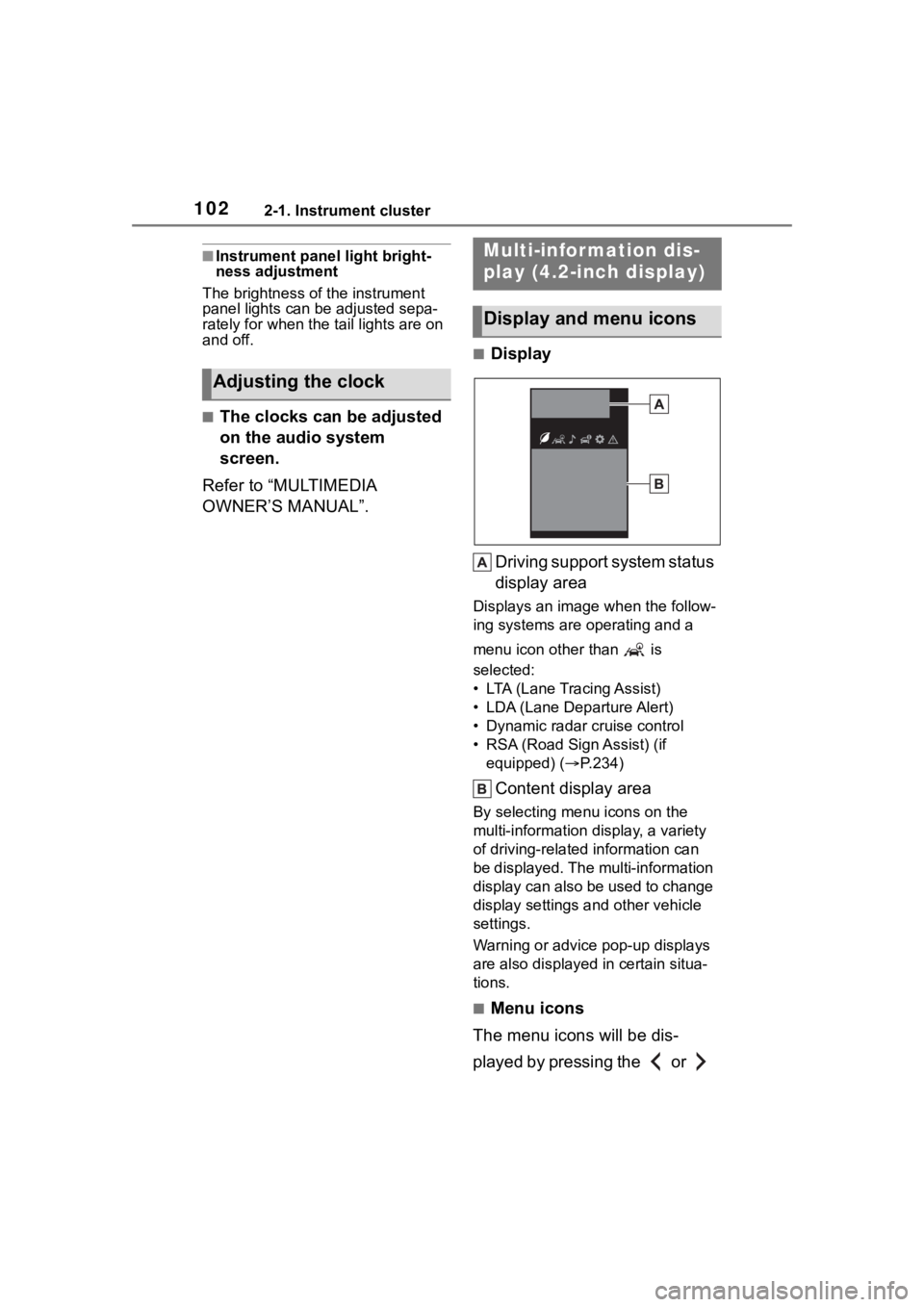
■Display
Driving support system status
display area
Displays an image when the follow-
ing systems are operating and a
menu icon other than is
selected:
• LTA (Lane Tracing Assist)
• LDA (Lane Departure Alert)
• Dynamic radar cruise control
• RSA (Road Sign Assist) (if equipped) ( P.234)
Content display area
By selecting menu icons on the
multi-information di splay, a variety
of driving-related information can
be displayed. The multi-information
display can also be used to change
display settings and other vehicle
settings.
Warning or advice pop-up displays
are also displayed in certain situa-
tions.
■Menu icons
The menu icons will be dis-
played by pressing the or
Adjusting the clock
Multi-infor mation dis-
play (4.2-inch display)
Display and menu icons
Page 103 of 496
1032-1. Instrument cluster
2
Vehicle status information and indicators
meter control switch.
■Liquid crystal display
Small spots or light spots may
appear on the display. This phenom-
enon is characteristi c of liquid crys-
tal displays, and there is no problem
continuing to use the display.
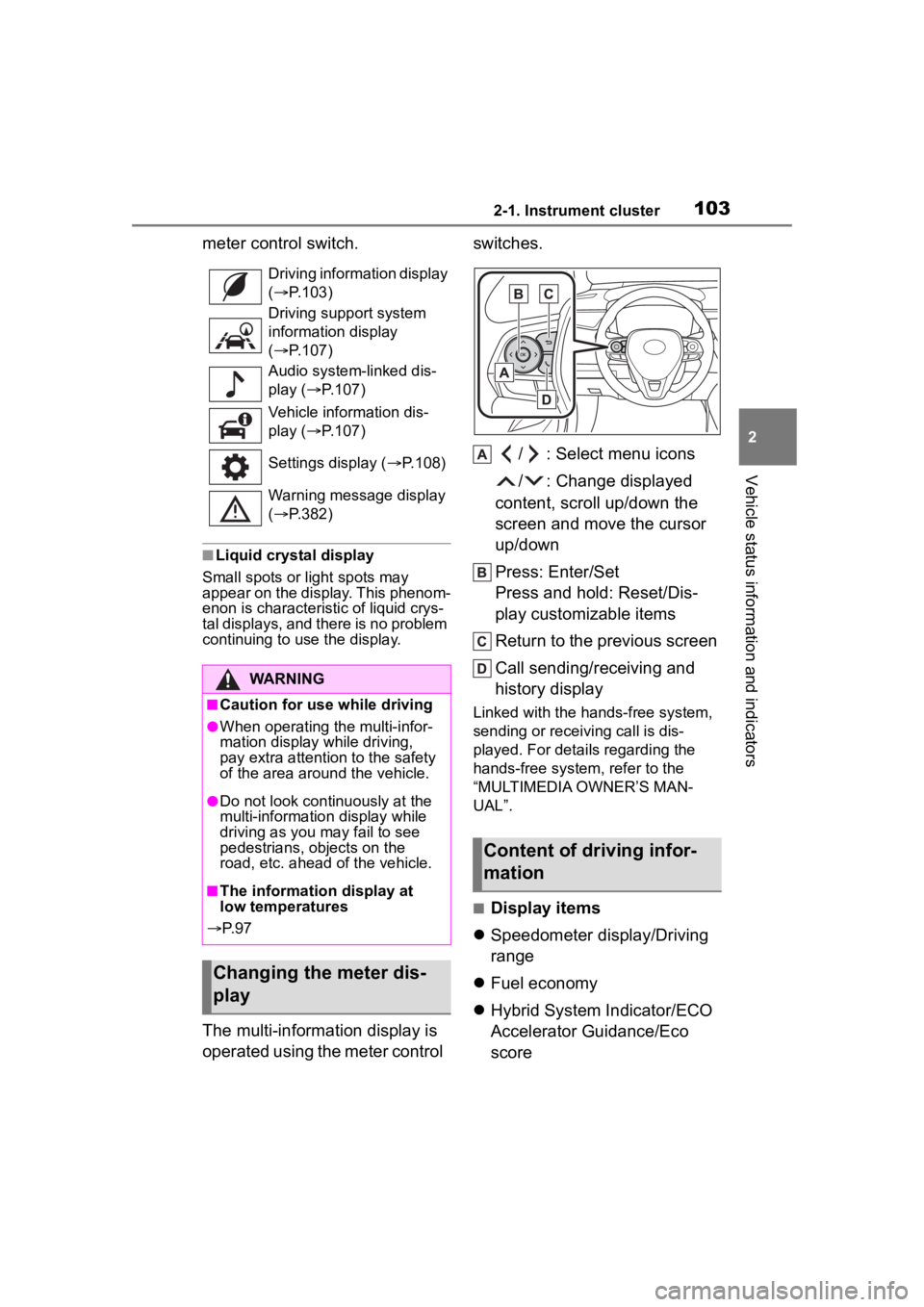
The multi-information display is
operated using the meter control switches.
/ : Select menu icons
/ : Change displayed
content, scroll up/down the
screen and move the cursor
up/down
Press: Enter/Set
Press and hold: Reset/Dis-
play customizable items
Return to the previous screen
Call sending/receiving and
history display
Linked with the hands-free system,
sending or receiving call is dis-
played. For details regarding the
hands-free system, refer to the
“MULTIMEDIA OWNER’S MAN-
UAL”.
■Display items
Speedometer display/Driving
range
Fuel economy
Hybrid System Indicator/ECO
Accelerator Guidance/Eco
score
Driving information display
( P.103)
Driving support system
information display
( P.107)
Audio system-linked dis-
play ( P.107)
Vehicle information dis-
play ( P.107)
Settings display ( P.108)
Warning message display
( P.382)
WARNING
■Caution for use while driving
●When operating the multi-infor-
mation display while driving,
pay extra attention to the safety
of the area aroun d the vehicle.
●Do not look continuously at the
multi-information display while
driving as you may fail to see
pedestrians, objects on the
road, etc. ahead o f the vehicle.
■The information display at
low temperatures
P. 9 7
Changing the meter dis-
play
Content of driving infor-
mation
Page 110 of 496
1102-1. Instrument cluster
■Liquid crystal display
Small spots or light spots may
appear on the display. This phenom-
enon is characteristi c of liquid crys-
tal displays, and there is no problem
continuing to use the display.
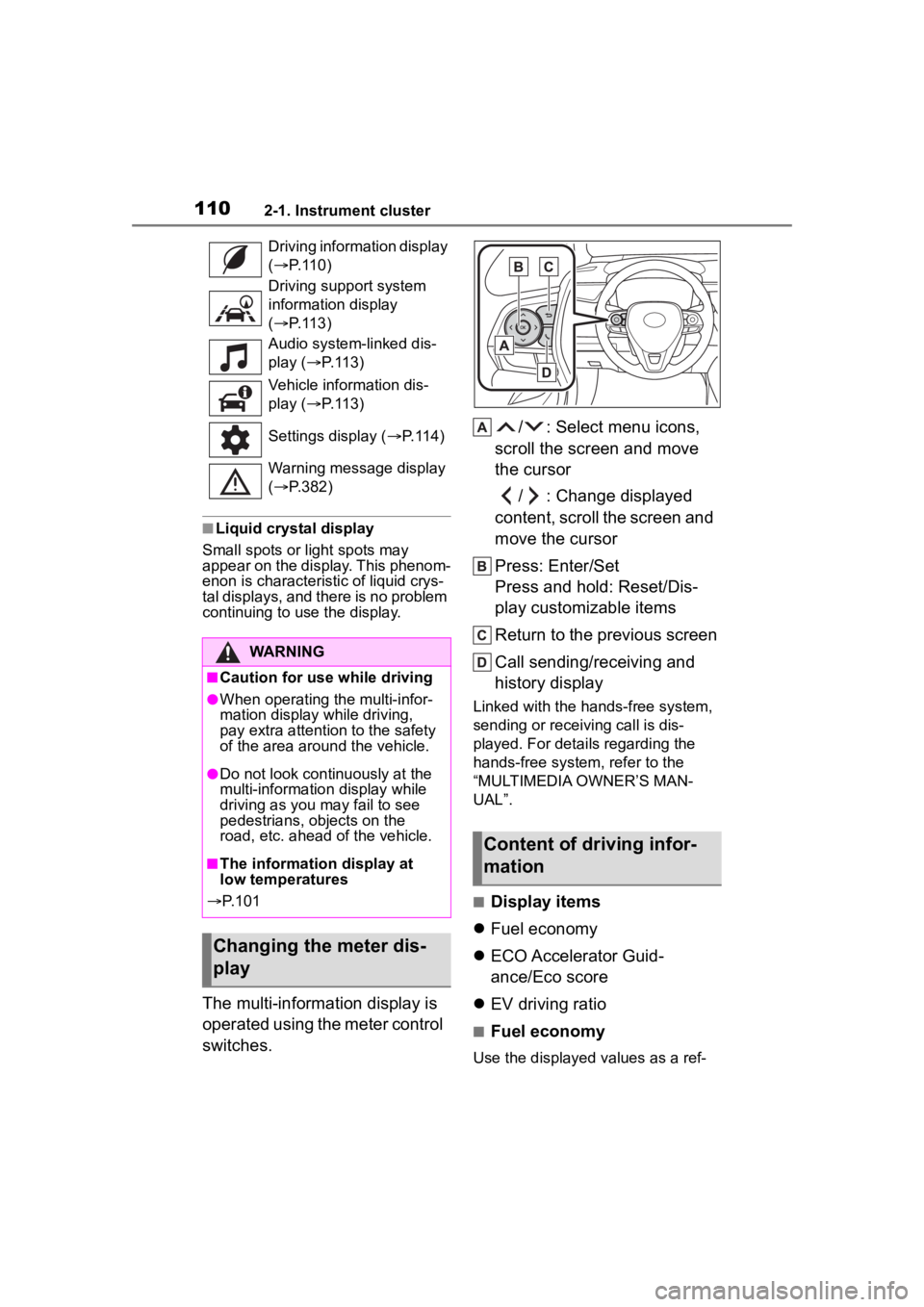
The multi-information display is
operated using the meter control
switches. / : Select menu icons,
scroll the screen and move
the cursor
/ : Change displayed
content, scroll the screen and
move the cursor
Press: Enter/Set
Press and hold: Reset/Dis-
play customizable items
Return to the previous screen
Call sending/receiving and
history display
Linked with the hands-free system,
sending or receiving call is dis-
played. For details regarding the
hands-free system, refer to the
“MULTIMEDIA OWNER’S MAN-
UAL”.
■Display items
Fuel economy
ECO Accelerator Guid-
ance/Eco score
EV driving ratio
■Fuel economy
Use the displayed values as a ref-
Driving information display
(
P.110)
Driving support system
information display
( P.113)
Audio system-linked dis-
play ( P. 1 1 3 )
Vehicle information dis-
play ( P. 1 1 3 )
Settings display ( P. 1 1 4 )
Warning message display
( P.382)
WARNING
■Caution for use while driving
●When operating the multi-infor-
mation display while driving,
pay extra attention to the safety
of the area aroun d the vehicle.
●Do not look continuously at the
multi-information display while
driving as you may fail to see
pedestrians, objects on the
road, etc. ahead o f the vehicle.
■The information display at
low temperatures
P. 1 0 1
Changing the meter dis-
play
Content of driving infor-
mation
Page 118 of 496
1182-1. Instrument cluster
uously.
●When a warning message is
shown on the multi-information
display and the buzzer sounds,
follow the instructions displayed
on the screen to perform trouble
shooting.
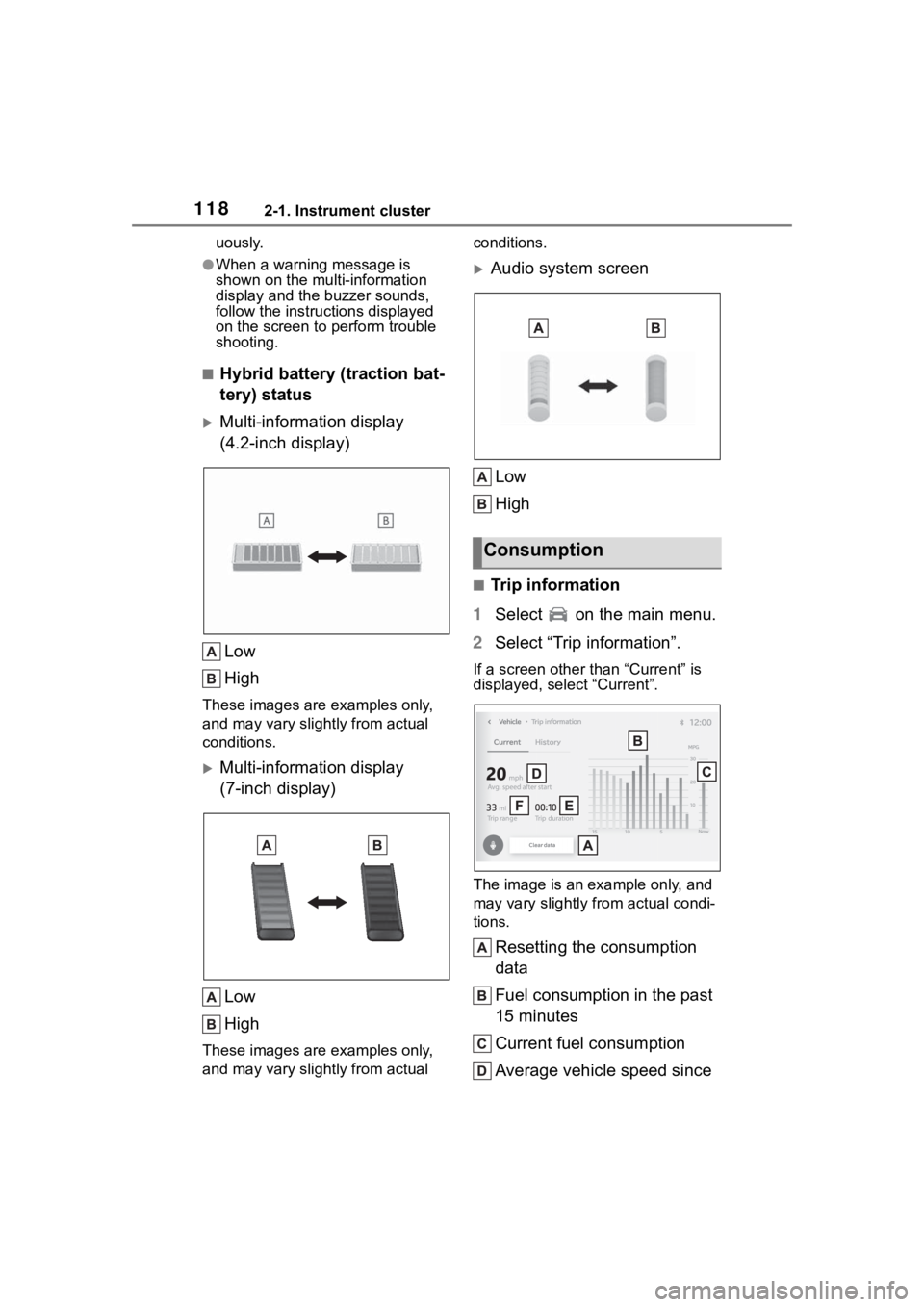
■Hybrid battery (traction bat-
tery) status
Multi-information display
(4.2-inch display)
Low
High
These images are examples only,
and may vary slightly from actual
conditions.
Multi-information display
(7-inch display)Low
High
These images are examples only,
and may vary slightly from actual conditions.
Audio system screen
Low
High
■Trip information
1 Select on the main menu.
2 Select “Trip information”.
If a screen other than “Current” is
displayed, select “Current”.
The image is an example only, and
may vary slightly from actual condi-
tions.
Resetting the consumption
data
Fuel consumption in the past
15 minutes
Current fuel consumption
Average vehicle speed since
Consumption