Page 74 of 496

741-3. Emergency assistance
busy.
When the power switch is turned
to ON, the red indicator light
comes on for 2 seconds then
turns off. Afterward, the green
indicator light comes on, indicat-
ing that the service is active.
The following indicator light pat-
terns indicate specific system
usage conditions:
Green indicator light on =
Active service
Green indicator light flashing
= Safety Connect call in pro-
cess
Red indicator light (except at
vehicle start-up) = System
malfunction (contact your Toy-
ota dealer)
No indicator light (off) =
Safety Connect service not
active
■Automatic Collision Notifi-
cation
In case of either airbag deploy-
ment or severe rear-end colli-
sion, the system is designed to
automatically call the response
center. The responding agent
receives the vehicle’s location
and attempts to speak with the
vehicle occupants to assess the level of emergency. If the occu-
pants are unable to communi-
cate, the agent automatically
treats the call as an emergency,
contacts the nearest emer-
gency services provider to
describe the situation, and
requests that assistance be sent
to the location.
■Stolen Vehicle Location
If your vehicle is stolen, Safety
Connect can work with local
authorities to assist them in
locating and recovering the
vehicle. After filing a police
report, call the Customer Experi-
ence Center at 1-800-331-4331
in the United States,
1-877-855-8377 in Puerto Rico
or 1- 888-869-6828 in Canada,
and follow the prompts for
Safety Connect to initiate this
service.
In addition to assisting law
enforcement with recovery of a
stolen vehicle, Safety-Con-
nect-equipped vehicle location
data may, under certain circum-
stances, be shared with third
parties to locate your vehicle.
Further information is available
at Toyota.com in the United
States, Toyotapr.com in Puerto
Rico and Toyota.ca in Canada.
■Emergency Assistance But-
ton (“SOS”)
In the event of an emergency on
the road, push the “SOS” button
to reach the Safety Connect
Safety Connect LED light
Indicators
Safety Connect services
Page 82 of 496
821-4. Hybrid system
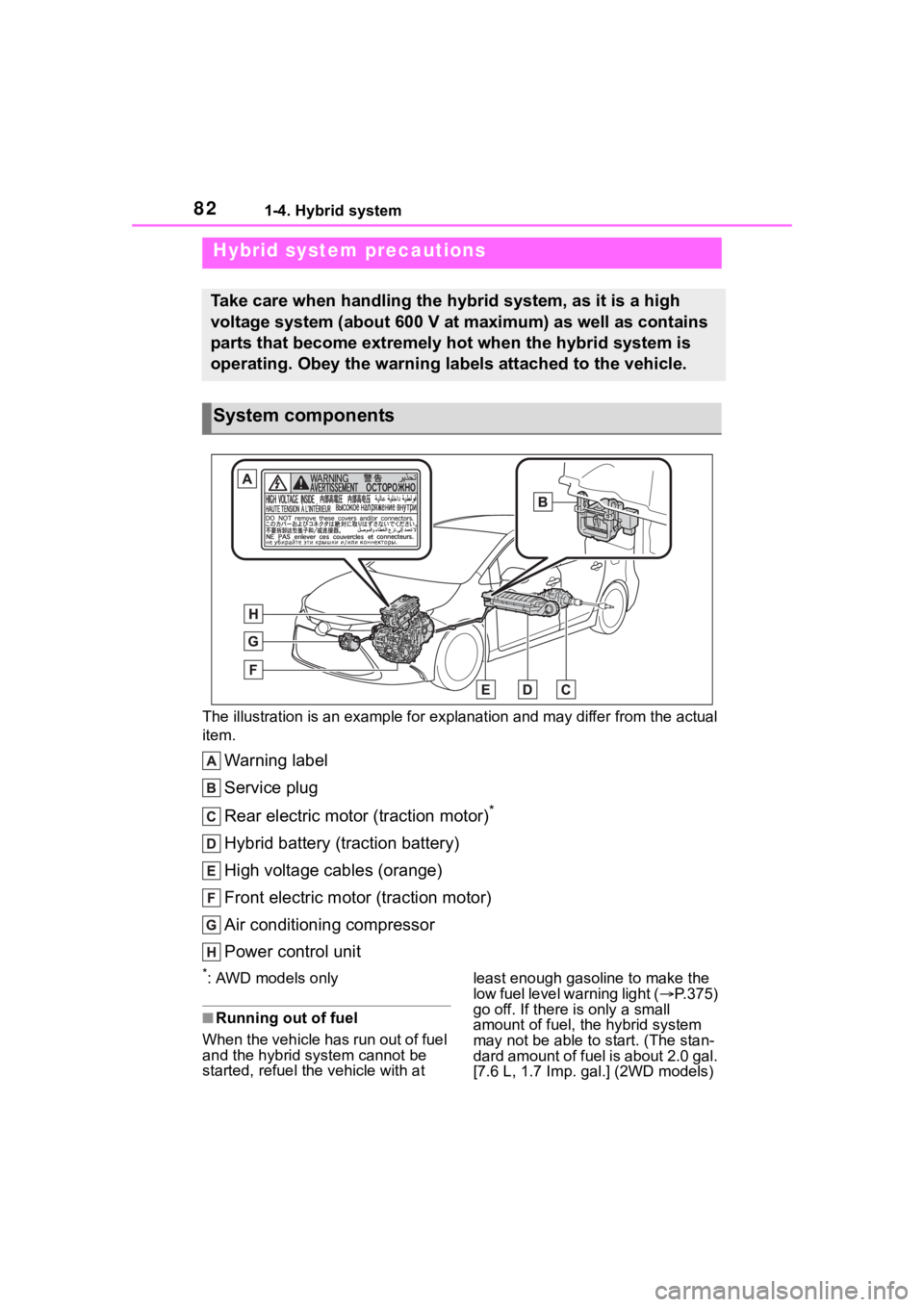
The illustration is an example for explanation and may differ from the actual
item.
Warning label
Service plug
Rear electric motor (traction motor)
*
Hybrid battery (traction battery)
High voltage cables (orange)
Front electric motor (traction motor)
Air conditioning compressor
Power control unit
*: AWD models only
■Running out of fuel
When the vehicle has run out of fuel
and the hybrid system cannot be
started, refuel th e vehicle with at least enough gasoline to make the
low fuel level warning light (
P.375)
go off. If there is only a small
amount of fuel, the hybrid system
may not be able to start. (The stan-
dard amount of fuel is about 2.0 gal.
[7.6 L, 1.7 I mp. gal.] (2WD models)
Hybrid system precautions
Take care when handling the hybrid system, as it is a high
voltage system (about 600 V at maximum) as well as contains
parts that become extremely hot when the hybrid system is
operating. Obey the warning labels attached to the vehicle.
System components
Page 86 of 496
861-4. Hybrid system
When a certain level of impact is
detected by the impact sensor,
the emergency shut off system
blocks the high voltage current
and stops the fuel pump to mini-
mize the risk of electrocution
and fuel leakage. If the emer-
gency shut off system activates,
your vehicle will not restart. To
restart the hybrid system, con-
tact your Toyota dealer.
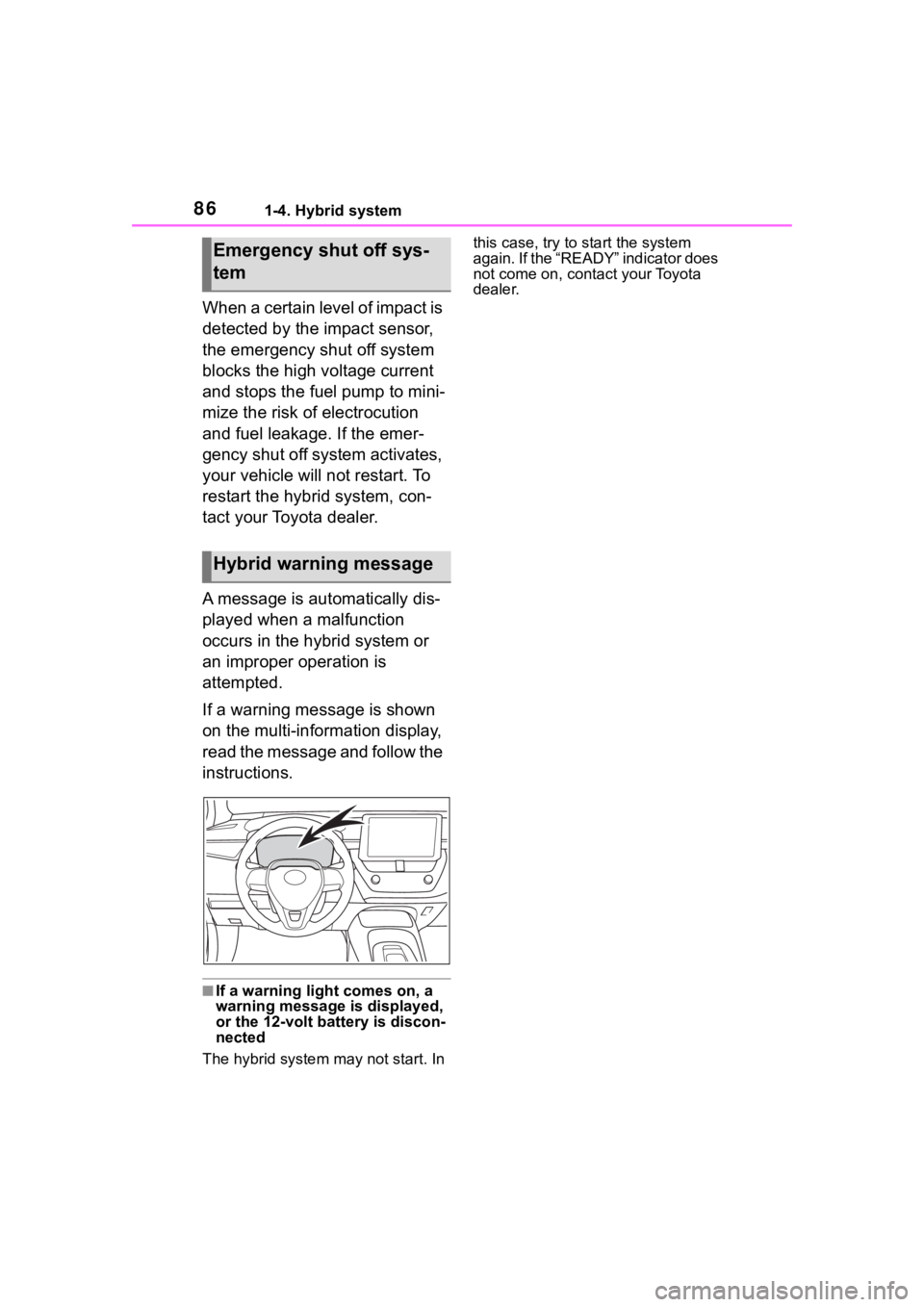
A message is automatically dis-
played when a malfunction
occurs in the hybrid system or
an improper operation is
attempted.
If a warning message is shown
on the multi-information display,
read the message and follow the
instructions.
■If a warning light comes on, a
warning message is displayed,
or the 12-volt battery is discon-
nected
The hybrid system may not start. In this case, try to start the system
again. If the “READY” indicator does
not come on, contact your Toyota
dealer.
Emergency shut off sys-
tem
Hybrid warning message
Page 87 of 496
871-5. Theft deterrent system
1
For safety and security
1-5.Theft deterrent system
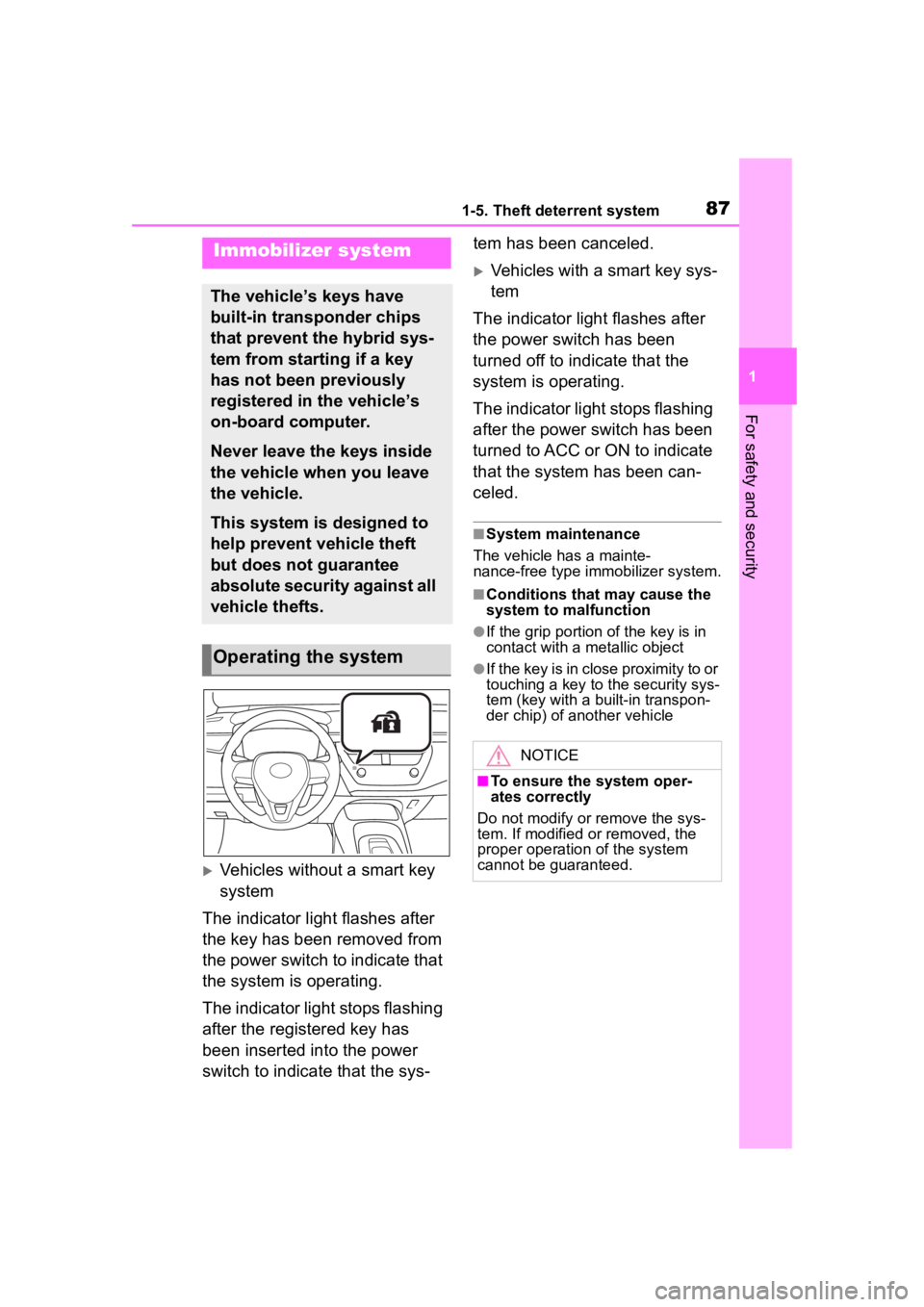
Vehicles without a smart key
system
The indicator light flashes after
the key has been removed from
the power switch to indicate that
the system is operating.
The indicator light stops flashing
after the registered key has
been inserted into the power
switch to indicate that the sys- tem has been canceled.
Vehicles with a smart key sys-
tem
The indicator light flashes after
the power switch has been
turned off to indicate that the
system is operating.
The indicator light stops flashing
after the power switch has been
turned to ACC or ON to indicate
that the system has been can-
celed.
■System maintenance
The vehicle has a mainte-
nance-free type immobilizer system.
■Conditions that may cause the
system to malfunction
●If the grip portion of the key is in
contact with a metallic object
●If the key is in close proximity to or
touching a key to the security sys-
tem (key with a built-in transpon-
der chip) of another vehicle
Immobilizer system
The vehicle’s keys have
built-in transponder chips
that prevent the hybrid sys-
tem from starting if a key
has not been previously
registered in the vehicle’s
on-board computer.
Never leave the keys inside
the vehicle when you leave
the vehicle.
This system is designed to
help prevent vehicle theft
but does not guarantee
absolute security against all
vehicle thefts.
Operating the system
NOTICE
■To ensure the system oper-
ates correctly
Do not modify or remove the sys-
tem. If modified or removed, the
proper operation of the system
cannot be guaranteed.
Page 88 of 496

881-5. Theft deterrent system
■Items to check before lock-
ing the vehicle
To prevent unexpected trigger-
ing of the alarm and vehicle
theft, make sure of the following:
Nobody is in the vehicle.
The windows and moon roof
(if equipped) are closed
before the alarm is set.
No valuables or other per-
sonal items are left in the
vehicle.
■Setting
Close the doors, trunk and
hood, and lock all the doors. The system will set automati-
cally after 30 seconds.
The indicator light changes from
being on to flashing when the sys-
tem is set.
■Deactivating or stopping
Do one of the following to deac-
tivate or stop the alarms:
Unlock the doors.
Turn the power switch to ACC
or ON, or start the hybrid sys-
tem. (The alarm will be deacti-
vated or stopped after a few
seconds.)
■System maintenance
The vehicle has a mainte-
nance-free type alarm system.
■Triggering of the alarm
The alarm may be triggered in the
following situations:
(Stopping the alarm deactivates the
alarm system.)
●A person inside the vehicle opens
a door, the trunk or hood, or
unlocks the vehicle using a door
lock switch or insi de lock button.
Alarm
The alarm uses light and
sound to give an alert when
an intrusion is detected.
The alarm is triggered in the
following situations when
the alarm is set:
A locked door or trunk is
unlocked or opened in any
way other than using the
entry function (if equipped),
wireless remote control,
mechanical key (if
equipped) or key (if
equipped). (The doors will
lock again automatically.)
The hood is opened.
Setting/deactivating/stop-
ping the alarm system
Page 91 of 496
91
2
2
Vehicle status information and indicators
Vehicle status informationand indicators
.2-1. Instrument cluster
Warning lights and indica-tors ............................... 92
Gauges and meters (4.2-inch display) .......... 96
Gauges and meters (7-inch display) ......................... 99
Multi-information display (4.2-inch display) ....... 102
Multi-information display (7-inch display) .......... 109
Energy monitor/consump- tion screen................. 116
Page 92 of 496
922-1. Instrument cluster
2-1.Instrument cluster
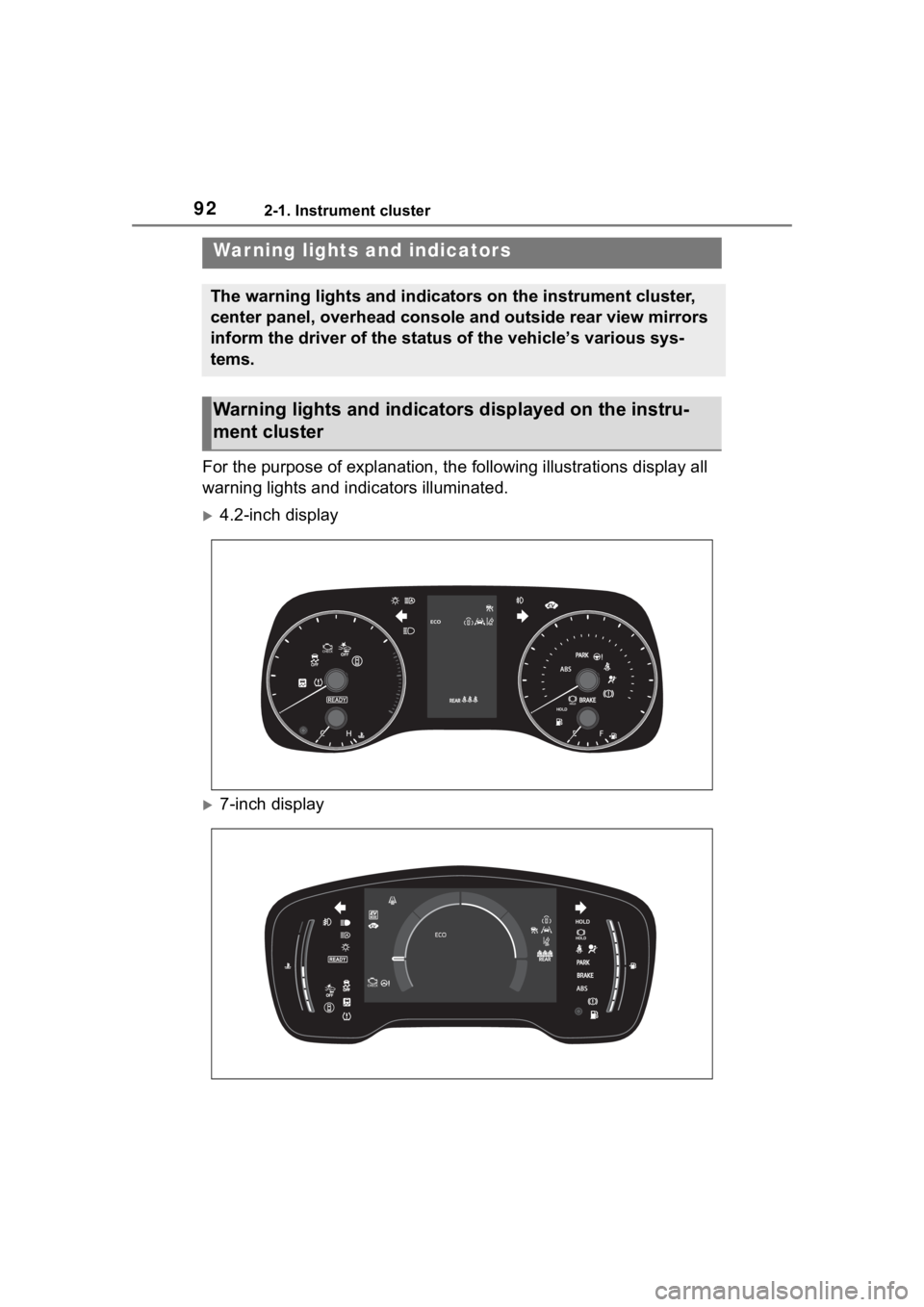
For the purpose of explanation, the following illustrations display all
warning lights and indicators illuminated.
4.2-inch display
7-inch display
War ning lights and indicators
The warning lights and indicators on the instrument cluster,
center panel, overhead console and outside rear view mirrors
inform the driver of the status of the vehicle’s various sys-
tems.
Warning lights and indicators displayed on the instru-
ment cluster
Page 93 of 496
932-1. Instrument cluster
2
Vehicle status information and indicators
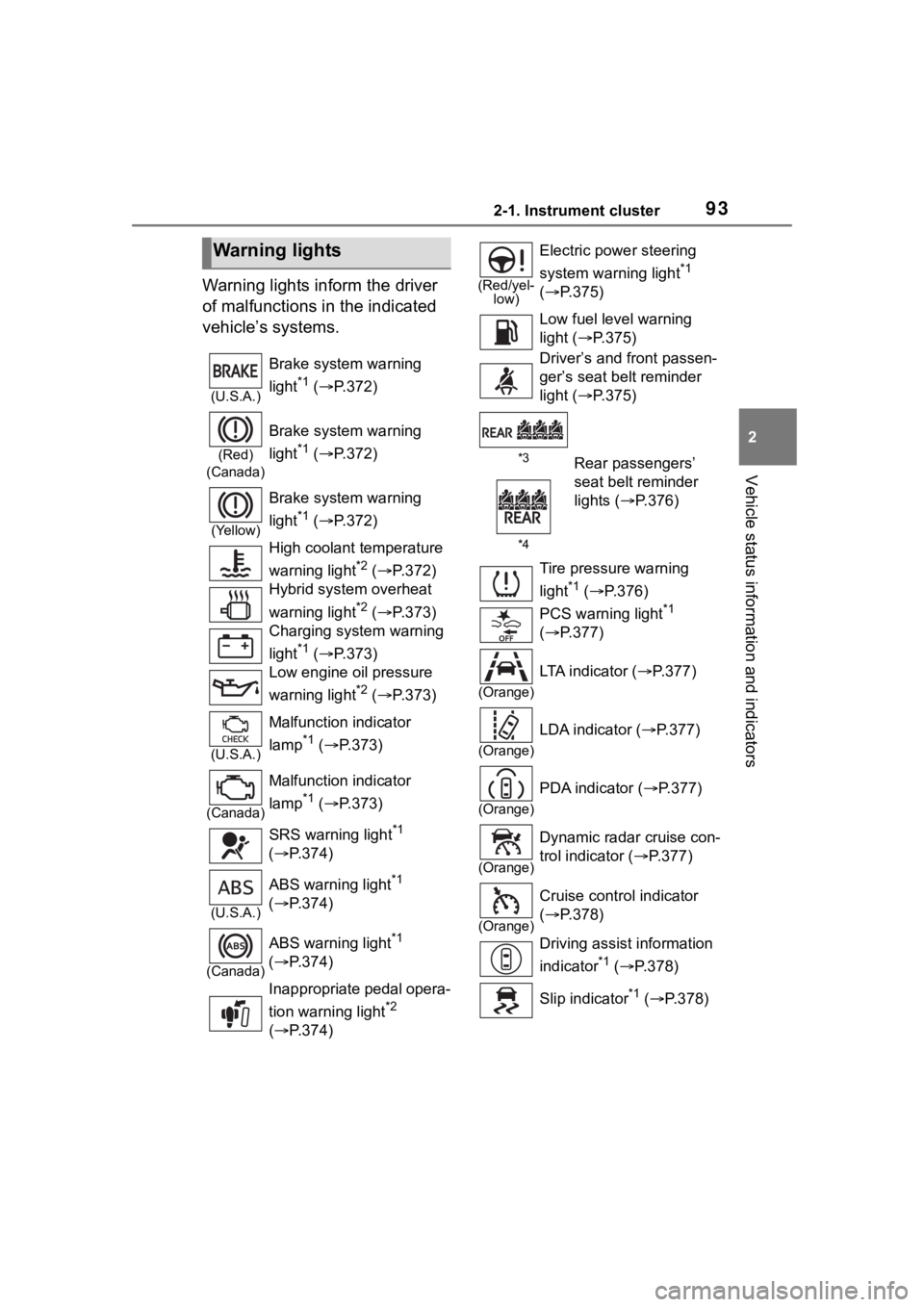
Warning lights inform the driver
of malfunctions in the indicated
vehicle’s systems.
Warning lights
(U.S.A.)
Brake system warning
light
*1 ( P.372)
(Red)
(Canada)
Brake system warning
light
*1 ( P.372)
(Yellow)
Brake system warning
light
*1 ( P.372)
High coolant temperature
warning light
*2 ( P.372)
Hybrid system overheat
warning light
*2 ( P.373)
Charging system warning
light
*1 ( P.373)
Low engine oil pressure
warning light
*2 ( P.373)
(U.S.A.)
Malfunction indicator
lamp
*1 ( P.373)
(Canada)
Malfunction indicator
lamp
*1 ( P.373)
SRS warning light
*1
( P.374)
(U.S.A.)
ABS warning light*1
( P.374)
(Canada)
ABS warning light*1
( P.374)
Inappropriate pedal opera-
tion warning light
*2
( P.374)
(Red/yel-
low)
Electric power steering
system warning light
*1
( P.375)
Low fuel leve l warning
light ( P.375)
Driver’s and front passen-
ger’s seat belt reminder
light ( P.375)
*3Rear passengers’
seat belt reminder
lights ( P.376)
*4
Tire pressure warning
light
*1 ( P.376)
PCS warning light
*1
( P.377)
(Orange)
LTA indicator ( P.377)
(Orange)
LDA indicator ( P.377)
(Orange)
PDA indicator ( P.377)
(Orange)
Dynamic radar cruise con-
trol indicator ( P.377)
(Orange)
Cruise control indicator
( P.378)
Driving assist information
indicator
*1 ( P.378)
Slip indicator
*1 ( P.378)