Page 350 of 608
3505-1. Using the air conditioning system and defogger
4RUNNER (U)■
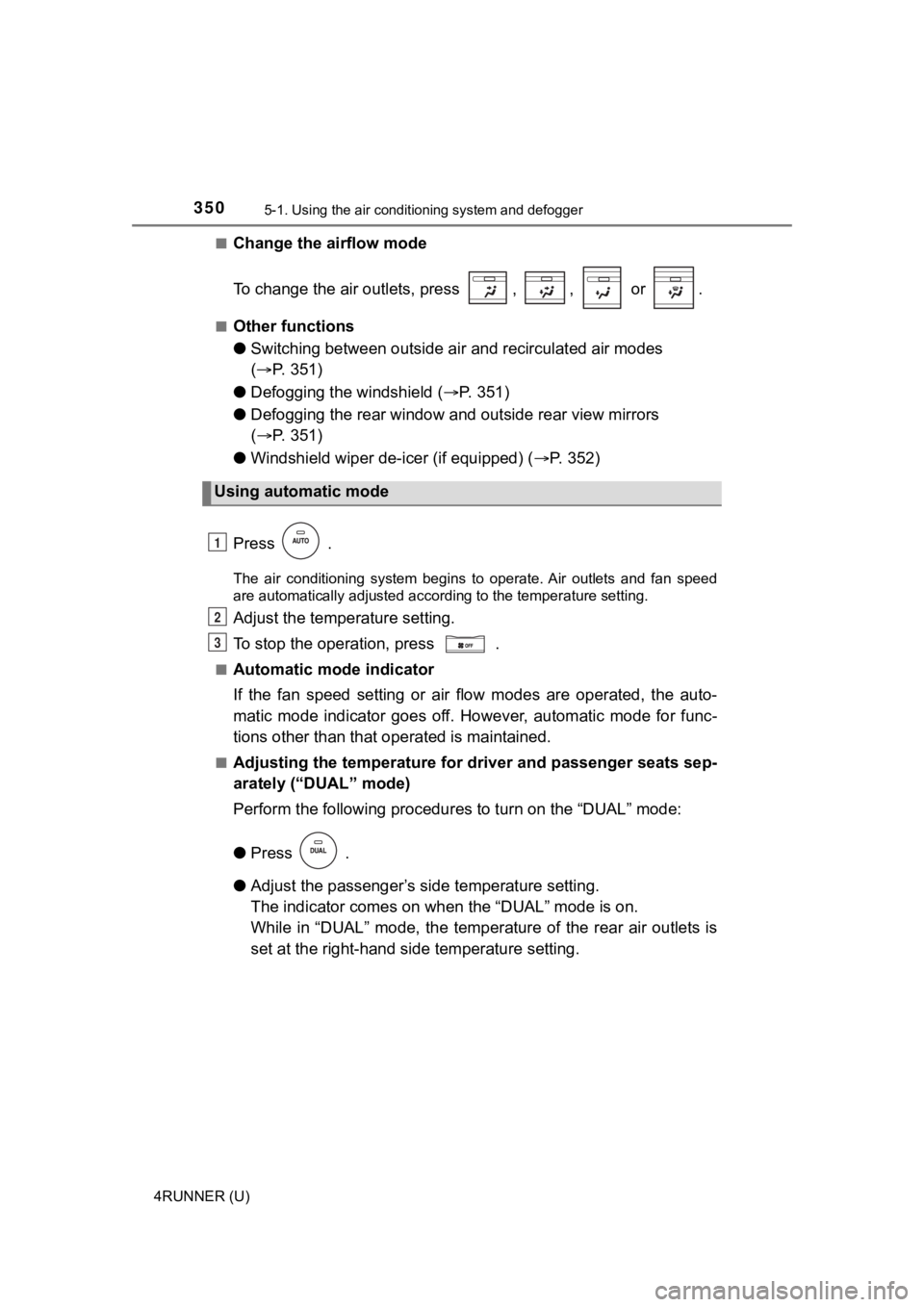
Change the airflow mode
To change the air outlets, press , , or .
■Other functions
●
Switching between outside air and recirculated air modes
( P. 351)
● Defogging the windshield ( P. 3 5 1 )
● Defogging the rear window and outside rear view mirrors
( P. 351)
● Windshield wiper de-icer (if equipped) ( P. 3 5 2 )
Press .
The air conditioning system begins to operate. Air outlets and fan speed
are automatically adjusted according to the temperature setting .
Adjust the temperature setting.
To stop the operation, press .
■Automatic mode indicator
If the fan speed setting or air flow modes are operated, the au to-
matic mode indicator goes off. However, automatic mode for func -
tions other than that o perated is maintained.
■Adjusting the temperature for driver and passenger seats sep-
arately (“DUAL” mode)
Perform the following procedures to turn on the “DUAL” mode:
●Press .
● Adjust the passenger’s side temperature setting.
The indicator comes on when the “DUAL” mode is on.
While in “DUAL” mode, the temperature of the rear air outlets i s
set at the right-hand side temperature setting.
Using automatic mode
1
2
3
Page 353 of 608
3535-1. Using the air conditioning system and defogger
5
Interior features
4RUNNER (U)■
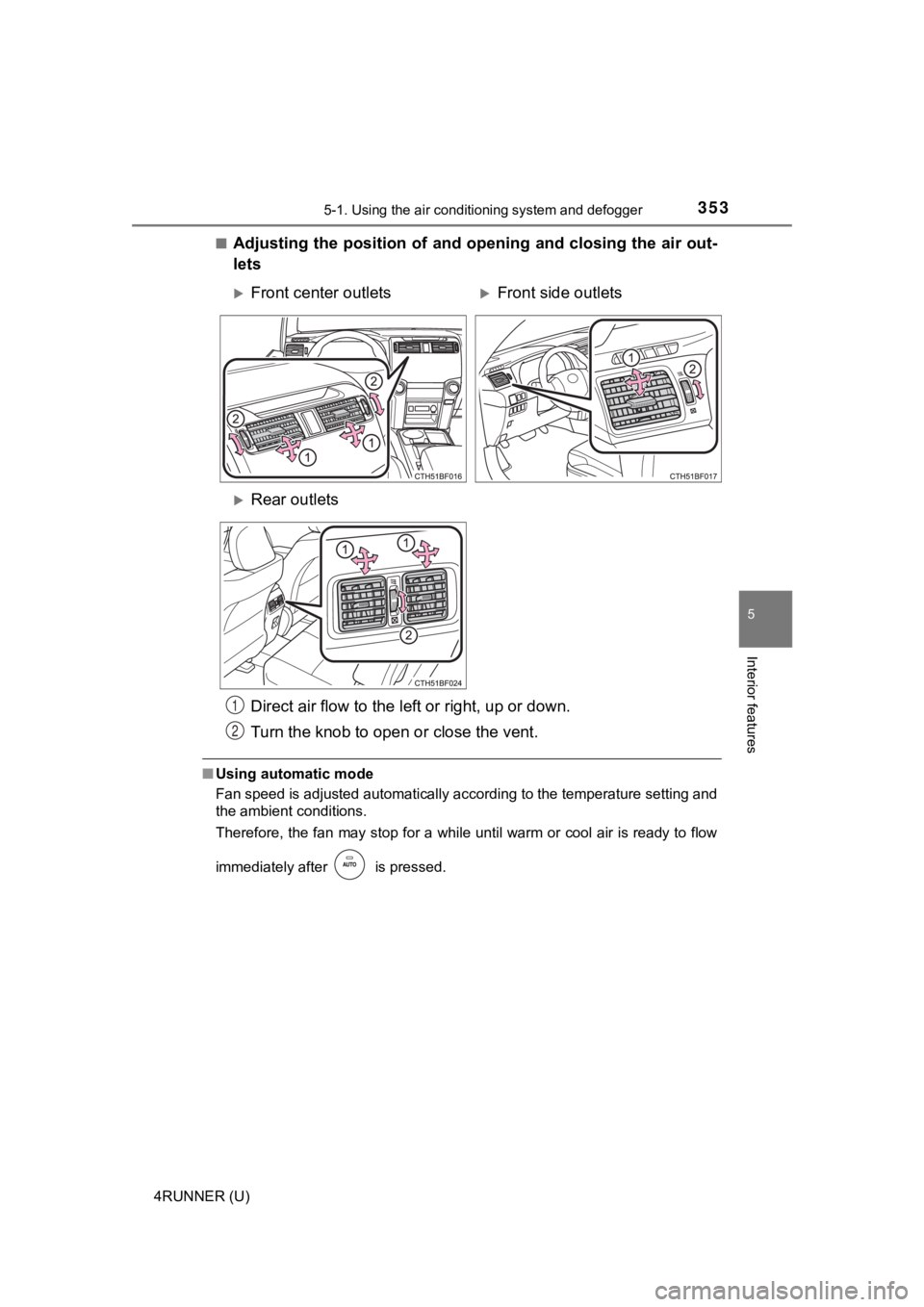
Adjusting the position of and opening and closing the air out-
lets
■
Using automatic mode
Fan speed is adjusted automatically according to the temperatur e setting and
the ambient conditions.
Therefore, the fan may stop for a while until warm or cool air is ready to flow
immediately after is pressed.
Front center outletsFront side outlets
Rear outlets
Direct air flow to the le ft or right, up or down.
Turn the knob to open o r close the vent.
1
2
Page 359 of 608
3595-1. Using the air conditioning system and defogger
5
Interior features
4RUNNER (U)
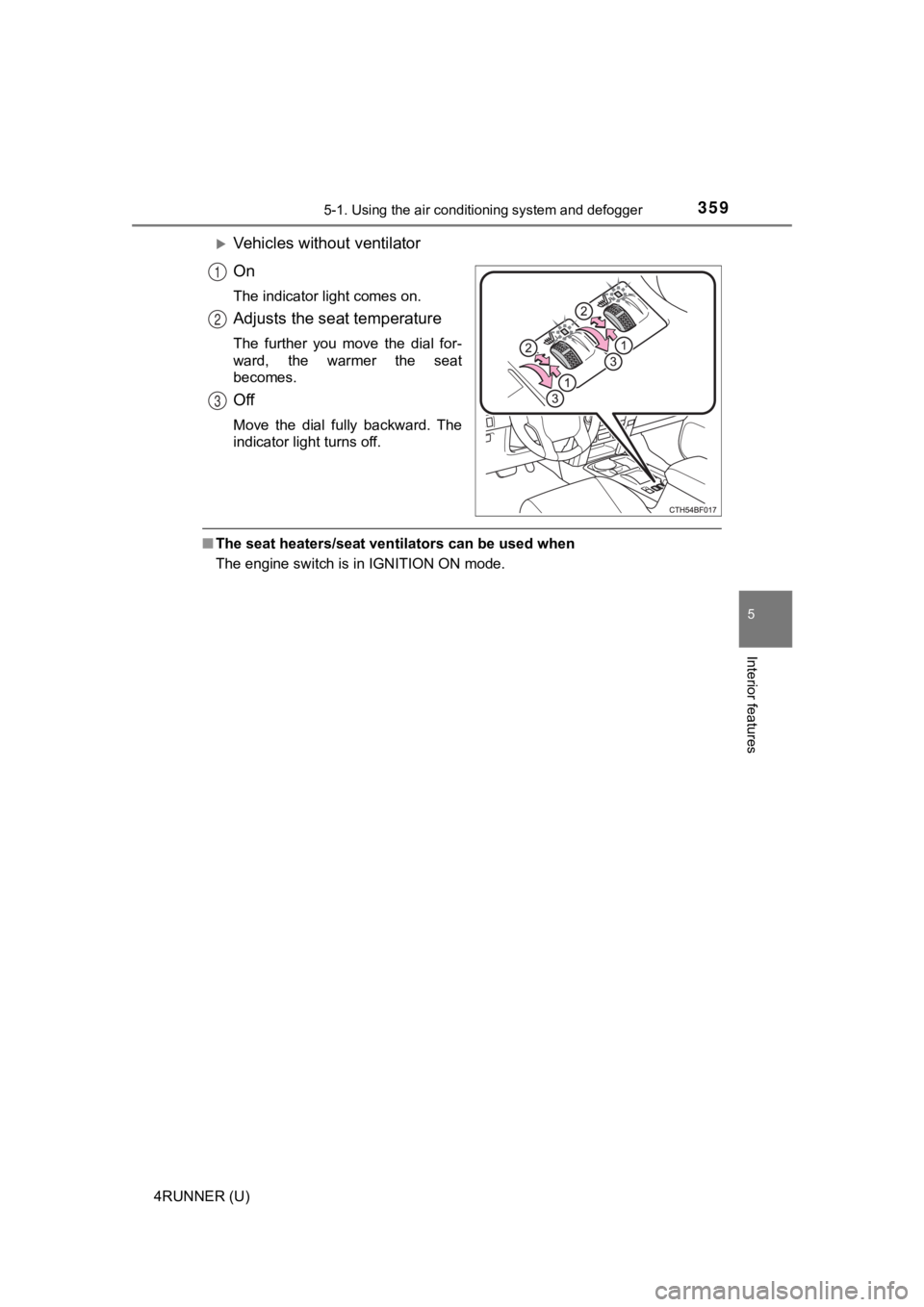
Vehicles without ventilator
On
The indicator light comes on.
Adjusts the seat temperature
The further you move the dial for-
ward, the warmer the seat
becomes.
Off
Move the dial fully backward. The
indicator light turns off.
■The seat heaters/seat ventilators can be used when
The engine switch is in IGNITION ON mode.
1
2
3
Page 366 of 608
3665-3. Using the storage features
4RUNNER (U)
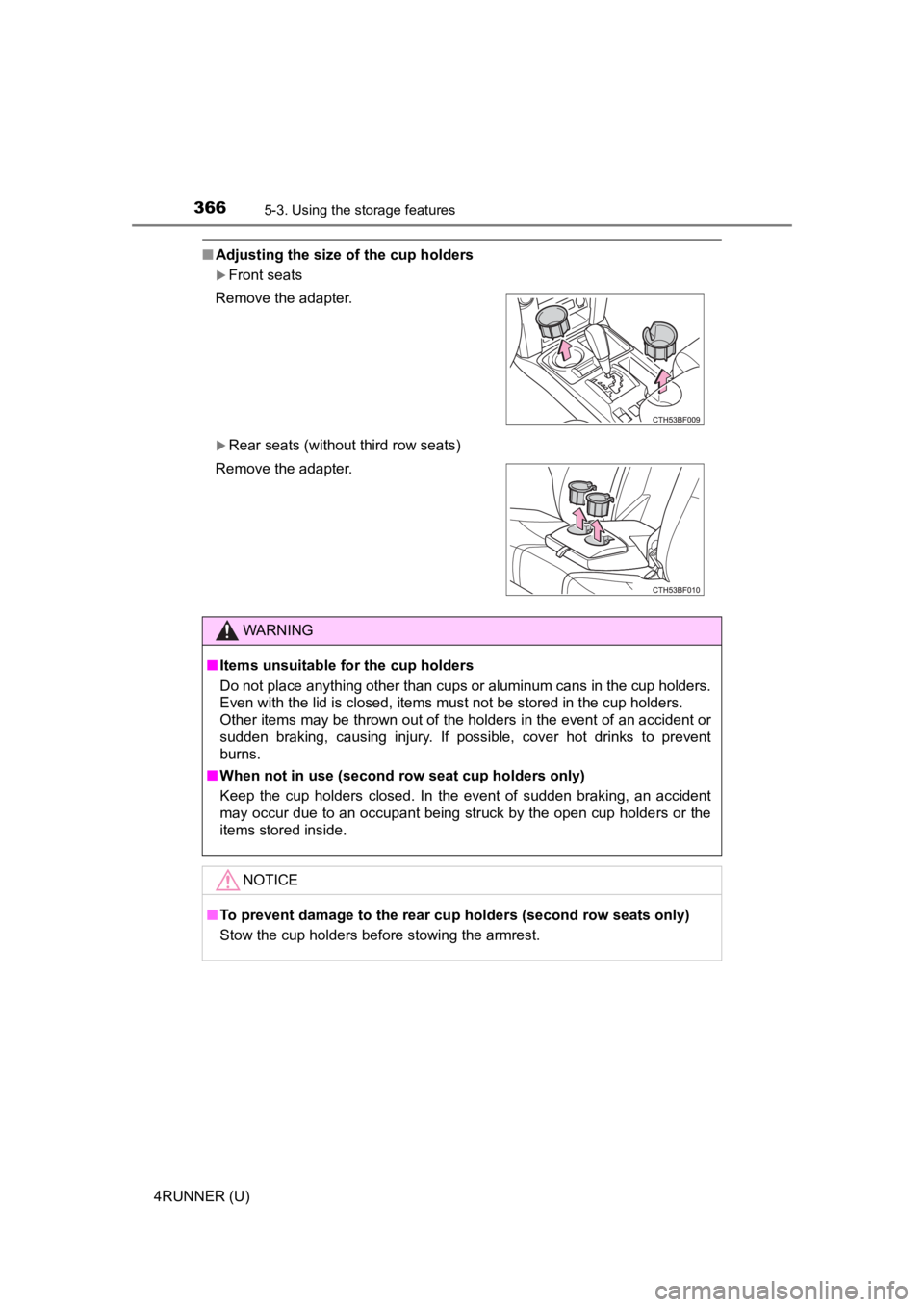
■Adjusting the size of the cup holders
Front seats
Rear seats (without third row seats)
Remove the adapter.
Remove the adapter.
WARNING
■
Items unsuitable f or the cup holders
Do not place anything other than cups or aluminum cans in the c up holders.
Even with the lid is closed, items must not be stored in the cup holders.
Other items may be thrown out of the holders in the event of an accident or
sudden braking, causing injury. If possible, cover hot drinks t o prevent
burns.
■ When not in use (second row seat cup holders only)
Keep the cup holders closed. In the event of sudden braking, an accident
may occur due to an occupant being struck by the open cup holde rs or the
items stored inside.
NOTICE
■ To prevent damage to the rear cup holders (second row seats only)
Stow the cup holders before stowing the armrest.
Page 376 of 608
3765-4. Other interior features
4RUNNER (U)
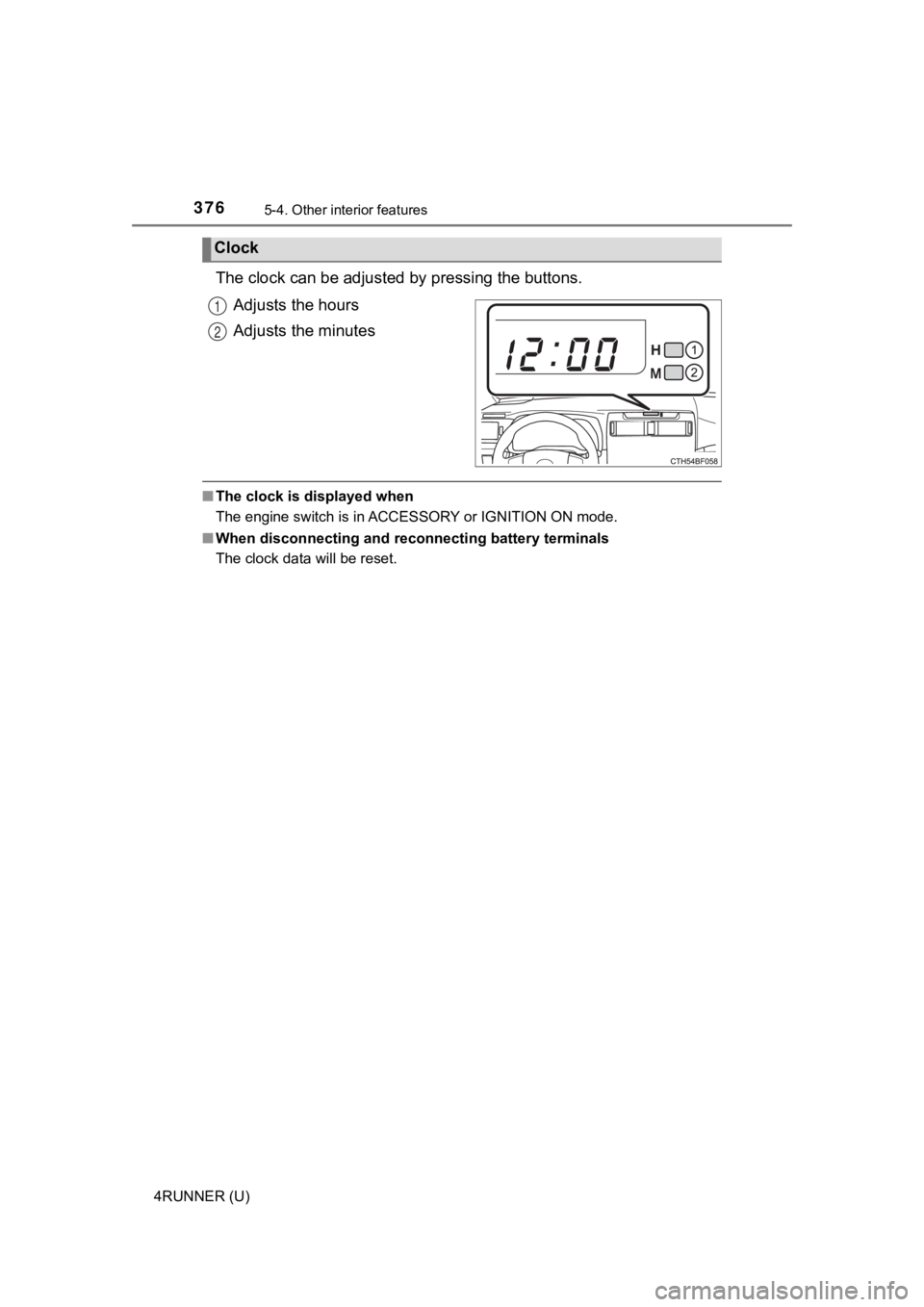
The clock can be adjusted by pressing the buttons.
Adjusts the hours
Adjusts the minutes
■ The clock is displayed when
The engine switch is in ACCESSORY or IGNITION ON mode.
■ When disconnecting and reco nnecting battery terminals
The clock data will be reset.
Clock
1
2
Page 430 of 608

4306-3. Do-it-yourself maintenance
4RUNNER (U)
◆Installing tire pressure warning valve and transmitters
When replacing the tires or wheels, the tire pressure warning v alve
and transmitters must be install ed to the wheels which will be
installed to the vehicle.
When new tire pressure warning valve and transmitters are
installed, new ID codes must be registered in the tire pressure
warning computer and the tire pressure warning system must be
initialized. ( P. 431)
◆Initializing the tire pressure warning system
■The tire pressure warning system must be initialized in the fol-
lowing circumstances:
● When the tire inflation pressure is changed such as when chang-
ing traveling speed or load weight.
● When the tire inflation pressure is changed such as when the ti re
size is changed.
● When rotating the tires.
● After performing the transmitter ID code registration procedure .
( P. 431)
When the tire pressure warning sy stem is initialized, the current tire
inflation pressure is set as the benchmark pressure.
■How to initialize the tire pressure warning system
Park the vehicle in a safe place and turn the engine switch off .
The initialization procedure cannot be started while the vehicle is
moving.
Adjust the tire inflation pressure to the specified cold tire i nflation
pressure level. ( P. 532)
Make sure to adjust the tire pre ssure to the specified cold tire infla-
tion pressure level. The tire pressure warning system will oper ate
based on this pr essure level.
Start the engine. ( P. 1 9 9 )
Select on the multi-information display using the meter con-
trol switches on the steering wheel. ( P. 9 6 )
Select “Vehicle Settings” and then press and hold .
Select “TPWS” and then press .
1
2
3
4
5
6
Page 434 of 608

4346-3. Do-it-yourself maintenance
4RUNNER (U)■
Tire types
●Summer tires
Summer tires are high-speed performance tires best suited to hi
ghway
driving under dry conditions. Si nce summer tires do not have th e same
traction performance as snow tires, summer tires are inadequate for
driving on snow-covered or icy ro ads. For driving on snow-covered
roads or icy roads, the use of snow tires is recommended. When install-
ing snow tires, be sure to replace all four tires.
●All season tires
All season tires are designed to provide better traction in sno w and to
be adequate for driving in most winter conditions as well as fo r use
year-round. All season tires, however, do not have adequate tra ction
performance compared with snow tires in heavy or loose snow. Al so, all
season tires fall short in acceleration and handling performanc e com-
pared with summer tires in highway driving.
●Snow tires
For driving on snow-covered roads or icy roads, we recommend us ing
snow tires. If you need snow tires, select tires of the same si ze, con-
struction and load capacity as t he originally installed tires. Since your
vehicle has radial tires as original equipment, make sure your snow
tires also have radial construct ion. Do not install studded tires without
first checking local regulations for possible restrictions. Sno w tires
should be install ed on all wheels. ( P. 331)
■If the tread on snow tires wea rs down below 0.16 in. (4 mm)
The effectiveness of the tires as snow tires is lost.
■Warning performance of the tire pressure warning system
The warning of the tire pressu re warning system will change in accor-
dance with the conditions under which it was initialized. For t his reason,
the system may give a warning even if the tire pressure does no t reach a
low enough level, or if the pressure is higher than the pressur e that was
adjusted to when the sys tem was initialized.
Page 436 of 608

4366-3. Do-it-yourself maintenance
4RUNNER (U)■
The initialization operation
●Make sure to carry out initializ
ation after adjusting the tire inflation pres-
sure.
Also, make sure the tires are co ld before carrying out initialization or tire
inflation pressure adjustment.
●If you have accidentally turned the engine switch off during in itialization,
it is not necessary to press the reset swit ch again as initialization will
restart automatically when the engine switch has been turned to IGNI-
TION ON mode for the next time.
●If you accidentally press the reset switch when initialization is not neces-
sary, adjust the tire inflation pressure to the specified level when the
tires are cold, and cond uct initialization again.
●While the position of each tire is being determined and the inf lation pres-
sures are not being displayed on the multi-information display, if the
inflation pressure of a tire drops, the tire pressure warning l ight will come
on.
■When initialization of the tire pressure warning system has fai led
●Do not move the vehicle backward during initialization. Initialization is
started again from the beginning and it may take longer than usual.
●Initialization may take longer to complete if the vehicle is driven on an
unpaved road.
When performing initialization, drive on a paved road if possib le.
Depending on the driving environment and condition of the tires , initial-
ization will be complet ed in approximately 10 to 30 minutes.
• If initialization is not complet e after driving approximately 30 minutes,
continue driving for a while.
• If initialization is not complet e after driving approximately 1 hour, park
the vehicle in a safe place for approximately 20 minutes. Then drive
straight (with occasional left a nd right turns) at approximatel y 25 mph
(40 km/h) or more
* for approximately 10 to 30 minutes.
• If initialization is still not co mplete, have the vehicle inspected by your
Toyota dealer.
*: Except when making a left/right turn
●In the following situations, the tire inflation pressure will n ot be recorded
and the system will not operate p roperly. Perform initialization again.
• When operating the tire pressure warning reset switch, the tir e pres-
sure warning light does not blink 3 times.
• After performing initialization, the tire pressure warning light blinks for
1 minute then stays on after driving for about 20 minutes.