2023 TOYOTA 4RUNNER battery
[x] Cancel search: batteryPage 5 of 608

5
1
8 7
6
5
4
3
2
9
4RUNNER (U)6-1. Maintenance and care
Cleaning and protecting the vehicle exterior .......... 396
Cleaning and protecting the vehicle interior ........... 400
6-2. Maintenance Maintenance requirements ................... 403
General maintenance ........ 405
Emission inspection and maintenance (I/M)
programs ......................... 408
6-3. Do-it-yourself maintenance
Do-it-yourself service precautions ..................... 409
Hood.................................. 412
Engine compartment ......... 413
Tires .................................. 427
Tire inflation pressure........ 440
Wheels .............................. 443
Air conditioning filter .......... 445
Electronic key battery ........ 447
Checking and replacing fuses ............................... 450
Light bulbs ......................... 453 7-1. Essential information
Emergency flashers ........... 466
If your vehicle has to be stopped in
an emergency.................. 467
If the vehicle is submerged or water
on the road is rising ......... 468
7-2. Steps to take in an emergency
If your vehicle needs to be towed ...................... 469
If you think something is wrong ........................... 475
Fuel pump shut off system ............................. 476
If a warning light turns on or a warning
buzzer sounds ................. 477
If a warning message is displayed...................... 488
If you have a flat tire .......... 493
If the engine will not start ................................. 509
If you cannot operate back door opener ............ 511
If the electronic key does not operate
properly ........................... 512
If the vehicle battery is discharged ................... 515
If your vehicle overheats......................... 519
If the vehicle becomes stuck ................................ 522
6Maintenance and care7When trouble arises
Page 79 of 608

791-3. Theft deterrent system
1
For safety and security
4RUNNER (U)
The alarm uses light and sound to give an alert when an intrusion is
detected.
The alarm is triggered in the following situations when the ala rm is
set:
● A locked door is unlocked or opened in any way other than using
the entry function, wireless remote control or mechanical key. (The
doors will lock aga in automatically.)
● The hood is opened.
● The battery is reconnected.
Close the doors and hood, and
lock all the doors. The system will
be set automatically after 30 sec-
onds.
The indicator light changes from
being on to flashing when the sys-
tem is set.
Do one of the following to deac tivate or stopping the alarms:
● Unlock the doors.
● Turn the engine switch is in ACCESSORY or IGNITION ON mode,
or start the engine. (The alarm will be deactivated or stopped after a
few seconds.)
Alar m
: If equipped
The alarm
Setting the alarm system
Deactivating or stopping the alarm
Page 80 of 608

801-3. Theft deterrent system
4RUNNER (U)
■System maintenance
The vehicle has a maintenance-free type alarm system.
■ Items to check before locking the vehicle
To prevent unexpected triggering of the alarm and vehicle theft, make sure of
the following:
●Nobody is in the vehicle.
● The windows and moon roof are closed before the alarm is set.
● No valuables or other personal items are left in the vehicle.
■ Triggering of the alarm
The alarm may be triggered in the following situations:
(Stopping the alarm deactivates the alarm system.)
■ Alarm-operated door lock
●When the alarm is operating, the doors are locked automatically to prevent
intruders.
● Do not leave the key inside the vehicle when the alarm is operating, and
make sure the key is not inside the vehicle when recharging or replacing the
battery.
●
A person inside the vehicle opens a door
or the hood.
● The battery is recharged or replaced
when the vehicle is locked.
NOTICE
■To ensure the system operates correctly
Do not modify or remove the system. If modified or removed, the proper
operation of the system cannot be guaranteed.
Page 95 of 608
952. Instrument cluster
2
Instrument cluster
4RUNNER (U)
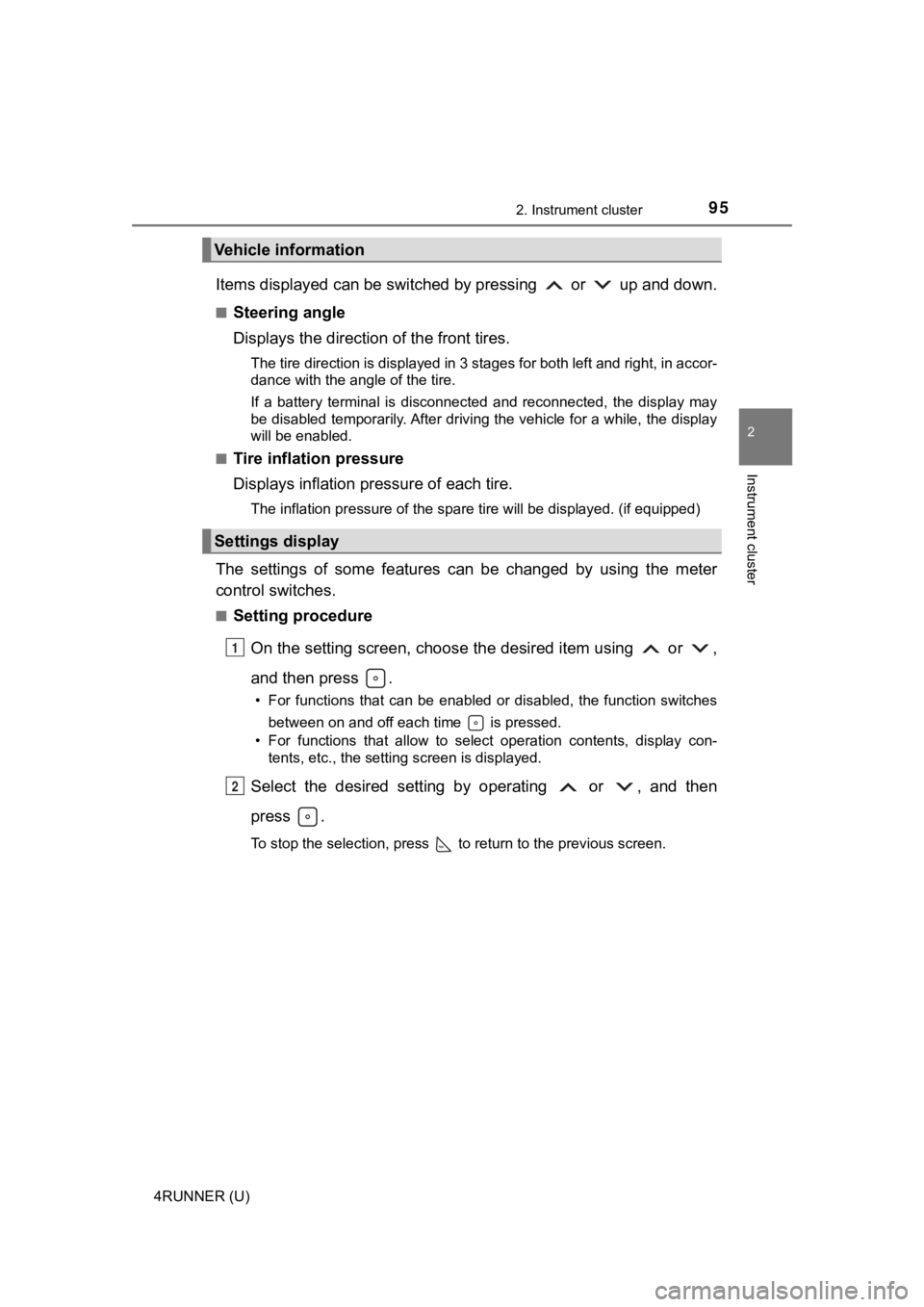
Items displayed can be switched by pressing or up and down.
■Steering angle
Displays the direction of the front tires.
The tire direction is displayed in 3 stages for both left and right, in accor-
dance with the angle of the tire.
If a battery terminal is disconnected and reconnected, the disp lay may
be disabled temporarily. After driving the vehicle for a while, the display
will be enabled.
■
Tire inflation pressure
Displays inflation pressure of each tire.
The inflation pressure of the spare tire will be displayed. (if equipped)
The settings of some features can be changed by using the meter
control switches.
■Setting procedure
On the setting screen, choose the desired item using or ,
and then press .
• For functions that can be enabled or disabled, the function switches between on and off each time is pressed.
• For functions that allow to select operation contents, display con- tents, etc., the setting screen is displayed.
Select the desired setting by operating or , and then
press .
To stop the selection, press to return to the previous screen.
Vehicle information
Settings display
1
2
Page 100 of 608
1002. Instrument cluster
4RUNNER (U)
WARNING
■Caution for use while driving
For safety, avoid operating the meter control switches while dr iving as much
as possible, and do not look continuously at the multi-informat ion display
while driving. Stop the vehicle and operate the meter control switches. Fail-
ure to do so may cause a steering wheel operation error, resulting in an
unexpected accident.
■ Cautions while setting up the display
As the engine needs to be running during setting up the display , ensure that
the vehicle is parked in a place with adequate ventilation. In a closed area
such as a garage, exhaust gases including harmful carbon monoxi de (CO)
may collect and enter the vehicle. This may lead to death or a serious
health hazard.
■ The multi-information display at low temperatures
Allow the interior of the vehicle to warm up before using the multi-informa-
tion display. At extremely low temperatures, the multi-information display
monitor may respond slowly, and display changes may be delayed.
For example, there is a lag between the driver’s shifting and the new gear
number appearing on the display. This lag could cause the drive r to down-
shift again, causing rapid and excessive engine braking and pos sibly an
accident resulting in death or serious injury.
NOTICE
■ While setting up the display
To prevent battery discharge, ensure that the engine is running while setting
up the display features.
Page 104 of 608

1043-1. Key information
4RUNNER (U)■
Key battery depletion
●The standard battery life is 1 to 2 years.
● If the battery becomes low, an alarm will sound in the cabin wh en the engine
stops.
● As the electronic key always receives radio waves, the battery will become
depleted even if the electronic key is not used. The following symptoms indi-
cate that the electronic key battery may be depleted. Replace the battery
when necessary. ( P. 447)
• The smart key system or the wireless remote control does not o perate.
• The detection area becomes smaller.
• The LED indicator on the key surface does not turn on.
● To avoid serious deterioration, do not leave the electronic key within 3 ft. (1
m) of the following electrical appliances that produce a magnet ic field:
•TVs
• Personal computers
• Cellular phones, cordless phones and battery chargers
• Recharging cellular phones or cordless phones
• Table lamps
• Induction cookers
■ Precautions when disconnecting the battery
●In some cases, it may not be possible to unlock the doors using the smart
key system immediately after the battery has been disconnected. Use the
wireless remote control or the mechanical key to lock or unlock the doors.
● The engine may not start on the first attempt after reconnectin g the battery
but will start normally after the second attempt. This is not a malfunction.
● The engine switch mode is memorized by the vehicle. When the ba ttery is
reconnected, the system will return to the mode it was in befor e the battery
was disconnected. Before disconnecting the battery, turn the en gine switch
off.
If you are unsure what mode the engine switch was in when the b attery was
disconnected, be especially careful when reconnecting the batte ry.
■ Replacing the battery
P. 447
■ Confirmation of the registered key number
The number of keys already registered to the vehicle can be confirmed. Ask
your Toyota dealer for details.
■ If a wrong key is used
The key cylinder rotates freely to isolate inside mechanism.
Page 107 of 608
1073-1. Key information
3
Operation of each component
4RUNNER (U)
■Operation signals
A buzzer sounds and the emergency flashers flash to indicate th at the doors
have been locked/unlocked. (Locked: once; Unlocked: twice)
■ Security feature
If a door is not opened within approximately 60 seconds after t he vehicle is
unlocked, the security feature automatically locks the vehicle again. (How-
ever, depending on the location of the electronic key, the key may be
detected as being in the vehicle. In this case, vehicle may be unlocked.)
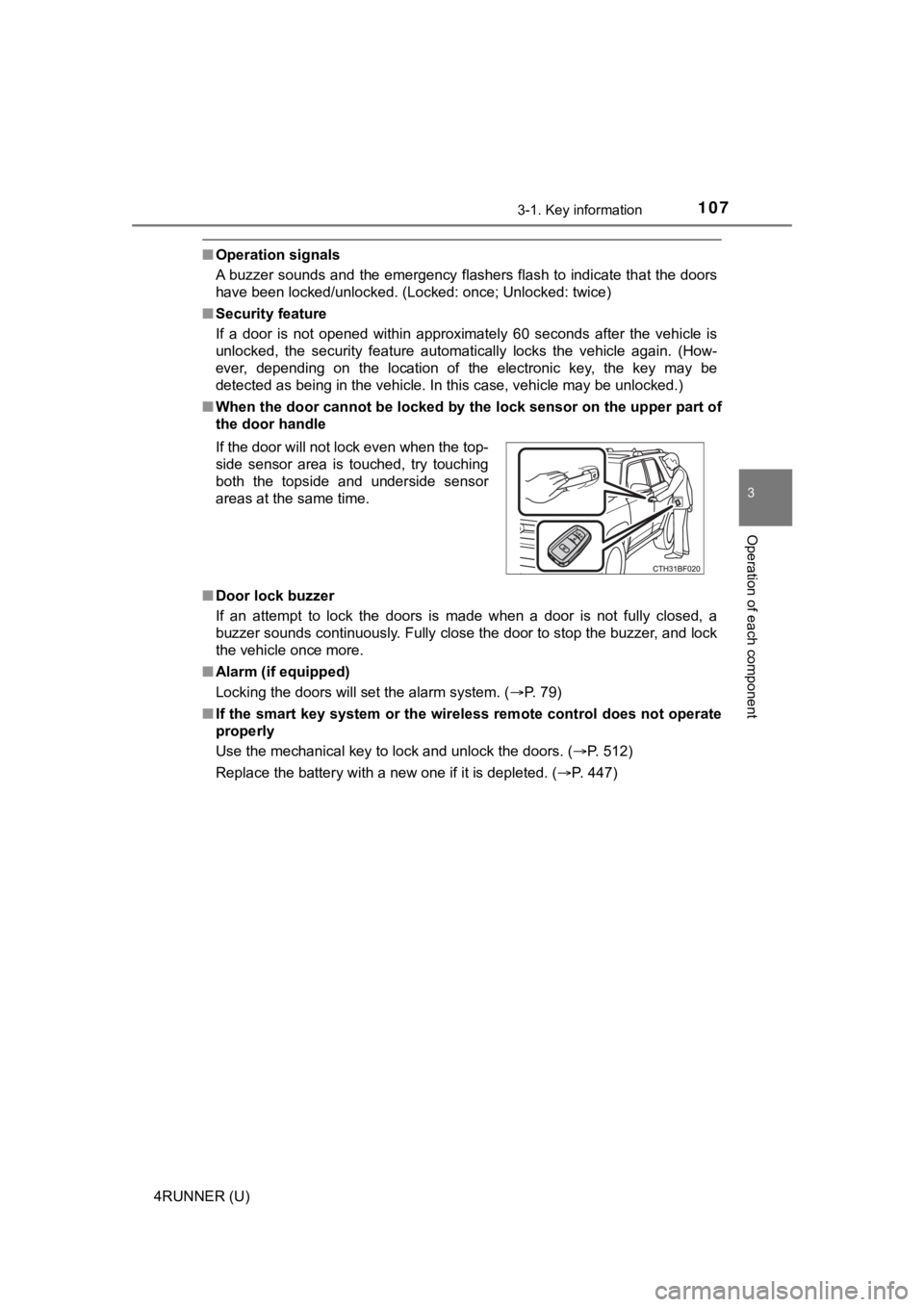
■ When the door cannot be locked by the lock sensor on the upper part of
the door handle
■ Door lock buzzer
If an attempt to lock the doors is made when a door is not full y closed, a
buzzer sounds continuously. Fully close the door to stop the bu zzer, and lock
the vehicle once more.
■ Alarm (if equipped)
Locking the doors will set the alarm system. ( P. 79)
■ If the smart key system or the wireless remote control does not operate
properly
Use the mechanical key to lock and unlock the doors. ( P. 512)
Replace the battery with a new one if it is depleted. ( P. 447)
If the door will not lock even when the top-
side sensor area is touched, try touching
both the topside and underside sensor
areas at the same time.
Page 116 of 608
1163-2. Opening, closing and locking the doors
4RUNNER (U)■
Battery-saving function
The battery-saving function will be activated in order to preve nt the electronic
key battery and the vehicle battery from being discharged while the vehicle is
not in operation for a long time.
● In the following situations, the smart key system may take some time to
unlock the doors.
• The electronic key has been left in an area of approximately 6 ft. (2 m) of
the outside of the vehicle for 10 minutes or longer.
• The smart key system has not been used for 5 days or longer.
● If the smart key system has not been used for 14 days or longer , the doors
cannot be unlocked at any doors except the driver’s door. In th is case, take
hold of the driver’s door handle, or use the wireless remote co ntrol or the
mechanical key, to unlock the doors.
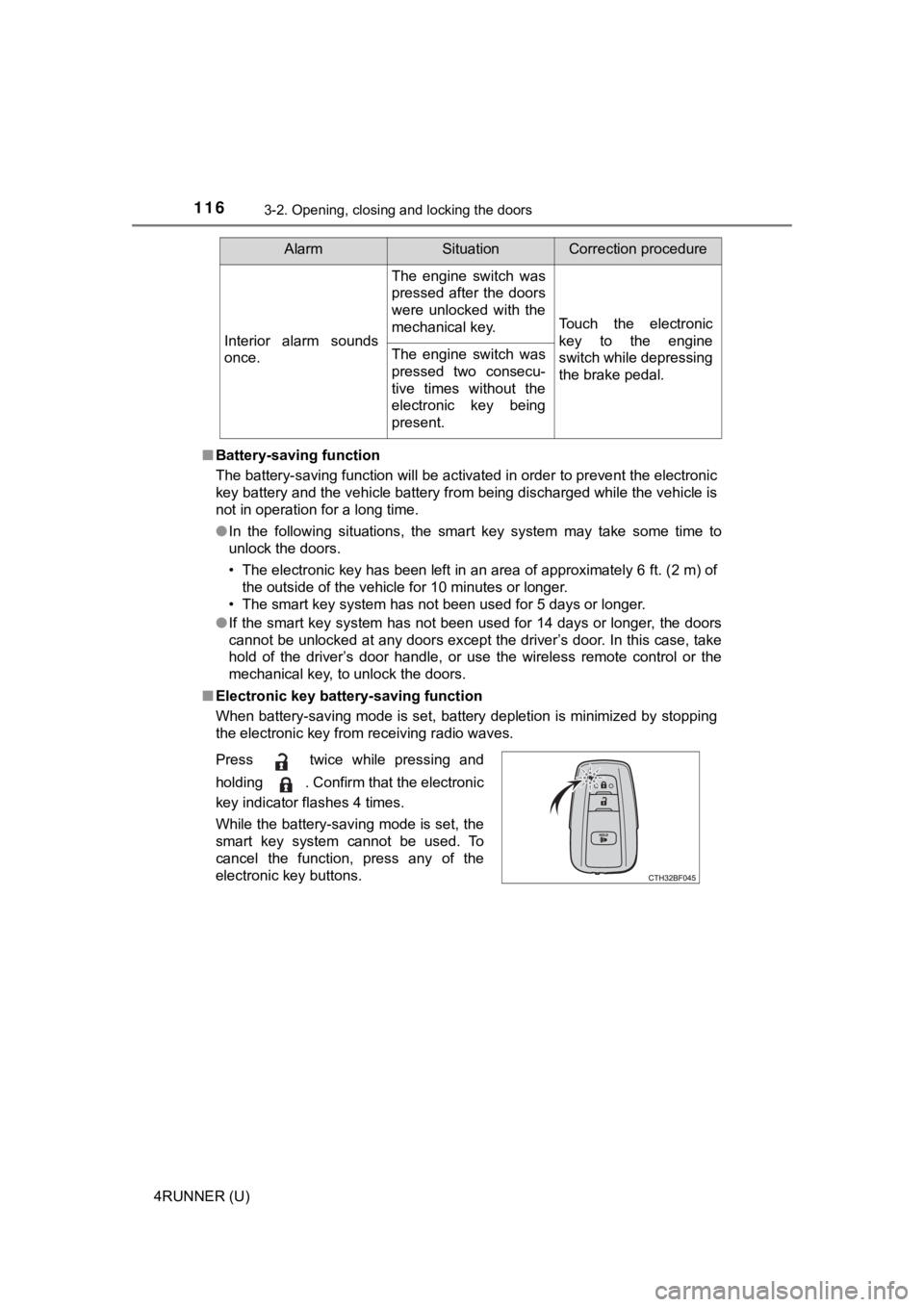
■ Electronic key battery-saving function
When battery-saving mode is set, battery depletion is minimized by stopping
the electronic key from receiving radio waves.
Interior alarm sounds
once.
The engine switch was
pressed after the doors
were unlocked with the
mechanical key.
Touch the electronic
key to the engine
switch while depressing
the brake pedal.
The engine switch was
pressed two consecu-
tive times without the
electronic key being
present.
AlarmSituationCorrection procedure
Press twice while pressing and
holding . Confirm that the electronic
key indicator flashes 4 times.
While the battery-saving mode is set, the
smart key system cannot be used. To
cancel the function, press any of the
electronic key buttons.