Page 223 of 608
2234-3. Operating the lights and wipers
4
Driving
4RUNNER (U)
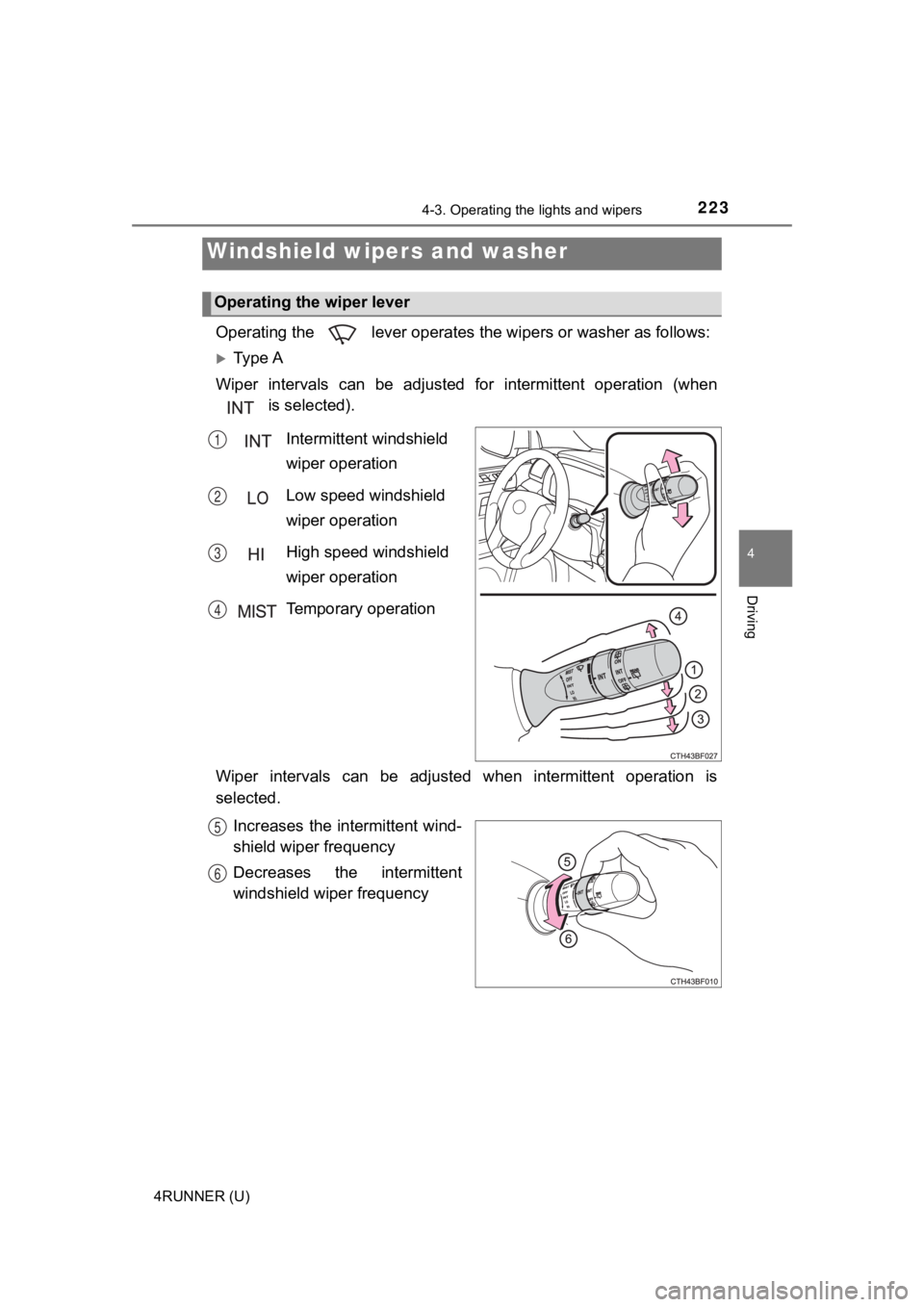
Operating the lever operates the wipers or washer as follows:
Ty p e A
Wiper intervals can be adjusted for intermittent operation (whe n
is selected).
Intermittent windshield
wiper operation
Low speed windshield
wiper operation
High speed windshield
wiper operation
Temporary operation
Wiper intervals can be adjusted when intermittent operation is
selected. Increases the intermittent wind-
shield wiper frequency
Decreases the intermittent
windshield wiper frequency
Windshield wipers and washer
Operating the wiper lever
1
2
3
4
5
6
Page 224 of 608
2244-3. Operating the lights and wipers
4RUNNER (U)
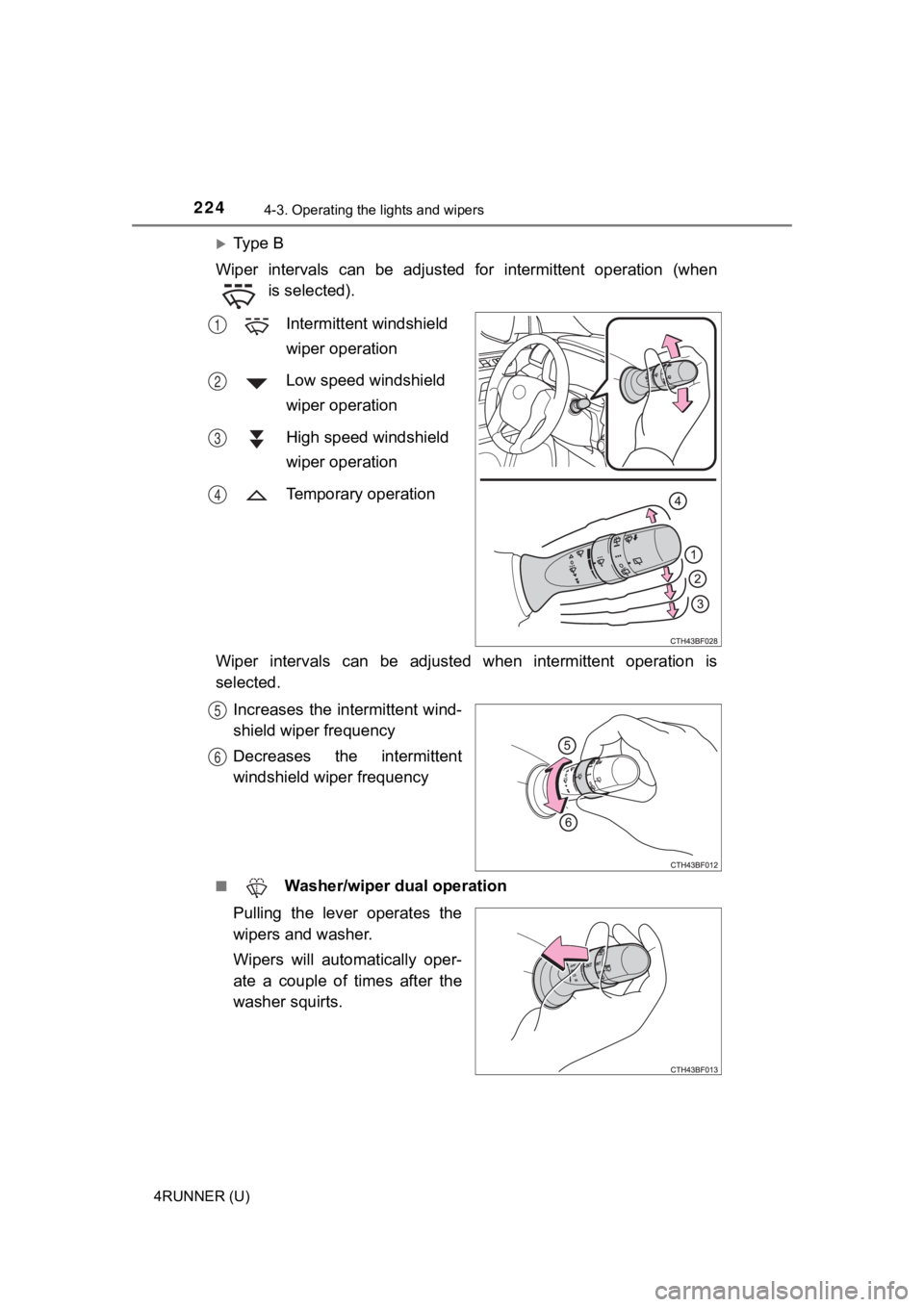
Ty p e B
Wiper intervals can be adjusted for intermittent operation (whe n
is selected).
Intermittent windshield
wiper operation
Low speed windshield
wiper operation
High speed windshield
wiper operation
Temporary operation
Wiper intervals can be adjusted when intermittent operation is
selected. Increases the intermittent wind-
shield wiper frequency
Decreases the intermittent
windshield wiper frequency
■ Washer/wiper dual operation
Pulling the lever operates the
wipers and washer.
Wipers will automatically oper-
ate a couple of times after the
washer squirts.
1
2
3
4
5
6
Page 263 of 608
2634-5. Using the driving support systems
4
Driving
4RUNNER (U)
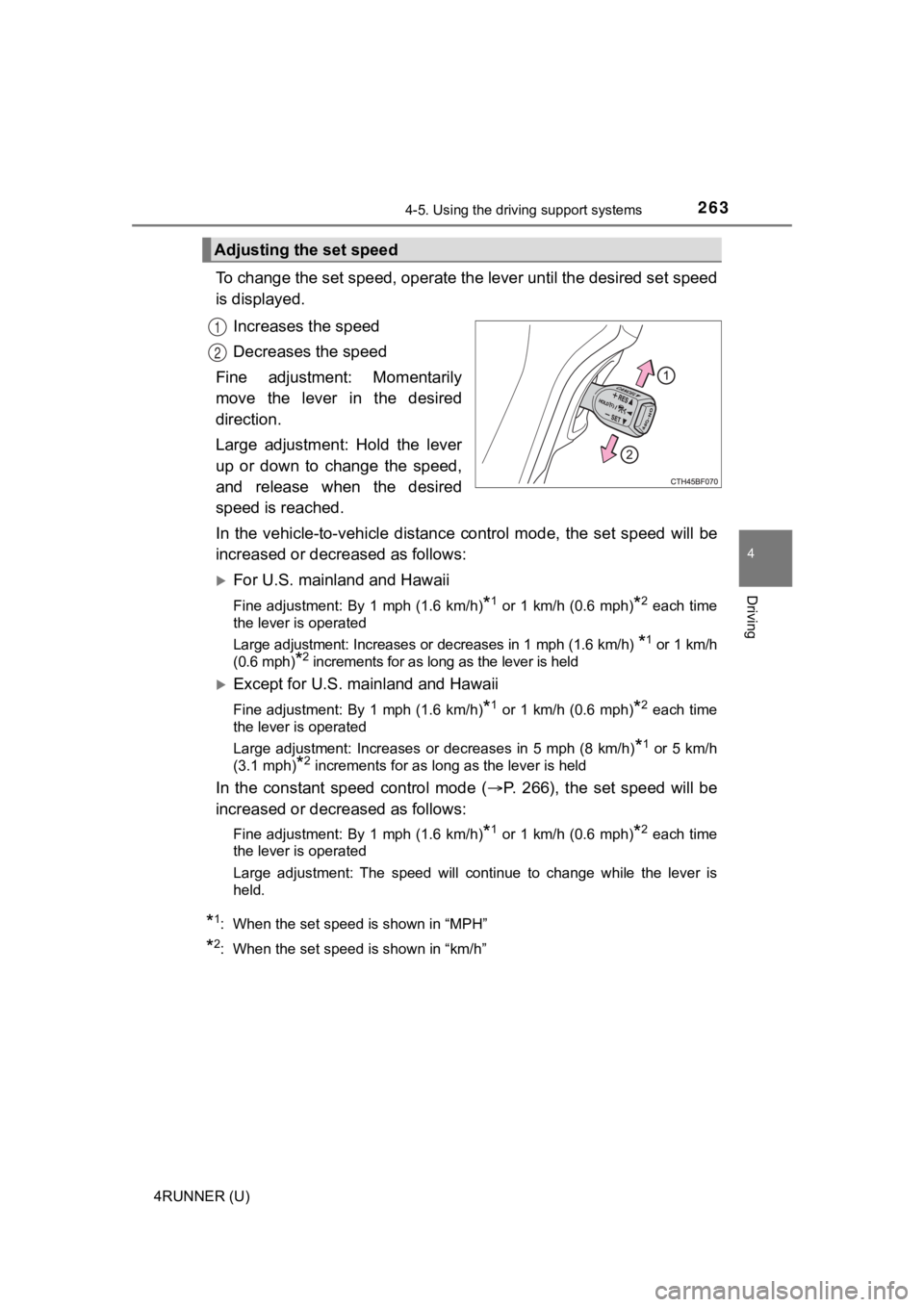
To change the set speed, operate the lever until the desired set speed
is displayed.
Increases the speed
Decreases the speed
Fine adjustment: Momentarily
move the lever in the desired
direction.
Large adjustment: Hold the lever
up or down to change the speed,
and release when the desired
speed is reached.
In the vehicle-to-vehicle distance control mode, the set speed will be
increased or decreased as follows:
For U.S. mainland and Hawaii
Fine adjustment: By 1 mph (1.6 km/h)*1 or 1 km/h (0.6 mph)*2 each time
the lever is operated
Large adjustment: Increases or decreases in 1 mph (1.6 km/h)
*1 or 1 km/h
(0.6 mph)
*2 increments for as long as the lever is held
Except for U.S. mainland and Hawaii
Fine adjustment: By 1 mph (1.6 km/h)*1 or 1 km/h (0.6 mph)*2 each time
the lever is operated
Large adjustment: Increases or decreases in 5 mph (8 km/h)
*1 or 5 km/h
(3.1 mph)
*2 increments for as long as the lever is held
In the constant speed control mode ( P. 266), the set speed will be
increased or decreased as follows:
Fine adjustment: By 1 mph (1.6 km/h)*1 or 1 km/h (0.6 mph)*2 each time
the lever is operated
Large adjustment: The speed will continue to change while the l ever is
held.
*1: When the set speed is shown in “MPH”
*2: When the set speed is shown in “km/h”
Adjusting the set speed
1
2
Page 266 of 608
2664-5. Using the driving support systems
4RUNNER (U)
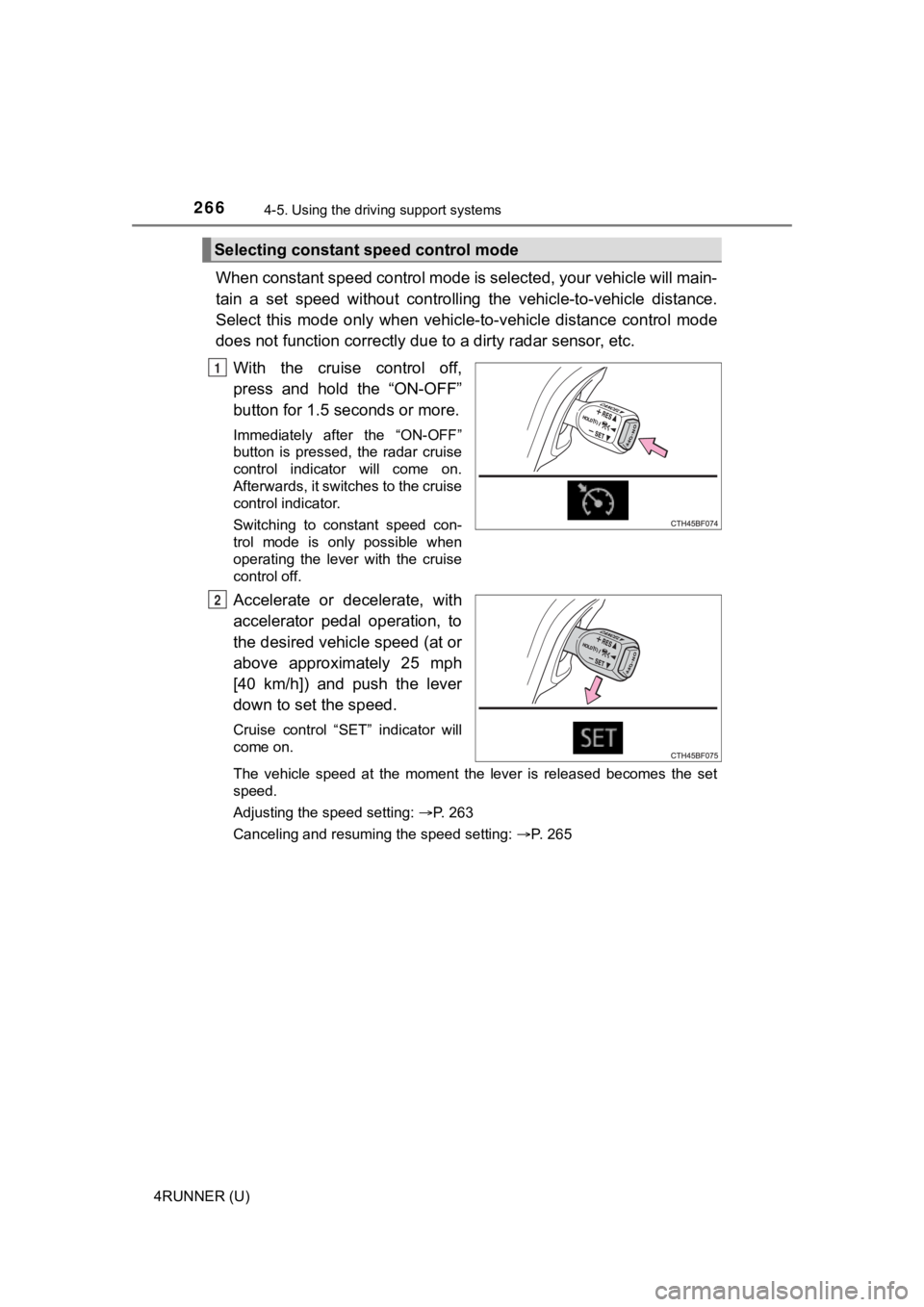
When constant speed control mode is selected, your vehicle will main-
tain a set speed without controllin g the vehicle-to-vehicle distance.
Select this mode only when vehic le-to-vehicle distance control mode
does not function correctly due to a dirty radar sensor, etc.
With the cruise control off,
press and hold the “ON-OFF”
button for 1.5 seconds or more.
Immediately after the “ON-OFF”
button is pressed, the radar cruise
control indicator will come on.
Afterwards, it switches to the cruise
control indicator.
Switching to constant speed con-
trol mode is only possible when
operating the lever with the cruise
control off.
Accelerate or decelerate, with
accelerator pedal operation, to
the desired vehicle speed (at or
above approximately 25 mph
[40 km/h]) and push the lever
down to set the speed.
Cruise control “SET” indicator will
come on.
The vehicle speed at the moment the lever is released becomes the set
speed.
Adjusting the speed setting: P. 263
Canceling and resuming the speed setting: P. 265
Selecting constant speed control mode
1
2
Page 342 of 608
342
4RUNNER (U)
5-1. Using the air conditioning system and defogger
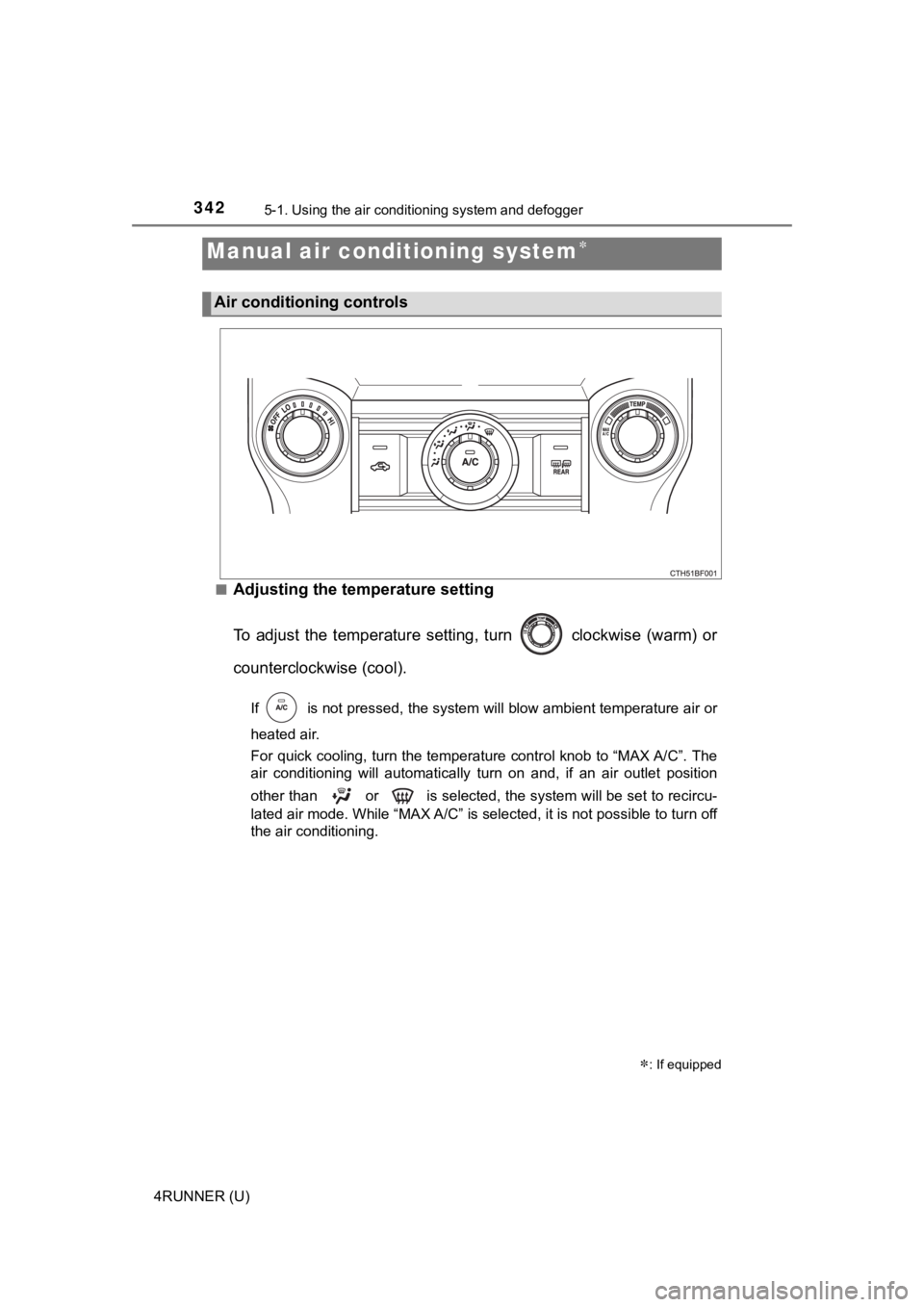
■Adjusting the temperature setting
To adjust the temperature setting, turn clockwise (warm) or
counterclockwise (cool).
If is not pressed, the system will blow ambient temperature air o r
heated air.
For quick cooling, turn the temperature control knob to “MAX A/ C”. The
air conditioning will automatically turn on and, if an air outl et position
other than or is selected, the system will be set to recircu-
lated air mode. While “MAX A/C” is selected, it is not possible to turn off
the air conditioning.
Manual air conditioning system
: If equipped
Air conditioning controls
Page 343 of 608
3435-1. Using the air conditioning system and defogger
5
Interior features
4RUNNER (U)■
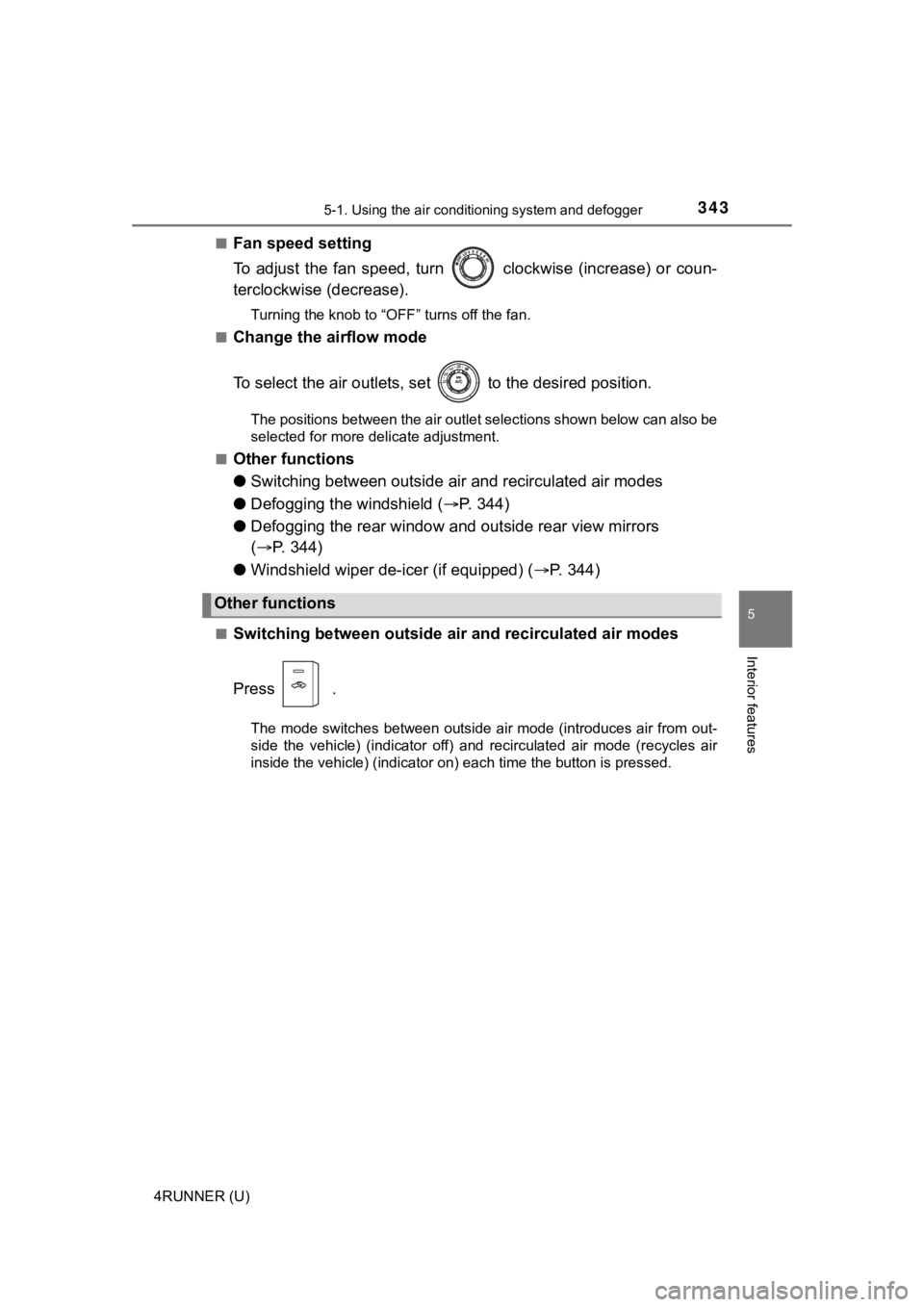
Fan speed setting
To adjust the fan speed, turn clockwise (increase) or coun-
terclockwise (decrease).
Turning the knob to “OFF” turns off the fan.
■
Change the airflow mode
To select the air outlets, set to the desired position.
The positions between the air outlet selections shown below can also be
selected for more delicate adjustment.
■
Other functions
● Switching between outside a ir and recirculated air modes
● Defogging the windshield ( P. 3 4 4 )
● Defogging the rear window and outside rear view mirrors
( P. 344)
● Windshield wiper de-icer (if equipped) ( P. 3 4 4 )
■Switching between outside air and recirculated air modes
Press .
The mode switches between outside air mode (introduces air from out-
side the vehicle) (indicator off) and recirculated air mode (re cycles air
inside the vehicle) (indicator on) each time the button is pressed.
Other functions
Page 345 of 608
3455-1. Using the air conditioning system and defogger
5
Interior features
4RUNNER (U)■
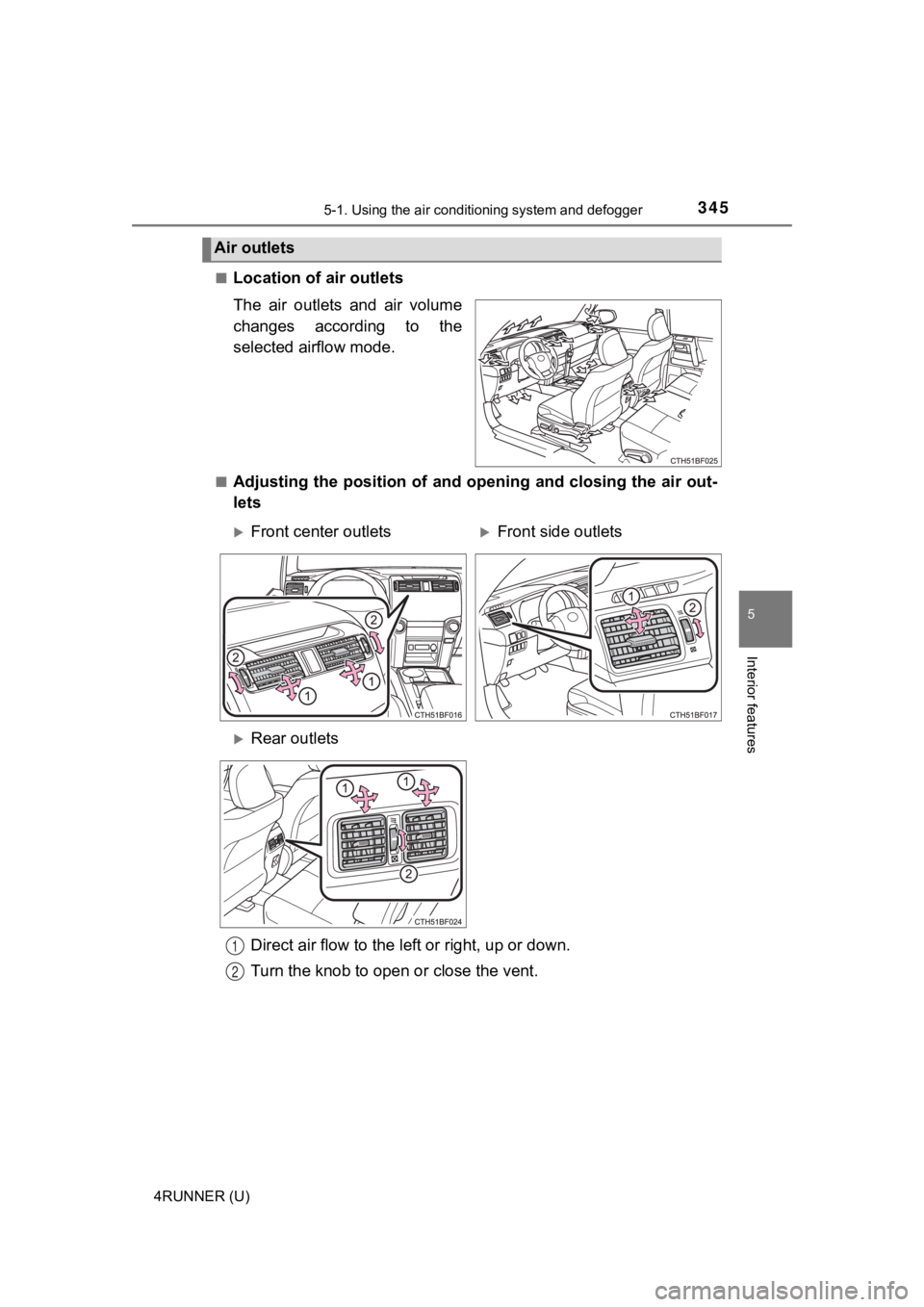
Location of a
ir outlets
The air outlets and air volume
changes according to the
selected airflow mode.
■Adjusting the position of and opening and closing the air out-
lets
Air outlets
Front center outletsFront side outlets
Rear outlets
Direct air flow to the le ft or right, up or down.
Turn the knob to open o r close the vent.
1
2
Page 349 of 608
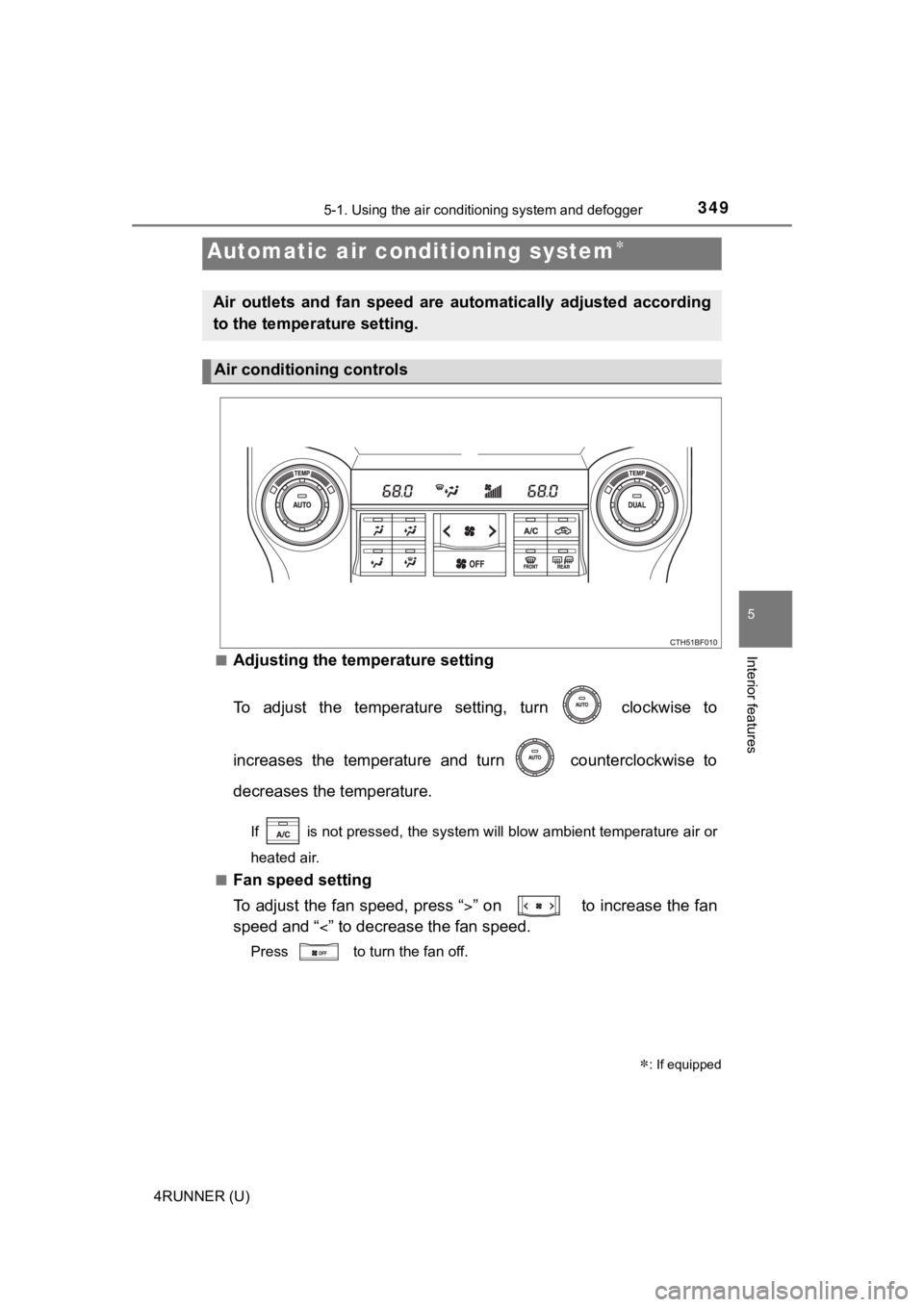
3495-1. Using the air conditioning system and defogger
5
Interior features
4RUNNER (U)■
Adjusting the temperature setting
To adjust the temperature setting, turn clockwise to
increases the temperature and turn counterclockwise to
decreases the temperature.
If is not pressed, the system will blow ambient temperature ai
r or
heated air.
■
Fan speed setting
To adjust the fan speed, press “ ” on to increase the fan
speed and “ ” to decrease the fan speed.
Press to turn the fan off.
Automatic air conditioning system
: If equipped
Air outlets and fan speed are automatically adjusted according
to the temperature setting.
Air conditioning controls