2023 SUBARU SOLTERRA battery
[x] Cancel search: batteryPage 105 of 628
1052-2. Charging
Owners Manual_USA_M42C01_en
2
Electric Vehicle system
■Charging electricity
This vehicle can be charged up to
approximately 7 kW.
However, depending on the used
charger or AC charging cable,
charging electrici ty may be limited.How to use AC
charging
This section explains the
procedure for charging the
traction battery with an AC
charging cable.
When using an AC charger,
make sure to check the
operation instructions of
the AC charger.
When the charging sched-
ule is registered, make sure
“Charge Now” is turned on
before charging. ( P.124,
128)
NOTICE
■When using the AC charging
cable and related parts
To prevent damage to the AC
charging cable and related parts,
observe the following precautions.
●When interrupting or canceling
charging, remove the charging
connector before removing the
plug.
●When removing the AC
charging cable, check that the
charging connector is unlocked.
●Do not forcefully pull the
charging connector cap and AC
charging inlet cap.
●Do not apply a vibration to the
charging connector while
charging. Charging may be
stopped.
●Do not insert anything but the
charging connector into the AC
charging inlet.
Page 109 of 628

1092-2. Charging
Owners Manual_USA_M42C01_en
2
Electric Vehicle system
1 Press or of the meter
control switches to select .
2 Press or of the meter
control switches to select “Vehi-
cle Settings”, and then press and
hold .
3 Press or of the meter
control switches to select
“Charging Settings”, and then
press .
The “Charging Sett ings” screen will
be displayed.
4 Press or of the meter
control switches to select
“Charging Limit”, and then press
.
The “Charging Limit” screen will be
displayed.
5 Select “Full”, “90%”, “80%”,
“70%”, “60%” or “50%” and then
press .
●Setting operations on multimedia
1 Select .
2 Select “Vehicle customize”.
3 Select “Charging”.
4 Select “Charging limit”.
5 Select “Full”, “90%”, “80%”,
“70%”, “60%” or “50%”.
If the setting is changed during DC
charging, charging may stop due to
the operation of the DC charger
timer and the traction battery cannot
be fully charged.
■Protection function of AC
charging inlet overheating
By installing a temp erature sensor
to the AC charging inlet, prevents
parts from melting when the tem-
perature rises due to foreign matter
entering the charging connector. When a certain temperature
increase is detected, charging is
stopped immediately.
After this, when the power switch is
off, a message will be displayed on
the multi-information display
(
P.140)
WARNING
■When charging
Observe the following precau-
tions.
Failure to do so may cause an
unexpected accident, resulting in
death or serious injury.
●Connect to a power source suit-
able for charging. ( P. 9 6 )
●Check that the AC charging
cable, plug and outlet are free of
foreign matter.
●Before charging, check that the
AC charging inlet is not
deformed, damaged or cor-
roded, and check that the inlet
is free of foreign matter such as
dirt, snow and ice.
If there is dirt or dust in these
areas, remove completely
before inserting the charging
connector.
●Do not get the te rminals of the
AC charging inlet wet.
●Only use outlets where the plug
can be securely inserted.
●Do not bundle or wind the AC
charging cable while charging,
as doing so may result in over-
heating.
●Do not touch the terminals of
the charging connector and AC
charging inlet with a sharp metal
objects (needles, etc.,) or
hands, or short them with for-
eign objects.
Page 111 of 628
1112-2. Charging
Owners Manual_USA_M42C01_en
2
Electric Vehicle system
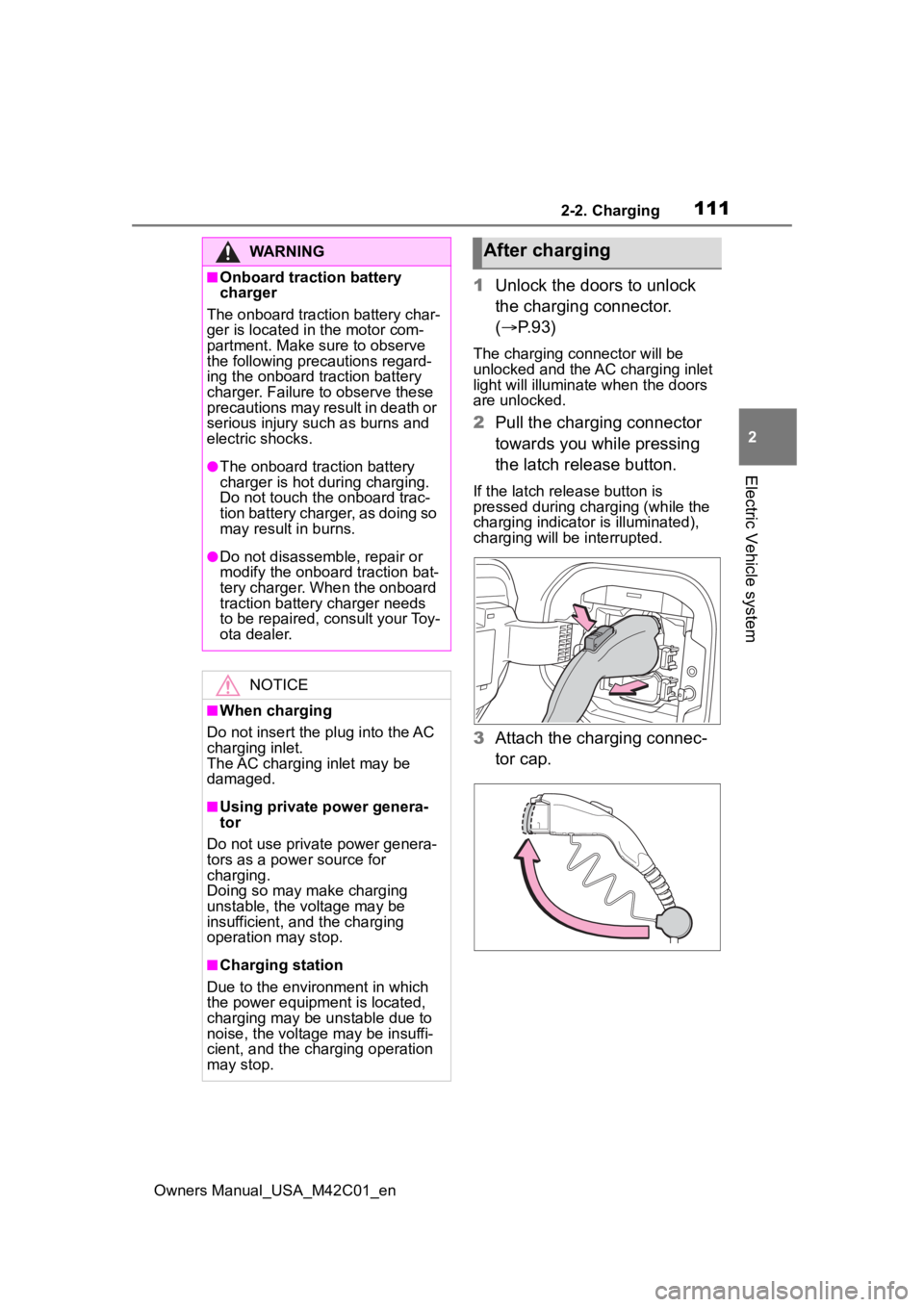
1 Unlock the doors to unlock
the charging connector.
( P.93)
The charging connector will be
unlocked and the AC charging inlet
light will illuminate when the doors
are unlocked.
2Pull the charging connector
towards you while pressing
the latch release button.
If the latch release button is
pressed during charging (while the
charging indicator is illuminated),
charging will be interrupted.
3 Attach the charging connec-
tor cap.
WARNING
■Onboard traction battery
charger
The onboard traction battery char-
ger is located in the motor com-
partment. Make sure to observe
the following precautions regard-
ing the onboard traction battery
charger. Failure to observe these
precautions may result in death or
serious injury suc h as burns and
electric shocks.
●The onboard traction battery
charger is hot during charging.
Do not touch the onboard trac-
tion battery charger, as doing so
may result in burns.
●Do not disassemble, repair or
modify the onboard traction bat-
tery charger. When the onboard
traction battery charger needs
to be repaired, consult your Toy-
ota dealer.
NOTICE
■When charging
Do not insert the p lug into the AC
charging inlet.
The AC charging inlet may be
damaged.
■Using private power genera-
tor
Do not use private power genera-
tors as a power source for
charging.
Doing so may make charging
unstable, the voltage may be
insufficient, and the charging
operation may stop.
■Charging station
Due to the environment in which
the power equipme nt is located,
charging may be unstable due to
noise, the voltage may be insuffi-
cient, and the charging operation
may stop.
After charging
Page 112 of 628

1122-2. Charging
Owners Manual_USA_M42C01_en
4Close the AC charging inlet
cap and close the charging
port lid.
5 Remove the plug from the
outlet when the charging
equipment will not be used
for a prolonged period of
time.
Hold the body of the plug when
removing.
Make sure to put the cable away
immediately afte r disconnecting.
( P. 1 1 2 )
When leaving the plug inserted,
inspect the plug and connector
once a month to check if dirt or dust
has accumulated.
■When the outside temperature
is low or high
The level shown on the SOC (State
of Charge) gauge ( P.152) may
drop slightly when the power switch
is turned to ON, e ven if charging
has been completed and the trac-
tion battery is fully charged. How- ever, this does not indicate a
malfunction.
■When removing the charging
connector
Press the latch release button,
check that the lever raises up, and
then pull the charging connector
towards you.
If the lever does not raise up even
after the latch release button is
pressed, the charging connector is
locked. If this occurs, unlock the
doors using the smart key system or
wireless remote control to unlock
the charging connector. ( P.167)
■If the charging connector can-
not be unlocked
P. 9 5
WARNING
■After charging
Remove the plug if it will not be
used for a long time.
Dirt and dust may accumulate
plug or outlet, which could cause
a malfunction or fire, possibly
leading to death or serious injury.
NOTICE
■After charging
●Store the AC charging cable out
of reach from infants and chil-
dren.
Page 113 of 628
1132-2. Charging
Owners Manual_USA_M42C01_en
2
Electric Vehicle system
P.102
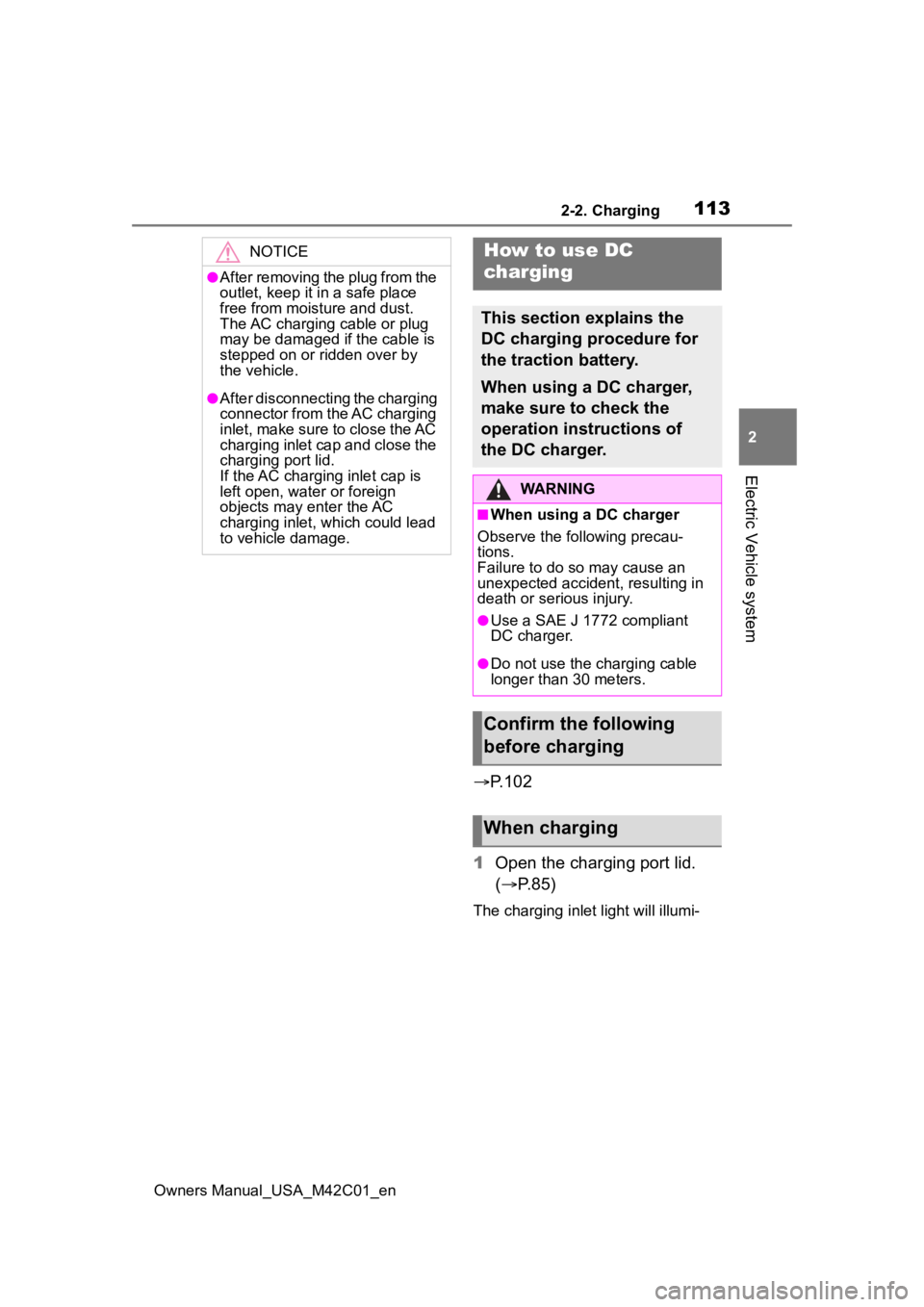
1 Open the charging port lid.
( P.85)
The charging inlet light will illumi-
NOTICE
●After removing the plug from the
outlet, keep it in a safe place
free from moisture and dust.
The AC charging cable or plug
may be damaged if the cable is
stepped on or ridden over by
the vehicle.
●After disconnecting the charging
connector from the AC charging
inlet, make sure to close the AC
charging inlet cap and close the
charging port lid.
If the AC charging inlet cap is
left open, water or foreign
objects may enter the AC
charging inlet, which could lead
to vehicle damage.
How to use DC
charging
This section explains the
DC charging procedure for
the traction battery.
When using a DC charger,
make sure to check the
operation instructions of
the DC charger.
WARNING
■When using a DC charger
Observe the following precau-
tions.
Failure to do so may cause an
unexpected accident, resulting in
death or serious injury.
●Use a SAE J 1772 compliant
DC charger.
●Do not use the charging cable
longer than 30 meters.
Confirm the following
before charging
When charging
Page 115 of 628

1152-2. Charging
Owners Manual_USA_M42C01_en
2
Electric Vehicle system
cannot be hear d due to noise
occurrence during DC charging
●As the battery approaches full
charge, the charging speed will
decrease and it will take longer to
complete charging.
●The time to complete charging
may change, or charging may
stop before reaching the upper
limit of the charge capacity, due to
the remaining charge of the trac-
tion battery, the outside tempera-
ture, the specifications of the
charger (stand), etc.
●It is recommended to avoid fre-
quent DC charging to prevent a
decline in the traction battery
capacity.
●Quickly move from the DC
charging space for other users
after the DC charging is com-
pleted.
■How to set the DC charging
power
You can change the DC charging
power limit on the multi-information
display or multimedia.
●Setting operations on multi-infor-
mation display
1 Press or of the meter
control switches to select .
2 Press or of the meter
control switches to select “Vehi-
cle Settings”, and then press and
hold .
3 Press or of the meter
control switches to select
“Charging Settings”, and then
press .
The “Charging Sett ings” screen will
be displayed.
4 Press or of the meter
control switches to select “DC charging power”, and then press
.
The “DC charging power” screen
will be displayed.
5 Press or of the meter
control switches to select the
charging power from “MAX”,
“125kW”, “100kW”, “75kW”,
“50kW” and then press .
*The maximum power when
charging is limited to the selected
power or less.
If “MAX” is selected , the vehicle will
be charged with the maximum
power that can be charged.
●Setting operations on multimedia
1 Select .
2 Select “Vehicle customize”.
3 Select “Charging”.
4 Select “DC charging power”.
5 Select from “MAX”, “125kW”,
“100kW”, “75kW”, “50kW”.
*The maximum power when
charging is limited to the selected
power or less.
If “MAX” is selected , the vehicle will
be charged with the maximum
power that can be charged.
■Changing the “Cha rging Limit”
settings
P.108
■If “Check Charging System
Close Charging Port Lid See
Owner’s Manual” is displayed
on the multi-information display
If the system check after DC
charging is not completed success-
fully, the EV system will not start
even if the power switch is pressed
while depressing the brake pedal.
Perform a system check with the fol-
lowing procedures.
Page 118 of 628

1182-2. Charging
Owners Manual_USA_M42C01_en
■If the DC charging connector
cannot be unlocked
P. 9 5
■After DC charging
Even if the traction battery is
charged to the upper limit value that
is set, the level of charge displayed
on the DC charger may be lower
than the actual one.
■Calendar settings
Charging schedule is performed
according to the date and time
shown on the multi-information dis-
play. Refer to the “Settings display”
( P.158)
If the calendar settings check
screen is displayed when an
attempt was made to register a
charge schedule, check that the cor-
rect date is set. If it is incorrect, be
sure to correct it.
If the calendar information is wrong,
the charging schedule function will
not operate normally.
When registering the charging
schedule, the following settings
can be changed.
■Select the charging mode
One of the two following
charging modes can be
selected.
“Start”
Starts charging at the set time
*
and finishes charging when fully
charged.
“Start-Stop”
AC charging is performed
NOTICE
■Caution after DC charging
●Be sure to attach the DC
charging inlet cap to the DC
charging inlet and then close
the charging port lid after
removing the DC charging con-
nector from the inlet. If the DC
charging inlet cap is not closed,
foreign materials may get into
the inlet and the EV system may
be malfunctioning.
Using the charging
schedule function
AC charging can be carried
out at the desired time by
registering the charging
schedule.
Settings of the charging
schedule function
Page 119 of 628

1192-2. Charging
Owners Manual_USA_M42C01_en
2
Electric Vehicle system
according to the set start time
and stop time.
*
*: There might be a slight error in the timing when charging starts
due to the state of the traction
battery.
■Repeated setting
The periodic charging schedule
can be set by selecting your
desired day of the week. Select
one or more day of the week to
do the charging schedule.
■Turning “Charge Now” on
and off
To start charging without chang-
ing the charging schedule set-
ting, turn “Charge Now” on to
temporarily cancel the charging
schedule and enable charging
after connecting the AC
charging connector.
*
*: If the charging connector is removed during charging while
the charging schedule is regis-
tered and “Charge Now” is on,
“Charge Now” turns off.
■“Next Event”
Of the registered charging
schedules, the closest charging
schedule after the current time
is called the “Next Event”.
For charging schedule, AC
charging will be performed
according to the Next Event. The charging schedule can be
registered on the multi-informa-
tion display or multimedia.
Multi-information display
operation: P.121
Multimedia operation: P. 1 2 5
■Charging schedule
●The charging schedule cannot be
set while driving.
●A maximum of 15 charging sched-
ules can be registered.
If the charging mode is set to “Start-
Stop” and the start time and stop
time are set to the same time,
charging will be performed for 24
hours from the start time.
The charging schedule function can
not be used when using DC
charging.
■To make sure that the charging
schedule function operates cor-
rectly
Check the following items.
●Adjust the clock to the correct time
( P.158)
●The calendar is set to the correct
date ( P.158)
●Check that the power switch is
turned off
●After registering the charging
Registering the charging
schedule