2023 PEUGEOT EXPERT ECO mode
[x] Cancel search: ECO modePage 138 of 348
136
Driving
the "START/STOP" button to assist unlocking
of the steering column. A message is
displayed.
Switching off
With the conventional key/With the
remote control key
► Immobilise the vehicle.
► T urn the key all the way to position 1 (Stop)
and remove it from the ignition.
►
T
o lock the steering column, turn the steering
wheel until it locks.
To facilitate unlocking of the steering column, it is recommended that the
wheels be returned to the straight ahead
position before switching off the engine.
►
Check that the parking brake is correctly
applied, particularly on sloping ground.
Never switch off the ignition before the
complete immobilisation of the vehicle.
With the engine off, the braking and steering
assistance systems are also turned off: risk of
loss of control of the vehicle.
As a safety measure, never leave the vehicle without taking the remote control
with you, even for a short time.
Avoid attaching heavy objects to the key or the remote control, which would weigh
down on its blade in the ignition switch and
could cause a malfunction.
Energy economy mode
After the engine has stopped (position 1. Stop),
for a maximum combined duration of 30 minutes,
you can still use functions such as the audio and
telematics system, courtesy lamps or dipped
beam headlamps.
For more information on Energy
economy mode, refer to the
corresponding section.
Key left in the ignition
When opening the driver's door, an alert
message is displayed, accompanied by
an audible signal, to remind you that the key
is still in the ignition switch at position 1
(Stop).
If the key has been left in the ignition switch
at position 2 (Ignition on) , the ignition will be
switched off automatically after one hour.
To switch the ignition back on, turn the key
to position 1 (Stop), then back to position 2
(Ignition on) .
With Keyless Entry and Start
► Immobilise the vehicle.
► With the remote control in the recognition
zone, press the " START/STOP" button.
The engine stops and the steering column locks.
If the vehicle is not immobilised, the
engine will not stop.
To avoid any risk of jamming the pedals: – only use mats which are suited to the
fixings already present in the vehicle; these
fixings must be used,
–
never place one mat on top of another
.
The use of mats not approved by PEUGEOT
may interfere with access to the pedals and
hinder the operation of the cruise control /
speed limiter.
The mats approved by PEUGEOT have two
fixings located below the seat.
Starting/Switching off the
electric motor
Starting
The drive selector must be in mode P.
► If using a conventional or remote control
key
, depress the brake pedal and turn the key
to position 3 until the motor starts, without
depressing the accelerator. As soon as the motor
starts, release the key so it returns to position 2.
►
If using
Keyless Entry and Start, depress the
brake pedal and briefly press the "START/STOP"
button. CarM an uals 2 .c o m
Page 139 of 348

137
Driving
6► Keep your foot on the brake pedal until the
READY indicator lamp comes on and an audible
signal is emitted, indicating that the vehicle is
ready to drive.
►
With your foot on the brake, select mode
D
or R.
►
Release the brake pedal, then accelerate.
On starting, the instrument panel lights up
and the power indicator needle performs one
sweep then moves to the "neutral" position.
The
steering column automatically unlocks (you may
hear a sound and feel the steering wheel move).
Switching off
► If using a conventional or remote control
key , turn the key fully to position 1 (Stop).
►
If using Keyless Entry and Start, press the
"
START/STOP" button.
Before exiting the vehicle, check that:
–
The drive selector is in mode P
.
–
The READY indicator lamp is off.
The drive selector moves automatically
to mode P when the motor is switched off
or when the driver's door is opened.
If the driver's door is opened while the
required conditions for switching off are
not met, an audible signal is emitted,
accompanied by the display of a warning
message.
Special case with Keyless
Entry and Start
Switching on the ignition without
starting the engine
With the "Keyless Entry and Start"
electronic key inside the vehicle, pressing
the "START/STOP" button, without depressing
any of the pedals , allows the ignition to be
switched on.
►
Press this button again to switch off the
ignition and allow the vehicle to be locked.
Back-up starting
A back-up reader is fitted to the steering column,
to enable the engine to be started if the system
fails to detect the key in the recognition zone, or
if the battery in the electronic key is flat.
► Place and hold the remote control against the
back-up reader .
►
W
ith a manual gearbox, place the gear lever
in neutral, then fully depress the clutch pedal.
►
W
ith an automatic gearbox or a drive
selector, select mode
P, then depress the brake
pedal.
►
Press the "
START/STOP" button. The engine starts.
Remote control not recognised
If the remote control is no longer in the
recognition zone, a message appears on the
instrument panel when closing a door or trying to
switch off the engine.
►
Press the "
START/STOP" button for about
3 seconds to confirm switching off the engine,
then contact a PEUGEOT dealer or a qualified
workshop.
Forced switch-off (also called
Back-up switch-off)
In case of emergency only, the engine can be
switched off without conditions (even when
driving).
►
T
o do this, press and hold the " START/
STOP" button for about 5 seconds.
In this case, the steering column locks as soon
as the vehicle stops.
"Key off" mode
"Key off" mode allows you to lock the vehicle
while leaving the engine running without the
key or Keyless Entry and Start being inside the
vehicle.
This mode allows electrical devices to continue
operating to ensure thermal comfort, vehicle
security and operation of the vehicle systems
needed for the task. CarM an uals 2 .c o m
Page 142 of 348
140
Driving
Automatic application
With the vehicle stationary, the parking brake
is applied automatically when the engine is
switched off.
It is not applied automatically if the
engine stalls or enters STOP mode with
Stop & Start.
In automatic mode, the parking brake
can be manually applied or released at
any time using the control.
Special cases
Immobilising the vehicle with the
engine running
To immobilise the vehicle with the engine
running, briefly pull the control.
Parking the vehicle with the brake
released
In very cold conditions (ice), applying the
parking brake is not recommended.
With an automatic gearbox or drive
selector, mode P is automatically
selected when the ignition is switched off. The
wheels are blocked.
For more information on Free-wheeling, refer
to the corresponding section.
With an automatic gearbox or a drive
selector, if you open the driver's door
while mode N is engaged, an audible signal
will sound and mode P will be engaged. The
audible signal stops when the driver's door is
closed.
Deactivating automatic
operation
In some situations, for example when it is
extremely cold or when towing (e.g. caravan,
breakdown), it may be necessary to deactivate
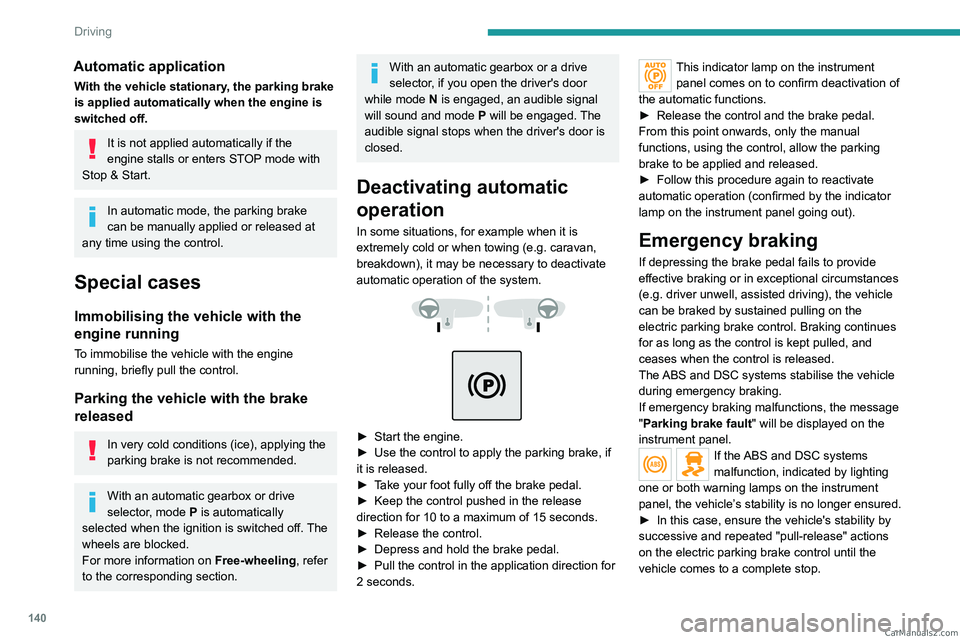
automatic operation of the system.
► Start the engine.
► Use the control to apply the parking brake, if
it is released.
►
T
ake your foot fully off the brake pedal.
►
Keep the control pushed in the release
direction for 10 to a maximum of 15
seconds.
►
Release the control.
►
Depress and hold the brake pedal.
►
Pull the control in the application direction for
2
seconds.
This indicator lamp on the instrument panel comes on to confirm deactivation of
the automatic functions.
►
Release the control and the brake pedal.
From this point onwards, only the manual
functions, using the control, allow the parking
brake to be applied and released.
►
Follow this procedure again to reactivate
automatic operation (confirmed by the indicator
lamp on the instrument panel going out).
Emergency braking
If depressing the brake pedal fails to provide
effective braking or in exceptional circumstances
(e.g.
driver unwell, assisted driving), the vehicle
can be braked by sustained pulling on the
electric parking brake control. Braking continues
for as long as the control is kept pulled, and
ceases when the control is released.
The ABS and DSC systems stabilise the vehicle
during emergency braking.
If emergency braking malfunctions, the message
"Parking brake fault" will be displayed on the
instrument panel.
If the ABS and DSC systems
malfunction, indicated by lighting
one or both warning lamps on the instrument
panel, the vehicle’s stability is no longer ensured.
►
In this case, ensure the vehicle's stability by
successive and repeated "pull-release" actions
on the electric parking brake control until the
vehicle comes to a complete stop. CarM an uals 2 .c o m
Page 143 of 348

141
Driving
6Hill start assist
This system keeps the vehicle briefly stationary
(for approximately 2 seconds) when making a hill
start, while you transfer your foot from the brake
pedal to the accelerator pedal.
The system is only active when:
–
The vehicle is completely stationary
, with your
foot on the brake pedal.
–
Certain slope conditions are met.
–
The driver
’s door is closed.
Do not leave the vehicle while it is being
held temporarily by hill start assist.
If someone needs to get out of the vehicle
with the engine running, apply the parking
brake manually. Then check that the parking
brake indicator lamp and the P indicator lamp
in the electric parking brake control are on
fixed.
The hill start assist function cannot be deactivated. However, using the parking
brake to immobilise the vehicle interrupts its
operation.
If your vehicle has an automatic gearbox
and you have to move off on a steep
slope (uphill or downhill) with a loaded
vehicle, press the brake pedal, select
position D, release the parking brake then
release the brake pedal.
Operation
Facing uphill, with the vehicle stationary,
the vehicle is held for a short time when the
driver releases the brake pedal:
–
If first gear or neutral is engaged on a manual
gearbox.
–
If mode
D or M is selected on an automatic
gearbox.
–
If mode
D or B is selected on the drive
selector.
Facing downhill, with the vehicle stationary
and reverse gear engaged, the vehicle is held
for a short time when the driver releases the
brake pedal.
Malfunction
If the event of a malfunction, these
warning lamps light up on the
instrument panel, accompanied by the display of
a message.
Have it checked by a PEUGEOT dealer or a
qualified workshop.
6-speed manual gearbox
Engaging 5th or 6th gear
► Move the gear selector fully to the right to
engage 5th or 6th gear.
Failure to follow this instruction could
cause permanent damage to the gearbox
(inadvertent engagement of 3
rd or 4th gear).
Engaging reverse gear
► Raise the ring under the knob and move the
gear lever to the left, then forwards. CarM an uals 2 .c o m
Page 144 of 348

142
Driving
Only engage reverse gear when the
vehicle is stationary with the engine at
idle.
As a safety precaution and to facilitate engine starting:
–
always select neutral,
–
depress the clutch pedal.
Gear shift indicator
(Depending on engine)
This system is designed to reduce fuel
consumption by recommending the most suitable
gear.
Operation
Depending on the driving situation and
the vehicle's equipment, the system may
recommend skipping one or more gears.
Gear engagement recommendations are
not to be considered mandatory. Indeed, the
configuration of the road, the traffic density and
safety remain determining factors when choosing
the best gear. Therefore, the driver remains
responsible for deciding whether or not to follow
the system’s advice.
The system cannot be deactivated.
On certain BlueHDi Diesel versions with a
manual gearbox, the system may suggest
shifting into neutral ( N is displayed on the
instrument panel) so that the engine can go into
standby (STOP mode of Stop & Start), in certain
driving conditions.
With an automatic gearbox, the system is
only active in manual operation.
The information appears on the instrument panel, in the form of an "up" or
"down" arrow and the recommended gear.
The system adapts the gear change instructions according to the driving
conditions (e.g.
slope, load) and driving style
(e.g.
power demand, acceleration, braking).
The system never suggests:
–
engaging first gear
.
–
engaging reverse gear
.
Automatic gearbox
Automatic 6 or 8-speed gearbox, with electronic management of gear changes. It also offers a
manual mode with sequential gear changes
via control paddles located behind the steering
wheel.
Gear selector
To turn the gear selector in complete safety, it is recommended that you keep
your foot on the brake pedal.
P. Park.
R. Reverse.
N. Neutral.
D. Drive (automatic operation).
M. Manual (manual operation with sequential
changing of the gears).
Position N can be used in traffic jams or
in a car wash tunnel. CarM an uals 2 .c o m
Page 146 of 348
144
Driving
► For maximum acceleration without
touching the selector , fully depress the
accelerator pedal (kick-down).
The gearbox changes down automatically or
holds the gear selected until the maximum
engine speed is reached.
When braking, the gearbox changes down
automatically to provide effective engine braking.
If you release the accelerator sharply, the
gearbox will not shift to a higher gear for safety
reasons.
Never select position N while the vehicle
is moving.
Never select positions P or R unless the
vehicle is completely stationary.
Temporary manual control
of gear changes
You can temporarily assume control of gear
changing using the " +" et "-” steering-mounted
controls. The gear change request will be
executed if the engine speed permits.
This function allows you to anticipate certain
situations, such as overtaking another vehicle or
approaching a bend in the road.
After a few seconds with no inputs via the control
paddles, the gearbox reverts to automatic
operation.
Creeping (moving without
using the accelerator)
This function facilitates manoeuvring of the
vehicle at low speed (when parking, in traffic
jams, etc.).
With the engine at idle, parking brake released
and position D, M or R selected, the vehicle
moves
as soon as you take your foot off
the brake pedal (even without pressing the
accelerator).
As a safety precaution, never leave the vehicle with the engine running and the
doors closed.
Manual operation
► With the selector in position D , press
button M to enable 6- or 8-speed
sequential
gear changing.
The indicator lamp for the button comes on.
►
Operate the "
+" or "-" steering mounted
controls.
M appears and the engaged gears are
shown in succession on the instrument
panel.
►
Y
ou can revert to automatic operation at any
time by pressing button M again.
The indicator lamp for the button goes off.
In manual mode, there is no need to
release the accelerator pedal while
changing gear.
It is only possible to change from one
gear to another if the vehicle speed and
engine speed permit.
If the engine speed is too low or too high,
the selected gear flashes for a few
seconds, then the gear actually engaged is
shown.
When the vehicle is stationary or moving very
slowly, the gearbox automatically selects gear
M1.
To preserve the brakes while descending a steep incline, use engine braking to
reduce your speed (change down or select a
lower gear).
Keeping the brake pedal pressed
continuously for long periods can overheat
the brakes, with the risk of damaging the
braking system or making it inoperative.
Only use the brakes when necessary, to slow
or stop the vehicle.
Depending on the road configuration
(e.g. mountainous road), manual
operation may be preferable.
Automatic operation may not always be
suitable, and does not enable engine braking. CarM an uals 2 .c o m
Page 147 of 348

145
Driving
6Invalid value during manual
operation
This symbol is displayed if a gear is not engaged correctly (gear selector between
two positions).
►
Place the selector "correctly" at a position.
Switching off the vehicle
Before switching off the engine, select position
P then apply the parking brake to immobilise
the vehicle, unless this is set to automatic mode
(with electric parking brake).
Check that mode
P has been engaged and that
the electric parking brake has been applied
automatically; if not, apply it manually.
The corresponding indicator lamps in the
selector and the electric parking brake control
lever must be on, as well as those on the
instrument panel.
A point of resistance may be noticed when moving to position P.
If the selector is not in position P, when the
driver's door is opened or approximately 45
seconds after the ignition is switched off,
an audible signal sounds and a message
appears.
►
Return the drive selector to position P
;
the audible signal stops and the message
disappears.
When positioned on a steep slope with a
loaded vehicle, depress the brake
pedal, select position P, apply the parking
brake, unless it is set to automatic mode (with
electric parking brake), then release the brake
pedal.
In all circumstances, ensure that the
selector is in position P before leaving
your vehicle.
Malfunction
When the ignition is on, a message appears on
the instrument panel to indicate a fault with the
gearbox.
In this case, the gearbox goes into back-up
mode and is locked in 3
rd gear. You may feel a
significant jolt (without risk to the gearbox) when
changing from
P
to R and from N to R.
Do not exceed 62 mph (100
km/h), local speed
restrictions permitting.
Have it checked by a PEUGEOT dealer or a
qualified workshop.
There is a risk of damaging the gearbox: – If the accelerator and brake pedals are
depressed simultaneously
.
–
In the event of a battery failure, forcing the
selector from position P
to another position.
If your vehicle has an automatic gearbox,
do not try to start the engine by pushing
the vehicle.
Drive selector (Electric)
The drive selector is a pulse selector with a
regenerative braking function.
The drive selector provides traction control
based on the driving style, the road profile and
the vehicle load.
With regenerative braking activated, it also
manages engine braking when the accelerator
pedal is released.
P. Park
Button for parking the vehicle: the front
wheels are locked (the button lights up to
indicate that it is activated).
R. Reverse
To engage reverse gear, with your foot on the
brake pedal. CarM an uals 2 .c o m
Page 148 of 348

146
Driving
N.Neutral
To move the vehicle with the ignition off and
so allow it to free-wheel.
For more information on Free-wheeling, refer
to the corresponding section.
D. Drive (automatic forward gear)
B. Brake (regenerative braking)
Regenerative braking (the button lights up to
indicate its activation).
Information displayed on
the instrument panel
When the ignition is switched on, the drive
selector status is displayed on the instrument
panel:
P : Park.
R : Reverse.
N : Neutral.
D : Drive (automatic forward gear).
B : Brake (regenerative braking activated).
Operation
► Move the selector by pressing it forwards
( N or R) or rearwards (N or D) once or twice,
passing the point of resistance if necessary.
For example, to change from
P to R (with your
foot on the brake pedal), either push forwards
twice without passing the point of resistance or
push just once, passing the point of resistance.
Regenerative braking
With the Brake function and when
decelerating
The Brake function emulates engine braking,
slowing the vehicle with no need to depress the
brake pedal. The vehicle slows more quickly
when the driver releases the accelerator pedal.
The energy recovered when the accelerator
pedal is released is then used to partially
recharge the traction battery, thereby increasing
the vehicle's driving range.
The resulting deceleration of the vehicle does not cause the brake lamps to come
on.
►
From mode
D, press button B to activate/
deactivate the function (the button lights up when
the function is activated).
D on the instrument panel is replaced with B.
The status of the function is saved when the
ignition is switched off.
In some situations (e.g. battery full,
extreme temperatures), the amount of
regenerative braking may be temporarily
limited, resulting in less deceleration.
The driver must remain alert to traffic
conditions and must always be ready to use
the brake pedal.
With the brake pedal
When the brake pedal is depressed, the
intelligent braking system automatically recovers
some of the energy and uses it to recharge the
traction battery.
This energy recovery also reduces use of the
brake pads, thereby limiting their wear.
The driver may experience a different sensation when depressing the brake
pedal compared to a vehicle without
regenerative braking.
Driving modes (Electric)
Driving modes are selected using the following
control:
► Press the control to display the modes on the
instrument panel, and depending on version, on
the screen with 3D Connected Navigation. CarM an uals 2 .c o m