Page 72 of 612
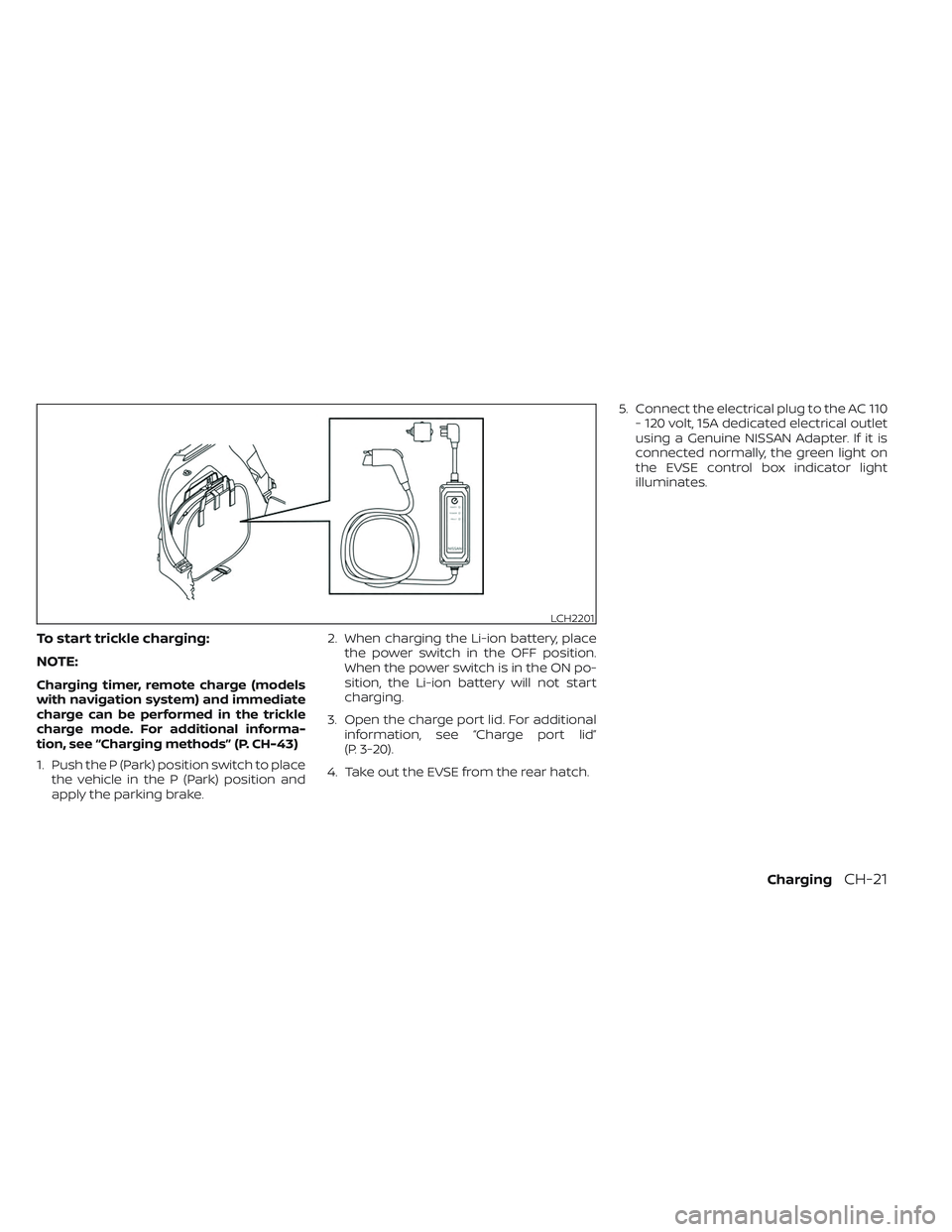
To start trickle charging:
NOTE:
Charging timer, remote charge (models
with navigation system) and immediate
charge can be performed in the trickle
charge mode. For additional informa-
tion, see “Charging methods” (P. CH-43)
1. Push the P (Park) position switch to placethe vehicle in the P (Park) position and
apply the parking brake. 2. When charging the Li-ion battery, place
the power switch in the OFF position.
When the power switch is in the ON po-
sition, the Li-ion battery will not start
charging.
3. Open the charge port lid. For additional information, see “Charge port lid”
(P. 3-20).
4. Take out the EVSE from the rear hatch. 5. Connect the electrical plug to the AC 110
- 120 volt, 15A dedicated electrical outlet
using a Genuine NISSAN Adapter. If it is
connected normally, the green light on
the EVSE control box indicator light
illuminates.
LCH2201
ChargingCH-21
Page 74 of 612
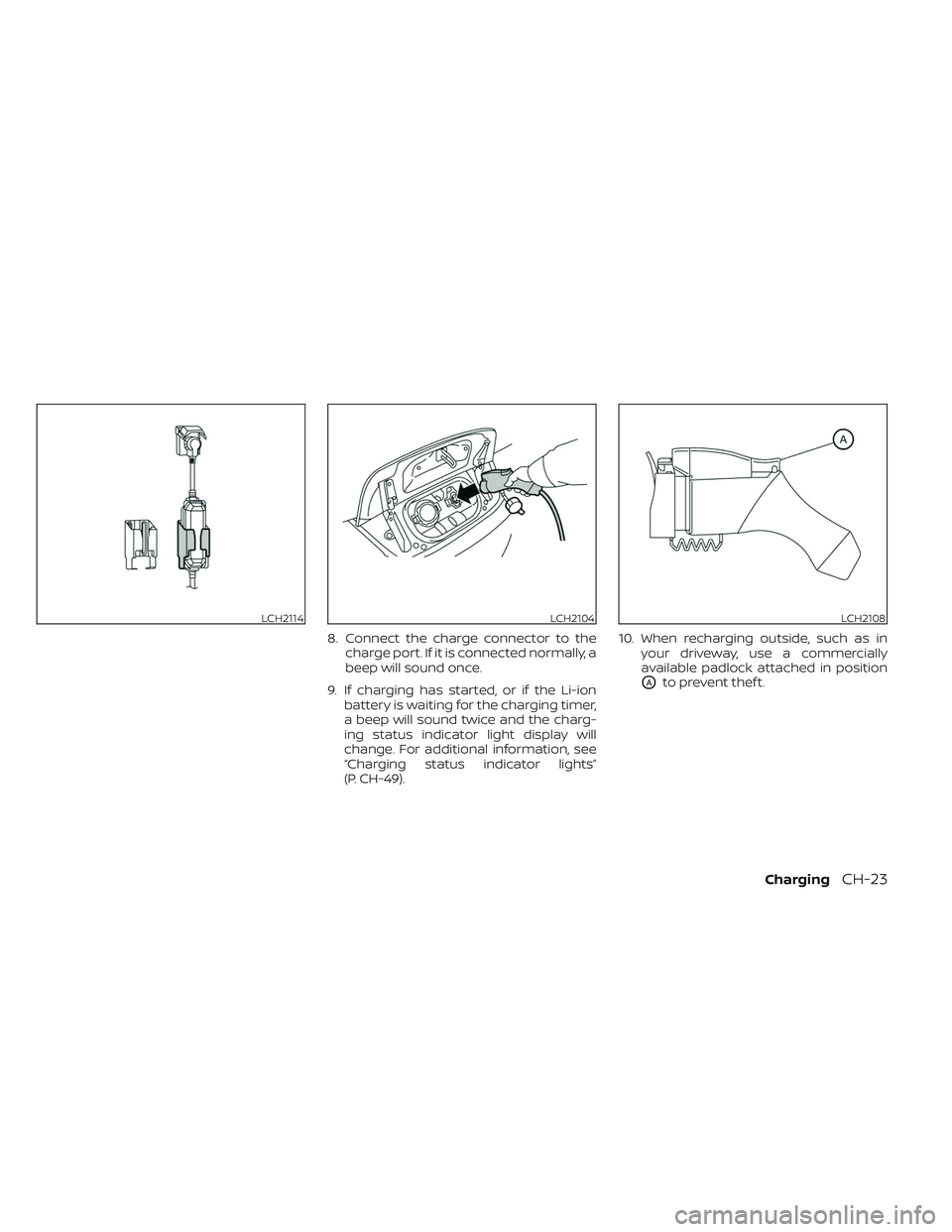
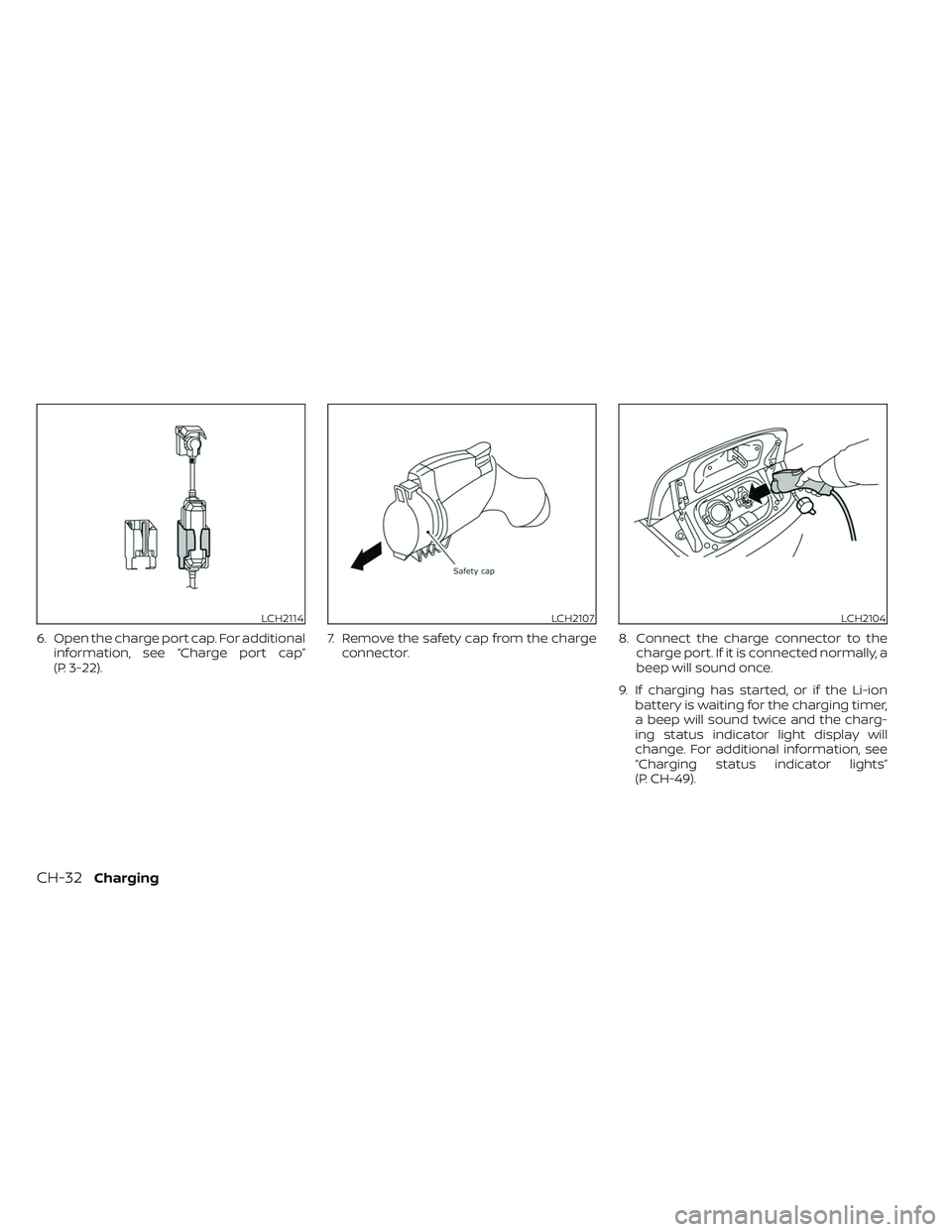
8. Connect the charge connector to thecharge port. If it is connected normally, a
beep will sound once.
9. If charging has started, or if the Li-ion battery is waiting for the charging timer,
a beep will sound twice and the charg-
ing status indicator light display will
change. For additional information, see
“Charging status indicator lights”
(P. CH-49). 10. When recharging outside, such as in
your driveway, use a commercially
available padlock attached in position
OAto prevent thef t.
LCH2114LCH2104LCH2108
ChargingCH-23
Page 78 of 612
–Do not use the EVSE if the control
box, plug, the EVSE or charge con-
nector is broken, cracked, open,
corroded or shows any other indi-
cations of damage.
– Do not use the EVSE if the plug has
a loose connection with the outlet
or if the outlet is damaged or
rusted.
– Before you connect the EVSE, be
sure to check the rated current
shown on the EVSE to ensure that
the outlet and circuit have enough
current capacity to charge your
vehicle safely. If the capacity of
the outlet and circuit is not
enough, wiring may cause over-
heating or a fire.
– If in any doubt about the outlet
and circuit, consult a qualified
electrician.
– The EVSE has parts that may
spark inside. Do not use it where
gasoline, paint, or flammable liq-
uids are used or stored.
– Do not use if a malfunction occurs
or if the EVSE has been damaged
in any manner. It is recommended
that you visit a NISSAN certified
LEAF dealer for replacement. –
The EVSE contains no user ser-
viceable parts. Do not attempt to
repair the EVSE, doing so will void
your warranty.
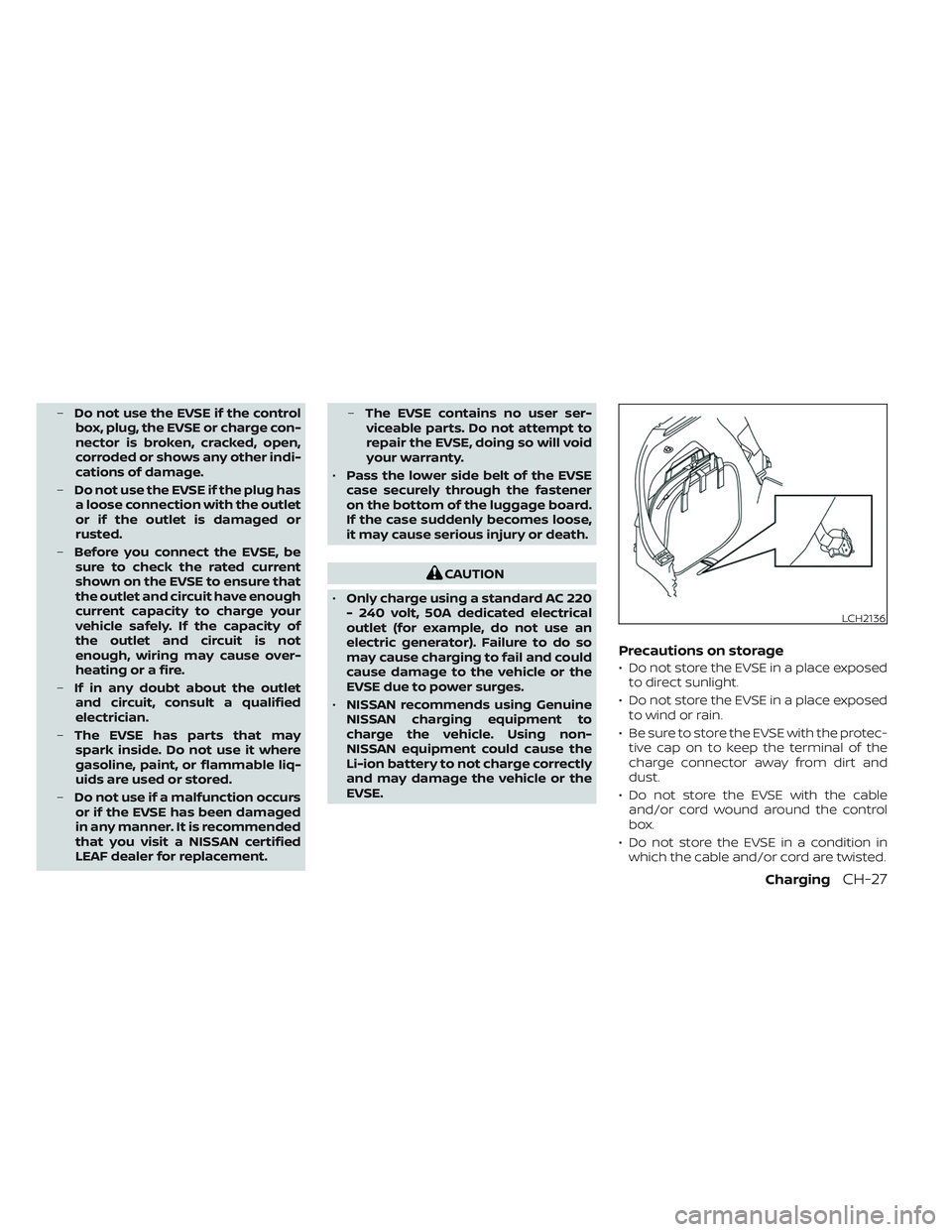
• Pass the lower side belt of the EVSE
case securely through the fastener
on the bottom of the luggage board.
If the case suddenly becomes loose,
it may cause serious injury or death.
CAUTION
• Only charge using a standard AC 220
- 240 volt, 50A dedicated electrical
outlet (for example, do not use an
electric generator). Failure to do so
may cause charging to fail and could
cause damage to the vehicle or the
EVSE due to power surges.
• NISSAN recommends using Genuine
NISSAN charging equipment to
charge the vehicle. Using non-
NISSAN equipment could cause the
Li-ion battery to not charge correctly
and may damage the vehicle or the
EVSE.
Precautions on storage
• Do not store the EVSE in a place exposed to direct sunlight.
• Do not store the EVSE in a place exposed to wind or rain.
• Be sure to store the EVSE with the protec- tive cap on to keep the terminal of the
charge connector away from dirt and
dust.
• Do not store the EVSE with the cable and/or cord wound around the control
box.
• Do not store the EVSE in a condition in which the cable and/or cord are twisted.
LCH2136
ChargingCH-27
Page 81 of 612
To start normal charging
NOTE:
Charging timer, remote charge (models
with navigation system) and immediate
charge can be performed in the normal
charge mode. For additional informa-
tion, see “Charging methods” (P. CH-43)
1. Push the P (Park) position switch to placethe vehicle in the P (Park) position and
apply the parking brake. 2. When charging the Li-ion battery, place
the power switch in the OFF position.
When the power switch is in the ON po-
sition, the Li-ion battery will not start
charging.
3. Open the charge port lid. For additional information, see “Charge port lid”
(P. 3-20).
LHA5094
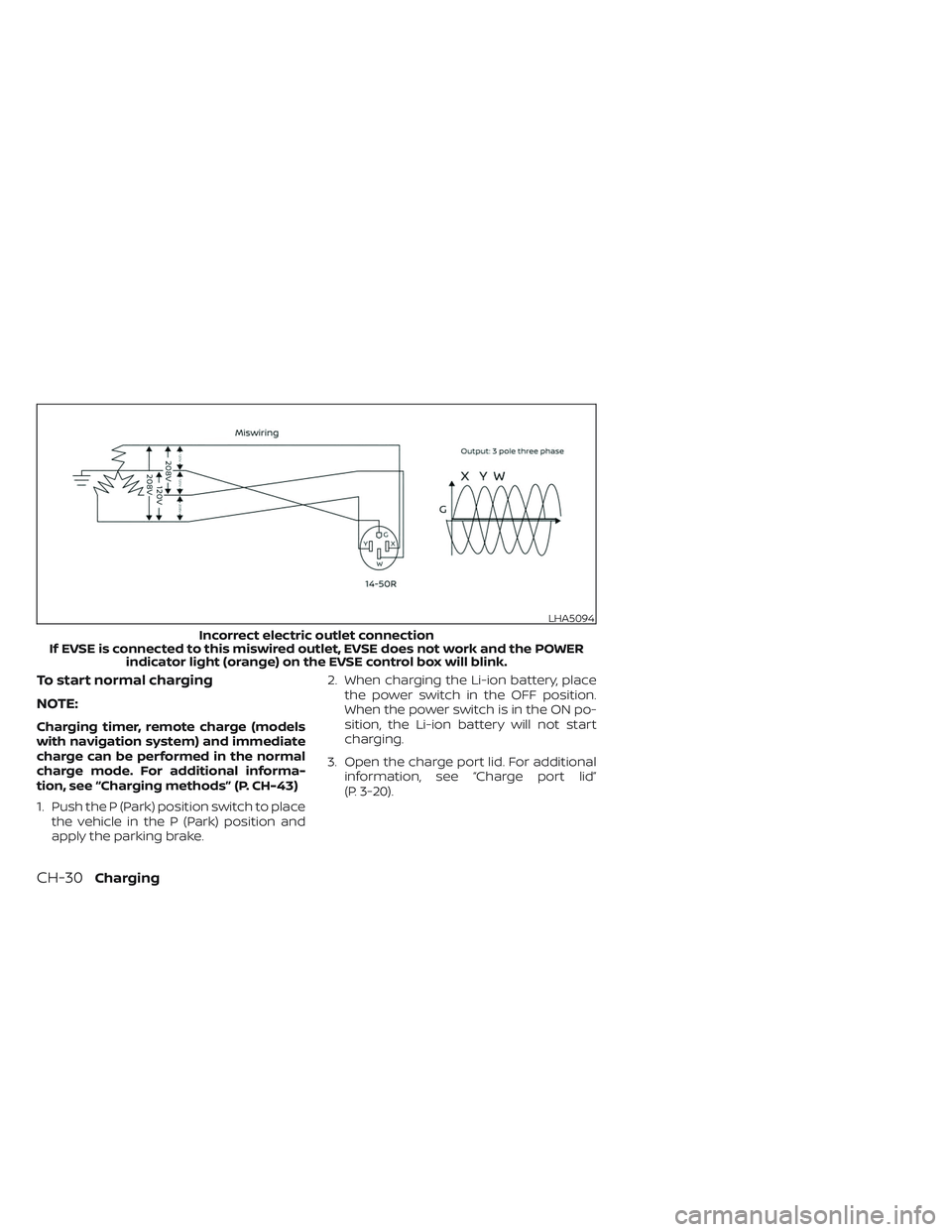
Incorrect electric outlet connection
If EVSE is connected to this miswired outlet, EVSE does not work and the POWER indicator light (orange) on the EVSE control box will blink.
CH-30Charging
Page 82 of 612
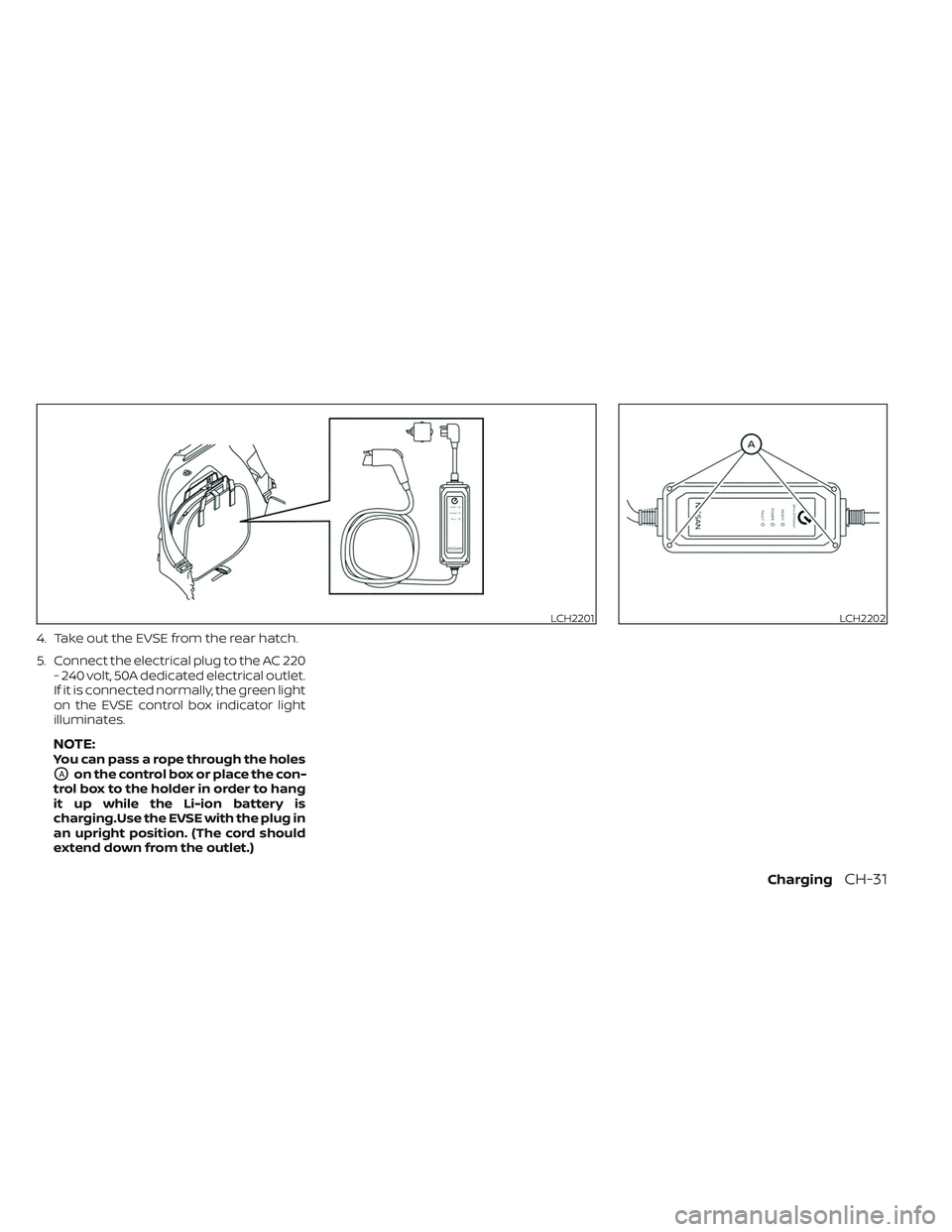
4. Take out the EVSE from the rear hatch.
5. Connect the electrical plug to the AC 220- 240 volt, 50A dedicated electrical outlet.
If it is connected normally, the green light
on the EVSE control box indicator light
illuminates.
NOTE:You can pass a rope through the holes
OAon the control box or place the con-
trol box to the holder in order to hang
it up while the Li-ion battery is
charging.Use the EVSE with the plug in
an upright position. (The cord should
extend down from the outlet.)
LCH2201LCH2202
ChargingCH-31
Page 83 of 612
6. Open the charge port cap. For additionalinformation, see “Charge port cap”
(P. 3-22). 7. Remove the safety cap from the charge
connector. 8. Connect the charge connector to the
charge port. If it is connected normally, a
beep will sound once.
9. If charging has started, or if the Li-ion battery is waiting for the charging timer,
a beep will sound twice and the charg-
ing status indicator light display will
change. For additional information, see
“Charging status indicator lights”
(P. CH-49).
LCH2114LCH2107LCH2104
CH-32Charging
Page 88 of 612
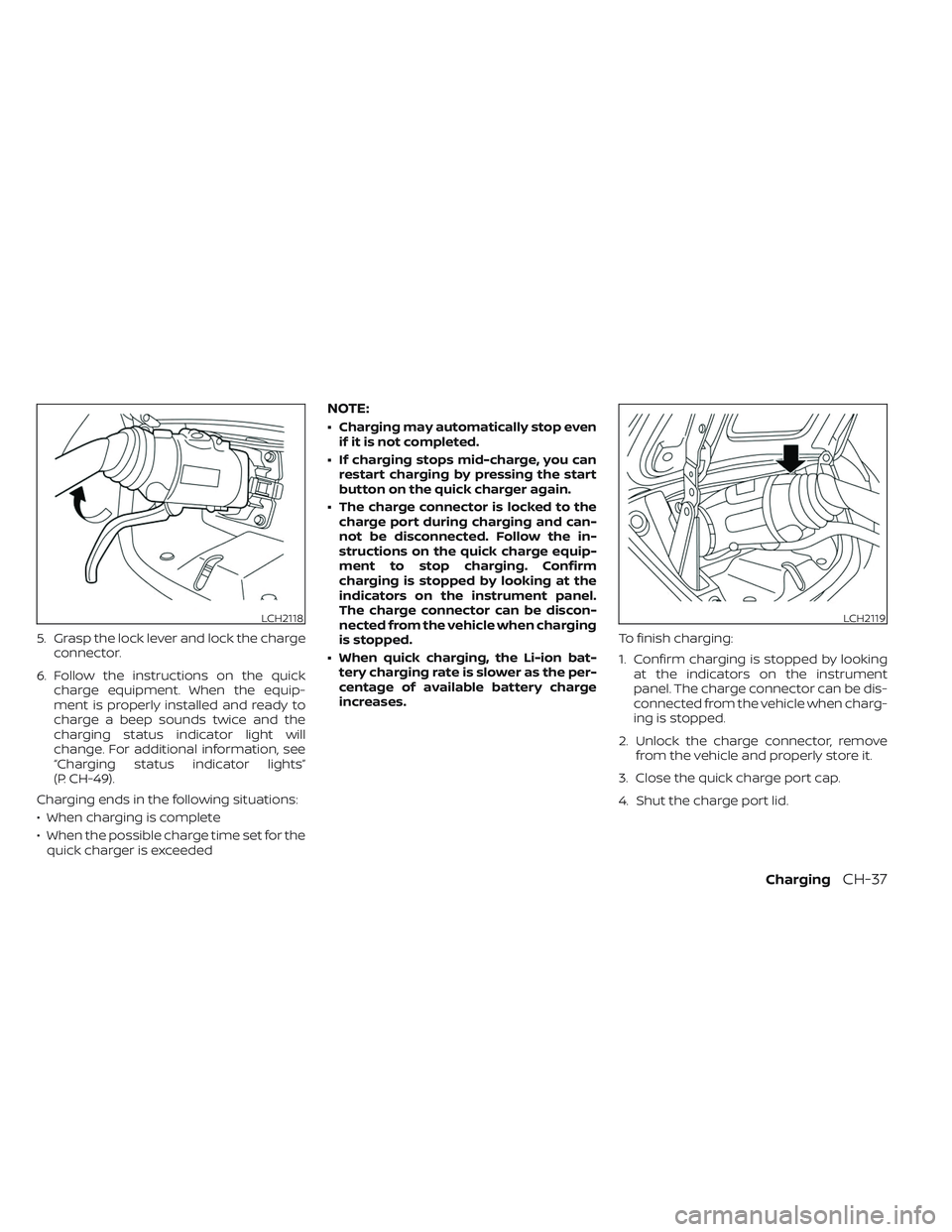
5. Grasp the lock lever and lock the chargeconnector.
6. Follow the instructions on the quick charge equipment. When the equip-
ment is properly installed and ready to
charge a beep sounds twice and the
charging status indicator light will
change. For additional information, see
“Charging status indicator lights”
(P. CH-49).
Charging ends in the following situations:
• When charging is complete
• When the possible charge time set for the quick charger is exceeded
NOTE:
• Charging may automatically stop even if it is not completed.
• If charging stops mid-charge, you can restart charging by pressing the start
button on the quick charger again.
• The charge connector is locked to the charge port during charging and can-
not be disconnected. Follow the in-
structions on the quick charge equip-
ment to stop charging. Confirm
charging is stopped by looking at the
indicators on the instrument panel.
The charge connector can be discon-
nected from the vehicle when charging
is stopped.
• When quick charging, the Li-ion bat- tery charging rate is slower as the per-
centage of available battery charge
increases. To finish charging:
1. Confirm charging is stopped by looking
at the indicators on the instrument
panel. The charge connector can be dis-
connected from the vehicle when charg-
ing is stopped.
2. Unlock the charge connector, remove from the vehicle and properly store it.
3. Close the quick charge port cap.
4. Shut the charge port lid.
LCH2118LCH2119
ChargingCH-37
Page 91 of 612
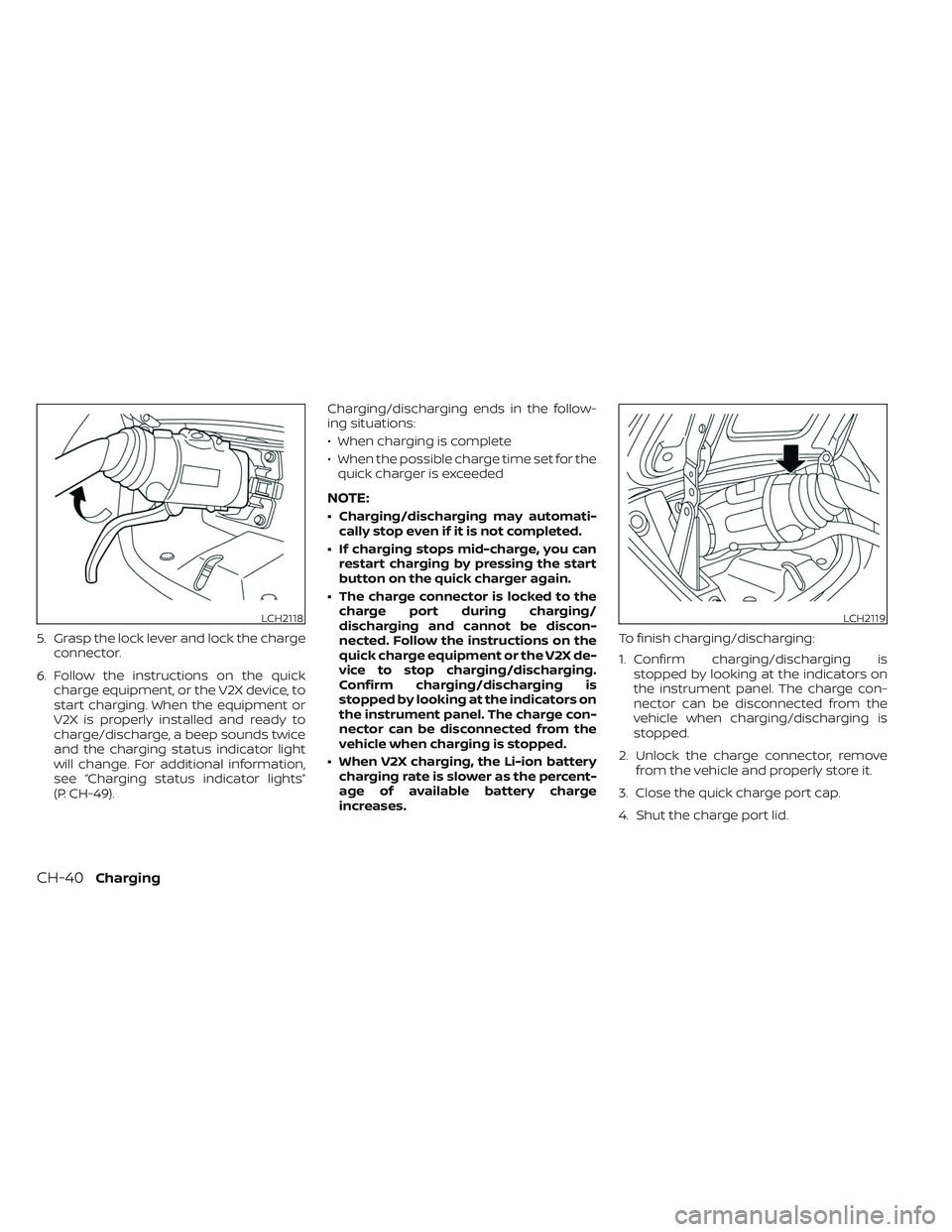
5. Grasp the lock lever and lock the chargeconnector.
6. Follow the instructions on the quick charge equipment, or the V2X device, to
start charging. When the equipment or
V2X is properly installed and ready to
charge/discharge, a beep sounds twice
and the charging status indicator light
will change. For additional information,
see “Charging status indicator lights”
(P. CH-49). Charging/discharging ends in the follow-
ing situations:
• When charging is complete
• When the possible charge time set for the
quick charger is exceeded
NOTE:
• Charging/discharging may automati- cally stop even if it is not completed.
• If charging stops mid-charge, you can restart charging by pressing the start
button on the quick charger again.
• The charge connector is locked to the charge port during charging/
discharging and cannot be discon-
nected. Follow the instructions on the
quick charge equipment or the V2X de-
vice to stop charging/discharging.
Confirm charging/discharging is
stopped by looking at the indicators on
the instrument panel. The charge con-
nector can be disconnected from the
vehicle when charging is stopped.
• When V2X charging, the Li-ion battery charging rate is slower as the percent-
age of available battery charge
increases. To finish charging/discharging:
1. Confirm charging/discharging is
stopped by looking at the indicators on
the instrument panel. The charge con-
nector can be disconnected from the
vehicle when charging/discharging is
stopped.
2. Unlock the charge connector, remove from the vehicle and properly store it.
3. Close the quick charge port cap.
4. Shut the charge port lid.
LCH2118LCH2119
CH-40Charging