Page 181 of 612
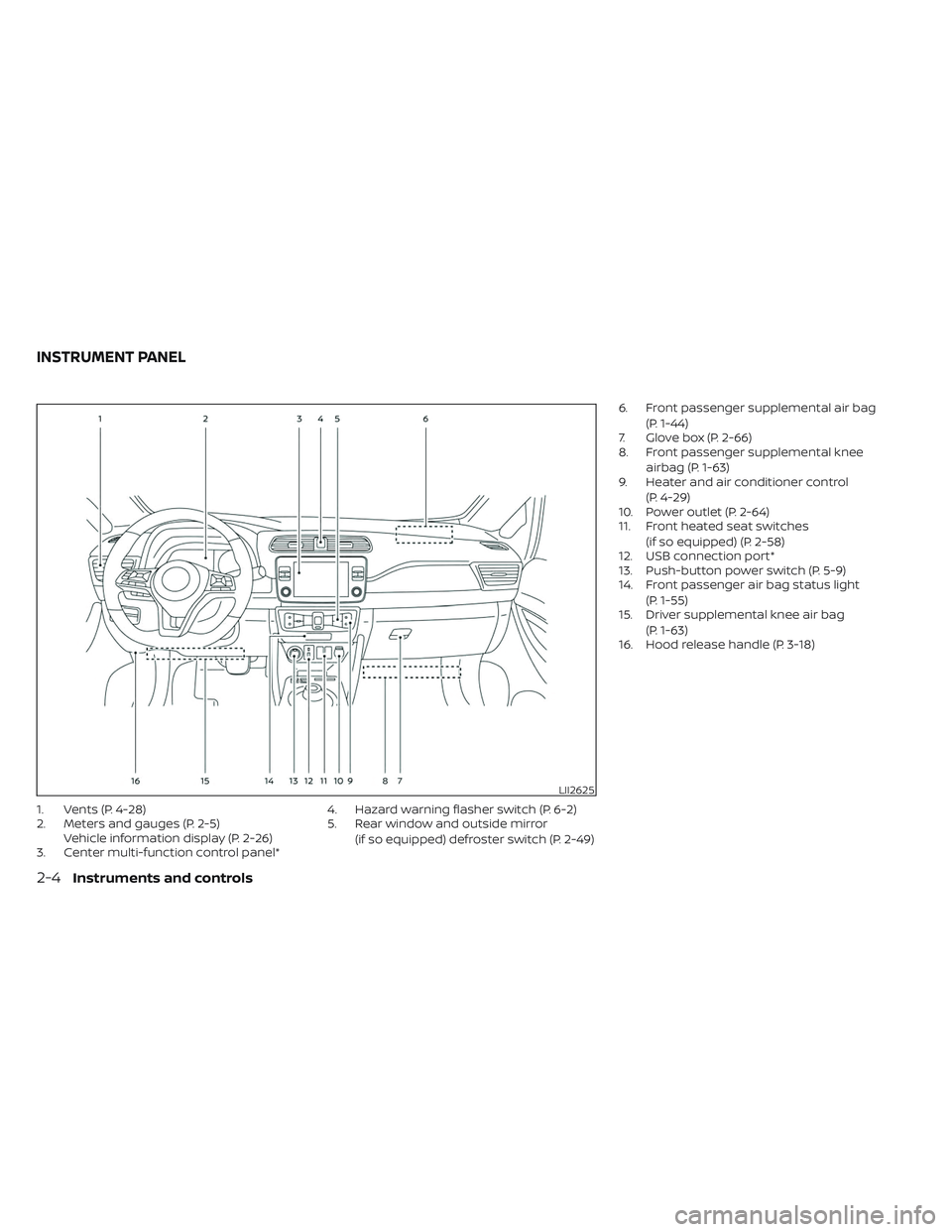
1. Vents (P. 4-28)
2. Meters and gauges (P. 2-5)Vehicle information display (P. 2-26)
3. Center multi-function control panel* 4. Hazard warning flasher switch (P. 6-2)
5. Rear window and outside mirror
(if so equipped) defroster switch (P. 2-49) 6. Front passenger supplemental air bag
(P. 1-44)
7. Glove box (P. 2-66)
8. Front passenger supplemental knee
airbag (P. 1-63)
9. Heater and air conditioner control
(P. 4-29)
10. Power outlet (P. 2-64)
11. Front heated seat switches
(if so equipped) (P. 2-58)
12. USB connection port*
13. Push-button power switch (P. 5-9)
14. Front passenger air bag status light
(P. 1-55)
15. Driver supplemental knee air bag
(P. 1-63)
16. Hood release handle (P. 3-18)
LII2625
INSTRUMENT PANEL
2-4Instruments and controls
Page 186 of 612
NOTE:
• The driving range display will flashwhen the low battery charge indicator
illuminates. Additionally, if you con-
tinue to drive the vehicle in this state
and the Li-ion battery is close to being
completely discharged, “---” will be
displayed. Charge the Li-ion battery as
soon as possible. When the Li-ion bat-
tery is charged, the original display will
be restored.
• Af ter the vehicle is charged, the dis- played driving range is calculated
based on the actual average energy
consumption of the previous driving.
The displayed driving range will vary
every time the vehicle is fully charged.
• The driving range increases or de- creases when the air conditioner,
heater or Li-ion battery warmer (if so
equipped) is turned on or off, or when
the ECO mode is selected, or when any
other accessory is turned on or off
based on driving (for models with
40kWh battery).
• If the rear seat belt reminder message is displayed, the driving range display
is temporarily unavailable.
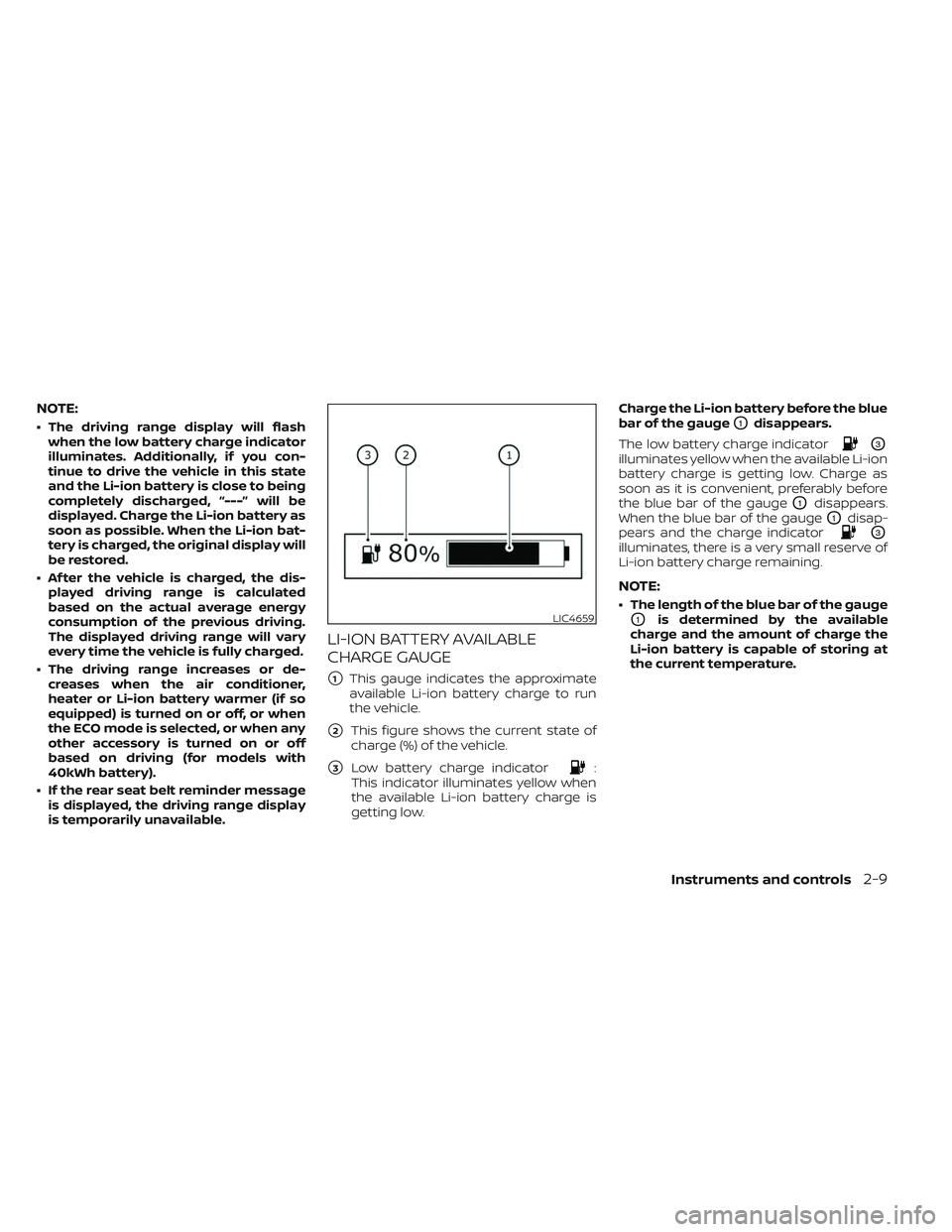
LI-ION BATTERY AVAILABLE
CHARGE GAUGE
�1This gauge indicates the approximate
available Li-ion battery charge to run
the vehicle.
�2This figure shows the current state of
charge (%) of the vehicle.
�3Low battery charge indicator:
This indicator illuminates yellow when
the available Li-ion battery charge is
getting low. Charge the Li-ion battery before the blue
bar of the gauge
O1disappears.
The low battery charge indicator
O3
illuminates yellow when the available Li-ion
battery charge is getting low. Charge as
soon as it is convenient, preferably before
the blue bar of the gauge
O1disappears.
When the blue bar of the gauge
O1disap-
pears and the charge indicator
O3
illuminates, there is a very small reserve of
Li-ion battery charge remaining.
NOTE:
• The length of the blue bar of the gauge
O1is determined by the available
charge and the amount of charge the
Li-ion battery is capable of storing at
the current temperature.LIC4659
Instruments and controls2-9
Page 235 of 612
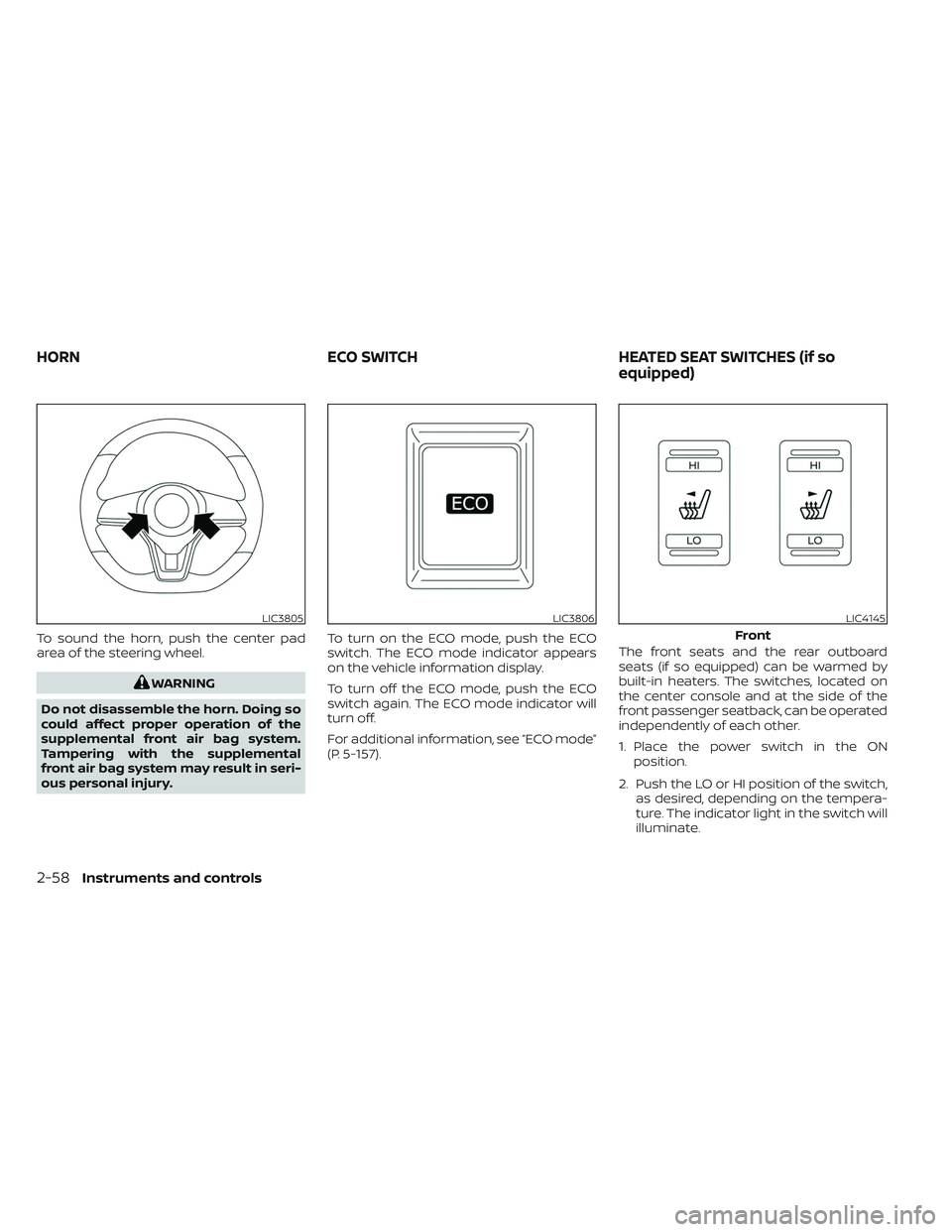
To sound the horn, push the center pad
area of the steering wheel.
WARNING
Do not disassemble the horn. Doing so
could affect proper operation of the
supplemental front air bag system.
Tampering with the supplemental
front air bag system may result in seri-
ous personal injury. To turn on the ECO mode, push the ECO
switch. The ECO mode indicator appears
on the vehicle information display.
To turn off the ECO mode, push the ECO
switch again. The ECO mode indicator will
turn off.
For additional information, see “ECO mode”
(P. 5-157).
The front seats and the rear outboard
seats (if so equipped) can be warmed by
built-in heaters. The switches, located on
the center console and at the side of the
front passenger seatback, can be operated
independently of each other.
1. Place the power switch in the ON
position.
2. Push the LO or HI position of the switch, as desired, depending on the tempera-
ture. The indicator light in the switch will
illuminate.
LIC3805LIC3806LIC4145
Front
HORN ECO SWITCHHEATED SEAT SWITCHES (if so
equipped)
2-58Instruments and controls
Page 236 of 612
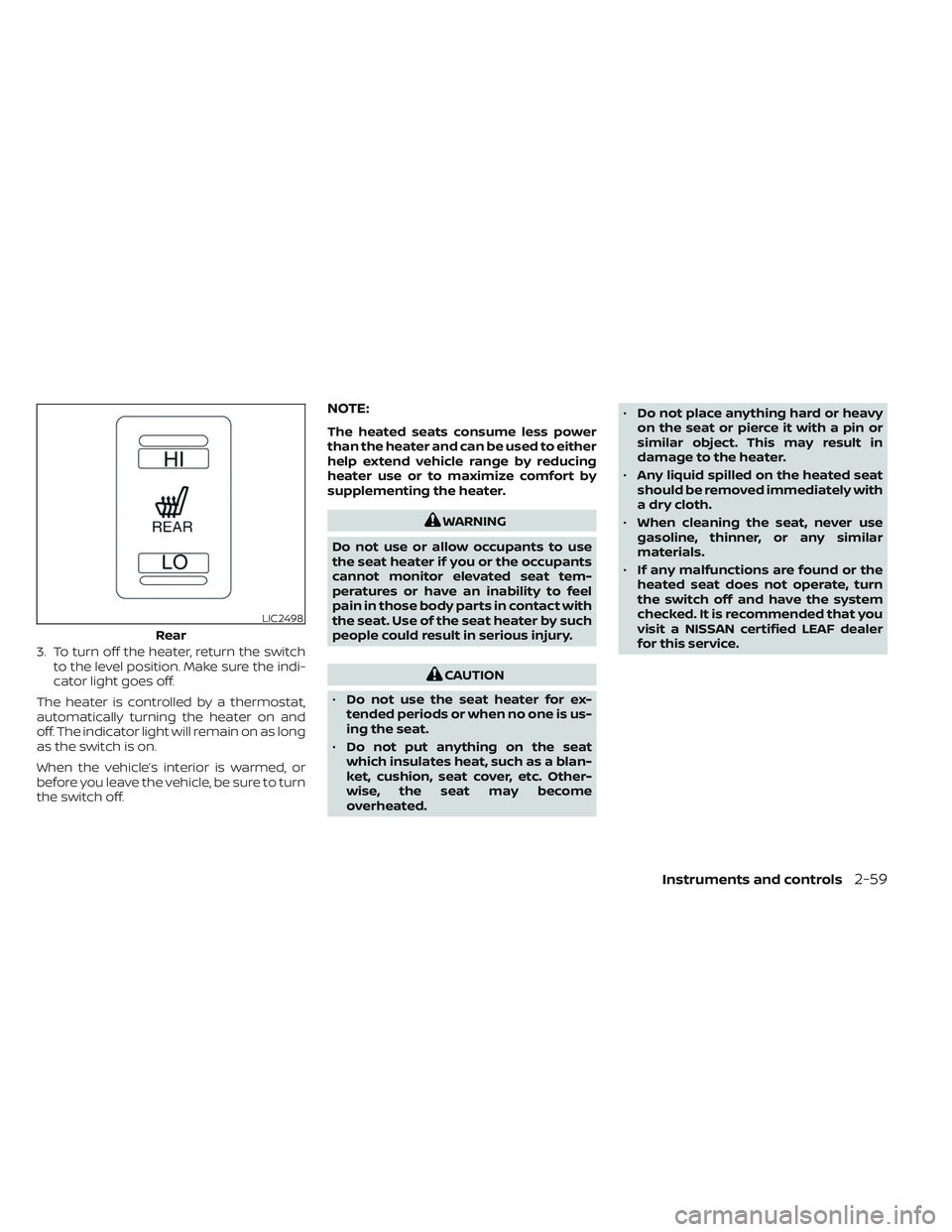
3. To turn off the heater, return the switchto the level position. Make sure the indi-
cator light goes off.
The heater is controlled by a thermostat,
automatically turning the heater on and
off. The indicator light will remain on as long
as the switch is on.
When the vehicle’s interior is warmed, or
before you leave the vehicle, be sure to turn
the switch off.
NOTE:
The heated seats consume less power
than the heater and can be used to either
help extend vehicle range by reducing
heater use or to maximize comfort by
supplementing the heater.
WARNING
Do not use or allow occupants to use
the seat heater if you or the occupants
cannot monitor elevated seat tem-
peratures or have an inability to feel
pain in those body parts in contact with
the seat. Use of the seat heater by such
people could result in serious injury.
CAUTION
• Do not use the seat heater for ex-
tended periods or when no one is us-
ing the seat.
• Do not put anything on the seat
which insulates heat, such as a blan-
ket, cushion, seat cover, etc. Other-
wise, the seat may become
overheated. •
Do not place anything hard or heavy
on the seat or pierce it with a pin or
similar object. This may result in
damage to the heater.
• Any liquid spilled on the heated seat
should be removed immediately with
a dry cloth.
• When cleaning the seat, never use
gasoline, thinner, or any similar
materials.
• If any malfunctions are found or the
heated seat does not operate, turn
the switch off and have the system
checked. It is recommended that you
visit a NISSAN certified LEAF dealer
for this service.
LIC2498
Rear
Instruments and controls2-59
Page 237 of 612
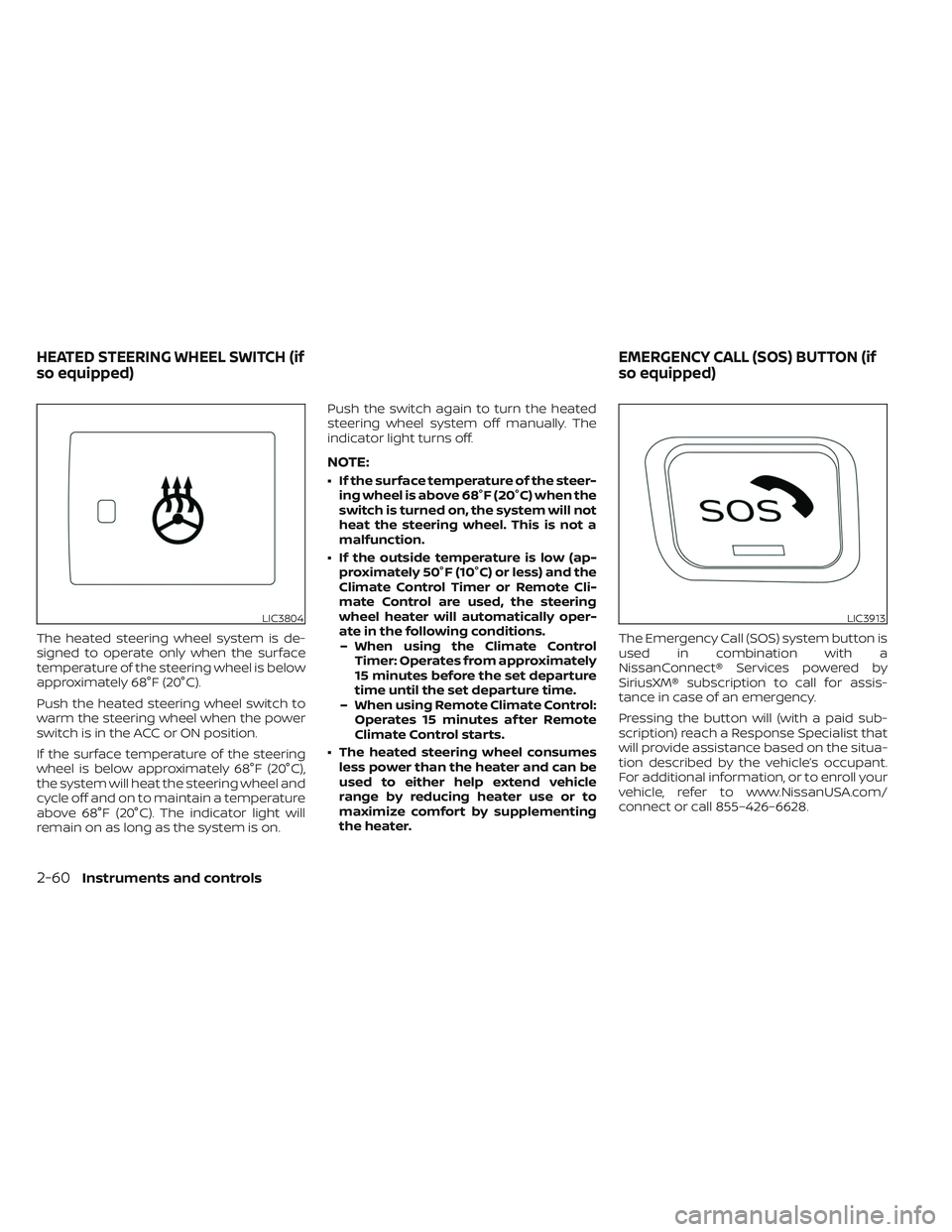
The heated steering wheel system is de-
signed to operate only when the surface
temperature of the steering wheel is below
approximately 68°F (20°C).
Push the heated steering wheel switch to
warm the steering wheel when the power
switch is in the ACC or ON position.
If the surface temperature of the steering
wheel is below approximately 68°F (20°C),
the system will heat the steering wheel and
cycle off and on to maintain a temperature
above 68°F (20°C). The indicator light will
remain on as long as the system is on.Push the switch again to turn the heated
steering wheel system off manually. The
indicator light turns off.
NOTE:
• If the surface temperature of the steer-
ing wheel is above 68°F (20°C) when the
switch is turned on, the system will not
heat the steering wheel. This is not a
malfunction.
• If the outside temperature is low (ap- proximately 50°F (10°C) or less) and the
Climate Control Timer or Remote Cli-
mate Control are used, the steering
wheel heater will automatically oper-
ate in the following conditions.– When using the Climate Control Timer: Operates from approximately
15 minutes before the set departure
time until the set departure time.
– When using Remote Climate Control: Operates 15 minutes af ter Remote
Climate Control starts.
• The heated steering wheel consumes less power than the heater and can be
used to either help extend vehicle
range by reducing heater use or to
maximize comfort by supplementing
the heater. The Emergency Call (SOS) system button is
used in combination with a
NissanConnect® Services powered by
SiriusXM® subscription to call for assis-
tance in case of an emergency.
Pressing the button will (with a paid sub-
scription) reach a Response Specialist that
will provide assistance based on the situa-
tion described by the vehicle’s occupant.
For additional information, or to enroll your
vehicle, refer to www.NissanUSA.com/
connect or call 855–426–6628.
LIC3804LIC3913
HEATED STEERING WHEEL SWITCH (if
so equipped)
EMERGENCY CALL (SOS) BUTTON (if
so equipped)
2-60Instruments and controls
Page 241 of 612
CAUTION
• The outlet and plug may be hot dur-
ing or immediately af ter use.
• Do not use with accessories that ex-
ceed a 12-volt, 120W (10A) power
draw.
• Do not use double adapters or more
than one electrical accessory.
• Use the power outlet with the power
switch is in the ON or READY to Drive
position to avoid discharging the 12-
volt battery. •
Avoid using the power outlet when
the air conditioner, headlights or rear
window defroster are on.
• This power outlet is not designed for
use with a cigarette lighter unit.
• Push the plug in as far as it will go. If
good contact is not made, the plug
may overheat or the internal tem-
perature fuse may open.
• Before inserting or disconnecting a
plug, make sure that the electrical
accessory being used is turned OFF.
• When not in use, be sure to close the
cap. Do not allow water to contact
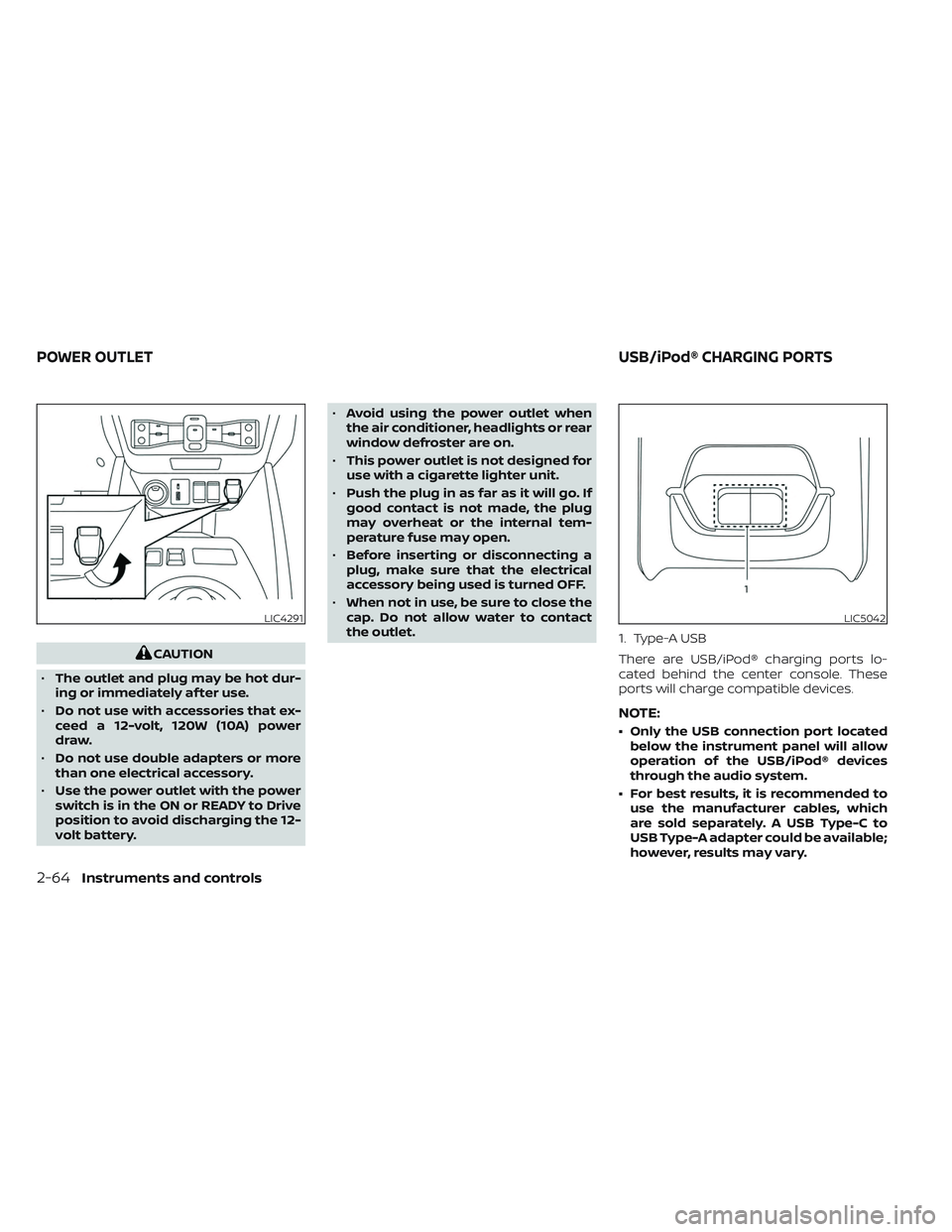
the outlet. 1. Type-A USB
There are USB/iPod® charging ports lo-
cated behind the center console. These
ports will charge compatible devices.
NOTE:
• Only the USB connection port located
below the instrument panel will allow
operation of the USB/iPod® devices
through the audio system.
• For best results, it is recommended to use the manufacturer cables, which
are sold separately. A USB Type-C to
USB Type-A adapter could be available;
however, results may vary.
LIC4291LIC5042
POWER OUTLET USB/iPod® CHARGING PORTS
2-64Instruments and controls
Page 244 of 612
CAUTION
• Do not use for anything other than
sunglasses.
• Do not leave sunglasses in the sun-
glasses holder while parking in direct
sunlight. The heat may damage the
sunglasses.
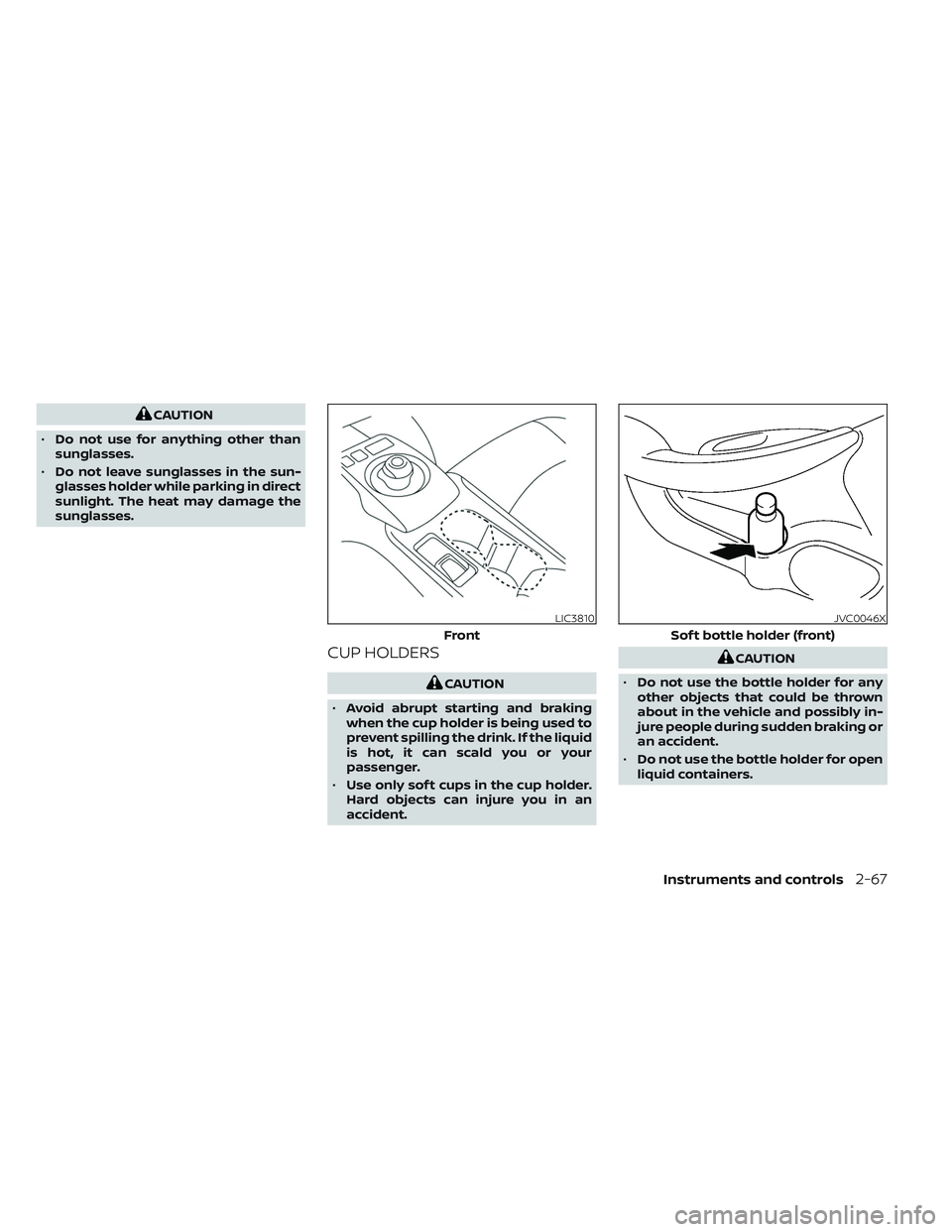
CUP HOLDERS
CAUTION
• Avoid abrupt starting and braking
when the cup holder is being used to
prevent spilling the drink. If the liquid
is hot, it can scald you or your
passenger.
• Use only sof t cups in the cup holder.
Hard objects can injure you in an
accident.
CAUTION
• Do not use the bottle holder for any
other objects that could be thrown
about in the vehicle and possibly in-
jure people during sudden braking or
an accident.
• Do not use the bottle holder for open
liquid containers.
LIC3810
Front
JVC0046X
Sof t bottle holder (front)
Instruments and controls2-67
Page 277 of 612
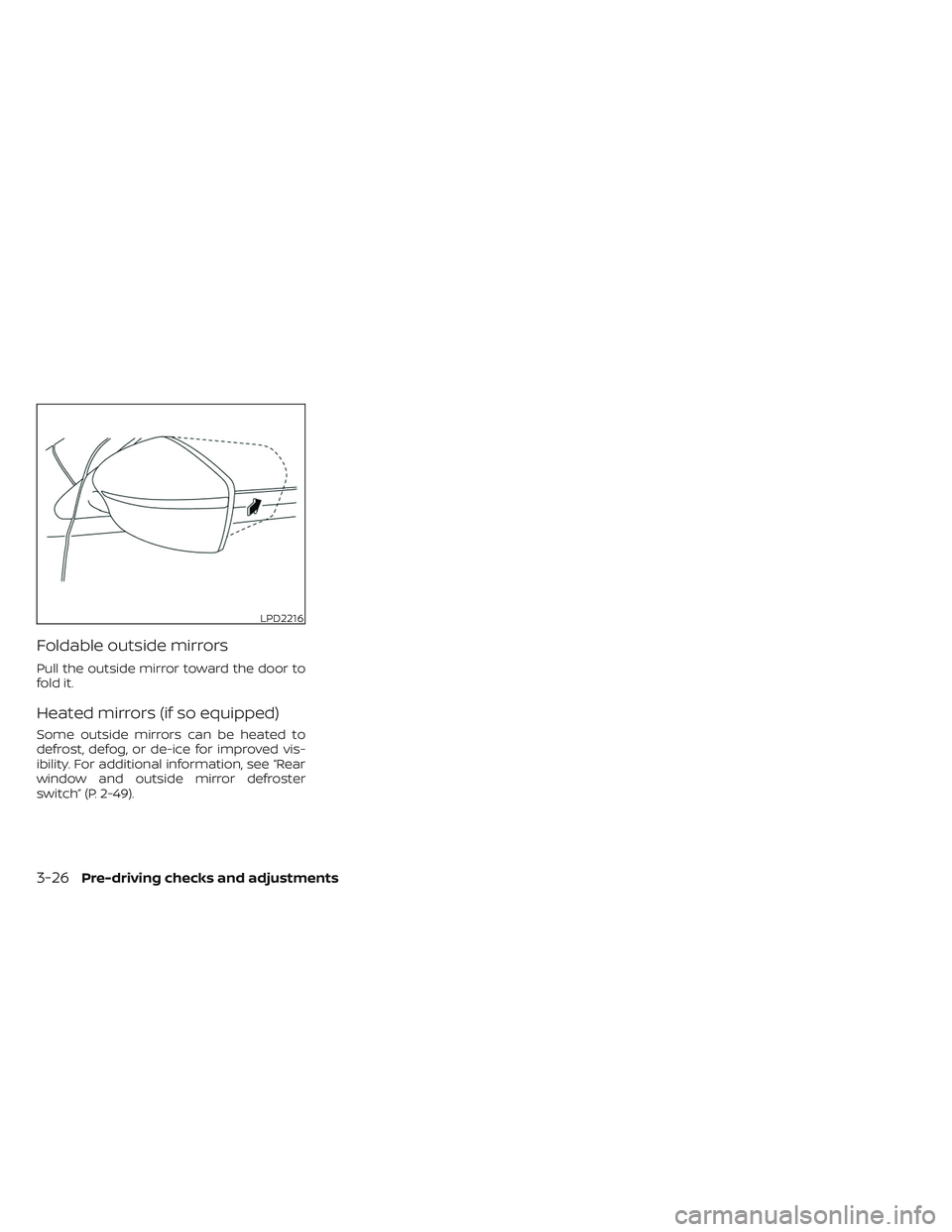
Foldable outside mirrors
Pull the outside mirror toward the door to
fold it.
Heated mirrors (if so equipped)
Some outside mirrors can be heated to
defrost, defog, or de-ice for improved vis-
ibility. For additional information, see “Rear
window and outside mirror defroster
switch” (P. 2-49).
LPD2216
3-26Pre-driving checks and adjustments